
Choosing between Rocket.new vs Webflow for business websites? This blog breaks down pricing, features, SEO, code ownership, and deployment so you can pick the platform that fits how you actually work.
You need a business website. The question is simple: do you want to spend weeks designing one, or minutes describing it?
Forbes Advisor evaluated 26 major website builders across 66 decision factors in their 2025 analysis. The findings point to a clear shift. Traditional drag-and-drop platforms are losing ground to AI-native alternatives that produce deployable websites in minutes rather than weeks.
This blog covers both platforms honestly. It explains what each does well, where each falls short, and which one fits your situation.
What Does Each Platform Actually Do?
Both platforms build websites, but they start from completely different assumptions about who does the work.
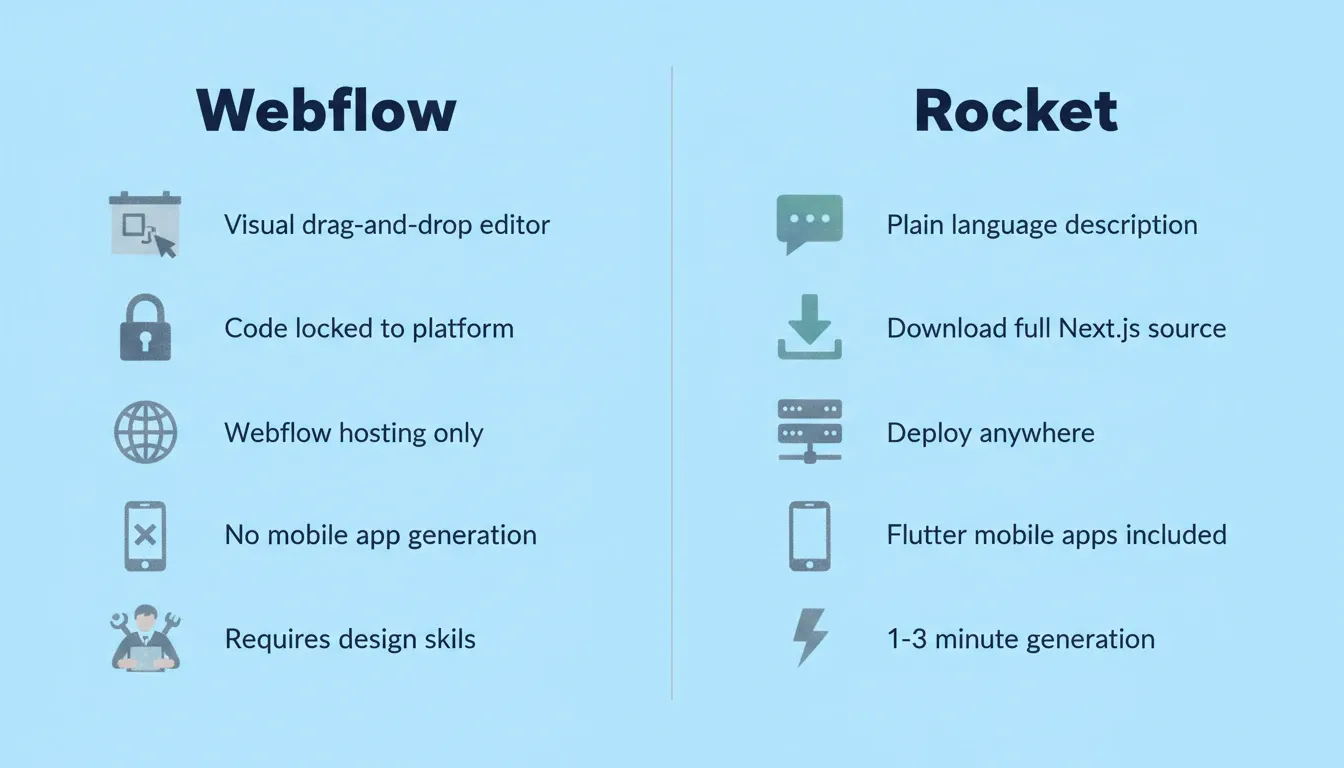
Webflow is a visual design tool built around a drag-and-drop canvas. You position elements manually, configure animations, and style every component through a properties panel. The output lives on Webflow's servers, inside their proprietary editor.
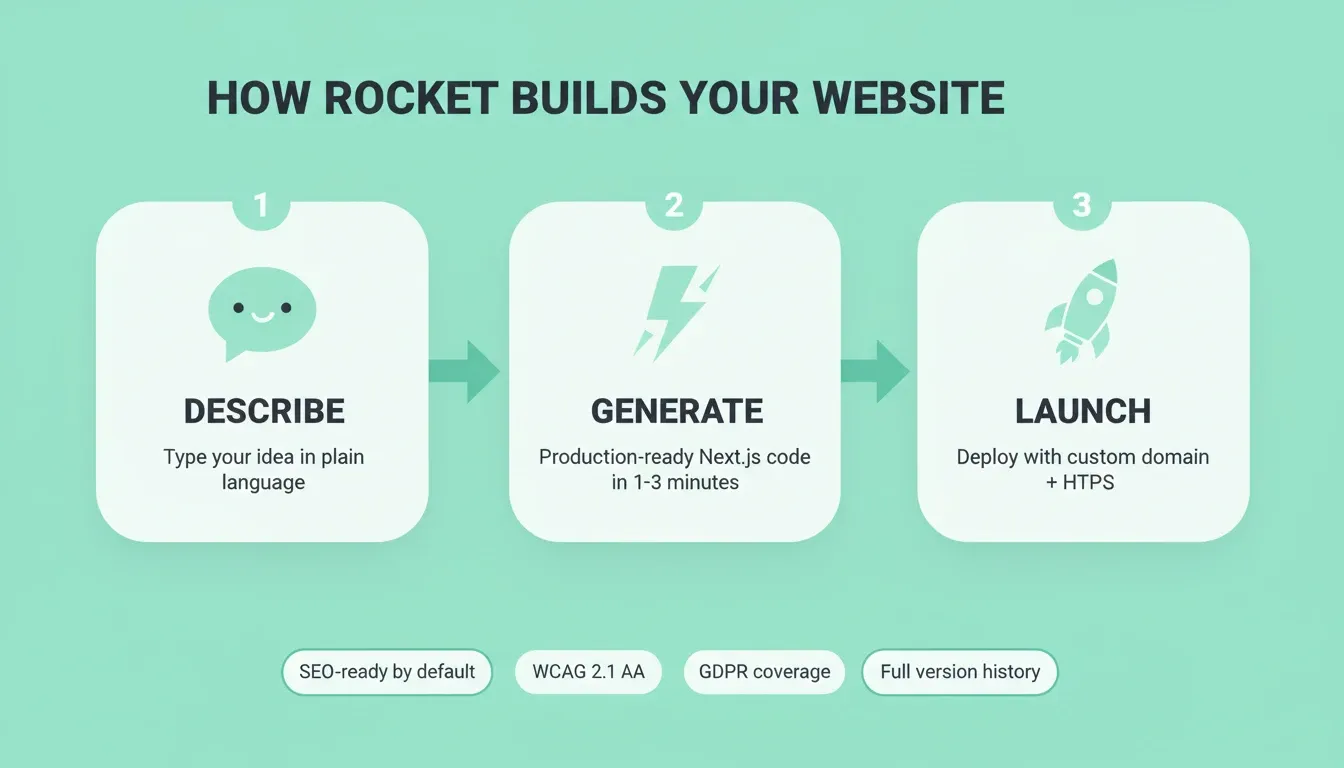
Rocket takes a different approach. Describe what you want in plain language, and it generates a complete website with production-ready Next.js code, real design systems, SEO structure, and deployment infrastructure. No dragging, no dropping, no manual layout work. It also includes Solve for pre-build research, Intelligence for continuous competitive monitoring, and a Redesign tool that reimagines existing sites using eight slash commands.
The core difference: Webflow gives you tools to build a website yourself. Rocket figures out the architecture, writes the code, and produces a working product you can deploy immediately.
| Aspect | Webflow | Rocket |
|---|---|---|
| Input method | Visual drag-and-drop editor | Plain language description |
| Code output | Proprietary (locked to platform) | Production Next.js (downloadable) |
| Design approach | Manual element placement | AI-generated with design systems |
| Framework | Webflow-specific | Next.js (web), Flutter (mobile) |
| Learning curve | Steep for non-designers | Minimal — describe what you need |
| Starting point | Blank canvas | Idea, Figma file, GitHub repo, or existing URL |
| Research layer | None | Solve (market research, competitive analysis) |
| Competitive monitoring | None | Intelligence (continuous, automated) |
For a broader look at how AI-native builders compare to traditional website tools, see best Webflow alternatives for modern website building.
How Do Pricing and Plans Stack Up?
Pricing tells you more than monthly cost. It reveals what each platform expects from you, where the real expenses hide, and what you will pay as your needs grow.
Webflow's free plan gives you 2 static pages, 1 GB bandwidth, and a webflow.io subdomain. That is not enough for any real business website. Their Basic plan starts at $15/month (billed yearly) with a custom domain and 300 static pages.
Webflow's Premium plan costs $25/month (yearly) and includes CMS access with 20,000 items. Their Team plan jumps to $2,500/month on an annual contract. Webflow announced these simplified pricing tiers in May 2026.
Rocket includes custom domain connection, staging and production environments, full version history, and one-click rollback on paid plans. Built-in analytics tracks visitors, conversions, and Core Web Vitals without add-ons.
| Feature | Webflow Basic ($15/mo) | Webflow Premium ($25/mo) | Rocket Paid Plans |
|---|---|---|---|
| Custom domain | Yes | Yes | Yes |
| CMS access | No | Yes (20K items) | Not applicable (code-based) |
| Bandwidth | 10 GB | 50 GB | Included (Netlify-based) |
| Analytics | Add-on ($9/mo+) | Add-on ($9/mo+) | Built-in |
| SEO tools | Manual | Manual | Auto-generated |
| Version history | Limited | Limited | Full with one-click rollback |
| Code download | No | No | Yes (full source) |
| Mobile app generation | Not available | Not available | Flutter (included) |
Webflow's pricing stacks up quickly once you add analytics, localization, and conversion tools as separate add-ons. Rocket bundles those capabilities into the core platform. As a result, your monthly costs stay predictable as your business grows. For a detailed breakdown of AI website builder pricing, see how to find the cheapest AI website builder today.
Which Platform Handles Complex Business Needs Better?
A website for a growing business needs more than good looks. It needs connected services, compliance coverage, performance tuning, and the ability to scale without rebuilding from scratch.
Connected services matter. Webflow connects to third-party tools through Zapier or custom API work. In contrast, Rocket connects 25+ services directly into the build. These include Stripe, Google Analytics, Supabase, Mailchimp, Notion, Linear, and more. You authenticate once, and every project inherits the connection. See the full connectors overview for the complete list.
SEO and compliance come standard with Rocket. Every Build ships with semantic HTML, structured data support, WCAG 2.1 AA accessibility compliance, and GDPR coverage by default. Webflow provides a baseline but requires manual configuration for most compliance needs.
Deployment flexibility separates the platforms. Webflow locks you into their hosting. Rocket gives you staging and production environments, lets you download full source code, and supports custom domain connection through multiple providers.
Mobile apps are not possible on Webflow. Rocket generates Flutter mobile applications from the same project context, ready for App Store and Google Play submission.
SEO, Accessibility, and Compliance: How Each Platform Compares
For business websites, getting found on Google and meeting legal requirements are not optional. The two platforms handle these very differently.
Webflow provides a solid SEO foundation. You can manually set meta titles, descriptions, canonical tags, and Open Graph fields. However, structured data, XML sitemaps, and robots.txt require manual setup or third-party plugins.
Rocket ships every build with clean semantic HTML, auto-generated meta tags, structured data support, XML sitemap, and robots.txt as defaults. The/Generate SEO Reportcommand audits your site. The/Fix SEO Issuescommand applies fixes automatically. Rocket also supports GEO (Generative Engine Optimization) for visibility in AI search engines like Perplexity, ChatGPT, and Claude. For the full SEO setup guide, see Rocket's SEO documentation.
On accessibility, Webflow generates accessible HTML by default. However, it leaves most WCAG compliance work to the designer. Rocket ships with semantic structure as a baseline. The/Generate Accessibility Reportcommand produces a full WCAG 2.1 AA compliance report on demand.
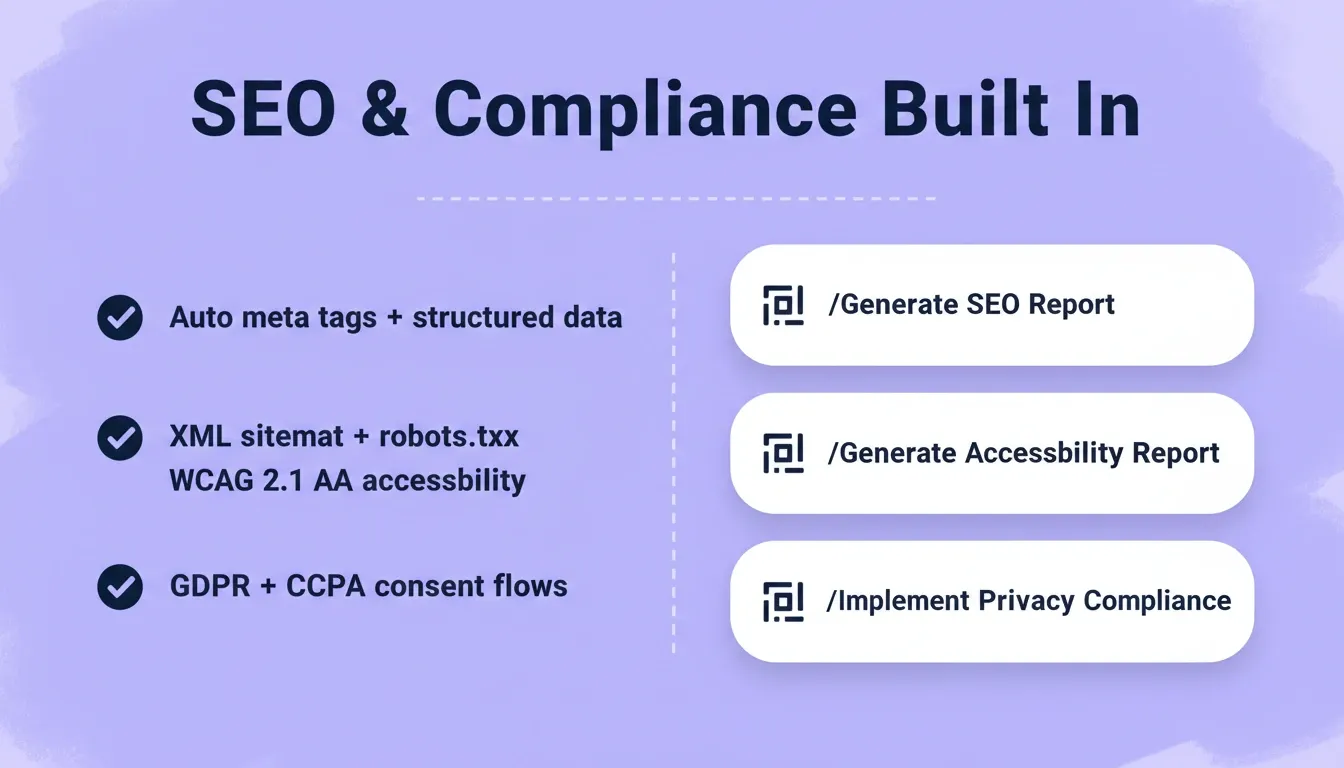
| Compliance Area | Webflow | Rocket |
|---|---|---|
| Semantic HTML baseline | Yes | Yes |
| Auto meta tags | Manual | Auto-generated |
| Structured data (JSON-LD) | Manual | On request |
| XML sitemap + robots.txt | Manual | Auto-generated |
| WCAG 2.1 AA audit | Not available | /Generate Accessibility Report |
| GDPR consent banners | Third-party required | Built-in on request |
| CCPA compliance | Third-party required | Built-in on request |
| GEO (AI search optimization) | Not available | /Generate GEO And AEO Report |
Why Rocket Gives Business Owners a Head Start
Most business owners do not have weeks to spend learning a visual editor. They need a working website that performs well from day one.
Generate, do not build manually. Describe your business, target audience, and key pages in plain language. Rocket generates a complete website with real typography, considered hierarchy, and production-quality code in 1-3 minutes. The output does not look like a template or a generic AI mockup.
Ship with confidence. Every Rocket build includes SEO-ready structure, meta tags, structured data support, and performance tuning. These ship as default behavior, not post-launch configuration.
Iterate through conversation. After the first generation, change layouts, add features, connect payment processors, or modify entire sections by describing what you want. There is no re-explaining and no context loss between sessions.
Own your code. Unlike Webflow's locked proprietary output, Rocket generates standard Next.js code you can download, modify, and host anywhere. You are not trapped on a single platform.
Where Webflow shows its limits: custom animations require learning their interaction system; CMS logic is constrained to their schema rules; mobile apps are not possible; and custom backend logic requires external tools. Every extension adds monthly cost and complexity.
What Do Builders Say About Switching Platforms?
Numbers tell part of the story, but real builder feedback reveals the day-to-day experience of working with each platform.
Webflow's market position is established but niche. According to W3Techs usage data, Webflow powers 0.8% of all websites globally. Most adopters are designers or agencies rather than business owners building independently.
Community feedback highlights a learning curve. Webflow's visual editor is powerful for designers who understand CSS concepts. Business owners without design backgrounds frequently report frustration with the properties panel and responsive design controls.
Rocket's approach resonates with non-technical founders. 1.5 million people have tried Rocket across 180 countries through organic growth alone. The platform primarily attracts builders who want results without managing a design tool.
Reid Mallum, a retired professor in South Africa, used a single-sentence prompt to ship a live cloud kitchen platform with ecommerce ordering, role-based staff tools, and PayFast payments on his own domain, with no development team involved. Rocket community case study, July 2026
The market data confirms what individual builders experience. Webflow serves designers well. However, the majority of business owners benefit more from platforms that produce finished results without requiring design skills.
Who Should Choose Each Platform?
The right choice depends on what you value most and how you work.
Webflow is the right fit if you:
-
Are a professional designer or agency who thinks in CSS and wants pixel-level control
-
Need complex custom animations and interaction design beyond standard transitions
-
Already have Webflow expertise and switching costs outweigh the benefits
-
Need a visual CMS that non-technical editors can update without touching code
Rocket is the right fit if you:
-
Need a production-ready website live in hours, not weeks
-
Want to own your code and host it anywhere
-
Need SEO, accessibility, and compliance handled by default
-
Plan to scale into a web app, mobile app, or connected platform
-
Are a non-technical founder who cannot spend weeks learning a design tool
The Right Platform Depends on How You Work
The Rocket.new vs Webflow decision comes down to one question: do you want to design a website, or ship one?
As AI-native platforms continue to close the gap on design quality, the case for spending weeks inside a visual editor gets harder to make. Rocket generates production-ready business websites with SEO, accessibility, code ownership, and 25+ integrations built in. The gap will only widen as the platform compounds intelligence across every build.
If you want pixel-level design control and already know CSS, Webflow delivers that. If you want a deployable business website in minutes, with code you own and compliance handled by default, describe your idea at Rocket.new and see what ships.
Table of contents
- -What Does Each Platform Actually Do?
- -How Do Pricing and Plans Stack Up?
- -Which Platform Handles Complex Business Needs Better?
- -SEO, Accessibility, and Compliance: How Each Platform Compares
- -Why Rocket Gives Business Owners a Head Start
- -What Do Builders Say About Switching Platforms?
- -Who Should Choose Each Platform?
- -The Right Platform Depends on How You Work