
How can automation reshape software development workflows? Let's outline tools, benefits, risks, and uses, showing how teams reduce manual work, limit errors, and deliver features faster through streamlined processes.
What is software development automation?
In short, it’s the use of automation tools to simplify the software development process, reduce repetitive tasks, and cut down on human errors. Teams that automate often ship features faster and catch issues earlier.
A recent study found that 76% of software professionals are already using or planning AI-driven tools to streamline their workflows.
Let's see how software development automation works in practice, the tools involved, the benefits, and the pitfalls. It’s designed to help teams move from tedious manual processes to streamlined, efficient automated workflows.
Why Automation Matters in Software Development?
Software development is a juggling act. Teams write code, test it, deploy it, and fix bugs.
Many of these steps are repetitive tasks that eat time and energy. That’s why automation in software development is a game-changer.
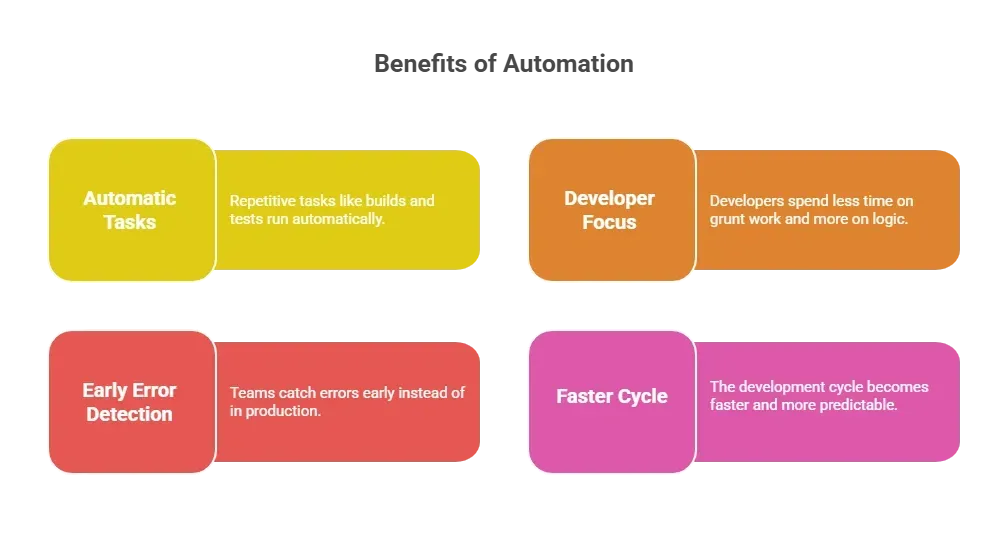
Think of it like replacing manual laundry with a washing machine less scrubbing, more free time.
Key Automation Tools Every Team Should Know
Here’s a table showing where common automation tools fit in the software development process:
| Stage | Tools | Purpose |
|---|---|---|
| Code integration & builds | Jenkins, GitHub Actions, GitLab CI | Automates building and testing code on every commit (continuous integration). |
| Automated testing | Selenium, Cypress, Playwright | Runs automated testing scripts to catch bugs without manual clicks. |
| Deployment automation | CircleCI, Argo CD | Automates sending code to staging or production environments. |
| Environment setup | Docker, Kubernetes | Keeps dev, test, and production environments consistent. |
| Code quality checks | SonarQube, ESLint | Scans for issues to maintain code quality. |
| Monitoring & alerts | Prometheus, Datadog | Watches live systems and flags problems instantly. |
| API testing & workflow | Postman, Newman | Handles testing and workflow automation for APIs. |
These tools reduce manual intervention and let teams focus on creating features.
How Automation Fits into Modern Workflows?
Before diving into the steps, it helps to picture automation as a smart assistant for your development team.
Instead of manually checking every detail, your team can rely on automated systems to handle repetitive tasks, freeing humans to focus on complex logic and creative problem-solving.
Step 1: Coding
Software developers write code and push it into version control systems.
Step 2: Build & Integration
CI tools automatically build the project and run checks. This catches errors early.
Step 3: Automated Testing
Automated testing frameworks run unit, integration, and UI tests. No human clicks required.
Step 4: Deployment Automation
If tests pass, the deployment process is handled automatically, staging or production, reducing manual tasks.
Step 5: Monitoring & Feedback
Monitoring tools watch live systems and alert teams when issues arise.
Following this workflow, teams not only reduce errors but also accelerate releases and maintain consistent software quality. Essentially, automation turns what used to be a headache into a smooth, reliable process.
The Human Side of Automation
Automation doesn’t replace people. It shifts focus. Instead of pushing code manually or running repetitive tests, developers spend more time on creative problem solving.
For software engineers:
- Less manual labor
- Faster feedback loops
- More time for code review and feature design
- Ability to handle complex workflows with less stress
Automation in software development isn’t about replacing humans; it’s about making human work more meaningful.
Common Types of Automation in Software Development
Before jumping into the types, think of automation as your team’s personal assistant.
It takes over repetitive chores so developers can focus on the fun stuff, solving problems, designing features, and not staring at a blinking cursor, wondering if they missed a step.
1. Continuous Integration and Deployment Automation
CI/CD pipelines merge code changes frequently and deploy automatically. This minimizes errors, improves speed, and reduces the need for human intervention.
2. Automated Testing
Automated testing eliminates tedious manual testing. Unit tests, integration tests, and UI checks run every time code changes, improving software quality.
3. Workflow Automation
Trigger-based workflow automation handles tasks like environment setup, notifications, and task assignment. It reduces errors in manual processes.
4. Deployment Automation
Scripts handle the deployment process consistently across environments, minimizing human intervention and reducing the risk of downtime.
By using these automation types, teams can reduce errors, save time, and make sure every release feels less like a gamble and more like a smooth ride. Basically, less grunt work, more productivity, and fewer “oops” moments.
Community Insights
Here’s what Reddit user says about automation tools:
“I have hired some developers to develop my apps which are bit complex. But I have an MVP idea which I want to develop by myself. As I have no knowledge of coding, I am thinking to go with Rocket New.”
How Rocket.new Connects to Automation?
Rocket.new is a vibe solutioning platform that automates key parts of the software development process. Using natural language processing, it converts natural language prompts into live apps, including backend logic, database setup, and deployment.
Think of Rocket.new as your co-pilot for building software. Instead of juggling multiple tools and messy setups, you describe what you want, and the platform handles the boring parts, letting you focus on features, logic, and design.
Top Features:
- Prompt to App Creation: Builds apps directly from single prompts
- Figma Import: Converts design files into live, editable layouts
- AI-Powered Backend: Automatically handles logic, data, and workflows
- Custom Domain Support: Publishes projects with a branded domain
- Code Export: Allows developers to extend or customize later
- Live Preview: Shows instant updates while editing
How Rocket.new Helps Build Software
Rocket.new makes it easy to build a range of software types, from web apps and dashboards to mobile apps and internal tools. You don’t need to configure servers, write boilerplate code, or set up databases manually. Just describe what you want, and Rocket.new does the heavy lifting.
Example:
-
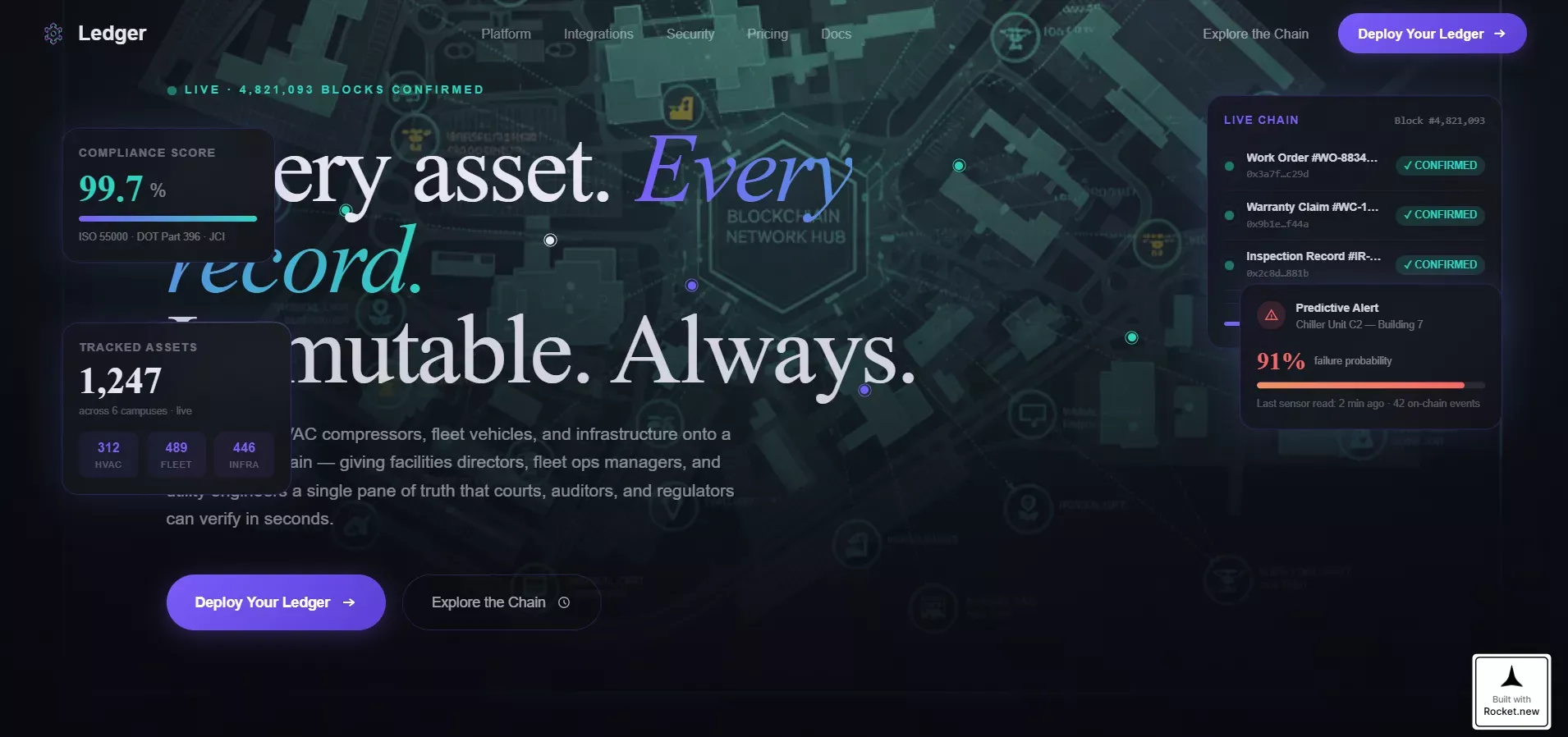
Prompt: “Build a single-page bento grid template for a blockchain-based enterprise asset management platform. It opens with a full-width command dashboard. Two conversion paths, "Deploy Your Ledger" and "Explore the Chain," work together.”
-
Result: Within minutes, you get a working app with backend logic, UI, and live preview—all ready to test or deploy.
Rocket.new shows how quickly software development automation can turn ideas into functional applications without tedious setups or repetitive tasks.
Why Automation Actually Feels Good?
Think of automation as your team’s personal coffee machine. It doesn’t do your coding for you, but it keeps the energy flowing, handles the boring tasks, and lets humans focus on the fun, tricky parts of development.
- Time Savings: Tasks that used to take hours now take minutes.
- Error Reduction: Automated pipelines catch issues humans might miss.
- Improved Software Quality: Frequent checks prevent messy releases.
- Reduced Manual Labor: Developers spend less time on boring stuff and more on logic.
The takeaway? Automation doesn’t replace people it makes their work faster, cleaner, and less painful. Teams experience fewer errors, higher software quality, and more time to tackle real problems rather than busywork.
Challenges to Watch
Automation isn’t magic. Even the fanciest tools can trip over setup glitches, tool clashes, or unexpected costs. Think of it like having a robot assistant; it’s amazing, but sometimes it needs a gentle nudge.
- Initial Setup & Maintenance: Pipelines need care and updates.
- Tool Compatibility: Different automation tools may clash.
- Trust Issues: AI-generated results may need human review.
- Cost & Limits: AI or cloud services may consume credits faster than expected.
The trick is balance. Combine software automation with smart human oversight, and teams get the speed and consistency of machines without losing judgment or control. A little attention upfront saves headaches later.
Getting Started With Automation
Starting automation can feel intimidating, like handing over your work to a robot for the first time. The secret? Don’t try to automate everything at once. Pick one small, repeatable workflow and let it do its thing while you watch.
Start with:
- Start Small: Pick one workflow, like testing or CI/CD, to automate first.
- Choose Tools Wisely: Select automation tools that are compatible with your stack.
- Include Reviews: Even automated systems need human checks.
- Monitor Results: Track time saved and quality improvements.
- Iterate: Expand automation gradually to more workflows.
By taking it step by step, teams build confidence, avoid mistakes, and see real gains without the stress. Gradual adoption turns automation from a scary concept into a reliable teammate.
Software Development Automation in a nutshell
Traditional software development is slow, repetitive, and error-prone. Software development automation reduces manual processes, automates repetitive tasks, and ensures consistent results. It frees developers to focus on problem solving, design, and innovation.
Teams that integrate automation tools thoughtfully see faster feedback, higher software quality, and happier developers. Smart automation means less grunt work, fewer errors, and smoother development cycles.
Table of contents
- -Why Automation Matters in Software Development?
- -Key Automation Tools Every Team Should Know
- -How Automation Fits into Modern Workflows?
- -The Human Side of Automation
- -Common Types of Automation in Software Development
- -1. Continuous Integration and Deployment Automation
- -2. Automated Testing
- -3. Workflow Automation
- -4. Deployment Automation
- -Community Insights
- -How Rocket.new Connects to Automation?
- -How Rocket.new Helps Build Software
- -Why Automation Actually Feels Good?
- -Challenges to Watch
- -Getting Started With Automation
- -Software Development Automation in a nutshell