Corporate Training & L&D Privacy Policy Website Template
Comply is a hub-and-spoke compliance training landing page template built for platforms that turn regulatory frameworks into scenario-based learning. It features an animated metrics header, a five-question personalization quiz, anchor navigation, and dual conversion paths, a free risk assessment trial and a gated checklist download, all wrapped in an Institutional Authority visual identity.
by Rocket studio
Quick summary
Comply is a single-page compliance training template designed for platforms that replace dense regulatory documents with hands-on scenario modules. The layout leads with hard evidence, personalizes the experience through a diagnostic quiz, and drives two conversion paths: a no-credit-card trial and a gated PDF download. It is authoritative, specific, and built to earn the click.
Who this template is for
This template is built for compliance and regulatory training platforms that serve professional buyers in high-stakes industries. If your product helps organizations meet audit deadlines, reduce violation risk, or run recertification cycles, this page is designed for your audience.
- Compliance officers at mid-market financial institutions managing frameworks like SOX, GDPR, HIPAA, and PCI-DSS
- HR directors at healthcare networks running recurring recertification cycles
- Operations leads at manufacturing firms facing OSHA audit deadlines
What problem this template solves
Most compliance training pages look like the regulations they teach, walls of text, generic claims, and no clear reason to act today. Buyers in this space are skeptical. They need evidence before they trust, and relevance before they engage.
- Visitors bounce when the page feels generic and disconnected from their specific regulatory context
- Generic demos and feature lists do not communicate the cost of non-compliance or the urgency of action
- Two-path conversion (trial and gated PDF) is rarely structured clearly, leaving softer leads uncaptured
What you get with this template
You get a full hub-and-spoke landing page layout with anchor navigation that links to distinct spoke sections. Every major section is already structured and labeled, so your team can drop in content without rebuilding the layout from scratch.
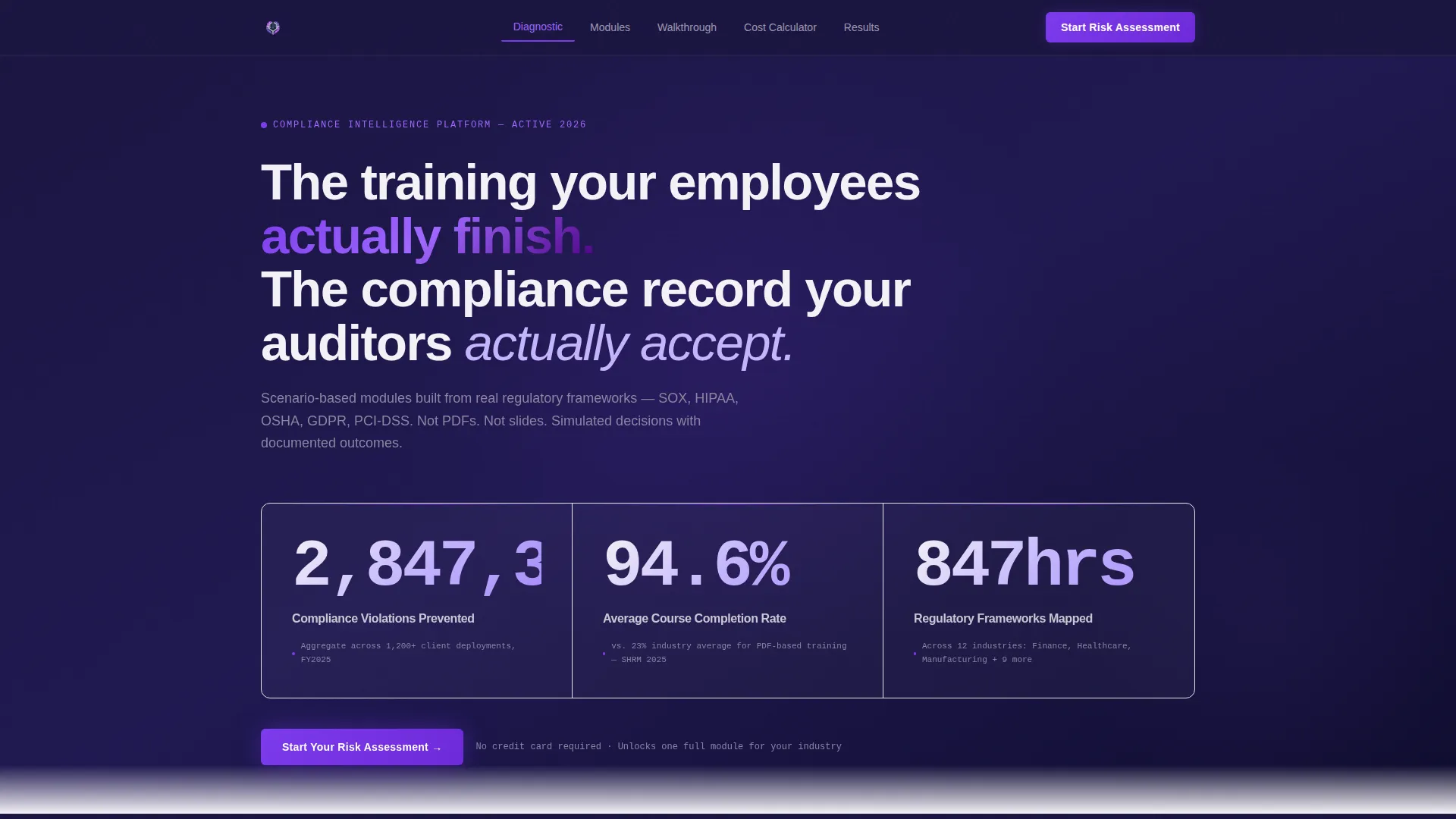
- An animated stats header with three real-time counters and citation lines, set against a deep regulatory navy background
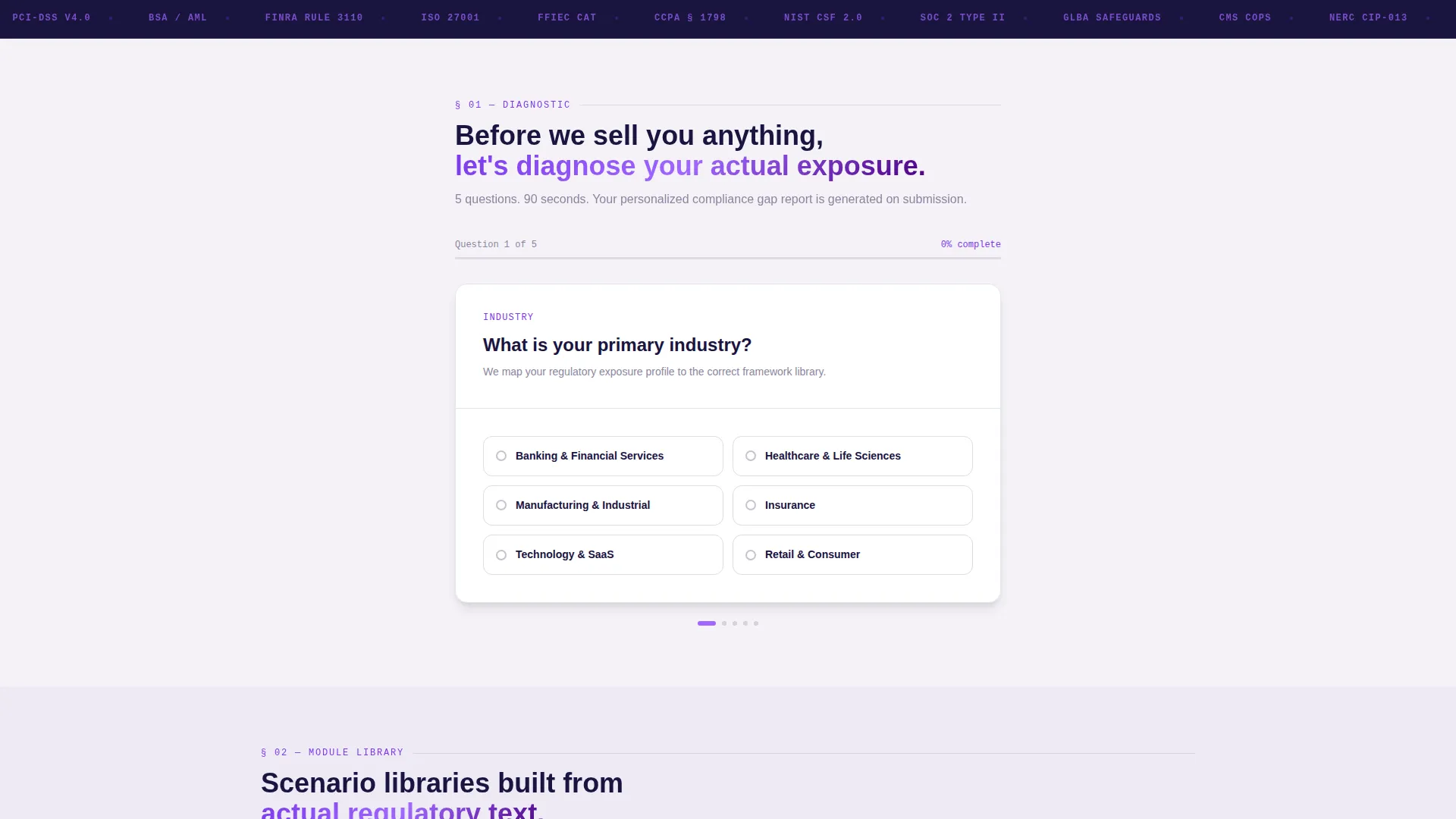
- A five-question personalization quiz that reconfigures the anchor nav and surfaces the three most relevant spoke sections on submission
- Two clear conversion paths: a free risk assessment trial and a gated compliance gap checklist PDF
Feature list
A paragraph introducing the features of this template appears below. Each component listed here is drawn directly from the template brief and represents a concrete, built-in layout element or interaction pattern.
Animated Metrics Header
Three large animated counters display total violations prevented, average course completion rate, and hours of regulatory content mapped. Each counter is paired with a single-line citation source. No stock photography, no decorative imagery, just data rendered at scale in monospaced type against deep navy.
Five-Question Diagnostic Quiz
The quiz collects industry, team size, most pressing regulation, last audit outcome, and current training format. On submission, the hub reconfigures: anchor navigation highlights the three most relevant spoke sections, making the scroll feel like a personalized briefing rather than a generic product tour.
Hub and Spoke Anchor Navigation
A pinned anchor navigation bar links the visitor directly to spoke sections. After quiz submission, the nav highlights the three sections most relevant to the visitor's profile. The primary call to action, "Start Your Risk Assessment," is pinned inside this nav throughout the scroll.
Personalized Spoke Sections
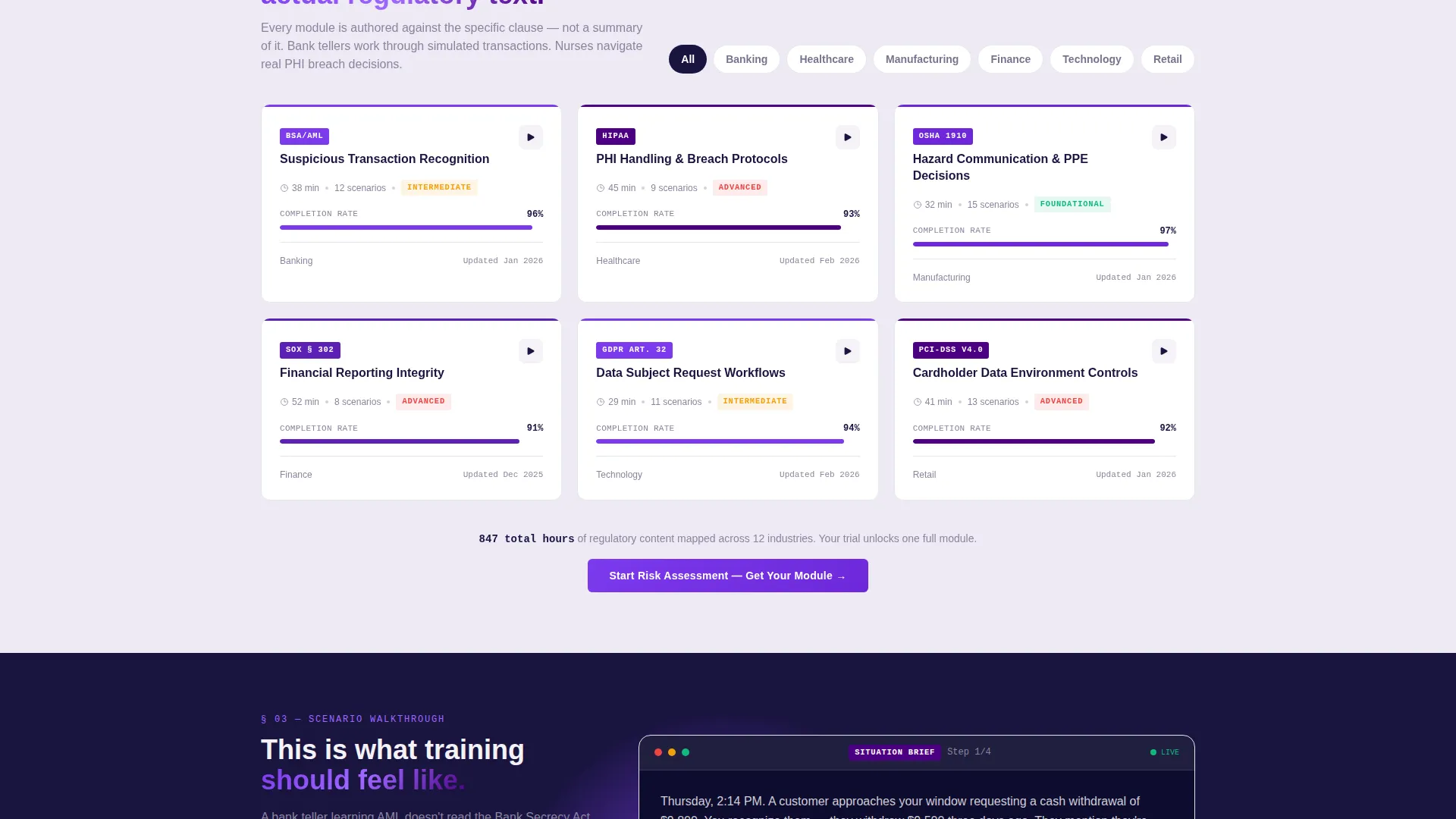
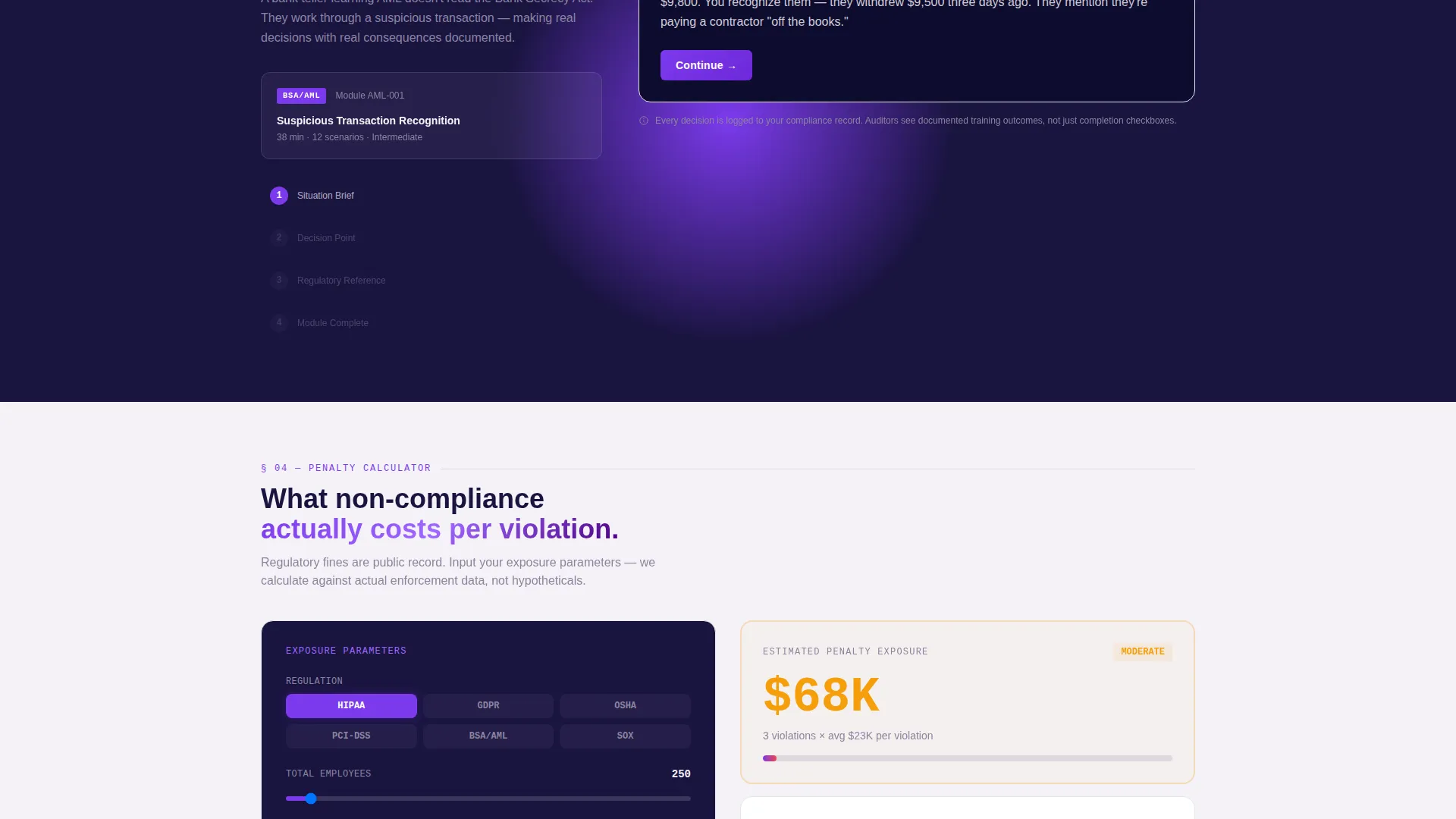
Three spoke sections surface after quiz completion: the visitor's industry module library, a sample scenario walkthrough, and a penalty-cost calculator showing real non-compliance costs per violation. Each section deepens the personalization established by the quiz.
Dual Conversion Path Layout
The primary path drives visitors to start a free risk assessment trial, unlocking one full regulatory module with no credit card required. A secondary path offers a gated compliance gap checklist PDF, capturing name, work email, and regulation of interest for visitors not yet ready to commit.
Regulation-Specific Dropdown
The quiz includes a dropdown populated with real regulatory frameworks including SOX, GDPR, HIPAA, and PCI-DSS. This detail signals domain credibility to compliance buyers immediately and ensures the personalization output maps to frameworks they actually work with.
Page sections overview
| Section | Purpose |
|---|---|
| Animated Stats Header | Opens with hard evidence via three real-time animated counters and citation sources |
| Diagnostic Quiz Block | Collects five visitor inputs to personalize the spoke sections and anchor nav |
| Hub Anchor Navigation | Pinned nav bar linking all spoke sections; hosts the primary call-to-action button |
| Industry Module Library | Spoke section showing the visitor's relevant regulatory module catalog |
| Scenario Walkthrough | Spoke section previewing a sample simulation module for the visitor's industry |
| Penalty Cost Calculator | Spoke section showing the financial cost of non-compliance per violation |
| Trial Conversion Block | Primary conversion section driving the free risk assessment sign-up |
| Checklist Download Gate | Secondary lead capture for the compliance gap checklist PDF |
Design & branding system
The visual identity follows an Institutional Authority theme. The palette combines the gravity of a regulatory body with the visual clarity of modern interface design, authority without the overhead lighting.
- Deep regulatory navy (#1A1440) as the primary background, charged indigo (#4B0082) for section anchors and active navigation states, filing-white (#F4F2F7) across content panels, and volt purple (#7C3AED) on buttons and progress indicators
- Monospaced typeface used for counter numerals in the stats header, reinforcing a data-filing aesthetic
- No stock photography and no illustrative imagery; the design relies entirely on typography, data display, and structured layout
Mobile & speed optimization
The layout is built to remain scannable and functional on smaller screens. The anchor navigation and quiz flow are designed to translate cleanly across device sizes without losing their structural logic.
- Anchor navigation collapses gracefully on mobile so the pinned call to action remains accessible throughout the scroll
- The diagnostic quiz presents one question at a time on smaller viewports, keeping the input flow simple and uncluttered
How this template helps you convert
The conversion strategy is built around a single principle: diagnose before you sell. The visitor is not asked to commit until the page has already shown them their own compliance gap.
- The quiz creates a personalized experience that frames the free trial as the natural next step in closing a gap the visitor just identified, not as a generic product sign-up
- The secondary gated checklist path captures softer leads who are not ready to trial, ensuring the page earns something from every serious visitor regardless of their buying stage
Other information about this template
This template is categorized under Education and Training, specifically within the Corporate Training and Learning and Development subcategory. It is purpose-built for the compliance and regulatory training niche, where buyer trust is earned through evidence rather than marketing language.
- The template style is Hub and Spoke with anchor navigation, suited to platforms with multiple content areas that benefit from a single coordinated page flow
- The creative direction is Quiz and Personalize, a pattern that works particularly well for compliance platforms because it mirrors the diagnostic logic buyers already associate with audits and assessments
- The header concept is Stats and Metrics, chosen to lead with the type of quantitative evidence that resonates with compliance officers and operations leads
- The freemium and trial conversion direction reflects how compliance buyers prefer to evaluate tools: hands-on with a real module before any financial commitment
Theme
Institutional Authority
Creative direction
Quiz & Personalize
Color system
Electric Indigo
Style
Hub & Spoke (Anchor Nav)
Direction
Freemium/Trial
Page Sections
Animated Stats Metrics Header
Five-question Personalization Quiz
Hub and Spoke Anchor Navigation
Penalty Cost Calculator Spoke
Dual Conversion Path Structure
Regulation-specific Dropdown Input
Related questions
What industries does this template target?
Can the quiz dropdown be updated with different regulatory frameworks?
What are the two conversion paths included in this template?
Why does this template use no photography or illustrations?
Does this template work for platforms covering multiple regulations?



