JavaScript Online Course Landing Page Template
Console is a zigzag landing page template built for JavaScript online courses. It uses a Botanical color system and Playful Geometric visual style to create a page that feels alive and structured. FAQ-driven sections answer real learner questions before any ask is made, building trust naturally and guiding visitors toward a JavaScript roadmap download or a free lesson.
by Rocket studio
Quick summary
Console is a single-page landing page template for JavaScript online courses. It pairs a Botanical color palette with a Playful Geometric layout to guide self-taught developers, career-switchers, and junior coders from curiosity to commitment. Every section answers a real question first, then earns the click.
Who this template is for
This template is built for JavaScript course creators who want a page that teaches before it sells. It works best when your audience already knows they need help but hasn't trusted a course enough to commit.
- Self-taught developers stuck in tutorial hell who need proof that this course is different
- Career-switchers with limited time and savings who need to feel momentum quickly
- Junior developers who can copy code but struggle to debug their own logic
What problem this template solves
Most online course landing pages describe the course. This template demonstrates it. Visitors leave other pages thinking "sounds interesting." They leave this one thinking "I already learned something." That shift in trust is the core problem this layout solves.
- Generic course pages fail to show depth before asking for a sign-up
- Learners who've been burned by courses before need to see honest, specific answers
- A single call to action feels like pressure; a page that teaches first feels like a gift
What you get with this template
You get a fully structured zigzag landing page template with alternating section layouts, a botanical color system baked in, and a creative direction focused entirely on FAQ-driven teaching moments. Every component maps to a real learner concern.
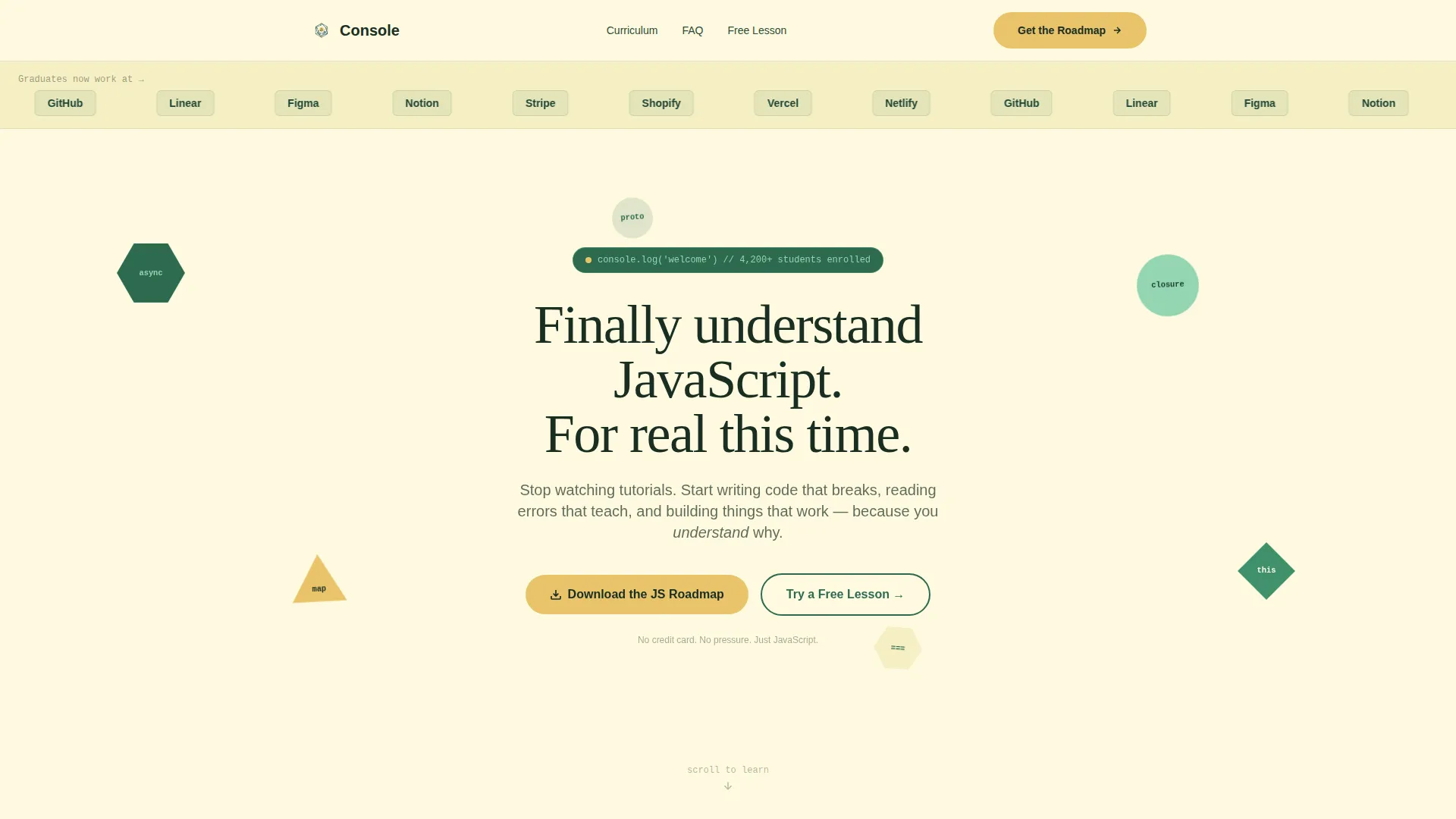
- A Logo Bar header, floating geometric shapes with JavaScript keywords, and a typewriter-style animated headline
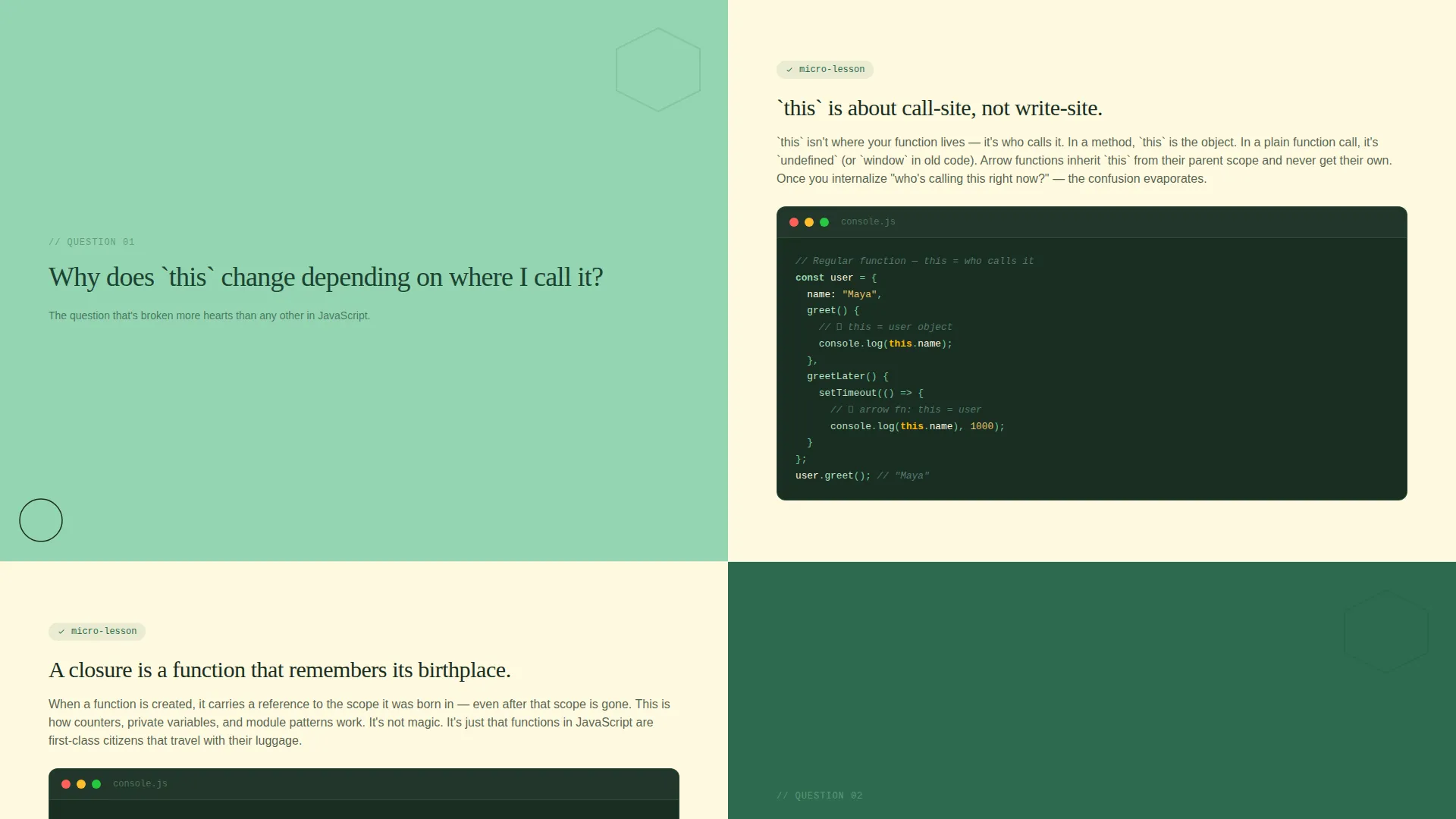
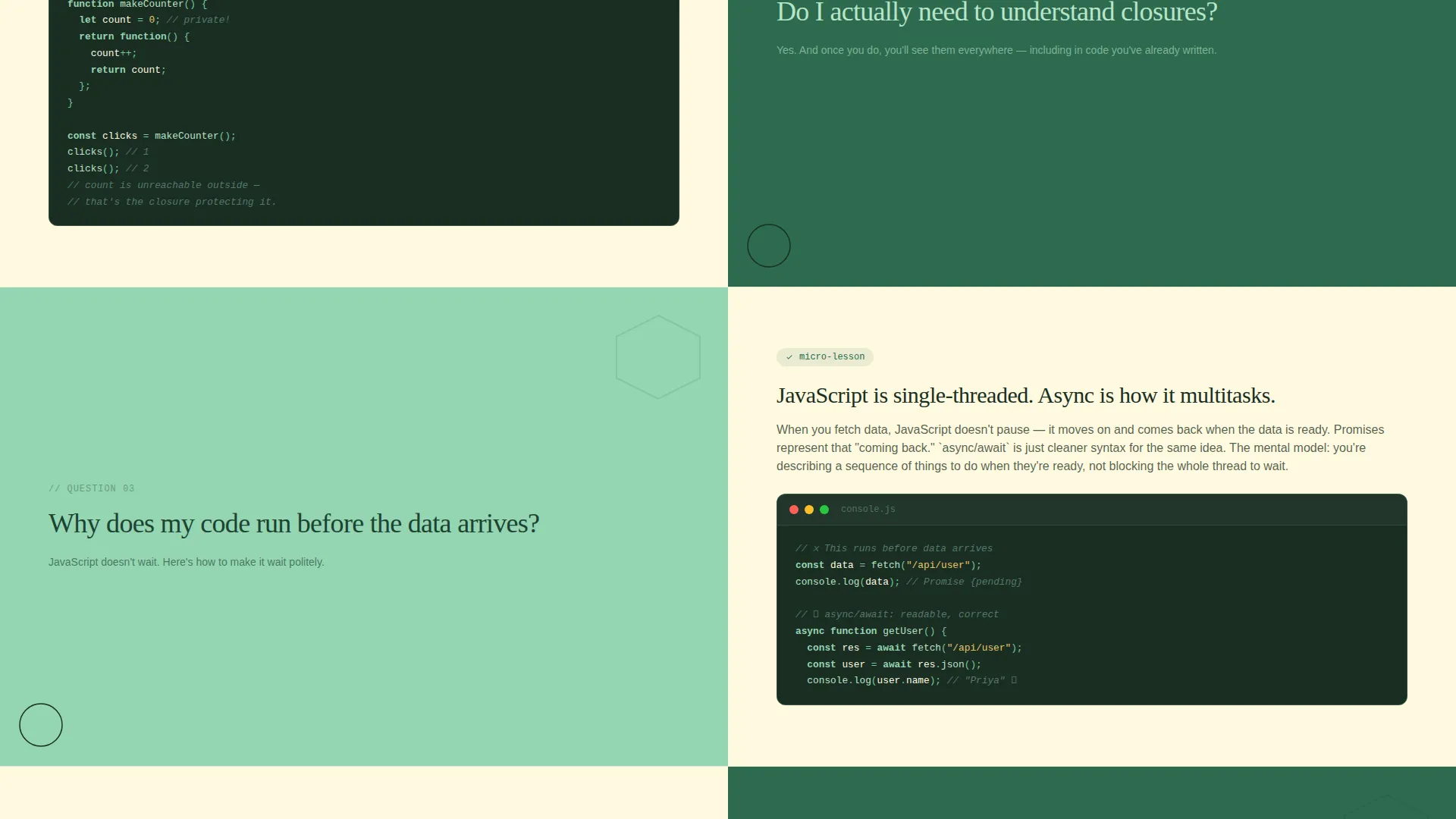
- Alternating zigzag question-and-answer sections with code snippet panels and short explanation blocks
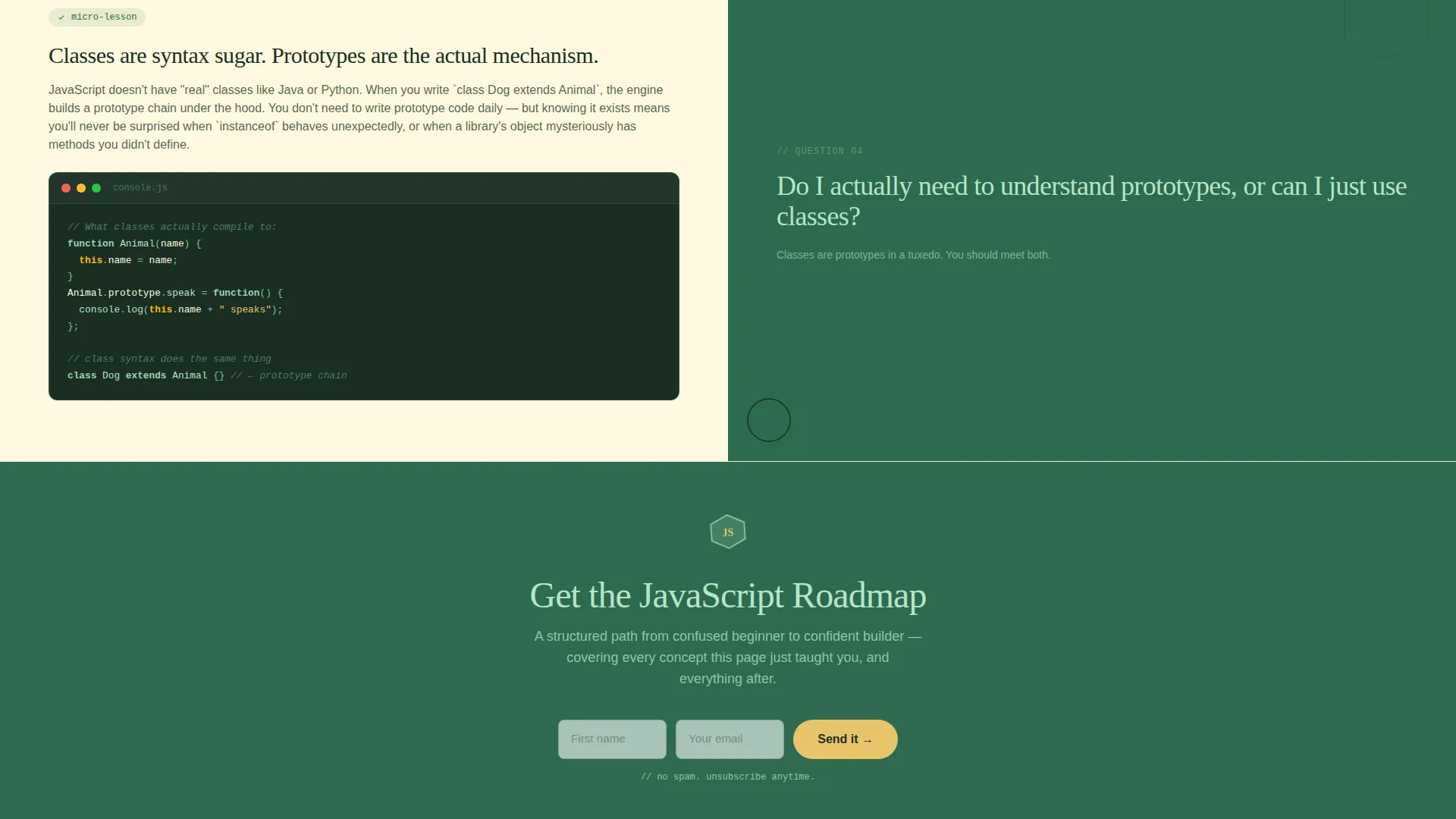
- Two distinct calls to action: a roadmap download form and a free lesson link, placed deliberately throughout the flow
Feature list
This section covers the core built-in capabilities of the Console landing page template.
Typewriter Headline Animation
The headline types itself out letter by letter, mimicking a terminal prompt. This single visual moment immediately signals that the page understands its audience and sets a confident, playful tone before a word is read normally.
Floating Geometric Keyword Shapes
Triangles, circles, and hexagons float across the header in fern green and moss, each containing a single JavaScript keyword such as async, map, closure, or this. The shapes reinforce the building-block metaphor of the course without needing any extra copy.
FAQ-Driven Zigzag Sections
Each alternating section opens with a real question learners search for at 2 a.m. The left panel poses the question in large hand-drawn-style type against a moss background. The right panel answers it with a code snippet, a short animation, and a three-sentence explanation.
Dual Call-to-Action Architecture
The primary call to action asks for a first name and email in exchange for a JavaScript Roadmap download. It appears after every third question-answer pair. A secondary "Try a Free Lesson" link sits alongside it with no gate, giving visitors two clear paths forward.
Logo Bar Social Proof Header
A clean horizontal strip displays recognizable company logos representing where graduates work. It sits above the geometric header shapes on a warm parchment background, establishing credibility before the learner reads a single headline.
Botanical Color System Layout
The template ships with a four-tone botanical palette applied across every section. Fern green anchors primary backgrounds, soft moss alternates sections, warm parchment serves as the base canvas, and bright sap yellow highlights buttons, code accents, and interactive elements.
Page sections overview
| Section | Purpose |
|---|---|
| Logo Bar | Shows graduate employer logos to establish credibility immediately |
| Geometric Keyword Header | Introduces JavaScript keywords in floating shapes with typewriter headline |
| FAQ Zigzag Block 1 | Poses and answers the first real learner question with code snippet |
| FAQ Zigzag Block 2 | Poses and answers the second real learner question with execution context |
| FAQ Zigzag Block 3 | Poses and answers the third real learner question with explanation panel |
| Roadmap Download call to action | Captures first name and email in exchange for the JavaScript Roadmap |
| Free Lesson Link | Offers ungated access to a sample module as a secondary path |
Design & branding system
The visual identity follows a Playful Geometric theme built on a Botanical color system. The palette is designed to feel alive and structured at once, like a terrarium sitting on a programmer's desk.
- Four-tone botanical palette: deep fern green (#2D6A4F), soft moss (#95D5B2), warm parchment (#FEFAE0), and bright sap yellow (#E9C46A)
- Geometric shapes (triangles, circles, hexagons) appear as decorative and semantic elements throughout the header and section dividers
- Hand-drawn-style typography for question headings contrasts with clean code-style fonts in answer panels, creating visual rhythm across the zigzag layout
Mobile & speed optimization
The zigzag alternating layout is built with mobile readability in mind. On smaller screens, the left-right panel pairs stack vertically so the question always appears above its answer without losing context.
- Alternating section backgrounds (fern green and soft moss) maintain visual separation even when columns collapse into a single-column flow
- Code snippet panels are sized to remain legible on narrow viewports without horizontal scrolling
- The typewriter headline animation is lightweight and does not rely on heavy libraries, keeping the header section responsive and quick to render
How this template helps you convert
This template is structured around earning trust before asking for anything. The conversion path feels natural because visitors receive genuine value in every section.
- The Logo Bar and floating keyword header establish credibility and signal relevance within the first few seconds of the visit, reducing bounce before the first scroll.
- Each FAQ zigzag block teaches something real and specific, so by the time the Roadmap call to action appears, visitors have already experienced the course's teaching style and are primed to want more.
- The dual call-to-action system removes friction by offering both a low-commitment free lesson and a slightly higher-commitment roadmap download, letting visitors self-select the path that feels right for them.
Other information about this template
This template is part of a broader set of education-focused landing page templates designed for online skill course creators. It is particularly well-suited to the JavaScript online course niche, where learner skepticism is high and demonstration is more persuasive than description.
- The template style is Zigzag/Alternating, making it a strong fit for courses that have multiple distinct learning outcomes or audience pain points to address
- The FAQ-driven creative direction is a deliberate structural choice: it mirrors how potential learners naturally research courses before buying
- The Content/Resource landing page direction means the primary conversion goal is an opt-in (roadmap download), not a direct purchase, making it effective for top-of-funnel audience building
- This template can support JavaScript course creators building audiences on platforms where email opt-in funnels are central to the sales process
Theme
Playful Geometric
Creative direction
FAQ-Driven
Color system
Botanical
Style
Zigzag/Alternating
Direction
Content/Resource
Page Sections
Typewriter Headline Animation
Floating Geometric Keyword Shapes
Faq-driven Zigzag Layout
Dual Call-to-action System
Logo Bar Social Proof Strip
Botanical Color System
Related questions
Can I change the color palette to match my own brand?
Do I need to write my own FAQ questions and answers?
Is the typewriter headline animation easy to edit?
Does the free lesson link require any special setup?
Is this template suitable for a JavaScript course covering intermediate or advanced topics?



