GATE Coaching Landing Page Template
Qualify is a single-column landing page template built for GATE engineering coaching institutes. It pairs an Institutional Authority theme with a Soft Mist color system to project focused, exam-hall credibility. The page uses an FAQ-driven scroll, a freemium trial conversion model, and a giant centered headline to turn midnight-anxious GATE aspirants into registered students.
by Rocket studio
Quick summary
Qualify is a single-column, section-led landing page template designed for GATE engineering coaching institutes. It uses an austere Soft Mist palette, an FAQ-driven content scroll, and a freemium trial flow to move serious aspirants from first visit to free trial signup without friction or visual noise.
Who this template is for
This template is built for coaching institutes and educators who prepare engineers for the Graduate Aptitude Test in Engineering (GATE). It fits organizers running structured programs across multiple engineering streams.
- Final-year B.Tech students targeting top ranks in their first attempt
- Working professionals preparing on weekends to meet Public Sector Undertaking (PSU) cutoffs
- Second-attempt aspirants who scored close before and need a sharper, more systematic approach
What problem this template solves
Most coaching pages feel like cluttered brochures. They bury the right information under testimonial carousels and pricing banners, losing the visitor who arrives with a specific, urgent question. GATE aspirants do not browse; they interrogate. They need precise answers before they trust a platform with their preparation.
- Visitors leave because generic pages do not answer the questions they actually have at midnight
- Coaching offers lose credibility when there is no clear proof of outcomes, faculty depth, or content volume
- Conversion stalls when a student has to commit financially before experiencing teaching quality
What you get with this template
You get a complete, ready-to-customize single-column landing page structured around the questions real GATE aspirants type into search bars before they sleep. Every section earns attention through specificity, not decoration.
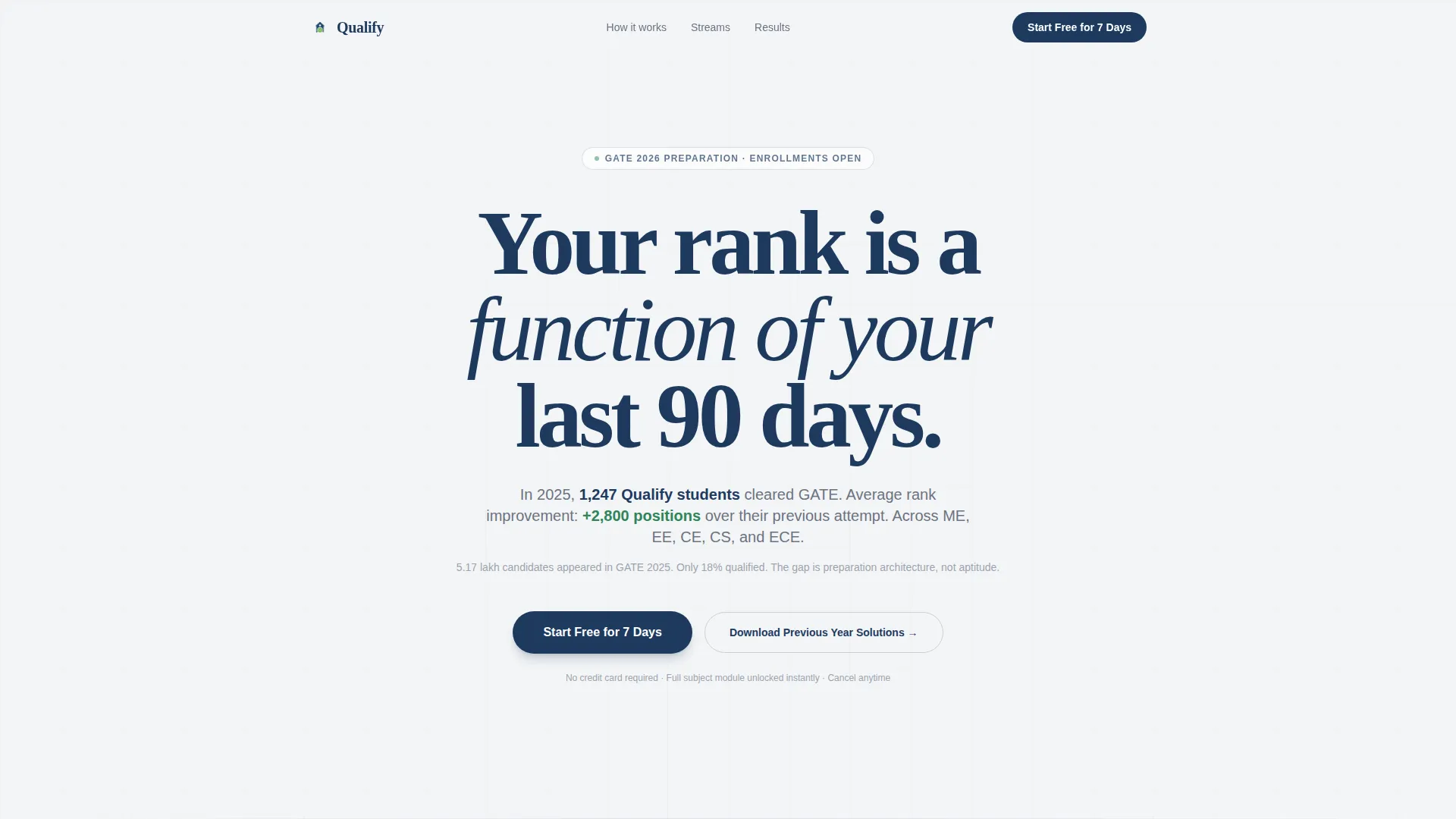
- A giant centered header section with a bold headline, supporting metrics line, and a primary call-to-action (call to action) button
- An FAQ-driven scroll that opens sections with aspirant-voiced questions and answers them with dense, specific content blocks
- A freemium trial conversion system with a minimal signup form, a secondary lead-capture path, and a fixed mobile bottom bar call to action
Feature list
This template packs several deliberate structural and design choices that serve the GATE coaching context directly.
Giant Headline Centered Header
The viewport opens on a single large headline set in deep ink blue against chalk-dust white. No images or illustrations compete for attention. A supporting metrics line below it states selections and average rank improvement. A single call to action button sits beneath, and the surrounding white space carries the authority.
FAQ-Driven Content Scroll
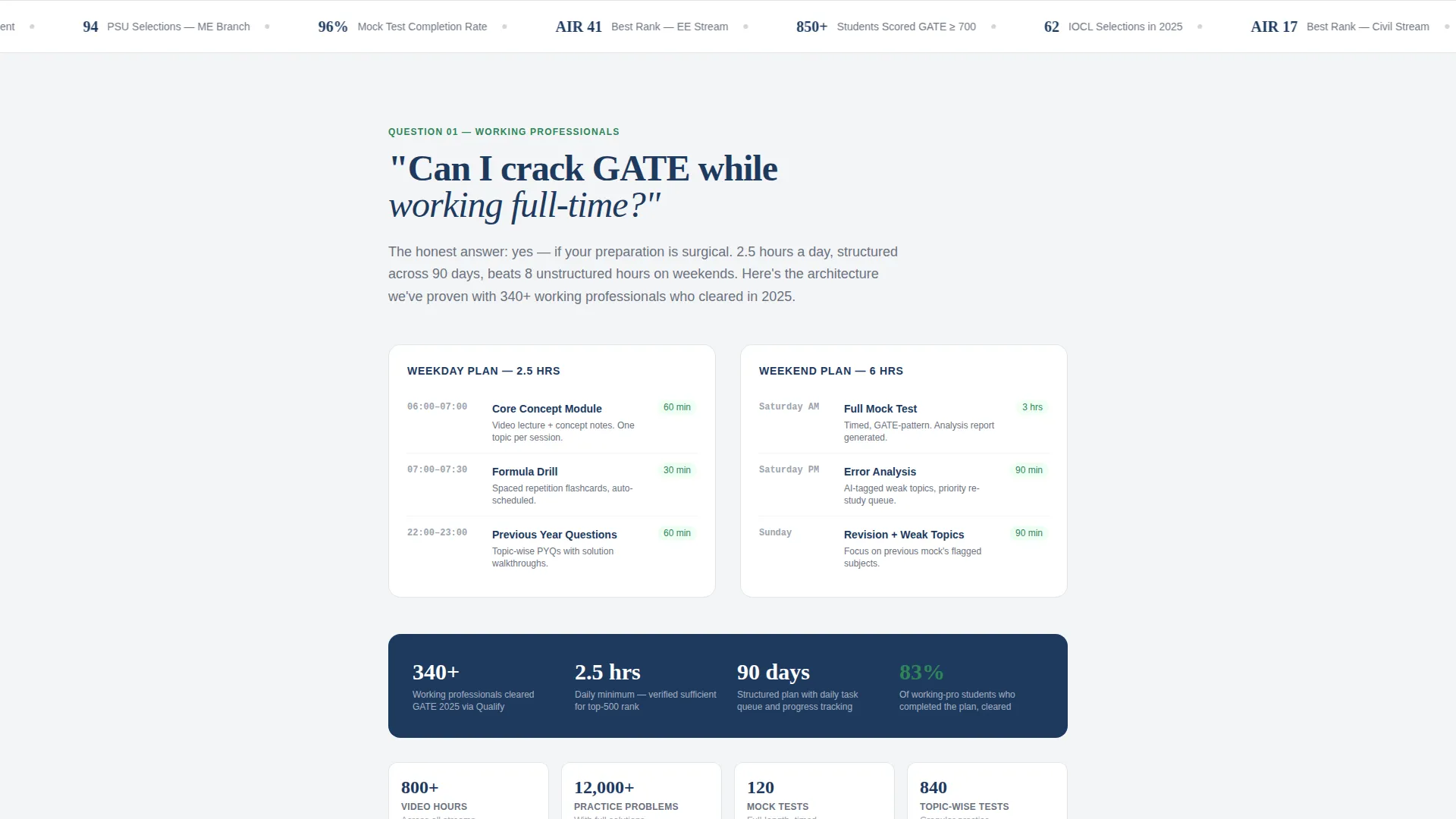
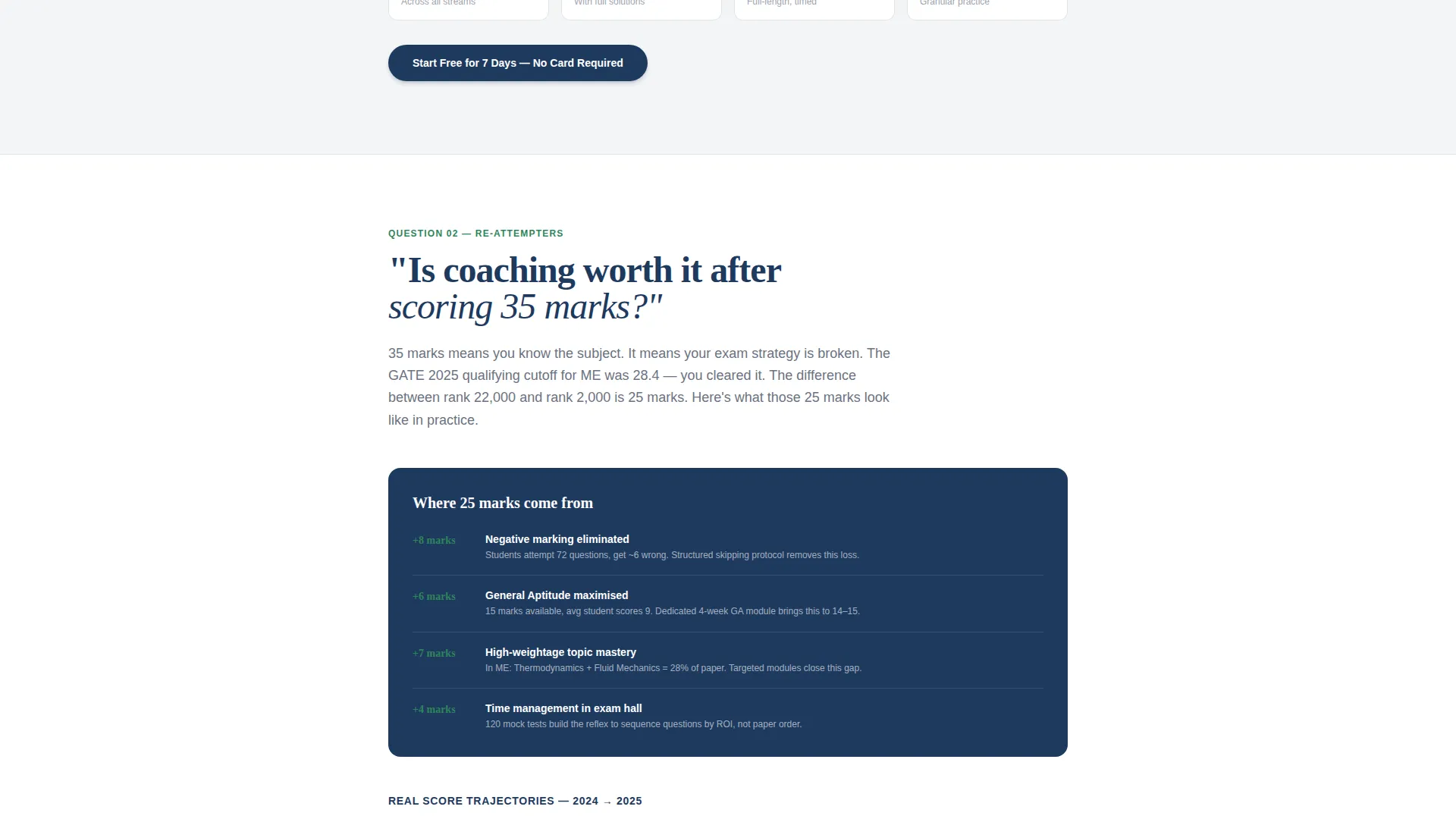
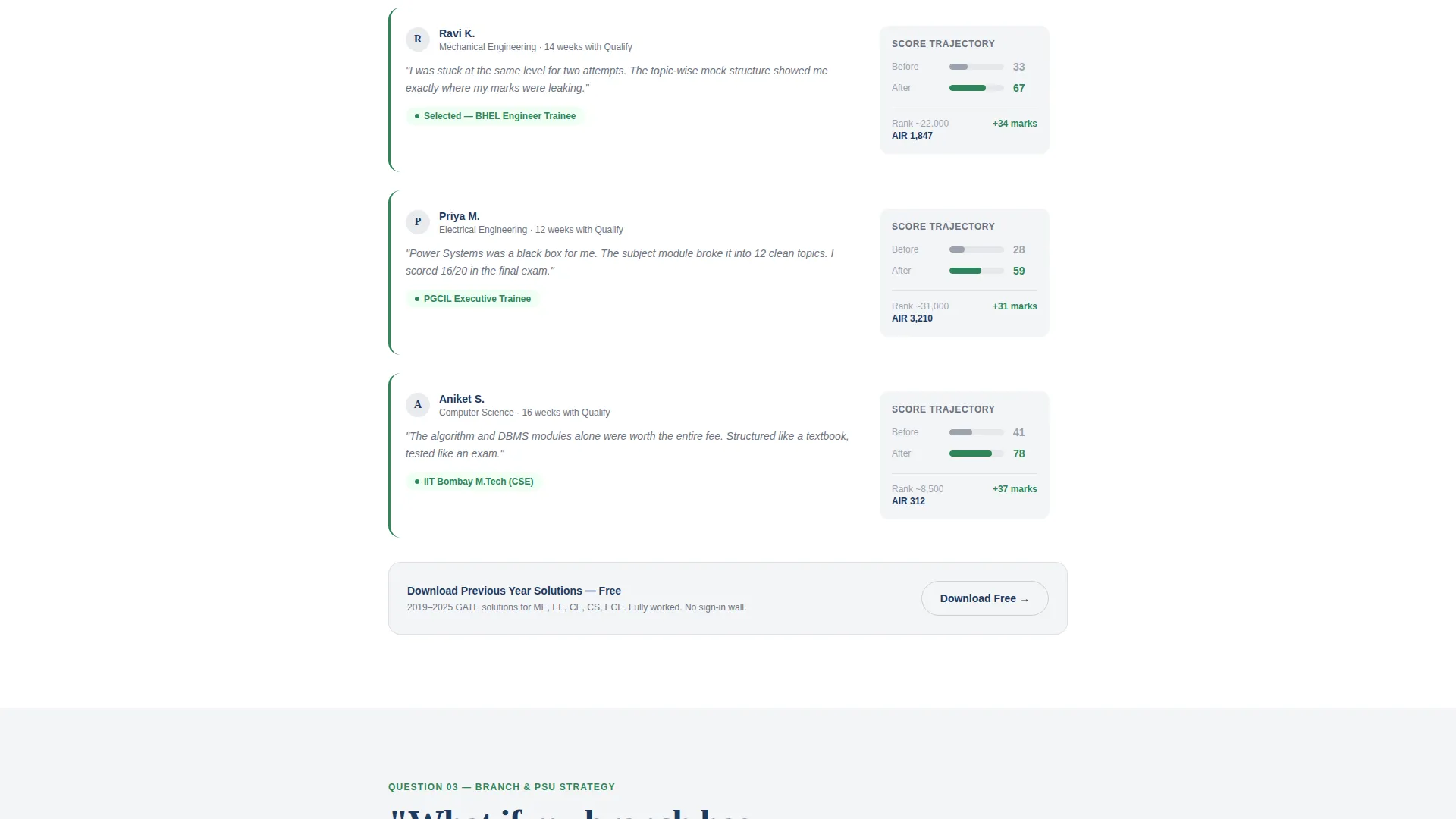
Each major section opens with a question phrased exactly as a GATE aspirant would type it. The answers are dense typographic blocks covering flexible schedule architecture, before-and-after score trajectories, and stream-wise PSU cutoff data. This structure builds a methodical case as the visitor scrolls.
Freemium Trial Conversion Flow
The primary call to action "Start Free for 7 Days" appears after the header, after the third FAQ section, and as a fixed bottom bar on mobile. Clicking opens a minimal form collecting branch stream, target exam year, and phone number for OTP verification. No credit card is required.
Secondary Lead Capture Path
A "Download Previous Year Solutions" call to action collects email addresses from visitors not yet ready to start the trial. This path feeds a drip sequence timed to the GATE exam calendar, keeping the institute in front of aspirants throughout their preparation window.
Diagnostic Mock Test Entry Point
The free trial unlocks one full subject module and a diagnostic mock test. This gives prospective students a direct experience of teaching quality before any financial commitment is made.
Stream-Wise Data Blocks
The template includes content sections presenting stream-specific PSU cutoff data and selection ratios for mechanical, electrical, civil, and computer science (CS) streams. These blocks replace vague promises with numbers that aspirants can evaluate on their own terms.
Page sections overview
| Section | Purpose |
|---|---|
| Giant Headline Header | Opens the page with a single authoritative headline, a metrics line, and a primary call to action button |
| Flexible Schedule FAQ | Answers "Can I crack GATE while working full-time?" with schedule architecture specifics |
| Score Trajectory FAQ | Addresses second-attempt anxiety with before-and-after score improvement data |
| PSU Cutoff FAQ | Presents stream-wise cutoff figures and selection ratios by engineering branch |
| Free Trial call to action Block | Repeats the primary call to action after the third FAQ section to capture engaged scrollers |
| Trial Signup Form | Minimal form collecting branch, exam year target, and phone number for OTP verification |
| Secondary Download call to action | Captures email via "Download Previous Year Solutions" for visitors not ready to commit |
| Mobile Fixed Bottom Bar | Persistent call to action bar visible at the bottom of the screen on mobile devices |
Design & branding system
The visual identity follows an Institutional Authority theme. Every color and spacing choice is calibrated to feel like a well-maintained government campus on a foggy morning: purposeful, unhurried, and completely undecorated.
- Soft Mist palette: chalk-dust white (#F4F5F7) and examination-hall gray (#D1D5DB) for backgrounds; muted slate (#6B7280) for body text; deep ink blue (#1E3A5F) for headlines, calls to action, and structural emphasis
- GATE-scorecard green (#2F855A) appears only on progress indicators and success metrics, functioning as a single accent that marks achievement without disrupting the calm base palette
- Typography is set in clean, high-contrast blocks; no decorative fonts, no card user interface, no flashy visual elements
Mobile & speed optimization
The single-column flow is inherently suited to mobile reading. The layout requires no horizontal scrolling or grid reflow across device sizes.
- The fixed bottom bar call to action keeps the primary conversion action reachable on mobile without the visitor needing to scroll back to the top
- All content sections use clean typographic blocks rather than image-heavy cards, keeping the visual load light and the reading experience smooth on smaller screens
How this template helps you convert
The page is architected to reduce hesitation at every stage of the scroll.
- The header creates immediate authority through restraint: one headline, one supporting metric line, one call to action button. Visitors land with focus, not confusion.
- The FAQ-driven scroll mirrors the visitor's own internal questions. Each answered question removes a specific objection, building a structured case for enrollment across schedule flexibility, score improvement evidence, and branch-level PSU data.
- The freemium trial removes financial risk entirely. The student experiences a full subject module and a diagnostic test before paying, making the decision to continue feel obvious rather than pressured.
Other information about this template
This template was designed specifically for the Indian entrance exam preparation market, where student trust is earned through proof, not promises. It fits institutes running programs for GATE 2025 and GATE 2026 cohorts.
- The "Other information" section can support additional content such as faculty credentials, hours of recorded content per subject, and topic-wise test counts, all of which are referenced in the brief as trust-building specifics
- The template supports institutes covering multiple GATE streams: mechanical, electrical, civil, and computer science engineering
- The drip sequence path via the secondary email call to action is timed to the GATE exam calendar, making the template useful year-round, not just during peak season
Theme
Institutional Authority
Creative direction
FAQ-Driven
Color system
Soft Mist
Style
Single Column Flow
Direction
Freemium/Trial
Page Sections
Faq-driven Content Scroll
Giant Headline Centered Header
Freemium Trial Signup Flow
Secondary Email Lead Capture
Stream-wise Data Blocks
Diagnostic Mock Test Entry Point
Related questions
Does this template work for institutes covering multiple GATE engineering streams?
Is any payment information required for the free trial signup?
Can this template support messaging for working professionals preparing for GATE?
What is the purpose of the secondary 'Download Previous Year Solutions' call to action?
Can I update the headline and supporting metrics in the header?



