Lifeguard Certification Training Landing Page Template
Rescue is a lifeguard certification training landing page built for programs that turn teenagers and parents into certified lifeguards. It uses an interactive quiz, a dynamic comparison table, and course-specific mini-stories to guide each visitor toward the right course tier. A free swim assessment call to action and a downloadable readiness checklist give visitors two clear next steps.
by Rocket studio
Quick summary
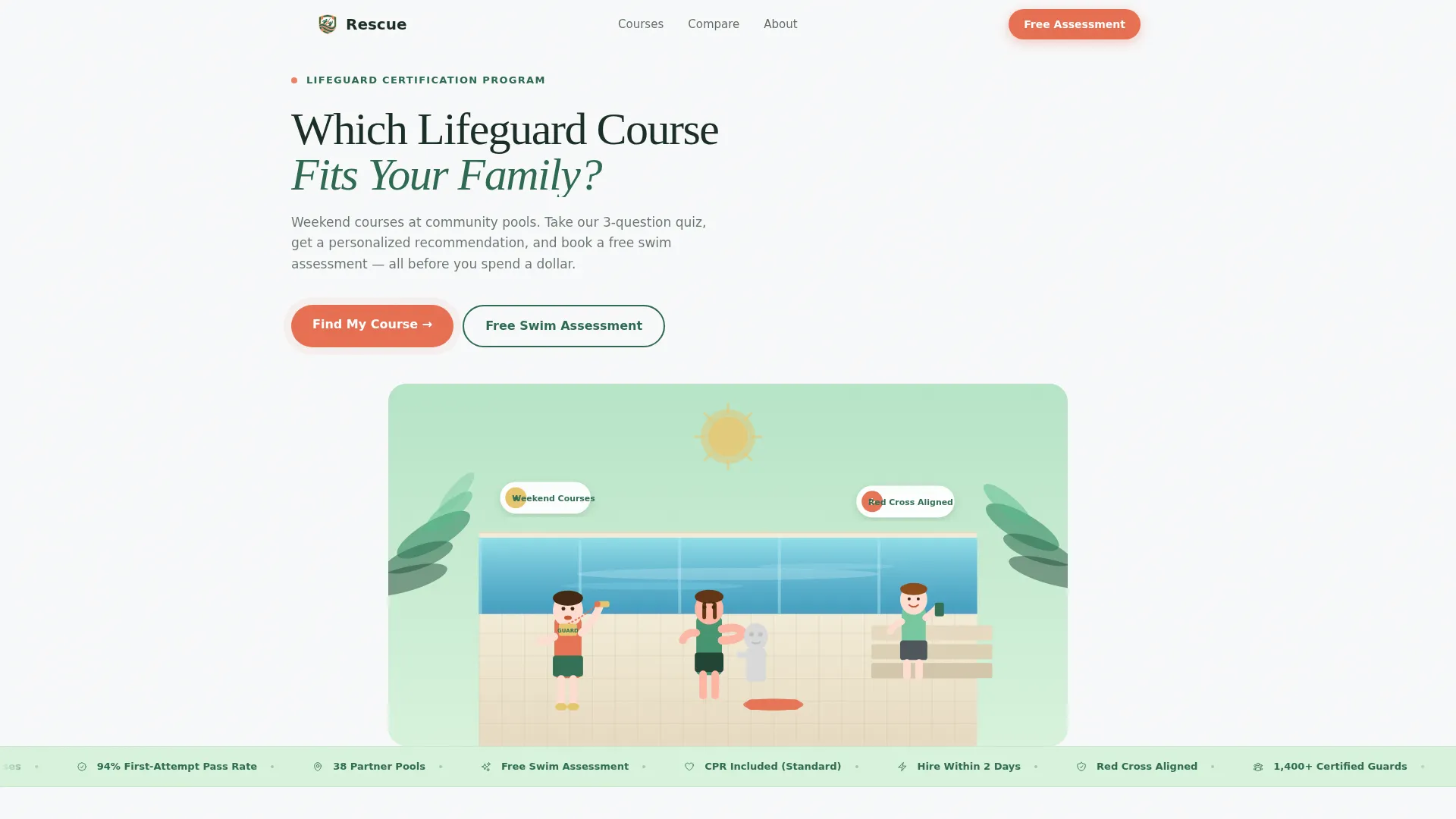
Rescue is a single-page template designed for lifeguard certification training programs. It opens with a hand-drawn poolside illustration and a three-question quiz that personalizes the comparison table below. Visitors scroll from course overview to detailed class stories to a free swim assessment form, each step narrowing the choice until the right course feels obvious.
Who this template is for
This template is built for training programs that run certification courses at community pools. It works especially well when your audience spans multiple experience levels and age groups.
- Recreation directors who need to fill certified lifeguard spots before the summer season opens
- Parents enrolling teenagers who swim confidently but have never held a rescue tube
- Young swimmers aged fifteen and older seeking their first summer employment opportunity
What problem this template solves
Most certification program pages list course options without helping visitors figure out which one fits them. That friction costs signups. Rescue removes the guesswork entirely.
- Visitors arrive unsure whether their child needs the junior, standard, or recertification track
- A generic table forces parents to read every row and still feel uncertain
- No obvious next step means interested families leave without booking or even asking a question
What you get with this template
You get a focused, single-page layout that moves visitors from confusion to confidence in one scroll. Every section is purpose-built for a lifeguard certification audience.
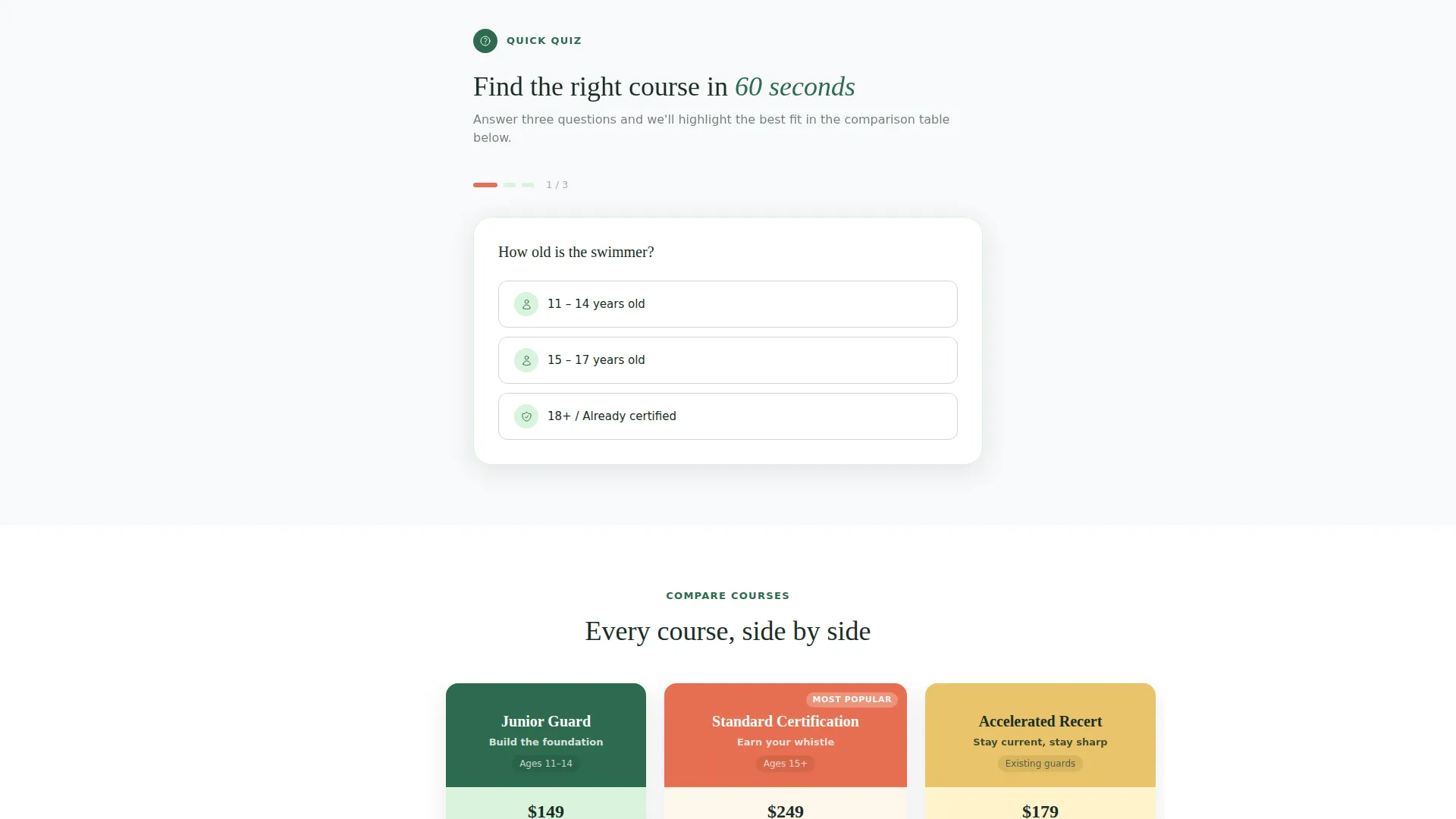
- An interactive three-question quiz that dynamically highlights the recommended course column
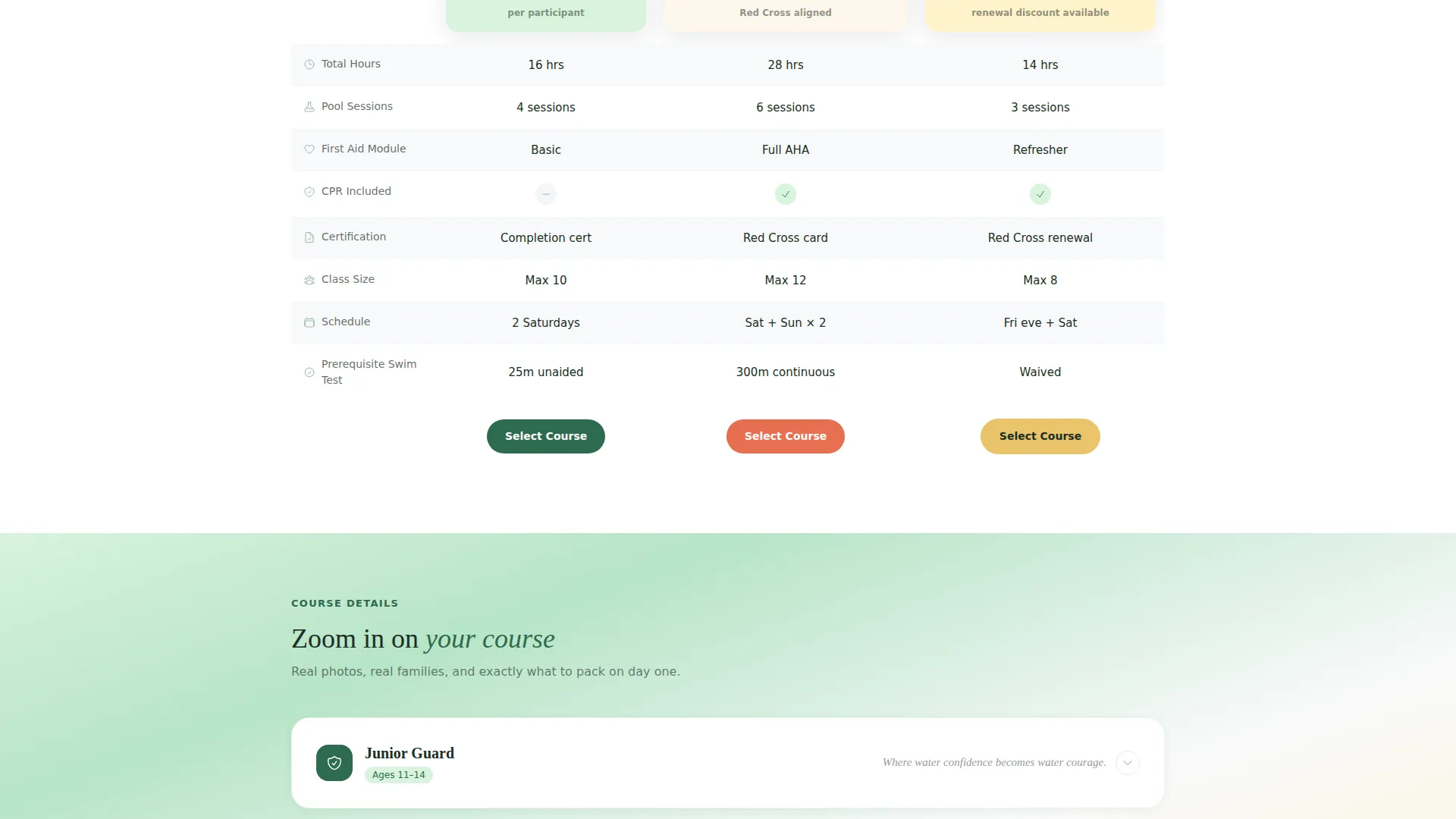
- A structured comparison table showing hours, pool sessions, first-aid modules, CPR inclusion, and pricing
- Per-course mini-stories with a class photo, a parent testimonial, and a day-one checklist
Feature list
This template packs its functionality into a tight, logical sequence. Each feature earns its place by solving a specific friction point in the enrollment decision.
Interactive Readiness Quiz
A three-question quiz at the top of the page asks for the visitor's age range, swimming confidence, and preferred schedule. Answers dynamically highlight the best-fit course column with a coral border while the other columns fade slightly, so the recommendation feels personal before any selling begins.
Dynamic Course Comparison Table
Three columns cover Junior Guard, Standard Certification, and Accelerated Recertification side by side. Each row displays hours, pool sessions, first-aid modules, CPR inclusion, and pricing in a clean, scannable format that makes differences immediately visible.
Per-Course Mini-Story Sections
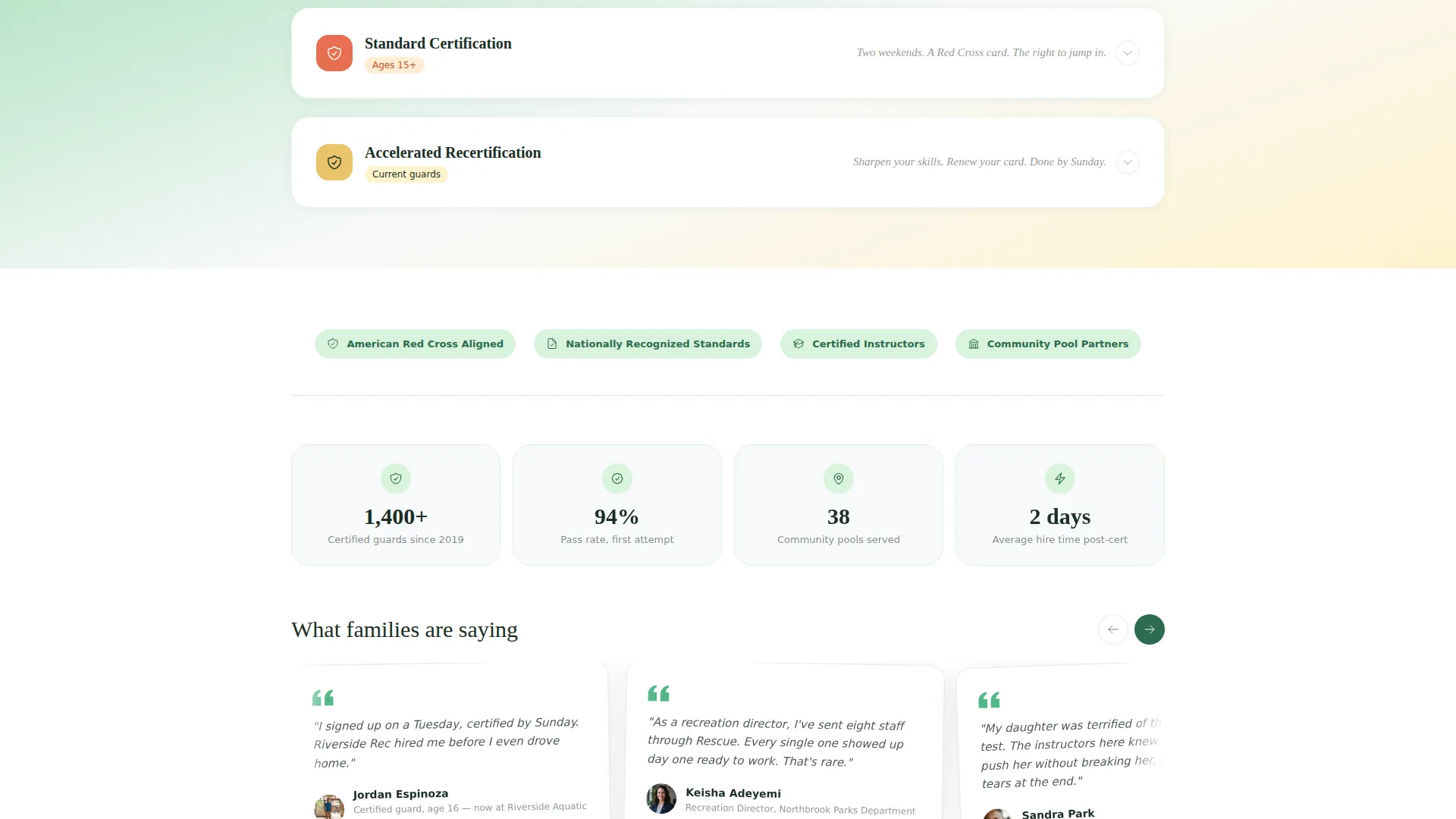
Below the table, each course expands into its own story block. The block includes a real class photo, a parent testimonial, and a bulleted checklist of what to bring on the first day, giving families the human detail they need to commit.
Free Swim Assessment Form
The primary call-to-action offers a complimentary thirty-minute in-pool evaluation. The form collects the swimmer's first name, age, and a preferred assessment date through a calendar picker, lowering the barrier to the first real commitment.
Downloadable Readiness Checklist
A secondary conversion path lets visitors download a free "Is Your Kid Ready?" preparation checklist in exchange for an email address. This gives hesitant families a low-pressure reason to stay connected.
Hand-Drawn Header Illustration
A custom editorial illustration shows a diverse group of trainees at poolside, one mid-whistle drill, another practicing a cross-chest carry, a parent watching from the bleachers. The scene sets a warm, credible tone before a single word of copy is read.
Page sections overview
| Section | Purpose |
|---|---|
| Header Illustration | Sets tone with hand-drawn poolside scene and main headline |
| Readiness Quiz Block | Collects three answers to personalize the comparison table |
| Course Comparison Table | Displays all three course tiers side by side with key details |
| Junior Guard Story | Expands the junior course with photo, testimonial, and checklist |
| Standard Certification Story | Expands the standard course with photo, testimonial, and checklist |
| Accelerated Recertification Story | Expands the recertification track with photo, testimonial, and checklist |
| Free Assessment call to action | Captures first name, age, and preferred date via form |
| Checklist Download Section | Offers preparation guide in exchange for an email address |
Design & branding system
The visual identity follows a Family First theme built on a Botanical color system. The palette balances warmth and urgency without feeling clinical or corporate.
- Deep fern green (#2D6A4F) and sun-warmed sand (#E9C46A) carry the primary brand feel across headers, backgrounds, and body sections
- Soft pool-tile white (#F8F9FA) keeps content areas clean and easy to read
- Rescue-tube coral (#E76F51) is reserved for call-to-action buttons and urgent highlights, drawing the eye the way a rescue tube cuts through blue water
Mobile & speed optimization
The layout is designed to reflow cleanly for visitors browsing on a phone, which is where most teenagers and parents will land after finding the program through a search or a social share.
- The quiz and comparison table stack vertically on smaller screens so no content is hidden or clipped
- Course mini-story blocks compress into a readable single-column format without losing the photo-testimonial-checklist sequence
- The assessment form and calendar picker remain fully usable at mobile viewport widths
How this template helps you convert
The page is structured so that persuasion happens before the call-to-action appears. By the time a visitor sees the coral button, they already know which course fits their situation.
- The quiz creates a personalized recommendation early, so visitors feel guided rather than sold to, which lowers resistance significantly before they reach the form.
- The comparison table gives parents and teens the factual detail they need to justify the decision, and the mini-stories add the emotional confirmation that makes them act on it.
Other information about this template
This template is part of the Education and Training category under the Specialized Certification and Programs subcategory. It is purpose-built for the lifeguard certification training niche and reflects the real seasonal urgency that drives enrollment before Memorial Day.
- The Quiz and Personalize creative direction is a strong fit for programs with multiple course tiers that serve different age groups or experience levels
- The Freemium and Trial landing-page model works because the free swim assessment is a genuine value offer, not just a lead magnet with no immediate benefit
- The Comparison Table template style suits any certification program where visitors need to choose between clearly differentiated tracks before committing
- The Family First theme signals safety, community, and trust, which aligns with how parents research programs for their children
Theme
Family First
Creative direction
Quiz & Personalize
Color system
Botanical
Style
Comparison Table
Direction
Freemium/Trial
Page Sections
Interactive Three-question Quiz
Dynamic Comparison Table
Per-course Story Blocks
Free Swim Assessment Call to Action
Downloadable Readiness Checklist
Hand-drawn Editorial Illustration
Related questions
Can I swap out the three course tiers for different program names?
Does the quiz actually change what the comparison table highlights?
What information does the free swim assessment form collect?
Can this template work for adult lifeguard certification programs?
How does the downloadable checklist conversion path work?



