
Comparing AI builder costs across platforms is harder than it looks. This blog breaks down what builders actually pay on Microsoft Power Automate, how the November 2025 credit overhaul changed the model, and where a different cost structure fits for teams building net-new tools.
Comparing AI builder costs across platforms is harder than it looks. Sticker prices rarely tell the whole story once credits, add-ons, connector fees, and recent licensing overhauls enter the picture.
This blog breaks down what builders actually pay on Microsoft Power Automate and AI Builder. It also covers how those costs compare to a prompt-to-app model like Rocket, and what questions to ask before committing to any platform.
What Drives AI Builder Cost?
Before comparing platforms, it helps to understand the cost levers that apply across most automation tools. Different platforms weight these levers differently. That is why a side-by-side ai builder cost comparison requires looking at all of them together.
Most platforms charge through some combination of base pricing, execution credits, add-ons, connector fees, and scaling behavior.
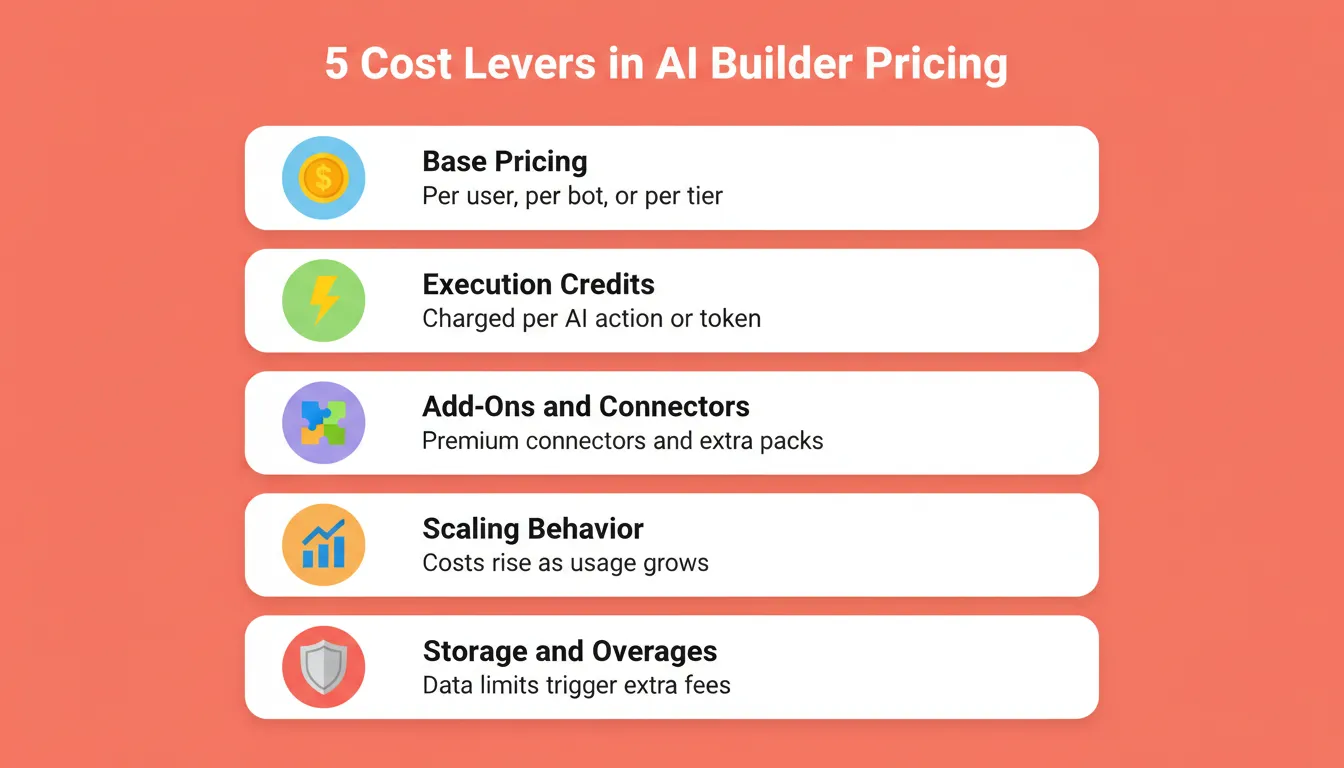
Understanding which lever dominates on each platform is the first step toward informed decisions about builder pricing. Teams evaluating the full landscape of no-code and low-code development options will find these levers apply across business sizes and use cases.
Microsoft Power Automate and AI Builder: Current Pricing
Microsoft Power Automate is the most common enterprise starting point for AI-assisted process automation. Prices below are sourced directly from Microsoft's Power Automate pricing page (as of June 2026, paid yearly).
Plan Pricing
| Plan | Price | Automation Type | Dataverse DB |
|---|---|---|---|
| Power Automate Premium | $15.00/user/month | Cloud flows + attended RPA | 250 MB |
| Power Automate Process | $150.00/bot/month | Unattended automation | 50 MB |
| Power Automate Hosted Process | $215.00/bot/month | Unattended + Microsoft-hosted VM | 50 MB |
These are US list prices, paid annually. Actual prices vary by region, volume, and existing Microsoft agreements. The Power Automate Premium plan is the standard per-user plan for teams starting with cloud flows and attended desktop flows.
The Power Automate Process plan targets unattended mode automation for complex processes. The Power Automate Hosted Process plan adds a Microsoft-hosted virtual machine for heavier workloads.
Subscription Plans and What They Include
Each subscription plan comes with different levels of access to advanced capabilities. The Power Automate Premium plan includes cloud flows, attended desktop flows, process mining with 50 MB data stored, and Microsoft Dataverse entitlements of 250 MB database and 2 GB file capacity.
Process plans and Hosted Process plans include unattended desktop flows and 50 MB database with 200 MB file capacity entitlements, but do not include process mining.
All paid plans include standard, premium, and custom connectors. The free trial covers standard connectors only. Non-technical users should note that full functionality, including premium connectors, task mining, and AI models, requires a paid subscription.
The AI Builder Credit Overhaul (November 2025)
This is the change most pricing guides have not caught up with yet. As of November 1, 2025, Microsoft significantly restructured how AI Builder features are metered. Per Microsoft's official AI Builder licensing documentation:
- New customers can no longer purchase AI Builder add-on capacity packs. They must buy Copilot Credits instead.
- Seeded AI Builder credits previously bundled into Power Platform licenses will be removed entirely in November 2026.
- AI Builder trials are discontinued.
- Existing customers can still renew or true-up AI Builder add-ons, but new capacity comes through Copilot Credits.
Teams budgeting based on older guides may be working from outdated assumptions. The credit model has changed substantially, and this affects every ai builder cost comparison published before late 2025.
What Copilot Credits Actually Cost
Copilot Credits are now the primary metering currency for AI Builder features in Power Apps and Power Automate. The following rates reflect Microsoft's AI Builder capability rate table (last updated January 2026):
| AI Action | Unit | Copilot Credits | Cost at $0.01/credit |
|---|---|---|---|
| Basic LLM prompt | 1,000 tokens | 0.1 | $0.001 |
| Standard LLM prompt | 1,000 tokens | 1.5 | $0.015 |
| Premium LLM prompt | 1,000 tokens | 10 | $0.10 |
| Receipt / invoice / identity document | 1 page | 8 | $0.08 |
| Custom document processing | 1 page | 8 | $0.08 |
| Object detection | 1 image | 8 | $0.08 |
| OCR / text recognition | 1 page | 0.1 | $0.001 |
| Simple text analysis | 1,000 chars | 0.1 | $0.001 |
| Advanced text analysis | 1,000 chars | 1.5 | $0.015 |
Pay-as-you-go rate: 1 Copilot Credit = $0.01. Unused credits do not roll over month to month. Consumption resets on the first of each month at the tenant level. A Power Automate flow using standard LLM prompts to process documents at scale can reach several hundred dollars per month in additional costs. That happens well before base pricing becomes the dominant line item.
One builder on Reddit's r/Office365 thread on AI Builder costs noted that processing even a small volume of emails through an AI Builder action reached several hundred dollars per month once per-action billing applied at scale. That observation predates the November 2025 changes, but the underlying pattern remains relevant under the new Copilot Credit model.
How AI Builder Costs Compound at Scale
The diagram below shows how Power Automate costs accumulate from base pricing through credit exhaustion. Base license fees are just the starting point. AI actions consume Copilot Credits at scale, and exhausted credits block automation entirely.
How Power Automate costs compound: from base license through credit consumption to blocked automation.
Where Hidden Costs Appear
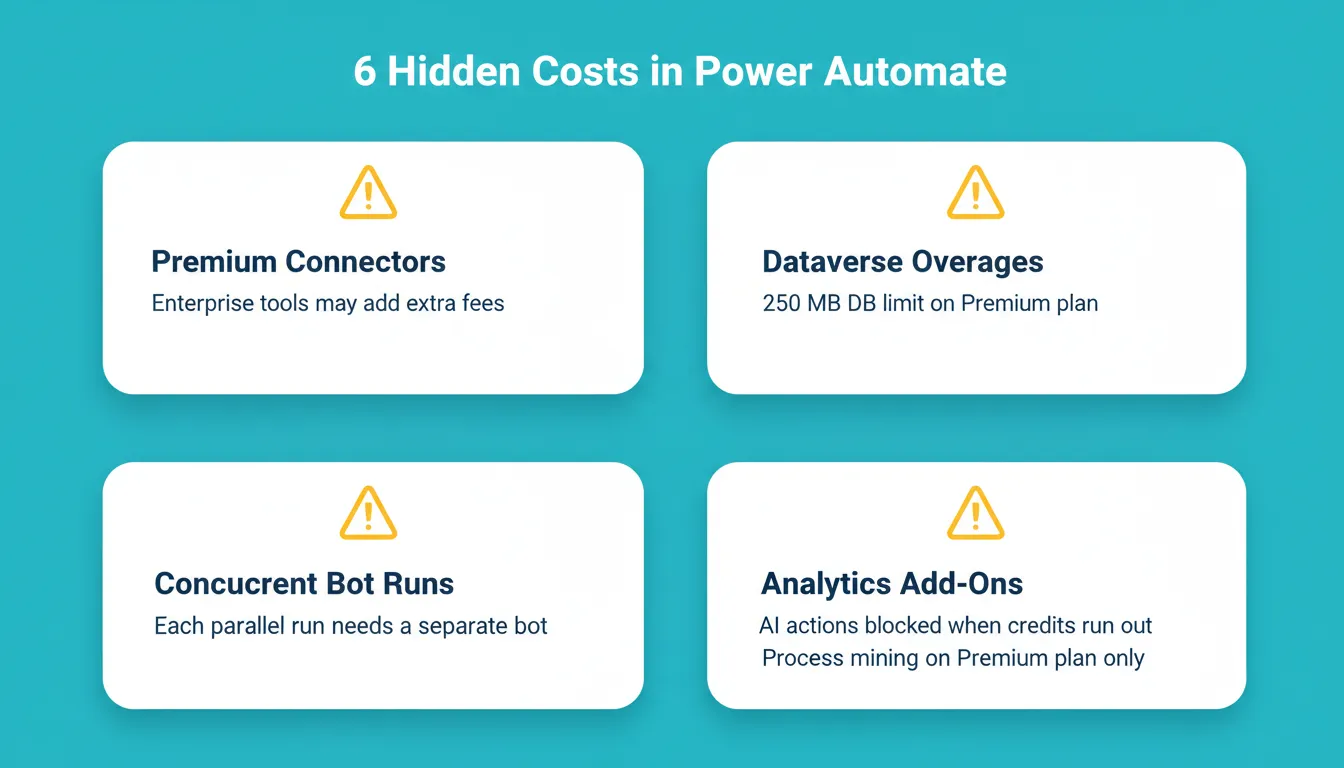
Beyond the base plan and credit consumption, several unexpected costs catch builders off guard. Knowing these before you sign is the difference between a predictable monthly budget and a surprise invoice.
- Premium connectors: Included in paid plans, but enterprise systems like Salesforce or SAP may require additional fees at the data source level.
- Dataverse storage overages: The Power Automate Premium plan includes 250 MB DB and 2 GB file capacity. Process plans include 50 MB DB and 200 MB file. Exceeding these limits triggers additional costs.
- Concurrent bot runs: Each Process or Hosted Process bot covers one unattended mode run at a time. Parallel automation of repetitive tasks requires multiple bot licenses, each billed separately.
- Copilot Credit overages: If an environment exhausts both AI Builder credits and Copilot Credits within a month, AI model runs are blocked until more are purchased or reallocated. This is one of the most common real costs teams discover after launch.
- Service limits: All plans operate within Power Platform request limits. Heavy usage of cloud flows or desktop flows may hit service limits before credit budgets do, particularly for large organizations running high-volume automation.
- Platform fees for advanced analytics: Process mining and task mining are included in the premium plan only. Teams needing advanced analytics on automation performance must stay on premium licenses or above.
For teams building internal tools rather than automating existing processes, these costs can accumulate quickly. Understanding how AI app builders affect development costs helps teams decide where to invest before committing to a platform.
The Bigger Picture: AI Adoption Is Accelerating Costs
According to McKinsey's State of AI 2025 survey of 1,993 organizations across 105 countries, 88% of respondents say their organizations are regularly using AI in at least one business function, up from 78% the previous year. More than half report using AI in three or more functions.
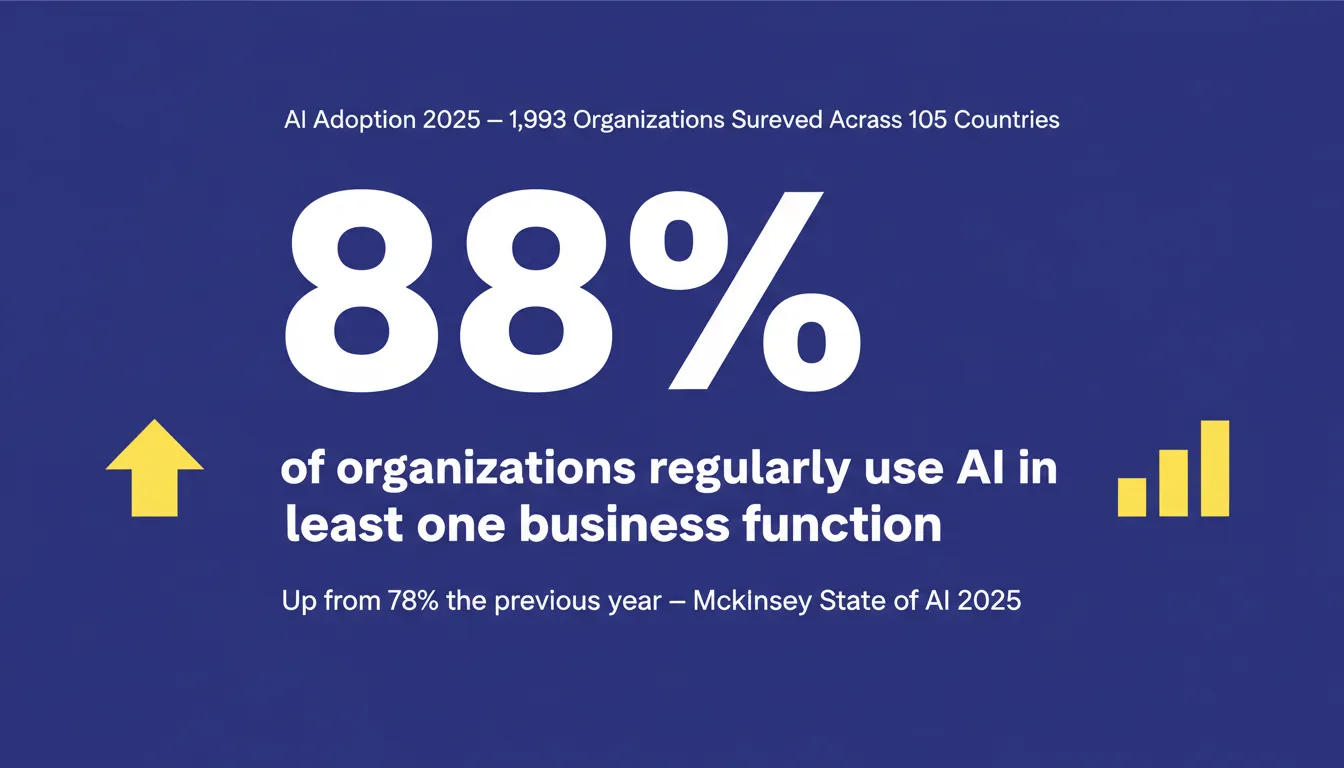
As adoption widens, the volume of AI actions running through Microsoft Power Automate and similar platforms will increase. With it, the importance of transparent pricing and usage-based billing models grows too.
Teams that compare plans carefully and model their actual value from automation, not just the sticker price, avoid the most common budget surprises in any ai builder cost comparison. For a broader view on how AI is reshaping product development economics, the post on how AI is changing product development covers the strategic implications.
How Rocket Approaches Pricing Differently
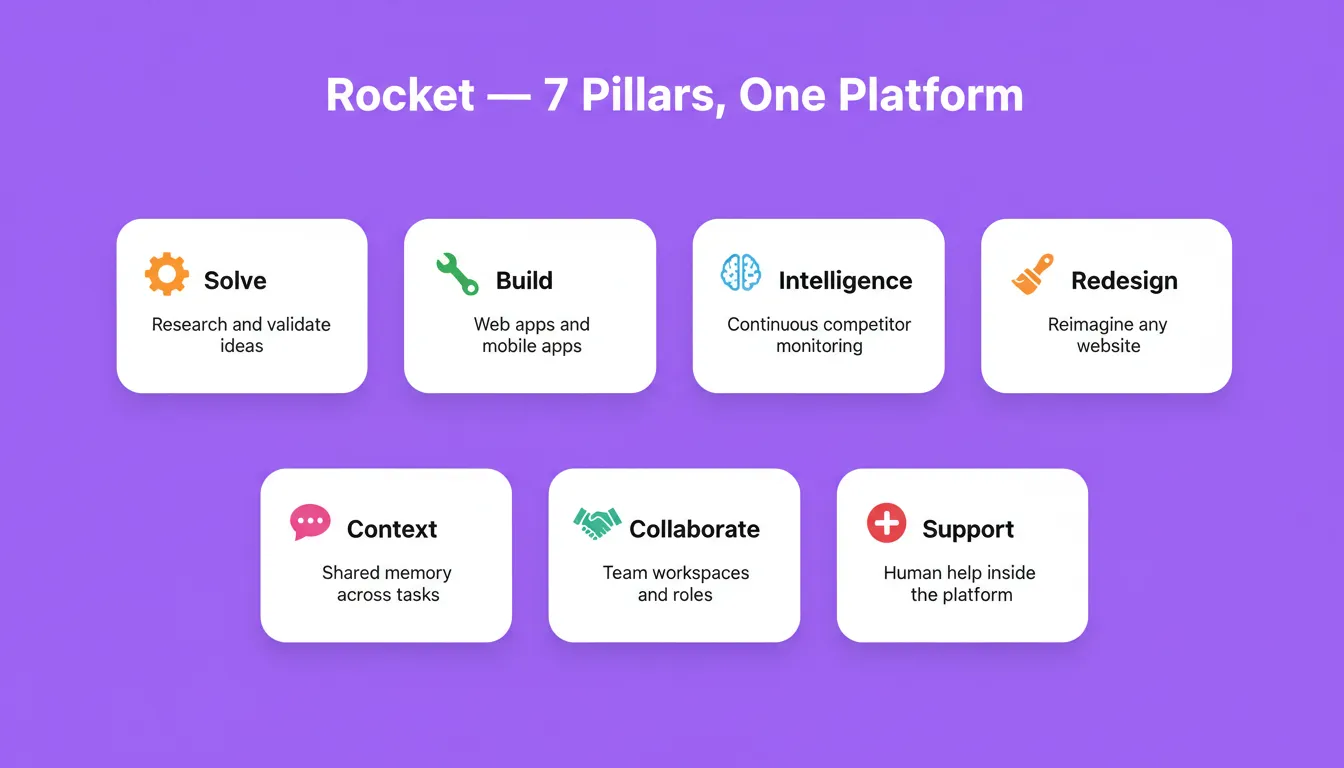
Rocket.new takes a structurally different approach to cost. It is not a workflow automation platform. It is a Vibe Solutioning platform that combines strategic research, AI app building, and competitive intelligence in one place. It is backed by Salesforce Ventures and Accel, and 1.5 million people have tried it across 180 countries.
Rocket is a full-stack AI app builder: you describe an application in natural language and it generates a deployable web or mobile app with frontend, backend, and database. Rocket supports 25+ integrations including Stripe, Supabase, HubSpot, and Airtable, all wired up from a single prompt. The cost model is based on plan tier, not per-action execution or AI builder capacity consumption.
The two platforms meter costs differently. Power Automate charges per AI action. Rocket charges by plan tier with credits that roll over month to month.
Rocket's Verified Pricing
Rocket runs on a credit-based system. One credit balance covers Build, Solve, and Intelligence. Subscription credits roll over month to month on all paid plans. Annual billing saves 20%.
| Plan | Price | Monthly Credits | What's Included |
|---|---|---|---|
| Free | $0 | 20 (one-time) | Build websites, landing pages, web apps, mobile apps |
| Pro | $25/month | 100/month | Build production-ready apps + add credits on top |
| Rocket | $50/month | 250/month | Build + Solve (research) + Intelligence (competitor monitoring) |
| Booster | $250/month | 1,500/month | Full suite + SSO, data localisation, premium support |
All paid plans include unlimited team members. Credits can be added on top of any subscription as needed.
Where the Models Diverge
| Cost Dimension | Power Automate + AI Builder | Rocket |
|---|---|---|
| Base pricing model | Per user or per bot, monthly subscriptions | Per plan tier, flat monthly |
| AI usage billing | Per action (Copilot Credits, $0.01 each) | Credits cover Build + Solve + Intelligence |
| Credit rollover | No rollover, resets monthly | Subscription credits roll over month to month |
| Scaling behavior | Monthly costs grow with each AI call | Costs tied to plan tier, not usage volume |
| Internal tool creation | Multiple cloud flows + premium connectors | Single prompt generates full app |
| Best fit | Automating existing Microsoft 365 processes | Building new tools, apps, and products |
Honest Tradeoffs
Rocket does not replace Microsoft Power Automate for tasks like scheduled data syncs, approval chains, or system-to-system integrations within the Microsoft ecosystem.
Teams that need to automate complex processes across Microsoft 365, Dynamics, or Dataverse will still need Power Automate and its advanced capabilities.
Where Rocket is genuinely competitive on cost is for teams building net-new internal tools. In those cases, the alternative would be multiple flows, premium connectors, and ongoing AI builder credits consumption. Rocket builds directly from Figma designs, imports existing GitHub repositories, and deploys to custom domains. This reduces the total toolchain cost for product teams.
Practical Checklist: How to Compare Plans
Before committing to any platform, run through these questions. The answers will reveal which cost lever dominates your specific use case and help you make informed decisions before monthly subscriptions lock in.
- What triggers AI costs? Per-user plan vs. per-app-tier vs. usage-based billing each scales differently.
- What is the monthly credit budget? For Power Automate, estimate Copilot Credit consumption against your expected AI action volume before signing. The 5,000 AI Builder credits previously seeded in some licenses are being phased out. New customers should budget for Copilot Credits from day one.
- Are you building or automating? If you are creating a new app, a prompt-to-app builder may cost less than assembling flows. If you are automating repetitive tasks and complex processes, Power Automate is purpose-built for that.
- What happens when you exceed service limits? On Power Automate, AI actions are blocked when credits run out. Know the overage path and additional fees before you hit them.
- Does the free trial reflect real usage? The free trial covers basic plans with standard connectors only. Test with the premium connectors your production flows will actually need.
- What is the total cost at 3x current usage? Usage-based billing models can surprise teams as cloud costs grow. Model the cost at scale, not just at launch. Factor in attended mode process runs, unattended flows, and any AI builder add-on packs you may need.
A thoughtful ai builder cost comparison now saves significant budget surprises later. Whether you are on Microsoft Power Automate managing Copilot Credits, or evaluating whether a prompt-to-app approach fits your internal tool needs, the key is to model costs against actual usage patterns rather than base pricing alone.
The Right Cost Model Starts with the Right Question
The most expensive mistake in any ai builder cost comparison is evaluating the wrong category. Power Automate is purpose-built for automating what already exists. Rocket is built for creating what does not exist yet. As AI adoption accelerates and per-action billing becomes the norm for automation platforms, teams building net-new products will increasingly find that a flat-tier model with rolling credits offers more predictable economics at scale.
The question is not which platform costs less. It is which cost structure fits the work you are actually doing.
Start building on Rocket for free and see how a different cost model changes what you can ship.
Table of contents
- -What Drives AI Builder Cost?
- -Microsoft Power Automate and AI Builder: Current Pricing
- -Plan Pricing
- -Subscription Plans and What They Include
- -The AI Builder Credit Overhaul (November 2025)
- -What Copilot Credits Actually Cost
- -How AI Builder Costs Compound at Scale
- -Where Hidden Costs Appear
- -The Bigger Picture: AI Adoption Is Accelerating Costs
- -How Rocket Approaches Pricing Differently
- -Rocket's Verified Pricing
- -Where the Models Diverge
- -Honest Tradeoffs
- -Practical Checklist: How to Compare Plans
- -The Right Cost Model Starts with the Right Question