
Ship a production AI writing assistant using 20 phased prompts covering auth, rich text editing, tone rewriting, templates, collaboration, email notifications, and Stripe billing on Rocket. No credit card required to start.
Who is This For
This guide is for three types of builders: indie hackers and solo founders who want to ship a writing SaaS without hiring a development team, agencies building white-label writing tools for clients, and internal teams replacing generic document editors with a custom AI writing environment. If you want a chat-style assistant, the pattern Rocket's own Build an AI app recipe demonstrates, skip to the comparison section below. If you want a document-editor variant with inline tone rewriting, version history, and per-seat billing, you are in the right place.
Why Most Writing App Builds Stop at a Text Box
How do you go from "build me a writing app" to something people actually pay for?
Most prompt-to-app experiments produce a text box wired to an AI model and stop there. No document library. No collaboration layer. No way to charge users. The global generative AI market reached $394.66 billion in 2026, and AI writing tools claim a growing slice of that number.
The gap between a weekend demo and a revenue-generating product is not the AI model itself. It is the surrounding system: authentication, storage, team access, and billing. This post gives you 20 detailed prompts in build order, each telling the AI what to generate, what to check in the output, and how to refine the result for production quality.
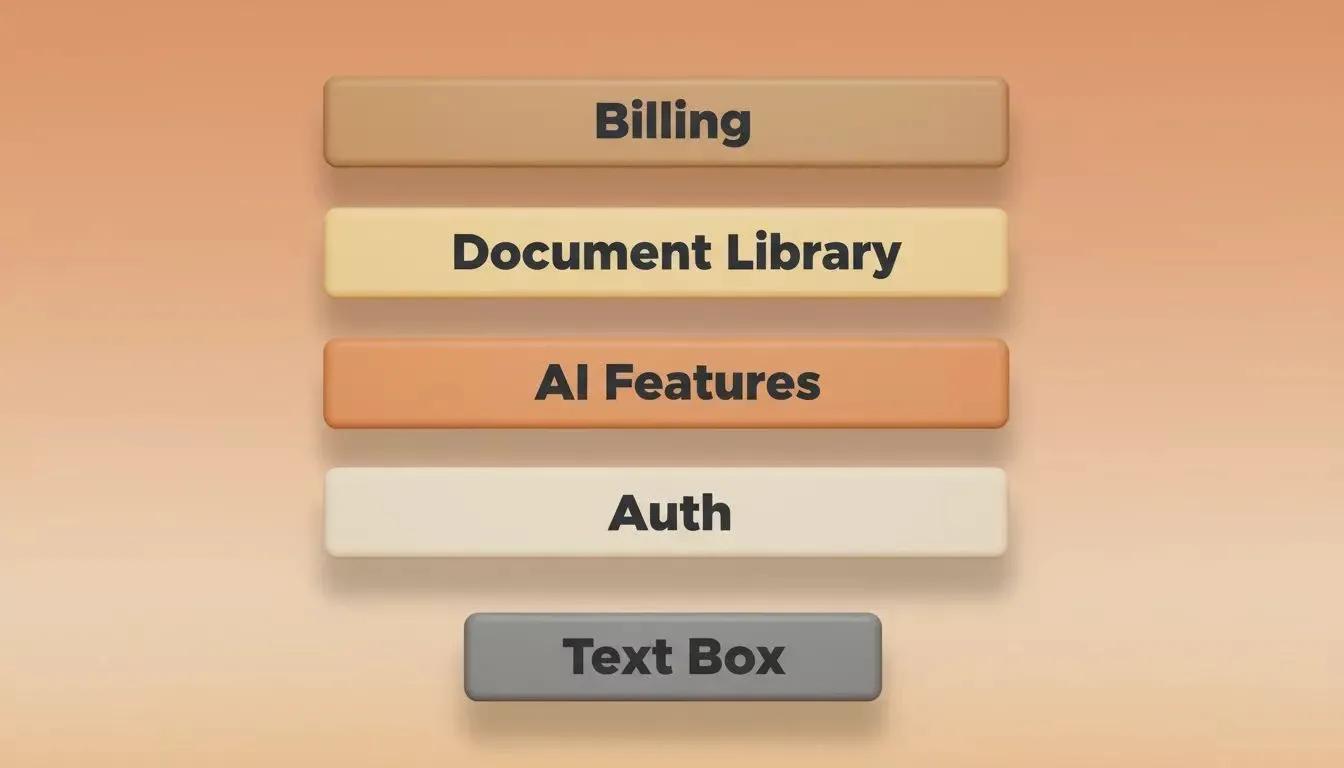
From a plain text box to a production-ready writing assistant: the four layers that make users pay
Chat-Based vs. Document-Editor: Which Pattern Should You Build?
An AI writing assistant is a document or chat interface wired to a language model that rewrites, expands, and generates text on a user's behalf. There are two dominant implementation patterns, and the prompts you write depend entirely on which one you choose.
| Dimension | Chat-Based Assistant | Document-Editor Assistant |
|---|---|---|
| Conversation thread | Rich text document with inline AI actions | |
| User sends message; AI replies | User selects text; AI rewrites or expands | |
| Saved chat history, multi-turn | Document versions with diff view | |
| Official AI app recipe | This guide | |
| OpenAI + Supabase + Stripe + Resend | Tiptap + OpenAI + Supabase + Stripe + Resend | |
| Brainstorming, Q&A, content drafting | Long-form editing, team writing workflows | |
| 30 to 45 minutes (per official recipe) | 2 to 3 hours (this 20-prompt sequence) |
If users primarily want to generate content through conversation, use the chat-based pattern and follow Rocket's official AI app recipe. If users primarily want to edit and refine documents with AI assistance inline, use the document-editor pattern in this guide. Many production writing tools combine both patterns, starting with one and layering in the other.
What Does a Production-Ready Writing Assistant Actually Need?
A production-ready AI writing assistant needs five layers built in sequence: a solid foundation, core AI writing features, content templates, collaboration tools, and a monetisation system. Skipping any layer creates integration failures downstream because the AI model loses context about your existing code and generates disconnected components.
| Phase | What It Covers | Prompts |
|---|---|---|
| User auth, document library, rich text editor, autosave | 1 to 4 | |
| Tone rewriter, paragraph expander, sentence shortener, headline generator, paraphrase mode | 5 to 9 | |
| Blog outline, cold email sequence, product description, social caption generator | 10 to 13 | |
| Version history with diff, team workspace, shared templates, PDF/DOCX export | 14 to 17 | |
| Resend integration for welcome emails and usage alerts | 17.5 | |
| Credit system with Stripe, readability dashboard | 18 to 20 |
Each phase depends on the previous one. Skipping to monetisation before auth exists creates prompts that fail because the AI model lacks context about your existing code. The architecture mirrors how production SaaS products ship: foundation first, features next, revenue last.
Treating prompts as a structured sequence rather than isolated requests produces dramatically better outputs from any AI code generation system.
How Should You Structure Foundation Prompts?
Foundation prompts should cover auth, document storage, the rich text editor, and autosave in that order, because each subsequent phase assumes all four are already wired together. Without a working auth layer, the document library has no user identity to attach records to. Without the document library, the editor has nowhere to persist content.
These four prompts create the infrastructure your writing assistant lives on. Without them, every feature prompt downstream will produce disconnected code that breaks on deployment.
Prompt 1: User Authentication
"Build a Next.js app with Supabase Auth including email/password sign-up, Google OAuth, protected dashboard route, and session persistence via server-side cookies. Redirect authenticated users to /dashboard."
What to check: OAuth redirect is loop-free, unauthenticated users get bounced, session survives browser restart.
Refine: "Add forgot-password magic link with rate limiting at 3 requests per minute per IP."
Prompt 2: Document Library
"Add a document library to the dashboard. Each document stores title, body as JSONB, created_at, updated_at, and folder_id. Include a sidebar folder list, drag-to-reorder within folders, and a new-document button that opens an untitled doc instantly."
What to check: Documents persist after reload, folder reorder saves correctly, document creation runs under 200ms.
Refine: "Add debounced title search with highlighted matching text in results."
Prompt 3: Rich Text Editor
"Replace the textarea with a Tiptap-based rich text editor. Include bold, italic, headings H1 to H3, bullet list, numbered list, blockquote, code block, and link inserter. Make the toolbar sticky at the top of the editor area."
What to check: Keyboard shortcuts work (Cmd+B, Cmd+I), pasting from Google Docs preserves formatting, all block types render cleanly.
Refine: "Add a slash-command menu appearing on '/' at line start, listing all available block types."
Prompt 4: Autosave to Supabase
"Add autosave debounced at 1.5 seconds after the user stops typing. Show a subtle 'Saving...' indicator that transitions to 'Saved' with a checkmark. Store body as JSONB in Supabase with optimistic UI updates."
What to check: No data loss on rapid typing, indicator transitions correctly, changes survive closing and reopening the tab.
Refine: "Add offline detection with a local queue and 'Offline - changes saved locally' banner that syncs on reconnection."
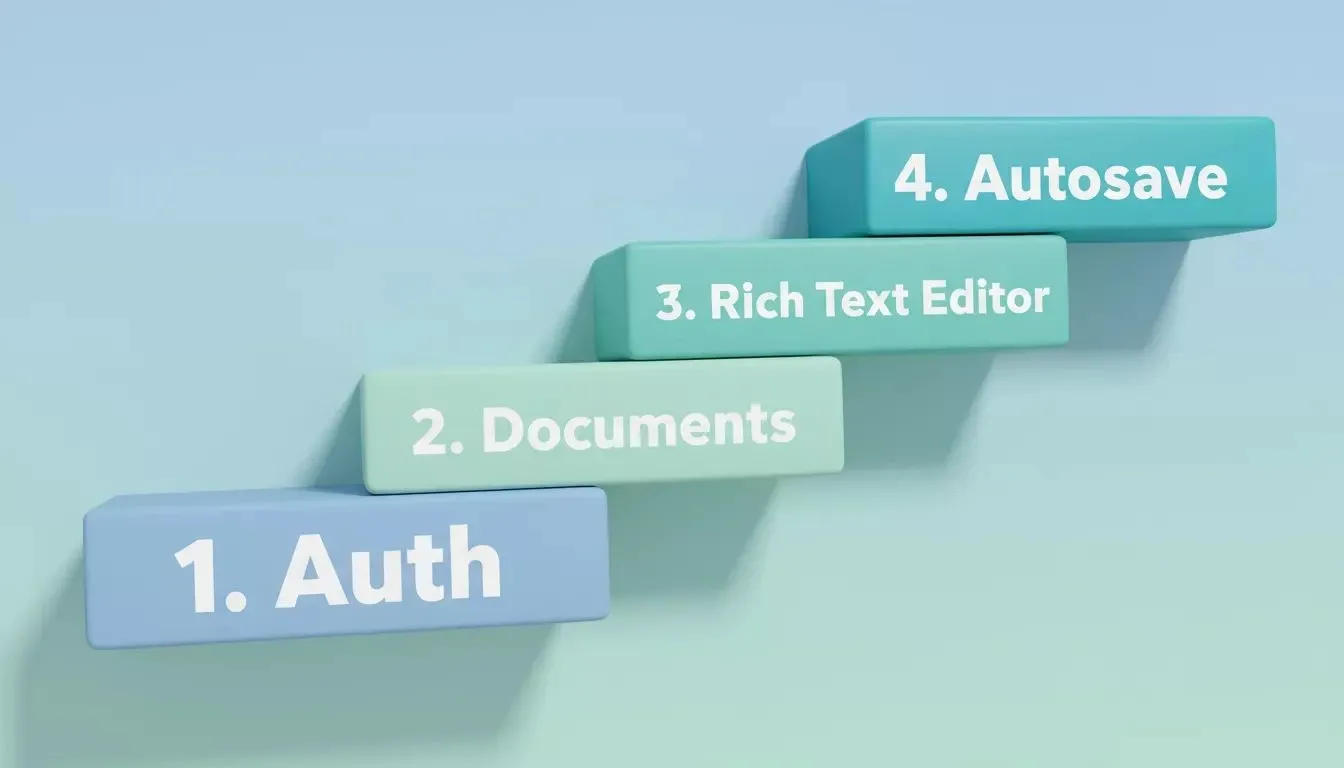
The four foundation layers every writing assistant needs before any AI feature is added
When you connect Supabase in Rocket, it scaffolds a complete backend with Postgres database, user authentication, file storage, real-time updates, and edge functions from a single prompt, per the Supabase connector docs. The four foundation prompts above resolve cleanly against that scaffolded backend without manual configuration files.
Which Prompts Generate Core Writing Intelligence?
Core writing prompts should each target a single, testable AI action with a clear undo path for every transformation. This keeps the feature surface predictable and lets users trust the AI without fear of losing their original text. These five prompts create the AI-powered features that differentiate your product.
76% of developers now use AI tools in their workflow, with 82% using them specifically to write code. The real challenge is not generating code; it is maintaining coherent architecture across dozens of files.
Prompt 5: Tone Rewriter
"Add a 'Rewrite Tone' feature. When the user selects text and picks a tone (Professional, Casual, Persuasive, Friendly, Academic), call the AI API with the selected text and tone instructions. Replace the selection with the rewritten version. Add an undo button that restores the original."
What to check: Selection replacement is clean, undo restores exactly, writing style differences are noticeable across all five tone options.
Refine: "Add a custom tone input where users describe their desired writing style in a free-text field."
Prompt 6: Paragraph Expander
"Add an 'Expand' button on paragraph hover. When clicked, send the paragraph to the AI with clear instructions to add detail, examples, and supporting points while matching the existing writing style. Show the expansion inline with a diff highlight."
What to check: Expanded text matches surrounding tone, diff highlights disappear on accept, word count increases by 40 to 80%.
Refine: "Let users specify expansion focus: add data points, add examples, or add counterarguments."
Prompt 7: Sentence Shortener
"Add a 'Shorten' action for selected text. The AI should produce a concise version with 30 to 50% fewer words while preserving the core meaning and writing style. Show original and shortened versions side by side with word count comparison."
What to check: Meaning preserved, concise output reads naturally, word count reduction falls within range.
Refine: "Add an adjustable compression slider from 'light trim' to 'aggressive cut' for targeted results."
Prompt 8: Headline Generator
"Add a headline generator. When the user clicks 'Suggest Headlines,' analyze the document content and generate 5 headline options ranked by clarity. Include character count next to each suggestion. Clicking one inserts it as the document title."
What to check: Headlines reflect actual document content, character counts are accurate, insertion updates the title field correctly.
Refine: "Add SEO scoring for each headline with keyword density and readability grade."
Prompt 9: Paraphrase Mode
"Add a paraphrase mode toggle. When active, selecting any sentence shows 3 alternative phrasings in a popover. Each alternative maintains meaning but varies sentence structure and word choice. Clicking one replaces the original."
What to check: Alternatives are genuinely different from each other, meaning is preserved, popover positions correctly near the selection.
Refine: "Add 'simplify' and 'formalize' quick-action buttons inside the paraphrase popover."
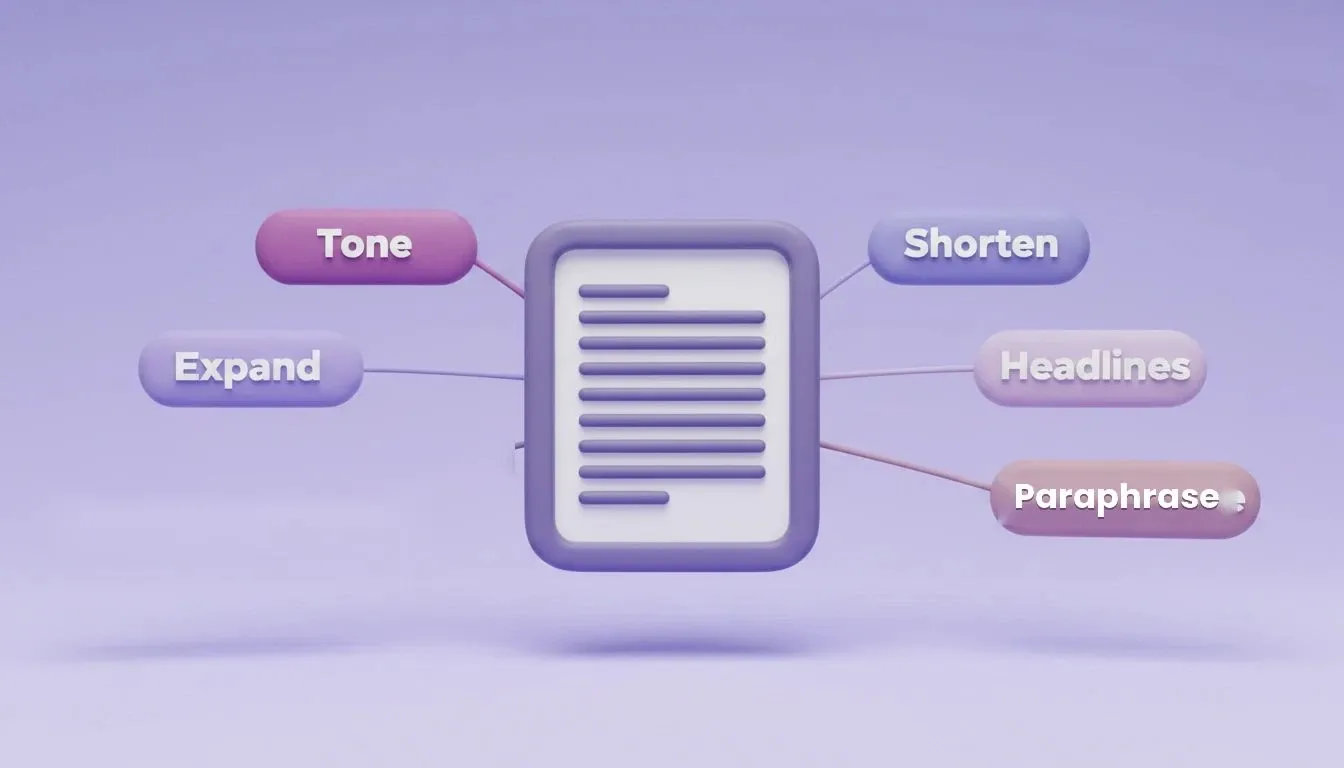
Five inline AI actions that transform a plain editor into a writing assistant users pay for monthly
Can Templates Turn a Writing Tool Into a Content Platform?
Templates separate a general-purpose editor from a product people subscribe to monthly. A template defines the input fields, describes the output format, and lets the AI fill the middle. These prompts create reusable content workflows that generate output for specific professional use cases.
Prompt 10: Blog Outline Generator
"Build a 'Blog Outline' template. The user enters a topic and target audience. The AI generates a structured outline with H2 sections, bullet points under each, a suggested intro hook, and estimated word count per section. Display the result in the editor ready to fill in."
What to check: Outline structure is logically ordered, sections cover the topic without overlap, word estimates are reasonable.
Refine: "Add a 'competitor angle' input that shapes the outline to differentiate from existing articles on the topic."
Prompt 11: Cold Email Sequence Builder
"Create a 'Cold Email Sequence' template. User inputs: recipient persona, product description, desired action. Generate a 3-email sequence with subject lines, body copy, and send-timing suggestions. Each email builds on the previous without repeating talking points."
What to check: Emails escalate logically, subject lines vary in approach, no repeated phrases appear across the sequence.
Refine: "Add A/B variants for each subject line with reasoning for when to use each version."
Prompt 12: Product Description Writer
"Add a product description template. Input: product name, key features list, target buyer persona, tone preference. Output: short description (under 50 words), medium (100 to 150 words), and long (300+ words) all generated simultaneously."
What to check: Each length version is self-contained (not a truncation of the longer one), features weave naturally into copy, tone matches selection.
Refine: "Add marketplace-specific format variants for Amazon, Shopify product pages, and landing page hero sections."
Prompt 13: Social Media Caption Generator
"Build a social caption template. Input: core message, platform (Twitter/X, LinkedIn, Instagram), hashtag preference. Generate 3 caption variants per platform respecting character limits, emoji usage levels, and call-to-action placement."
What to check: Character limits respected per platform, captions feel native to each platform's conversation style, hashtags are relevant.
Refine: "Add a calendar view for scheduling captions with optimal posting times by platform and time zone."
How Do You Add Collaboration and Export Features?
Collaboration prompts should establish role-based permissions before shared templates or exports, because both depend on knowing whether the current user is an Owner, Editor, or Viewer. Build the workspace roles in Prompt 15 before attempting Prompts 16 or 17. Solo writing tools hit a revenue ceiling fast; the prompts in this section add the team layer and the export pipeline that make your app sticky for organizations willing to pay per seat.
Prompt 14: Version History with Diff View
"Add version history to documents. Auto-save creates a new version every 5 minutes if changes exist. Show a timeline sidebar with timestamps and word count deltas. Clicking a version shows a side-by-side diff with additions in green and deletions in red. Add a 'Restore this version' button."
What to check: Diff renders correctly for complex formatting changes, restore replaces current content cleanly, timeline loads quickly for 50+ versions.
Refine: "Add version labels so users can name important snapshots like 'Final Draft' or 'Client Review.'"
Prompt 15: Team Workspace with Roles
"Add multi-user workspaces. A workspace has members with roles: Owner, Editor, Viewer. Owners invite via email, manage roles, and delete documents. Editors create and edit documents. Viewers read only. Show a members panel with role badges."
What to check: Role permissions enforced on both frontend and backend, invite emails deliver, role changes take effect immediately without page reload.
Refine: "Add workspace-level API keys for automation and a simple activity feed showing who edited what and when."
Prompt 16: Shared Template Library
"Create a workspace-level template library. Any team member with Editor role can save a document as a reusable template. Templates appear in a gallery grid with preview thumbnails. Using a template creates a new document pre-filled with that template's content."
What to check: Templates persist across team members, thumbnail previews generate correctly, pre-filled docs are editable copies not references to the original.
Refine: "Add template categories, a 'featured' pin option for Owners, and usage count tracking per template."
Prompt 17: PDF and DOCX Export
"Add export buttons for PDF and DOCX. PDF preserves all formatting including fonts and spacing. DOCX maps rich text to Word-compatible styles. Include a 'Download' dropdown in the document header. Show a loading state during file generation."
What to check: Bold, italic, headings, and lists render correctly in both formats, downloads trigger without errors, large documents (10,000+ words) export under 5 seconds.
Refine: "Add branded export with workspace logo in the PDF header and customizable footer text."
The Build an AI app recipe and the SaaS app recipe in Rocket's docs both cover team workspaces and Stripe billing as canonical patterns. Prompts 15 to 19 in this guide derive from the same architecture those recipes demonstrate.
Prompt 17.5: Email Notifications with Resend
Email notifications are the re-engagement layer that turns one-time users into retained subscribers. Add Resend after the collaboration layer and before billing, because welcome emails and usage alerts both depend on knowing the user's subscription state.
Prompt 17.5: Resend Email Integration
"Connect Resend. Send three automated emails: (1) a welcome email when a new user signs up, with a brief intro to the app and three tips for getting started; (2) an upgrade nudge when a free user has used 80% of their daily AI credits, with a clear call-to-action to the Pro plan; (3) an upgrade confirmation when a user subscribes to Pro, with a summary of their new features. Use clean, minimal email templates that match the app's branding."
What to check: Welcome email delivers within 30 seconds of signup, usage alert fires at the correct threshold, Pro confirmation email arrives immediately after Stripe webhook processes.
Refine: "Add a weekly writing summary email for Pro users showing their word count, documents created, and most-used AI features."
Rocket's Resend connector handles transactional email including welcome messages, password resets, and usage alerts from a single prompt. This matches the email pattern in the official AI app recipe, which lists Resend as a core part of the stack.
Why Rocket Ships Writing Apps Faster Than Prompt-Only Builders
Most AI builders respond to a single prompt and hand you one static output. You refine, re-prompt, and lose context with every iteration. The conversation resets and your previous code becomes invisible to the next response.
Rocket is the vibe solutioning platform for builders and founders, combining Solve (market and competitive research), Build (full-stack AI app generation), and Intelligence (competitor monitoring) in one workspace. The Build pillar is what powers this 20-prompt sequence. It maintains a persistent project context window across every prompt in your session, documented in the Projects overview and cross-task context docs.
| Capability | What It Means for Your Build |
|---|---|
| Prompt 15 already knows your document model from Prompt 2 | |
| Frontend components and backend logic generated together | |
| Supabase, Stripe, Resend, OpenAI wired from a single prompt | |
| Live production URL without manual hosting configuration | |
| Pull findings from earlier tasks into new prompts | |
| Built-in senior architect that resolves error loops automatically |
98% year-over-year growth in generative AI projects was recorded on GitHub in 2024. When developers were asked about their biggest frustration with AI tools, 63% said "AI tools lack context of the codebase." That is the exact problem Rocket solves at the project level through persistent cross-task context.
What Makes the Monetisation Layer Actually Work?
The monetisation layer works when credits, payments, and analytics all read from the same Supabase tables that your auth and document layers already established. Build Prompts 18 to 20 only after the foundation and collaboration layers are complete. The credit system needs a verified user identity, and the readability dashboard needs a populated document store.
Prompt 18: Usage-Based Credit System
"Add a credit system. New users receive 50 free credits. Each AI feature call costs 1 credit. Display remaining credits in the nav bar. When credits hit zero, AI features disable with a clear 'Buy more credits' call-to-action. Store credit balance and transaction history in Supabase."
What to check: Credits decrement correctly on each AI call, the disabled state prevents features from firing, transaction history records every change accurately.
Refine: "Add credit packs (100, 500, 1000) with volume discounts and a weekly usage summary email to re-engage inactive users."
Prompt 19: Stripe Checkout for Credit Purchases
"Connect Stripe Checkout for credit top-ups. When users click 'Buy Credits,' open a Stripe-hosted checkout session for the selected pack. On successful payment, a webhook adds credits to the user balance. Include a billing history page showing past purchases with amounts and dates."
What to check: Webhook processes correctly in test mode, credits appear within 3 seconds of payment confirmation, billing history is accurate and sortable.
Refine: "Add a subscription tier alongside one-time packs: $9/month for 200 credits with unused rollover to next month."
Rocket's Stripe connector handles one-time checkout, recurring subscriptions, and donation flows from a single prompt. The Add payments tutorial walks through the webhook configuration and checkout flow steps that make Prompt 19 work on first generation.
Prompt 20: Readability Score Dashboard
"Build a readability dashboard for each document. Calculate and display: Flesch reading ease score, average sentence length, passive voice percentage, and total word count. Show a letter grade (A to F) based on combined metrics. Include a 'Suggestions' panel listing specific sentences that could improve."
What to check: Scores update as the document changes, suggestions point to specific text spans users can click to navigate, grade calculation matches established readability formulas.
Refine: "Add a Core Web Vitals audit for the published version: LCP, FID, CLS scores with pass/fail indicators and fix suggestions."
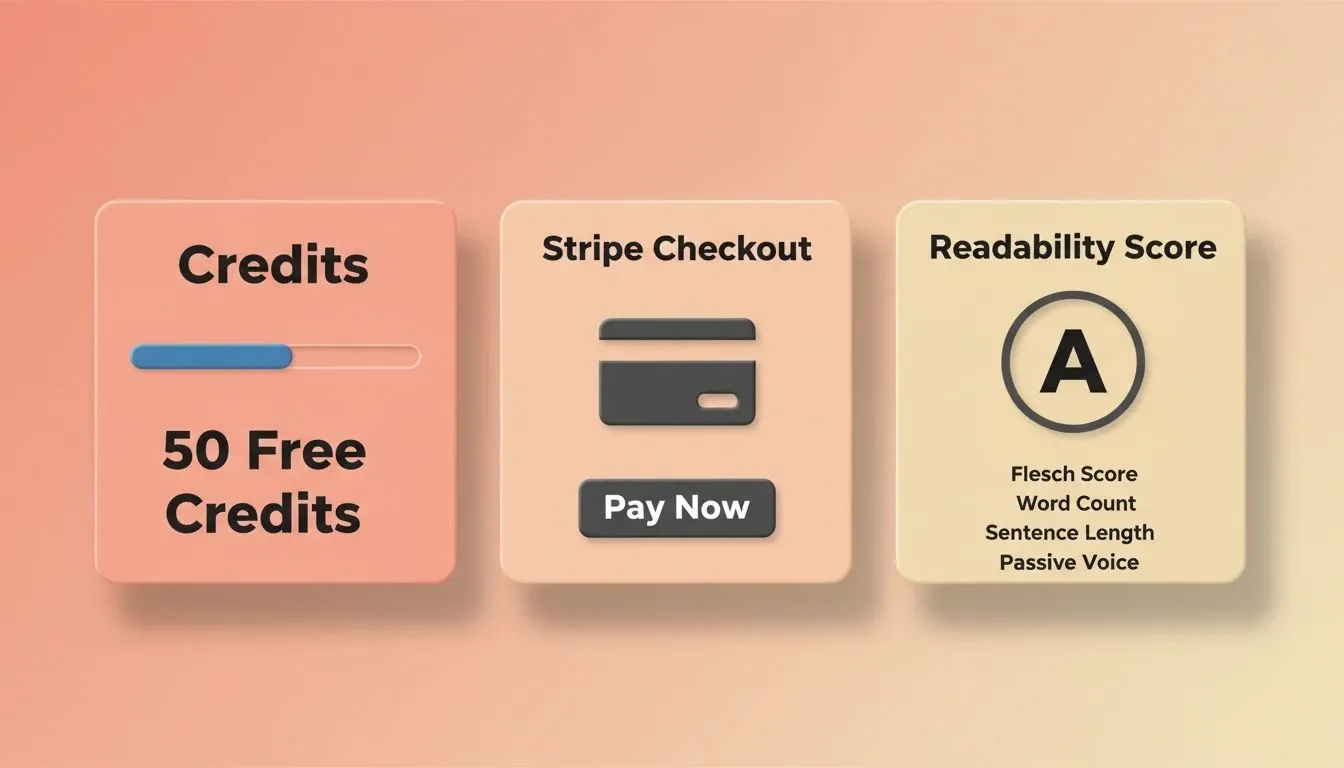
The three monetisation components that turn your writing assistant into a revenue-generating product
Your Writing App Starts With the Right Sequence of Prompts
Twenty prompts plus one email prompt, five phases, one production-ready writing assistant. The difference between shipping and stalling is not the number of features you wanted; it is whether each prompt builds on a solid foundation or floats in isolation without context.
Start with authentication, add the editor, layer in AI writing features, add email notifications, and finish with the billing system that turns your side project into a business. The prompts are ready and the sequence is tested.
Ready to ship your AI writing assistant? Rocket gives you persistent project context, full-stack generation, and one-click deployment, everything the 20-prompt sequence needs to produce a production-ready product. Sign up free (no credit card required) and paste Prompt 1 today. Start building on Rocket.new
Table of contents
- -Who is This For
- -Why Most Writing App Builds Stop at a Text Box
- -Chat-Based vs. Document-Editor: Which Pattern Should You Build?
- -What Does a Production-Ready Writing Assistant Actually Need?
- -How Should You Structure Foundation Prompts?
- -Prompt 1: User Authentication
- -Prompt 2: Document Library
- -Prompt 3: Rich Text Editor
- -Prompt 4: Autosave to Supabase
- -Which Prompts Generate Core Writing Intelligence?
- -Prompt 5: Tone Rewriter
- -Prompt 6: Paragraph Expander
- -Prompt 7: Sentence Shortener
- -Prompt 8: Headline Generator
- -Prompt 9: Paraphrase Mode
- -Can Templates Turn a Writing Tool Into a Content Platform?
- -Prompt 10: Blog Outline Generator
- -Prompt 11: Cold Email Sequence Builder
- -Prompt 12: Product Description Writer
- -Prompt 13: Social Media Caption Generator
- -How Do You Add Collaboration and Export Features?
- -Prompt 14: Version History with Diff View
- -Prompt 15: Team Workspace with Roles
- -Prompt 16: Shared Template Library
- -Prompt 17: PDF and DOCX Export
- -Prompt 17.5: Email Notifications with Resend
- -Prompt 17.5: Resend Email Integration
- -Why Rocket Ships Writing Apps Faster Than Prompt-Only Builders
- -What Makes the Monetisation Layer Actually Work?
- -Prompt 18: Usage-Based Credit System
- -Prompt 19: Stripe Checkout for Credit Purchases
- -Prompt 20: Readability Score Dashboard
- -Your Writing App Starts With the Right Sequence of Prompts