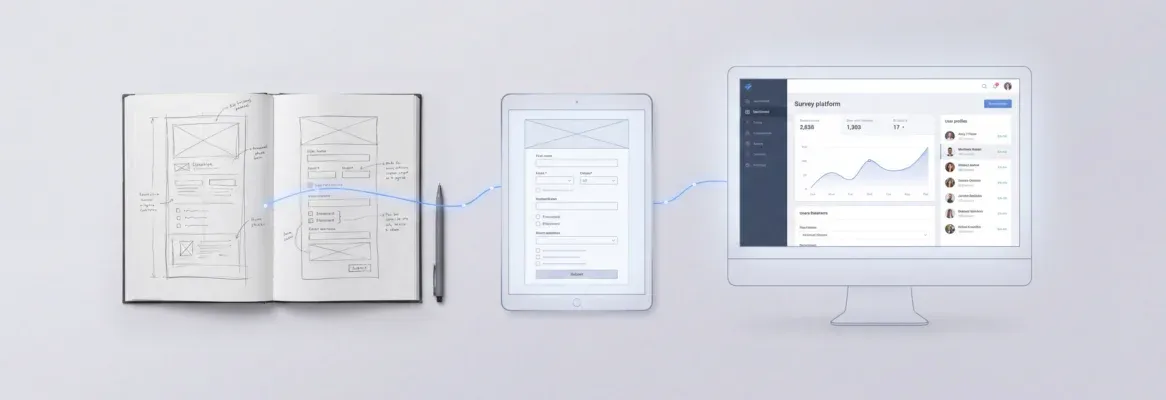
The best AI prompts to build web app projects give AI builders the context, audience, and constraints needed to generate production-ready code on the first attempt. This guide covers 20 tested, categorized prompts with structure tips that cut revision cycles.
Does your app's quality get decided before you describe the first feature?
According to recent data, 85% of developers now use AI tools for coding and app building regularly. Yet the gap between generic output and a production-ready web app often comes down to one thing: the prompt itself.
A poorly written prompt produces vague, half-finished results that need dozens of revision cycles. A well-structured prompt generates clean architecture, thoughtful UI, and functional logic on the first attempt. Writing AI prompts that work requires the same clarity you would give a senior developer on day one of a project.
This guide shares 20 tested prompts for web development across multiple categories. Each one gives AI builders the context and structure they need for reliable code generation, saving you credits and time on every build.
What Makes a Good AI Prompt for App Development?
Writing a good prompt is not about length. It is about giving the AI the right context in the right structure so it can generate exactly what you need without guessing.
-
Start with purpose and target audience. Tell the AI who uses this app and why. A prompt like "Build a habit tracker for busy professionals who want a minimalist mobile-first dashboard" gives clear instructions the builder can act on immediately.
-
List 3 to 5 core features by priority. Non-technical users often dump every idea into one prompt. Instead, focus on the features that define your MVP. Add more through natural language follow-up conversations after the first generation.
-
Specify design direction. Mention color preferences, layout style (cards, sidebar navigation, split-screen), and whether you want dark mode. A good AI prompt includes visual context so the generated app does not look generic.
-
Include technical constraints. If you need social login, a specific database, or error handling patterns, say so upfront. Background information about your tech preferences helps the AI understand scope without guessing.
-
Name your screens explicitly. Listing "Home, Dashboard, Settings, Profile" gives the builder a clear structure to follow rather than inventing its own navigation flow.
-
Specify the platform. Say "web app" or "mobile app" so the builder assigns the right framework automatically. Rocket uses Next.js for web apps and Flutter for mobile apps. Stating the platform gets you the right output from the start.
The difference between a good prompt and a bad prompt is specificity. Vague requests produce vague apps. Clear prompts produce apps you can test with real users the same day.
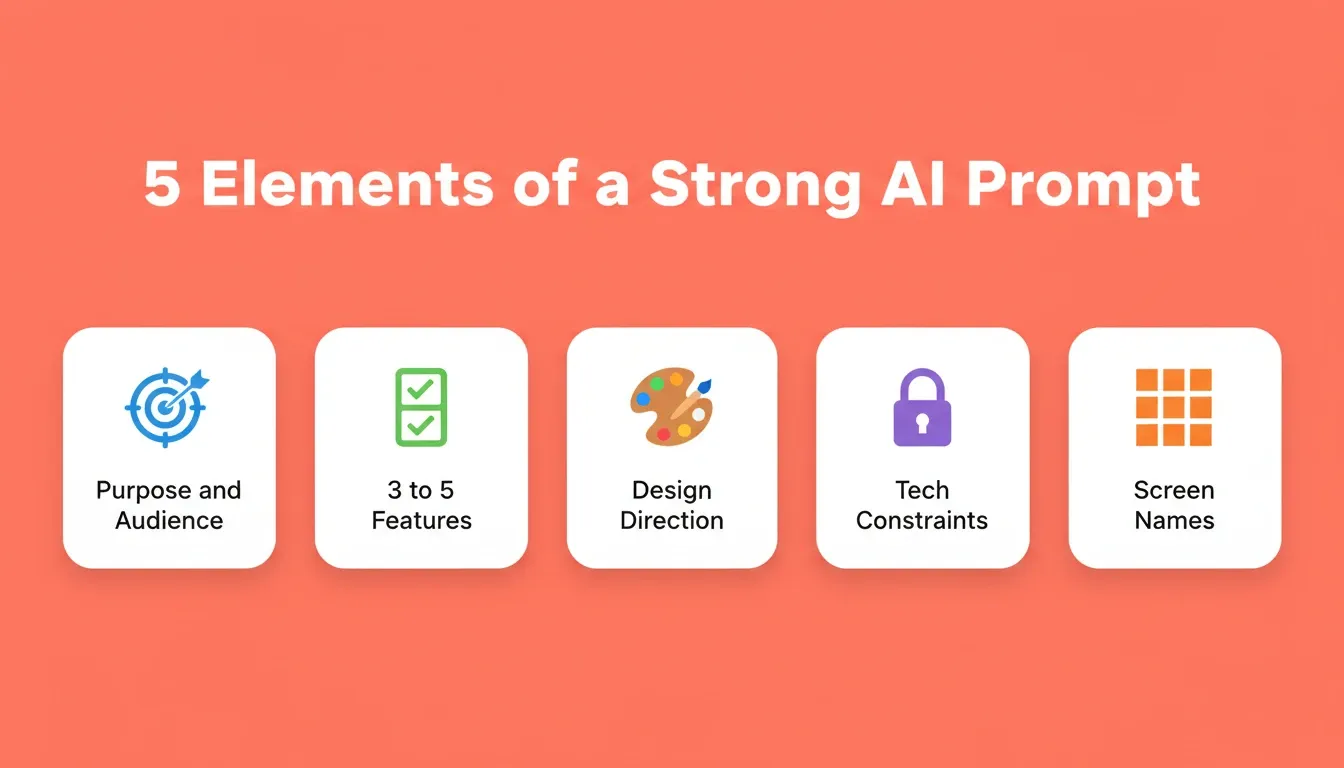
The five elements every effective AI app-building prompt must include.
What Is an AI Prompt for Building a Web App?
An AI prompt for building a web app is a natural language instruction that tells an AI builder what to create. It covers the app's purpose, users, features, design preferences, and technical requirements. Unlike a search query, a build prompt acts as a project brief: the more complete it is, the less the AI has to guess.
Modern AI app builders use a system called Prompt Intelligence. Before starting, the builder scores your prompt for clarity. If your prompt is specific enough, it starts building immediately. If it is too vague, it asks a short set of targeted questions about platform, audience, and must-have features, then starts once it has enough context. Understanding this system helps you write prompts that skip the clarification step entirely.
How Should You Structure Prompts for Different Web Apps?
Not every web app needs the same prompt structure. A landing page prompt looks very different from a SaaS dashboard prompt, and an e-commerce store needs details that internal tools do not.
According to Hostinger's research, no-code platforms reduce app development time by up to 90% when users provide structured, detailed prompts. The table below shows how to adapt your prompt format based on what you are building.
| App Type | Prompt Must Include | Example Prompt Snippet |
|---|---|---|
| SaaS Dashboard | User roles, data sources, key metrics, auth method | "Build a project management dashboard with Kanban boards, team member roles, deadline tracking, and Supabase auth" |
| Landing Page | Conversion goal, hero message, CTA, social proof section | "Create a waitlist landing page for an AI writing tool with email capture, feature grid, testimonial carousel, and gradient hero" |
| E-commerce Store | Product categories, payment gateway, cart logic, filters | "Build an e-commerce store for handmade jewelry with Stripe payments, wishlist, product filters by material and price range" |
| Internal Tools | Team size, data model, permissions, integrations | "Generate an employee onboarding tool for HR teams with document upload, task checklists, manager approval workflow" |
| Mobile App | Platform, navigation pattern, offline needs, push notifications | "Build a fitness tracking mobile app with bottom tab navigation, workout logging, progress charts, and daily reminders" |
| AI-Powered App | AI model, input/output type, storage, monetization | "Build a content generation tool using OpenAI GPT, with a prompt library, output history stored in Supabase, and Stripe usage billing" |
Product teams that match their prompt structure to the app type see fewer iterations and faster time-to-launch. The key is giving each app category the specific details it requires while keeping the overall prompt focused on 3 to 5 features.
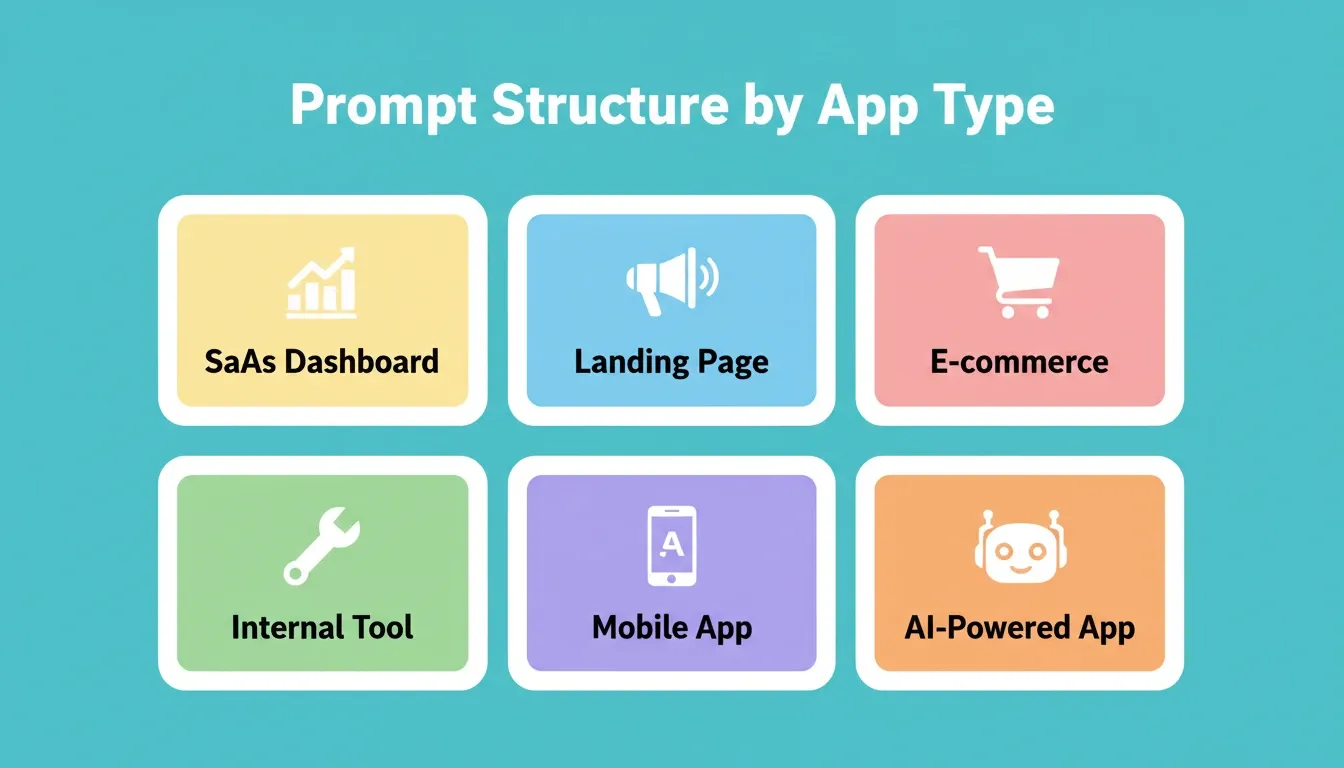
Match your prompt structure to the app type for fewer iterations and faster results.
The 20 Best AI Prompts to Build a Web App
These prompts are organized by category. Each one is ready to copy, paste, and adapt. The bracketed sections are the variables you replace with your own details.
Prompts for SaaS Dashboards and Internal Tools
Dashboards and internal tools follow predictable patterns: data tables, charts, user management, and role-based access. These prompts are structured to give the AI all the context it needs to generate working logic on the first pass.
Prompt 1: Client Reporting Dashboard
"Build a client reporting dashboard where [agency type] agencies upload campaign data as CSV, generate PDF reports with bar and line charts, and share read-only links with clients. Include date range filters, a dark theme, and Supabase authentication."
This prompt works because it names the target audience, specifies data flow, defines the output format, and includes the auth method.
Prompt 2: Inventory Management Tool
"Create an inventory management tool for a [team size]-person warehouse team. Include barcode scanning input, low-stock alerts with email notifications via Resend, a supplier contacts database, and CSV export. Use a clean, data-dense layout with a left sidebar navigation."
Internal tools need explicit mention of team size and workflows. Without that context, the AI will build apps that are either too simple or too complex.
Prompt 3: Customer Support Ticketing System
"Generate a customer support ticketing system with priority levels (low, medium, high, urgent), SLA countdown timers, canned response templates, agent performance dashboards, and social login for agents. Include a Kanban view and a list view toggle."
Including features like social login and SLA timers shows the level of specificity that produces working code on the first generation.
Prompt 4: CRM Dashboard
"Build a CRM web app with a contact list, deal pipeline with drag-and-drop Kanban stages, activity log per contact, email integration via HubSpot, and a dashboard showing monthly revenue, open deals, and conversion rate. Use a clean white layout with blue accents."
Prompt 5: OKR Tracker
"Create an OKR tracking tool for a [team size]-person company. Include quarterly goal setting, key result progress bars, owner assignment, weekly check-in prompts, and a company-wide progress view. Connect to Notion for syncing updates."
For users building apps that handle sensitive data, always mention security considerations and authentication requirements in the initial prompt. AI builders will generate proper access controls only when you explicitly ask.
Try these prompts on Rocket. Paste any of the five prompts above into Rocket and watch it generate a full-stack, production-ready app in minutes. No setup, no coding required. Start building free.
Prompts for Landing Pages and E-commerce Stores
Landing pages and stores are among the most popular web apps built with AI tools today. These prompts work best when they describe the visitor experience from top to bottom.
Prompt 6: SaaS Waitlist Landing Page
"Build a SaaS landing page for a [product type] tool targeting [audience]. Include a hero section with headline and email capture CTA, a three-column feature grid with icons, a social proof section with logos, a pricing table with three tiers, an FAQ accordion, and a footer with social links. Use a gradient hero background and clean white body."
This prompt maps the entire page structure so the builder does not have to guess section order.
Prompt 7: Multi-Vendor Marketplace
"Create a multi-vendor marketplace for digital templates. Sellers upload products with previews, buyers browse by category and price range, the cart supports multiple sellers, and checkout uses Stripe. Include seller dashboards with earnings tracking, payout history, and product analytics."
Marketplace prompts need to define both sides of the platform clearly. Leaving out either the buyer or seller experience leads to an incomplete first generation.
Prompt 8: Restaurant Website with Ordering
"Generate a restaurant website for [restaurant name] with online ordering, a menu organized by category with dietary filter tags (vegan, gluten-free, spicy), a reservation booking system with a calendar picker, Google Maps integration, and a photo gallery. Use warm earthy colors and food photography placeholders."
Prompt 9: E-commerce Store
"Build an e-commerce store for handmade [product type] with Stripe payments, a wishlist, product filters by material and price range, a reviews section, and an order tracking page. Include a mobile-first layout with a sticky cart icon."
Prompt 10: Product Launch Page
"Create a product launch countdown page for [product name] with a hero countdown timer, a feature reveal section that unlocks as the timer reaches zero, an email waitlist form connected to Mailchimp, and a social sharing widget. Use a dark background with neon accent colors."
Non-technical users often skip design details when writing AI prompts for landing pages. Adding direction about colors, spacing, and section layout helps the builder produce something polished rather than template-like.
Ready to ship your landing page or store? Rocket generates fully designed, mobile-ready pages from a single prompt. No templates, no drag-and-drop. Just describe what you want. Get started free.
Prompts for Mobile Apps
Mobile app prompts need one additional element that web prompts do not: the navigation pattern. Specifying bottom tab navigation, drawer navigation, or stack navigation tells the AI how to structure the entire app's information architecture.
Prompt 11: Fitness Tracking App
"Build a fitness tracking mobile app with bottom tab navigation (Home, Workouts, Progress, Profile). Include workout logging with exercise search, set/rep/weight tracking, a weekly progress chart, daily reminder push notifications, and a streak calendar. Use a dark theme with green accents."
Prompt 12: Food Delivery App
"Create a food delivery mobile app for [city/region] with restaurant browsing by cuisine type, a menu with item customization, a cart with delivery address input, order tracking with a live map, and order history. Include Stripe checkout and push notifications for order status updates."
Prompt 13: Habit Tracker App
"Build a habit tracker mobile app where users add daily habits with custom icons and colors, check them off each day, view a weekly streak calendar, and receive a daily reminder notification at a user-set time. Include a simple onboarding flow and a dark mode toggle."
Prompt 14: Booking App
"Generate a salon booking mobile app with service selection, staff selection, a time slot picker connected to Calendly, booking confirmation with email receipt via Resend, and a booking history screen. Use a clean white layout with pink accents."
Prompts for AI-Powered Web Apps
AI-powered apps need prompts that specify the AI model, the type of input and output, how data is stored, and how the app is monetized. These four elements prevent the most common generation failures in this category.
Prompt 15: AI Writing Assistant
"Build an AI writing assistant web app using the OpenAI API. Users input a topic and tone, the app generates a blog post draft, users can edit inline, and save drafts to a Supabase database. Include a prompt library with 10 preset templates, output history, and Stripe subscription billing with a free tier of 5 generations per month."
Building a mobile app or AI-powered tool? Rocket automatically switches to Flutter for mobile builds and connects to OpenAI, Anthropic, and Gemini out of the box. Describe your idea and Rocket handles the rest. Try it free.
Prompt 16: AI Customer Support Bot Builder
"Create a web app where businesses upload their FAQ documents, the app uses the Anthropic Claude API to generate a trained chatbot, and businesses embed the chatbot on their website via a script tag. Include a conversation history dashboard, a feedback rating system, and Stripe billing per active chatbot."
Prompt 17: AI Image Generation Tool
"Build an image generation web app using the OpenAI DALL-E API. Users enter a text prompt, select an art style from a dropdown, generate up to four variations, download results, and save favorites to a gallery. Include Stripe credits billing and a Supabase user account system."
Prompts for Productivity and Collaboration Tools
Prompt 18: Project Management Tool
"Build a project management web app with workspace creation, project boards with Kanban and list views, task cards with assignees, due dates, priority labels, and file attachments, a team activity feed, and inline comments. Support Google login via Supabase auth and include a mobile-responsive layout."
Prompt 19: Knowledge Base and Wiki
"Create an internal knowledge base web app where team members create, edit, and search articles organized by category. Include a rich text editor, version history per article, a search bar with instant results, role-based access (Admin, Editor, Viewer), and a Notion connector for importing existing docs."
Prompt 20: Client Portal
"Build a client portal for [agency type] agencies. Clients log in to view project status, download deliverables, approve or request revisions, view invoices, and send messages to the team. Include a white-label option where agencies add their logo and brand colors. Use Supabase auth and Stripe for invoice payments."
From prompt to shipped product. Rocket generates full-stack apps with auth, database, payments, and deployment built in. Paste any of these prompts and see your app live in minutes. Start for free.
Can a Single Prompt Generate a Production-Ready Application?
This is the question every developer and founder asks when they first try an AI app builder. The answer in 2026 is yes, but only if your prompt carries enough context for the AI to make informed decisions about architecture, design, and data structure.
-
One prompt can generate a full-stack app from a single prompt with frontend, backend, database schema, and authentication. This works when the prompt includes app purpose, target audience, features, and technical preferences. The generated app often ships with working code that handles routing, state management, and API connections.
-
The prompt acts as the project brief. Think of your initial prompt as the document you would hand to a development agency. The more complete your brief, the less back-and-forth needed. AI-generated code quality scales directly with prompt quality.
-
Iteration is still part of the process. Even experienced developers refine their generated app through two to three follow-up conversations. The difference is whether those conversations are about adding polish or rebuilding the foundation. A strong first prompt means you iterate on details, not structure.
You describe the problem. The AI plans the architecture and builds from that direction. Simple prompts still produce simple apps, but a well-crafted single prompt can generate something deployable the same day.
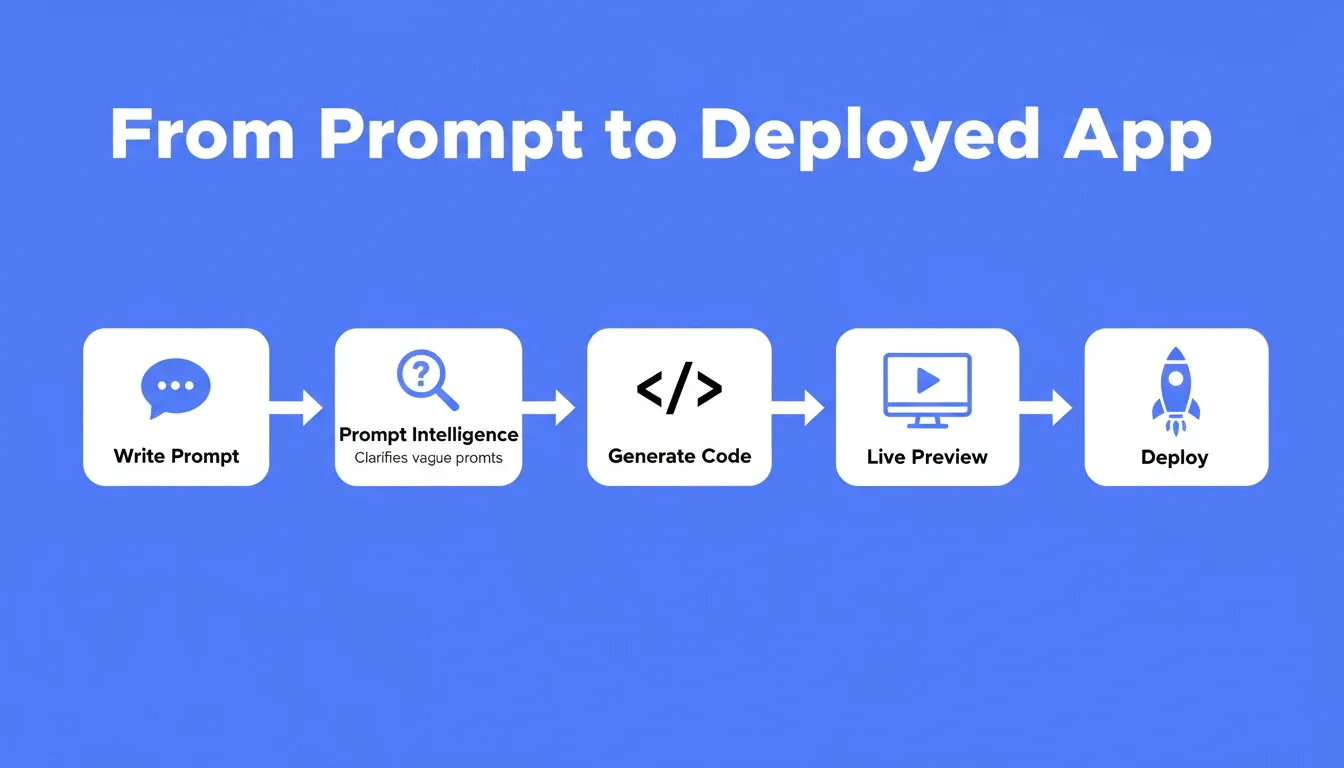
From a single prompt to a deployed, production-ready web app: the five-stage AI build pipeline.
Rocket's full build pipeline: Prompt Intelligence filters vague prompts before generation begins.
Beyond Text: Other Ways to Start a Build
A written prompt is not the only way to generate a web app. Modern AI builders accept multiple starting points, each suited to a different situation.
| Starting Method | Best For | What to Provide |
|---|---|---|
| Plain language prompt | Starting fresh with an idea | Describe the app in 2 to 5 sentences |
| Screenshot or mockup | Recreating an app you like | Upload a .png or .jpg (max 5 MB) |
| Figma design | Turning a completed design into code | Import via Figma connector |
| Spreadsheet or CSV | Building data-driven apps | Upload your .xlsx or .csv file |
| GitHub repository | Continuing an existing Next.js project | Connect via GitHub connector (Next.js and TypeScript only) |
| Template | Common patterns like SaaS or landing page | Browse template library, zero credits consumed |
| URL redesign | Rebuilding an existing website | Paste the live URL |
When you upload a screenshot, the AI analyzes the layout, color system, and component patterns, then builds something that matches the visual style. When you import a Figma file, it preserves your typography, spacing, and visual hierarchy exactly. Templates consume zero credits. You only use credits when you start customizing via chat.
How Rocket Turns One Prompt into a Complete Web App
Most AI app builders take your prompt and generate a frontend. They leave backend logic, database setup, authentication, and deployment as separate problems you solve yourself. Rocket takes a different approach.
Rocket is a vibe solutioning platform. It is the only platform where idea validation (Solve), app building (Build), and competitive monitoring (Intelligence) happen in the same place. When you write a build prompt inside Rocket, it is not starting from a blank slate. It is starting from the accumulated context of your project: research, competitive signals, brand guidelines, and customer problems you have already defined.
What the Build pillar produces:
-
Full-stack from one natural language prompt. Describe your idea in plain English and Rocket generates production-ready code covering frontend (Next.js for web, Flutter for mobile), backend logic, Supabase database, and authentication. The app ships with real navigation, working forms, and connected data, not a static mockup.
-
Production-grade design quality. Every build ships with SEO-ready structure, WCAG accessibility compliance, GDPR coverage, and performance optimization by default, not as optional extras.
-
Three primary ways to refine after generation. Chat with natural language to add features. Use Visual Edit to click and adjust any element's text, style, spacing, or image directly in the preview. Or open the Code tab to edit source files directly. There is no limit on iterations.
-
Version history and rollback. Every generation and significant edit creates a new version. Browse and restore any previous version. Nothing built is ever gone.
-
Built-in infrastructure. Staging and production environments, custom domains, built-in analytics (visitors, conversions, Core Web Vitals), and one-click deployment are all included. You do not need to configure servers or manage deployments to go live.
-
26 plus integrations flow into the build. Stripe, Razorpay, OpenAI, Anthropic, Gemini, Supabase, Airtable, Google Analytics, Mixpanel, Mailchimp, Notion, Linear, HubSpot, Calendly, Typeform, and more. Authenticate once, and they appear in every generated app automatically.
The structural difference between Rocket and other AI builders is not a feature gap. It is a category gap. Other tools build what you tell them to build. Rocket figures out what is worth building, then builds it.
What Are Common Mistakes When Writing AI Prompts?
Even with the right tools, a bad prompt leads to frustrating results. These are the patterns that waste credits and create unnecessary iteration cycles.
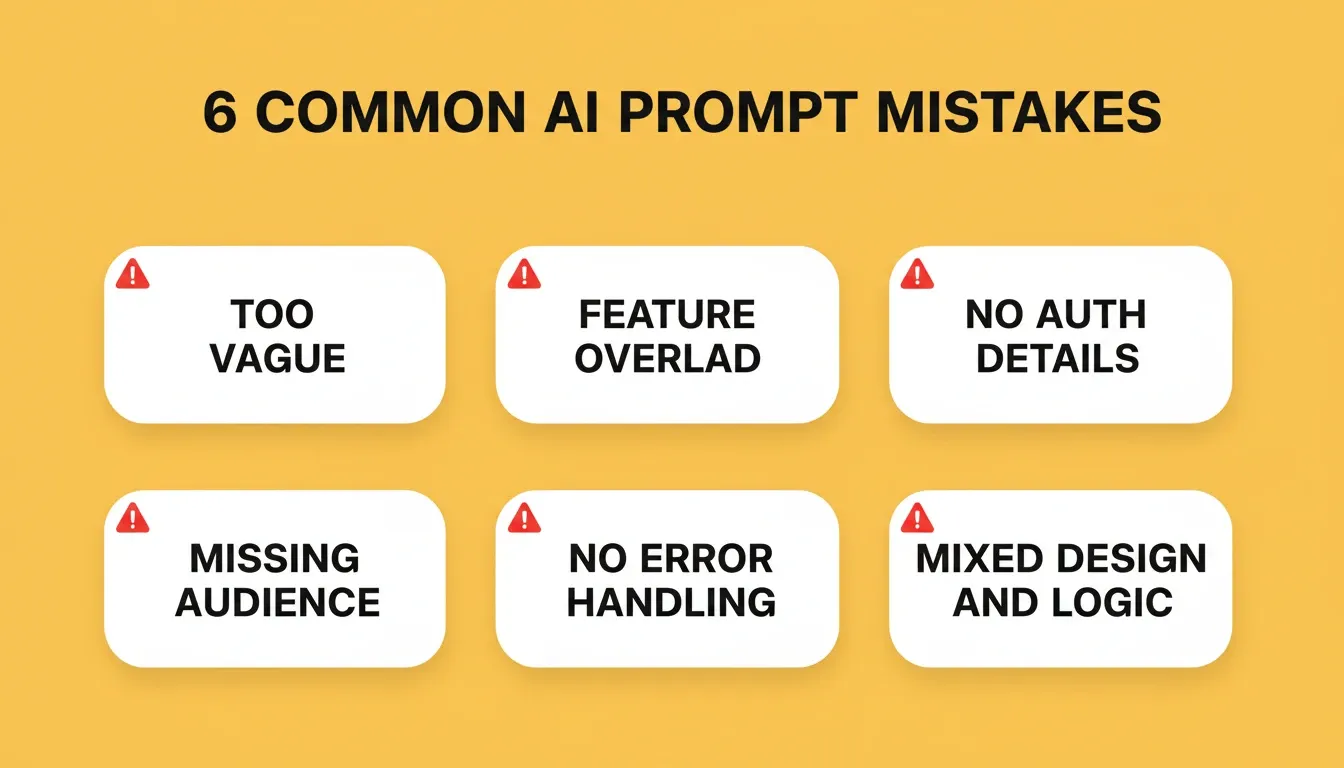
Avoid these six prompt mistakes to cut revision cycles and ship faster.
-
Being too vague. "Build me an app" gives the AI nothing to work with. Without context about target audience, features, or design, the generated code will be generic and unfocused. Always describe purpose, users, and at least three specific features.
-
Front-loading every feature. Trying to describe 20 features, 10 screens, and complex data relationships in one prompt overwhelms the AI. Break complex projects into manageable tasks. Start with core functionality, test it, then add features through follow-up prompts.
-
Skipping security and auth details. If you need password protection, role-based access, or API key security, mention it in the prompt. AI builders will not add security considerations unless explicitly instructed. This is where many generated apps fail in production.
-
Ignoring the target audience. Writing "build a dashboard" without specifying who uses it leads to wrong assumptions about data density, navigation complexity, and feature priority.
-
Not mentioning error handling. Apps that look great in preview often break with real data because the prompt never mentioned validation, loading states, or edge cases. Include handling for empty states, network errors, and invalid input.
-
Mixing design and functionality in one revision. Ask for features first, confirm they work, then adjust layouts and visual settings in a separate pass. Mixing both in one prompt often leads to code generation conflicts where style overrides break logic.
As Steve Smith noted on LinkedIn after experimenting with AI-powered development:
"The prompt is everything. Any kind of ambiguity and AI will seize on it and run amok."
Research confirms this pattern, showing that AI-generated code now accounts for 41% of total output globally. That makes prompt quality the single biggest lever for app quality.
Tips for Iterating and Refining Your Prompts
The first generation rarely needs to be perfect. What matters is starting with a strong foundation so your refinements add features rather than fix structure.
-
Test after every major change. Do not stack five modifications in a row without checking the preview. AI agents handle context better when they process one request at a time rather than a wall of changes.
-
Use follow-up prompts for polish. Add animations, adjust spacing, refine copy, and connect integrations after the core app works. Experienced developers treat initial generation as the architecture phase and follow-ups as the polish phase.
-
Reference specific screens by name. When iterating, say "On the Settings page, add a theme toggle" rather than "add a toggle somewhere." The more specific your language, the fewer revision cycles you need.
-
Use Visual Edit for small, precise changes. If you need to change a button color, adjust padding, or swap an image, clicking directly on the element in the preview is faster and more accurate than describing it in chat.
-
Use slash commands for targeted structural edits. Commands let you trigger specific actions, such as generating an SEO report, fixing accessibility issues, or implementing privacy compliance, without writing a full prompt.
-
Keep prompts focused on one task at a time. Instead of "redesign everything and add three features," try "change the header background to navy blue" followed by separate prompts for each feature. AI chat works best with clear, focused instructions.
Writing AI prompts is a skill that improves with practice. Each project teaches you what level of detail your preferred AI builder needs to deliver quality results. Generative AI platforms are getting better at handling ambiguity, but precise prompt templates for different app types still produce faster, more reliable web apps today.
Start With the Right Words, Ship the Right Product
The gap between a half-built prototype and a shipped product is often just a few sentences of context in your prompt. Every example in this guide proves the same point: specificity wins. Name your users, list your features, describe your design, and set your constraints before pressing generate.
As AI builders get smarter, the prompts that work today will become the baseline for what ships tomorrow. The teams that learn to write precise, context-rich prompts now will build faster, iterate less, and ship products that actually match what they had in mind.
Describe what you want to build on Rocket.new and watch it generate a full-stack, production-ready web app from your prompt in minutes. No coding, no setup, no waiting.
Table of contents
- -What Makes a Good AI Prompt for App Development?
- -What Is an AI Prompt for Building a Web App?
- -How Should You Structure Prompts for Different Web Apps?
- -The 20 Best AI Prompts to Build a Web App
- -Prompts for SaaS Dashboards and Internal Tools
- -Prompts for Landing Pages and E-commerce Stores
- -Prompts for Mobile Apps
- -Prompts for AI-Powered Web Apps
- -Prompts for Productivity and Collaboration Tools
- -Can a Single Prompt Generate a Production-Ready Application?
- -Beyond Text: Other Ways to Start a Build
- -How Rocket Turns One Prompt into a Complete Web App
- -What Are Common Mistakes When Writing AI Prompts?
- -Tips for Iterating and Refining Your Prompts
- -Start With the Right Words, Ship the Right Product