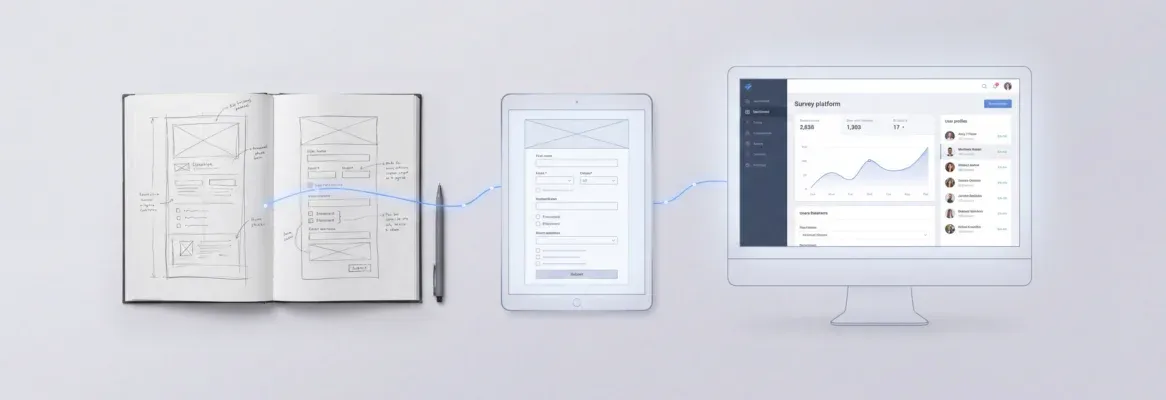
Write structured AI prompts to build a customer portal with ticket management, self-service modules, and dashboards. The right AI prompts for customer portal development take teams from idea to a working portal in days, not months.
Does prompt quality decide whether your portal ships in days or months?
A customer portal is a secure, self-service web application. It gives customers direct access to account data, support tickets, order history, and knowledge base articles. A Gartner survey of 321 customer service leaders found that 55% now handle higher volumes without adding headcount. They achieve this through AI-driven service tools.
When your AI prompt is specific, your output works on the first pass. When it is vague, you end up rewriting the same generic response repeatedly. The fastest teams write prompts that produce working portal features without back-and-forth debugging.
That same acceleration applies to every portal layer. It covers support tickets, account dashboards, and follow-up email sequences that keep customers engaged after resolution.
Why Portal Teams Are Turning to AI Prompt Workflows
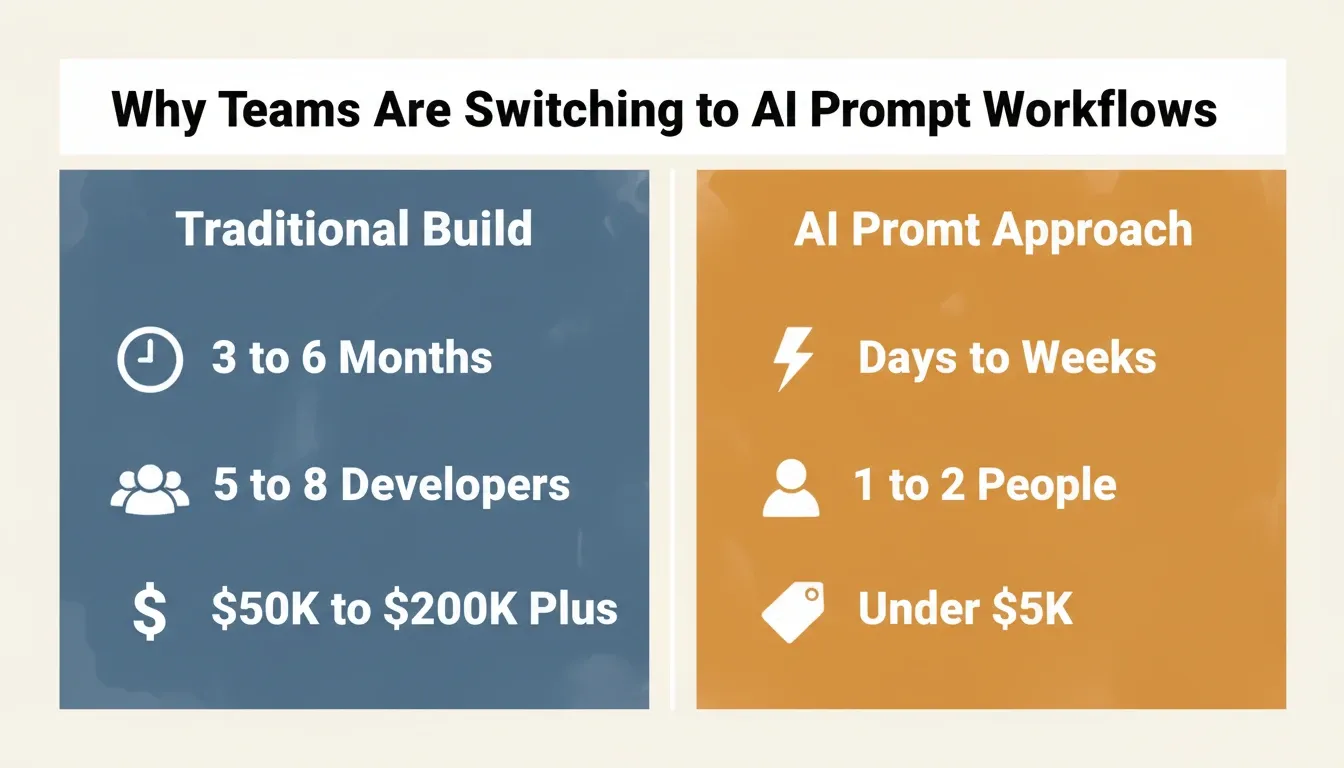
The shift toward prompt-driven portal development is happening because manual builds take too long. A business analyst used to spend weeks writing requirements before a single line of code got written. Now a well-structured AI prompt generates the same output in minutes.
-
Customer success teams save time by letting AI tools draft account dashboards and follow-up email sequences that keep repeat customers engaged
-
Support tickets get resolved faster when your portal includes automated responses based on customer data and prior call transcript history
-
ChatGPT prompts give teams a reliable way to create prompts for customer onboarding, follow-up reminders, and self-service modules without writing code
-
Customer inquiries route automatically when you prompt for a ticket classification engine that reads each customer email and assigns priority levels
AI prompt workflows let even non-technical staff write, test, and deploy portal features. As a result, your support team ships faster with fewer bottlenecks.
Companies using AI tools for portal development report shipping customer-facing features three times faster than teams using traditional build cycles. That speed compounds with each iteration, because every follow-up feature starts from the same prompt context.
Less re-explanation means more accuracy in each response your portal produces. Teams that apply solid prompt engineering best practices consistently hit customer success targets ahead of schedule.
Core Modules Every Customer Portal Needs
Before writing a single prompt, map out the modules your portal requires. Most production portals include:
| Module | What it does | Prompt complexity |
|---|---|---|
| Ticket submission | Captures customer issues with priority routing | Low |
| Account dashboard | Shows order history, usage data, billing status | Medium |
| Knowledge base | Self-service articles and FAQ search | Medium |
| AI chatbot | Answers questions before a ticket is created | High |
| Follow-up automation | Sends resolution emails and satisfaction surveys | Medium |
| Admin panel | Lets your team manage tickets, users, and content | High |
Understanding this map before you prompt means each AI prompt targets a specific module. It produces a usable output and slots cleanly into the larger system.
How to Structure Prompts for Portal Features
The structure of your AI prompt determines the quality of what you get back. A prompt that says "build me a customer portal" will generate something. However, it will lack the specific tone, customer data handling, and brand voice your company needs.
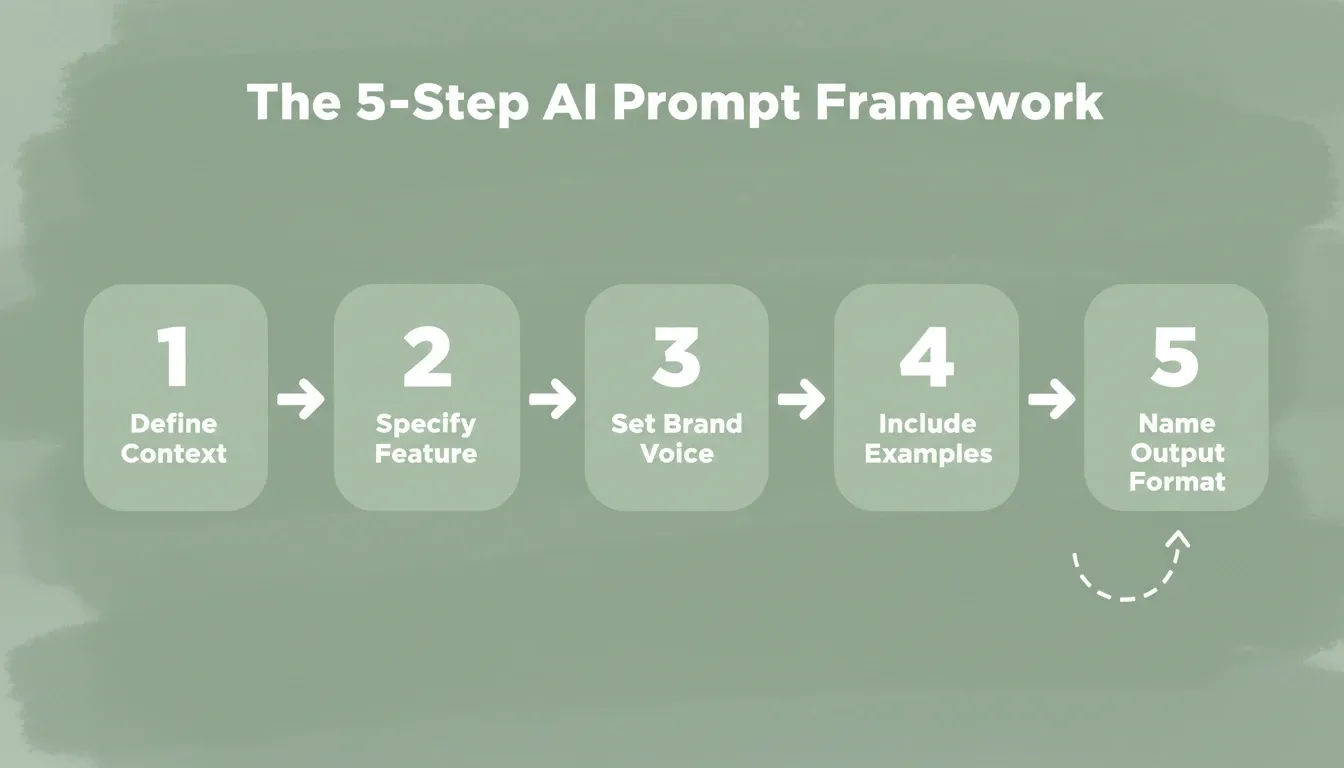
Here is a proven framework for writing strong prompts that produce usable portal components:
-
Add context first: Describe your company, what service you provide, and what customer types you serve. For example: "We are a B2B SaaS company with 500 active accounts who expect a professional response within 4 hours."
-
Specify the exact feature: Write "ticket submission form with priority levels, file attachments, and auto-routing to our support team" rather than just "a help desk."
-
Set your brand voice: Include a specific tone directive. For instance: "Use plain language, warm and professional, keep the word count under 150 per automated message."
-
Include example data: Paste a real customer email or call transcript into the prompt. This helps the AI understand what a typical customer situation looks like in more detail.
-
Name the output format: Request "JSON schema for the data model," "React component code," or "draft email response in paragraph format" to get precisely what you need.
The five-step AI prompt framework for building customer portal features.
This process works whether you use ChatGPT prompts, Claude, or any other drafting assistant. More detail in your prompt means a more useful portal output. Add context about the customer situation, specify your release notes style, and define what a professional reply looks like for your company.
The best prompts are reusable templates that your whole team can use. A business analyst writes the initial prompt once. Then the entire support team runs it with different customer data inputs to generate consistent, on-brand responses. When you are ready to create a customer portal with an AI builder, having a library of reusable prompts dramatically reduces your build time.
The Best Prompts for Ticket and Support Modules
Support tickets are the backbone of any customer portal. Here are the top prompts that generate working ticket management features. These cover frustrated customers, order lookups, and follow-up scheduling. If you want to build a help desk platform from scratch, these prompts give you a solid starting point.
Prompt 1: Ticket Categorization Engine
"Create a ticket classification system that reads the customer email subject and body. It then assigns one of these categories: billing, technical, account access, feature request, or cancellation. Include priority scoring based on keywords like 'urgent', 'broken', or 'cancel'. Route high-priority customer support tickets to our live support team. Auto-respond to low-priority customer inquiries with a helpful acknowledgment that includes clear next steps."
Prompt 2: Frustrated Customer Response Generator
"Write a professional response template for a frustrated customer who has contacted us multiple times about the same issue. The response should acknowledge their frustration without being defensive. It should summarize the customer situation based on ticket history, provide a clear next step with a specific timeline, and offer a goodwill gesture like a discount or service credit. Keep the word count under 120. Use a warm but professional reply tone."
Five steps that separate a prompt that works on the first pass from one that needs ten rewrites.
Prompt 3: Follow-Up Email Sequence
"Generate a 3-email follow-up sequence for support tickets marked as resolved. Email 1 (sent day 1): confirm resolution and ask if anything else is needed. Email 2 (sent day 3): request a satisfaction rating and review. Email 3 (sent day 7): offer next steps such as trying new features in their account. Each customer email should be under 80 words. Include the customer's first name and reference the original order details."
Prompt 4: De-Escalation Response for Angry Customers
"Write a de-escalation response template for a customer threatening to cancel their subscription. The message should validate their concern and avoid blame or excuses. It should provide action items with specific dates and offer to connect them with a senior account manager. Include a goodwill gesture without making promises the company cannot support. Maintain a calm, professional response tone that gives a final answer on timeline."
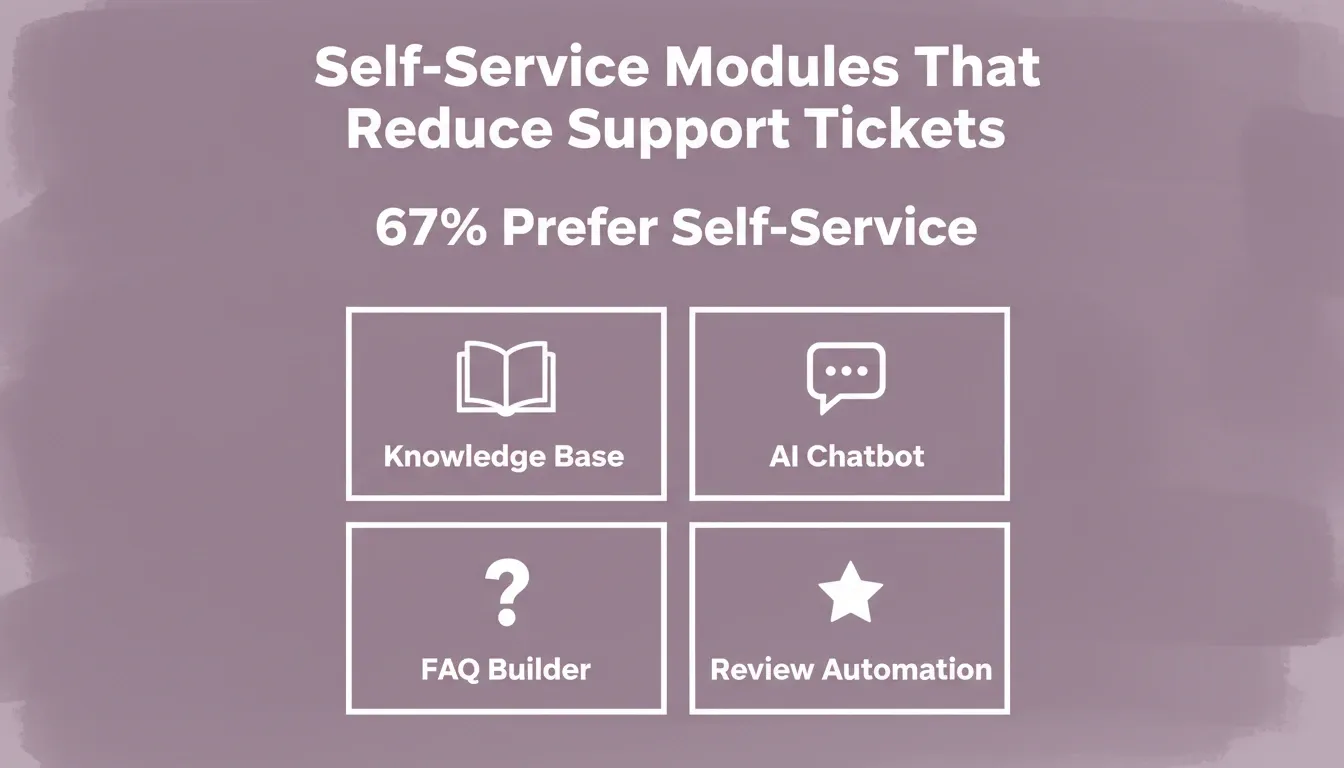
According to self-service statistics from Document360, 67% of customers prefer finding answers themselves before contacting support. That means your ticket module prompts should also automate customer service by generating knowledge base suggestions before creating a new support ticket.
Each prompt produces a different portal component. The key is to review responses before deploying them. Make sure every message matches your brand voice and handles the customer situation accurately across different scenarios.
Prompts That Build Self-Service Knowledge Modules
Self-service is where your portal pays for itself. When customers find answers without filing support tickets, your team saves time. Your customer success metrics also improve across the board.
-
Knowledge base generation prompt: "Analyze our top 50 support tickets from the last quarter. Group common questions into categories. For each category, write a help article with a clear title, a 2-sentence summary, step-by-step instructions, and a related FAQ section. Use plain language at a 6th-grade reading level."
-
AI agent configuration prompt: "Set up an AI agent chatbot for our customer portal that can answer common questions from our knowledge base, check account status and order details, create follow-up email reminders, and escalate to a human when it cannot provide a final answer. The AI agent should respond within 3 seconds and use a friendly, helpful tone."
-
FAQ builder prompt: "Generate 20 frequently asked questions and answers from this call transcript data [paste data]. Group by topic: billing, feature usage, and account management. Each answer should be 40 to 60 words and include a clear next step for the customer."
-
Review response automation: "Write review responses for negative customer feedback on our self-service portal. Acknowledge the customer situation and explain what we have done to fix the issue. Invite them to contact us for more detail. These responses go to repeat customers, so reference their account history when crafting each message."
Using ChatGPT prompts for knowledge base generation means your AI agent always has fresh data to pull from. Each time you update your help articles, your portal automated responses get smarter. Fewer customers end up writing support tickets for issues already answered in your knowledge base. As a result, your team gains a measurable improvement in resolution speed.
AI Prompt Templates by Industry
Different industries have different portal requirements. The same prompt framework applies, but the context, customer types, and data models change significantly. Teams building a customer support portal for a specific vertical should adapt each prompt with the industry context below.
| Industry | Core portal modules | Key prompt context to include |
|---|---|---|
| B2B SaaS | Usage dashboard, billing, feature requests, API docs | Account tier, contract terms, technical user level |
| E-commerce | Order tracking, returns, product questions, reviews | Order IDs, SKUs, return policy, shipping carriers |
| Financial services | Account statements, dispute management, document upload | Compliance requirements, regulatory language, KYC status |
| Healthcare | Appointment booking, records access, prescription refills | HIPAA considerations, patient ID, provider network |
| Professional services | Project status, invoice review, deliverable approvals | Engagement scope, milestone dates, contact hierarchy |
Adapting your prompt context to the industry means the AI generates portal components that match your customers' actual expectations. This avoids the generic template that fits no one well.
How Rocket Turns One Prompt into a Complete Portal
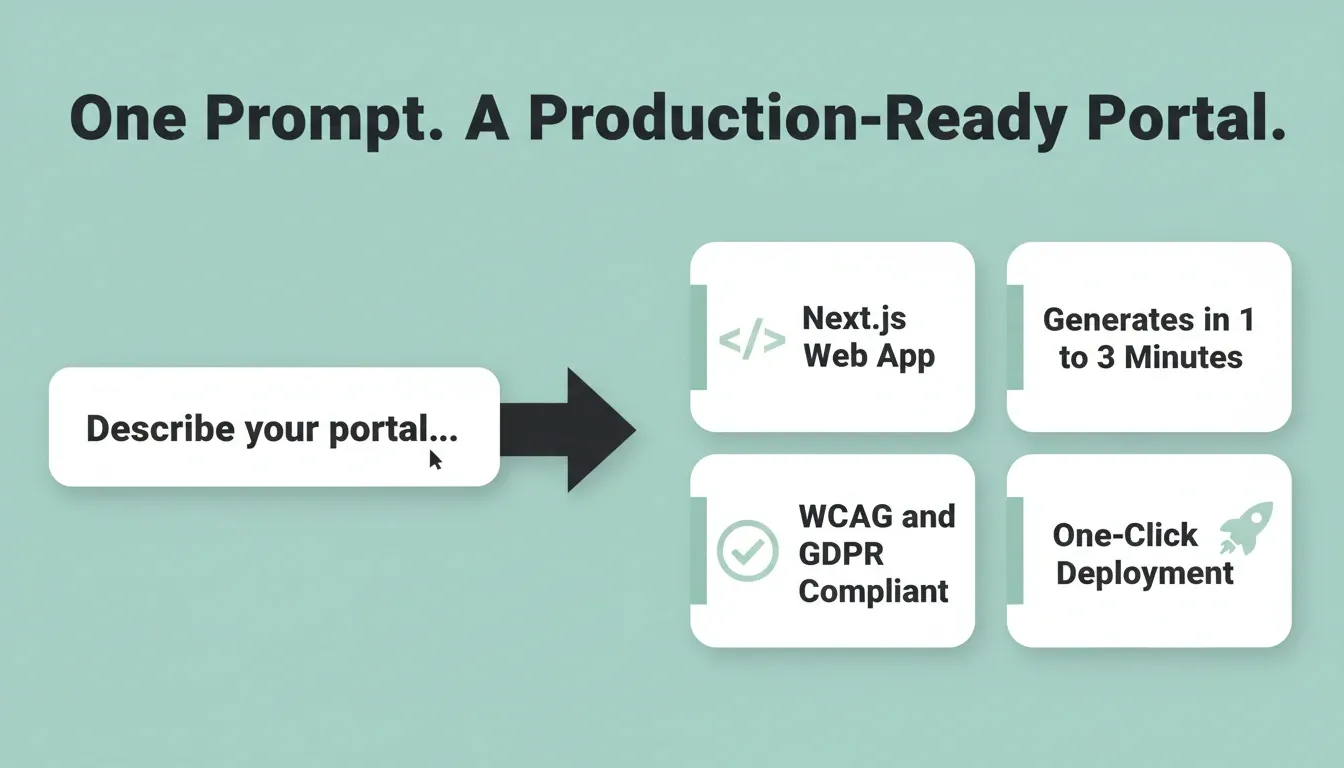
Most AI tools let you write prompts that generate text or code snippets. Rocket takes a single prompt and generates an entire production-ready customer portal. The result is a working Next.js web application with authentication, database schema, UI components, and customer data flows ready to deploy.
Most apps generate in 1 to 3 minutes. The output is not a wireframe or mockup. It is working, deployable code with SEO-ready structure, WCAG accessibility compliance, and GDPR coverage included by default.
Here is what that looks like in practice:
-
You describe your portal in plain language. Rocket's Build creates the full application, including authentication, database schema, UI components, and customer data flows, ready to launch.
-
Every follow-up prompt builds on what came before. You never re-explain your customer data model or brand voice for each new feature.
-
25+ integrations flow directly into the build. Connect Stripe for billing, Supabase for your database and authentication, Mailchimp for follow-up email sequences, Mixpanel for customer analytics, and Twilio for SMS notifications. Authenticate once and they are available in every build.
-
Whether your portal serves enterprise clients, small business accounts, or individual users, Rocket generates role-based access with different views and service levels per account.
-
Connect OpenAI, Anthropic, or Gemini to handle customer inquiries directly within your portal. These connect through the support ticket system you described.
-
Deploy to a live URL with automatic HTTPS, staging and production environments, full version history, and one-click rollback.
Before you build, Rocket's Solve helps you validate the portal direction. It identifies what modules your customers actually need, what your competitors have shipped, and what gaps you can close. After you launch, Intelligence monitors what competitors are shipping so your portal stays ahead.
1.5 million people have tried Rocket across 180 countries, from solopreneurs validating their first idea to enterprise teams running strategy and build in the same platform.
As Mia Williams shared on X: "I just one-shotted a prompt using @rocketdotnew and I can't put into words how astronomically better it is than any other no-code AI tool."
Common Mistakes When Writing Portal Prompts
Even the best prompts fail when teams make these common mistakes. Knowing what to avoid will save time on rewrites and keep your portal on track.
-
Skipping customer types definition: A prompt that does not specify who uses the portal generates a generic response that fits nobody well. Name your customer types clearly, such as enterprise, SMB, and trial users. Write different prompt branches for each.
-
Forgetting brand voice: If you do not set your on-brand guidelines in the prompt, the output sounds generic. Paste a sample customer email response your team already uses and say "match this style."
-
No review step: The best AI prompt still produces output that needs human review. Always review responses before they reach customers. Build a QA step into your workflow.
-
Writing one giant prompt: Break big features into smaller prompts. Use one prompt for the ticket system, another for the knowledge base, and another for the account dashboard. This gives you reusable templates and better control over each module.
-
Ignoring follow-up automation: Most teams write prompts for initial interactions but forget the follow-up email sequences. These sequences keep customer success scores high. Plan for the full journey, from first support ticket to resolution confirmation to 7-day check-in.
-
Not specifying data model requirements: Prompts that skip database structure produce portals that cannot scale. Tell the AI exactly what data fields each record needs: customer ID, account tier, ticket status, resolution date, and assigned agent.
-
Skipping mobile considerations: Most customers access portals on mobile devices. Include "responsive layout, mobile-first design" in every UI prompt to avoid a desktop-only output. Teams building an employee portal face the same challenge. Mobile access is not optional.
Strong prompts avoid these traps by being specific about the customer situation, including enough context about what your company offers, and breaking complex portal features into manageable pieces.
Build Your Customer Portal Before Competitors Build Theirs
The gap between companies with a working customer portal and those still planning one grows wider every week. AI prompts for customer portal development give your team a direct path from idea to production. This applies whether you are building a help desk, a self-service knowledge base, or a full account management system with data-driven dashboards.
Your customers already expect self-service options, fast follow-up on their support tickets, and a professional response every time they reach out. The prompts in this guide give you the building blocks. Rocket turns those prompts into a deployed, production-ready portal. Describe what you need, and get a working portal with tickets, dashboards, and self-service modules, ready to ship. Start building your customer portal today.
Table of contents
- -Why Portal Teams Are Turning to AI Prompt Workflows
- -Core Modules Every Customer Portal Needs
- -How to Structure Prompts for Portal Features
- -The Best Prompts for Ticket and Support Modules
- -Prompt 1: Ticket Categorization Engine
- -Prompt 2: Frustrated Customer Response Generator
- -Prompt 3: Follow-Up Email Sequence
- -Prompt 4: De-Escalation Response for Angry Customers
- -Prompts That Build Self-Service Knowledge Modules
- -AI Prompt Templates by Industry
- -How Rocket Turns One Prompt into a Complete Portal
- -Common Mistakes When Writing Portal Prompts
- -Build Your Customer Portal Before Competitors Build Theirs