The best AI prompts for bug reports turn vague observations into structured, developer-ready documents in seconds. They capture environment data, reproduction steps, severity, and expected versus actual results automatically.
How much engineering time does your team lose to incomplete bug reports every sprint?
According to the Consortium for Information and Software Quality, poor software quality cost the US economy over $2.41 trillion in 2022. A significant share traces back to one persistent problem: unclear bug reporting that sends developers chasing the wrong fix.
Well-crafted AI prompts generate structured, actionable bug reports from raw data in minutes. They cut the guesswork that drags testing cycles into overtime.
This blog covers 10 field-tested prompts for every bug type, a real example output, integration tips for Jira and Linear, and how AI-powered development platforms reduce the bugs that need reporting in the first place.
What is a Bug Report and Why Does Structure Matter?
A bug report is a formal document that describes a defect in software. It tells the developer what happened, what was expected, how to reproduce it, and how severe it is. It is the primary communication channel between the person who found a problem and the developer who needs to fix it.
Without structure, a bug report is just a complaint. With structure, it becomes a reproducible, triageable, fixable work item.
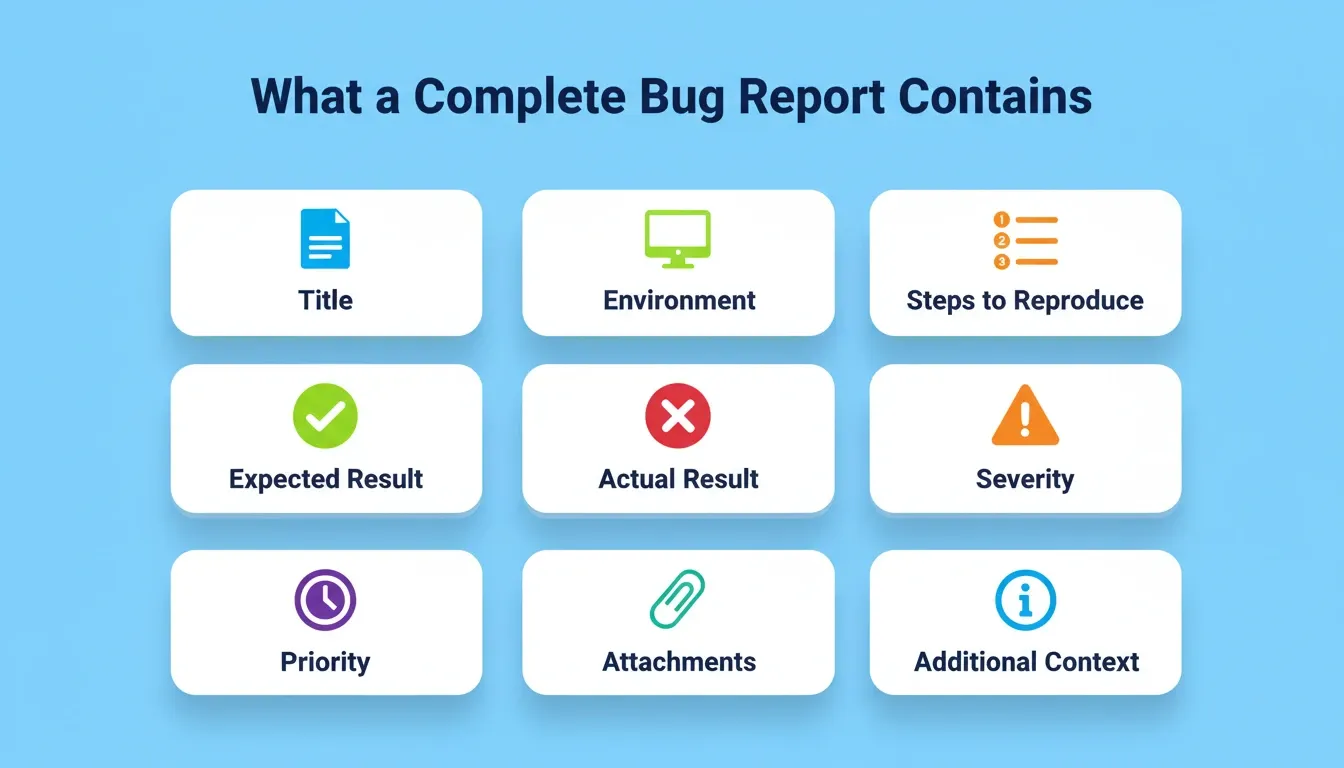
A complete bug report contains:
-
Title — a one-line summary of the defect
-
Environment — OS, browser, device, app version, user account state
-
Steps to Reproduce — numbered, exact sequence that triggers the bug
-
Expected Result — what should have happened
-
Actual Result — what actually happened
-
Severity — Critical, High, Medium, or Low
-
Priority — how urgently it needs fixing relative to other work
-
Attachments — screenshots, screen recordings, server logs, stack traces
-
Additional Context — network state, concurrent users, related tickets
When any of these fields are missing, the developer cannot reproduce the bug without asking follow-up questions. Each follow-up adds hours to the resolution cycle. Multiply that across a sprint and the cost becomes significant.
What Makes a Good Bug Report?
QA engineers evaluate bug reports against three criteria:
-
Reproducibility — can another person trigger the same behavior following the steps provided?
-
Isolation — does the report identify the specific component, endpoint, or user path where the defect occurs?
-
Actionability — does the report give the developer enough information to begin a fix without additional investigation?
AI prompts structured around these three criteria consistently produce reports that pass QA review on the first submission. The prompts in this guide are built on that standard.
Why Do Vague Bug Reports Drain Engineering Hours?
A poorly written bug report is not just an inconvenience. It is a system-level bottleneck that multiplies debugging time and delays every release sitting behind it.
-
Missing context forces repeat investigation. When a bug report lacks environment details, browser version, or user account state, the assigned developer spends more time writing comment threads than fixing code. One unclear ticket can trigger three to five back-and-forth messages before any real work begins.
-
Incomplete steps to reproduce create false starts. If a tester writes "the login page crashed" without listing the exact user input sequence, the developer has to guess which path to reproduce. That guessing often leads to debugging the wrong code path entirely.
-
Priority and severity get misassigned. Without clear data on expected and actual results, teams cannot triage properly. A critical vulnerability might sit in a low-priority queue for days because the original report lacked the details to flag its severity.
-
Bug tracking becomes unreliable. When reports lack structure, metrics on resolution time, recurrence rates, and test coverage turn into noise instead of signal. Feedback loops between testing and development fall apart.
The pattern repeats across every team that relies on free-form writing for bug documentation. Understanding prompt engineering best practices is the first step toward fixing this at the source.
How Does AI Transform the Bug Reporting Process?
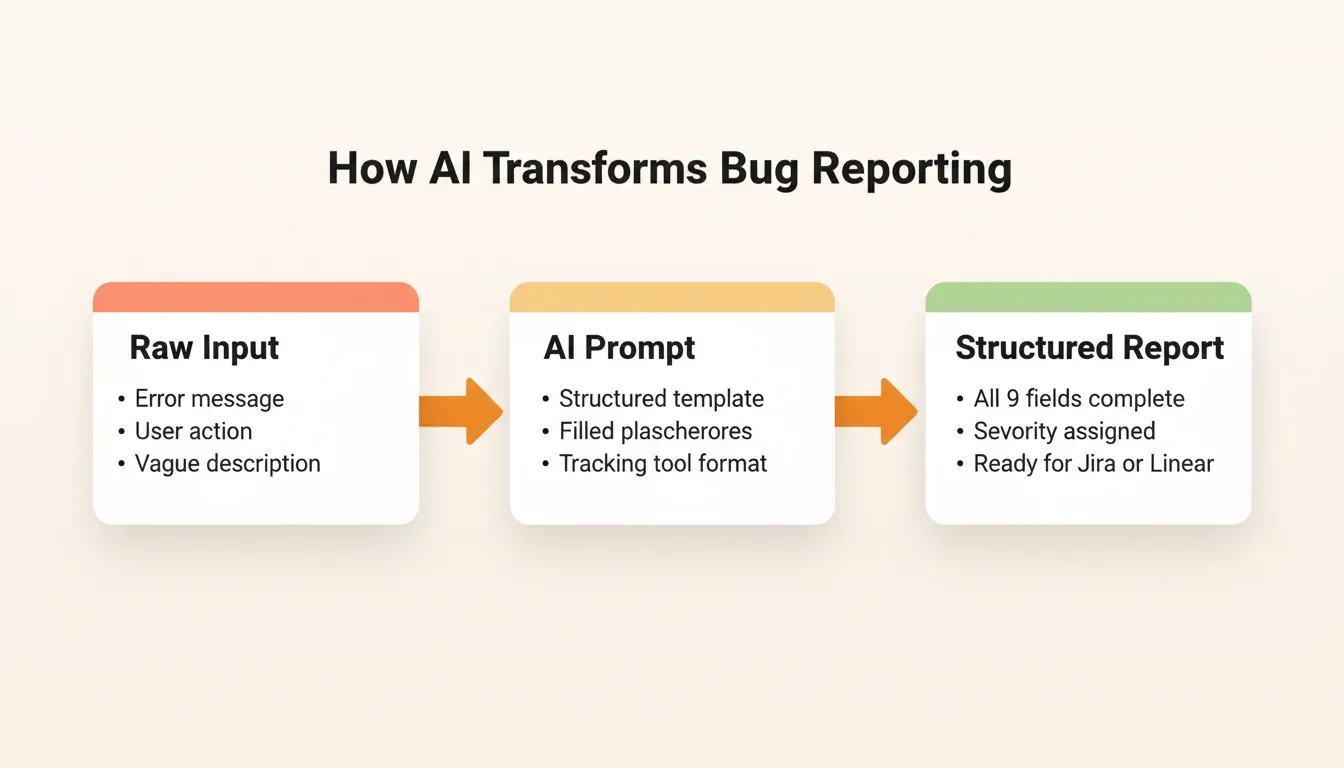
AI is remarkably good at one thing: turning unstructured user input into a consistent, detailed format. That is exactly what the bug reporting process needs.
-
Prompt engineering shapes the output. The quality of an AI-generated bug report depends entirely on the prompt you write. A vague prompt produces a vague result. A specific prompt that requests environment data, steps to reproduce, expected and actual results, plus severity generates a report that reads like it came from a senior QA engineer.
-
AI agents can pre-fill templates from server logs. Modern AI systems parse server logs, error messages, and screenshots to pre-populate bug report fields automatically. This removes the manual copy-paste step that eats time and introduces errors.
-
Choosing the right model matters for vulnerability research. Some tasks need a model that excels at code analysis. Others need one that summarizes user-facing behavior clearly. Security research tasks demand a model that understands exploit patterns.
The 2024 Stack Overflow Developer Survey found that 76% of developers are using or planning to use AI tools in their testing and development workflows. Additionally, 56.7% already use AI for debugging. That is a visible shift in how bug reporting, testing, and validation happen across teams.
How to Use These AI Prompts Effectively
Before copying any prompt below, follow these four steps to get the best output:
-
Gather raw context first. Collect the error message, the URL or screen where it occurred, the user action that triggered it, and any visible logs before opening your AI tool.
-
Fill in the bracketed fields. Every prompt uses
\[placeholders\]. Replace each one with specific, real information. Vague inputs produce vague reports. -
Specify your tracking tool. Add "Format the output for Jira" or "Format for GitHub Issues" or "Format for Linear" at the end of any prompt to get output that pastes directly into your system.
-
Review before submitting. AI-generated reports are excellent first drafts. A 30-second human review to confirm severity classification is always worth doing before the report enters the tracking queue.
10 AI Prompts That Produce Clear, Actionable Bug Reports
Each prompt targets a specific bug reporting scenario. They cover everyday UI bugs, API failures, mobile crashes, and security vulnerability research in formal bug bounty programs. Copy them, modify the scope to fit your system, and create bug reports that developers can act on immediately.
Prompt 1: Standard Functional Bug Report
The Prompt:
"Generate a structured bug report for the following issue: [describe the bug]. Include these sections: Title, Environment (OS, browser, device), Steps to Reproduce (numbered), Expected Result, Actual Result, Severity (Critical/High/Medium/Low), Priority, Attachments/Logs, and Additional Context."
Why it works: This prompt forces the model to create every field a developer needs for valid bug tracking. No guessing, no missing data. The severity and priority classification helps the triage team assign the bug report without additional validation requests.
Example output:
** Title:** Login button unresponsive on Safari 17 after failed password attemptEnvironment: macOS Ventura 13.5, Safari 17.0, MacBook Pro M2, App v2.4.1Steps to Reproduce:Navigate to app.example.com/loginEnter a valid email addressEnter an incorrect password and click LoginObserve the "Invalid credentials" errorCorrect the password and click Login againExpected Result: User is authenticated and redirected to the dashboardActual Result: Login button becomes unresponsive. No network request is fired. Refreshing the page restores functionality.Severity: High — affects authentication flow for Safari usersPriority: P1 — Safari accounts for 19% of user sessions per analytics
This is the format developers want. It is reproducible, isolated, and actionable on the first read.
Prompt 2: Regression Bug After Deployment
The Prompt:
"Write a bug report for a regression introduced after the latest deployment. The feature that broke is: [feature name]. Include: commit or release version, previous working state, current broken behavior, steps to reproduce the failure, server logs if visible, and a recommended rollback scope."
Why it works: Regressions need speed. This prompt generates a bug report that points the team to the exact deployment window, making the fix or rollback decision faster. When the system fails after a release, this template captures the relevant context in a form developers can act on immediately.
Prompt 3: Security Vulnerability Report for Bug Bounty Programs
The Prompt:
"Create a security vulnerability report suitable for a bug bounty program submission. The vulnerability is: [describe]. Include: Vulnerability Type (XSS, SSRF, IDOR, etc.), Affected Endpoint or Component, Proof of Concept (step-by-step exploit path), Impact Statement, CVSS Score Estimate, Remediation Suggestion, and any relevant request/response data."
Why it works: Bug bounty programs require structured, reproducible vulnerability reports. Security researchers who submit clear, well-formed bug reports move through triage faster and qualify for rewards more reliably. This prompt covers the scope and form most bug bounty programs expect.
Security note: When using AI to draft vulnerability reports, never paste live credentials, production API keys, or personally identifiable user data into a public AI tool. Use sanitized data in the prompt, then add sensitive details directly in your secure submission portal.
Prompt 4: API Endpoint Failure Report
The Prompt:
"Generate a bug report for an API failure. The endpoint is: [endpoint URL]. Include: HTTP method, request headers, request body, expected response code and body, actual response code and body, server error logs, timestamp, and authentication/account state at the time of the request."
Why it works: API bugs are hard to reproduce without exact request data. This prompt captures the full request-response cycle so backend developers can replay the bug in their testing environment using command line tools or their preferred API client.
Prompt 5: Mobile App Crash Report
The Prompt:
"Write a structured crash report for a mobile application bug. Device: [model]. OS: [version]. The crash occurs when: [action]. Include: crash log or stack trace, steps to reproduce, network state (Wi-Fi/cellular/offline), app version, login state, memory usage if available, and whether other users have reported the same crash."
Why it works: Mobile crashes are context-sensitive. Screen size, OS version, network state, and memory all play a role. This prompt captures the variables that desktop-only bug report templates miss, generating the kind of detail that helps developers reproduce the bug on their own devices.
Prompt 6: UI/UX Visual Bug Report
The Prompt:
"Generate a visual bug report for the following UI issue: [describe]. Include: page or screen name, affected component, expected visual behavior, actual visual behavior, browser/device combination, viewport size, whether the issue is intermittent or consistent, and describe any workaround the user can try."
Why it works: Visual bugs are hard to describe in text alone. This prompt asks the model to explain what the user should see versus what actually appears on screen. Even without a screenshot attachment, the report creates clarity for the front-end developer to view the issue in context.
Prompt 7: Performance and Load Testing Bug
The Prompt:
"Create a performance bug report. The issue is: [describe slowness or timeout]. Include: affected page or endpoint, average response time observed, expected response time, number of concurrent users or requests during testing, server resource usage (CPU, memory), database query time if available, and suggested improvement area."
Why it works: Performance testing bugs need data, not opinions. This prompt pulls specific metrics from the testing context and generates a bug report that gives backend and DevOps teams a concrete starting point for analysis.
Pairing these prompts with automated testing pipelines turns a single bug report into lasting regression coverage.
Prompt 8: Bug Bounty Triage Validation Report
The Prompt:
"Write a triage validation report for the following bug bounty submission: [submission summary]. Include: whether the vulnerability is reproducible (Yes/No with evidence), severity validation against program scope, duplicate check status, affected user data or account access risk, exploit chain analysis, and a recommendation to accept, request more information, or close as out of scope."
Why it works: Triage teams in bug bounty programs deal with high volumes of vulnerability submissions. This prompt generates a structured validation form that helps the security team decide quickly, reducing false positives and rewarding valid bug reports faster.
Prompt 9: Automated Test Case Generation from a Bug Report
The Prompt:
"Based on this bug report: [paste report], generate three test cases. Each test case should include: Test ID, Preconditions, Input Data, Steps, Expected Result, and Actual Result placeholder. Generate one positive test, one negative test, and one edge case. Format the output for [your test management tool]."
Why it works: A good bug report should not just describe the problem. It should seed future test cases for regression testing. This prompt bridges the gap between reporting and automated testing, turning a single bug into lasting test coverage.
Prompt 10: Cross-Browser Compatibility Bug
The Prompt:
"Generate a cross-browser compatibility bug report. The issue appears in [browser] but not in [other browser]. Include: exact browser versions, OS versions, specific page or script affected, console errors or warnings, CSS or JavaScript rendering differences, and note whether the issue is visible on mobile browsers as well."
Why it works: Cross-browser bugs are notoriously tricky to track down. This prompt structures the comparison between working and broken environments, making it easy for the front-end developer to isolate the offending script or style rule.
Quick Reference: Prompt Summary Table
| # | Prompt Name | Best For | Key Fields Captured | Tracking Tool Fit |
|---|---|---|---|---|
| 1 | Standard Functional Bug | Everyday QA testing | Environment, steps, expected vs actual | Jira, Linear, GitHub Issues |
| 2 | Regression After Deploy | Post-release bug tracking | Commit version, rollback scope | Jira, Linear |
| 3 | Security Vulnerability | Bug bounty submissions | Exploit path, CVSS, remediation | HackerOne, Bugcrowd |
| 4 | API Endpoint Failure | Backend/API testing | Request/response cycle, account state | Jira, Postman, Linear |
| 5 | Mobile App Crash | Mobile QA testing | Device, OS, crash log, memory | Firebase Crashlytics, Jira |
| 6 | UI/UX Visual Bug | Front-end testing | Component, viewport, visual diff | Jira, GitHub Issues |
| 7 | Performance/Load Bug | Load testing | Response times, server metrics | Jira, Datadog |
| 8 | Bug Bounty Triage | Security team validation | Reproducibility, scope, tracking | HackerOne, internal |
| 9 | Test Case Generation | QA automation | Positive, negative, edge test cases | TestRail, Zephyr |
| 10 | Cross-Browser Bug | Front-end compatibility | Browser diff, console errors, script | Jira, BrowserStack |
Research from GitHub and Accenture showed that developers using AI pair programming tools saw an 84% increase in successful builds and a 15% jump in pull request merge rates. Structured AI-assisted workflows, including the bug reporting step, directly account for better code quality in production.
Integrating AI Bug Reports with Your Tracking System
Generating a well-structured bug report is only half the job. Getting it into the right tracking system without reformatting is the other half.
Jira: Add this line to any prompt: "Format the output as a Jira issue with fields: Summary, Description in Jira markdown, Steps to Reproduce, Environment, Priority, and Labels." Jira accepts markdown in description fields, so the AI output pastes directly without reformatting.
Linear: Add: "Format the output for Linear with a Title, Description in markdown, Priority (Urgent/High/Medium/Low), and suggested Labels." Linear's markdown renderer handles the structured output cleanly. Teams using Linear's API can automate the creation step entirely.
GitHub Issues: Add: "Format the output as a GitHub Issue using the standard bug report template with sections: Describe the bug, To Reproduce, Expected behavior, Screenshots, Environment, and Additional context." This matches GitHub's default bug report issue template exactly.
Slack-to-ticket workflows: For teams that surface bugs in Slack first, paste the raw Slack message into your AI tool with the relevant prompt. Generate the structured report, then post it to your tracking system. This takes under two minutes and eliminates the "I'll file a ticket later" gap.
The strongest AI tools for developer workflows already support this kind of hybrid approach. They blend generated structure with human oversight across the testing lifecycle.
Can AI Prompts Replace Manual QA Testing Workflows Entirely?
This is the honest question every testing team asks eventually. The short answer: not yet.
-
AI handles structure and consistency extremely well. If you need every bug report to follow the same form, hit the same validation checkpoints, and include the same fields, AI agents will outperform most human reporters. They do not forget fields. They do not skip steps.
-
AI struggles with judgment calls on security issues. Deciding whether a vulnerability qualifies as Critical or Medium severity requires domain knowledge that models do not fully own. Security researchers still need to apply their expertise to severity classification and exploit impact assessment.
-
False positives remain a challenge in automated testing. AI-generated test cases and bug reports can flag issues that are not real bugs. These include configuration differences, expected behavior under edge conditions, or environment-specific quirks. A human triage layer is needed to filter signal from noise before items enter the tracking system.
-
The future of this workflow combines both. Use AI to generate the bug report structure, pre-fill data from server logs, and draft the initial form. Then let a human reviewer validate priority, add the judgment layer, and create the relevant feedback loop back into the tracking system.
For teams running formal bug bounty programs, the combination of AI-structured bug reports and human security review catches more valid vulnerabilities. It also reduces the time researchers spend on formatting and writing.
How Rocket Turns AI-Powered Prompts into Shipped Products
Structured prompts fix the bug reporting problem. But the bigger challenge is going from a well-documented bug to a shipped fix inside a product that was built right from the beginning.
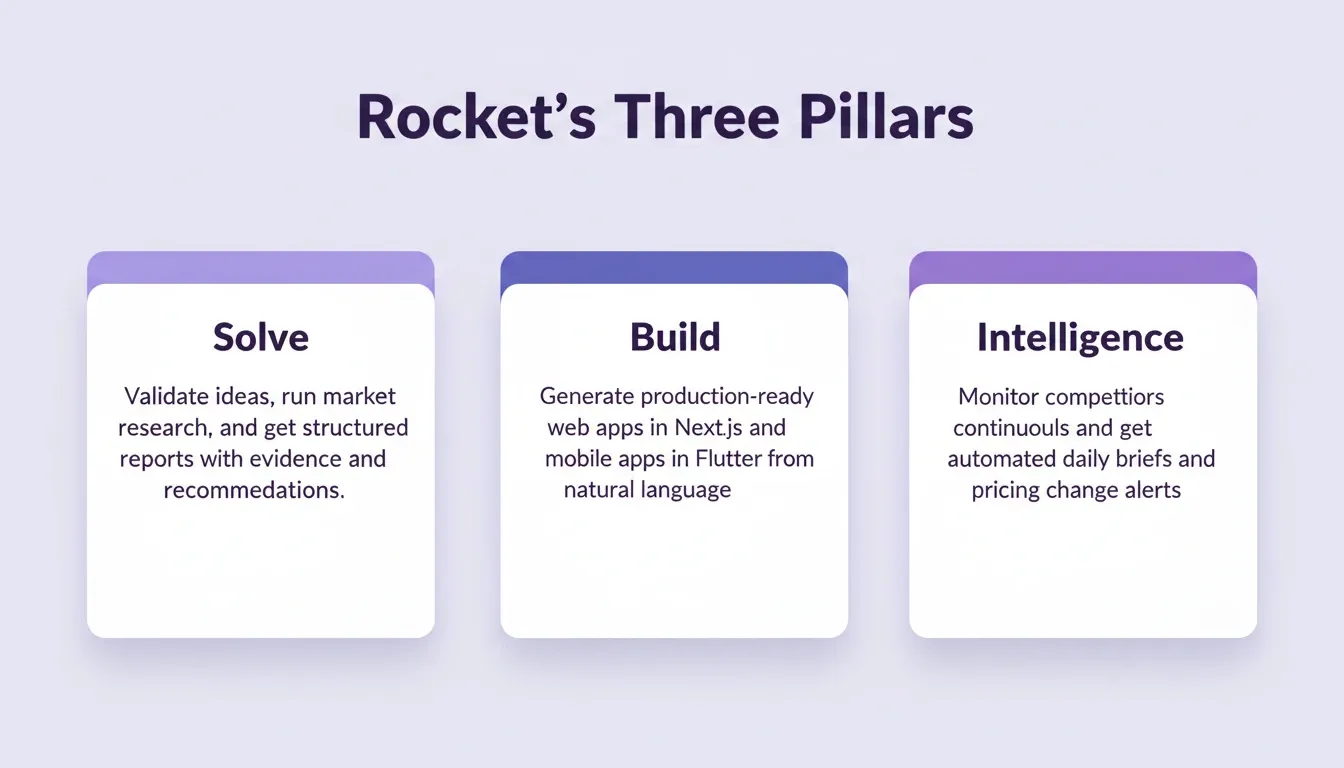
Rocket is the world's first Vibe Solutioning platform. It combines three capabilities in a single shared-context workspace. Solve validates ideas and answers complex business questions before a line of code is written. Build generates production-ready web apps in Next.js and mobile apps in Flutter from natural language descriptions. Intelligence monitors competitors continuously and delivers signals to a live dashboard.
Here is what that means for bug resolution specifically:
-
Context carries forward across every task. Every piece of project context, including research, decisions, and technical specs, lives in one shared workspace. When a bug surfaces, the developer fixing it already has the full picture. No re-explaining what the system does. No lost details between sessions.
-
AI-powered builds ship with a quality baseline from the start. Every build ships with clean semantic HTML, mobile-responsive layouts, and performance-optimized code by default. Teams can then ask Rocket to add WCAG accessibility improvements, GDPR consent flows, and SEO enhancements through chat. This reduces the class of architectural bugs that are expensive to fix after launch.
-
Iterate through conversation, not bug tickets. Found a bug during testing? Describe it in Rocket's chat. The AI applies the fix in context, accounting for the entire codebase and project history. No context switching between a bug tracker and an IDE.
-
Staging, production, and one-click rollback. Ship the bug fix to staging, validate it with your testing team, then push to production. If the fix introduces a regression, one-click rollback restores the previous version instantly. Full version history is maintained automatically.
-
25+ integrations connect directly into the build. Stripe, Supabase, Notion, Linear, Airtable, Mailchimp, Mixpanel, and more authenticate once and flow into every build. This reduces the integration-layer bugs that come from manual connection setup.
Ready to build products where fewer bugs happen in the first place? Describe your idea on Rocket and ship a production-grade app with built-in quality from the first generation.
Fewer Guesswork Reports, More Shipped Fixes
Good bug reports are not about documentation for its own sake. They give developers the clarity to fix the right thing on the first attempt and get that fix into the hands of users faster. The ten prompts in this post give you a system for decoding bugs at every layer. They cover everything from UI glitches and login failures to deep security vulnerabilities in production.
The teams shipping the most reliable software in 2026 are not the ones writing the most bug reports. They are the ones whose reports carry enough signal to skip the back-and-forth and move straight to the fix.
Build Products That Generate Fewer Bugs
The best AI prompts for bug reports solve the documentation problem. The deeper fix is building on a foundation that reduces the bugs worth reporting. As AI-assisted development matures, the gap between teams that build with accumulated context and those that start from scratch every session will only widen.
Structured bug reporting is the short-term fix. Structured product thinking, from validation through build through monitoring, is the long-term advantage. Start building on Rocket and ship products where quality is built in from the first generation.
Table of contents
- -What is a Bug Report and Why Does Structure Matter?
- -What Makes a Good Bug Report?
- -Why Do Vague Bug Reports Drain Engineering Hours?
- -How Does AI Transform the Bug Reporting Process?
- -How to Use These AI Prompts Effectively
- -10 AI Prompts That Produce Clear, Actionable Bug Reports
- -Prompt 1: Standard Functional Bug Report
- -Prompt 2: Regression Bug After Deployment
- -Prompt 3: Security Vulnerability Report for Bug Bounty Programs
- -Prompt 4: API Endpoint Failure Report
- -Prompt 5: Mobile App Crash Report
- -Prompt 6: UI/UX Visual Bug Report
- -Prompt 7: Performance and Load Testing Bug
- -Prompt 8: Bug Bounty Triage Validation Report
- -Prompt 9: Automated Test Case Generation from a Bug Report
- -Prompt 10: Cross-Browser Compatibility Bug
- -Quick Reference: Prompt Summary Table
- -Integrating AI Bug Reports with Your Tracking System
- -Can AI Prompts Replace Manual QA Testing Workflows Entirely?
- -How Rocket Turns AI-Powered Prompts into Shipped Products
- -Fewer Guesswork Reports, More Shipped Fixes
- -Build Products That Generate Fewer Bugs