
Choosing the right AI software development tools in 2026 determines how fast your team ships. This blog compares seven leading options, from GitHub Copilot to Rocket, across pricing, workflow fit, and lifecycle coverage.
Why are teams that adopted AI coding tools in 2025 now shipping features 35% faster?
According to the Stack Overflow Developer Survey, 76% of developers are using or planning to use AI tools in their development process. The challenge is not whether to use AI for coding. It is which tool fits your workflow, team size, and budget.
This blog breaks down seven standout AI software development tools developers are actually using right now. Each entry covers what the tool does well and where it stops.
Why Developers Need AI Coding Assistants in 2026
The market for AI-powered coding tools has moved from experimental to mainstream. This shift happened faster than almost any developer tooling category in history.
-
The market is massive and growing. According to Deloitte's 2026 Software Industry Outlook, established software companies are pivoting to become full-stack, end-to-end agentic platforms. AI could drive productivity gains of 30 to 35% across the full software development lifecycle.
-
Code generation dominates. Code generation and auto-completion account for 38% of the AI in software development market in 2026. Developers use these tools primarily for writing code (82%), searching for answers (67.5%), and debugging (57%).
-
Team structures are changing. Gartner predicts 80% of organizations will evolve large engineering teams into smaller, AI-augmented teams by 2030. The shift from writing every line manually to orchestrating AI agents is well underway.
-
Agentic workflows are the next frontier. Solo developers now build full applications with AI assistance. Teams use autonomous agents for testing and deployment. Enterprises integrate AI across their entire development cycle.
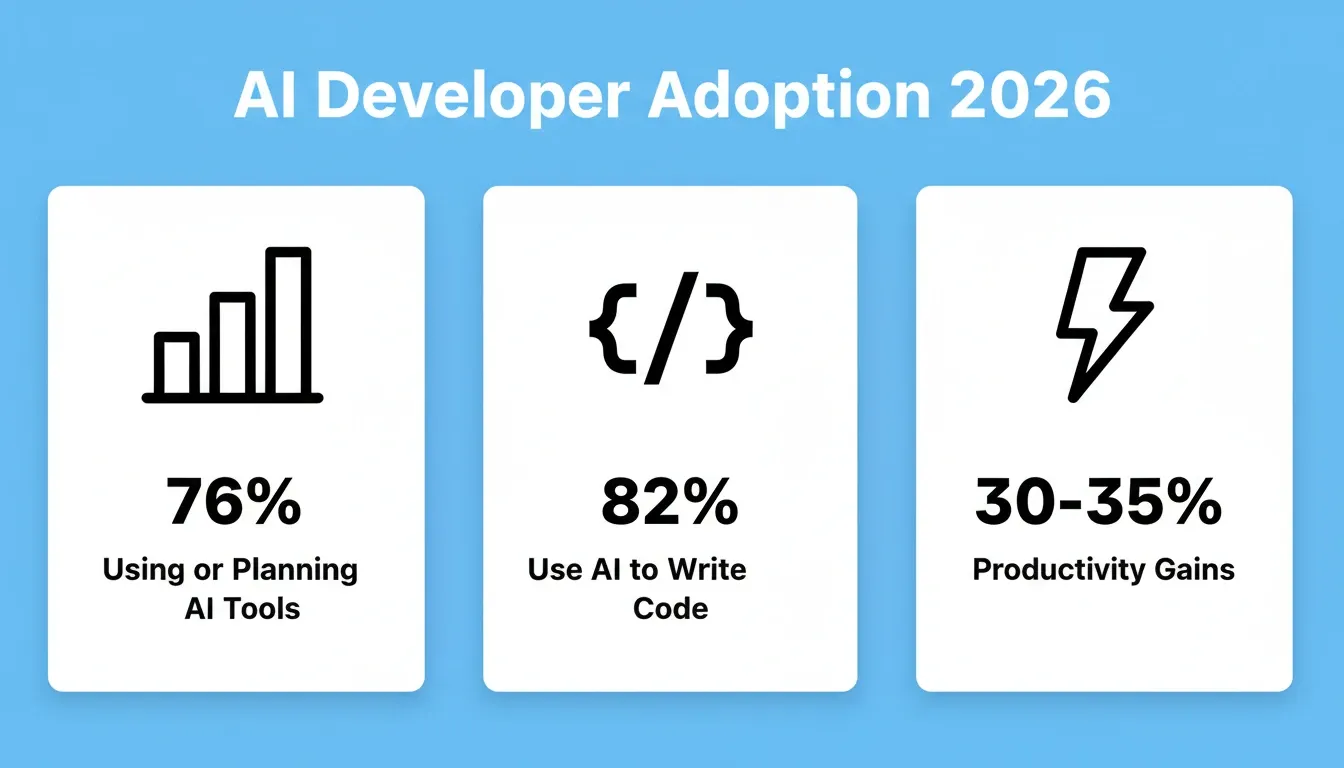
Together, these trends represent where the industry stands today. The tools in this list span the full spectrum, from lightweight autocomplete to full-stack platforms that handle research, building, and monitoring.
Best AI Software Development Tools in 2026
| Tool | Category | Best For | Free Tier | Paid Plans |
|---|---|---|---|---|
| Rocket | Vibe solutioning platform | Full product lifecycle | Yes | From $25/mo |
| GitHub Copilot | AI code assistant | Enterprise teams on GitHub | Yes | From $10/mo |
| Cursor | AI-native IDE | Multi-file refactoring | Yes (Hobby) | From $20/mo |
| Claude Code | Terminal agent | Complex reasoning tasks | No | Usage-based |
| Windsurf | AI coding companion | Budget-friendly AI coding | Yes | From $20/mo |
| Tabnine | Privacy-first assistant | Regulated industries | Yes | From $12/mo |
| Amazon Q Developer | Cloud-native assistant | AWS-heavy projects | Yes | $19/mo (Pro) |
GitHub Copilot: The Enterprise Workhorse
GitHub Copilot remains the most widely adopted AI coding assistant across enterprise teams. Its tight integration with VS Code and the broader GitHub ecosystem drives that adoption.
-
Works across multiple IDEs including VS Code, JetBrains, Neovim, Visual Studio, Eclipse, and Xcode
-
Agent mode handles multi-file edits, terminal commands, and pull request reviews
-
Cloud agent assigns work to Copilot and it creates a pull request automatically
-
Best for teams already invested in GitHub who want reliable code completion without switching their entire workflow
-
Developers on Reddit frequently describe Copilot as "autocomplete on steroids" that works well as a daily driver for inline suggestions
| Plan | Price | Best For |
|---|---|---|
| Free | $0/mo | Getting started; 2,000 completions/month, limited chat |
| Pro | $10/mo | Everyday coding; unlimited completions, cloud agent, code review |
| Pro+ | $39/mo | Complex development; premium models including Opus, 4x usage |
| Max | $100/mo | High-volume agent workflows; priority model access, 2.9x usage vs Pro+ |
Copilot excels at code completion within existing IDEs, but it stays within the coding phase. Teams that need research, deployment, or competitive monitoring alongside building will need to add separate tools for those jobs.
For a broader view of how AI tools fit into the full developer workflow, see this guide on best AI tools for developers to improve coding workflow.
Cursor: The AI-Native IDE for Deep Refactoring
Cursor has rapidly become the go-to choice for developers who want an IDE built from the ground up around AI. It is not AI added as a plugin. It is an IDE redesigned around AI from the start.
-
Repository-wide awareness means Cursor indexes your entire codebase and references it during suggestions
-
The Composer feature enables editing multiple files simultaneously across your project
-
Built on VS Code, so the learning curve is minimal for existing VS Code users
-
Particularly strong for structural refactoring and multi-file code generation tasks
Pricing
| Plan | Price | Best For |
|---|---|---|
| Hobby | Free | Getting started; limited agent requests and Tab completions |
| Pro | $20/mo | Individual developers; extended agent limits, frontier model access |
| Teams | $40/user/mo | Teams; centralized billing, team marketplace, Bugbot code review |
| Enterprise | Custom | Large orgs; SSO, audit logs, SCIM, pooled usage |
What Makes Cursor Different from Standard AI Plugins?
The fundamental difference is context depth. Standard plugins see the file you are working in. Cursor sees your entire repository structure, understands relationships between files, and generates code that accounts for your existing patterns and conventions.
This makes it particularly valuable for large, complex codebases. Isolated suggestions often miss architectural context. Cursor addresses that gap directly.
That said, Cursor stays focused on the coding layer. It has no opinion on whether the code being written is worth writing.
Claude Code: Terminal-First Reasoning Power
Claude Code takes a different approach to AI coding. Rather than completing lines, it reasons through complex problems from a terminal-native agent.
-
Runs directly in your terminal as a CLI tool, not bound to any specific IDE
-
Multi-step reasoning handles complex refactoring, architectural decisions, and debugging chains
-
Reads and modifies files across your project with full context awareness
-
Strongest at complex tasks like resolving nested dependencies, refactoring legacy systems, and debugging multi-file issues
Pricing
| Plan | Price | Best For |
|---|---|---|
| No free tier | — | — |
| API usage | Usage-based | Pay per token via Anthropic API; cost depends on model and volume |
Claude Code is not just a coding tool. It is a general-purpose execution agent that happens to live in a terminal. Sales teams use it for prospecting workflows. Product managers use it for PRDs. Marketers use it for content pipelines. The range of what it executes is broad and expanding.
However, sessions are individual. There is no shared team memory between them. Claude Code also requires you to manage your own AI infrastructure: install it, configure your environment, handle API keys, and troubleshoot errors yourself.
Windsurf: Full-Context Coding Companion

Formerly Codeium, Windsurf positions itself as a thinking partner that maintains awareness of your full development context.
-
The Cascade feature provides multi-step agentic flows for complex tasks
-
Indexes your workspace for context-aware suggestions beyond single-file scope
-
Supports multiple IDEs including VS Code, JetBrains, and their native editor
-
Strong at understanding project structure and suggesting contextually appropriate code
Pricing
| Plan | Price | Best For |
|---|---|---|
| Free | $0/mo | Light usage; unlimited inline edits and Tab completions, limited agent quota |
| Pro | $20/mo | Individual developers; increased quotas, all frontier models, cloud agents |
| Max | $200/mo | Power users; significantly higher usage quotas |
| Teams | $80/mo base + $40/user/mo | Teams; collaboration, centralized billing, admin dashboard |
| Enterprise | Custom | Highest support, SSO, dedicated deployment, enterprise admin controls |
Windsurf offers solid AI-powered assistance at an accessible price point. Its context awareness sits between Copilot's per-file approach and Cursor's deep repository indexing. That makes it a practical middle ground for developers who want more context without the full Cursor setup.
Tabnine: Privacy-First AI Completion
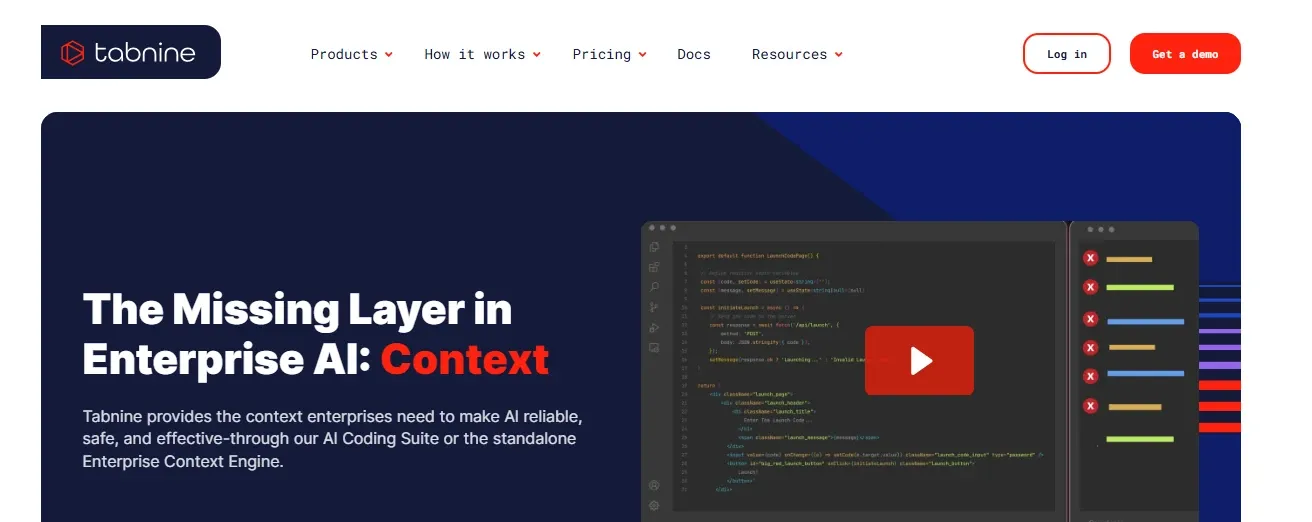
For enterprise teams where code security and data privacy are non-negotiable, Tabnine offers AI coding assistance that runs entirely on your infrastructure.
-
Trained on permissively licensed code only, reducing IP concerns
-
Personalizes to your codebase and team patterns over time
-
Supports 30+ programming languages across major IDEs
-
Enterprise plans include admin controls, usage analytics, and compliance features
Pricing
| Plan | Price | Best For |
|---|---|---|
| Basic | Free | Individual developers; core AI completions |
| Pro | $12/mo | Individual developers; advanced completions, personalization |
| Enterprise | Custom | Teams needing on-premise deployment, SSO, compliance, and admin controls |
Teams in regulated industries, including financial services, healthcare, and government, appreciate Tabnine's privacy guarantees. When you need AI software development tools that connect your existing services without compromising security, a privacy-first approach matters.
Amazon Q Developer: Cloud-Native Intelligence
Amazon Q Developer brings AI coding assistance tuned specifically for AWS workloads and cloud-native development patterns.
-
Deep AWS integration with knowledge of services, APIs, and best practices baked in
-
Code transformation capabilities for modernizing legacy applications (Java 8 to Java 17, for example)
-
Security scanning identifies vulnerabilities during development, not after deployment
-
Particularly valuable for teams already building on AWS infrastructure
Pricing
| Plan | Price | Best For |
|---|---|---|
| Free | $0/mo | Getting started; 50 code suggestions/month, basic security scans |
| Pro | $19/user/mo | Teams; unlimited suggestions, advanced security scanning, customization |
| Enterprise | Custom | Large orgs; enterprise security, compliance, and admin controls |
Amazon Q makes the most sense when your stack is heavily AWS-dependent. For projects spanning multiple clouds, or those requiring broader development lifecycle coverage, a more platform-agnostic solution may be a better fit.
Why Rocket Takes AI Development Beyond Code Assistance
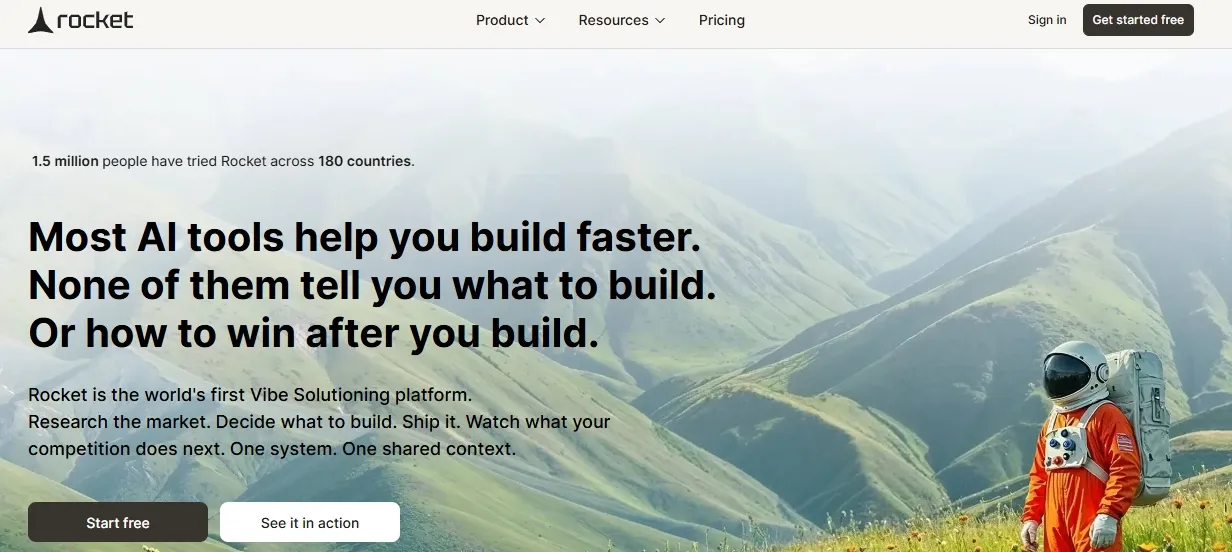
Every tool above helps you write code faster. Rocket does something categorically different.
Rocket is the world's first vibe solutioning platform. It is a single workspace where business thinking and building happen together. While the six tools above are AI coding assistants, Rocket covers the complete arc: figuring out what to build, building it, and monitoring what happens after. It is not a code assistant. It is the system those assistants live inside.
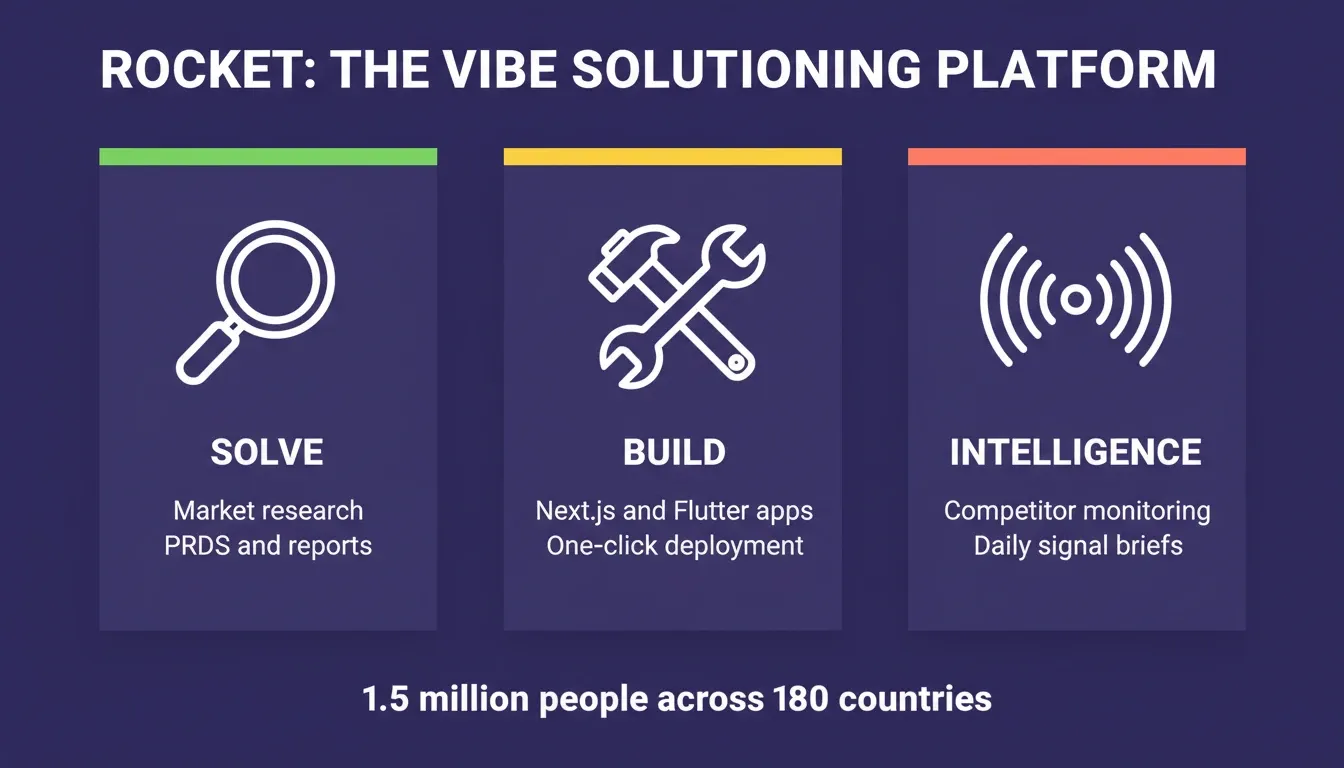
The Three Pillars
Solve** — Research before you build** Rocket's Solve capability takes any business question and delivers a complete, structured report with data, insights, and actionable recommendations. You validate your idea, run market research, create PRDs, and get competitive teardowns, all before writing a single line of code. Export as PDF or PPTX for stakeholders.
Build** — Production-grade generation** Describe your project once. Rocket generates a fully functional, deployable product, not a prototype. Web applications are built in Next.js. Mobile applications are built in Flutter with real design systems, dark/light theming, fluid navigation, and staggered animations. Every build ships with SEO-ready structure, WCAG accessibility compliance, GDPR coverage, and performance optimization by default.
Starting points include: plain language prompt, Figma file import (pixel-accurate code from your designs), existing GitHub repository, screenshot or attachment, or URL redesign via eight slash commands.
Intelligence** — Continuous competitive monitoring** After you launch, Rocket's Intelligence tracks what competitors are doing across their entire public presence: website changes, pricing updates, social media, job postings, reviews, and news. Daily briefs, weekly digests, and real-time alerts surface what matters. Set it up once, and it runs automatically.
Pricing
| Plan | Price | Credits Included | Best For |
|---|---|---|---|
| Free | $0/mo | 20 one-time credits | Exploring the platform, personal projects |
| Pro | $25/mo | 100 credits/month | Individuals building regularly |
| Rocket | $50/mo | 250 credits/month | Individuals and teams with frequent use |
| Booster | $250/mo | 1,500 credits/month | Power users and fast-moving teams |
Credits roll over month to month. No per-seat pricing. Unlimited team members on all plans. No credit card required to start.
Rocket vs. Code-Only AI Development Tools
| Capability | Code-Only Tools | Rocket |
|---|---|---|
| Market research before building | Not included | Built-in Solve with structured reports and evidence |
| App generation from prompt | Code only | Full Next.js web app or Flutter mobile app |
| Figma-to-code | Limited or none | Pixel-accurate import, preserves all design tokens |
| Deployment | Requires separate hosting | One-click staging and production, custom domain |
| Post-launch monitoring | Not available | Intelligence tracks competitors across 9 signal pillars |
| Shared team context | Per-session only | Persistent across all tasks and team members |
What makes Rocket a platform rather than a collection of tools is its shared context architecture. Every other AI tool starts from zero each session. Add your context once in Rocket, including pitch decks, research, brand guidelines, and customer interviews, and every task that follows already knows everything. The Solve report that validated your direction becomes the foundation of the Build task. Nothing is re-explained. Everything compounds.
Rocket connects 25+ services directly into generation: Stripe, Google Analytics, Supabase, Notion, Linear, Airtable, Mailchimp, Mixpanel, Figma, GitHub, and more. Authenticate once, and they flow into every build.
1.5 million people have tried Rocket across 180 countries. Rocket is backed by Salesforce Ventures and Accel. No credit card is required to start.
According to Fortune Business Insights, the generative AI in software development market will grow from $845M in 2026 to nearly $9.5B by 2034. The platforms that win will cover the full lifecycle, not just the coding moment.
How to Pick the Right AI Software Development Tool for Your Stack
With seven strong options on the table, the right choice depends on your workflow, team size, and what "done" means for your projects.
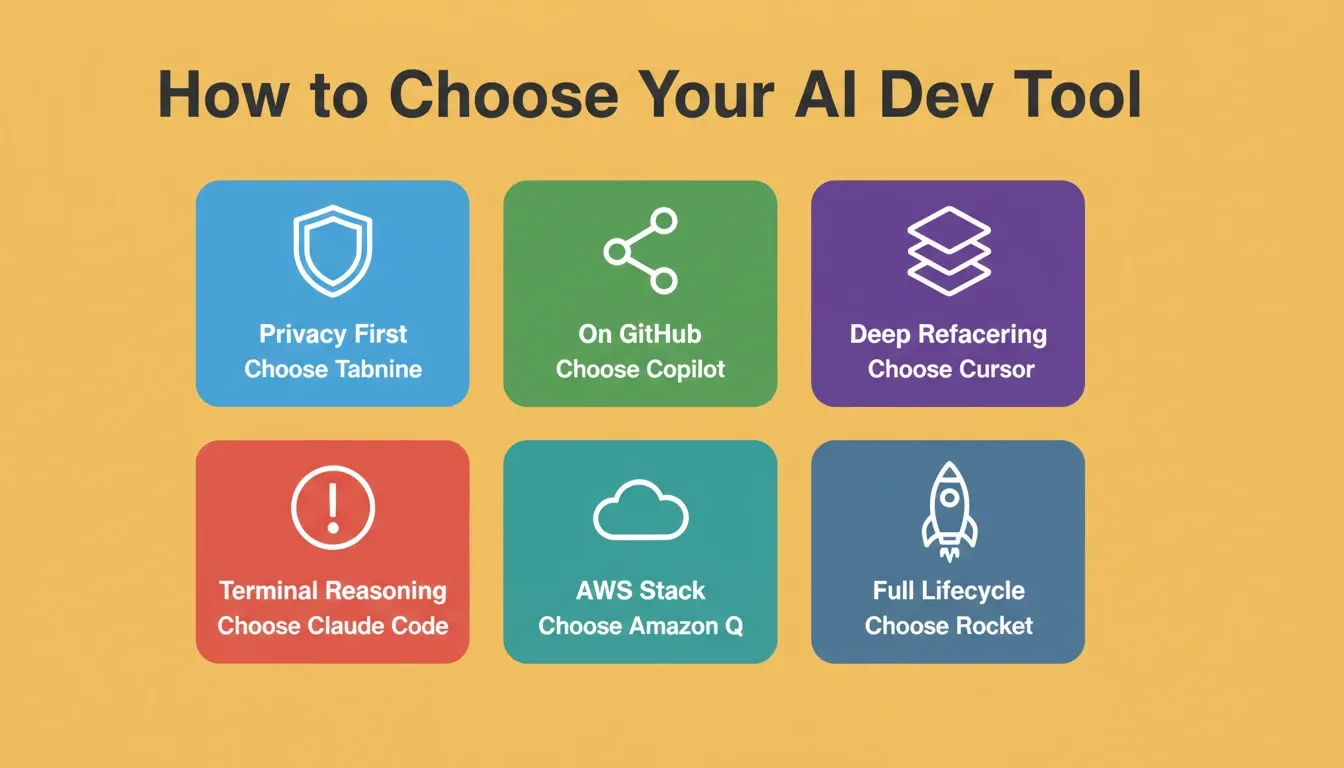
| Tool | Best For | Starting Price | IDE Support | Key Strength |
|---|---|---|---|---|
| Rocket | Full product lifecycle | Free ($0) | Browser-based | Research to deploy |
| GitHub Copilot | Enterprise teams on GitHub | $10/mo | Multi-IDE | Broad integration |
| Cursor | Multi-file refactoring | $20/mo | Native (VS Code fork) | Repository awareness |
| Claude Code | Complex reasoning tasks | Usage-based | Terminal (any IDE) | Deep problem solving |
| Windsurf | Budget-friendly AI coding | Free tier | Multi-IDE | Context awareness |
| Tabnine | Privacy and compliance | $12/mo | Multi-IDE | On-premise deployment |
| Amazon Q | AWS-heavy projects | Free tier | VS Code, JetBrains | Cloud-native knowledge |
Most experienced developers in 2026 combine tools based on the task. They use Copilot or Windsurf for quick completions, Cursor for refactoring, and a platform like Rocket when they need to go from idea to shipped product. Understanding how vibe coding compares to other development approaches helps you build a stack that matches your actual workflow.
What is Vibe Coding and What Comes Before It?
Vibe coding is the practice of building software through natural language prompts. You describe what you want, and AI generates the code. Tools like Cursor, Copilot, Claude Code, and Windsurf all fall into this category. They are excellent at what they do.
But vibe coding makes one key assumption: the thinking has already happened. It assumes the idea is worth building, the market is understood, the competition is mapped, and the decision is made. It starts at execution and goes fast from there. For many builders, that assumption is wrong.
Vibe solutioning is the broader practice that Rocket defines. It uses AI not just to build, but to research what to build, build it, and monitor what happens after. Vibe coding is Day 1. Vibe solutioning is Day 0 through Day 2.
Understanding this distinction helps you pick the right tool for the right moment. If you know exactly what to build and need to write it fast, vibe coding tools are the right choice. If you are still figuring out what to build, or need to go from idea to deployed product without stitching together five separate tools, a vibe solutioning platform is the better fit.
The Right Tool Starts with the Right Question
The best AI software development tools in 2026 cover a wide spectrum. If you need faster code completion in your existing IDE, Copilot or Windsurf gets you there in minutes. If you need deep multi-file reasoning, Cursor or Claude Code are the right choices. If you need to go from a business idea to a deployed, monitored product without switching tools, that is a different category entirely.
As the generative AI in software development market grows toward $9.5B by 2034, the tools that compound research, building, and intelligence in one place will define how the fastest teams work. You type the problem. Rocket researches it, recommends a direction, builds from that direction, and monitors what happens next.
Start building for free on Rocket.new — no credit card required.
Table of contents
- -Why Developers Need AI Coding Assistants in 2026
- -Best AI Software Development Tools in 2026
- -GitHub Copilot: The Enterprise Workhorse
- -Cursor: The AI-Native IDE for Deep Refactoring
- -Claude Code: Terminal-First Reasoning Power
- -Windsurf: Full-Context Coding Companion
- -Tabnine: Privacy-First AI Completion
- -Amazon Q Developer: Cloud-Native Intelligence
- -Why Rocket Takes AI Development Beyond Code Assistance
- -The Three Pillars
- -Rocket vs. Code-Only AI Development Tools
- -How to Pick the Right AI Software Development Tool for Your Stack
- -What is Vibe Coding and What Comes Before It?
- -The Right Tool Starts with the Right Question