

CodeSandbox alternatives like GitHub Codespaces, StackBlitz, Replit, and Codeanywhere each solve a different part of the cloud development problem. This blog helps you match the right tool to your actual workflow.
Is CodeSandbox still the fastest way to build projects?
For many developers, the answer is no. Reports indicate that more than 78% of developers use cloud-based tools daily to accelerate development and collaboration. Teams now want more control, stronger security, and smoother workflows. The search for codesandbox alternatives has grown steadily as a result.
Whether you are a frontend developer running quick demos, a full-stack team shipping production software, or a founder who needs to go from idea to working app without local setup, this blog covers what each platform does well, where it falls short, and how to choose the right one for your situation.
Why Developers are Leaving CodeSandbox
CodeSandbox made browser-based coding mainstream. No local setup. No environment conflicts. That was the appeal.
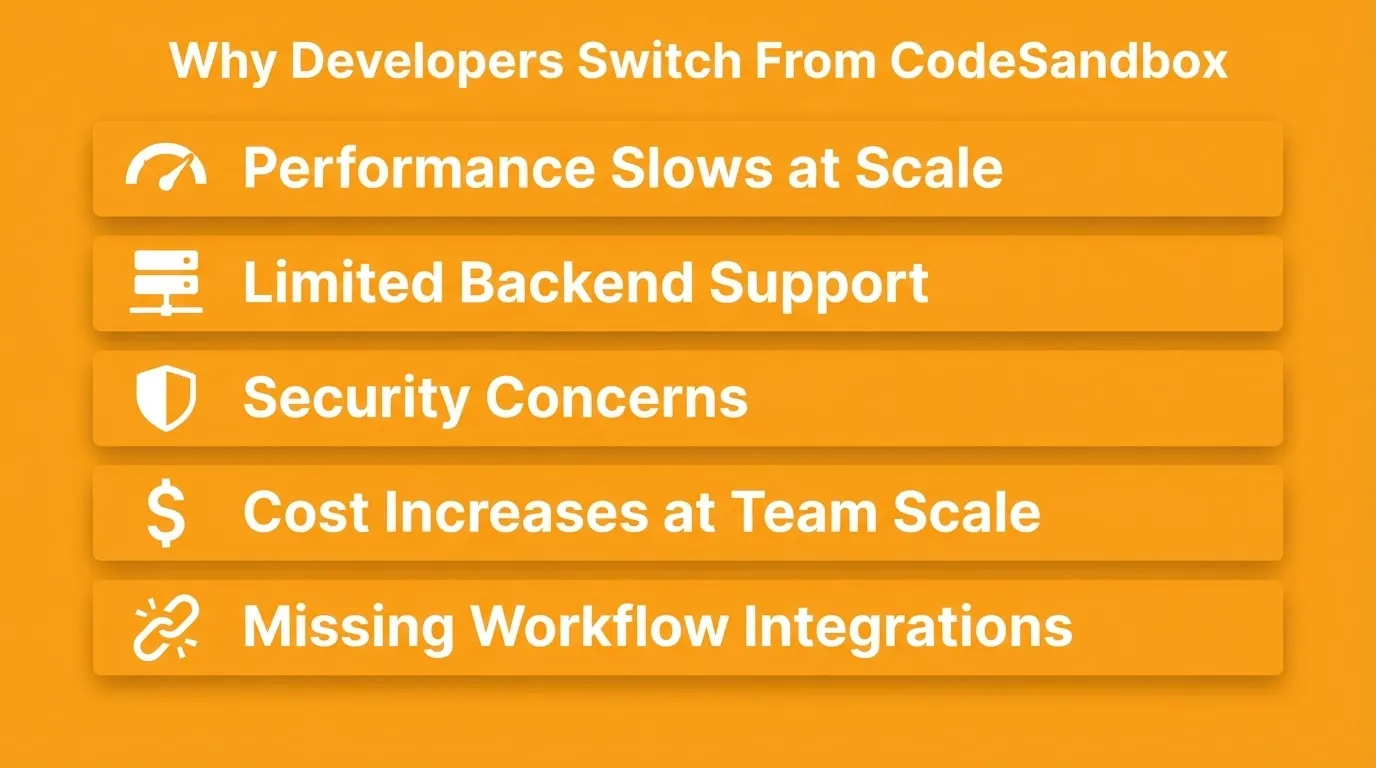
Teams working on real projects eventually hit the same walls. Here is what usually drives the switch:
Performance at scale. CodeSandbox slows down noticeably with larger dependency trees or complex file structures. Teams running production-adjacent workflows feel this most.
Limited backend support. It is optimized for frontend work. Backend logic, database connections, and server-side code require workarounds that add friction.
Security in shared environments. Running untrusted code in a shared browser environment raises concerns for teams handling sensitive projects.
Cost at team scale. The free tier works well for experiments. As teams expand usage, the pricing model becomes harder to justify against alternatives that offer more.
Missing workflow integrations. Modern development depends on GitHub sync, CI/CD hooks, and team access controls. CodeSandbox's integration depth does not always match what larger teams need.
What to Look for in a CodeSandbox Alternative
Not every platform that runs code in a browser is built the same. Some focus on quick demos, while others support full development workflows. According to MDN Web Docs, understanding the fundamentals of web development helps teams pick tools that match their actual needs.
The features that separate good alternatives from great ones:
- A solid code editor with syntax highlighting, autocomplete, and familiar keyboard shortcuts
- Secure isolation for running untrusted code in shared environments
- Support for popular languages and frameworks, including JavaScript, Python, React, and Vue
- Fast spin-up times, ideally under 30 seconds from URL to working environment
- Real-time collaboration and pair programming without extra setup
- GitHub access and version control built in, not bolted on
- Deployment options that go beyond sharing a link
- Staging and production environment separation for teams shipping real products
When these features come together, daily work feels smoother and more predictable. For teams exploring prototyping tools, the right environment can cut days off the feedback loop.
CodeSandbox vs Alternatives: The Core Tradeoffs
Before picking an alternative, it helps to understand where each tool fits. This is not about which is best overall. It is about which fits your specific situation.
| What You Need | CodeSandbox | Better Alternative |
|---|---|---|
| Instant frontend sandbox | Good | StackBlitz (faster startup) |
| Full VS Code in browser | Limited | GitHub Codespaces |
| Multi-language support | Limited | Replit |
| Custom remote infrastructure | No | Codeanywhere |
| Idea to deployed product | No | Rocket |
| Enterprise security controls | Weak | GitHub Codespaces |
| Free tier for learning | Good | Replit |
| WebAssembly-based execution | No | StackBlitz |
How Cloud Development Environments Work
Cloud platforms remove local setup pain entirely. Developers open a browser, load a project, and start writing. The development environment, including dependencies, runtime, and configuration, lives on a remote server rather than the developer's machine.
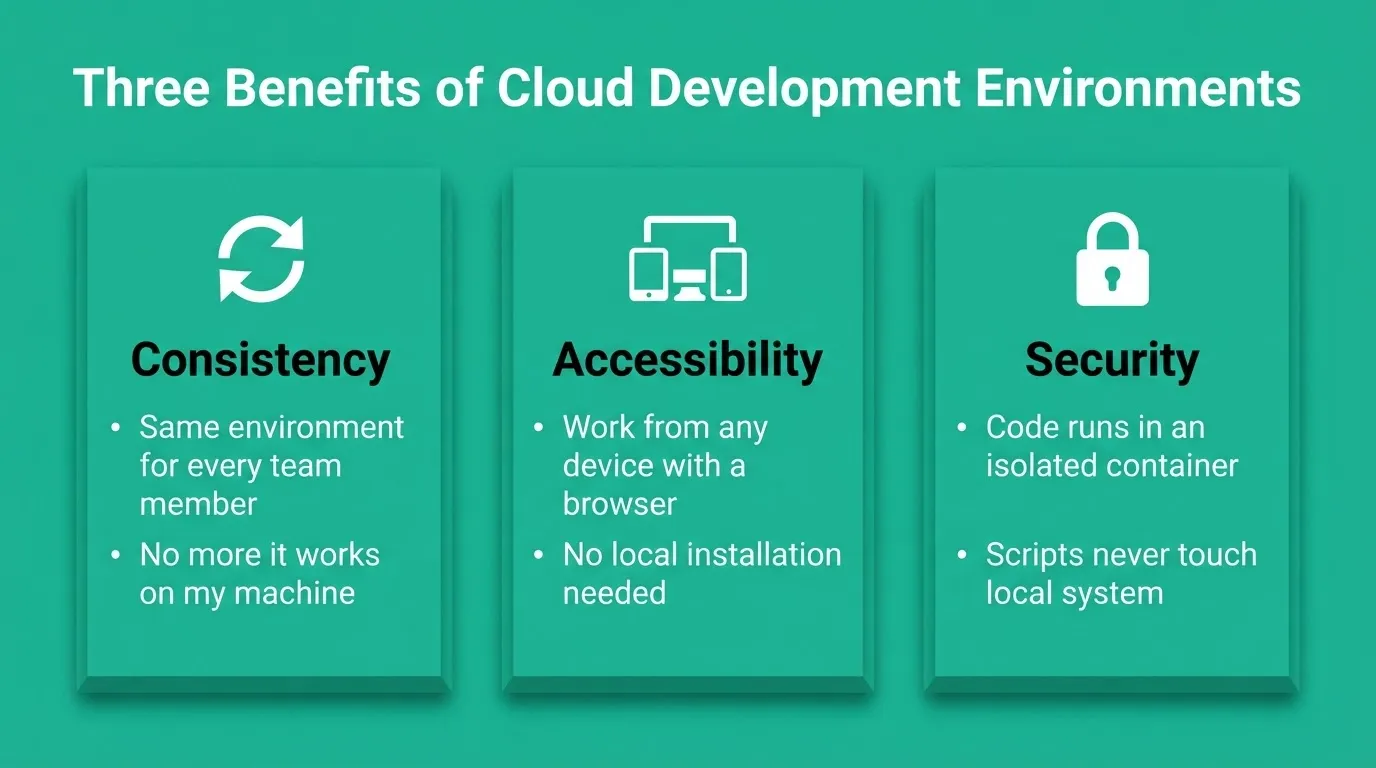
Three practical benefits of this architecture:
Consistency. Every team member works in the same environment. The "it works on my machine" problem disappears.
Accessibility. Work continues from any device with a browser, including a laptop, a tablet, or a borrowed machine at a conference.
Security. Code runs in an isolated container. Untrusted dependencies and experimental scripts do not touch the local system.
The main tradeoff is latency and internet dependency. Tools that handle this well, through smart caching, local fallback, or WebAssembly-based execution, are the ones worth using.
How different cloud development environments route a developer from browser to deployed project
Best CodeSandbox Alternatives Worth Trying
GitHub Codespaces
 GitHub Codespaces brings the full Visual Studio Code experience into the browser. It is not a lightweight sandbox. It is a complete cloud development environment backed by a virtual machine. Developers get the same extensions, settings, and keyboard shortcuts they already use locally.
Key features
- Full VS Code editor in the browser, including extensions
- Preconfigured development containers (devcontainers) for consistent team environments
- Built-in GitHub access with automatic repository sync and branch management
- Isolated containers for running untrusted code safely
- Configurable machine sizes from 2-core to 32-core instances
Security model: Each Codespace runs in an isolated VM backed by Microsoft Azure infrastructure. Enterprise plans include SAML SSO, audit logs, and IP allow-listing.
Best for: Teams already working inside GitHub who want environment consistency across contributors. It works especially well for open-source projects, onboarding new engineers, and monorepo workflows.
Limitations: Cold start times can reach 30 to 60 seconds depending on container configuration. It is not designed for quick throwaway demos.
StackBlitz
 StackBlitz takes a different technical approach from most browser IDEs. It runs Node.js directly in the browser using WebAssembly, with no server round-trips for many operations. The result is near-instant startup and a development experience that feels genuinely local.
Key features
- Runs Node.js in the browser via WebAssembly (WebContainers technology)
- Strong support for frontend frameworks: React, Vue, Angular, Svelte, and Astro
- Instant environment startup, typically under 2 seconds
- Shareable links that open a live, interactive environment
Security model: Execution happens inside the browser sandbox via WebAssembly. There is no shared server container that other users can access, which makes it inherently isolated for frontend work.
Best for: Frontend developers building quick prototypes, reproducing bugs, creating interactive documentation, or running demos without any setup.
Limitations: WebContainers technology works best for Node.js-based projects. Backend-heavy workflows, native dependencies, and non-Node runtimes are not well supported.
Replit
 Replit positions itself as the most accessible browser IDE on the market. It supports over 50 programming languages, includes built-in hosting, and has a strong community of learners and builders. Its multiplayer feature makes real-time pair programming feel natural.
Key features
- Supports Python, JavaScript, TypeScript, Go, Rust, and 50+ other languages
- Real-time multiplayer collaboration and pair programming
- Built-in hosting for web apps, bots, and APIs
- Replit AI for code completion and generation
Security model: Each Repl runs in an isolated container. Enterprise plans offer private deployments and SSO. Free-tier Repls are public by default, which matters for teams handling sensitive code.
Best for: Developers who want a general-purpose browser IDE with strong collaboration features. It works well for learning, teaching, hackathons, and lightweight production projects.
Limitations: Advanced security controls and enterprise-grade access management are more limited compared to GitHub Codespaces. Performance on compute-intensive tasks can be inconsistent on lower-tier plans.
Codeanywhere
 Codeanywhere targets developers who want flexibility without being locked into one ecosystem. It supports SSH connections to remote servers, which makes it useful for teams that already have infrastructure they want to connect to.
Key features
- Connects to cloud providers (AWS, DigitalOcean, Google Cloud) and remote servers via SSH
- Customizable development containers with full terminal access
- Browser IDE with multi-language support
- Team access controls and project management features
Security model: Because Codeanywhere connects to your own infrastructure via SSH, you retain full control over the security posture of the underlying server. This is a significant advantage for teams with existing compliance requirements.
Best for: Teams that need flexible, customizable environments without locking into one ecosystem. It is particularly useful for developers who need to connect to existing remote infrastructure.
Limitations: Initial container setup feels heavier compared to instant sandboxes like StackBlitz. The interface is less polished than some newer competitors.
Pricing Comparison
| Platform | Free Tier | Paid Plans | Pricing Model |
|---|---|---|---|
| GitHub Codespaces | 60 core-hours/month (personal) | Team and enterprise plans vary | Usage-based (compute + storage) |
| StackBlitz | Public projects only | From ~$8.25/user/month | Per-user subscription |
| Replit | Limited compute | Replit Core ~$25/month | Per-user subscription |
| Codeanywhere | Trial available | From ~$3/month | Subscription |
| Rocket | Free tier available (20 credits on signup) | Usage-based plans | Credits-based |
How to Choose the Right CodeSandbox Alternative
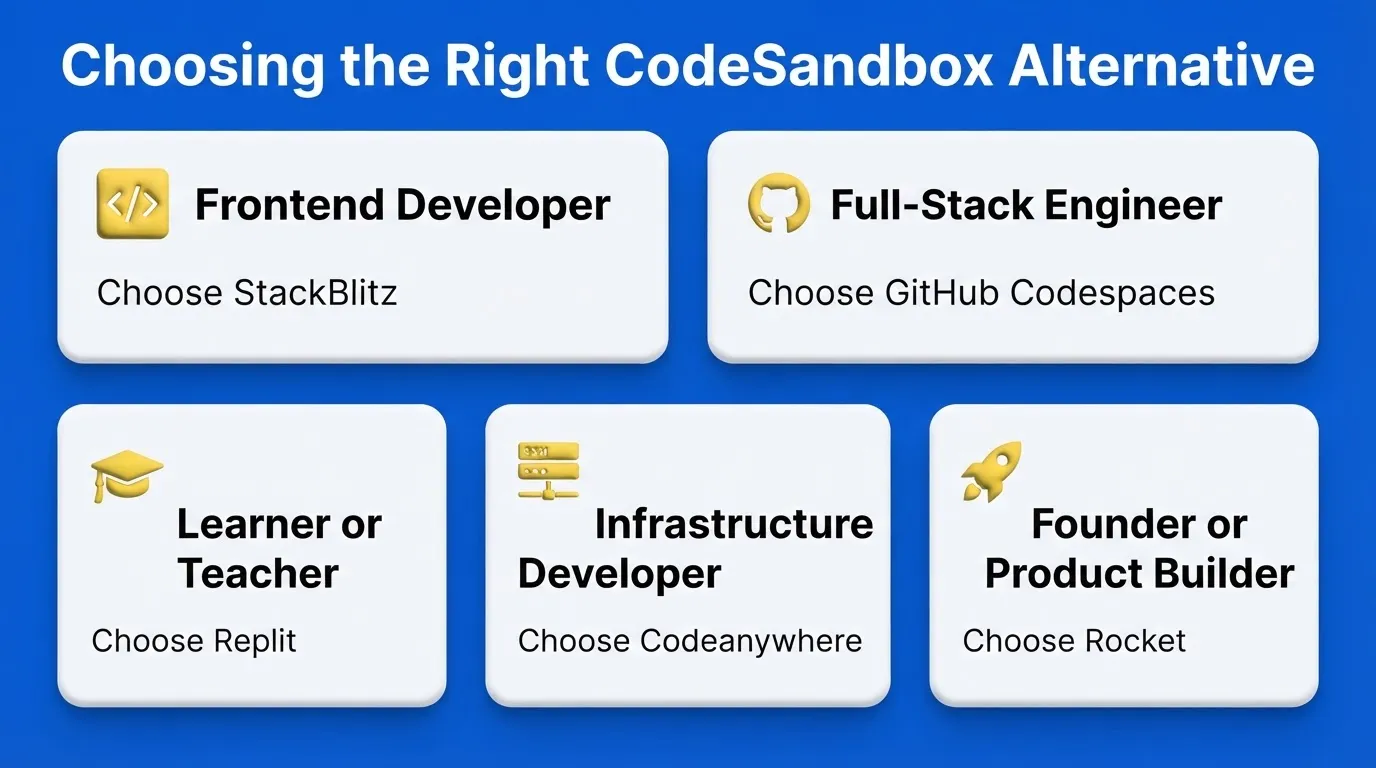
Choose GitHub Codespaces if your team already uses GitHub for version control, you need VS Code extensions and a full development environment in the browser, and consistency across team members matters more than startup speed.
Choose StackBlitz if you are building frontend-only projects in React, Vue, Angular, or Svelte, you need instant startup with no configuration, or you are creating interactive documentation and bug reproductions.
Choose Replit if you are learning to code or teaching others, you need multi-language support in one place, or real-time collaboration is a primary requirement.
Choose Codeanywhere if you need to connect to existing remote servers or cloud infrastructure, your team uses languages or runtimes not well-supported by other tools, or full terminal access is non-negotiable.
Choose Rocket if you want to go from a plain-language description to a working, deployed app, with research, building, and competitive monitoring in one place.
Migrating Away from CodeSandbox
If you are actively using CodeSandbox and ready to switch, here is what the migration looks like for the most common scenarios.
Moving to GitHub Codespaces: Export your CodeSandbox project, push to a GitHub repository, and open it in Codespaces. Your devcontainer configuration will need to be created fresh, but the code transfers cleanly. Most teams complete this in under an hour for a typical project.
Moving to StackBlitz: StackBlitz supports direct import from GitHub. Push your CodeSandbox project to GitHub first, then import the repository URL into StackBlitz. Node.js projects transfer with minimal friction.
Moving to Replit: Replit supports GitHub import. Export your project, push to GitHub, and import via the Replit dashboard. Multi-language projects work well here since Replit handles diverse runtimes natively.
Moving to Rocket: Rocket supports starting from an existing GitHub repository (Next.js TypeScript projects), a Figma design, a plain language description, or a template. For teams that want to rebuild with a stronger foundation, starting from a description or Figma file often produces better results than importing legacy code.
Rocket: A Different Category
Most CodeSandbox alternatives are better sandboxes. Rocket is something different.
Rocket is a vibe solutioning platform. It is the first platform where strategic research, AI app building, and competitive intelligence operate together in a single workspace. The thinking and the building happen in the same place. 1.5 million people have tried Rocket across 180 countries, from solopreneurs validating ideas to enterprise teams running strategy and execution on the same platform.
Where CodeSandbox and its alternatives give you an environment to write code, Rocket gives you a platform to build products.
Seven Pillars, One Platform
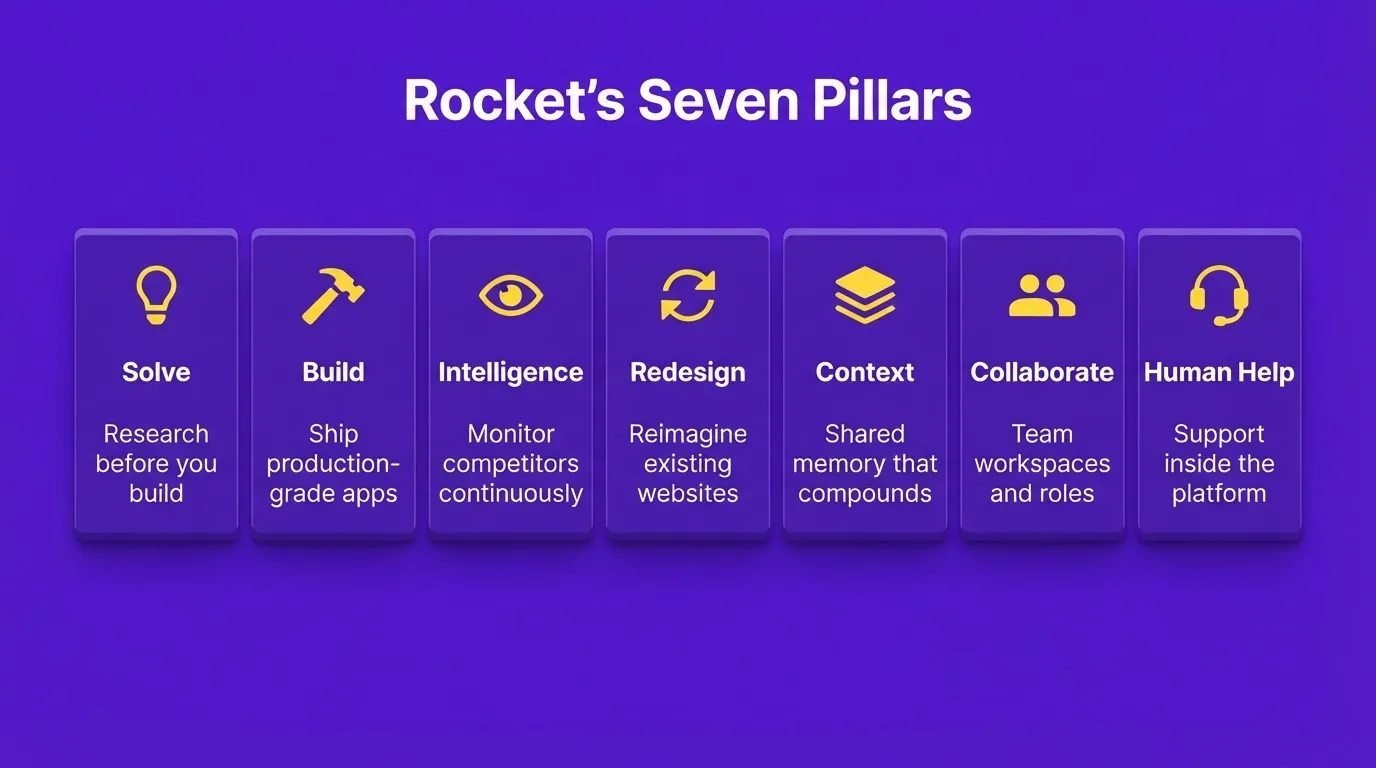
Rocket ships with seven connected capabilities. All of them share context through a single compound architecture.
Solve takes any business question and delivers a complete, structured solution with findings, evidence, and recommendations. It runs research across 150+ sources simultaneously and produces outputs ready to act on, present, or build from. You can export results as a PDF or presentation deck.
Build generates production-ready web apps in Next.js and mobile apps in Flutter from plain language descriptions, Figma designs, or existing GitHub repositories (Next.js TypeScript only). Most apps generate in 1 to 3 minutes. Every build ships with SEO-ready structure, WCAG accessibility compliance, GDPR coverage, and performance optimization by default.
Intelligence monitors competitors continuously across websites, social media, review platforms, and job postings. It delivers daily briefs with signals, interpretations, and recommended actions, not just raw data.
Redesign takes any existing website and reimagines it via eight slash commands across three categories: Reimagine (layout, full makeover, mobile-first), Insight-Driven (from heatmap, fix conversion issues, fix visual hierarchy), and Brand and Consistency (redesign like a competitor, generate brand-matched pages).
Context is the compound intelligence architecture. Add files, research, and decisions once inside a project and every task that follows inherits them automatically. The PRD from Solve is present when the Build task opens. Nothing needs to be re-explained.
Collaborate provides team workspaces with three-level role-based access (Admin, Creator, Viewer), inline comments, per-user credit allocation, and unified billing.
Human Help is Rocket's support pillar. When the AI reaches its limit, Rocket's Success team steps in inside the platform, with user permission, to finish the job. No tickets, no email chains.
What Rocket Builds
- Web apps: SaaS dashboards, internal tools, marketplaces, and customer portals generated in Next.js
- Mobile apps: iOS and Android apps from a single Flutter codebase, ready for App Store and Google Play submission
- Landing pages: Conversion-focused pages built from project context, not templates
- E-commerce stores: Full stores with product listings, cart, checkout, and payment integrations
- Internal tools: OKR trackers, customer health dashboards, compliance tools, and investor data rooms
How Building Works
- Describe. Write your idea in plain language, upload a Figma file, connect an existing GitHub repository, or start from a template at zero credits.
- Generate. Rocket plans the architecture and writes production-ready code. A live preview appears when done.
- Refine. Iterate through Chat (natural language), Visual Edit (click any element), or Code (direct source editing). There is no change limit.
- Launch. One-click deployment to a live URL with automatic HTTPS. Staging and production environments, full version history, and one-click rollback are included.
After You Launch
Every deployed Rocket project includes built-in analytics tracking visitors, conversions, and Core Web Vitals with zero additional setup. Performance monitoring grades your app against Google's ranking metrics (LCP, INP, CLS) and surfaces specific issues with automated fix options.
Integrations Built In
Rocket connects 25+ services directly into the build: Stripe, Google Analytics, AdSense, Perplexity, Anthropic, Gemini, OpenAI, Supabase, PayPal, Postman, Cal.com, Google, Linear, Notion, Airtable, Mailchimp, Mixpanel, Typeform, Strapi, Directus, Tally, Brevo, Calendly, MailerLite, SendGrid, Twilio, and Resend. Authenticate once and they flow into every project.
Quick Feature Comparison
| Platform | Best For | Tech Approach | Backend Support | Collaboration | Security Level |
|---|---|---|---|---|---|
| GitHub Codespaces | Team GitHub projects | VM-based containers | Full | Excellent | Enterprise-grade |
| StackBlitz | Frontend demos | WebAssembly (WebContainers) | Node.js only | Basic | Browser-sandboxed |
| Replit | Learning and collaboration | Cloud VMs | Limited | Excellent | Moderate |
| Codeanywhere | Custom environments | SSH and containers | Full | Good | Infrastructure-controlled |
| Rocket | Idea to production app | AI generation (Next.js/Flutter) | Full with AI backend | Team-ready | Production-grade |
Who Each Tool Is Built For
Different CodeSandbox alternatives serve fundamentally different user types. Matching the tool to the person matters as much as matching it to the project.
The frontend developer who needs to reproduce a bug, share a demo, or build a quick proof of concept will find StackBlitz the fastest path. No configuration, no server, instant link.
The full-stack engineer working inside a GitHub-heavy team who needs the same extensions, settings, and debugging tools they use locally will find GitHub Codespaces the most natural fit.
The learner, teacher, or hackathon participant who wants to write Python, JavaScript, Go, or Rust without installing anything will find Replit the most accessible environment.
The infrastructure-conscious developer whose team already runs servers on AWS or DigitalOcean and needs to connect a browser IDE to existing systems will find Codeanywhere the most practical option.
The founder, product manager, or non-technical builder who wants to go from a business idea to a deployed, production-ready product will find Rocket the only tool in this list that addresses the full problem. It covers everything from what to build, through the build itself, to monitoring what happens after launch.
How These Tools Support Modern Development Workflows
Modern development does not happen in one place. Teams juggle projects, fix bugs, and test features across devices and time zones. As a result, the tools that win are the ones that reduce friction at every handoff.
The best cloud development environments share three traits. They eliminate local setup entirely. They keep environments consistent across team members. They make sharing work as simple as sending a link.
A LinkedIn developer post recently captured this well: "Exploring GitHub Codespaces: Cloud-Based Development Made Easy. No installation or configuration hassles, instant setup with pre-configured environments, and consistent environments across teams."
The Right Tool for Where You Are
The best codesandbox alternatives share one thing: they remove friction between the idea and the working product. As AI-assisted development continues to mature, the gap between writing code and shipping products will keep narrowing.
The tools that connect research, building, and deployment in one place will define how teams work next. You type the problem. The right platform handles the rest. Start building on Rocket.new and ship your next project without the setup overhead.
Table of contents
- -Why Developers are Leaving CodeSandbox
- -What to Look for in a CodeSandbox Alternative
- -CodeSandbox vs Alternatives: The Core Tradeoffs
- -How Cloud Development Environments Work
- -Best CodeSandbox Alternatives Worth Trying
- -GitHub Codespaces
- -StackBlitz
- -Replit
- -Codeanywhere
- -Pricing Comparison
- -How to Choose the Right CodeSandbox Alternative
- -Migrating Away from CodeSandbox
- -Rocket: A Different Category
- -Seven Pillars, One Platform
- -What Rocket Builds
- -How Building Works
- -After You Launch
- -Integrations Built In
- -Quick Feature Comparison
- -Who Each Tool Is Built For
- -How These Tools Support Modern Development Workflows
- -The Right Tool for Where You Are

