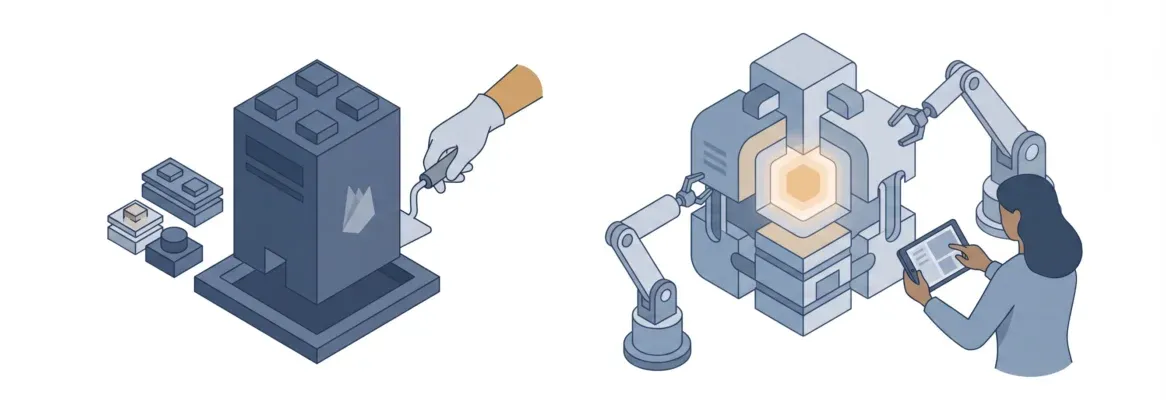
Internal tools software, admin panels, dashboards, HR portals, it takes weeks to build the traditional way. Rocket generates production-grade internal tools from plain language in hours, no developer or SQL knowledge needed. Faster than Retool, no per-seat pricing.
Building internal tools software is one of those things that sounds simple until someone actually tries to do it. Most teams end up waiting months for an admin panel or dashboard that should take days.
The global low-code development platform market was valued at USD 11.5 billion in 2021 and is projected to reach USD 125.6 billion by 2031 at a CAGR of 27.4%, showing just how urgently teams worldwide want a better answer.
This guide covers what internal tools software is, where Retool falls short for many teams, and why Rocket is the faster, smarter choice for shipping production-grade internal tools today.
What Is Internal Tools Software?
Internal tools software refers to any application your team uses internally rather than selling to customers. Think admin panels, inventory managers, operations dashboards, HR portals, customer support queues, and CRM interfaces. These are the applications that keep the business running day to day, not the products you sell.
Most companies start small: a shared spreadsheet here, a manual workflow there. That works for a while. Then the team grows, the spreadsheet breaks, and someone in engineering gets assigned to build a proper internal tool.
The catch? Internal tools almost always sit at the bottom of the product backlog. Customer-facing features take priority. Operations teams wait weeks, sometimes months, for a dashboard or admin panel that would genuinely save them hours every week.
That is the core problem driving the internal tools software market, which was projected to grow from USD 13.2 billion in 2020 to USD 45.5 billion by 2025 at a 28.1% CAGR.
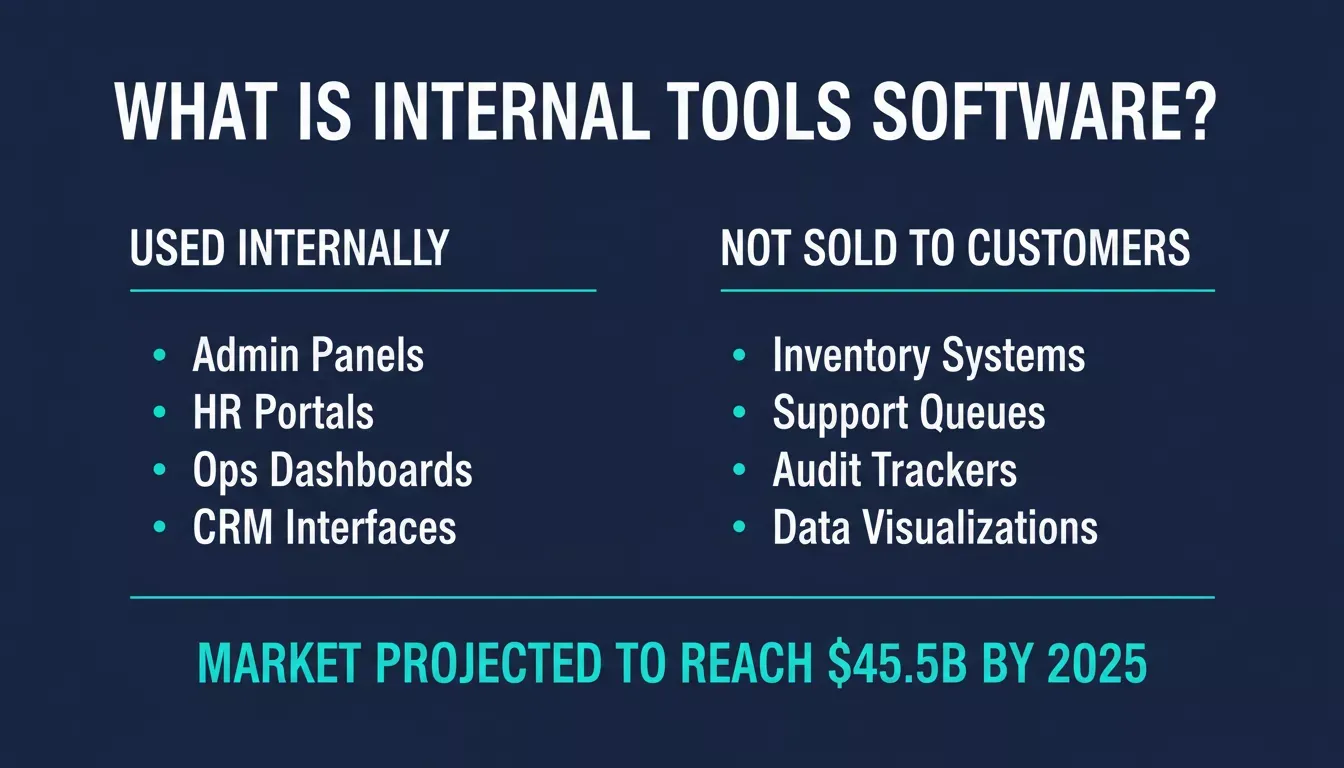
Internal tools software covers every application your team uses to run operations, from admin panels to compliance trackers.
Common types of internal tools:
- Operations and reporting dashboards
- Customer support admin panels
- Inventory and supply chain management systems
- HR onboarding portals and employee directories
- CRM and deal pipeline trackers
- Compliance and audit trail applications
- Data visualization and business intelligence apps
Why Building Internal Tools Takes So Long
Building internal tools software the traditional way means a full software development cycle. Your engineering team has to design the database schema, build backend API routes, write frontend components, configure authentication and role-based access, and deploy to production.
For a simple admin panel, that is typically three to six weeks of developer time. And that is before the first round of feedback from the team that will actually use the tool. The database alone can take days to plan properly.
Tools like Retool were built as a low code platform to shorten this cycle by reducing, not eliminating, coding. That can speed delivery and deployment, but these tools can become limiting when teams need complex workflows or highly customized ui components. Scalability can also become an issue with large datasets or more complex applications. And they do help, to a point.
What Retool Gets Right (and Where It Falls Short)
Retool is one of the most recognized platforms in the internal tools software category. It gives developers a drag-and-drop interface to connect data sources, build tables, forms, and charts, and publish web apps without writing a full frontend from scratch.
But after a few months with Retool, most teams hit the same issues:
- It still requires a developer. Retool is built for people who write SQL and JavaScript, and the learning curve is real. For many teams, that becomes a steep learning curve, so a non-technical operations manager cannot pick it up and build something useful. According to Retool’s own FAQ, it takes around 10 minutes to understand how Retool works, and another hour for it to feel natural, and that assumes you are already a developer.
- The pricing adds up fast. Retool’s Business plan uses per-user pricing and charges $50 per builder per month. For a team of five developers actively building tools, that is $250 per month before a single tool ships, and costs rise further with more users or when teams need enterprise security features like granular permissions on the Business plan. A 50-person engineering team example puts that at roughly $66,000 per year before infrastructure costs.
- The output looks like a Retool app. The component-assembled interface is functional, but it reads as a tool built with a toolkit, not a proper product.
- There is no shared context. Each Retool project starts from scratch. There is no accumulated intelligence about your business carried from one tool to the next.
- You assemble. You do not describe. Retool is a low code tool, so for standard use cases the same functionality tradeoff can be acceptable, but it offers less flexibility when teams need deeper custom code or custom logic. Retool does not figure out the right data model or workflow structure for you. The thinking is still entirely yours.
Teams often search for alternatives because of vendor lock-in, limits around mobile apps, and added friction in complex workflows.
If you are exploring leading Retool alternatives that remove the developer dependency entirely, the landscape has shifted significantly.
A Faster Way to Build Internal Tools Software
What if you could describe the internal tool you need in plain language, and a platform generated the full-stack web app, frontend UI, backend logic, data model, authentication, and deployment, from a single text prompt, production-ready from the first prompt?
That is what Rocket does.
Rocket is an AI-powered platform that generates production-grade web apps and internal tools software from natural language descriptions, using a vibe coding workflow for rapid development. You do not drag and drop components. You do not write SQL.
You describe what you need, “Build an inventory management dashboard connected to Supabase with search, filtering by category, and CSV export”, and Rocket builds it. You can then refine it by typing follow-up instructions for system-wide UI and backend updates.
The output is clean Next.js code with code export, plus exportable front-end code, automated backend configuration, and built-in setup for authentication, databases, and APIs that cuts down manual coding. The design looks like a senior designer was involved. The code is real, not a prototype. Teams that previously waited weeks for an admin panel or operations dashboard now build internal tools with AI without a developer in a single session.
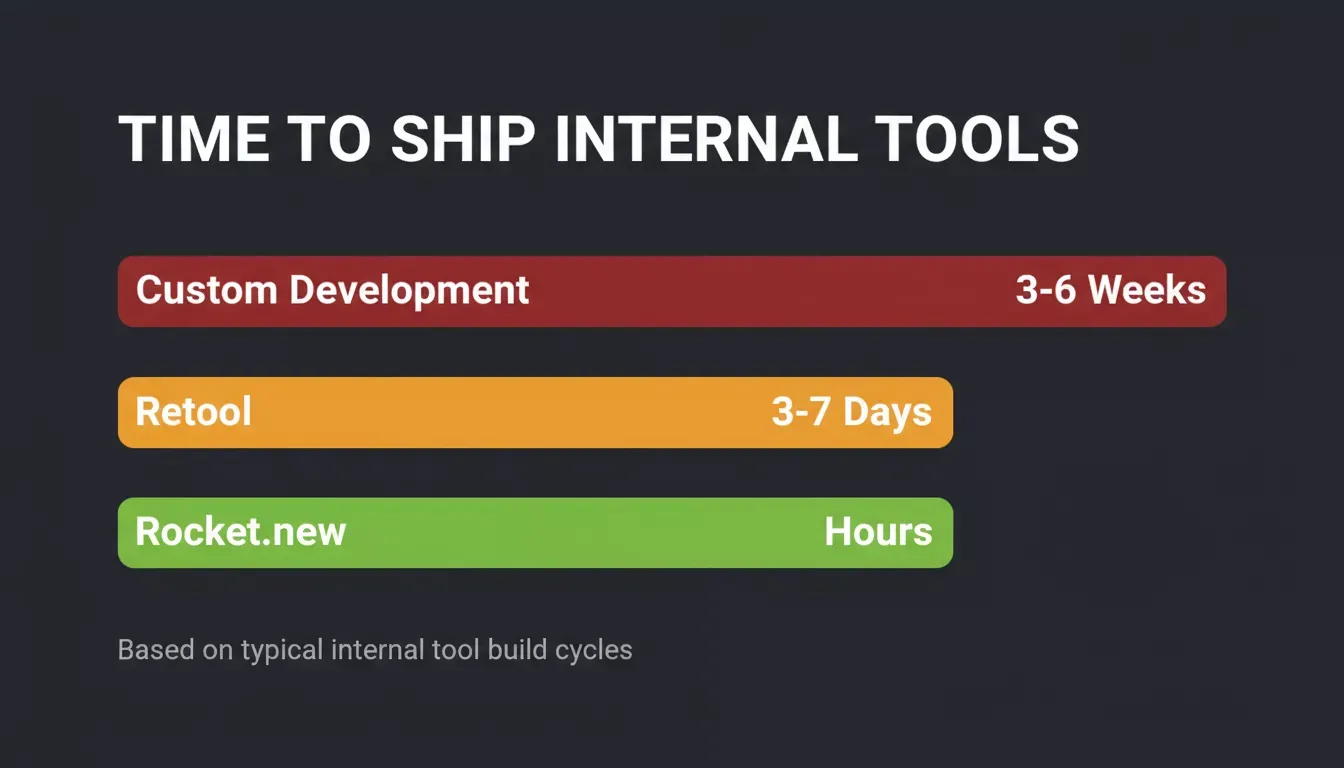
Rocket ships production-grade internal tools in hours. Retool takes days. Custom development takes weeks.
Why Teams Are Choosing Rocket for Internal Tools
Rocket is used by more than 1.5 million people across 180 countries. The internal tool capability gets specific praise from users who tried other platforms first.
“I must say I’m super impressed with the internal tool feature that does a really good job, very professional compared to other AIs.” — Erina Nakiri, via Rocket
Here is what makes Rocket different from Retool for internal tools software specifically:
No Code Natural Language Build
You write a description of the tool you need, and Rocket lets teams build custom internal tools and internal apps without writing code. Rocket asks follow-up questions about your data model and key workflows if the prompt needs clarification.
Then it generates the full application. Users can create functional apps from plain language instead of working through a visual interface or drag-and-drop builder, which can feel more intuitive than a traditional low-code builder.
No drag-and-drop assembly. No SQL knowledge required. Operations managers, founders, and product leads can build their own tools without waiting in an engineering queue, so this works for business teams and non-technical users, not just developers.
For teams looking to scale business workflow automation using AI, this natural language approach removes the biggest bottleneck in internal tooling.
Production-Grade Output from Prompt One
Rocket is an AI-powered platform that builds full-stack applications from natural language prompts and generates production-ready code in Next.js. The output includes proper routing, state management, API connections, and a clean component structure.
This is not a mockup; it is production-ready code, not a prototype, and is deployable for real team use. The same workflow can generate both web and mobile apps.
Every build ships with:
- SEO-ready page structure
- WCAG 2.1 AA accessibility compliance
- GDPR-ready setup out of the box
- Performance tuning by default
26+ Built-In Data Connectors
Building an internal tool without real data is just a UI exercise. Rocket connects directly to sql databases, APIs, and third-party services through built-in connectors like Supabase, Airtable, Notion, Linear, Google Workspace, Stripe, Mailchimp, Mixpanel, Typeform, HubSpot, Jira, and more, with seamless integration from a single workspace-level connection that flows into every build.
These integrations support data management and data storage across multiple systems. The database is ready the moment you start.
Shared Project Context
Every internal tool you build in Rocket inherits the context of your project. When you build a second tool in the same project, Rocket already knows your data model, your team structure, and your previous decisions. You do not re-explain from scratch every time. The context compounds across every task.
One-Click Deploy
Rocket includes separate staging and production environments. When your internal tool is ready, you deploy with one click to a Rocket-hosted URL or your own custom domain, and teams can choose Rocket-hosted deployment or self hosting on their own infrastructure for greater code ownership and to avoid vendor lock.
Version history, rollback, and version control are built in, so you can ship without risk. That also gives teams full code ownership when they need independence from proprietary platforms.
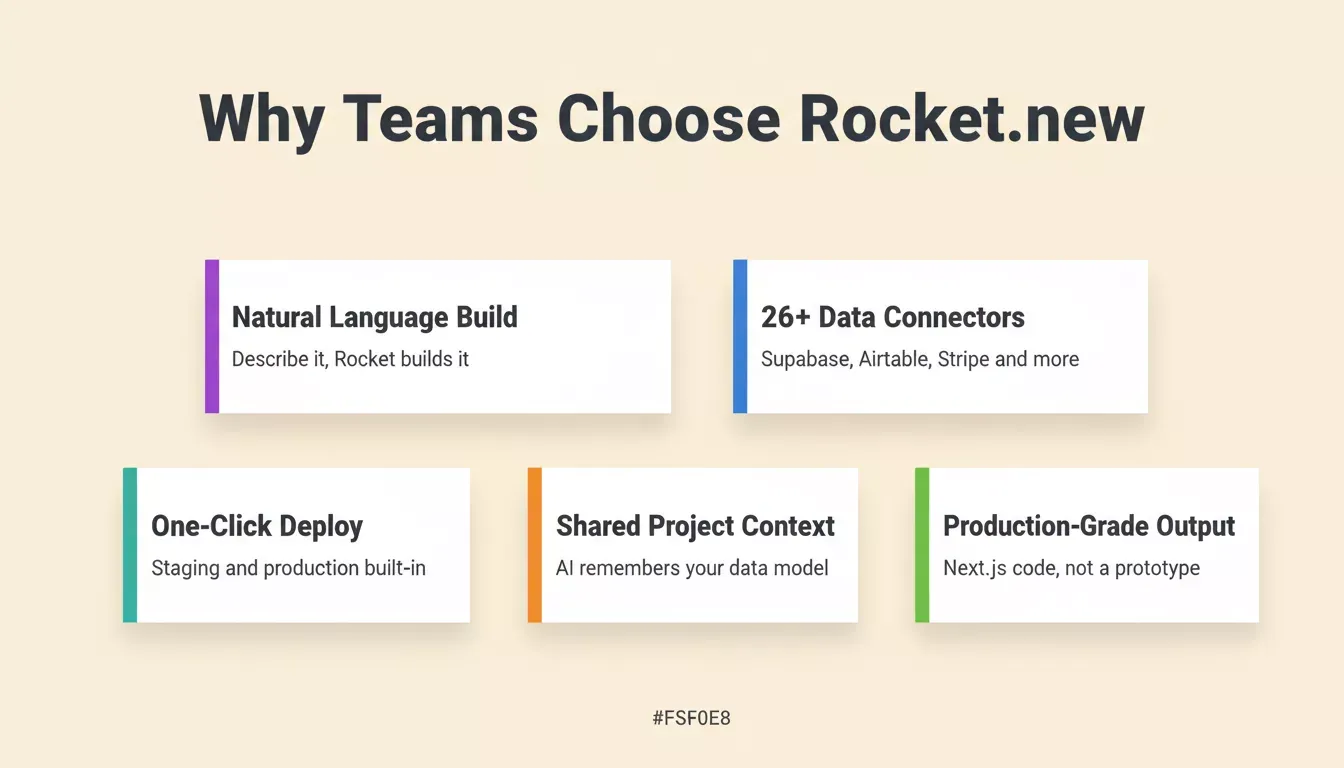
Five reasons operations teams choose Rocket over Retool and custom development.
Rocket vs Retool: Pricing Comparison and Direct Comparison
| Feature | Rocket | Retool | Custom Development |
|---|---|---|---|
| No-code build | Yes | No (SQL/JS needed) | No |
| Natural language input | Yes | No | No |
| Design quality | Production-grade | Functional only | Varies |
| Shared context | Yes (project-level) | No | No |
| Time to ship | Hours | Days | Weeks |
| Pricing model | Credit-based, flexible, and avoids per-user pricing | $10-50/builder/month | Dev hourly rate |
| Data connectors | 26+ built-in | 60+ (self-configured) | Manual setup |
| Mobile app support | Flutter (built-in, from the same platform) | Limited | Varies |
| Deployment | One-click staging and production | Self-managed | Manual |
| Role-based access control | Built-in | Manual configuration | Manual |
Compare the key features and critical features that matter most, including ease of use, flexibility, integration capabilities, and support for complex workflows and data management.
The key difference is who can actually build. Retool requires a developer. Rocket.new does not. For operations leaders, founders, and product managers who need internal tools fast, Rocket gives them one platform instead of another engineering dependency entirely.
What You Can Build with Rocket
Using Rocket’s internal tools capabilities, teams have built and deployed:
- Customer support dashboards with ticket queues, assignment workflows, and status tracking
- Inventory management systems with categories, supplier data, reorder alerts, and SKU lookup
- HR onboarding software with checklists, PTO requests, and employee directory management
- Ops reporting dashboards pulling from multiple data sources with charts and scheduled exports
- CRM interfaces with contact management, deal pipelines, and full activity tracking
- Compliance trackers for GDPR data subject access requests and audit logs
Appsmith is an open-source Retool alternative for teams that want self-hosting and full code ownership to avoid vendor lock-in.
Budibase is aimed at smaller teams and can help them build straightforward CRUD internal tools with free self-hosted deployment and strong data sovereignty.
ToolJet is another open-source option, and its enterprise plans include enterprise features without end-user charges.
Windmill takes a script-first approach, letting developer-heavy teams generate UIs from scripts instead of relying on a visual builder’s component library.
For operations teams that need to scale fast, Rocket handles the full stack, from data model to deployed URL, without a single line of manual code.
Full step-by-step build documentation lives at Rocket.new docs, including sample prompts for each common internal tool type.
Build and Ship in One Session
The typical Rocket internal tool build follows this path:
- Open a new Build task in Rocket
- Describe the tool: who uses it, what data it needs, and what the key workflows are
- Rocket generates the full application, reviews it in the live preview, and refines it by typing follow-up instructions for system-wide changes to the UI and business logic
- Connect your data source, Supabase, Airtable, or an external API, with backend configuration largely automated rather than manually assembled
- Add built-in user authentication setup and role-based access control
- Test in the staging environment with your team
- Deploy to production
That full cycle, from idea to deployed internal tools software, takes hours with Rocket. Not days. Not weeks.
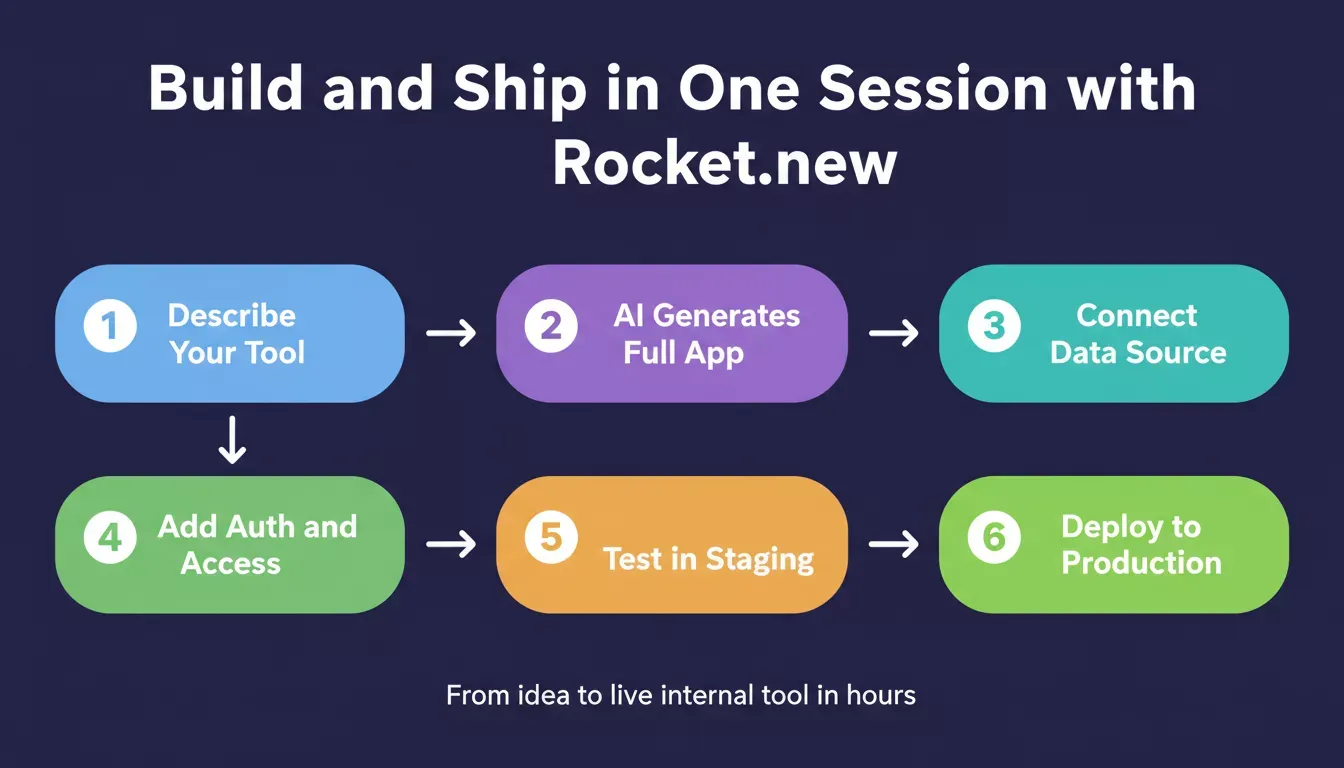
The complete Rocket build cycle: from plain language description to deployed internal tool in one session.
Your Internal Tools Software Should Not Live in the Backlog
Teams spend too much time waiting for internal tools that should exist now. The traditional development path is slow and expensive, so teams often look for cost-effective solutions because Retool paid plans start low but become expensive as usage grows. Retool is faster but still developer-dependent, and the per-seat pricing adds up quickly as the team grows, with paid plans able to escalate quickly for larger teams.
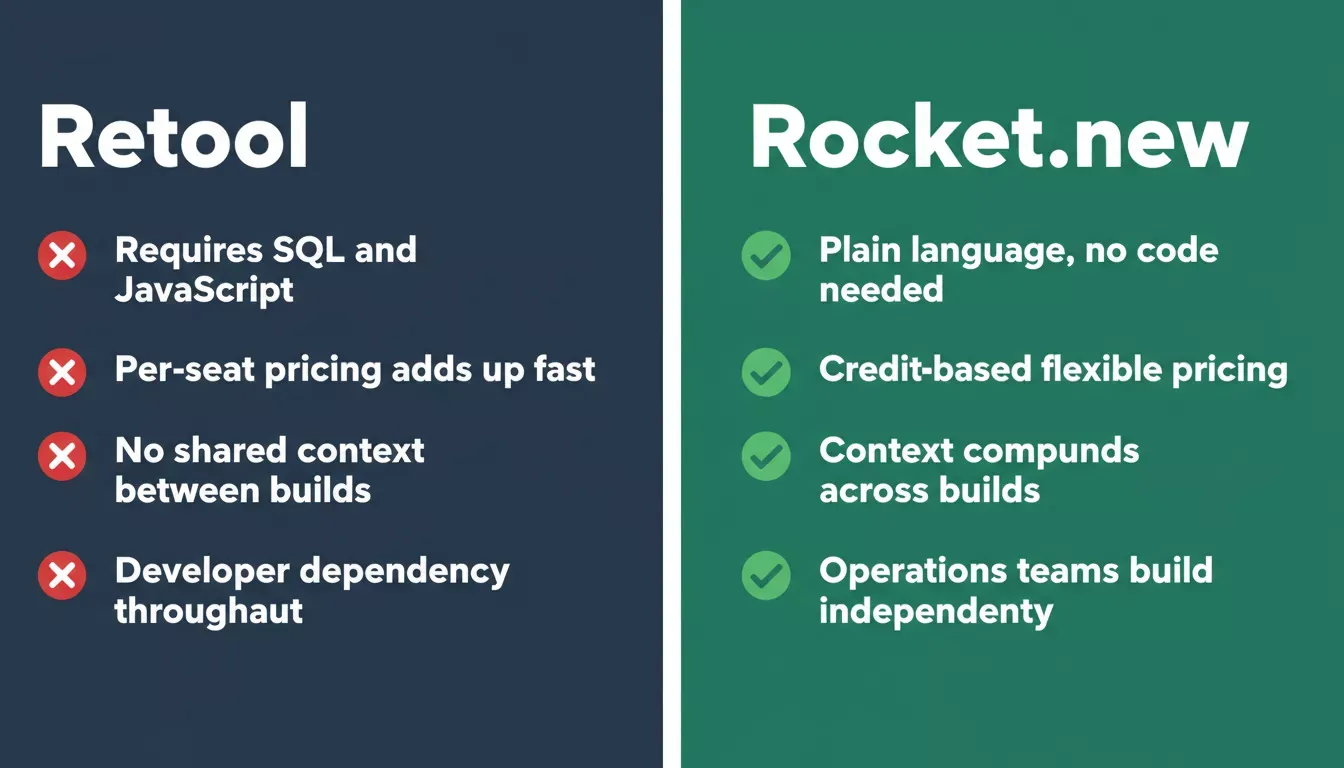
Rocket vs Retool: the key differences that matter for operations teams building internal tools.
Rocket changes the equation for internal tools software. You describe, it builds. Natural language prompts produce production-grade applications with polished designs and real data connections. The build takes hours, not sprints.
For teams that need secure and scalable internal tool generation, Rocket handles authentication, role-based access, and deployment out of the box. If your team has a workflow problem that needs a proper tool, this is where you build it, without the backlog, without the wait, and with a better fit for teams trying to automate workflows without backlog delays or mounting seat costs.
Choose the Fastest Path to Build and Deploy Internal Tools
If your ops team is still waiting on a backlogged admin panel or dashboard, Rocket is the fastest path from idea to deployed internal tools software. No developer required, no drag-and-drop assembly, no weeks of waiting.
Start building on Rocket.new for free and ship your first internal tool today.
Table of contents
- -What Is Internal Tools Software?
- -Why Building Internal Tools Takes So Long
- -What Retool Gets Right (and Where It Falls Short)
- -A Faster Way to Build Internal Tools Software
- -Why Teams Are Choosing Rocket for Internal Tools
- -No Code Natural Language Build
- -Production-Grade Output from Prompt One
- -26+ Built-In Data Connectors
- -Shared Project Context
- -One-Click Deploy
- -Rocket vs Retool: Pricing Comparison and Direct Comparison
- -What You Can Build with Rocket
- -Build and Ship in One Session
- -Your Internal Tools Software Should Not Live in the Backlog
- -Choose the Fastest Path to Build and Deploy Internal Tools