
Replit's container slowdowns and pricing limits push developers toward better tools. This blog compares five Replit alternative platforms so you can pick the right development environment for your workflow and ship faster.
Is Replit still the right tool for your workflow?
Replit introduced millions of developers to browser-based coding. But as projects grow, its limitations become hard to ignore. Slow container spin-ups, unpredictable pricing, weak Git integration, and no clear path to production deployment all add up.
The most common reasons developers search for a Replit alternative are cost spikes, limited export options, and the gap between prototyping and shipping a real product. This guide covers five platforms that close that gap. From AI-powered full-stack builders to professional cloud IDEs, you can match the right tool to your actual workflow.
What Makes a Strong Replit Alternative?
Not every platform that calls itself a development environment is worth your time. Here is what separates a genuinely useful Replit alternative from a lateral move.
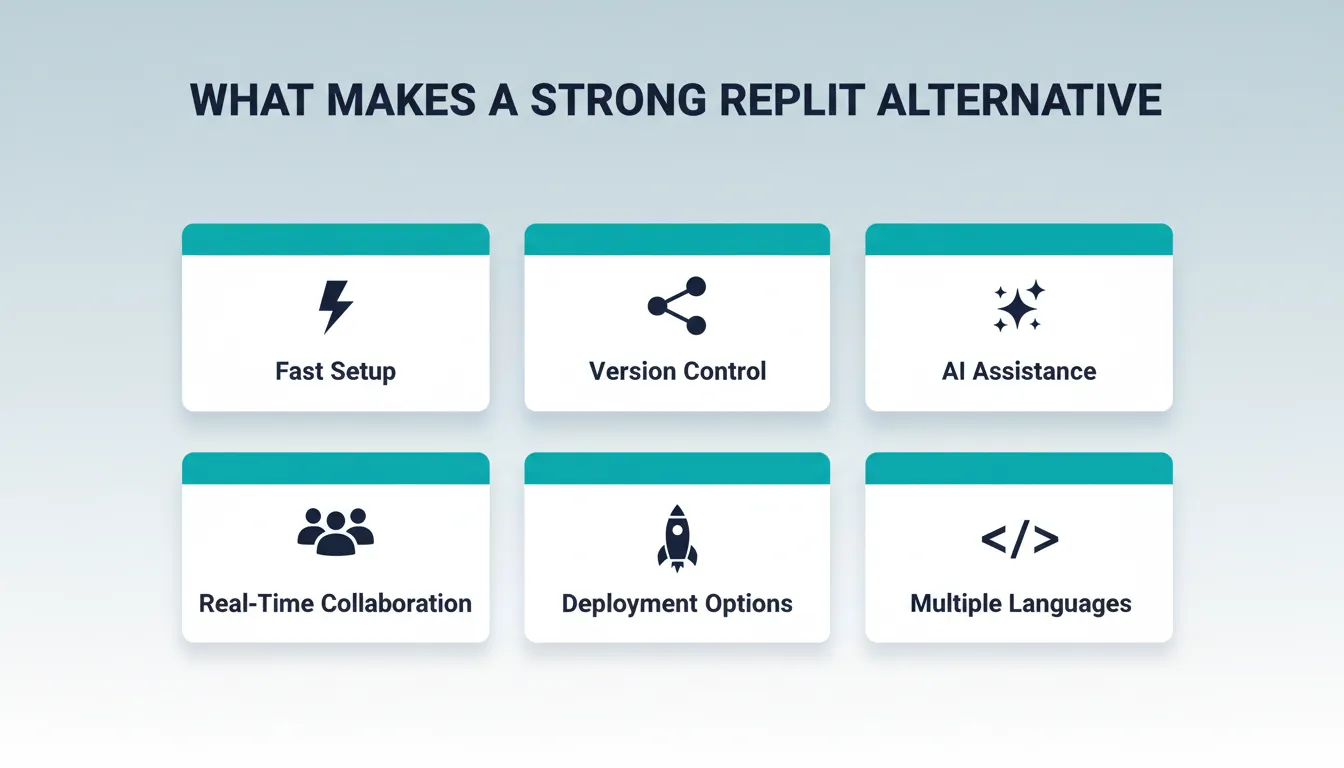
A strong alternative should give you:
- Fast setup: Start coding without wrestling with installs or configurations.
- Version control: Built-in Git support or deep GitHub integration.
- AI assistance: Meaningful help beyond autocomplete, ideally full app generation from a prompt.
- Real-time collaboration: Team editing, role-based access, and shared workspaces.
- Deployment options: One-click deploy, custom domain support, and live preview environments.
- Multiple programming languages: Support for the frameworks your projects actually use.
The goal is a Replit alternative that fits your workflow, whether that means speed, AI support, team collaboration, or production-grade deployment. A good tool removes friction. It does not add it.
1. Rocket: AI-Powered Full-Stack Builder
 Rocket is not a cloud IDE. It is a vibe solutioning platform, the first platform where research, building, and competitive monitoring happen in the same system with shared context.
The Build pillar is what makes Rocket stand out as a Replit alternative. You describe what you want in plain language. Rocket generates a production-ready full-stack app, including UI, routes, backend logic, and database, without you writing a single line of code manually. 1.5 million people have tried Rocket across 180 countries.
Rocket uses two default frameworks, assigned automatically based on your target platform:
| Platform | Framework |
|---|---|
| Web | Next.js |
| Mobile | Flutter (iOS and Android) |
You cannot change the framework after the task is created. But you do not need to. The generated code is production-ready and deployable from day one.
Rocket's Three Pillars
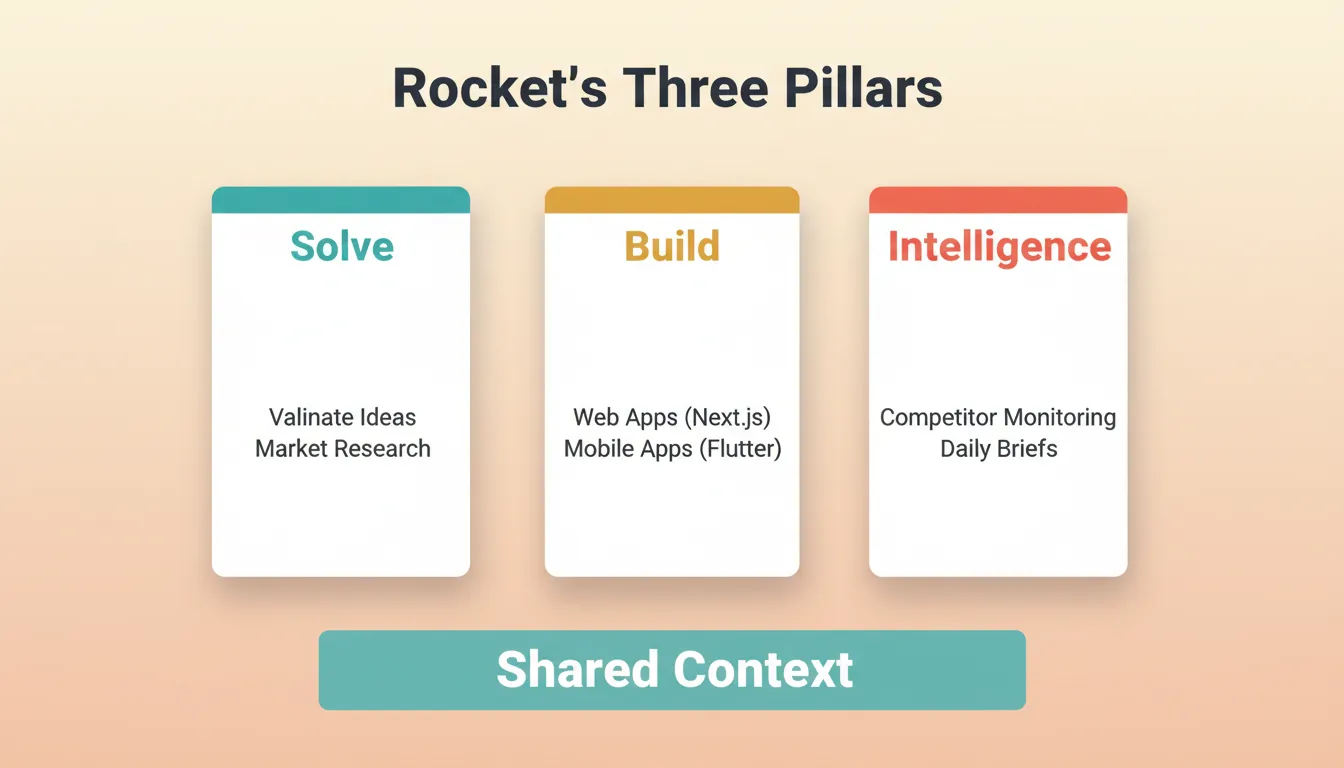
Rocket covers the full arc from thinking to building to operating. Each pillar works independently. All three share context so nothing has to be re-explained.
Solve validates ideas, runs market research, creates PRDs, and delivers structured reports with data, insights, and actionable recommendations. You type any business problem. Rocket researches it, maps the evidence, and delivers a recommendation ready to present to any room.
Build generates production-ready web apps, mobile apps, SaaS products, e-commerce stores, and landing pages from natural language. Every build ships with SEO-ready structure, WCAG accessibility compliance, and GDPR coverage by default.
Intelligence monitors competitors continuously. You get automated daily briefs, pricing change alerts, and trend signals delivered to a live dashboard in your sidebar.
Key Build Features
- Full app generation from a single prompt, including UI, navigation, and backend logic
- Start from a template for dashboards, landing pages, e-commerce, and SaaS apps. Browsing templates costs zero credits.
- Two-way GitHub sync for Next.js TypeScript projects. Rocket pushes to a
rocket-updatebranch and auto-opens a pull request tomain. For all other frameworks, sync is push-only. - Custom domain support with automatic SSL and DNS configuration (paid plan required)
- Prebuilt Supabase backend with PostgreSQL database, user authentication, file storage, and edge functions
- 25+ integrations including Stripe, HubSpot, OpenAI, Google Analytics, Mailchimp, and Twilio
- Built-in performance and SEO tools with Core Web Vitals scoring
- Full version history with code diff and one-click rollback
- Visual edit lets you click any element in the live preview to change text, colors, layout, and spacing directly
Rocket Pricing
| Plan | Price | Credits Per Month | What Is Included |
|---|---|---|---|
| Free | $0 | 20 (one-time) | Build apps + Light Solve research |
| Pro | $25/mo | 100 | Build + Light Solve |
| Rocket | $50/mo | 250 | Build + Full Solve + Competitive Intelligence |
| Booster | $250/mo | 1,500 | Everything + premium support |
All paid plans include unlimited team members. No credit card is required to start.
2. GitHub Codespaces: Cloud IDE for Professional Teams
 GitHub Codespaces offers a complete cloud-based development environment inside VS Code. Your repositories are ready to code the moment you open a workspace. No local setup, no dependency conflicts, no machine-specific issues.
Codespaces is the natural upgrade for professional developers and teams already deep in the GitHub ecosystem. It is VS Code in the cloud, with dev container support and native GitHub integration that Replit cannot match.
Key features include:
- Familiar Visual Studio Code interface in browser or desktop, with zero learning curve for VS Code users
- Native GitHub integration with tight version control, branch management, and PR workflows
- Dev containers define preconfigured environments in code, so every team member gets an identical setup
- Real-time collaboration via Live Share
- GitHub Copilot available as an optional AI add-on
- 60 hours per month on the free plan
Codespaces is best for professional developers and teams who need a full-featured cloud IDE. If your team already uses GitHub, this is the most natural path away from Replit.
3. CodeSandbox: Quick Browser-Based IDE
 CodeSandbox is a cloud-based development environment built for web apps. It is fast, lightweight, and optimized for front-end development. You can go from zero to a running React, Vue, or Angular project in under a minute.
CodeSandbox works well for beginners and small teams who want a smooth development workflow without heavy local setup. Its instant preview and real-time collaboration make it especially useful for front-end projects and design handoffs.
Key features include:
- Start coding instantly with no configuration required
- Prebuilt templates for React, Vue, Angular, and Node
- Real-time collaboration lets multiple developers edit the same sandbox simultaneously
- GitHub integration and project export
- Built-in hosting for live previews with a shareable URL
CodeSandbox is a reliable Replit alternative for front-end developers, beginners, and small teams who need a fast, zero-config environment for web projects. It is also widely used for sharing reproducible bug reports and code demos.
4. Ona (Formerly Gitpod): Automated Dev Workspaces
Ona, formerly known as Gitpod, creates ready-to-run dev environments directly from your GitHub, GitLab, or Bitbucket repositories. Open a workspace, and everything is already configured. The right Node version, the right dependencies, and the right environment variables are all in place.
Gitpod is built for teams that need predictable, reproducible workspaces. Instead of spending hours on local installs, every developer gets an identical environment from a single .gitpod.yml configuration file committed to the repository.
Key features include:
- Full development environment ready in seconds with no manual setup
- Automatic configuration via
.gitpod.ymlfiles committed to your repository - Multi-provider Git support across GitHub, GitLab, and Bitbucket
- Container-based environments for complete isolation between projects
- 50 hours per month on the free plan
Ona/Gitpod is best for engineering teams that need consistent, reproducible environments across all team members. It is particularly strong for open-source projects and teams with complex local setup requirements.
5. StackBlitz: Instant Web Development
 StackBlitz is a cloud-based development environment for web projects that boots in the browser almost instantly. It uses WebContainers technology to run Node.js natively in the browser. No server is required, no cold starts, and no waiting.
StackBlitz is built for developers who need a fast, lightweight cloud IDE that does not demand heavy local resources. Its instant feedback loop makes it one of the fastest Replit alternatives for front-end prototyping and learning.
Key features include:
- WebContainers technology runs Node.js natively in the browser, eliminating server-side cold starts
- Supports JavaScript, TypeScript, Angular, React, Vue, and more
- Instant start-coding experience with no install required
- GitHub integration for importing and exporting projects
- Preconfigured templates for front-end and full-stack development
StackBlitz is best for front-end developers and learners who want the fastest possible feedback loop. It is also the engine behind Bolt.new, making it a popular choice for AI-assisted web development.
Community Insight
Developers are constantly looking for a better alternative to Replit. Common frustrations include pricing spikes, slow containers, limited export options, and workflow restrictions.
"There are so many alternatives to Replit that make collaboration, speed, and AI-assisted coding way easier. It's about picking a tool that actually fits your workflow and lets you start coding instantly." — LinkedIn user discussing Replit alternatives.
This insight shows why developers explore the best replit alternatives. Whether it is cost, AI limitations, export restrictions, or smoother workflows, finding the right development environment is key.
Full Platform Comparison
Here are the top replit alternatives compared side by side. Use this table to match each platform to your specific needs.
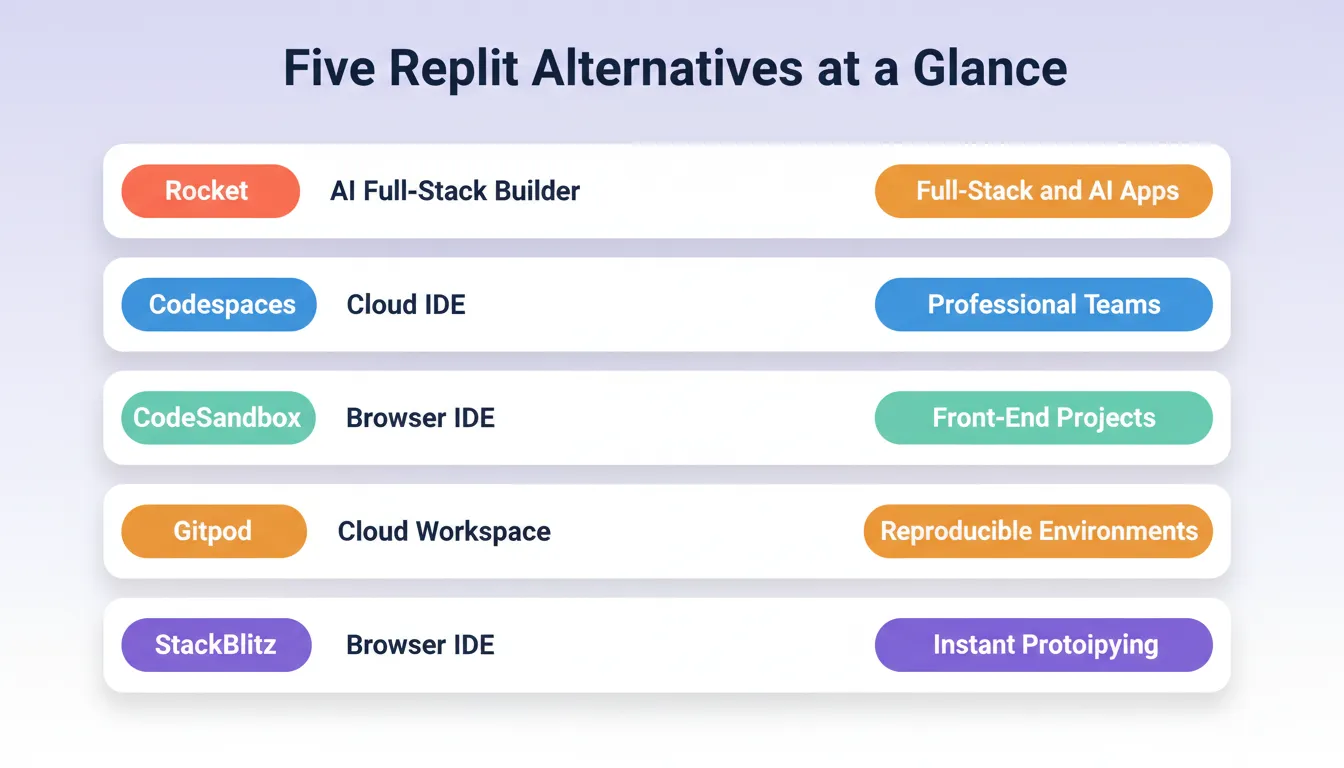
| Platform | Type | AI Support | Git Integration | Real-Time Collab | Best For |
|---|---|---|---|---|---|
| Replit | Cloud IDE | Basic autocomplete | Limited | Yes | Beginners, quick experiments |
| Rocket | AI Full-Stack Builder | Full-stack app generation from prompt | Two-way (Next.js TS); push-only (others) | Yes | Rapid prototyping, full-stack apps, SaaS |
| GitHub Codespaces | Cloud IDE | Copilot add-on | Native GitHub | Yes (Live Share) | Professional developers, enterprise teams |
| CodeSandbox | Browser IDE | Basic suggestions | Yes | Yes | Front-end, beginners, small teams |
| Ona / Gitpod | Cloud Workspace | Limited | GitHub, GitLab, Bitbucket | Yes | Teams needing reproducible environments |
| StackBlitz | Browser IDE | Limited | Yes | Yes | Front-end, instant prototyping, learning |
How to Choose the Right Replit Alternative
The right Replit alternative depends on what you actually need from a development environment. Use this decision tree to navigate the choice:
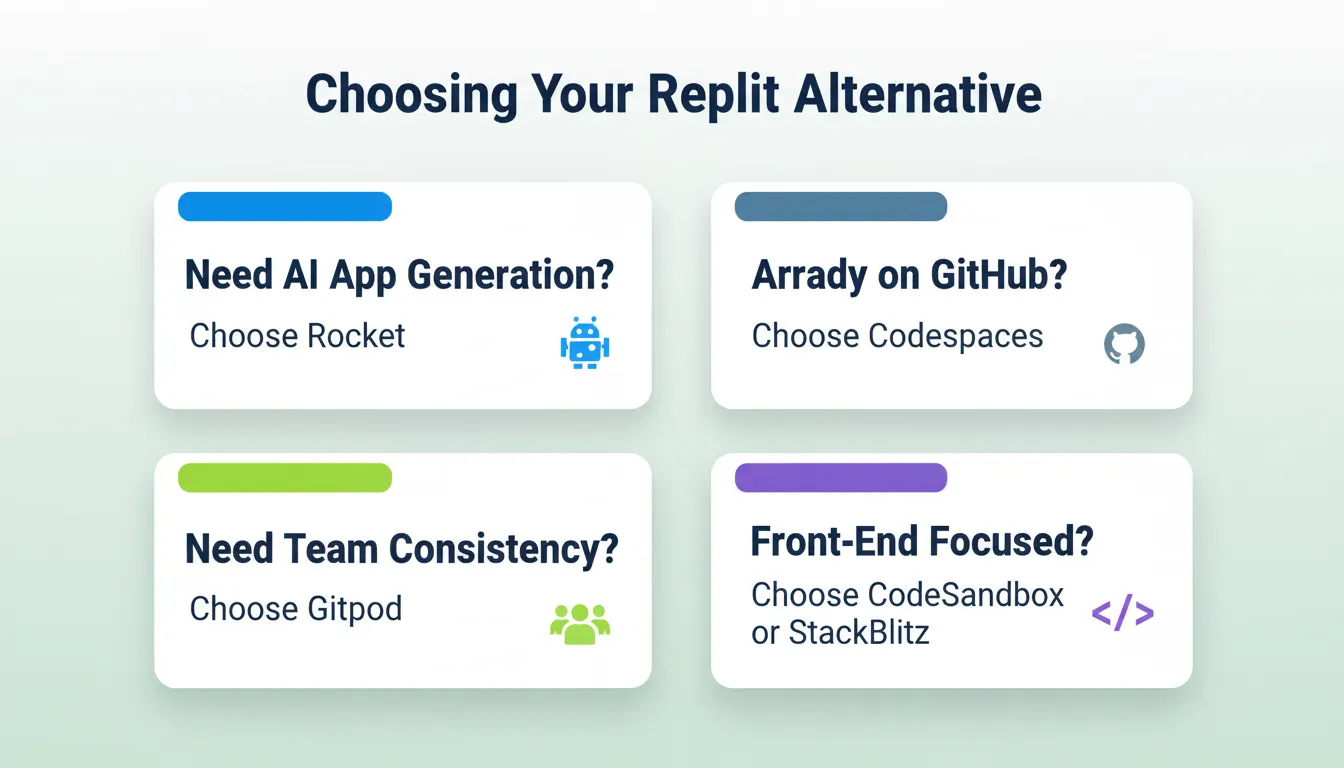
Pick Your Replit Alternative
Developers hit limits with pricing, export, and scaling projects, and a strong Replit alternative removes all three blockers at once. Rocket, Codespaces, CodeSandbox, Gitpod, and StackBlitz each solve a different version of the same problem.
Pick based on your workflow:
- Need AI to build a full-stack app from a prompt? Use Rocket.
- Already on GitHub and want VS Code in the cloud? Use GitHub Codespaces.
- Building front-end projects and want instant setup? Use CodeSandbox or StackBlitz.
- Need consistent environments across a team? Use Ona/Gitpod.
Developers who switch to AI-powered builders report significantly faster time-to-deploy compared to traditional cloud IDEs. Research shows over 62% of developers now use cloud-based development environments at least part of the time. AI-assisted coding tools have seen adoption grow over 40% year-over-year among professional developers.
The Right Development Environment Changes Everything
The search for a Replit alternative is really a search for a development environment that matches how you actually work. The five platforms in this guide cover every major workflow, from instant front-end prototyping to production-grade full-stack generation to enterprise-grade cloud IDEs.
As AI-powered development continues to mature, the gap between describing an idea and shipping a working product will keep shrinking. Choosing the right Replit alternative now means building on a foundation that grows with you.
You describe the problem. Rocket researches it, recommends a direction, and builds from that direction. Web apps, mobile apps, landing pages, internal tools. Production-grade from the first generation. Start building on Rocket.new and ship your next app in minutes.
Table of contents
- -What Makes a Strong Replit Alternative?
- -1. Rocket: AI-Powered Full-Stack Builder
- -Rocket's Three Pillars
- -Key Build Features
- -Rocket Pricing
- -2. GitHub Codespaces: Cloud IDE for Professional Teams
- -3. CodeSandbox: Quick Browser-Based IDE
- -4. Ona (Formerly Gitpod): Automated Dev Workspaces
- -5. StackBlitz: Instant Web Development
- -Community Insight
- -Full Platform Comparison
- -How to Choose the Right Replit Alternative
- -Pick Your Replit Alternative
- -The Right Development Environment Changes Everything