
Codeium, GitHub Copilot, and Rocket.new each solve a different problem. Codeium speeds up code completion. Copilot extends that across the GitHub ecosystem. Rocket covers the full arc from research to deployed product in one system.
Which AI development tool actually fits the way you work?
According to the 2024 Stack Overflow Developer Survey, 76% of developers now use or plan to use AI tools in their workflow, up from 70% the year before.
The demand is real, but the tools are not solving the same problem. One autocompletes your code. Another suggests functions and reviews pull requests. A third researches what to build before you write a single line of code.
The gap between these approaches is not a feature difference. It is a starting-point difference. This blog maps what each tool does, where each fits, and how to choose.
What Does Each Tool Actually Do?
All three tools sit in the AI development space, but they approach the problem from different angles. Understanding what each one is designed for is the only reliable way to choose between them.
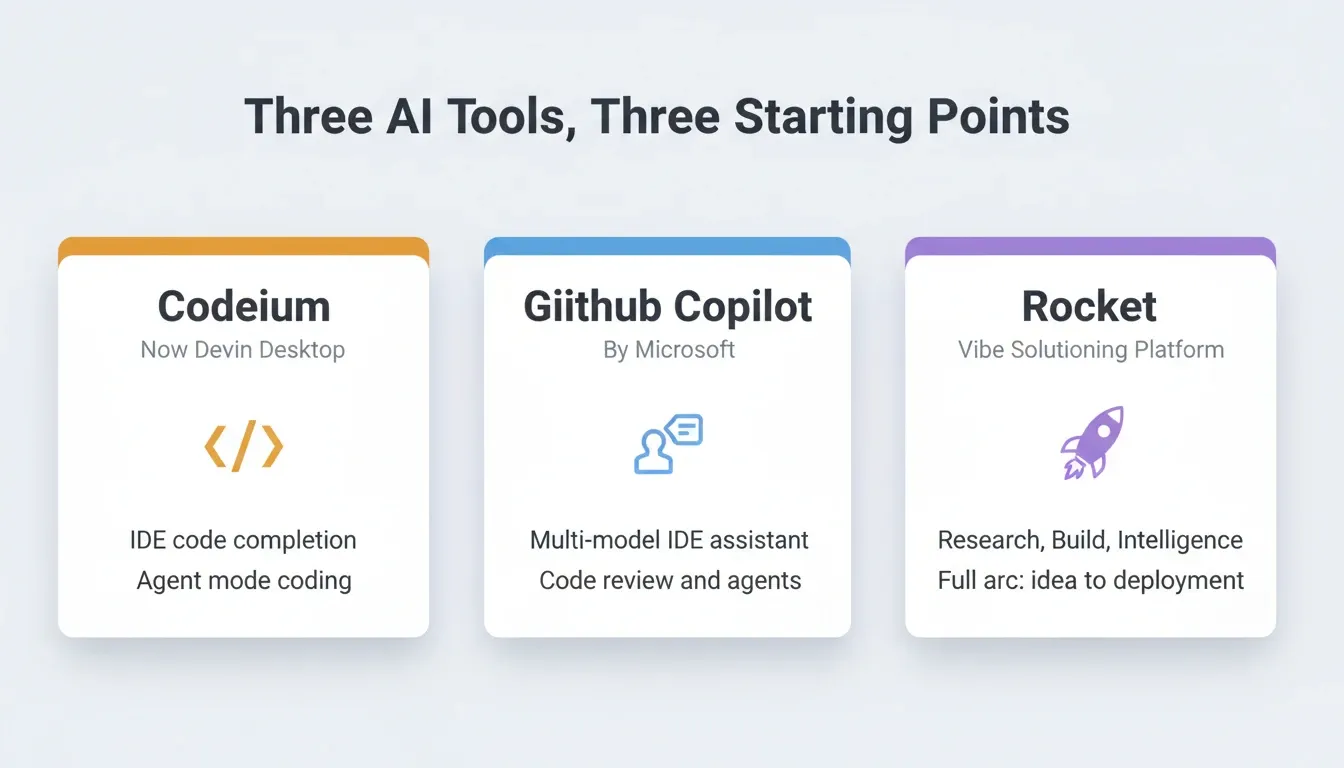
Codeium (Now Devin Desktop)
Codeium started as a free AI code completion tool built for speed. In 2025, Cognition acquired Codeium and rebranded it as Devin Desktop, merging it with their autonomous coding agent.
-
Code completion, chat-based editing, and agent-mode coding inside a VS Code-based IDE
-
Free tier available; Pro at $20/month, Max at $200/month
-
Supports multiple AI agents including Claude, Codex, and its own SWE-1.7 model
-
"Spaces" for shared context across coding sessions
Devin Desktop is built for developers who already know what they want to build. Everything before that step, including the research, the strategy, and the product decisions, still happens somewhere else.
GitHub Copilot
GitHub Copilot is Microsoft's AI coding assistant, built directly into the GitHub ecosystem. It has grown from a simple autocomplete tool into a multi-model, multi-agent platform.
-
Works inside VS Code, JetBrains, Xcode, Neovim, Eclipse, and the GitHub Copilot desktop app
-
Free tier includes 2,000 completions per month; Pro at $10/month; Pro+ at $39/month; Max at $100/month
-
Supports models from Anthropic (Claude), OpenAI (GPT-5.x), Google (Gemini), and xAI (Grok)
-
Cloud agent mode lets you assign issues directly to Copilot for autonomous coding
-
Code review, CLI support, and MCP server connections on paid plans
Copilot's strength is code-level assistance across many editors and languages. It does not address what to build or why. That thinking still happens outside the tool.
Rocket
Rocket is the world's first Vibe Solutioning platform. It combines strategic research, AI app building, and competitive intelligence into a single product. The three pillars are:
-
Solve validates ideas, runs market research, creates PRDs, and delivers structured, evidence-backed reports. Solve has two modes: Light Solve for fast conversational research (all plans) and Full Solve for deep parallel-agent research that typically takes around 45 minutes (Rocket and Booster plans).
-
Build generates production-ready Next.js web apps and Flutter mobile apps from natural language. Start from an idea, a Figma file, a screenshot, a GitHub repository, a template, or a URL to redesign.
-
Intelligence monitors competitors continuously. It delivers automated daily briefs, pricing change alerts, and trend signals to a live dashboard in your sidebar.
Each pillar works independently. Use one, two, or all three depending on what you need.
How Do Their Features Compare Side by Side?
The real differences show up when you put all three tools next to each other.
| Feature | Codeium (Devin Desktop) | GitHub Copilot | Rocket |
|---|---|---|---|
| Code completion | Yes | Yes | Yes (via Build) |
| Chat-based coding | Yes | Yes | Yes |
| Agent mode | Yes (local + cloud) | Yes (cloud agent) | Yes (autonomous Build) |
| Multi-model support | Limited | Extensive (28+ models) | AI provider flexible |
| Mobile app generation | No | No | Yes (Flutter, iOS + Android) |
| Pre-build research | No | No | Yes (Solve, Light and Full) |
| Competitive monitoring | No | No | Yes (Intelligence) |
| Start from Figma or GitHub | No | Limited | Yes (native import) |
| Shared team context | Limited (Spaces) | Limited (Copilot Spaces) | Yes (project-level inheritance) |
| One-click deployment | No | No | Yes |
| Built-in analytics | No | No | Yes |
| Free tier | Yes | Yes (2,000 completions/mo) | Yes (20 one-time credits) |
"AI tools lack context of the codebase or project" was flagged as the top challenge by 63% of professional developers in the 2024 Stack Overflow Developer Survey. Codebase awareness remains the single biggest gap in current AI coding tools.
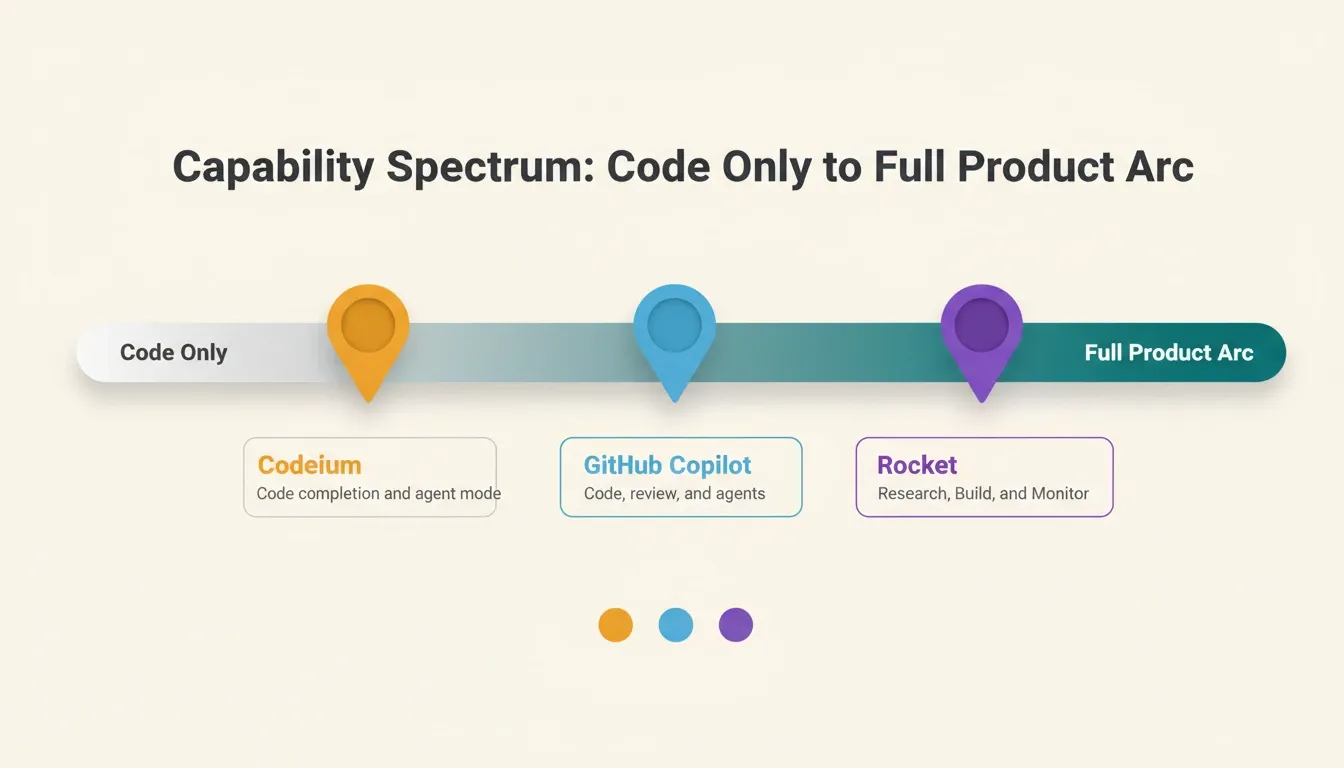
This gap in project-level context is where most AI coding workflows break down. Rocket addresses it through its Intelligence pillar, which continuously monitors external signals and feeds them into the build process. The other two tools leave that layer entirely to you.
What Is the Real Cost of Each Option?
Pricing shapes the decision as much as features do. Here is what each platform charges across their main tiers.
| Plan | Codeium (Devin Desktop) | GitHub Copilot | Rocket |
|---|---|---|---|
| Free | Yes (limited) | Yes (2,000 completions/mo) | Yes (20 one-time credits) |
| Entry paid | $20/mo (Pro) | $10/mo (Pro) | $25/mo (Pro) |
| Mid-tier | Not listed | $39/mo (Pro+) | $50/mo (Rocket plan) |
| Premium | $200/mo (Max) | $100/mo (Max) | $250/mo (Booster) |
| Team billing | $80/mo + $40/seat | $19/user/mo (Business) | Unlimited team members on all paid plans |
| Annual discount | Not listed | Available | 20% off with annual billing |
Rocket's pricing comes from the official pricing documentation. The Rocket plan at $50/mo is the first tier that unlocks Full Solve and Intelligence. All paid plans include unlimited team members.
The cheapest option per month is not always the most cost-effective overall. A coding tool, a research tool, a deployment tool, and a monitoring tool paid separately often exceed a single platform subscription.
How Solve Works: Light vs Full Research
One of Rocket's most distinctive capabilities is Solve's two-mode research engine. Codeium and GitHub Copilot have no equivalent for this.
| Light Solve | Full Solve | |
|---|---|---|
| Plan availability | Free and Pro (always); Rocket and Booster (when routed) | Rocket and Booster (when routed) |
| Mode selection | Automatic | Automatic |
| Speed | Fast, conversational | About 45 minutes |
| Depth | Focused answer with visuals | Multi-section deep research report |
| Output formats | PDF, PPT, HTML, PRD | PDF, PPT, HTML, PRD |
| Best for | Exploration and quick decisions | High-stakes decisions and stakeholder deliverables |
Full Solve decomposes your question into parallel research streams. Each stream runs by its own agent simultaneously. The result includes an executive summary, detailed analysis, supporting evidence, and actionable recommendations.
How Rocket Routes Research Queries Between Light Solve and Full Solve
Where Rocket Changes the Game for Builders
Most AI development tools start at the same place: an empty code editor and a blinking cursor. Rocket starts somewhere different, at the question of what is worth building in the first place.
Solve: Research Before You Build
You type a business question. Rocket researches it across live data, delivers findings with evidence, and gives you a clear recommendation ready to present to any room. Unlike ChatGPT or Perplexity, which give conversational answers from training data, Solve produces multi-source reports with an executive summary and actionable recommendations.
The research from a Solve task does not disappear when you start building. It carries forward into every Build task in the same project. No re-explaining. No re-uploading. No context lost between handoffs.
Build: From Idea to Live App
You describe what you need in plain language. Rocket generates working web apps in Next.js and mobile apps in Flutter, with real design systems, dark and light theming, and accessibility compliance built in. You can start from a plain language description, a Figma design file, a screenshot, an existing GitHub repository, a pre-built template, or a URL you want to redesign.
Once generated, you refine through chat, visual editing, or direct code access. When ready, you deploy with one click. Developers can also import existing Next.js codebases from GitHub and continue building inside Rocket.
Intelligence: Continuous Competitive Monitoring
Intelligence monitors competitors continuously across their websites, social media, reviews, hiring patterns, and ad campaigns. A setup wizard collects your business context, competitor URLs, and notification preferences. After that, Intelligence delivers daily, weekly, or monthly briefs automatically to a live dashboard in your sidebar.
Solve answers a specific question once. Intelligence watches for changes over time. A Solve report can scope what you monitor, and an Intelligence signal can trigger a new Solve question. The two work together.
The tools that Codeium and GitHub Copilot provide are good at what they do. They write code faster. They catch bugs sooner. But they assume the thinking has already happened. When that assumption is wrong, you get a perfectly coded product that nobody wanted.
For a deeper look at how Rocket compares to other AI coding environments, see Rocket vs Codeium: Choosing the Right AI Dev Platform.
Which Tool Matches Your Workflow?
The best tool depends on where you are in your process and what kind of work you do.
| User Type | Best Fit | Why |
|---|---|---|
| Solo developer writing code daily | GitHub Copilot or Codeium | Deep IDE integration, low cost, fast autocomplete |
| Founder figuring out what to build | Rocket (Rocket plan) | Solve validates the idea before a line of code is written |
| Product team running competitive research | Rocket (Rocket or Booster) | Intelligence and Full Solve replace multiple research tools |
| Agency delivering client work | Rocket | Shared context and one-click deployment cuts handoff time |
| Team replacing tool sprawl | Rocket | Research, building, monitoring, and deployment in one subscription |
| Developer who wants multi-model flexibility | GitHub Copilot | 28+ model choices, broad IDE support |
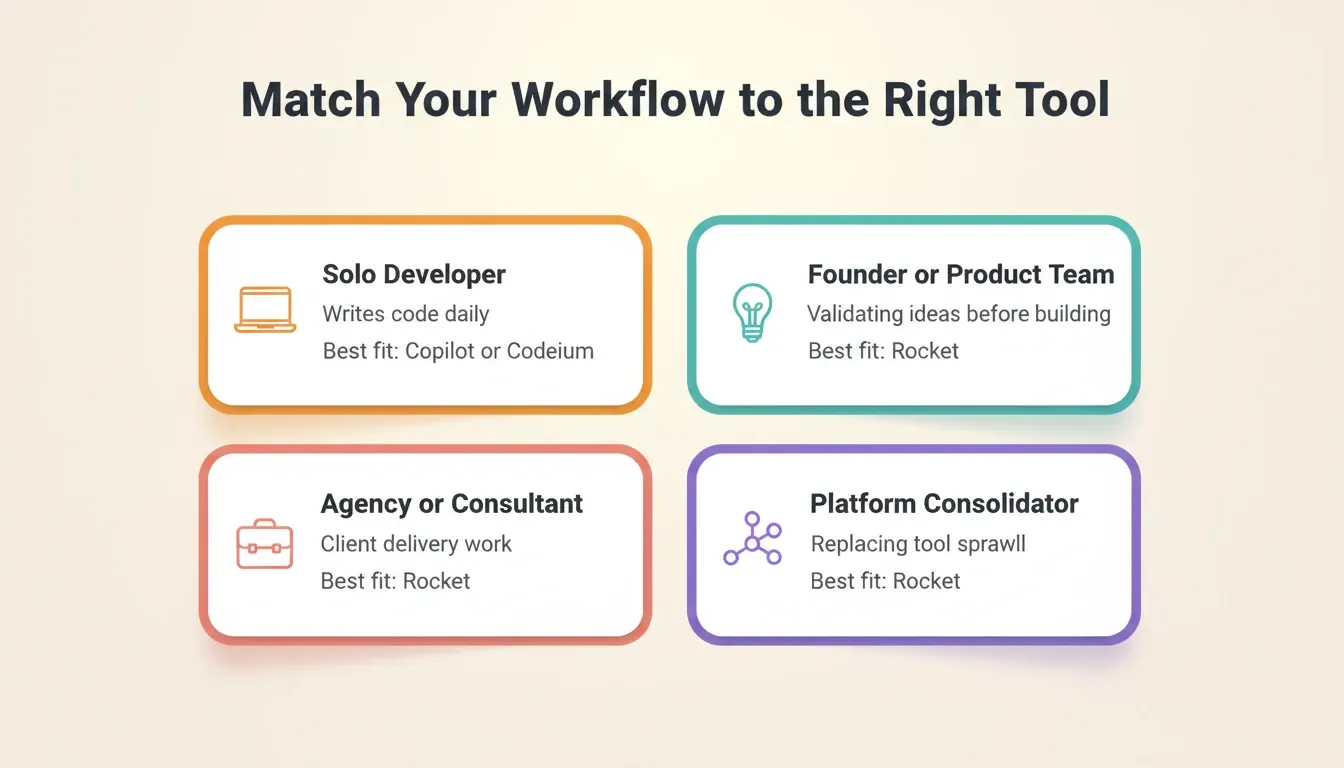
The right pick comes down to your starting point. If you already know exactly what to code, a coding assistant gets you there faster. If your next project needs both the strategy and the execution in one place, the answer looks quite different.
For teams evaluating AI-assisted development workflows more broadly, the 2024 Stack Overflow Developer Survey provides useful benchmark data on how developers are adopting these tools in practice.
The Right Tool Starts With the Right Question
Codeium vs GitHub Copilot vs Rocket.new is not a comparison of better or worse. It is a comparison of where each tool starts. Codeium and GitHub Copilot start at the code. Rocket starts before it, at the question of what is worth building and why.
As AI development tools continue to evolve, the gap between tools that execute and tools that think will only widen. The teams that research before they build, monitor while they ship, and keep their context intact across every task will consistently outpace those working from a blank prompt.
You have a product idea. Before you write a line of code, start with Rocket and see what the thinking looks like first.
Table of contents
- -What Does Each Tool Actually Do?
- -Codeium (Now Devin Desktop)
- -GitHub Copilot
- -Rocket
- -How Do Their Features Compare Side by Side?
- -What Is the Real Cost of Each Option?
- -How Solve Works: Light vs Full Research
- -Where Rocket Changes the Game for Builders
- -Solve: Research Before You Build
- -Build: From Idea to Live App
- -Intelligence: Continuous Competitive Monitoring
- -Which Tool Matches Your Workflow?
- -The Right Tool Starts With the Right Question