

Build event management software by solving real planning challenges with practical tools for registration, engagement, and coordination. Focus on usability, integration, and efficiency to create smarter, streamlined event experiences planners truly enjoy.
How to build Event management software that event planners actually enjoy using?
Start with real event-planning problems, design practical tools, and build an app that makes every event easier to manage from start to finish.
According to market research data, the global event management software market was valued at about USD 8.40 billion in 2024. It is projected to reach approximately USD 17.33 billion by 2030, driven by rising demand for tools supporting event planning, registration, attendee engagement, and other essential tasks.
That growth shows one thing. Event planners worldwide want better tools. They want event software that helps them plan smarter, manage attendees smoothly, and handle event management without juggling ten different apps.
So let’s break down how to build a platform that actually works.
Understand the Real Needs of Event Planners
Before writing a single line of code, study the event planning process. Watch how a professional event planner works. Notice the pain points. Missed emails. Confusing guest list updates. Manual check-in sheets. Endless spreadsheets in Google Drive.
Event planners handle a lot. They plan large events, business event meetings, and hybrid events. They manage event details, track budgets, and coordinate vendor management. They also manage RSVPs, registration forms, and attendee registration.
So the platform must focus on organization. It must support both small businesses and event management companies. The app should simplify event management, not complicate it.
Ask simple questions:
- How do planners manage tasks?
- How do they track attendees?
- How do they check in guests?
- How do they handle attendance tracking?
- How do they access event information on different devices?
Build around those answers.
Define the Core Features
Every great tool starts with strong core features. Event management systems must cover the basics before adding fancy extras.
Here are must-have features:
| Feature | Why It Matters |
|---|---|
| Event registration | Simplifies attendee registration and collects data |
| Guest list management | Helps manage RSVPs and track attendees |
| Check in system | Speeds up event day flow |
| Attendance tracking | Tracks attendees in real time |
| Budget tracking | Helps planners manage budget and resource allocation |
| Vendor management | Keeps all contacts organized |
| Reporting dashboard | Provides insights for customers and other users |
The app should allow users to create events, customize registration forms, and automatically send event information. It should connect with Google Drive for file storage. It should also support check-in kiosks and self-check-in kiosks for large events.
And yes, the check-in feature matters more than most people think. Long lines at an event are not a good look.
Build a Clean and Friendly Platform
A messy platform frustrates users fast. Event planners already handle enough. So keep the platform simple. Clean dashboard. Clear navigation. No clutter.
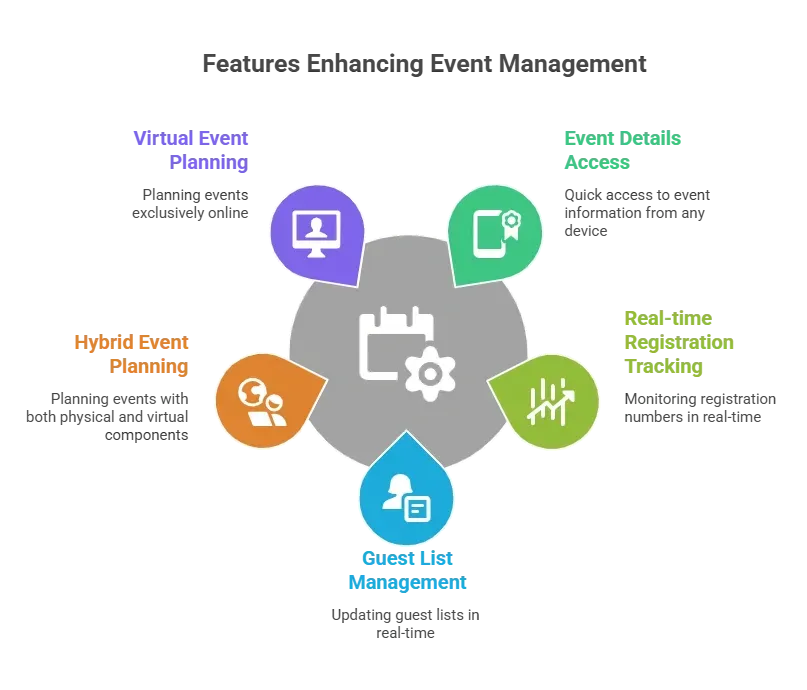
Support access from different devices. Desktop for planning. Mobile app for event day. Tablet device for check in kiosks.
The goal is simple. Let planners manage event management smoothly and focus on the experience.
Make Attendee Experience a Priority
An event is about people. Not just schedules. Attendees expect instant access to event information. They want smooth event registration. They want easy check in. They like live polls during sessions. They appreciate social tables that help them connect.
The app should support attendee engagement tools. Include live polls and social tables inside the platform. Help improve engagement with simple features.
Attendees also want clear communication. Push notifications in the app can share real time information. Changes in event details should update instantly.
A successful event depends on the attendee experience. Build the tools around that.
Focus on Data and Insights
Event management without data is guesswork. Good event management tools must track registrations, attendance, and engagement. Collect data at every step of the process.
Then turn that data into insights.
Show planners:
- Number of attendees checked in
- Drop off rates in registration
- Popular sessions
- Budget usage
This helps event planners improve engagement at the next event. It also helps event management companies show results to customers.
Keep reports simple. Clear charts. No complicated dashboards.
Keep the Planning Process Smooth
Event planning apps should guide the event planning process step by step.
Start with event creation. Then move to registration setup. Then guest list uploads. Then vendor management. Then check in setup. Break the process into small tasks. Add reminders. Help users track progress.
Event planning involves many moving parts. The app should help manage tasks in one place. Give support through chat or help center. Offer tailored solutions for unique needs.
Not every event looks the same. Some are in person. Some are hybrid events. Some are fully virtual events. The platform should adapt.
Add Smart Event Management Tools
Basic features are good. Smart tools are better.
Add:
- Social tables for networking
- Live polls during sessions
- Real time information updates
- QR code check in
- Custom pricing plans
Event management systems must grow with demand. Large events need strong attendance tracking. Small businesses may need simpler solutions. Support multiple pricing plans. Offer flexible solutions for different organization sizes.
And yes, connect the app with Google Drive again. Planners love easy file access.
How to Build Event Management Software with Rocket.new
So, what does the actual build process look like?
Good news. It is not a giant technical maze. Rocket.new simplifies the process.
Now what is Rocket.new? Rocket uses AI to let anyone build real, ready-to-use apps simply by describing what they need. No coding skills are required.
It manages research, design, and deployment, turning ideas into functional applications quickly and making app creation accessible to everyone, not only developers.
The platform gives event planners and teams a practical way to create event software without turning it into a six month headache.
Here is a clear step by step guide.
Step 1: Define the Event Goals
Before we get into any of the steps or hurdles ,you must have clarity on what to build, as the blueprint will help you have a clear idea.
What type of event is being built for?
- Corporate business event
- Hybrid events
- Virtual events
- Large events
- Small business meetups
Define the event planning goals. List the features needed. Guest list management? Check in kiosks? Attendance tracking? Social tables?
This step keeps the development process focused. No random features. No distractions.
Step 2: Create a New Project in Rocket.new
Sign into Rocket.new and create a new app project.
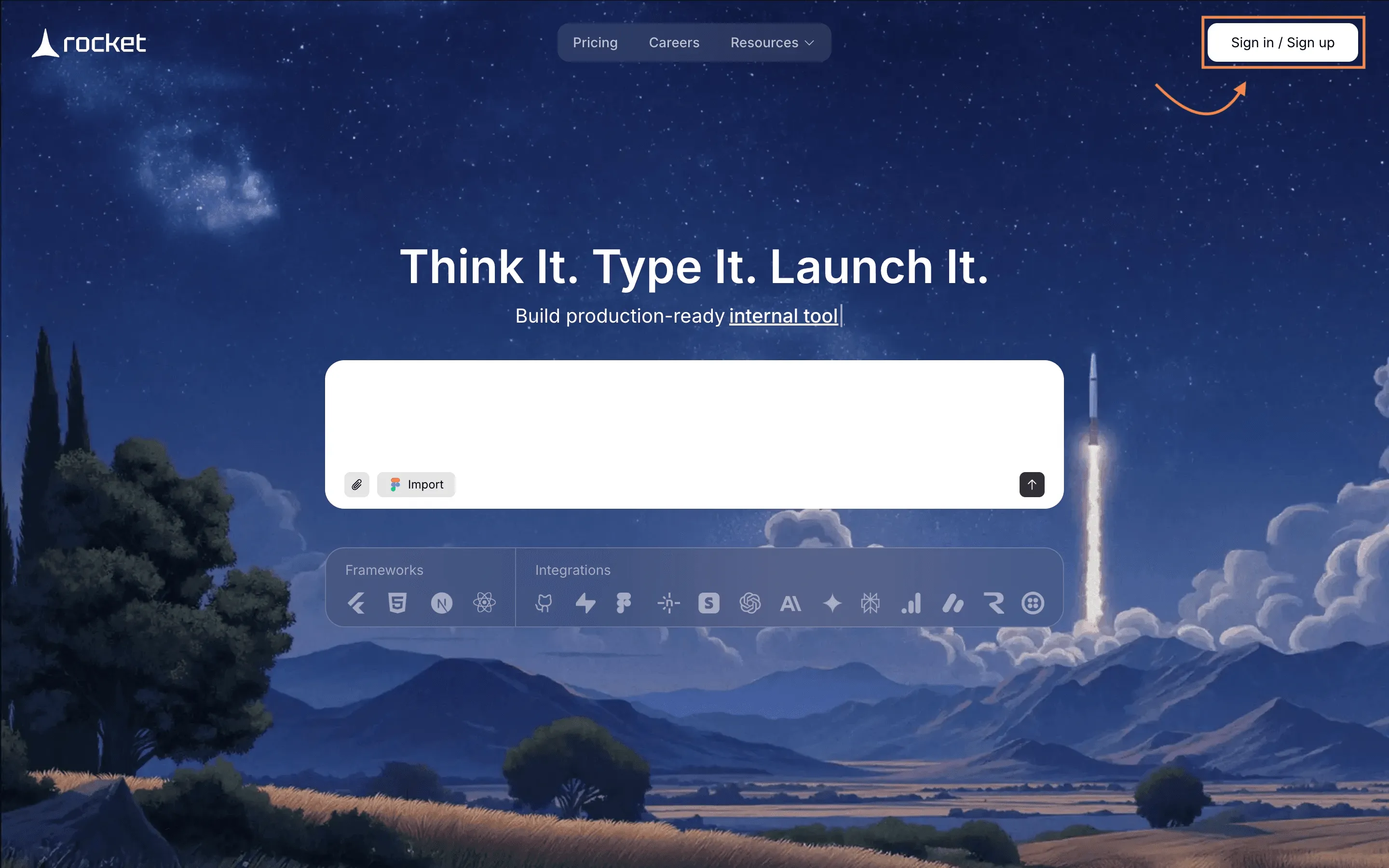
Choose a template that matches event management needs. Rocket.new offers ready structures that help speed up the setup.
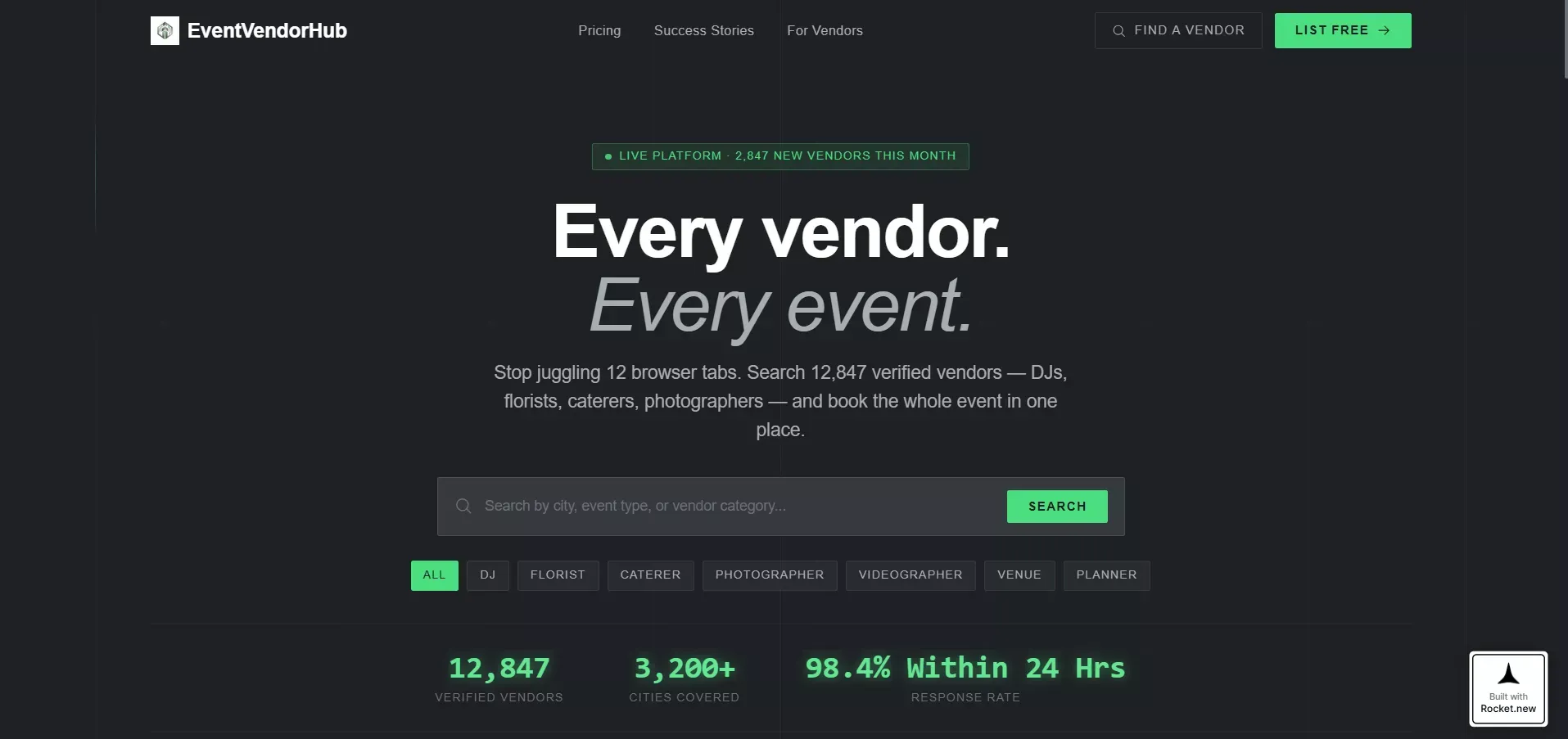
Here Rocket.new has one template called "Event Planning Digital Presence Specialist Directory Website Template", from the template gallery you can make it your project directly.
Step 3: Build the Event Registration Flow
Next, create the event registration system.
Use Rocket.new’s form builder to create registration forms. Add fields like:
- Name
- Ticket type
- Special requests
Connect the forms to a data table. This allows event planners to automatically track attendees. Set up confirmation emails. Add QR codes for check in.
The event registration process is now live.
Step 4: Set Up the Guest List and Data Tracking
Import guest list data or collect it through registration.
Rocket.new allows real time data updates. Event planners can quickly find attendees and manage RSVPs directly inside the app.
Create dashboards that track:
- Total registration
- Checked in attendees
- Attendance tracking numbers
This helps event management teams see what is happening during event day.
Step 5: Design the Check In System
Now comes the part everyone secretly worries about. Check in. Create a check in screen inside the app. Add QR code scanning using device camera access.
For large events, configure check in kiosks mode. Tablets can run the app in kiosk format. Add self check in kiosks for faster entry.
Test the check in process several times. No one wants long lines at the door.
Step 6: Add Engagement Tools
After that, build attendee engagement features.
Create:
- Live polls
- Social tables for networking
- Session feedback forms
These tools help improve engagement and collect insights.
Add push notifications so attendees receive event information instantly.
Keep it simple. Clean layout. No clutter.
Step 7: Connect Storage and External Tools
Event planners rely heavily on Google Drive. Connect the platform with Google Drive for file access.
Upload:
- Vendor contracts
- Floor plans
- Session documents
This centralizes organization and keeps all the tools in one place.
Rocket.new supports API connections, making it easy to link external tools.
Step 8: Configure Budget and Vendor Management
Create simple tables in the app to manage the budget and vendors.
Track:
- Payments
- Resource allocation
- Deadlines
Event management becomes smoother when all financial data stays visible.
Event planners can monitor spending and stay on track.
Step 9: Test Across Different Devices
Test the app on:
- Desktop
- Mobile device
- Tablet device
Event planning apps must work across different devices. Staff may use phones. Admins may use laptops. Kiosks may run on tablets.
Fix layout issues early. Clean design matters.
Step 10: Launch and Monitor
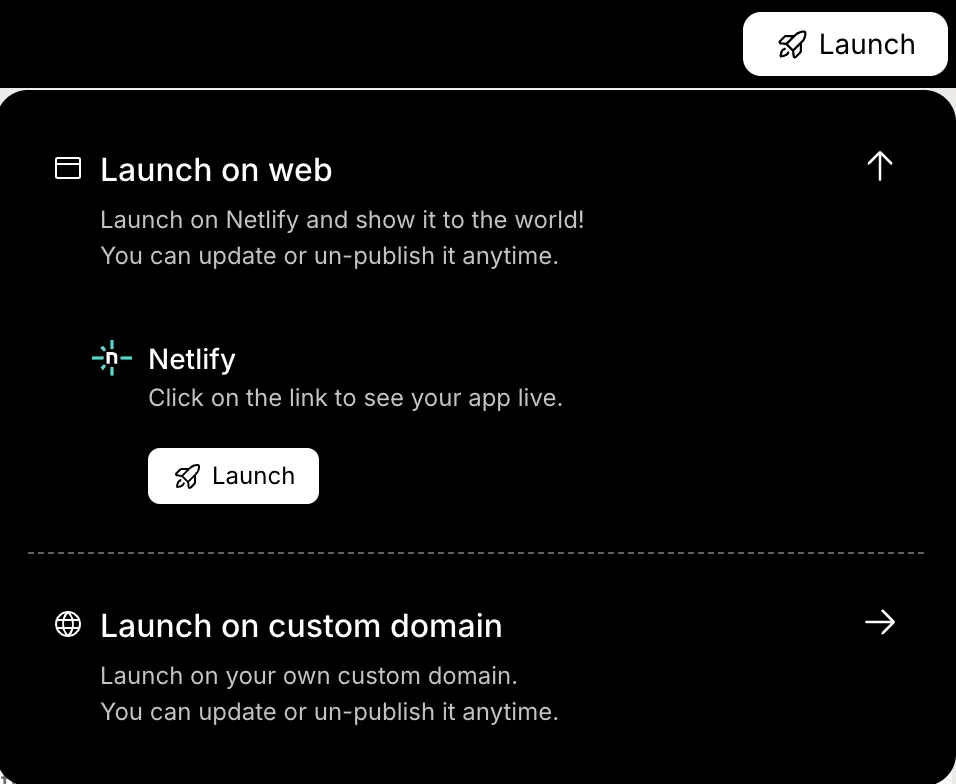
Once everything is rainbows and flowers, publish the app.
During event day, monitor:
- Registration flow
- Check in numbers
- Attendance tracking
- Live polls results
Use real time information dashboards. After the event, review data and insights. See what worked. Adjust for the next event. Event management is an ongoing process. Each event improves the next.
Support and Ongoing Improvements
Event management does not stop after launch.
Provide strong support. Offer onboarding tutorials. Add chat assistance. Listen to other users and customers.
Collect feedback. Track how users interact with the app. Improve features regularly.
Event management tools must adapt to demand. Event planners rely on stable management software. Updates should improve the process, not disrupt it.
Common Mistakes to Avoid
Some platforms try to add too many tools at once.
Avoid:
- Complicated dashboards
- Slow check in process
- Poor device compatibility
- Limited access controls
- No real time information
Keep the app focused. Simple tools. Clear process. Reliable access.
Sometimes less really is more.
Why Event Management Software Matters
Event planners manage dozens of tasks. They handle attendees, registration, check in, vendor management, and budget tracking. Without proper tools, event planning becomes stressful and messy.
Well-designed Event management software brings all event management tasks into one platform. It helps planners plan better, track data, manage attendees, and deliver a successful event with confidence.
Building strong management software means understanding planners first. Keep features practical. Support different event types. Make the app simple and reliable.
When tools work smoothly, event planners can focus on creativity instead of logistics. And that is what makes every event feel polished.
Table of contents
- -Understand the Real Needs of Event Planners
- -Define the Core Features
- -Build a Clean and Friendly Platform
- -Make Attendee Experience a Priority
- -Focus on Data and Insights
- -Keep the Planning Process Smooth
- -Add Smart Event Management Tools
- -How to Build Event Management Software with Rocket.new
- -Step 1: Define the Event Goals
- -Step 2: Create a New Project in Rocket.new
- -Step 3: Build the Event Registration Flow
- -Step 4: Set Up the Guest List and Data Tracking
- -Step 5: Design the Check In System
- -Step 6: Add Engagement Tools
- -Step 7: Connect Storage and External Tools
- -Step 8: Configure Budget and Vendor Management
- -Step 9: Test Across Different Devices
- -Step 10: Launch and Monitor
- -Support and Ongoing Improvements
- -Common Mistakes to Avoid
- -Why Event Management Software Matters

