
Build a CMS easily by defining a clear plan, selecting the right tech stack, and using flexible platforms like Rocket.new to create scalable, goal-driven systems powering modern websites and applications.
How to build content management system easily?
Use a clear plan, the right tech stack, and a flexible platform like Rocket.new to create a scalable CMS that fits your project goals.
Businesses rely on content management systems to run websites, apps, intranet portals, and even healthcare platforms. In fact, over 70% of websites use a CMS according to W3Techs.
That number says a lot. A CMS is no longer optional. It is standard practice.
What Does a CMS Actually Do?
A CMS helps teams manage content without rewriting code every time a page changes. It handles content storage, editing, publishing, search, file management, and user access.
Traditional content management systems like WordPress use plugins and themes. But modern custom cms setups go further. They connect with apps, APIs, healthcare systems, and business software.
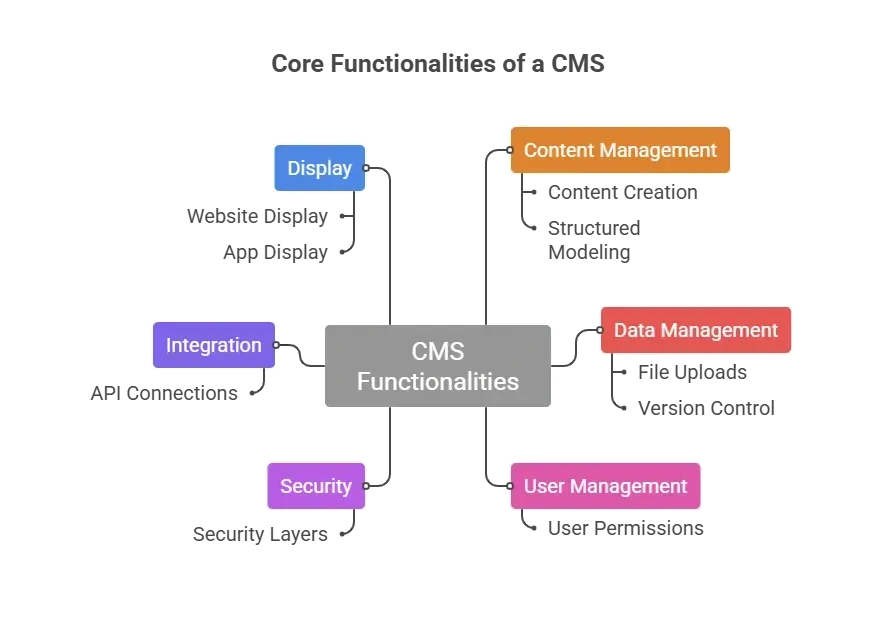
It is basically a management system for digital content. Clean. Organized. Searchable.
Why Build a Custom CMS?
Well, sometimes generic content management systems do not fit your project.
A healthcare company managing Medicare publications, Medicaid services documentation, and Children’s Health Insurance Program updates may need strict controls, security, and structured content.
That is where a custom cms makes sense.
A custom cms allows developers to:
- Customize workflows
- Integrate with Medicare and medicaid systems
- Control file access
- Connect APIs
- Support healthcare centers
- Deliver structured pages
- Manage multiple websites
Large healthcare clients dealing with Medicare and medicaid programs often require secure infrastructure and custom integrations. Off-the-shelf software may not meet compliance standards.
Custom CMSs allow better architecture decisions. Developers can choose frameworks that match their tech stack and infrastructure plan.
Planning the CMS Project
Before writing code, there needs to be a plan.
Start with these questions:
- Who are the users?
- What type of content will be managed?
- Does the site support healthcare programs like Medicare or Medicaid?
- Is search functionality required?
- What integrations are expected?
- Will it connect to an intranet?
Then define your architecture.
Here is a simple breakdown:
| Component | Purpose | Tools or Approach |
|---|---|---|
| Backend | Content storage and API | Node.js, .NET, or other frameworks |
| Database | Structured content and file data | SQL or NoSQL |
| Admin UI | Editing and writing interface | Custom UI or builder |
| API Layer | Connect apps and websites | REST or GraphQL |
| Security | Access control and protection | Role based permissions |
| Deployment | Hosting and infrastructure | Cloud vendor services |
This structure gives clarity to the project.
How to Build a Content Management System with Rocket.new
Rocket.new uses powerful AI to turn your ideas into fully functional, ready-to-launch applications just by describing what you want. No coding experience is needed. It seamlessly handles research, design, development, and deployment, transforming concepts into real products in record time.
With Rocket, building apps is no longer limited to developers—it’s accessible to everyone.
Step 1: Start with a Clear Prompt
Everything begins with a prompt. Inside Rocket.new, you describe what you want to create.
For example:
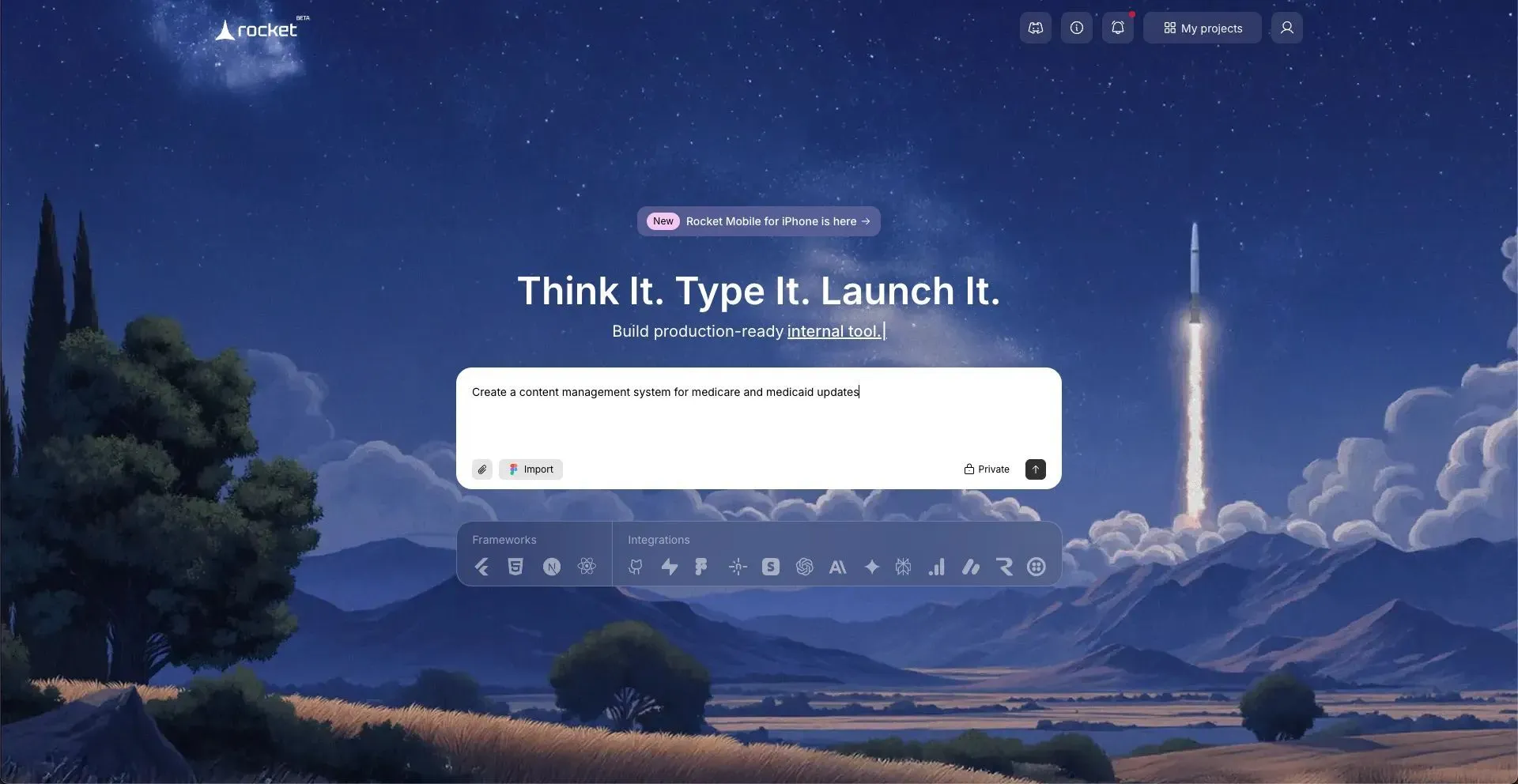
- “Build a CMS for healthcare publications.”
- “Create a content management system for medicare and medicaid updates.”
- “Develop a secure CMS with role based access and file uploads.”
The platform analyzes your idea and prepares a structured project foundation. No manual backend wiring at this stage. Just a clear idea.
Step 2: Choose the Framework and Tech Stack
Next, select your preferred framework.
You can choose:
- NextJs
- React
This defines your tech stack.
Developers still maintain control over architecture. The difference is that the setup is guided, not manual, and is done from scratch.
Step 3: Choose the Screens and Structure
Now select the screens your cms needs.
Typical CMS screens include:
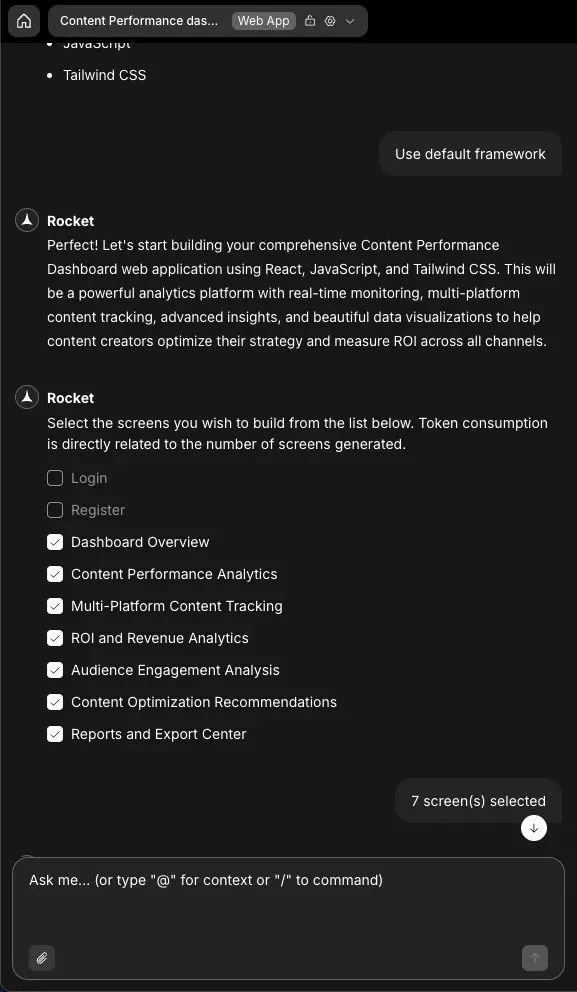
- Login
- Register
- Dashboard Overview
- Content Performance Analytics
- Multi-Platform Content Tracking
- ROI and Revenue Analytics
- Audience Engagement Analysis
- Content Optimization Recommendations
- Reports and Export Center
Rocket.new generates these screens automatically based on your selections. This is where your management system starts to look real.
Step 4: Let the System Build
Once selections are confirmed, the platform starts building.
It generates:
- Backend structure
- Database models
- API endpoints
- Frontend UI
- Authentication modules
Instead of writing hundreds of lines of base code, the CMS foundation is automatically generated. Developers can review and customize the generated structure.
Step 5: Add APIs and Integrations
After the base build is ready, add APIs.
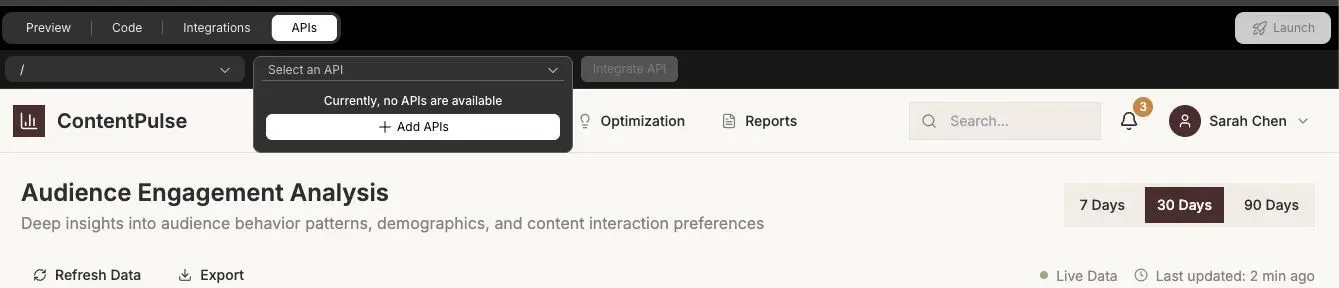
You can:
- Connect healthcare systems
- Integrate medicare data endpoints
- Sync medicaid services information
- Add analytics tools
- Connect third party software
The platform allows API configuration directly inside the project. This makes the cms flexible for apps, websites, and intranet platforms.
Step 6: Customize and Extend
Now, based on your preferences and taste, and of course, the use case, you can refine the system. Rocket.new provides tons of commands and features to let you change and edit exactly what you want.
To Read More: https://docs.rocket.new/command-center/commands/overview
Customize:
- Content models
- Role permissions
- UI components
- File storage rules
- Links management
- Search logic
You can also extend functionality using plugins. This stage shapes the final solution according to project needs.
Step 7: Testing
Before launch, test everything.
Check:
- Writing and editing workflow
- File uploads
- Search results
- Role based access
- API responses
- Security controls
Testing ensures the cms works as expected. No guessing. Just verification.
Step 8: Launch
Finally, deploy.
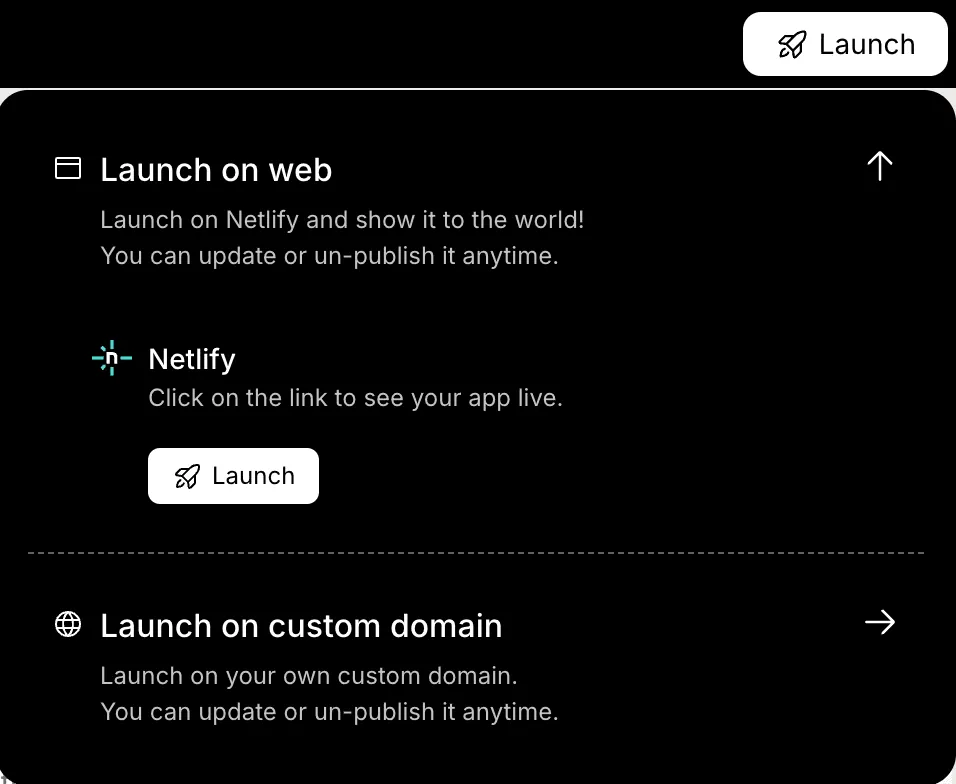
Choose your environment. Configure domain and infrastructure settings. Launch the site.
The cms is now live and ready for users.
Community Insight
In a recentr/webdev discussion, many developers talked about whether modern CMS workflows still make sense:
“Do you still use cms to create websites? A lot of people mentioned that building from scratch only works when custom needs are truly unique.”
That thread highlights something important. A custom cms can be a great solution, but only when the project demands specific workflows and control.
The Future of CMS Platforms
Things have changed. A cms is no longer just a blogging tool sitting quietly behind a simple website. It has grown into a full-scale management system that supports complex operations, secure data handling, and multi-platform content delivery.
Businesses now expect more than basic page editing. They expect structure, security, speed, and flexibility built into their content management systems.
They now manage:
- Healthcare systems
- Medicare enrollment information
- Medicaid service centers
- Client portals
- Apps
- News publications
As digital communication grows, structured content and secure infrastructure become expected standards. Companies want control. They want scalability. They want smart integrations.
And developers want tools that reduce repetitive work.
How to Build a Content Management System?
Businesses need structured content, secure access, Medicare and medicaid compliance, and scalable architecture. Traditional content management systems sometimes fall short. Custom development can become expensive and slow.
Use a clear plan. Choose the right tech stack. Build structured content modeling. Focus on security, integrations, and testing. Then leverage a platform like Rocket.new to simplify development and deployment.
Learning how to build a content management system is about clarity, not complexity. Keep the architecture simple. Focus on user needs. Build with purpose.
A CMS should manage content smoothly, support healthcare standards when required, and adapt to future growth without having to rewrite everything from scratch.
Table of contents
- -What Does a CMS Actually Do?
- -Why Build a Custom CMS?
- -Planning the CMS Project
- -How to Build a Content Management System with Rocket.new
- -Step 1: Start with a Clear Prompt
- -Step 2: Choose the Framework and Tech Stack
- -Step 3: Choose the Screens and Structure
- -Step 4: Let the System Build
- -Step 5: Add APIs and Integrations
- -Step 6: Customize and Extend
- -Step 7: Testing
- -Step 8: Launch
- -Community Insight
- -The Future of CMS Platforms
- -How to Build a Content Management System?