
Want to add AI to your app without chaos? Start small, define clear goals, prepare clean data, and choose the right AI tools or models. Roll out features in phases, monitor performance, and keep humans in the loop. Platforms like Rocket.new make AI integration easier by connecting APIs, data sources, and workflows without heavy coding.
How to Integrate AI into an app without turning your project into chaos?
The short answer: start small, define clear goals, prepare clean data, pick the right AI tools, and roll it out in phases. That is the practical path to real results.
AI is no longer a buzzword. According to McKinsey, 55% of companies report using artificial intelligence in at least one function, and adoption continues to rise each year.
So, if businesses are racing ahead, your app should not sit still. Let’s break down how to integrate AI into an app step by step, in plain language, without stress.
Why Add AI into an App in the First Place?
Before we talk about tools and models, let’s talk about why.
Integrating AI into an app makes it smarter. You improve the app's functionality. You create personalized experiences. And you make users feel like the app understands them.
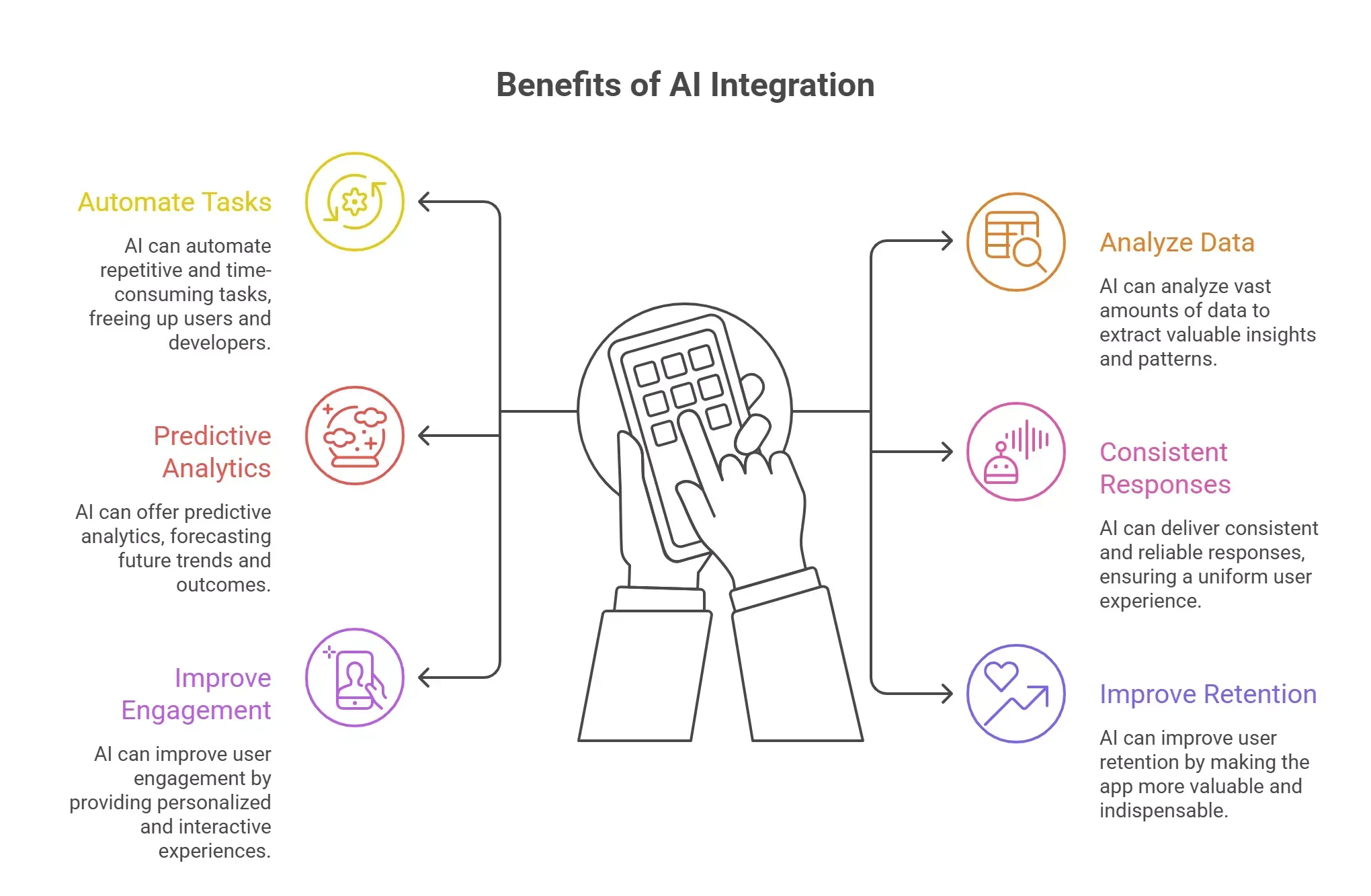
AI integration helps apps:
- Automate repetitive tasks
- Analyze large amounts of data
- Offer predictive analytics
- Deliver consistent responses
- Improve user engagement
- Improve user retention
Companies use artificial intelligence to work with learners. AI-powered analytics provide insights from data that would take humans hours to derive. AI can automate repetitive tasks, allowing teams to focus on strategic initiatives instead of small tasks.
What AI Can Actually Do Inside an App
Let’s keep it simple. AI in an app usually falls into a few use cases.
1. Smart Chat and Support
AI chatbots and virtual assistants can provide personalized support 24/7. With natural language processing, the app understands what users type and responds clearly.
You can also add sentiment analysis to detect frustrated users and automatically escalate tickets.
2. Recommendation Engines
AI models can analyze user data and suggest relevant products through a recommendation engine. This increases user engagement and improves user retention.
3. Computer Vision Features
Computer vision lets apps recognize faces, objects, or text in images. That is common in shopping apps, healthcare apps, and social platforms.
4. Generative AI for Content
Generative AI can create AI-generated content, product descriptions, or even help with content creation for marketing teams and social media posts.
5. AI Automation for Internal Work
AI-powered workflows can automate ticket categorization, call summarization, or email sorting. That reduces repetitive tasks inside existing processes.
Step 1: Define Clear AI Objectives
If you want to integrate AI into an app successfully, start with clarity.
Ask:
- What problem are we solving?
- Which user pain point needs attention?
- Do we need natural language processing, computer vision, or predictive analytics?
AI integration starts with defining clear objectives. Without that, you risk building fancy features nobody needs.
Start with a small feature. Not the entire system. This phased approach lowers hidden risks and protects your security and data privacy.
Step 2: Prepare and Clean Your Data
AI runs on data. No shortcuts.
You need high-quality internal data and sometimes external data. You may also connect external sources, such as Google Sheets, to gather structured data.
Data preparation includes:
- Cleaning messy records
- Fixing formatting issues
- Removing duplicates
- Data labeling for model training
- Checking compliance for sensitive data
Data privacy matters. Follow privacy-by-design principles and align with GDPR or HIPAA if needed.
Without strong data preparation, AI models will produce weak results. Garbage in, garbage out.
Step 3: Choose the Right AI Models and Tools
Now comes the technical part.
You can either:
- Use pre-trained APIs from AI platforms
- Build custom machine learning models
Popular AI platforms include Google Cloud AI, Microsoft Azure AI, IBM Watson, and Amazon Web Services. Open-source AI models such as Llama 2 and Falcon 180B also perform well.
When selecting tools, choose tools based on:
- Your app size
- Technical capabilities of your team
- Budget
- Data volume
Cloud based ai works for heavy tasks. On-device machine learning works for low latency and offline usage.
Here is a quick comparison:
| Approach | Best For | Pros | Cons |
|---|---|---|---|
| Pre-trained APIs | Fast launch | Low setup time | Less control |
| Custom AI models | Unique needs | Full control | Higher cost |
| On-device AI | Real-time tasks | Fast responses | Device limits |
| Cloud AI | Complex data analysis | Powerful processing | Internet required |
Pick what matches your app and users.
Step 4: Connect AI into an App
Now you integrate.
AI integrations connect AI apps with other apps. This allows data to flow back and forth.
You can:
- Connect via API
- Use TensorFlow Lite for mobile
- Apply Retrieval Augmented Generation to connect AI models with internal data
- Use Zapier to connect AI apps to other apps
When you integrate AI into an app, run functional, integration, and user acceptance testing.
Check:
- Response latency
- Model accuracy
- Battery usage
- Security layers
Start small. Then expand.
Step 5: Add Human-in-the-Loop Systems
AI is smart. But it makes mistakes.
So keep humans involved.
Add options that let users override AI decisions. This builds trust and protects from hidden risks.
For example:
- Let users edit AI-generated content
- Allow corrections to the recommendation results
- Provide feedback buttons
User feedback feeds back into model training. This creates a flywheel where new data improves accuracy.
Continuous improvement matters.
Step 6: Monitor and Improve
AI integration does not stop after launch.
You must monitor:
- Model drift
- Accuracy
- Security threats
- Data privacy compliance
Update models with new data regularly. Track performance metrics.
AI integration is not a one-time project. It is ongoing maintenance.
Common Challenges When Adding AI to an App
Let’s be honest. It is not always smooth.
Data Disorganization
Siloed data slows everything. Internal data scattered across systems makes ai integration harder.
Ethical and Bias Issues
Machine learning models can learn bias from bad data. That impacts fairness.
Cultural Resistance
Teams may fear AI automation. They worry about job loss.
Train employees on AI tools. Show them how AI supports tasks instead of replacing users.
Security and Compliance
Sensitive data must be encrypted. You must respect data privacy laws.
Real Community Insight
On Reddit, one developer shared:
“We started with a small AI feature in our support app. Once users trusted it, adoption grew naturally. Don’t try to build everything at once.” Source:
This matches best practices. Begin small. Expand later.
No Code AI: Where Rocket.new Enters the Scene
So, where does Rocket fit into how to integrate AI into an app?
Rocket is a no code platform that helps users build mobile and web apps quickly. It allows teams to connect AI services without heavy coding. That means faster AI integration with less friction.
What Rocket.new Offers
Based on Rocket.new’s platform features:
- Drag and drop app builder
- API connections
- Database connections
- Workflow automation
- Publishing support
You can connect AI models through APIs. You can link data sources like Google Sheets. You can automate processes inside your app.
That means you can integrate AI into an app without deep backend complexity.
Use Cases with Rocket.new
- Add AI chatbots for personalized support
- Connect generative AI for content creation
- Use predictive analytics dashboards
- Automate internal processes
- Connect external data sources
Rocket.new helps reduce the technical barrier. It supports AI powered workflows while keeping control in your hands.
For founders and product teams, this means faster testing of AI solutions. You can prototype, gather user feedback, and refine.
AI and User Experience: What Really Changes?
When AI is integrated properly:
- Users get personalized experiences
- The app feels responsive
- Tasks complete faster
- Decisions improve through data analysis
AI integration can maintain a consistent tone in communication. It can categorize requests. It can help analyze user data for smarter recommendations.
That builds trust. And trust increases user engagement.
Practical Example: Adding AI to a Shopping App
Let’s say you want to integrate AI into a shopping app.
You might:
- Add a recommendation engine using machine learning
- Use computer vision for image search
- Add natural language processing for smart search
- Connect internal data with ai models
- Monitor performance
Start with one feature. Measure impact. Then expand.
That is how to integrate AI into an app responsibly.
The Bigger Picture: AI as a Strategic Move
AI integration is now part of many product roadmaps.
Businesses use artificial intelligence capabilities to:
- Improve processes
- Reduce manual tasks
- Improve user engagement
- Gain a competitive advantage
When done correctly, ai into an app can open new realms of possibility for growth and personalized experiences.
But always keep users at the center. If the AI feature does not help users, it is just noise.
How to Integrate AI into an App Without Overcomplicating It
How to Integrate AI into an app is not about adding fancy features. It is about solving real problems with smart AI technology, clean data, and clear goals.
Start small. Choose the right AI tools. Prepare your data carefully. Keep humans in control. Monitor performance. Improve over time.
And if you want a faster way to build and test AI apps, platforms like Rocket.new can simplify the process while keeping your team focused on user value.
AI works best when it feels natural inside your app. Keep it practical. Keep it useful. Keep it human.
Table of contents
- -Why Add AI into an App in the First Place?
- -What AI Can Actually Do Inside an App
- -1. Smart Chat and Support
- -2. Recommendation Engines
- -3. Computer Vision Features
- -4. Generative AI for Content
- -5. AI Automation for Internal Work
- -Step 1: Define Clear AI Objectives
- -Step 2: Prepare and Clean Your Data
- -Step 3: Choose the Right AI Models and Tools
- -Step 4: Connect AI into an App
- -Step 5: Add Human-in-the-Loop Systems
- -Step 6: Monitor and Improve
- -Common Challenges When Adding AI to an App
- -Data Disorganization
- -Ethical and Bias Issues
- -Cultural Resistance
- -Security and Compliance
- -Real Community Insight
- -No Code AI: Where Rocket.new Enters the Scene
- -What Rocket.new Offers
- -Use Cases with Rocket.new
- -AI and User Experience: What Really Changes?
- -Practical Example: Adding AI to a Shopping App
- -The Bigger Picture: AI as a Strategic Move
- -How to Integrate AI into an App Without Overcomplicating It