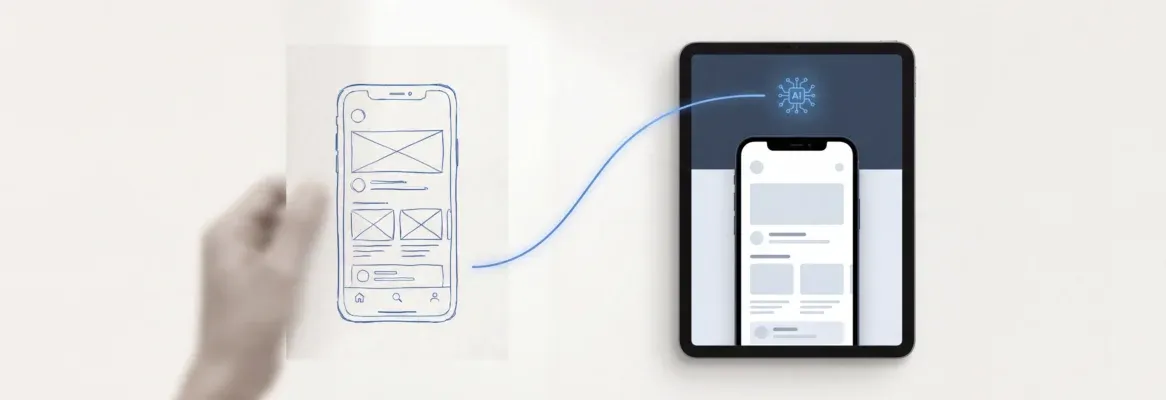
Ready to transform sketches into real apps quickly? This blog explains using AI tools for rapid prototyping, highlights growing adoption, and guides creators from ideas to functional applications efficiently today.
How to turn a simple sketch into a working app?
Well, you can do it today using AI-powered workflows and modern tools. With the rise of AI prototyping, teams can go from idea to rapid prototyping faster than ever.
According to a report by McKinsey, AI adoption has grown significantly, with over 50% of companies using AI in at least one function.
So, if you are a creator, product thinker, or someone who just has an idea, this blog will walk you through rapid prototyping using AI tools in a simple, real-world way.
What is Rapid Prototyping in the AI Era?
So, what does rapid prototyping really look like today?
Rapid prototyping is all about quickly creating versions of a product so you can test ideas without wasting time. Earlier, this process was slow and depended heavily on basic tools and long coordination with the engineering teams work.
Now, things feel very different. With AI powered prototyping, speed and flexibility have improved a lot.
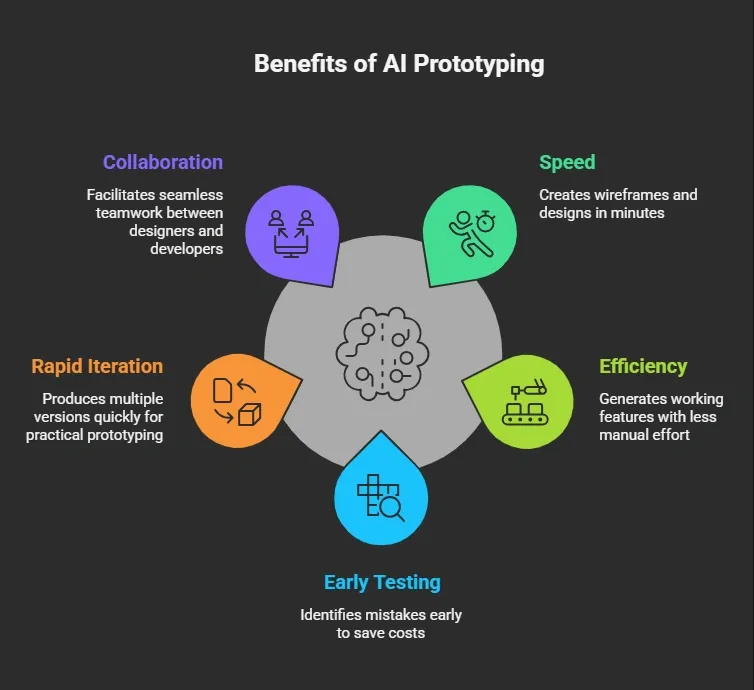 All of this makes prototyping tools more accessible and useful, even for beginners.
And one thing to keep in mind. Human designers are still important. AI does not replace creativity. It simply helps people move faster and focus on better design decisions.
Steps to Go From Sketch to Prototype
Alright, before we jump into the process, let’s set the stage.
If you’re getting into rapid prototyping using AI prototyping tools, the goal is simple. Move fast, test early, and improve quickly. You don’t need perfection in the beginning. You just need momentum.
A couple of quick notes before you start:
Stay flexible. During the early stage, your ideas will change. That’s completely normal in rapid prototyping.
Focus on speed over perfection. Use AI-powered prototyping to build, test, and iterate instead of overthinking the initial design.
Step 1: Start With Rough Ideas and Sketches
Every product begins with rough sketches. These are your early thoughts, not perfect designs. Just focus on your idea.
Use basic tools or even paper to map your initial design. Then, move to AI prototyping tools that can convert those sketches into low fidelity wireframes.
Many AI powered tools understand natural language. You can describe your idea in plain language, and the AI proposes layouts for you.
This is where design generation becomes fun. You go from messy ideas to structured layouts in minutes.
Step 2: Create Wireframes and Map User Flows
Next, create wireframes and define your user flows. Think about how users will move through your product.
At this stage, low fidelity wireframes are enough. Focus on structure, not beauty.
Use prototyping tools like UX-focused platforms or AI prototyping tools that help you generate multiple screens quickly. These tools often include magic patterns that speed up layout creation.
User flows matter a lot. They help you understand how users interact with your product before adding complex interactions.
Step 3: Turn Wireframes Into Interactive Prototypes
Now comes the fun part. Turn your wireframes into an interactive prototype.
This is where AI prototyping shines. Many AI powered prototyping tools can add interactive components without manual effort.
You can simulate clicks, navigation, and transitions. This helps you test prototypes early and spot design flaws before development starts.
At this point, your prototype starts feeling real. It is not just design anymore. It is something users can actually try.
Step 4: Move to High Fidelity Designs
After wireframes, move toward high fidelity designs. This means adding colors, typography, and fine details.
High fidelity prototypes look close to the final product. Some tools even generate high fidelity UI automatically from simple prompts.
This is where your design system comes into play. Using an existing design system or an existing code design system helps maintain consistency.
Many AI prototyping tools can pull from existing components and create clean react components. This saves time and keeps everything aligned.
Step 5: Add Logic and Build Functional Prototypes
Now, you move from design to function. This is where AI coding tools and generated code help.
You can start writing code or let AI code directly based on your prompts. Many platforms now support building full stack apps with minimal manual coding.
These tools handle complex logic, connect APIs, and even use real data.
Your goal here is to create functional prototypes. These are not just visuals. They actually work.
Step 6: Test, Get Feedback, and Iterate
Once your prototype is ready, start user testing. This is where usability testing comes in.
Ask real users to try your product. Gather feedback and collect feedback to improve your design.
Feedback loops are key. You may go through multiple iterations and create multiple versions before finalizing your product. Also, gather customer feedback early. This helps avoid building something users do not need.
Take it step by step. Rapid prototyping with AI prototyping tools is all about learning fast and improving faster. Don’t aim for perfection. Just keep building, testing, and refining your ideas.
Tools Comparison
Here’s a simple table comparing popular tools used in AI prototyping:
| Tool Type | Features | Best For | Pricing |
|---|---|---|---|
| AI design tools | Design generation, user interfaces | Designers | Free plan + professional plan |
| AI coding tools | Generated code, APIs | Developers | Free plan |
| UX tools like UX Pilot | User flows, interactive prototype | Product managers | Free plan |
| Full stack builders | Web apps, backend | Startups | Free plan |
These rapid prototyping tools help reduce time and improve cost efficiency.
Rocket.new: Your Launchpad for Prototyping
Rocket.new is an AI powered platform designed to simplify AI prototyping. It helps you go from rough ideas to a working app without getting stuck in long development cycles.
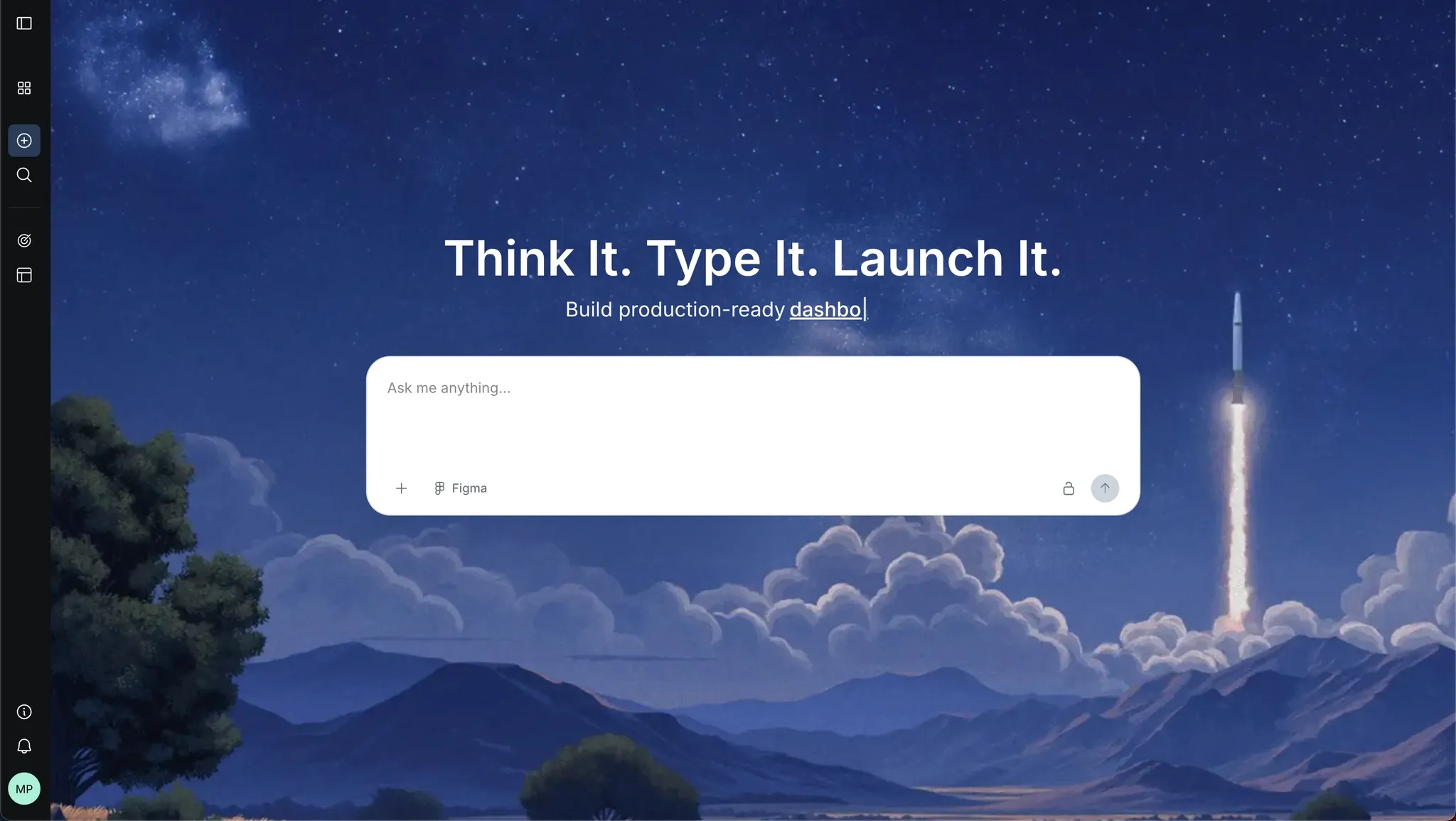 If you want rapid prototyping from sketch to product, Rocket.new acts like a bridge between design, logic, and execution.
Rocket.new brings together prototyping tools, AI coding tools, and design support in one place. That makes it a strong choice during the early stage when speed matters most.
Top Features
-
Prompt to App Creation: Builds apps directly from single prompts
-
Figma Import: Converts design files into live, editable layouts
-
AI-Powered Backend: Automatically handles logic, data, and workflows
-
Reusable Components: Speeds up building with ready-to-use elements
-
Command-based actions: Use / and @ to run actions and quickly scope edits.
-
Custom Domain Support: Publishes projects with a branded domain
-
Code Export: Allows developers to extend or customize later
-
Live Preview: Shows instant updates while editing
How to Use Rocket.new for Rapid Prototyping in 2026
Using Rocket.new is straightforward. You just prompt it.
Describe your idea in natural language, and it starts creating layouts, user interfaces, and structure instantly. You can go from rough idea to full stack apps without jumping across different prototyping tools. It even helps generate code directly and handle complex logic.
Then, refine your design using its design system, reuse existing components, and move toward high fidelity prototypes. You can test your interactive prototype with real data, run user flows, and fix design flaws quickly.
Use cases:
-
Build mobile apps quickly from simple prompts
-
Create web apps without heavy coding
-
Develop internal tools for teams and workflows
-
Design landing page or marketing websites
-
Build dashboards and data-driven platforms
In short, you think it, you type it, and Rocket.new helps you build prototypes fast and turn them into a working app.
Physical Prototyping Meets AI
So, AI is not just about apps and screens. It also plays a big role in physical rapid prototyping.
When it comes to building real-world products, ai powered systems are helping designers and engineers move faster and make better decisions early on.
Here’s how AI supports physical prototyping:
-
Technologies like fused deposition modeling help create quick physical models layer by layer
-
Selective laser sintering is used for more precise and durable parts
-
Industries that need production quality parts rely on these methods for testing and validation
-
Even traditional techniques like injection molding now benefit from AI-based planning
-
Computer aided design tools include ai powered features for faster modeling and better accuracy
-
Designers can test ideas early without committing to expensive manufacturing processes
AI brings speed and flexibility to physical rapid prototyping. It helps reduce waste, save time, and improve designs before final production.
Challenges and Things to Watch
Now, let’s keep it real. While AI prototyping is powerful, it is not perfect. There are still some challenges you should be aware of while working with AI prototyping tools.
Here are a few things to watch out for:
-
AI models can struggle with complex interactions or unusual edge cases
-
You might need manual fixes when results are not accurate
-
Design flaws can still appear, especially if inputs are not clear
-
User research is still important to understand real user needs
-
User testing helps validate whether your prototype actually works in real scenarios
-
Over-reliance on AI tools can sometimes reduce creative thinking
AI speeds things up, no doubt. But your judgment still matters. Use AI powered prototyping as a support system, not a replacement for thoughtful design decisions.
Building Smarter, Faster Products
Building apps once took months, large teams, and heavy coding effort. The process was slow, and making changes late in development was costly. With AI-powered prototyping and modern prototyping tools, things are much faster now. Teams can create rapid prototyping workflows, test ideas early, and improve designs without long delays.
If you want to learn how to use AI for rapid prototyping in 2026, start small and stay consistent. Use AI tools to build quick prototypes, validate ideas, and iterate based on feedback. The faster you test and refine, the better your product becomes. Keep it simple and focus on progress.
Table of contents
- -What is Rapid Prototyping in the AI Era?
- -Steps to Go From Sketch to Prototype
- -Step 1: Start With Rough Ideas and Sketches
- -Step 2: Create Wireframes and Map User Flows
- -Step 3: Turn Wireframes Into Interactive Prototypes
- -Step 4: Move to High Fidelity Designs
- -Step 5: Add Logic and Build Functional Prototypes
- -Step 6: Test, Get Feedback, and Iterate
- -Tools Comparison
- -Rocket.new: Your Launchpad for Prototyping
- -Top Features
- -How to Use Rocket.new for Rapid Prototyping in 2026
- -Use cases:
- -Physical Prototyping Meets AI
- -Challenges and Things to Watch
- -Building Smarter, Faster Products