

Curious about tracking social conversations without complex coding? Learn how to build a simple social listening system using tools like Rocket.new to monitor mentions, trends, and engagement across platforms easily.
How to build your own social listening system with minimal coding?
You can create powerful social media monitoring software that tracks conversations, brand mentions, and trends across platforms with the help of tools like Rocket.new.
According to data, 80% of businesses indicate increased web traffic from social media marketing. Building your own system doesn’t have to be intimidating. With the right approach and tools, you can monitor what matters across social networks in real time.
In this blog, you’ll learn how to build your own social media monitoring software step by step and discover which tools make your workflow easier.
What is Social Media Monitoring and Why Does It Matter?
Let’s begin with a simple idea.
Monitoring social media means listening to what people are saying across social channels like LinkedIn, Facebook, Instagram, and more. It’s about tracking brand mentions, sentiment, and trending topics so you never miss a beat in your brand’s online presence.
Today’s social media environment is crowded. Competitors post constantly. Your customers share opinions. Conversations happen fast across platforms. A solid monitoring system helps you discover what’s happening and respond quickly. It fuels your social media strategy with insights that drive real business impact.
Social media monitoring and social media listening are closely related. Monitoring focuses on tracking, capturing mentions and data. Listening adds meaning, interpreting sentiment and patterns. Both are important for actionable insights and a deeper understanding of your audience.
Why Build Your Own Social Monitoring Software?
You might ask, why build your own tool when many platforms already exist?
Three main reasons arise:
- Customization: You decide what matters most to your audience.
- Control: You own the data and adjust the system as your brand grows.
- Cost Efficiency: Over time, custom software may cost less than big‑brand tools.
Plus, creating your own system helps you learn a lot about your customers and your industry. Let’s dive into how to actually build this.
Core Features of Social Media Monitoring Software
Before we code anything, it helps to define what your software needs.
Here’s a simple table to break it down:
| Feature | Purpose |
|---|---|
| Track Mentions | Monitor brand mentions across networks |
| Social Listening | Understand what people are saying |
| Analytics & Insights | Turn data into useful metrics |
| Alerts & Notifications | Know when a crisis or trend happens |
| Dashboard | Visual overview of all activity |
| API Integrations | Connect with Facebook, Linkedin, Instagram |
This set provides a foundation for measuring reputation, audience engagement, and industry trends.
How to Build Social Media Monitoring Software?
So, you’re ready to build your social media monitoring software?
Cool. Here’s a simple step-by-step guide to get it done with Rocket.new.
Follow along, and you’ll have your app tracking mentions, trends, and engagement in no time.
Step 1: Define Your Social Media Monitoring Goals
Start with clarity. Know exactly what your social media monitoring software should achieve. Narrowing the scope saves a lot of time later. Decide what problem your app solves before opening Rocket.new.
Choose your core focus:
- Track brand mentions across Facebook, Instagram, LinkedIn
- Monitor hashtags and keywords in your industry
- Analyze social media trends and engagement metrics
- Collect insights from competitors’ posts
- Detect spikes in conversations for real-time alerts
Pick one or two main goals for your MVP. Trying to track everything at once can get messy.
Step 2: Sign Up to Rocket.new
Head to Rocket.new and create an account. Set up a new project from the dashboard.
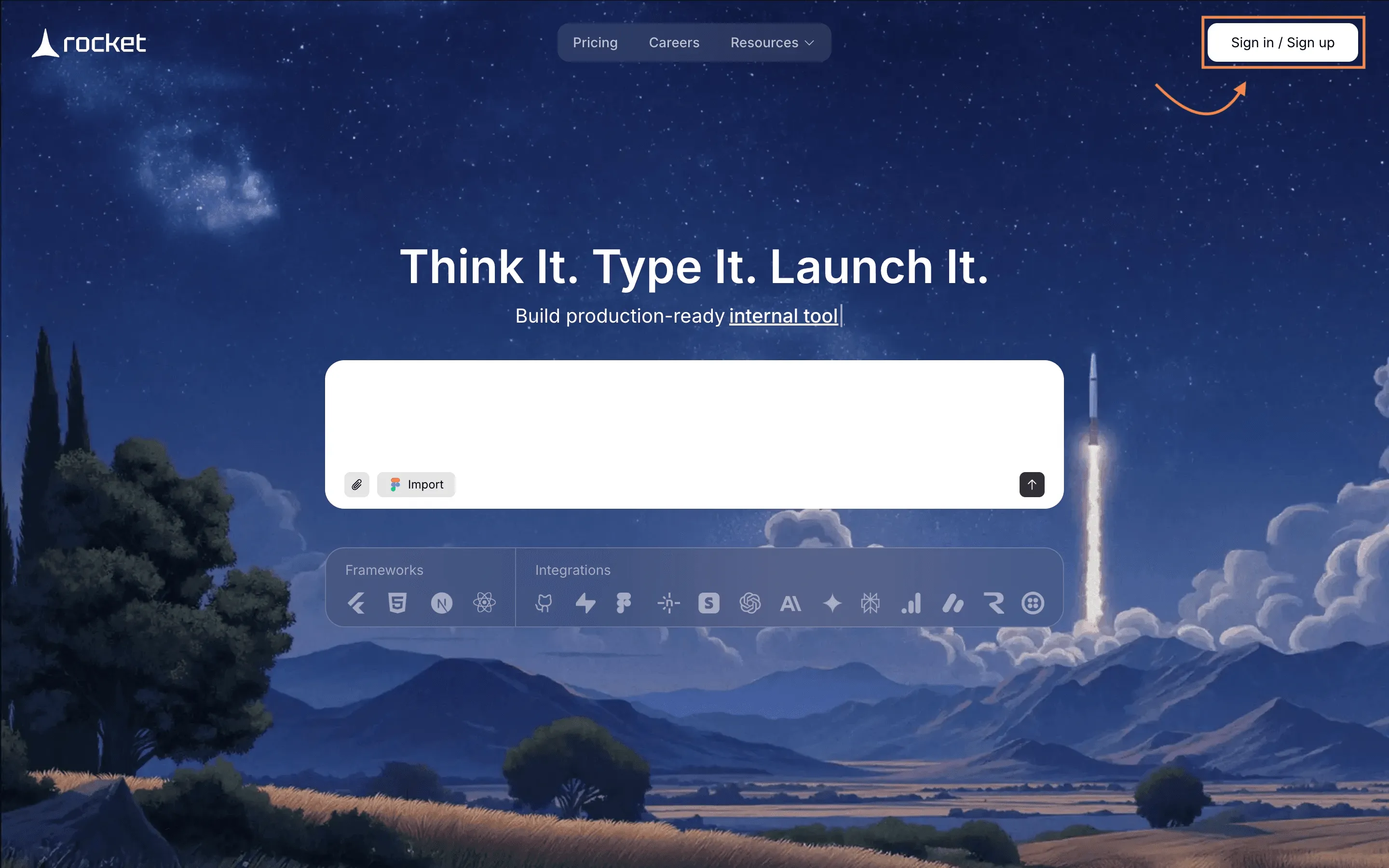
No manual backend setup. No confusing configuration. Just a clean workspace ready to start building your social monitoring tool.
Step 3: Enter a Prompt or Choose a Template
Now comes the exciting part. You either describe your tool in natural language or pick an existing template.
Option 1: Enter a clear prompt
Example:
“Build a social media monitoring app for Facebook, Instagram, and LinkedIn. Track brand mentions, hashtags, and trending topics. Show engagement metrics, alerts for spikes, and analytics dashboards. Include login, admin panel, and reporting.”
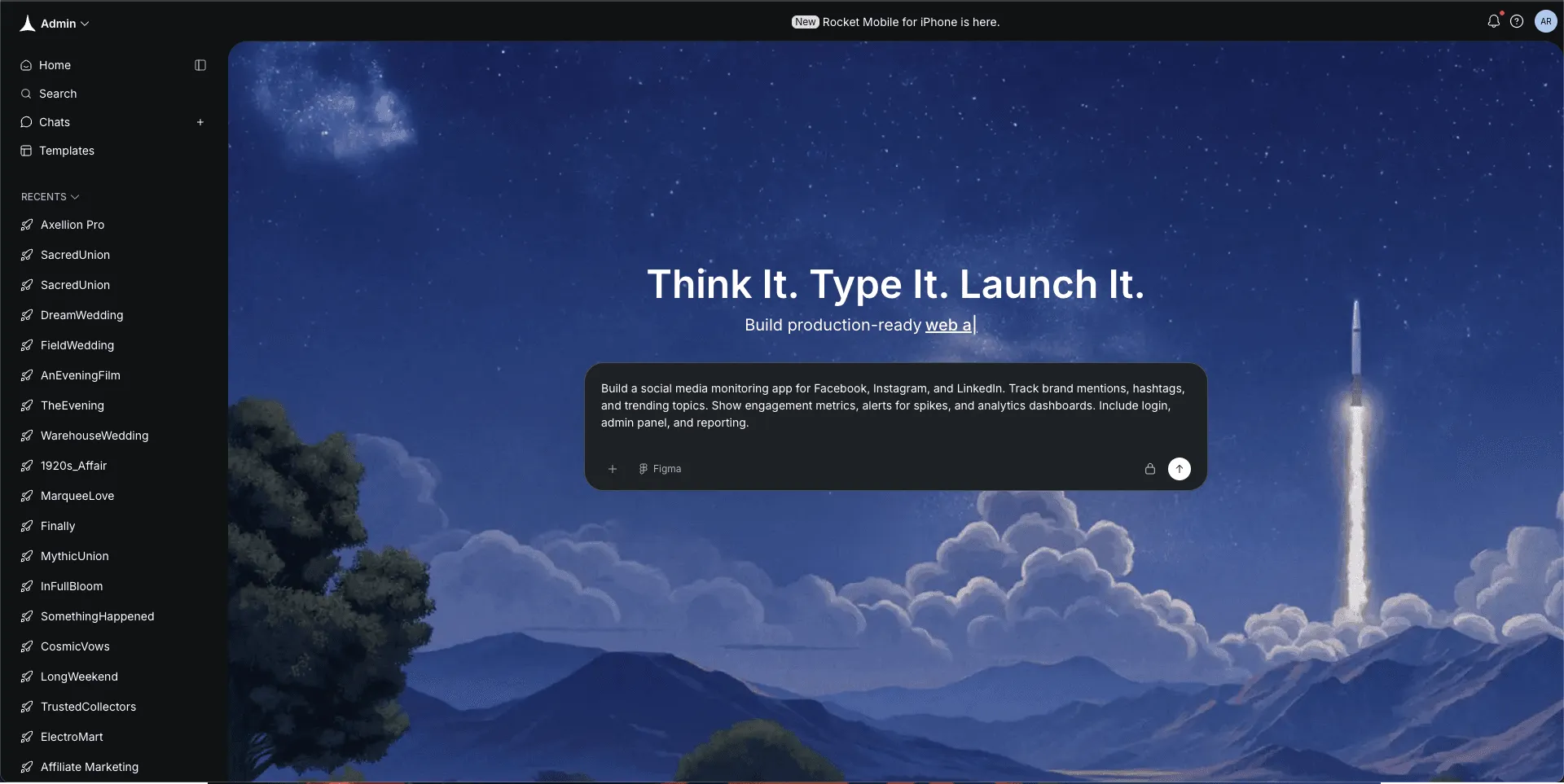
Option 2: Choose a template
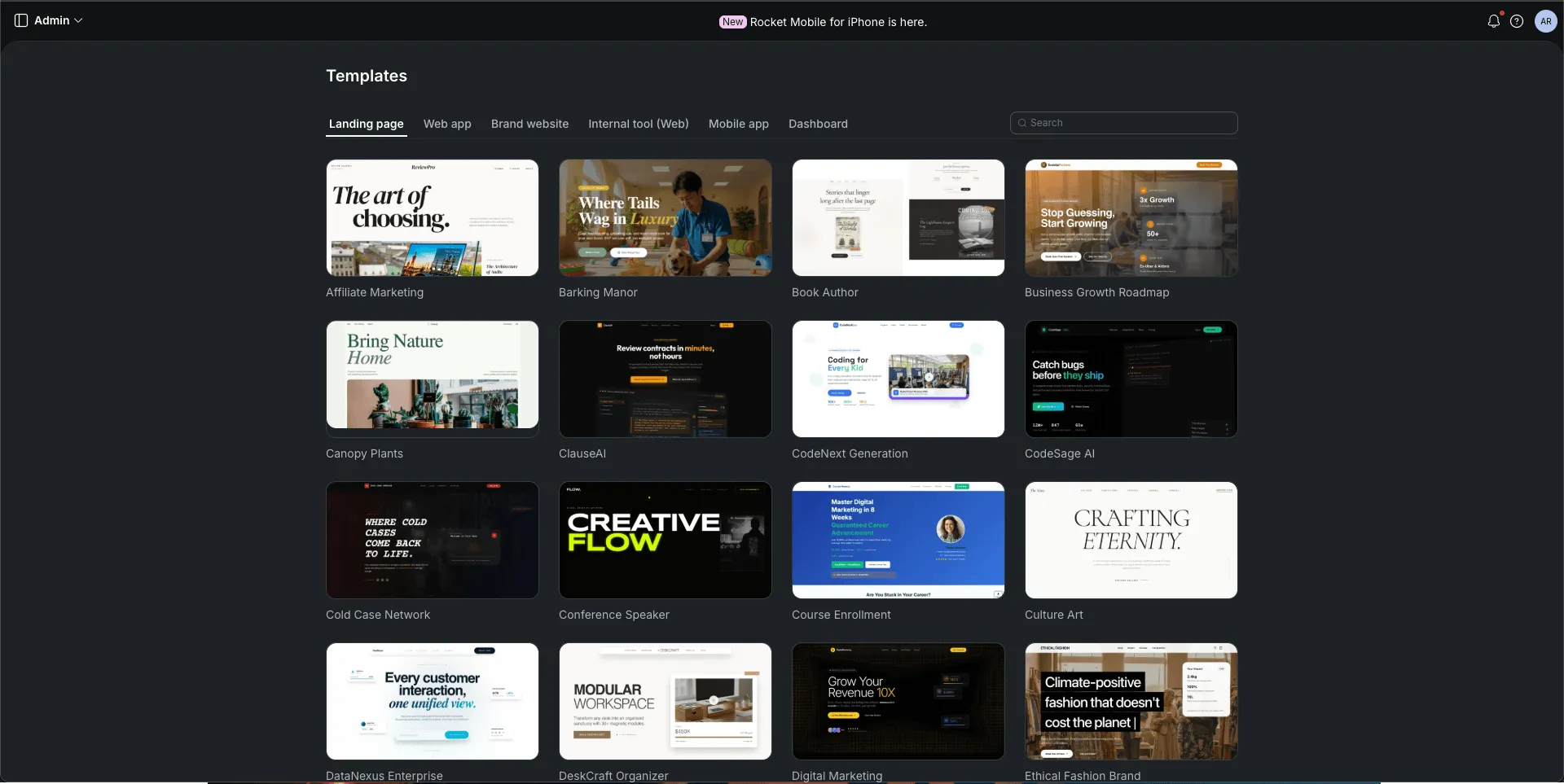
Templates may include:
- Analytics dashboards
- Social media engagement tools
- Monitoring and alert systems
- Reporting platforms
Be precise. The better the input, the smoother the build.
Step 4: Select the Screens You Need
Now shape the app visually. Pick the screens your monitoring software requires.
Include:
- Login and admin access
- Dashboard with metrics and graphs
- Mentions and hashtag tracker
- Alerts and notifications screen
- Post and comment overview
- Reporting and analytics page
- Profile and settings
Confirm your selections, then let Rocket.new start building.
Step 5: Watch It Build in Real Time
This is the fun part. Rocket.new generates:
- Frontend screens for your dashboard and trackers
- Backend logic to store mentions, posts, and metrics
- Database models for social media accounts and hashtags
- Authentication for users and admins
Instead of weeks of manual coding, the foundation is ready in minutes.
Step 6: Review the Generated App
Pause and inspect carefully. Check:
- Are brand mentions and hashtags tracked correctly?
- Are analytics and engagement metrics displaying accurately?
- Are alerts firing for spikes in conversations?
- Is navigation smooth across dashboards and reports?
If something seems off, tweak it before moving forward.
Community Insight: Real Builder Experience
Here’s a real perspective from LinkedIn about using Rocket.new to build a social tool:
“I gave Rocket my core idea just once. No detailed layout. Rocket came back with a complete structure: all the pages I needed, functional flows, real UI component, It was like the tool was thinking for me, not waiting on me.”
This shows how a builder thought through their users’ needs with minimal tech friction.
Step 7: Refine Using Rocket.new Commands and Features
Rocket.new gives you flexibility to adjust without rebuilding.
Use commands like:
- “/Add auth”
- "/change app theme"
- "/update app logo"
It’s more like guiding the app than coding it from scratch.
Step 8: Test Everything Thoroughly
Before launch, test every feature. Monitor social media posts, hashtags, and mentions in a sandbox environment.
Check:
- Are mentions logged accurately?
- Are alerts delivered promptly?
- Does the dashboard show trends correctly?
- Is data from multiple social networks synced?
- Are security and authentication settings working?
Fix small issues now to avoid big headaches later.
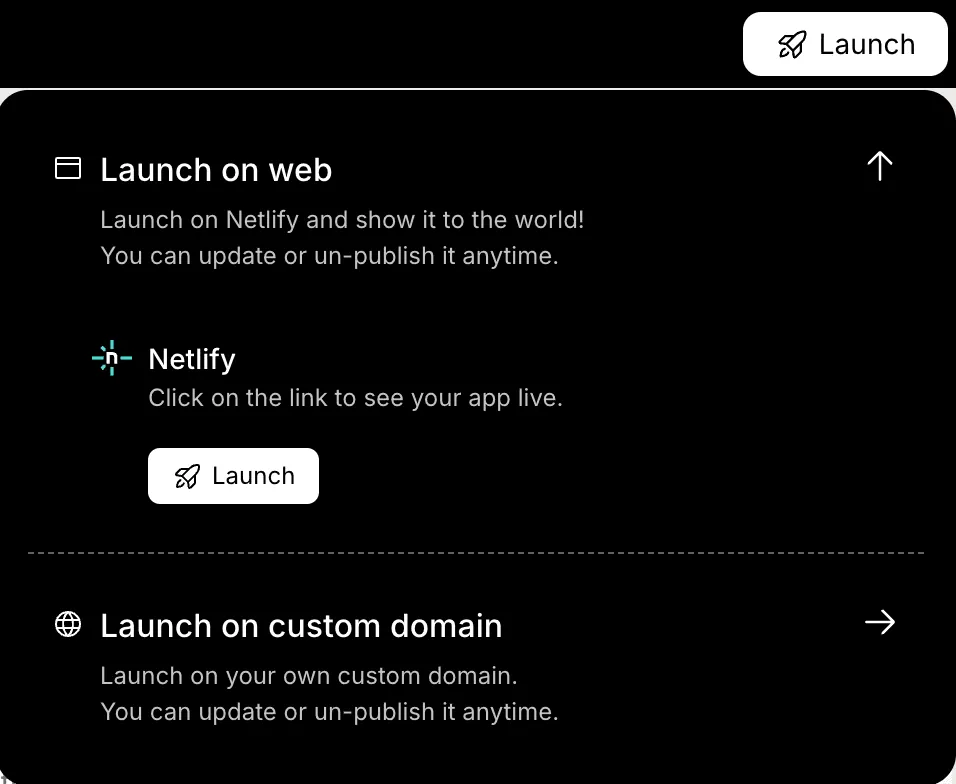
Step 9: Final Review and Launch
Polish the app and prepare for deployment.
Check:
- UI alignment and dashboard clarity
- Accuracy of metrics and alerts
- Data privacy and API connections
- Admin and user access flows
Then deploy. Publish your social media monitoring software for your team or clients. Your tool is live and ready to track mentions, engagement, and trends across social networks.
Your Custom Social Monitoring Solution
Brands today face fast-moving conversations across multiple networks. Tracking mentions, trends, and engagement manually is nearly impossible. Without a central system, important insights can get lost, and your social media monitoring software becomes critical for staying informed.
By building your own tool, you can connect to APIs, process data, and visualize insights on a dashboard. Platforms like Rocket.new make this easier by handling much of the code and backend setup. With a custom system, you gain control, clear visibility, and actionable insights to guide your social strategy effectively.
Table of contents
- -What is Social Media Monitoring and Why Does It Matter?
- -Why Build Your Own Social Monitoring Software?
- -Core Features of Social Media Monitoring Software
- -How to Build Social Media Monitoring Software?
- -Step 1: Define Your Social Media Monitoring Goals
- -Step 2: Sign Up to Rocket.new
- -Step 3: Enter a Prompt or Choose a Template
- -Step 4: Select the Screens You Need
- -Step 5: Watch It Build in Real Time
- -Step 6: Review the Generated App
- -Community Insight: Real Builder Experience
- -Step 7: Refine Using Rocket.new Commands and Features
- -Step 8: Test Everything Thoroughly
- -Step 9: Final Review and Launch
- -Your Custom Social Monitoring Solution

