
AI API design tools generate schemas, endpoints, and auth flows from plain language. They cut backend setup from days to minutes and let full-stack teams ship the product, not the plumbing.
Why do most full-stack teams spend more time wiring APIs than building features users care about?
The answer sits in how backend workflows have stagnated.
According to Postman's 2025 State of the API Report, 93% of API teams face collaboration blockers like inconsistent documentation and duplicated work. A new generation of AI API design tools is changing the equation.
These tools generate endpoints, schemas, and backend logic from natural-language descriptions instead of manual configuration.
What is an AI API Design Tool?
An AI API design tool uses artificial intelligence to automate the planning, generation, and documentation of application programming interfaces. You describe what the backend needs to do, and the AI produces working, structured output. There is no need to manually write route handlers, define schemas in YAML, or wire authentication middleware by hand.
Modern tools fall into three categories:
-
Documentation-first tools (OpenAPI editors): help teams write and maintain API specs, but do not generate code
-
Code-generation assistants: suggest endpoint code inline, but without awareness of your full data model or deployment target
-
Full-stack generation platforms: generate the entire backend layer from a single description, including schema, routes, auth, database connection, and deployment
The third category is where the most significant productivity gains are happening. Full-stack generation directly addresses both the documentation drift and the duplicated work that Postman's report identifies as the industry's biggest blockers.
Who Benefits Most From an AI API Design Tool?
-
Solo founders and indie developers who need a complete backend without a dedicated backend engineer
-
Small product teams that want frontend and backend to stay in sync without constant handoff meetings
-
Agencies building multiple client products and needing consistent, repeatable backend patterns
-
Enterprise teams replacing fragmented tool stacks with a single generation environment
Why Does Backend API Design Take So Long?
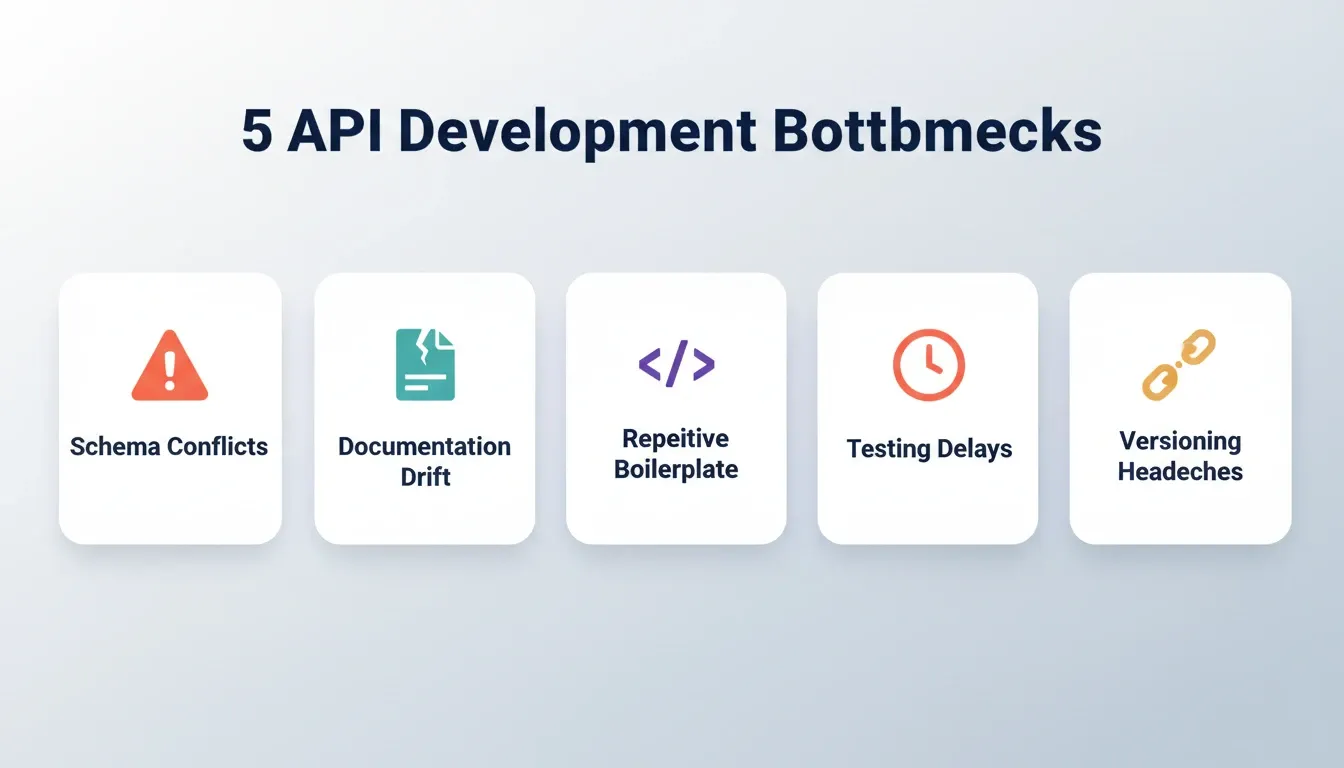
Most developers do not struggle with writing API code itself. The bottleneck lives in the decisions surrounding it.
-
Schema conflicts: Frontend and backend teams define data models separately, then discover mismatches during testing
-
Documentation drift: API specs become outdated within days of the first commit, forcing teams to rely on tribal knowledge
-
Repetitive boilerplate: CRUD endpoints, auth middleware, and error handlers follow predictable patterns but still require manual wiring
-
Testing delays: Without mock servers, frontend developers sit idle while backend routes get finalized
-
Versioning headaches: A single breaking change can ripple across mobile, web, and third-party consumers
The cumulative effect is significant. A small team building a full-stack product can spend 40 to 60% of early development time on backend infrastructure. That time has nothing to do with the core product value. An AI API design tool reclaims it.
How AI Changes the Way Developers Structure APIs
AI coding tools have moved well beyond autocomplete. They now operate at the architectural level. They generate entire backend structures from a single description.
-
Schema generation from plain language: Describe your data model in a sentence and get a typed schema with relationships and validation rules
-
Auto-generated endpoints: AI maps your application logic to RESTful routes without manual routing files
-
Intelligent auth scaffolding: Role-based access, token refresh flows, and session management are generated from a single permission description
-
Context-aware suggestions: Tools that understand your existing codebase suggest endpoints that fit your current architecture
-
Test generation: AI writes unit and contract tests for each endpoint as it creates them
GitHub's 2024 Octoverse report shows that generative AI projects on the platform grew 98% year-over-year. Developers increasingly treat AI models as building blocks, not just code assistants.
89% of developers now use generative AI in their daily work, according to the Postman 2025 report. The shift from "AI for code suggestions" to "AI for architecture decisions" is well underway.
For teams building full-stack apps, AI-powered API builders with built-in authentication represent the next logical step after standalone code assistants.
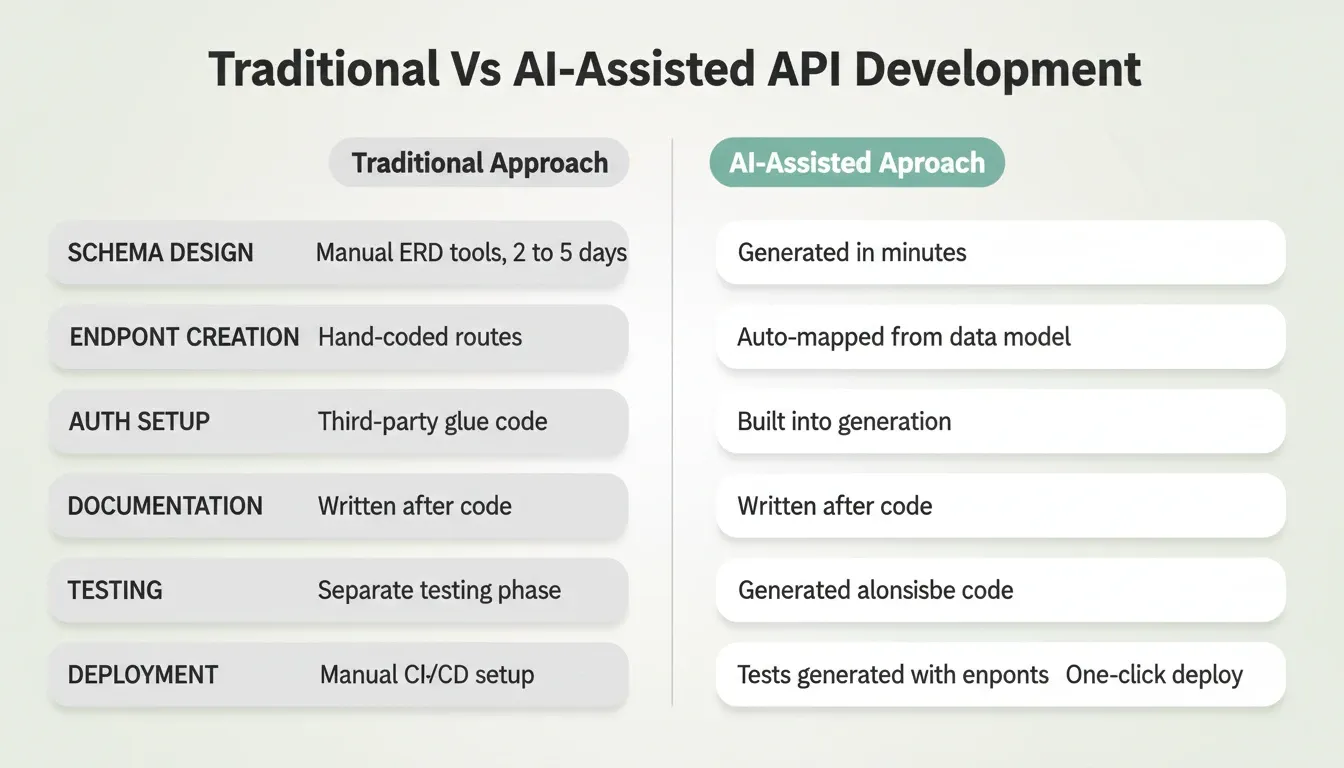
Comparing Traditional vs AI-Assisted API Development
The gap between manual API setup and AI-assisted generation is wider than most teams realize.
| Aspect | Traditional Approach | AI-Assisted Approach |
|---|---|---|
| Schema design | Manual ERD tools, 2 to 5 days | Generated from description, minutes |
| Endpoint creation | Hand-coded routes and controllers | Auto-mapped from data model |
| Auth setup | Third-party provider plus custom glue code | Built into generation |
| Documentation | Written after code, if at all | Generated alongside code |
| Testing | Separate testing phase post-build | Tests generated with endpoints |
| Deployment | Manual CI/CD pipeline configuration | One-click staging and production |
| Frontend/backend sync | Separate workflows, frequent conflicts | Generated together from one prompt |
The Stack Overflow 2024 Developer Survey confirms this shift. 76% of developers are using or planning to use AI tools in their development process, up from 70% the previous year.
Teams that adopt an AI API design tool early find the time savings compound across each sprint. Backend cycle time drops, and engineers focus on product logic instead of infrastructure.
What to Look for in an AI API Design Tool
Not all AI tools handle API design the same way. Some generate code snippets. Others build entire backend architectures. Before choosing one, evaluate it against these criteria.
Natural-language input matters because the goal is to describe what you need, not configure YAML. Full schema generation separates full-stack generation from code-completion. It means tables, relationships, and constraints from a single prompt. Auth and permissions should be built in, not bolted on through third-party plugins.
Database connection determines whether the tool links directly to PostgreSQL, Supabase, or your backend of choice. Deployment pipeline closes the gap between generation and shipping. Version history lets you roll back any change without losing progress.
Frontend and backend sync is the most underrated criterion. When the API layer and the UI are generated together from the same context, you eliminate the handoff delays that slow most teams down.
To go deeper on how these criteria apply in production, see how AI in backend development improves API performance.
How Rocket Handles API Design as Part of Full-Stack Generation
Most API tools ask you to define endpoints, then build a frontend separately. Rocket works differently.
Rocket is a full-stack generation platform where the API layer, frontend, and backend are generated together from a single natural-language description. It is built on three pillars. Solve handles research and validation before you build. Build handles production-grade app generation. Intelligence handles continuous competitive monitoring. The Build pillar is where API design happens. It is not a standalone step. It is part of generating a complete, deployable product.
When you describe a full-stack application in Rocket, Build generates:
-
A Next.js web application (or Flutter mobile app) with UI, navigation, and logic
-
Supabase integration for the backend layer, with schema, authentication, and queries handled through Rocket's workspace-level connector
-
RESTful API routes mapped to your data model within the Next.js app
-
Authentication flows (email, OAuth, magic links) with session management via Supabase Auth
-
Environment variables stored securely per task, never exposed in client code
-
Staging and production environments with full version history and one-click rollback
Every build ships with SEO-ready structure, WCAG accessibility compliance, and GDPR coverage by default. These are the baseline, not optional extras.
What Rocket does not do: Rocket is not a dedicated API documentation editor or a standalone schema designer. It generates complete applications. If your workflow requires only an OpenAPI spec editor or a mock server, a focused tool serves that specific need. Rocket's value is in eliminating the entire manual assembly process for teams building full products.
Rocket's Connector Architecture
Rocket supports two types of integrations. The distinction matters for API-heavy builds.
Workspace-level connectors (OAuth, connect once, available across all projects): Supabase, Notion, Google Workspace, GitHub, Figma, Netlify, Airtable, Linear, Mailchimp, Typeform, Calendly
Task-level connectors (API keys, configured per build task): Stripe, PayPal, OpenAI, Anthropic, Gemini, Perplexity, SendGrid, Twilio, Resend, Brevo, MailerLite, Mixpanel, Google Analytics, AdSense, Strapi, Directus, Tally, Cal.com, and others
Connect Supabase once at the workspace level. Every subsequent build task can then access your database schema, auth configuration, and edge functions without re-authentication.
How Rocket's Full-Stack Generation Workflow Works
Most apps generate in 1 to 3 minutes. After the first generation, you iterate through Chat (natural language), Visual Edit (click elements directly), or Code (edit source files). There is no change limit.
After you ship, built-in analytics track visitors, conversions, accessibility, and Core Web Vitals. No additional tool is required for baseline performance visibility.
Best Practices for Full-Stack API Architecture
Whether you use AI tools or hand-code your backend, these patterns separate production-ready APIs from prototypes.
Design API-First, Not Code-First
Define your API contract before writing a line of application logic. This lets frontend and backend teams work in parallel. It also prevents the schema conflicts that cause the most expensive rework. In Rocket's workflow, this happens naturally. The generation process surfaces key decisions about target users, data model, and key interactions before writing a single file.
Version From Day One
Use semantic versioning for your API paths. Breaking changes should not surprise consumers. Rocket's version history feature creates a restorable checkpoint for every generation or significant edit. You can roll back any change without losing subsequent work.
Treat Security as a Default
Auth, rate limiting, and input validation belong in the initial generation, not as a post-launch patch. For Supabase-backed apps generated through Rocket, row-level security policies are generated to match your described permission model.
Separate Workspace and Task-Level Credentials
Store API keys as environment variables, never in source code. Rocket handles this automatically. Task-level API keys are stored at the server level and never exposed in client code. When you share a project via Rocket's Remix feature, environment variables and API keys are automatically stripped for security.
Monitor After You Ship
APIs degrade silently without observability. Track response times, error rates, and usage patterns from day one. Rocket's built-in analytics cover Core Web Vitals and conversion tracking post-launch. For deeper API monitoring, connect Google Analytics or Mixpanel through the task-level connector panel.
Keep Documentation Alive
Static docs decay within weeks. In Rocket, iterating through Chat keeps the codebase and its structure in sync. Changes are applied in context without re-explaining what already exists.
Start Lean, Then Iterate
The most common mistake teams make with AI API design tools is front-loading every feature in one prompt. Describe the core data model and three to five key features, generate, test, then add complexity through conversation. Focused core first, features via chat after.
For production-grade patterns, explore best practices for API-integrated code automation.
Real-World Use Cases for AI API Design Tools
SaaS Product With Multi-Tenant Data Model
A founder building a B2B SaaS product needs a database schema with organization-level isolation, user roles within each organization, and API routes that enforce row-level security. With a traditional approach, this takes a backend engineer several days. Describing the permission model in plain language in Rocket generates the Supabase schema with row-level security policies, the Next.js API routes, and the authentication flows in a single session.
Internal Dashboard Connecting Multiple Data Sources
An operations team needs an internal tool that pulls data from Airtable, displays it in a dashboard, and lets team members update records. Rocket's Launchpad feature lets you link a Google Sheet or Airtable base directly. Rocket reads the real schema and sample rows to generate a data-aware application. No manual schema transcription is required.
E-Commerce Backend With Payment Integration
A retail team needs product catalog APIs, cart and checkout logic, and Stripe payment processing. Rocket generates the complete e-commerce stack. Product listings, cart, checkout flow, and Stripe integration are all generated together. The API routes and database schema are not assembled from separate services.
API Documentation Tool
Teams that need to document existing APIs can use Rocket's Build capability to generate a documentation portal from an uploaded spec or description. For a complete walkthrough of this use case, see how to build an API documentation tool with AI.
Why Rocket Is a Credible Choice for Production Builds
When evaluating any AI API design tool for production use, trust signals matter.
1.5 million people have tried Rocket across 180 countries. That includes solopreneurs shipping MVPs and enterprise teams rethinking their entire stack. The platform is backed by Salesforce Ventures and Accel.
Every build ships with WCAG accessibility compliance, GDPR coverage, and performance optimization by default. These are not add-ons. They are the baseline every generated product starts from.
Rocket includes an Advisor Agent, a read-only sub-agent running on Claude Opus. It diagnoses root causes when the coding agent encounters repeated failures. It returns structured analysis with root cause, recommendation, numbered steps, and a trade-off table. The coding agent then executes. This prevents the error-loop problem common in AI code generation.
When AI reaches its limit, Rocket's Success team steps in inside the platform with user permission. There is no ticket system and no email chain. "AI gets you to 90 percent. Rocket gets you the rest."
You retain full access to the generated Next.js or Flutter source code. Edit individual files, add custom middleware, or modify routes directly in the Code view. Changes persist across future AI iterations.
The Future of API Design Is Already Here
The teams shipping fastest in 2026 stopped treating API design as a separate, manual discipline. The AI API design tool category has matured from code suggestions to full architectural generation. The gap between teams using it and teams not using it widens with every sprint.
As AI models get better at understanding context and intent, the quality of generated backends will only improve. Teams that describe systems in plain language and iterate from generated output will compound that advantage over time.
You type the problem. Rocket researches it, plans the architecture, generates the API layer, and deploys it. Start building on Rocket.new and let the backend stop being the bottleneck.
Table of contents
- -What is an AI API Design Tool?
- -Who Benefits Most From an AI API Design Tool?
- -Why Does Backend API Design Take So Long?
- -How AI Changes the Way Developers Structure APIs
- -Comparing Traditional vs AI-Assisted API Development
- -What to Look for in an AI API Design Tool
- -How Rocket Handles API Design as Part of Full-Stack Generation
- -Rocket's Connector Architecture
- -How Rocket's Full-Stack Generation Workflow Works
- -Best Practices for Full-Stack API Architecture
- -Design API-First, Not Code-First
- -Version From Day One
- -Treat Security as a Default
- -Separate Workspace and Task-Level Credentials
- -Monitor After You Ship
- -Keep Documentation Alive
- -Start Lean, Then Iterate
- -Real-World Use Cases for AI API Design Tools
- -SaaS Product With Multi-Tenant Data Model
- -Internal Dashboard Connecting Multiple Data Sources
- -E-Commerce Backend With Payment Integration
- -API Documentation Tool
- -Why Rocket Is a Credible Choice for Production Builds
- -The Future of API Design Is Already Here