
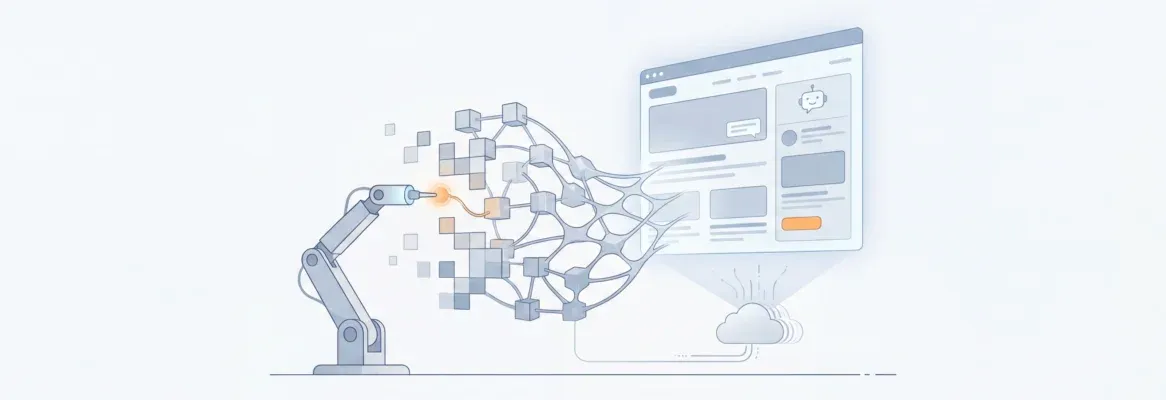
How does AI make websites feel intuitive? Modern web development uses smart tools to personalize content, improve speed, and create relevant, seamless user experiences that build stronger digital connections online.
Some websites feel personal from the first click.
They respond fast. They show content that makes sense right away.
This is not accidental. It is the result of AI at work quietly behind the scenes in web development.
Why do some sites feel smarter than others?
Users now expect more than static pages. They want relevance and smooth interaction.
Let's see how modern tools make that happen. It shows how thoughtful web design choices lead to better user experiences and more meaningful connections.
The AI Wave in Web Development
Web development has changed dramatically over the past few years. It is no longer just about writing code manually. Today, it combines creative design, strategic planning, and AI-powered automation.
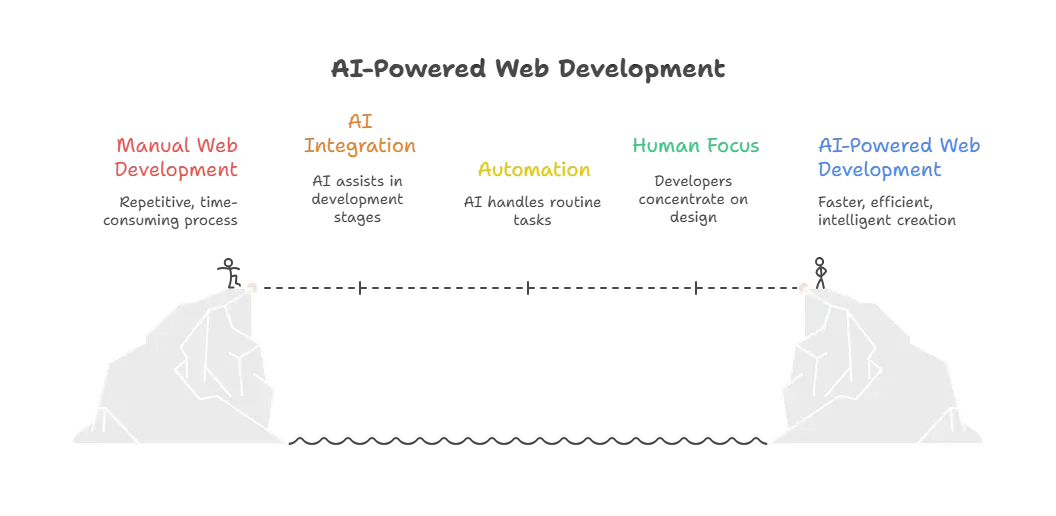
What AI Brings to Web Development?
Anyone who has touched web development knows it is full of repetitive tasks. Think about boilerplate code, layouts, testing, debugging, or content updates. AI-powered tools swoop in here.
Here are some common ways AI helps:
- Automates routine tasks like code suggestions and formatting.
- Generates content and structures pages based on prompts.
- Personalises user experience in real time.
- Improves performance and accessibility metrics.
- Handles security checks and analytics.
Web developers now spend less time on copy-paste activities. Instead, they focus on creative design, logic, and problem-solving.
How AI Tools Fit into the Web Development Process
AI is no longer a sidekick. It’s part of the workflow.
So, what stages does it touch?
- Planning and ideation: Tools help brainstorm features and create specs.
- Design phase: AI website builders and AI website creator software generate layouts.
- Coding: With AI web development tools, much of the code is drafted or suggested.
- Testing and debugging: AI-powered tools catch bugs faster.
- Deployment and monitoring: AI predicts issues and offers analytics insights.
This means the development process becomes faster, lighter, and more accurate. AI doesn’t replace human skill; it enhances it, letting developers focus on creativity and smarter problem-solving rather than repetitive tasks.
AI-Involved Web Development Tasks
When it comes to web development, AI can handle a surprising amount of work.
From writing code to creating content, these tools streamline repetitive tasks and make the development process more efficient.
Here’s a quick look at how AI compares to traditional methods:
| Task | Traditional Way | With AI |
|---|---|---|
| Writing base code | Manual typing | Generated or suggested by tools |
| Testing | Manual setup | Automated with AI test suites |
| Content creation | Human written | AI assisted |
| Design drafts | Designer effort | Generated by AI website builders |
| Debugging | Manual | AI suggestions & fixes |
AI doesn’t just speed things up; it reduces errors and helps teams focus on creativity and strategy.
By automating routine tasks, developers can spend more time solving complex problems and delivering smarter, more user-friendly websites.
Web Development Tools That Use AI
AI isn’t one thing. There are many web development tools in the mix.
- Code assistants
- AI website builder platforms with drag-and-drop interfaces
- Chatbot generators
- Analytics predictors
- SEO helpers
These tools often work together, shaping how teams design, build, and launch sites.
Real poll data shows that most developers use AI tools frequently. 84% reported some form of AI use in their workflows in recent surveys.
Real Voices from Developers
On Reddit, a user described using Rocket.new for rapid prototyping:
“For free users, they give you 1M tokens, which sounds like a lot but honestly gets eaten up pretty fast if your app has more than 5 screens... on the Pro plan you get 5M tokens and can export code...”
What AI Website Builders Really Do?
Let’s clear one thing.
AI website builder tools are not magic unicorns. They are software that interprets your inputs and generates functional code or site structures. Some are drag-and-drop interfaces for simpler needs. Others are full systems that generate front and back ends.
Here’s what they typically offer:
- Drag and drop interface or prompt-based site creation
- Pre‑built templates for pages and flows
- Code generation for modern frameworks
- SEO and performance presets
- AI suggestions during design and testing
Users can build landing pages, eCommerce templates, portfolio sites, and more without heavy manual coding.
Rocket.new: AI Meets Full App & Website Creation
Rocket.new stands out in the space of AI-powered web development tools. It goes beyond just web pages or themes. Here’s how:
Rocket.new lets you type a natural language prompt and get a full production‑ready web and mobile app.
Yes, frontend and backend. It also does deployment and integrations.
Top Features
- One‑prompt full‑stack generation: Describe your app once ,and Rocket.new builds frontend, backend, and integrations.
- Backend setup included: Database schemas, authentication, and APIs are automatically configured.
- Live preview and editing: See your project updates in real time and tweak the UI as you go.
- Figma design import: Convert Figma designs into working web or mobile apps.
- Multi‑platform support: Build responsive web and mobile apps from a single prompt.
- Third‑party integrations: Connect tools such as Stripe, Supabase, GitHub, and analytics services.
Use Cases
- Rapid Prototyping & MVPs: Quickly build minimum viable products without a big team.
- Startup Product Launches : Founders can go from idea to deployed app fast.
- Internal Team Tools: Create dashboards or admin interfaces without heavy coding.
- Designer‑to‑Code Workflows: Designers can turn visual mockups into real apps.
- Client Demos & Pitch Products: Showcase live examples rather than static screens.
- Side Projects & Portfolio Sites : Creators can build and publish projects without deep programming skills.
These make Rocket.new not just a tool for web pages but an AI website creator and app generator that blends design, code, and deployment in one system.
For non‑developers and small teams, it can cut weeks off the development process while still producing functional, deployable applications.
What About Coding Skills?
Good news: you don’t need extensive coding knowledge to use many of these tools. You still benefit from understanding basic web development principles. But AI handles boilerplate code and helps you fill in the gaps.
If you want deep customization, knowing how to adjust generated code helps.
Get this: developers still modify AI output about half the time to match brand or logic needs. That keeps human skills in the driver’s seat.
AI in Web Development Trends
The world of web development is evolving fast, and AI is leading the charge. Developers and designers should keep an eye on trends that are shaping smarter, more interactive, and user-focused websites.
There are trends worth watching:
- More AI features are integrated into popular tools
- Real-time suggestions and predictive analytics
- Navigation of AI bot traffic and site resources
- Better content generation tied to user behavior
- Personalization features shaping user interactions
Expect AI web development tools to focus more on customer behavior and site performance. This means smarter sites without more work.
AI in Web Development in a Nutshell
AI in web development has changed modern websites faster than many expected. It moves everyday tasks out of manual work and into smart systems. Designers and developers now rethink the balance between creativity and automation. As AI websites become part of normal workflows, it’s clear that human insight paired with machine help makes building the web a lot more fun.
With AI handling repetitive tasks, web developers can focus on improving user experience, experimenting with design, and solving complex problems. The combination of human creativity and AI efficiency is shaping websites that are faster, smarter, and more engaging than ever before.
Table of contents
- -The AI Wave in Web Development
- -What AI Brings to Web Development?
- -How AI Tools Fit into the Web Development Process
- -AI-Involved Web Development Tasks
- -Web Development Tools That Use AI
- -Real Voices from Developers
- -What AI Website Builders Really Do?
- -Rocket.new: AI Meets Full App & Website Creation
- -Top Features
- -Use Cases
- -What About Coding Skills?
- -AI in Web Development Trends
- -AI in Web Development in a Nutshell

