
AI prompts for ERP system workflows replace hours of manual data entry with structured, repeatable instructions, covering finance, supply chain, and HR modules with copy-ready examples any operations team can use today.
Does your ERP workflow still depend on manual inputs and static reports?
According to McKinsey's 2025 State of AI report, 88% of organizations now regularly use AI in at least one business function. Yet most ERP operations still depend on repetitive data entry, manual approval chains, and static report generation.
The gap between AI capability and ERP execution is where structured prompts come in. They translate business intent into automated actions. As a result, teams cut the handoff between what they need and what the system delivers.
How AI Prompts Differ From ERP Search Queries
An AI prompt for an ERP system is a structured natural language instruction. It directs an AI tool to perform a specific operation such as generating reports, building approval workflows, flagging anomalies, or producing forecasts. It combines role context, module scope, data boundaries, and output format in a single instruction.
ERP prompt vs. ERP search query — the key difference:
| Capability | ERP Search Query | Structured AI Prompt |
|---|---|---|
| What it does | Retrieves existing records | Generates new outputs from data |
| Who can write it | Anyone | Anyone with a structure template |
| Output type | Raw data list | Report, workflow, forecast, or flag |
| Requires SQL | Often yes | No |
| Reusable | Limited | Yes, copy, adapt, deploy |
| Scales across modules | No | Yes |
Why ERP Teams Need Structured Prompts
A well-written prompt is the bridge between what a business user wants and what an AI tool delivers inside an ERP environment.
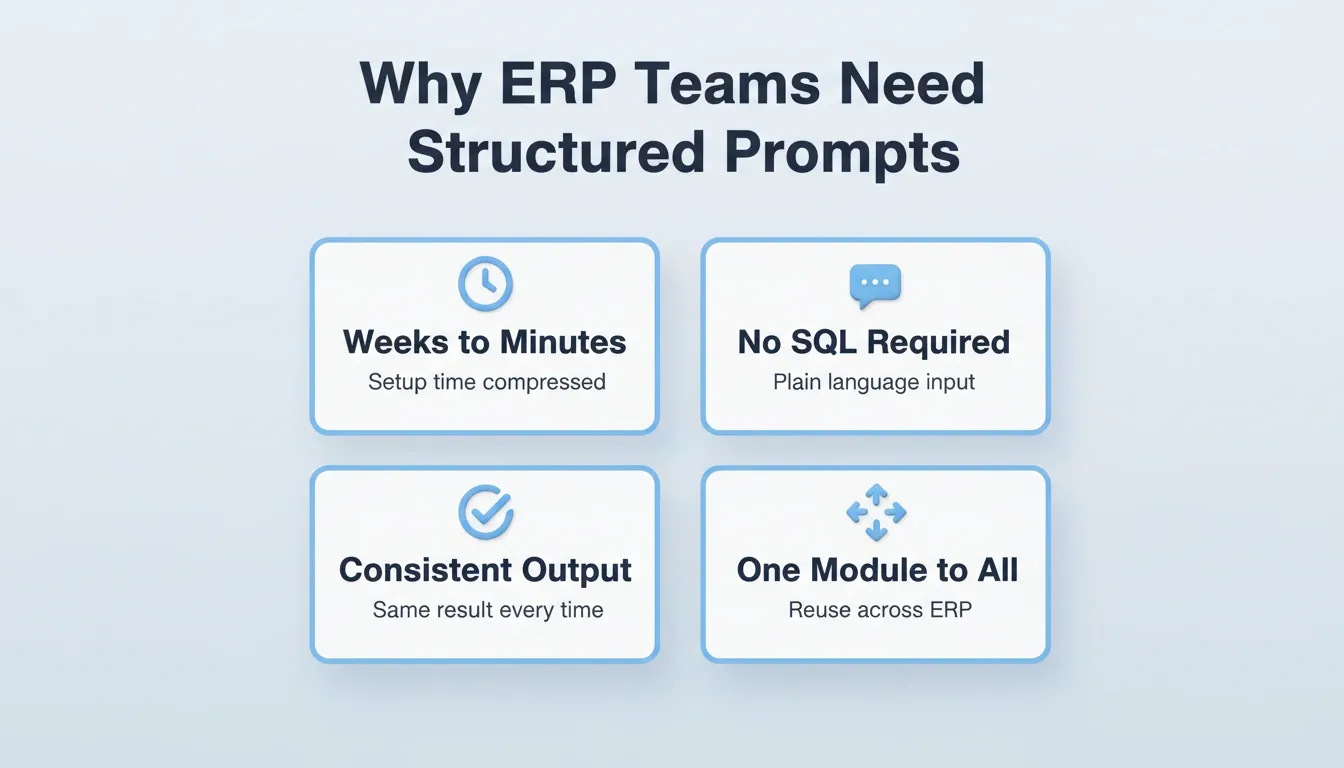
- Manual configuration is slow. Traditional ERP setup requires consultants, custom scripts, and months of testing before a single workflow goes live. Prompts compress that cycle from weeks to minutes.
- Natural language removes technical barriers. Finance managers, procurement leads, and HR teams can describe what they need without writing SQL queries or configuring workflow engines.
- Consistency improves output quality. A structured prompt produces the same result every time. This reduces variance caused by different team members interpreting tasks differently.
- Scalability becomes practical. Once a prompt works for one module, teams adapt the same structure across inventory, payroll, and reporting without starting from scratch.
This shift from configuration-first to conversation-first is why prompt engineering best practices matter more than ever for operations teams.
What Makes a Good Prompt for Business Operations?
Not every sentence typed into an AI tool produces useful output. The difference between a vague request and a production-ready prompt comes down to structure.
- Specificity wins. "Generate a report" fails. "Generate a monthly accounts payable aging report grouped by vendor, sorted by days overdue, for the period ending July 2026" works.
- Context anchors the response. Including the module name, the user role, and the expected output format gives the AI enough information to act accurately.
- Constraints prevent hallucination. Adding boundaries like "only use data from the last 90 days" or "exclude inactive vendors" keeps outputs grounded in real data.
- Action verbs set the task type. Words like "generate," "compare," "flag," or "summarize" tell the AI what kind of work to perform, not just what topic to cover.
Teams that apply these principles when crafting AI prompts for ERP system tasks see measurably better results. Furthermore, understanding how AI-powered workflow automation connects to ERP execution helps operations leaders close that gap faster.
Prompt Structure Template
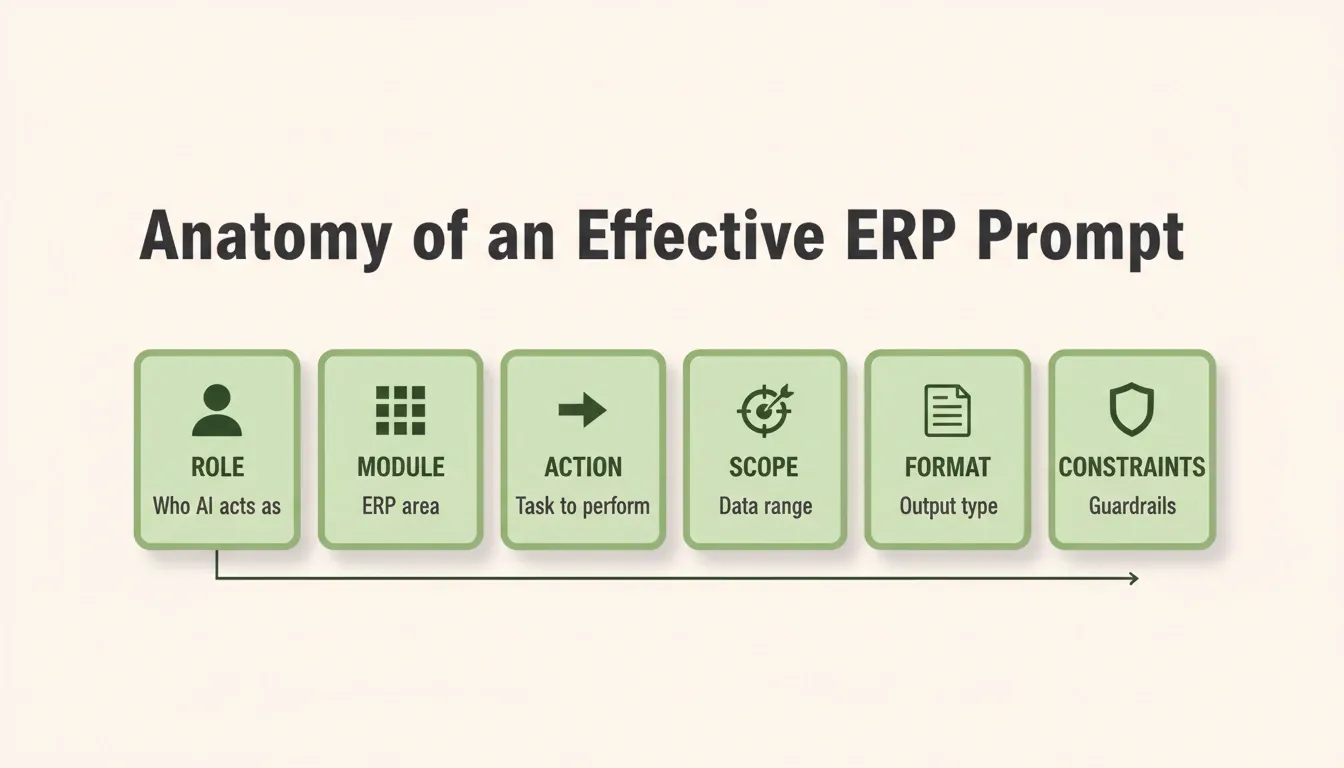
Every effective ERP prompt follows a repeatable anatomy. Use this table as your starting framework:
| Component | Purpose | Example |
|---|---|---|
| Role | Defines who the AI acts as | "Act as a senior financial controller" |
| Module | Specifies the ERP area | "Inside the accounts payable module" |
| Action | States the task clearly | "Generate a variance analysis" |
| Scope | Sets data boundaries | "For Q2 2026, North America region" |
| Format | Defines output structure | "Return as a table with columns: vendor, amount, variance %" |
| Constraints | Adds guardrails | "Exclude transactions below $500" |
Full example using the template:
"Act as a senior financial controller. Inside the accounts payable module, generate a variance analysis for Q2 2026, North America region. Return as a table with columns: vendor, amount, variance %. Exclude transactions below $500 and flag any vendor where variance exceeds 20%."
That single prompt replaces a manual process that typically involves pulling a raw AP export, building a spreadsheet, writing formulas, and formatting a report. In practice, this task takes 45 to 90 minutes and produces inconsistent results across team members.
Common AI Prompt Mistakes for ERP Systems
Even experienced operations teams make the same prompt errors. Knowing what breaks output quality is as valuable as knowing what produces it.
| Mistake | Why It Fails | Fix |
|---|---|---|
| "Generate a report on our finances" | No module, scope, or format | Add role, module, time period, and output format |
| "Show me all inventory problems" | "Problems" is undefined | Define the threshold: "items not moved in 90 days" |
| "Compare this quarter to last quarter" | No metric, no department, no format | Specify: "Compare COGS by product category, Q1 vs Q2 2026, as a percentage table" |
| "Create an approval workflow" | No trigger, routing logic, or thresholds | Define: "Route POs above $25,000 to VP Ops, above $100,000 to CFO" |
| "Summarize HR data" | Too broad | Specify: "Summarize open positions by department, average time-to-fill, and cost-per-hire" |
| Stacking multiple tasks in one prompt | AI prioritizes one task and drops others | One prompt, one task. Chain prompts for multi-step workflows |
Ready-to-Use Prompts by Module
Here is where theory meets practice. The following are copy-ready AI prompts for ERP system modules organized by core function. Each prompt follows the structure template above.
The global ERP market reached $71.62 billion in 2025 and is growing at 9.12% CAGR. AI-driven analytics is one of the top growth drivers, adding an estimated 2.1% to that growth rate. These prompts help teams tap into that momentum.
Additionally, teams building internal tools around ERP workflows such as dashboards, approval portals, and reporting apps find that understanding how operations teams scale AI apps changes what they choose to automate first.
Finance and Accounting Prompts
- "Act as a financial controller. Review all journal entries posted in [month] and flag any entries exceeding $10,000 that lack supporting documentation references."
- "Generate a cash flow forecast for the next 12 weeks based on current accounts receivable aging, scheduled payables, and recurring operational expenses."
- "Compare actual versus budgeted expenses for [department] in Q2 2026. Highlight line items where variance exceeds 15% and suggest root causes."
- "Summarize month-end close status across all subsidiaries. List entities that have not completed reconciliation and their last activity timestamp."
- "Act as an accounts receivable analyst. Identify all invoices overdue by more than 30 days. Group by customer, calculate total exposure, and draft a follow-up email template for each aging bucket."
Supply Chain and Inventory Prompts
- "Analyze purchase order history for [vendor category] over the past 6 months. Identify items where lead time increased by more than 20% and recommend alternative suppliers."
- "Generate a reorder point calculation for all SKUs in [warehouse location] based on average daily consumption, safety stock levels, and current supplier lead times."
- "Flag all inventory items that have not moved in 90 days. Group by product category and calculate carrying cost per category."
- "Create a procurement approval workflow that routes orders above $25,000 to the VP of Operations and orders above $100,000 to the CFO."
- "Act as a supply chain analyst. Identify the top 10 SKUs by stockout frequency over the past quarter. For each, calculate the revenue impact and recommend a revised safety stock level."
HR and Payroll Prompts
- "Generate an onboarding checklist for new hires in [department], including system access requests, compliance training assignments, and manager introduction meetings."
- "Calculate overtime liability for all hourly employees in [region] for the current pay period. Flag any employee exceeding 45 hours."
- "Summarize open positions by department, average time-to-fill, and cost-per-hire for Q2 2026. Compare against company benchmarks."
- "Act as an HR analyst. Identify employees whose performance review is overdue by more than 14 days. Generate a reminder email template and a summary report for the HR director."
Industry-Specific ERP Prompt Examples
Different industries have distinct ERP priorities. Specifically, these prompts are adapted for common vertical use cases.
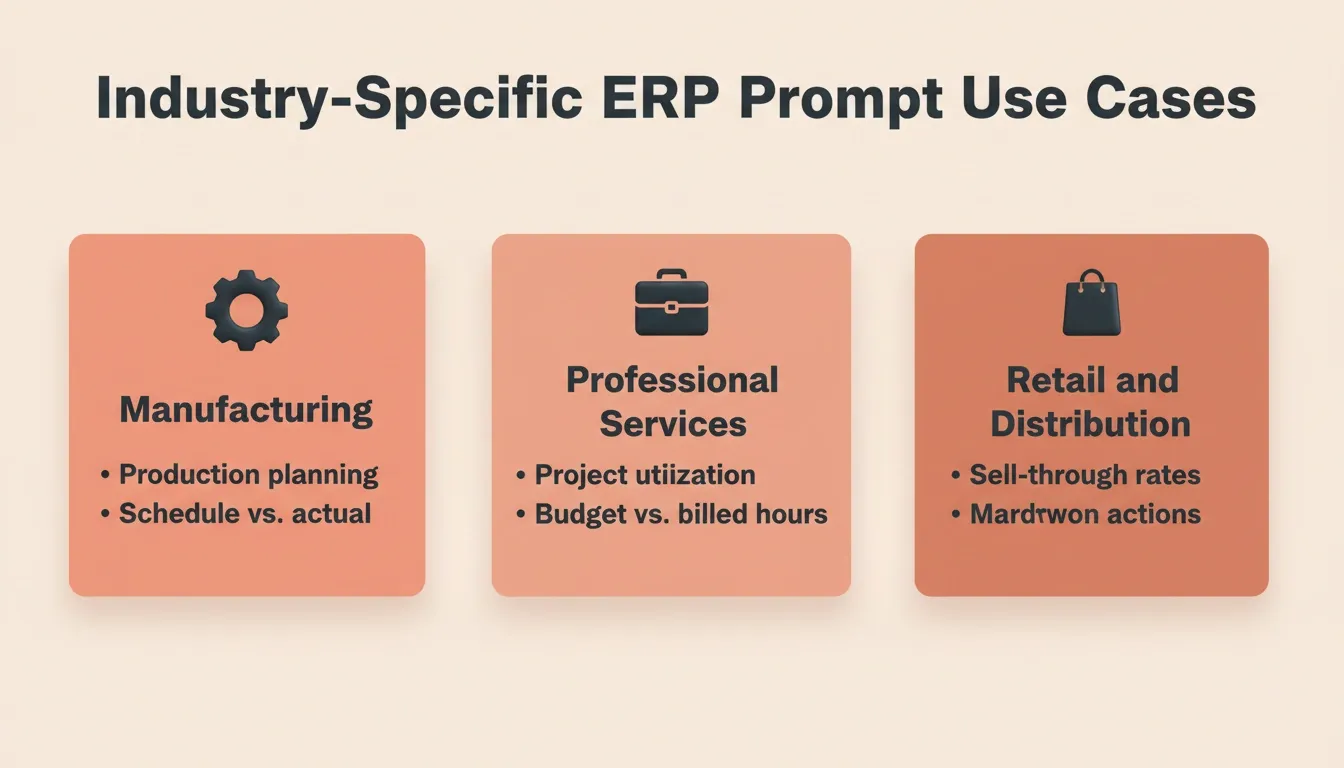
Manufacturing: "Act as a production planner. Analyze current work-in-progress across all production lines. Flag any line where completion is more than 10% behind schedule and calculate the downstream impact on delivery commitments."
Professional Services: "Act as a project finance manager. For all active client engagements, compare budgeted hours to actual hours billed. Flag any project where utilization has fallen below 70% and calculate the revenue at risk."
Retail and Distribution: "Analyze sell-through rates for [product category] across all store locations for the past 30 days. Identify locations with sell-through below 40% and recommend markdown or transfer actions."
From Prompt to Production: Where Rocket Fits In
Writing good AI prompts for ERP system workflows is only half the equation. The other half is turning those prompts into working applications that your team uses daily, without hiring a developer or waiting months for an IT project.
Rocket is a vibe solutioning platform that combines strategic research, AI app building, and competitive intelligence in one place. Its three core pillars, Solve for decision intelligence, Build for production-grade app generation, and Intelligence for continuous monitoring, connect through a shared context architecture. Every decision compounds into the next.
What Rocket's Build pillar produces for ERP-adjacent workflows:
- Internal dashboards — OKR trackers, customer health monitors, procurement approval portals, and inventory management tools connected to your existing data sources
- Customer portals — onboarding systems, compliance trackers, and reporting dashboards built to production quality
- Compliance and governance tools — GDPR DSAR management, audit-ready trackers, and access-controlled knowledge portals
- Full-stack applications — web apps built in Next.js and mobile apps built in Flutter, both production-ready from first generation
How Rocket's architecture supports ERP teams specifically:
Shared project context carries forward. Rocket's Projects feature creates a persistent workspace. Every research output, build decision, and intelligence signal accumulates there. The second iteration already knows what the first one accomplished. There is no re-briefing and no context loss at handoffs.
Connectors plug into existing systems. With 25+ integrations including Supabase, Google Workspace, Airtable, Notion, Linear, Stripe, and Mailchimp, prompt-generated workflows connect directly to the data sources your ERP modules already use. Authenticate once; they flow into every build.
Staging and production environments ship by default. Every build includes separate staging and production environments, full version history, and one-click rollback. Every app also ships with WCAG accessibility compliance and GDPR coverage as baseline defaults, not optional extras.
Traditional ERP configuration requires consultants. Platforms like SAP require certified implementation partners charging $150 to $300 per hour. Prompt-driven building on Rocket eliminates that dependency for many operational workflows.
Step-by-Step: Building Your First ERP Workflow on Rocket
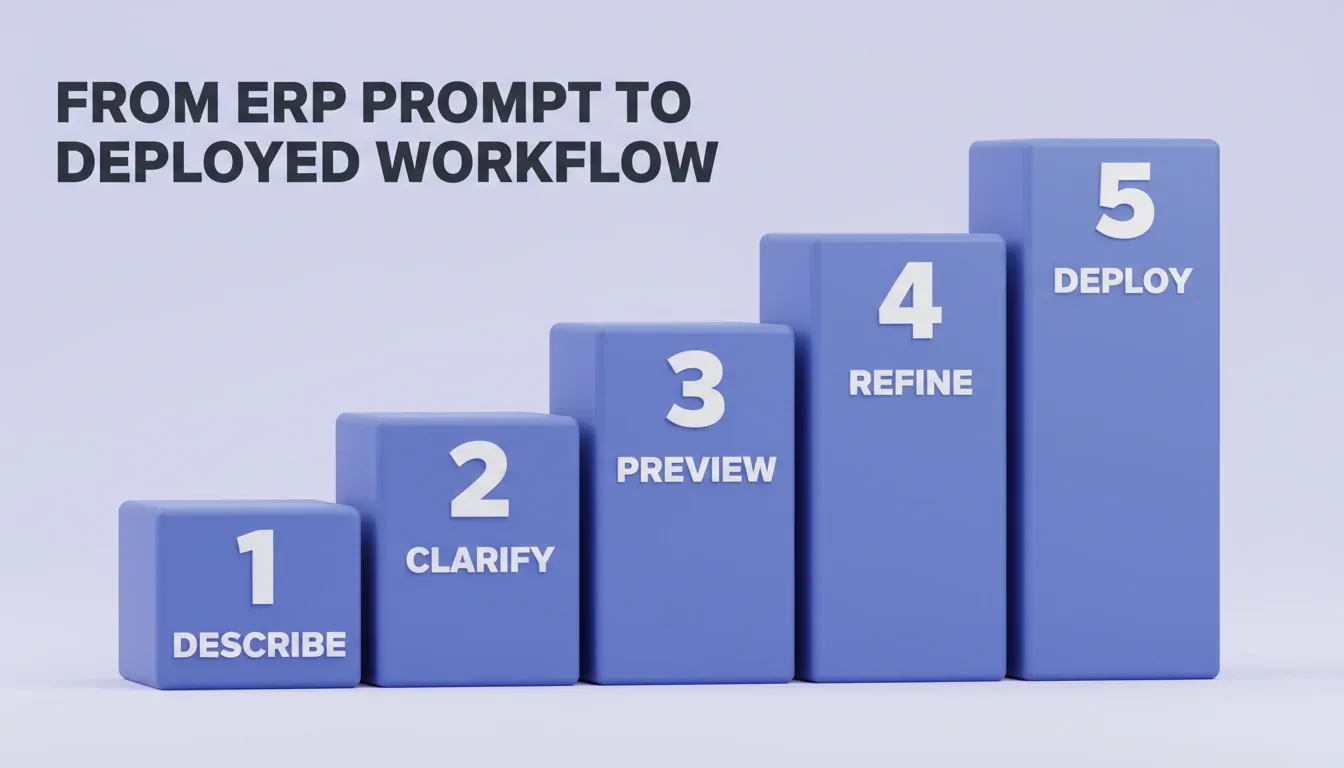
Here is exactly how an operations team moves from an ERP pain point to a working application:
- Describe the problem in plain language. Open Rocket's Build and type your requirement: "Build an internal procurement approval dashboard that routes purchase orders by value tier, shows pending approvals by department, and sends email notifications."
- Rocket surfaces the decisions that matter. Before generating, Rocket asks clarifying questions about target users, key screens, and data model. This ensures the first output reflects genuine product thinking, not a generic template.
- Review the live preview. Most apps generate in one to three minutes. The preview is a working, interactive product, not a wireframe.
- Refine through conversation. Change the data model, adjust approval thresholds, or connect your Airtable inventory data. All changes happen in context, without re-explaining what already exists.
- Deploy to staging, then production. One click deploys to a live URL. Connect a custom domain. HTTPS, WCAG compliance, and GDPR coverage ship by default.
How Teams Are Scaling Prompt-Driven ERP Workflows
The shift from manual ERP configuration to prompt-driven automation is not theoretical. Teams across manufacturing, professional services, and mid-market companies are already adopting this approach.
Panorama Consulting's 2026 report found that 83% of organizations met their ROI expectations from ERP projects. A key factor was early process improvement and third-party guidance. Mid-market companies lead adoption. SMEs represent the fastest-growing ERP buyer segment at 14.91% CAGR through 2031. This is largely because subscription-based access and AI-powered tools lower the barrier to entry. Cloud-first deployments accelerate scaling. With 55% of ERP installations now cloud-based, teams iterate on prompt-generated workflows without on-premise infrastructure constraints.
"We prioritize business-process redesign over feature parity. The organizations seeing the best results are those who orient their project around critical goals, not just automation for its own sake." — Panorama Consulting Group, 2026 ERP Report
Teams scaling AI apps for operations report that the combination of structured prompts and a connected build platform cuts implementation timelines by 60 to 80% compared to traditional ERP configuration projects.
Measuring Success: What Good Looks Like
Before deploying prompt-driven ERP workflows, establish a baseline. These are the metrics operations leaders track to measure impact:
| Metric | Baseline (Manual) | Target (Prompt-Driven) |
|---|---|---|
| Time to generate monthly close report | 4 to 8 hours | Under 30 minutes |
| Procurement approval cycle time | 3 to 5 business days | Same day for standard POs |
| Inventory reorder calculation frequency | Weekly manual review | Daily automated flag |
| HR onboarding checklist completion rate | 60 to 70% | 90%+ with automated tracking |
| ERP workflow configuration time (new) | 2 to 8 weeks | Hours to days |
Teams that want to go further, building the dashboards and portals that sit on top of these workflows, find that knowing how to build internal tools with AI without a developer changes what is possible in a single sprint.
How a business requirement flows through the prompt layer, build layer, and production layer to become a deployed ERP workflow.
The Road Ahead for AI-Driven ERP Operations
AI prompts for ERP system workflows are not a workaround. They are the direction the industry is moving. As ERP platforms add native AI layers and cloud adoption accelerates, structured prompt methodology will become the standard operating procedure for finance, supply chain, and HR teams. Consequently, the organizations building that muscle now will have a compounding advantage over those still configuring workflows manually.
You have the templates. You know the structure. The next step is describing what you need and shipping it. Start building on Rocket and go from business requirement to working ERP workflow in a single session.
Table of contents
- -How AI Prompts Differ From ERP Search Queries
- -Why ERP Teams Need Structured Prompts
- -What Makes a Good Prompt for Business Operations?
- -Prompt Structure Template
- -Common AI Prompt Mistakes for ERP Systems
- -Ready-to-Use Prompts by Module
- -Finance and Accounting Prompts
- -Supply Chain and Inventory Prompts
- -HR and Payroll Prompts
- -Industry-Specific ERP Prompt Examples
- -From Prompt to Production: Where Rocket Fits In
- -Step-by-Step: Building Your First ERP Workflow on Rocket
- -How Teams Are Scaling Prompt-Driven ERP Workflows
- -Measuring Success: What Good Looks Like
- -The Road Ahead for AI-Driven ERP Operations