
An AI web app builder lets non-technical users create, customize, and launch web and mobile apps using plain-language prompts and visual editors, no coding required. This blog covers how these platforms work, what to look for, and how to choose the right one.
Can anyone build an app without writing code?
AI now handles much of the heavy lifting.
An AI web app builder enables you to design web and mobile apps using visual tools and plain language. Instead of spending months learning syntax or dealing with complex setups, you can focus on ideas, features, and outcomes.
These platforms work well for no-code app creation, customer portals, and internal tools that need to launch quickly and stay flexible.
What is an AI App Builder?
An AI web app builder is a platform that generates a fully functional, deployable application from a plain-language description. You describe what you want. The AI handles architecture, UI, navigation, data logic, and backend setup automatically.
This approach is especially helpful for non-technical users who want to build apps without years of coding experience. The AI manages the technical work in the background. That includes databases, user authentication, and backend logic. As a result, app development feels more like planning and designing than programming.
Modern AI app builders go further than simple drag-and-drop tools. The best platforms today generate production-ready code in real frameworks. Rocket, for example, generates web apps in Next.js and mobile apps in Flutter. These are the same frameworks used by professional engineering teams, so what you build is a deployable product, not a prototype.
Many platforms also offer built-in hosting, so your app can go live without extra steps. Others let users export code later if the project grows or needs more customization.
What You Can Build With an AI Web App Builder
AI app builders support a wide range of project types. The web-based application segment is among the fastest-growing in the low-code market, as organizations use these platforms to roll out user-defined apps quickly without deep programming experience (MarketsandMarkets, 2020).
Customer-facing products:
- SaaS dashboards and subscription platforms
- E-commerce stores with product catalogs, cart, checkout, and payment integrations
- Customer portals and onboarding systems
- Marketing sites, landing pages, and portfolio pages
- Mobile apps for iOS and Android
Internal tools and business infrastructure:
- Internal dashboards (OKR trackers, customer health monitors)
- Compliance and governance tools (GDPR DSAR management, audit-ready trackers)
- Sales enablement platforms and investor data rooms
- ROI calculators and research portals
- Booking systems, scheduling tools, and workflow managers
Working prototypes for user testing are also possible. These are real, interactive products, not static mockups. Teams can validate ideas, gather feedback, and adjust without rebuilding from scratch. For a deeper look at how rapid prototyping with AI accelerates this cycle, the process is well worth understanding before you start.
How AI App Builders Work
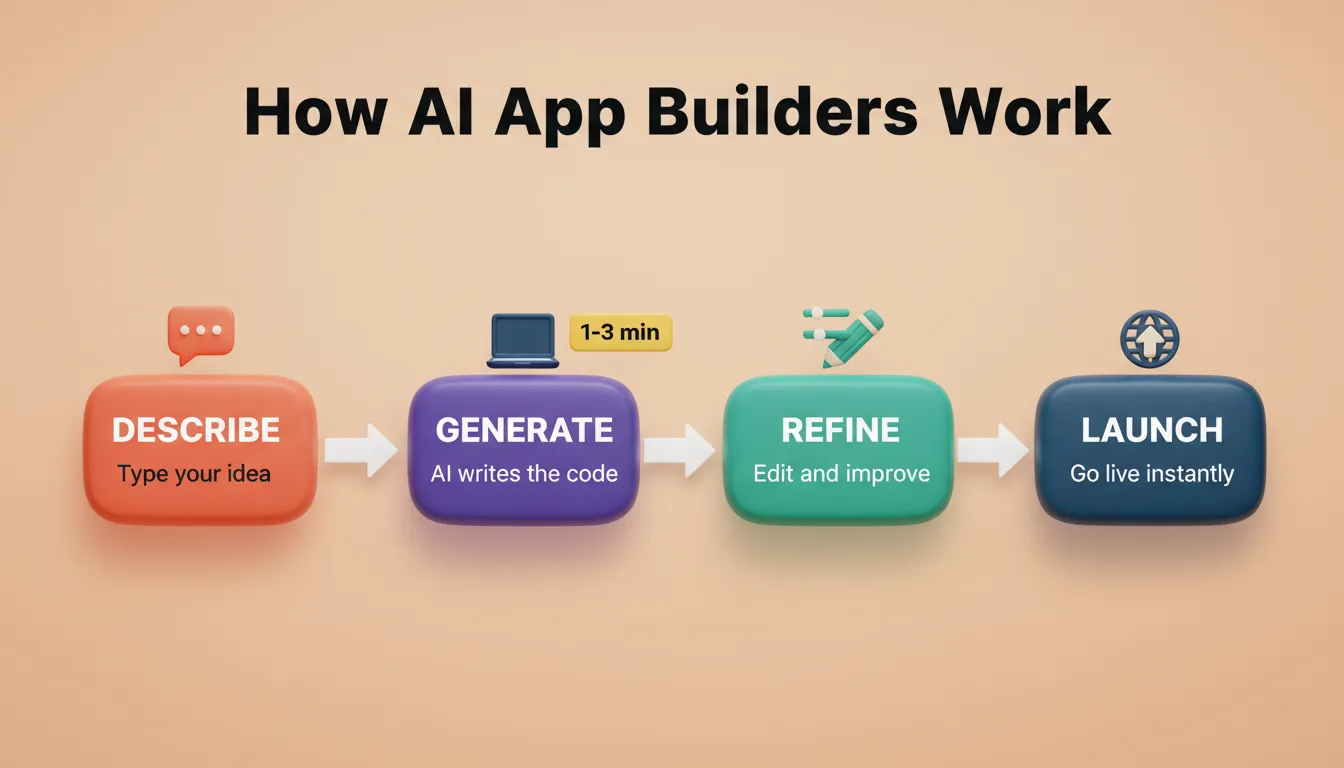
App builders typically start with a simple prompt or text. You describe the app idea using plain language. For example: "Build a task tracker for a small team" or "Create a booking system for a service business."
The AI interprets that description, plans the architecture, writes production-ready code, and shows a live preview when generation finishes. Most apps generate in 1 to 3 minutes.
Features of AI App Builders
Let's look at the core features that most AI web app builder platforms include.
A visual editor sits at the center of the experience. It lets users drag and drop elements like buttons, forms, charts, and tables. Visual editing makes it easy to see changes in real time.
Most platforms also include data management tools. Users can manage data directly in the app or connect to external sources such as Google Sheets. Some builders support structured data models that help keep information organized.
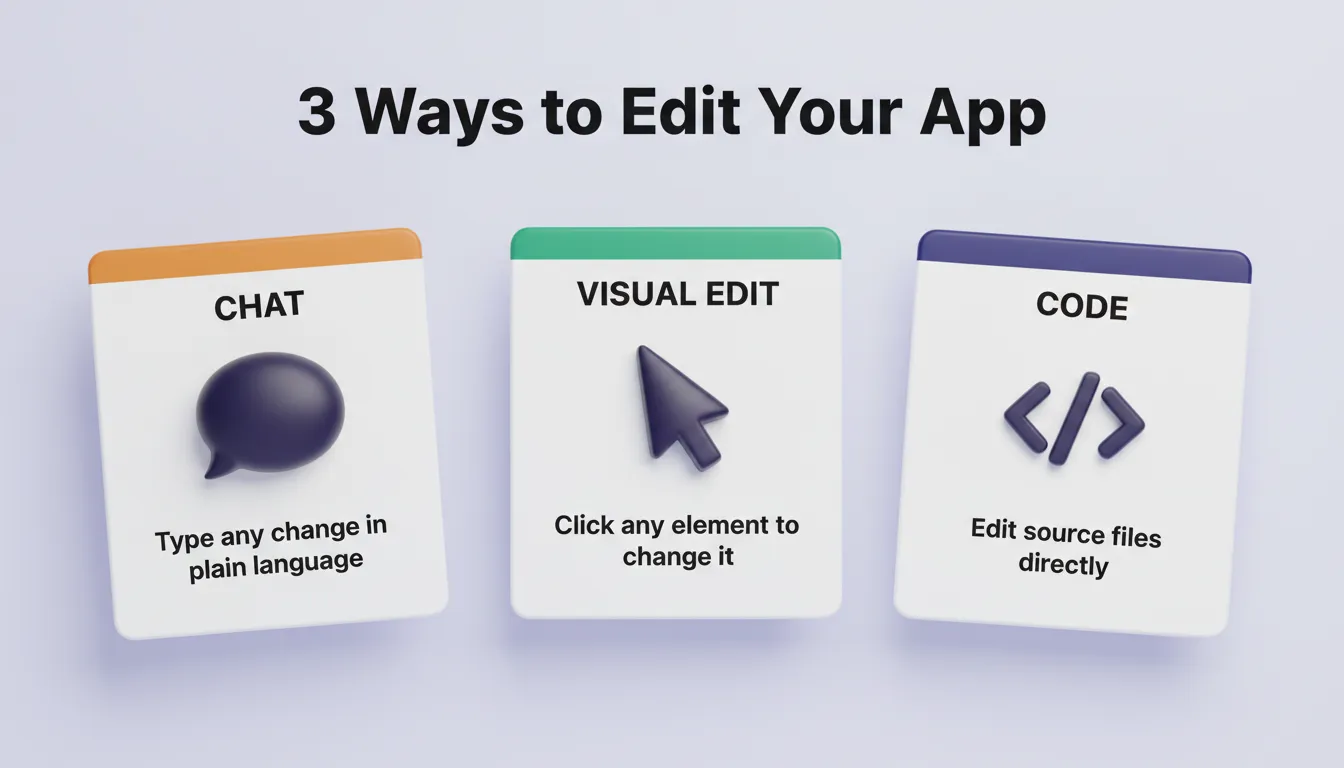
Three iteration modes in a modern AI app builder:
- Chat — type any change in plain language. "Change the header to dark blue." "Add a settings page." The AI applies changes in context, without re-explaining what exists. There is no change limit.
- Visual Edit — click any element in the live preview to change text, style, spacing, or layout directly. This is WYSIWYG editing on the actual app.
- Code — browse and modify source files directly. You get full access to generated Next.js or Flutter code. Download it for local development at any time.
Other common features include:
- Pre-built templates for common layouts
- Tools to query databases without SQL knowledge
- Connections to external API services
- AI agents that handle tasks like sending notifications or emails
- Built-in hosting for fast deployment
- Full version history with one-click rollback
- Staging and production environments
Together, these tools let you build a full-stack app with an AI prompt without managing server configuration or backend code.
AI App Builder Feature Comparison
| Feature | Basic Builders | Advanced AI Builders |
|---|---|---|
| Visual Editor | Yes | Yes |
| Prompt-Based Generation | No | Yes |
| Production-Ready Code (Next.js / Flutter) | No | Yes |
| Built-in Hosting | Sometimes | Yes |
| External API Connections | Limited | Full support (25+) |
| Data Management | Basic | Structured models + Supabase |
| Code Export | No | Yes |
| Mobile App Support | Rare | Yes (iOS + Android) |
| AI Agents / Automation | No | Yes |
| SEO / WCAG / GDPR by Default | No | Yes |
| Version History + Rollback | No | Yes |
| Staging + Production Environments | No | Yes |
Six Ways to Start Building an App
The best AI app builders offer multiple starting points depending on where you are in the process. Most users do not start from a blank prompt. Designers have Figma files, developers have existing codebases, and businesses have websites that need improvement.
| Starting Method | Best For |
|---|---|
| From a plain-language prompt | Starting fresh with a description |
| From an attachment (screenshot, PDF, CSV) | When you have reference material to build from |
| From a Figma design | Converting completed designs directly to code |
| From a GitHub repository | Picking up an existing Next.js TypeScript codebase |
| From a template | Common patterns like SaaS or landing pages, for a fast start |
| Redesign (from a URL) | Rebuilding or redesigning an existing website |
A capable AI web app builder meets you where you are. Templates are free to use. Credits only apply when you start customizing. The Redesign method reads an existing site structurally and applies changes via eight slash commands, covering everything from a full makeover to a mobile-first rebuild.
Integrations: Connecting Your App to the Tools You Already Use
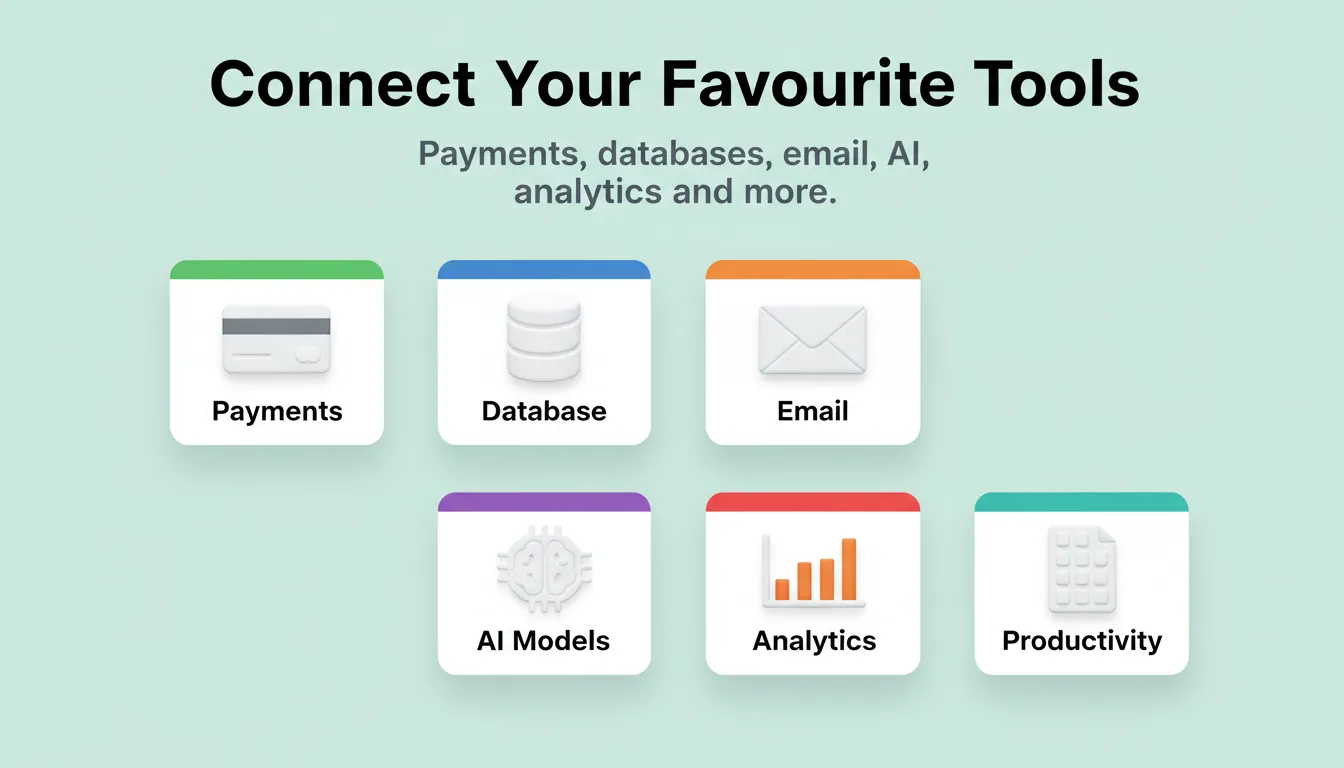
A major advantage of modern AI web app builders is the ability to connect external services directly into the build. The best platforms authenticate once and flow integrations into every project automatically.
Payments and monetization: Stripe, PayPal, AdSense
Email and messaging: Mailchimp, SendGrid, Twilio, Resend, Brevo, MailerLite
AI models: OpenAI, Anthropic, Gemini, Perplexity
Databases and CMS: Supabase, Strapi, Directus
Analytics: Google Analytics, Mixpanel
Forms and scheduling: Typeform, Tally, Cal.com, Calendly
Productivity and CRM: Notion, Linear, Airtable, Google Workspace
Design and development: Figma, GitHub, Netlify
This integration depth separates a capable AI app builder from a basic prototyping tool. When Stripe, Supabase, and Mailchimp are already connected, you are not building a demo. You are building a product.
Choosing the Best AI App Builder
There are many platforms available, so picking the best AI option depends on the project. First, think about the type of app. Some builders focus solely on web apps, while others support mobile apps as well.
Next, look at the output quality. Does the platform generate real, production-ready code in standard frameworks? Or does it produce locked-in, proprietary output you cannot export or extend?
Also, check practical points like:
- Does it include built-in hosting with staging and production environments?
- Can you export the code if needed later?
- Are security features enterprise-grade (WCAG, GDPR, role-based access)?
- Is there a free plan to test ideas?
- Does it connect to the tools your team already uses?
Reading reviews and community feedback helps too. Real users often share what works well and what feels limiting. The web-based application segment is among the fastest-growing in the low-code market, as organizations use these platforms to roll out user-defined apps quickly without deep programming experience (MarketsandMarkets, 2020).
Understanding the benefits of a no-code app builder before committing to a paid plan helps you choose the right tier.
Building Apps With AI App Builders
Start by clearly describing the app idea. Keep it simple. Who will use it? What problem does it solve?
The AI then creates a draft app with screens, navigation, and basic data logic. From there, you step into the visual editor to customize details. Pre-built components speed things up. Forms, dashboards, and lists can be added with a click.
This process supports creating MVPs quickly. Teams can test ideas, gather feedback, and adjust without rebuilding everything from scratch. The ability to iterate fast is one of the most underrated advantages of AI-powered app development.
Prompt best practices that consistently produce better first-generation results:
- Lead with purpose, not features. "Build a booking system for a hair salon" produces better output than "build a booking app."
- Use the 3-5 feature rule. List the most important features upfront. Add more through chat after the first generation.
- Name screens explicitly. "Include a dashboard screen, a client list screen, and an appointment detail screen" gives the AI clear structure.
- Separate design from functionality. Iterate on look and feel in one pass, then add logic in the next.
- Start lean, then iterate. Build a focused core first, then add features via chat.
Deploying Apps Built With AI App Builders
Once the app is ready, deployment follows. Most platforms offer built-in hosting. You can launch the app directly from the dashboard, with no extra servers or configuration needed.
A production-grade deployment workflow looks like this:
- Build and preview in a live sandbox
- Publish to a staging URL to share with teammates for feedback
- Connect a custom domain (automatic DNS configuration or manual setup)
- Push to production with one click
- Monitor performance via built-in analytics (visitors, conversions, Core Web Vitals)
- Roll back to any previous version instantly if something goes wrong
Some builders also let users export code. This is useful if the project grows or needs a custom setup later. For mobile apps, platforms like Rocket generate a signed APK for Android testing or a build ready for App Store Connect submission.
Mobile app distribution options:
| Distribution Method | Speed | Audience | Cost |
|---|---|---|---|
| Web preview link | Instant | Anyone with link | Free |
| APK download (Android) | Minutes | Testers with devices | Included with paid plan |
| Google Play Store | Days to weeks | Public | $25 one-time developer account |
| Apple App Store | Days to weeks | Public | $99/year developer account |
Ongoing updates are usually simple. Changes made in the visual editor can be published in minutes.
Security and Scalability of AI-Generated Apps
Security is often a concern, especially for business apps. Many AI app builders now provide enterprise-grade security features. These include encryption, role-based access, and secure authentication.
Scalability matters too. Some platforms are better suited for small projects, while others can handle thousands of users and heavy traffic. Monitoring tools help track performance and usage. Regular updates from the platform keep apps stable and safe over time.
According to the OWASP Top 10 2025, broken access control and cryptographic failures are the most critical web application security risks. Modern AI builders address both through built-in role-based access and secure data handling.
What production-ready security looks like in a capable AI web app builder:
- WCAG 2.1 AA accessibility compliance by default
- GDPR consent management and cookie policy generation
- CCPA compliance with "Do Not Sell" controls
- Environment variables stored at server level, so API keys are never exposed in client code
- Role-based access control (Admin, Creator, Viewer)
- Automatic HTTPS for all custom domains
Free AI App Makers
Free plans play a big role for beginners. Several platforms offer free tiers that allow users to start building and testing ideas. These plans often include limits on users, storage, or features.
Free access is useful for learning the tools and shaping an app idea. Before upgrading, review pricing details carefully and watch for hidden fees.
Some platforms also offer more credits or features as projects grow, making it easier to scale gradually. Weighing the ROI of an AI app builder versus hiring a developer is a useful exercise before committing to any plan.
What to look for in a free plan:
- Can you build and preview without a credit card?
- Are templates available at zero cost?
- Does the free tier produce real, deployable output?
- Is there a clear upgrade path when you need more?
Types of Apps You Can Build
AI app builders support a wide range of projects. Common examples include web apps for dashboards, booking systems, and analytics. Internal tools are popular too, especially for managing workflows and operations.
Customer portals let users log in, view data, and interact with services. Mobile apps can also be created or connected through responsive designs. With the right tools, you can manage data, connect services, and build apps that feel custom-made.
AI App Builder vs. Hiring a Developer: When to Use Each
| Scenario | AI App Builder | Hire a Developer |
|---|---|---|
| Validating an MVP quickly | Best choice | Too slow and expensive |
| Building a SaaS product from scratch | Strong choice | Needed for complex custom logic |
| Internal tools and dashboards | Best choice | Overkill for most cases |
| Highly custom algorithms or integrations | Limited | Required |
| Landing pages and marketing sites | Best choice | Unnecessary |
| Solo founder with no technical background | Best choice | Inaccessible |
| Iterating on a live product | Strong choice | Depends on complexity |
The right answer is often both. Start with an AI app builder to validate the idea and build the first version. Bring in a developer when the product has proven demand and needs custom infrastructure.
Rocket and AI Web App Builders
You type what you want to build. Rocket researches the market, generates the product, and deploys it. One input. One system.
Rocket is the world's first Vibe Solutioning platform. It is a single workspace where you research what to build, build it, and monitor what matters, without switching tools. 1.5 million people have tried Rocket across 180 countries.
Three pillars, one platform:
- Solve — validate ideas, run market research, create PRDs, and get structured reports with data, insights, and recommendations before writing a single line of code
- Build — generate production-ready web apps (Next.js), mobile apps (Flutter), landing pages, e-commerce stores, and internal tools from natural language, Figma files, GitHub repos, or existing websites
- Intelligence — monitor competitors continuously with automated daily briefs, pricing change alerts, and trend signals
The experience starts with a simple prompt. Rocket generates a usable app structure in 1 to 3 minutes. From there, everything stays visual and easy to adjust. Layouts, flows, and logic can be refined without writing code.
With built-in hosting, apps can go live quickly, without connecting extra services or worrying about deployment steps.
Key Features
- Six ways to start a build: from a prompt, Figma file, GitHub repo, attachment, template, or existing URL
- Prompt-based app generation using plain language
- Visual editor for layouts, screens, and user flows
- Three iteration modes: Chat, Visual Edit, and Code
- 25+ integrations: Stripe, Supabase, OpenAI, Anthropic, Notion, Airtable, and more
- Built-in hosting with staging and production environments
- Full version history and one-click rollback
- SEO, WCAG, and GDPR compliance shipped by default
- Built-in analytics: visitors, conversions, Core Web Vitals
- Mobile app support: iOS and Android from a single Flutter codebase
- Team collaboration: shared workspaces, role-based access, inline comments
Rocket Pricing Overview
Rocket uses a credit-based model. One credit balance covers Solve research, Build generation, and Intelligence monitoring. There is no separate billing for compute, storage, or hosting.
| Plan | What's Included | Best For |
|---|---|---|
| Free | 20 one-time credits, no credit card required | Testing and early builds |
| Build | Subscription credits for Build generation | Founders and solo builders |
| Solve + Build | Credits for research and building | Product teams validating before building |
| Solve + Build + Intelligence | Full platform access including competitor monitoring | Teams that research, build, and track |
| Intelligence add-on | $100/month per competitor tracked (500 credits/month) | Strategy and sales teams |
Unused subscription credits roll over month-to-month on monthly plans. Credit add-ons do not expire while your subscription is active.
The Future of AI Web App Building
The AI web app builder category is still early. Platforms are moving fast, from prompt-to-prototype toward prompt-to-production, with compliance, analytics, and team collaboration built in by default. The gap between what a solo founder can ship and what an engineering team can ship is narrowing every month.
For non-technical users, small teams, and founders who want to move from idea to live product without the overhead of traditional development, the case for starting with an AI app builder has never been stronger. The thinking before the build matters as much as the build itself, and the best platforms are starting to address both.
You have the idea. Type it. Start building on Rocket.new — your first build is free, no credit card required.
Table of contents
- -What is an AI App Builder?
- -What You Can Build With an AI Web App Builder
- -How AI App Builders Work
- -Features of AI App Builders
- -AI App Builder Feature Comparison
- -Six Ways to Start Building an App
- -Integrations: Connecting Your App to the Tools You Already Use
- -Choosing the Best AI App Builder
- -Building Apps With AI App Builders
- -Deploying Apps Built With AI App Builders
- -Security and Scalability of AI-Generated Apps
- -Free AI App Makers
- -Types of Apps You Can Build
- -AI App Builder vs. Hiring a Developer: When to Use Each
- -Rocket and AI Web App Builders
- -Key Features
- -Rocket Pricing Overview
- -The Future of AI Web App Building