A well-written AI prompt can generate a conversion-ready landing page in under three minutes. This guide covers 20 tested prompts organized by section type, with structural breakdowns, industry-specific examples, and a framework for building your own reusable prompt library.
Why Does Your Prompt Quality Decide Your Landing Page Quality?
According to HubSpot's 2026 State of Marketing Report, about 94% of marketers plan to use AI in their content creation processes, including landing page production. That number keeps climbing as AI builders get sharper at interpreting natural language.
The bottleneck is no longer the tool. It is the instruction you give it. A vague prompt produces a generic page. A specific, structured prompt produces a page that looks custom-built by a design team.
The prompts below are organized by landing page section, from full-page builds to micro-elements like pricing tables and FAQ blocks. Each one is ready to paste and customize for your brand.
What Makes a Landing Page Prompt Actually Work?
Before jumping into the list, it helps to understand the anatomy of a high-performing AI prompt. Most people write prompts that are either too vague or too prescriptive in the wrong areas. Neither produces great output.
The five structural elements that separate high-performing prompts from forgettable ones:
-
Purpose first: State what the page must accomplish, whether that is lead capture, product launch, waitlist, event registration, or direct sale.
-
Named audience: "B2B SaaS founders at seed stage" produces a fundamentally different page than "business owners."
-
Design direction: Dark or light theme, typography style, color palette, density level.
-
Content specifics: Actual headline angles, real value propositions, number of sections, and any copy to preserve verbatim.
-
Conversion elements: Exact CTA text, form field count, trust badge placement, and whether you need a single or multi-step flow.
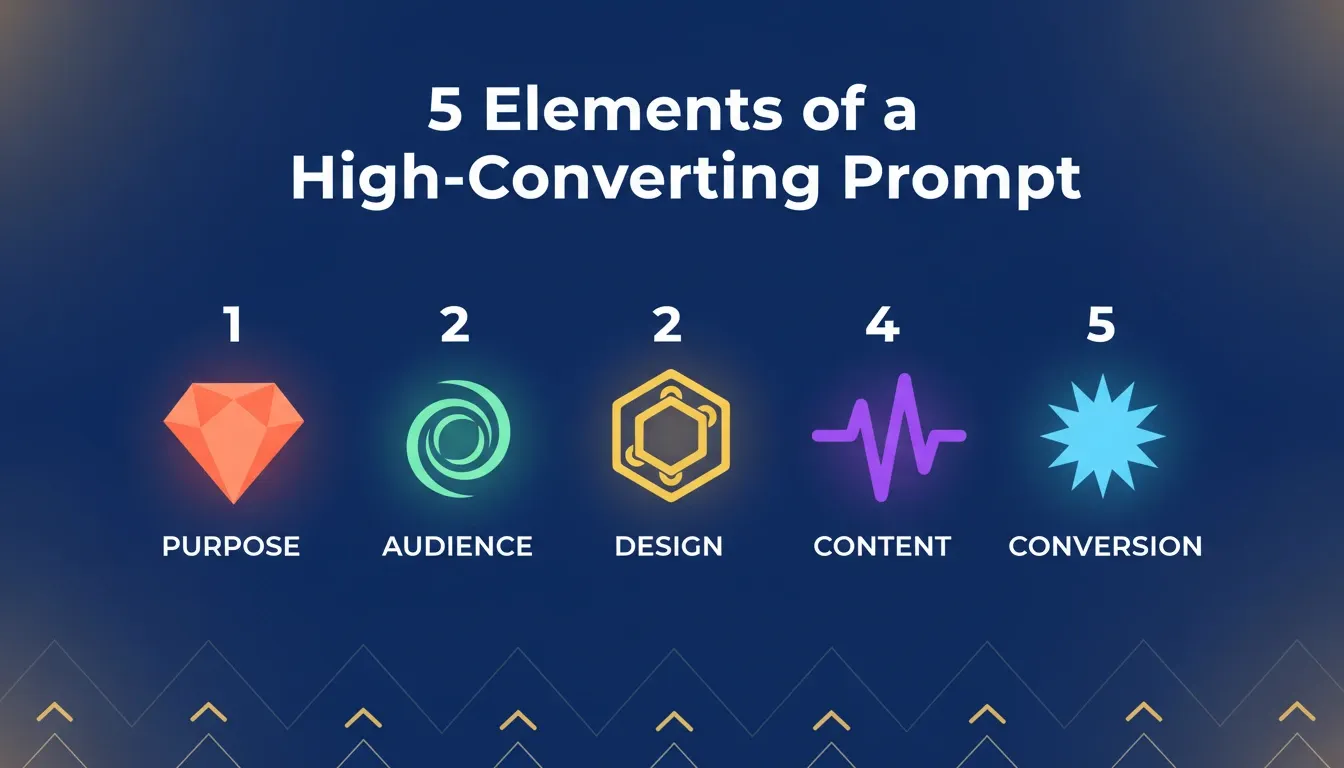
The five structural elements that determine whether your AI prompt produces a usable page or a generic one.
This five-part structure applies whether you are building a full page or a single section. The prompts below are pre-structured with these elements baked in, which is why they produce usable output on the first generation.
To understand the foundational principles before writing a single prompt, the guide on what makes a good landing page covers the core design and conversion best practices.
Prompt Quality vs. Output Quality
| Prompt Quality | Typical Output | Revision Cycles Needed |
|---|---|---|
| Vague (under 20 words) | Generic template-like page | 5-8 revisions |
| Moderate (purpose + audience only) | Decent structure, weak copy | 3-4 revisions |
| Specific (all 5 elements present) | Conversion-ready first draft | 1-2 revisions |
| Expert (context + specifics + design) | Near-production output | 0-1 revisions |
Full-Page Landing Page Prompts
These generate complete, multi-section pages from a single instruction. Use them when you need a working page fast, then refine section by section.
Prompt 1: SaaS Product Launch Page
"Build a landing page for a project management SaaS called TaskPilot. Hero section with headline 'Ship Projects Without the Chaos,' a subheadline about AI-powered task prioritization, and a 'Start Free Trial' CTA button. Include a features grid with 4 cards, a pricing comparison table with 3 tiers, customer testimonials from 2 tech companies, and a final CTA section. Use a clean white background with indigo accent colors."
What makes this effective: It names the product, anchors the headline to a specific pain point, specifies section count, and defines the color system. The AI has no ambiguity to fill with defaults.
Use case: SaaS founders launching a new product or running a paid acquisition campaign to a dedicated landing page.
Prompt 2: Freelancer Portfolio Page
"Create a single-page portfolio landing page for a UX designer. Include a bold hero with name and tagline, a 3-column project gallery with hover effects, a short about section, client logos, a testimonial slider, and a contact form. Use dark theme with orange accent highlights."
The key insight: The "3-column project gallery with hover effects" is a layout instruction, not a content instruction. Layout specificity is the most underused lever in landing page prompts.
Use case: Freelancers, consultants, and agencies building a personal brand page or client pitch asset.
Prompt 3: Event Registration Page
"Generate a landing page for a virtual AI conference happening March 2026. Include countdown timer, speaker cards with photos and bios, agenda timeline, early-bird pricing section, FAQ accordion, and a sticky header CTA for registration. Modern gradient background, sans-serif typography."
When to use this: The countdown timer and sticky header CTA are urgency and friction-reduction elements. Including them in the prompt means they are built into the architecture, not bolted on later.
Prompt 4: Mobile App Pre-Launch
"Build a pre-launch landing page for a fitness tracking app called PulseRun. Show a phone mockup in the hero, bullet list of 5 key features beside it, a waitlist email capture form, 'Join 12,000+ early adopters' social proof line, and app store badges at the bottom. Vibrant green and dark gray color scheme."
Why this converts: "Join 12,000+ early adopters" signals to the AI that this page needs social proof architecture, not just a generic sign-up form.
Prompt 5: Benefit-Led Hero
"Create a hero section with the headline 'Cut Your Cloud Costs by 40% Without Switching Providers.' Add a subheadline explaining automated cost optimization for AWS and GCP. Place a green 'See Your Savings' button on the left, and an animated dashboard screenshot on the right. White background, professional tone."
The formula here: The headline leads with a specific outcome ("40%") and a specific objection removal ("without switching providers"). This is the benefit-led structure: outcome plus objection removal in one line.
These 5 prompts are ready to use right now. Copy any one of them, open Rocket, paste it in, and watch a full landing page appear in under minutes. No design skills needed, no code, no waiting.
| Prompt Type | Best For | Key Elements to Include |
|---|---|---|
| SaaS Launch | B2B products | Features grid, pricing table, trust signals |
| Portfolio | Freelancers, agencies | Project gallery, testimonial, contact form |
| Event | Conferences, webinars | Countdown, speaker cards, agenda |
| Pre-Launch | Mobile apps, new products | Waitlist form, mockup, social proof |
| Course Enrollment | Educators, coaches | Curriculum, instructor bio, guarantee |
| Real Estate | Property listings | Photo hero, specs grid, tour CTA |
Hero Section Prompts That Convert
The hero is where visitors decide to stay or leave. Research from Nielsen Norman Group shows users form a first impression of a website in 50 milliseconds, and the hero section drives that judgment entirely.
For deeper strategies on writing hero section prompts that convert, start with your value proposition and work outward.
Prompt 6: Question-Based Hero
"Design a hero section that opens with the question 'Still spending 3 weeks on what should take 3 hours?' Below, add one sentence about AI-powered report generation. Two CTAs side by side: 'Try It Free' primary button and 'Watch Demo' secondary link. Minimalist layout with plenty of whitespace."
Why this works: Question-based heroes create a micro-commitment. If the visitor answers "yes," they are already engaged before reading the product description.
Prompt 7: Social Proof Hero
"Build a hero section showing '50,000+ teams already switched' as the primary headline. Below, display a rotating strip of company logos. Add a one-line value proposition underneath and a single email capture field with a 'Get Started' button. Subtle blue gradient background."
When to use this: Established products with strong user bases. This structure backfires on pre-launch pages where social proof numbers are small.
Feature and Benefit Section Prompts
The middle sections of a landing page are where most conversions are won or lost. Visitors who scroll past the hero are interested. These sections either confirm that interest or kill it.
Prompt 8: Feature Cards Grid
"Generate a features section with 6 cards in a 3x2 grid. Each card has an icon, a short title under 5 words, and a one-sentence description. Features: real-time collaboration, automated backups, custom workflows, role-based access, API integrations, and analytics dashboard. Use subtle shadows and rounded corners."
Pro tip: The "under 5 words" constraint on card titles forces the AI to write benefit-oriented titles rather than feature labels.
Prompt 9: Before and After Comparison
"Create a split-screen section showing 'Before' on the left with pain points in red and 'After' on the right with benefits in green. Topic: manual invoice processing vs automated invoicing. Include specific metrics like 'From 4 hours to 4 minutes per batch.' Clean divider line between sides."
When to use this: Before and after sections are among the highest-converting middle-page formats for B2B products. Color coding communicates the transformation without requiring the visitor to read every word.
Prompt 10: How It Works Steps
"Design a 3-step 'How It Works' section with numbered circles connected by a dotted line. Step 1: Describe your idea. Step 2: Review the generated page. Step 3: Launch in one click. Each step gets a short paragraph and a small illustration. Horizontal layout on desktop, vertical on mobile."
Getting prompt engineering best practices right makes the difference between a section that reads like a template and one that feels custom.
Prompts 6 through 10 are built for the sections visitors actually read. Paste any of them into Rocket and get a fully styled, responsive section live in minutes. Swap the placeholder copy with your real product details and you are done.
Social Proof and Testimonial Prompts
Trust signals turn interested visitors into actual leads. According to Unbounce's Conversion Benchmark Report, the median landing page conversion rate across all industries is 6.6%, with top-performing pages reaching 10 to 15%. Social proof is a primary driver of that gap.
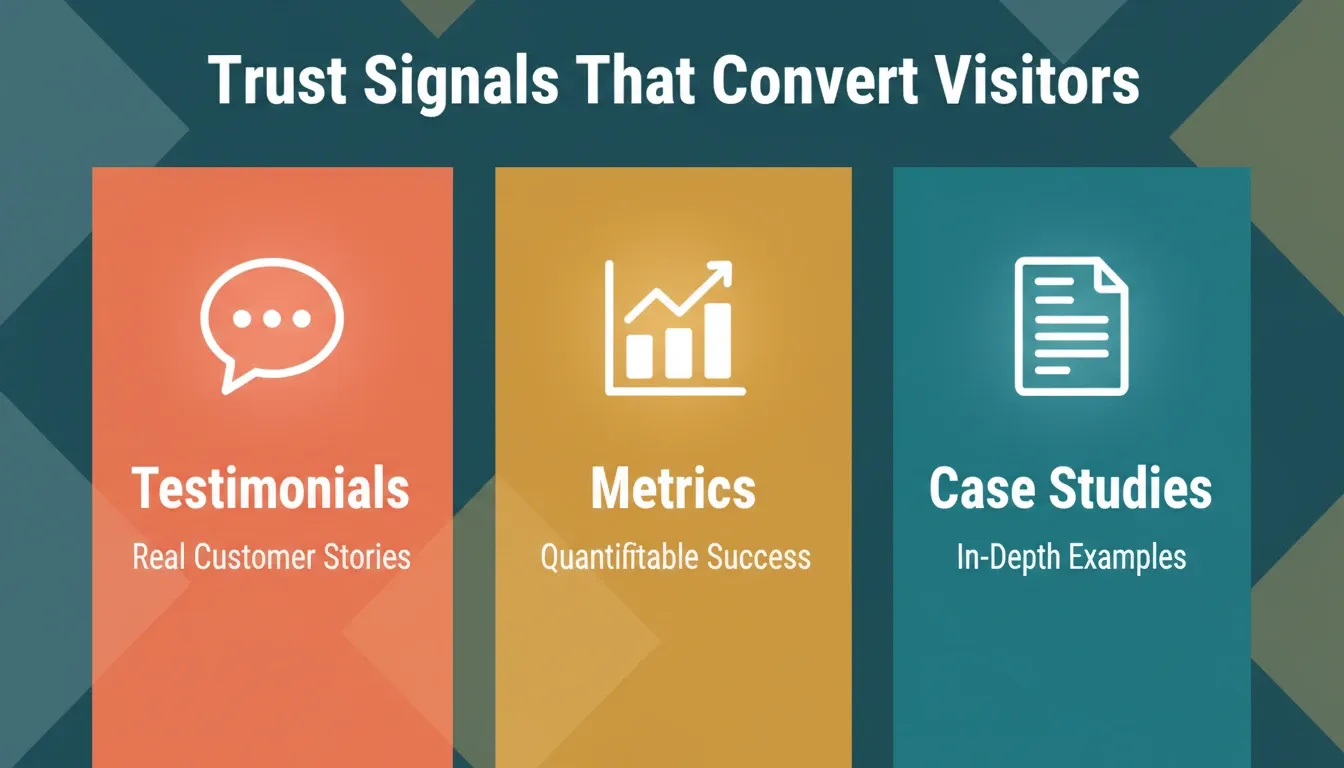
Social proof architecture: the three formats that convert skeptical visitors into leads.
Prompt 11: Competitor Comparison Table
"Build a comparison table showing our product vs Competitor A vs Competitor B. Rows: pricing, free plan, API access, customer support, onboarding time, integrations. Use checkmarks and X marks. Highlight our product column with a colored border and 'Best Choice' badge. Clean, minimal design."
The strategic value: Comparison tables capture bottom-of-funnel traffic that would otherwise leave to find comparison content elsewhere.
Prompt 12: Testimonial Cards
"Build a testimonial section with 3 cards. Each card has a profile photo placeholder, person's name, job title, company, and a 2-sentence quote. Add a 5-star rating above each quote. Cards should have a slight elevation shadow. Background: light gray."
Optimization note: The most effective testimonials address a specific objection, not just general satisfaction. Use quotes like "I was worried about the learning curve, but I was up and running in 20 minutes" rather than "Great product, highly recommend."
Prompt 13: Metrics Bar
"Create a horizontal stats bar showing 4 key metrics: '99.9% Uptime,' '150+ Countries,' '2M+ Users,' and '4.8 Rating.' Large numbers in bold with supporting text below each. Use the brand's primary color for numbers and dark gray for labels. Full-width section with slight padding."
Why numbers work here: Numbers are processed faster than text. A metrics bar gives visitors a quantitative snapshot of scale and reliability in under three seconds.
Prompt 14: Logo Cloud with Context
"Generate a 'Trusted By' section with a row of 8 company logos in grayscale. Above, place the headline 'Powering growth at companies you know.' Below the logos, add a single sentence: 'From seed-stage startups to Fortune 500 teams.' Subtle fade-in animation on scroll."
Prompt 15: Case Study Snippet
"Create a mini case study section with a company logo, a one-paragraph story about how they used the product, a pull-quote from their team lead, and 3 outcome metrics in bold (e.g., '3x faster deployment,' '40% cost reduction,' '98% team adoption'). Light background, left-aligned layout."
The key difference: Case study snippets are more persuasive than testimonials because they show process, not just outcome.
Your trust section is one prompt away. Pick any of the five above, drop it into Rocket, and get a credibility-building section that is styled, responsive, and ready to publish. Add your real numbers and quotes, then go live.
CTA and Conversion Element Prompts
These prompts target the specific moments where you ask visitors to act. Single-CTA pages consistently outperform those with multiple competing actions, so each of these prompts is built around one clear conversion goal.
Prompt 16: Sticky CTA Bar
"Add a sticky notification bar at the top of the page with the text 'Limited time: 50% off annual plans' and a small 'Claim Offer' button. Bar should be dismissible with an X. Use a contrasting color like deep orange on white text. Should not cover page content when scrolling."
When to use this: Promotional campaigns, product launches, and limited-time offers. The dismissible X is critical for UX. Visitors who are not interested in the offer should not have their reading experience blocked.
Prompt 17: Exit-Intent Section
"Design a final CTA section that appears before the footer. Headline: 'Ready to stop guessing and start growing?' One email input field with placeholder text 'Enter your work email' and a 'Start Building' button beside it. Add a micro-copy line below: 'No credit card required. Cancel anytime.' Dark background to contrast with the white page above."
The micro-copy advantage: "No credit card required. Cancel anytime." removes the two most common objections to signing up for a free trial in a single line.
Prompt 18: Pricing Comparison Table
"Create a pricing section with 3 tiers: Starter at \$0/mo, Growth at \$29/mo, and Scale at \$79/mo. Each column lists 5-7 features with checkmarks or dashes. Highlight the Growth plan as 'Most Popular' with a colored border. Include a toggle for monthly vs annual billing at the top."
Conversion insight: The "Most Popular" badge on the middle tier is a well-documented anchoring technique. It makes the lowest tier feel insufficient and the highest tier feel excessive, nudging the majority of visitors toward the middle option.
| Pricing Tier | Monthly Price | Annual Price | Best For |
|---|---|---|---|
| Starter | $0/mo | $0/mo | Solo founders, testing |
| Growth | $29/mo | $23/mo | Small teams, active campaigns |
| Scale | $79/mo | $63/mo | Growing businesses, high volume |
Prompt 19: FAQ Accordion
"Build an FAQ section with 6 questions in accordion format. Questions cover: pricing, data security, integrations, onboarding time, cancellation policy, and team collaboration. Each answer is 2-3 sentences. Only one answer visible at a time. Section title: 'Common Questions.'"
SEO note: FAQ sections with proper JSON-LD schema markup can generate rich results in Google search, displaying your questions and answers directly in the SERP.
GEO note: FAQ sections are among the most commonly cited landing page sections by AI search engines including ChatGPT, Perplexity, and Gemini. Structuring your FAQ with clear, direct answers significantly increases the likelihood of your page being cited in AI-generated responses.
Prompt 20: Resource Footer
"Generate a footer with 4 columns: Product (5 links), Resources (4 links), Company (4 links), and Legal (3 links). Add social media icons for X, LinkedIn, and GitHub below. Include a copyright line and a small logo in the top-left of the footer. Dark background with light gray text."
Prompts 16 through 20 close the deal. Every high-converting page needs a strong CTA, a clear pricing section, and a footer that keeps visitors moving. Copy any of these into Rocket, generate the section, and your page is ready to capture leads from the moment it goes live.
Niche-Specific Landing Page Prompts
Generic templates fall flat in industries with specific trust requirements, regulatory language, or audience expectations.
So here are prompts built for verticals where context matters.
Prompt 21: Real Estate Listing Page
"Build a landing page for a luxury apartment complex called The Meridian. Hero with a full-width property photo, headline 'Live Above the Ordinary,' and a 'Schedule a Tour' button. Below, show a specs grid: square footage, bedrooms, amenities count, and starting price. Add a neighborhood map section placeholder, 2 resident testimonials, and a contact form asking for name, phone, and preferred move-in date."
Prompt 22: Course Enrollment Page
"Create a landing page for an online course called 'AI for Marketers.' Hero with course title, instructor name, and a '4.9 rating from 3,200 students' badge. Include a curriculum section with 8 module titles in expandable format, an instructor bio card, 3 student testimonials, a money-back guarantee badge, and two pricing options: one-time payment and monthly plan. Add a countdown timer for enrollment deadline."
For course pages specifically, the guide on creating enrollment landing pages covers the structural decisions that affect sign-up rates.
Prompt 23: B2B Lead Generation Page
"Build a lead generation landing page for an enterprise cybersecurity platform. Hero with headline 'Stop Breaches Before They Start,' subheadline about AI-powered threat detection, and a 'Request a Demo' CTA. Include a 3-column trust section with SOC 2 Type II, ISO 27001, and GDPR compliance badges. Add a form with 5 fields: name, work email, company, company size, and primary security challenge. Dark professional theme."
Prompt 24: Agency Services Page
"Create a landing page for a digital marketing agency specializing in B2B SaaS companies. Hero with headline 'We Grow SaaS Companies From \$1M to \$10M ARR,' a 'See Our Work' CTA, and a row of 5 client logos. Include a services section with 4 cards (SEO, Paid Acquisition, Content, CRO), a case study with before/after metrics, team photos with bios, and a contact form. Clean white design with bold typography."
These niche prompts work just like the others. Copy the one that fits your industry, open Rocket, paste it in, and you will have a fully structured, styled page ready to customize with your real content. No templates, no blank screens, no guesswork.
Common Prompt Mistakes That Kill Landing Page Quality
Understanding what not to do is as important as knowing what works. These are the five most common prompt mistakes that produce unusable output.
Describing the design, not the goal. "Make a beautiful, modern landing page with gradients and animations" gives the AI an aesthetic goal. "Build a landing page for a project management tool targeting remote engineering teams, goal: email sign-ups" gives it a purpose. AI builders optimize for the goal you give them.
Omitting the audience. "Build a landing page for my SaaS" produces a generic page. "Build a landing page for a SaaS tool used by solo founders who are non-technical and have under \$10k MRR" produces a page with the right tone, social proof type, and CTA language.
Requesting too many sections at once. Prompts that list 12 or more sections produce pages where each section is mediocre. Build the core page first, then add sections through follow-up prompts.
Not specifying real numbers. "Show user count" produces a placeholder. "Show '47,000+ teams use this tool'" produces a page that looks real. Specific numbers produce better-structured social proof sections than vague instructions.
Skipping mobile instructions. Most AI builders default to desktop-first layouts. If you do not specify "responsive layout, vertical stack on mobile," you often get a page that breaks on the device most of your visitors are using.
How to Build a Prompt Library for Your Brand
The prompts above are starting points. Teams that get the most value from AI-generated landing pages build a prompt library, a documented set of prompts tested and refined for their specific brand, audience, and conversion goals.
Step 1: Start with a base prompt for each page type you build regularly. Customize it for your brand's color system, tone, and standard section structure.
Step 2: Document what works. After each generation, note which prompt elements produced the best output.
Step 3: Build a brand context block. Create a reusable paragraph describing your brand, including tone, colors, typography preferences, audience, and key differentiators. Prepend this to every prompt.
Step 4: Create section-level prompts for your most common components. If you always include a specific type of social proof section, write a dedicated prompt for it.
Step 5: Test and iterate. Run A/B tests on pages generated from different prompt variants.
For founders building without a design team, the guide on AI prompts for non-technical founders covers how to write prompts that compensate for the absence of a visual brief.
The prompt library development cycle: from first generation to a repeatable, brand-consistent standard.
How Rocket Turns These Prompts Into Live Pages
Every prompt in this list works inside Rocket's Build feature. What makes the output different from other builders is what happens between your prompt and the final page.
Rocket does not start from a blank prompt. Before generating a single component, it reads your project context, including brand guidelines, past research, competitive signals, and customer problems. It uses all of it to inform the output. The result is a page that already knows your market positioning from the first generation.
What every Rocket build ships with by default:
-
Context-aware copy: Hero headlines that reflect your actual product positioning, not generic placeholder text
-
Production-grade Next.js code: SEO-ready structure, WCAG accessibility compliance, and Core Web Vitals optimization built in
-
Real design systems: Intentional typography, visual hierarchy, and color application, not a template with your brand colors swapped in
-
25+ integrations ready: Stripe, Mailchimp, Supabase, Google Analytics, and more connect directly into the generated page
The guide on how a landing page builder helps launch products faster shows why specificity in your prompt directly translates to fewer revisions after generation.
If you want to understand the full scope of what is possible with AI-generated pages, the guide on building a high-converting landing page using AI tools covers the complete workflow from research to deployment.
For those exploring what is possible without writing any code at all, the guide on AI prompts to build a website walks through the full process step by step.
What Makes These Prompts Work in Practice
The difference between a prompt that produces a usable page and one that produces garbage comes down to three patterns.
Be specific about layout, not just content. "Add a hero section" gives the AI too much freedom. "Add a hero with headline on the left, product screenshot on the right, and CTA below the headline" gives it a blueprint.
Name your numbers. Metrics, pricing, social proof counts, actual numbers create pages that look real instead of placeholder-heavy. Even dummy data like "12,400 users" produces better output than "show user count."
Describe the conversion goal explicitly. "Build a landing page" and "Build a landing page optimized for email sign-ups from B2B SaaS founders" produce fundamentally different outputs. The conversion goal shapes every layout decision the AI makes.
AI Prompts to Build a Landing Page: Your Starting Point for 2026 and Beyond
The best landing pages in 2026 will not come from spending weeks in Figma or hiring expensive agencies. They will come from founders and marketers who learned to describe what they want clearly, then let AI handle the execution.
As AI builders become standard tools, the competitive advantage shifts from "who uses AI" to "who uses AI with the most context." Platforms that start from your research, your brand, and your competitive signals will consistently outperform those that start from a blank prompt. The AI prompts to build a landing page that work today will become the foundation of prompt libraries that compound in value over months and years.
Start with one prompt from this list. Test it. Refine the wording based on what comes back. Build your own library of proven prompts that produce pages matching your brand every time.
1.5 million people have tried Rocket across 180 countries. You type the problem. Rocket researches it, recommends a direction, and builds from that direction. Start building on Rocket.new and turn your next prompt into a live, production-grade landing page in minutes. No credit card needed for your first build.
Table of contents
- -What Makes a Landing Page Prompt Actually Work?
- -Prompt Quality vs. Output Quality
- -Full-Page Landing Page Prompts
- -Prompt 1: SaaS Product Launch Page
- -Prompt 2: Freelancer Portfolio Page
- -Prompt 3: Event Registration Page
- -Prompt 4: Mobile App Pre-Launch
- -Prompt 5: Benefit-Led Hero
- -Hero Section Prompts That Convert
- -Prompt 6: Question-Based Hero
- -Prompt 7: Social Proof Hero
- -Feature and Benefit Section Prompts
- -Prompt 8: Feature Cards Grid
- -Prompt 9: Before and After Comparison
- -Prompt 10: How It Works Steps
- -Social Proof and Testimonial Prompts
- -Prompt 11: Competitor Comparison Table
- -Prompt 12: Testimonial Cards
- -Prompt 13: Metrics Bar
- -Prompt 14: Logo Cloud with Context
- -Prompt 15: Case Study Snippet
- -CTA and Conversion Element Prompts
- -Prompt 16: Sticky CTA Bar
- -Prompt 17: Exit-Intent Section
- -Prompt 18: Pricing Comparison Table
- -Prompt 19: FAQ Accordion
- -Prompt 20: Resource Footer
- -Niche-Specific Landing Page Prompts
- -Prompt 21: Real Estate Listing Page
- -Prompt 22: Course Enrollment Page
- -Prompt 23: B2B Lead Generation Page
- -Prompt 24: Agency Services Page
- -Common Prompt Mistakes That Kill Landing Page Quality
- -How to Build a Prompt Library for Your Brand
- -How Rocket Turns These Prompts Into Live Pages
- -What Makes These Prompts Work in Practice
- -AI Prompts to Build a Landing Page: Your Starting Point for 2026 and Beyond