
Replit works for beginners, but it struggles with mobile apps, unpredictable AI costs, and production-scale collaboration. This blog covers the strongest Replit alternatives in 2026 and shows where each one fits.
What platform do you switch to when Replit stops fitting your workflow?
Fortunately, there are solid Replit alternatives worth a serious look right now. These range from full cloud IDEs to AI-powered app builders that handle most of the heavy lifting.
According to the Stack Overflow 2025 Developer Survey, 84% of developers now use or plan to use AI tools in their process.
Among all the Replit alternatives available, Rocket makes a very strong case for most fast-moving builders and non-technical teams. Here is a clear breakdown to help you decide.
Why Developers are Moving Away From Replit
Replit started as a browser-based IDE where you could spin up a project and run it immediately. That simplicity attracted millions of learners, solo builders, and small teams. Over time, however, the platform's limitations have become harder to ignore.
What Replit Does Well
Replit works as a cloud IDE that runs code in the browser with no local setup required. Replit AI adds assistance to the editor for code generation, autocomplete, and light debugging. It also supports dozens of programming languages for varied projects.
- Provides a complete development environment in the browser with no configuration
- Replit AI helps with writing code and catching basic errors
- Supports a free plan for casual use and beginner-friendly environments
- Works across dozens of languages for varied projects
Where Replit Falls Short
As projects grow, friction builds quickly. Version control is limited compared to proper git workflows with pull requests and branching. The free tier is restrictive, and paid plans can feel steep for the value they deliver.
- No support for building mobile apps natively from the platform
- Real-time collaboration is not deeply built out for growing teams
- Experienced developers often find the environment too constrained for serious work
- Building full-stack apps across web and mobile is not possible from Replit alone
- Replit Agent burns credits fast, with users reporting around $2 per request on the Core plan
- Every Replit plan has hard caps on CPU, RAM, and storage
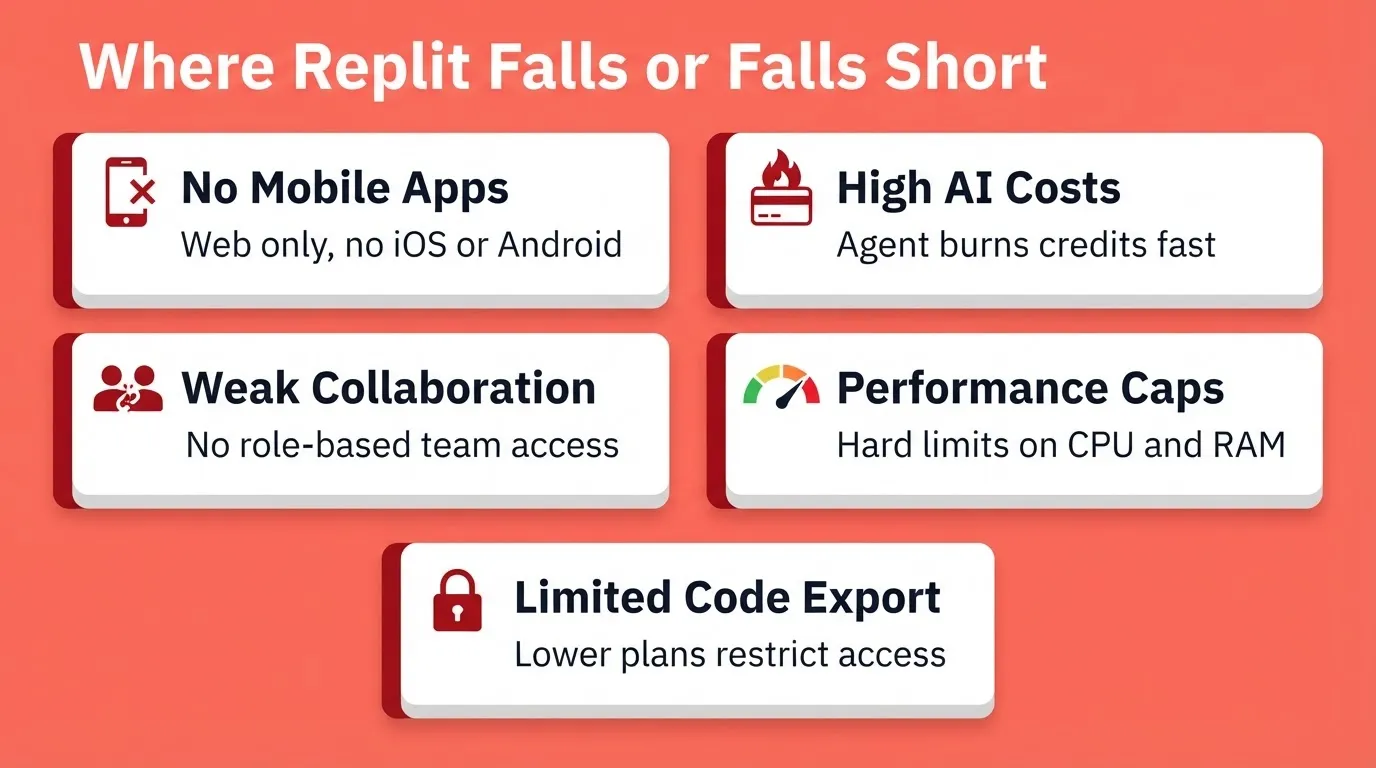
These limitations push builders toward Replit alternatives for faster app development. So let us look at what is actually available.
The Best Replit Alternatives for AI Development in 2026
Developers increasingly prefer AI-driven tools for rapid deployment and efficient workflows. As of 2026, strong Replit alternatives have emerged with a focus on AI-native workflows, fast deployment, and support for both web apps and mobile apps. Here is what each platform offers.
GitHub Codespaces
GitHub Codespaces gives you a full cloud IDE powered by VS Code, hosted in your browser and tightly tied to your GitHub repositories. It is one of the best Replit alternatives for experienced developers already in the GitHub workflow.
- Full cloud IDE based on VS Code with familiar extensions and your preferred coding style
- Deep integration with pull requests, version control, and GitHub Actions
- Supports custom domains and flexible paid plans for teams of any size
- Strong for full-stack development and managing generated code across dev environments
- AI assistance requires GitHub Copilot separately, with no built-in code generation
The key difference here is depth. Codespaces gives you full control in a browser-based IDE without sacrificing real git workflows.
Cursor
Cursor is a desktop IDE forked from VS Code that layers deep AI assistance into your coding experience. It is the most mature alternative to Replit for experienced developers who want AI capabilities with full code control.
- VS Code-compatible with a built-in AI agent for context-aware suggestions and debugging tools
- Codebase-wide context makes AI assistance genuinely accurate
- Strong in writing code across full-stack applications at scale
- Your work stays in local environments and is fully exportable
- No mobile app support, no hosting, and local setups are required throughout
"Despite its AI capabilities, Cursor.ai can be surprisingly slow, especially when working with larger codebases. The editor sometimes lags or freezes, which can be incredibly frustrating when you're in the middle of a coding session." — Medium, Data Science in Your Pocket
Superblocks
Superblocks is an enterprise-grade, AI-powered platform for generating full-stack internal tools with strong role-based access controls. It is purpose-built for teams that need security and governance from day one.
- Generates full-stack web applications with minimal code
- Built for enterprise plans and business plan-level security requirements
- Custom domains and API key management included from the start
- Role-based access for small teams and large organizations
- Not designed for end-user web apps or mobile applications
Bolt and Lovable
Bolt and Lovable both offer AI-powered app builder experiences that generate web apps from natural language prompts. They are a good starting point for non-technical founders who need something working fast.
- Good for rapid prototyping and non-technical founders who want a working app fast
- Takes natural language input and generates code with a clean instant UI
- Code export on higher paid plans, with limited mobile app support
- Best for landing pages and early-stage web projects
These are solid Replit alternatives for web-focused work. However, building applications across both web and mobile is where they fall short.
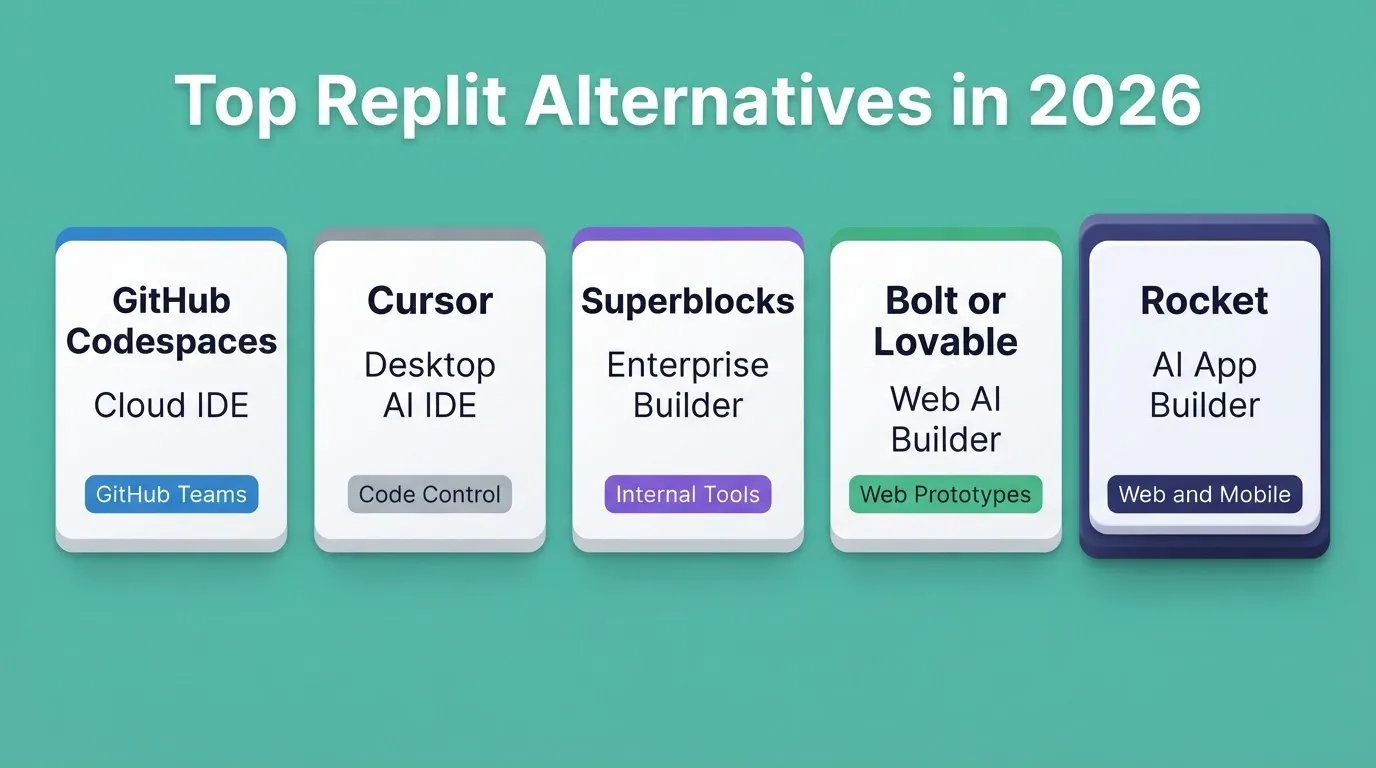
Platform Comparison: Replit Alternatives in 2026
| Platform | Type | AI Role | Mobile Apps | Deployment | Best For |
|---|---|---|---|---|---|
| GitHub Codespaces | Cloud IDE | Assistance (Copilot add-on) | No | Manual | Developers in GitHub workflows |
| Cursor | Desktop IDE | AI assistance | No | Manual (local) | Experienced devs, full code control |
| Superblocks | Enterprise Builder | Assistance | No | Managed | Enterprise internal tools |
| Bolt or Lovable | AI App Builder | Generation (web only) | Limited | Built-in | Web prototypes, landing pages |
| Replit | Cloud IDE plus AI | Assistance and Partial Generation | No native mobile | Built-in | Multi-language coding, beginners |
| Rocket | AI App Builder | Full AI Generation plus Agents | Yes (Flutter iOS and Android) | Instant, zero setup | Full-stack apps and mobile from one prompt |
What Makes a Strong Replit Alternative?
Choosing from these Replit alternatives comes down to your team's technical depth and what you are building. A good development environment in 2026 should tick most of these boxes.
The platforms that clear these without expensive enterprise plans are the ones worth your time:
- Supports natural language prompts for AI generation tasks
- Handles full-stack development from one place without tool-switching
- Offers real-time collaboration for teams at any stage
- Provides version control or clean git integration
- Lets non-technical users build web apps without local setup friction
- Supports both web apps and mobile apps
- Gives you code export for full control of your codebase
Team Collaboration and Deployment
Most projects grow into small teams faster than expected. Deployment speed matters from early on. The right platform bridges building and going live without requiring you to configure hosting, manage API keys, or set up local environments from scratch.
For a detailed side-by-side breakdown, check out this full developer comparison of Cursor, Replit, and Rocket.
What Developers Are Saying
Community feedback on Rocket has been direct and consistent:
"Awesome builder, modern, fast and insanely easy to use. Rocket generates a lot from a single prompt, and after testing many other builders, this is the one I'm sticking with." — Trustpilot reviewer, November 2025
1.5 million people have tried Rocket across 180 countries. Community support has grown as more builders move from experiments to real product launches.
How Rocket Handles AI Development
Rocket is an AI-powered app builder that generates production-ready applications from natural language prompts with minimal setup required. Unlike Replit, which uses AI assistance to help you write code, Rocket deploys an AI agent to replace most of the manual coding process. You describe the product, and the AI agent builds it.
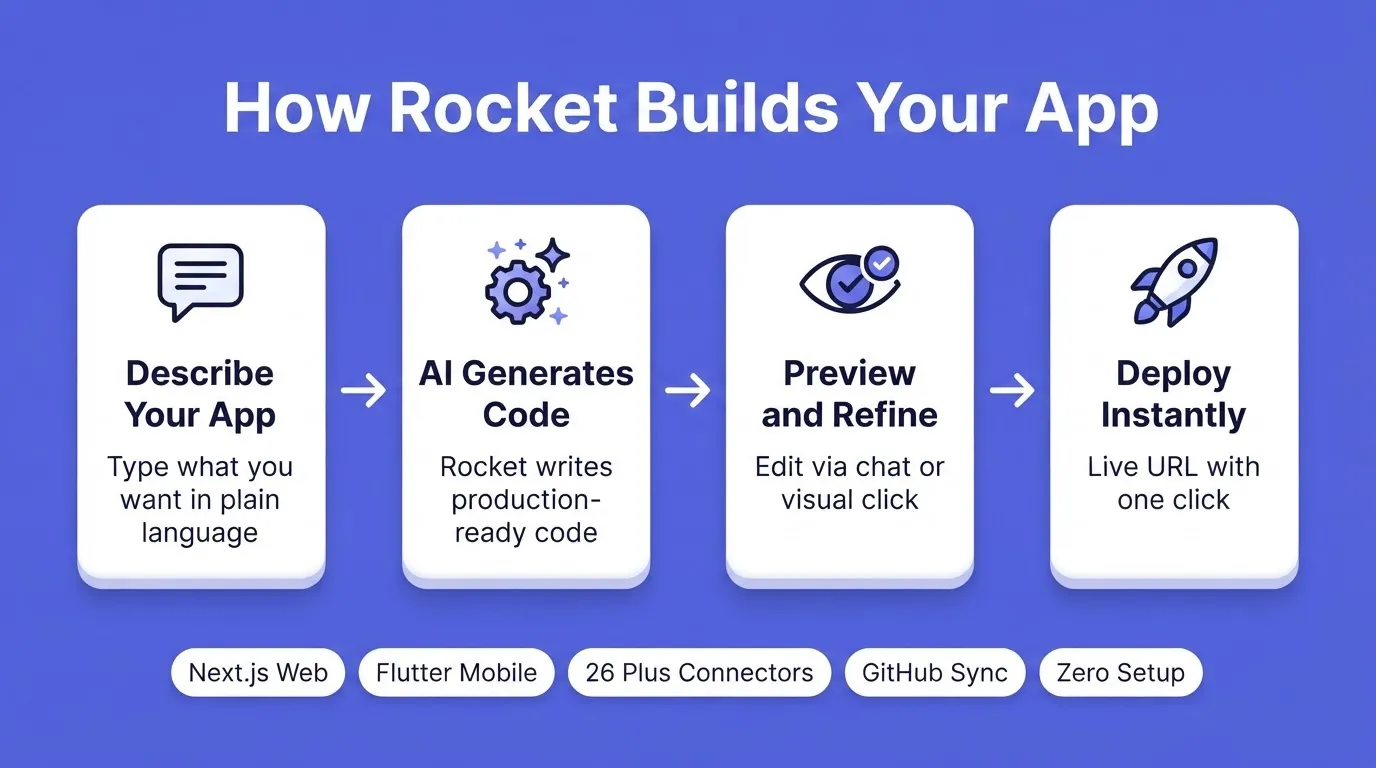
How Rocket Builds Your App
Rocket's Top Features for App Building
- 25,000 plus templates library: Browse and remix for free, covering web apps and mobile apps across dozens of categories. Browsing templates costs zero credits.
- Flutter (mobile) and Next.js (web): Generates full-stack apps across both platforms from one prompt, ready for App Store and Google Play submission.
- Real-time collaboration: Built in, with role management for small teams and growing organizations. All paid plans include unlimited team members.
- Visual edit: Click any element in the live preview to update text, tweak spacing, swap images, or adjust styling directly.
- Advisor Agent: A built-in senior architect that diagnoses root causes, resolves error loops, and makes architectural decisions so the coding agent never gets stuck.
- 26 plus connectors: Wire in Stripe, Supabase, OpenAI, Anthropic, Airtable, HubSpot, Notion, Linear, and more from a single prompt.
- Zero-setup deployment: Handles hosting and configuration automatically. Custom domains are available on paid plans.
- Code export: Download the full project as a zip file on paid plans. GitHub sync is also available for two-way code collaboration.
How Rocket Supports Collaboration
Rocket approaches team collaboration differently from a traditional Replit project. There is no need to configure local environments or deal with syncing issues.
- Role-based access controls for managing who edits, reviews, and deploys
- Real-time collaboration tools let multiple users contribute simultaneously
- Managed dev environments that work from any browser
For teams starting out, this removes the friction that slows early-stage development. You build together without getting stuck on configuration.
Rocket Use Cases for AI Development
- Building web apps and mobile applications together: Generates full-stack web and mobile applications for Flutter and Next.js from a single natural language prompt.
- Rapid prototyping for MVPs: Non-technical users and entrepreneurs go from idea to launch in hours, not weeks.
- Team tooling: Teams build internal tools without standing up a full development environment.
- Generating production-ready applications: Unlike basic vibe coding tools, Rocket targets production-ready code from the very first prompt.
To see what this workflow looks like in practice, explore how builders are building full-stack apps with AI prompts.
Pricing Compared Across Replit Alternatives
Understanding pricing is critical because AI-powered tools can bill unpredictably. Here is how the leading platforms compare.
| Platform | Entry Paid Plan | Notes |
|---|---|---|
| Rocket | Pro: $25/mo (100 credits/mo) | Credits shared across Build. Annual billing saves 20%. All paid plans include unlimited team members. |
| Replit | Core: approx. $20/mo (annual) | Teams: $35/user/month. Credits can exhaust mid-build. |
| Cursor | Pro: $20/mo | Unlimited completions on Pro. Desktop only. |
| GitHub Codespaces | Pay-per-use (compute hours) | Copilot billed separately, approx. $10/mo. |
| Superblocks | Custom enterprise pricing | SSO, RBAC, and Cloud-Prem on enterprise. |
Rocket runs on a credit-based system. The Free plan includes 20 one-time credits. The Pro plan ($25/month) includes 100 credits per month. The Rocket plan ($50/month) includes 250 credits per month. The Booster plan ($250/month) includes 1,500 credits per month.
Which Platform Matches Your Workflow?
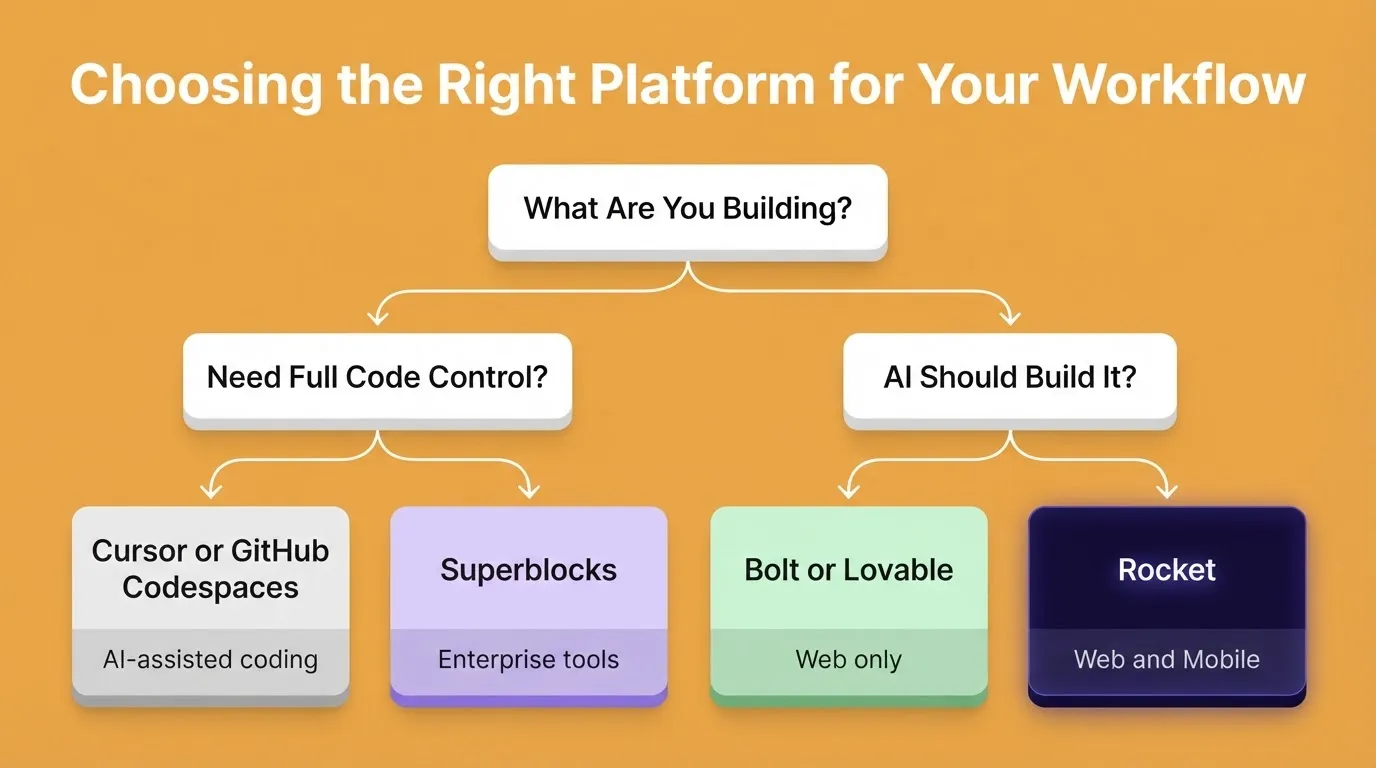
Choosing among these Replit alternatives comes down to two things: your team's technical level and your timeline. Here is a simple way to think about it.
- For full code control with AI assistance: Use Cursor or GitHub Codespaces.
- For enterprise internal tools: Use Superblocks.
- For web-only rapid prototyping: Use Bolt or Lovable.
- For production-ready full-stack apps and mobile apps from natural language with no manual setup: Use Rocket.
Experienced developers who want AI capabilities over a local IDE lean toward Cursor or Codespaces. Teams that want AI to generate full-stack apps across web and mobile with minimal local setup will find Rocket to be the clearest answer for fast, full-stack development.
To understand what the switch looks like in practice, read about why developers switch from Replit to Rocket.
The Right Replit Alternative Depends on What You Are Building
The development platform you choose shapes how fast you ship and how much friction you carry from idea to launch. For builders comparing Replit alternatives who want a platform that handles web apps, mobile apps, real-time collaboration, and deployment from one place, Rocket earns top marks.
It treats natural language as the primary input, keeps non-technical users and experienced developers equally productive, and generates production-ready applications without requiring you to manage any infrastructure. As AI-native development continues to grow, the gap between platforms that assist coding and platforms that replace it will only widen. Rocket sits firmly on the generation side of that divide.
Start building on Rocket and go from idea to deployed app without writing a single line of code.
Table of contents
- -Why Developers are Moving Away From Replit
- -What Replit Does Well
- -Where Replit Falls Short
- -The Best Replit Alternatives for AI Development in 2026
- -GitHub Codespaces
- -Cursor
- -Superblocks
- -Bolt and Lovable
- -Platform Comparison: Replit Alternatives in 2026
- -What Makes a Strong Replit Alternative?
- -Team Collaboration and Deployment
- -What Developers Are Saying
- -How Rocket Handles AI Development
- -Rocket's Top Features for App Building
- -How Rocket Supports Collaboration
- -Rocket Use Cases for AI Development
- -Pricing Compared Across Replit Alternatives
- -Which Platform Matches Your Workflow?
- -The Right Replit Alternative Depends on What You Are Building