SAP Build Apps was deprecated on March 23, 2026, with no self-service migration for frontend projects. This guide covers your four rebuild options and a step-by-step walkthrough using Rocket.new, an AI app builder that generates production-ready code from plain-language prompts.
SAP Build Apps was officially deprecated on March 23, 2026, leaving thousands of teams without a self-service migration path for frontend projects.
This guide covers what SAP offers for migration, the four main SAP Build Apps alternatives, and a step-by-step rebuild walkthrough using an AI app builder, with honest notes on where each path fits and where it does not.
What Happened to SAP Build Apps?
SAP Build Apps began as AppGyver, a no-code platform SAP acquired in 2021 and rebranded in November 2022. For a couple of years, it served as SAP's answer to low-code app development for citizen developers and professional developers alike.
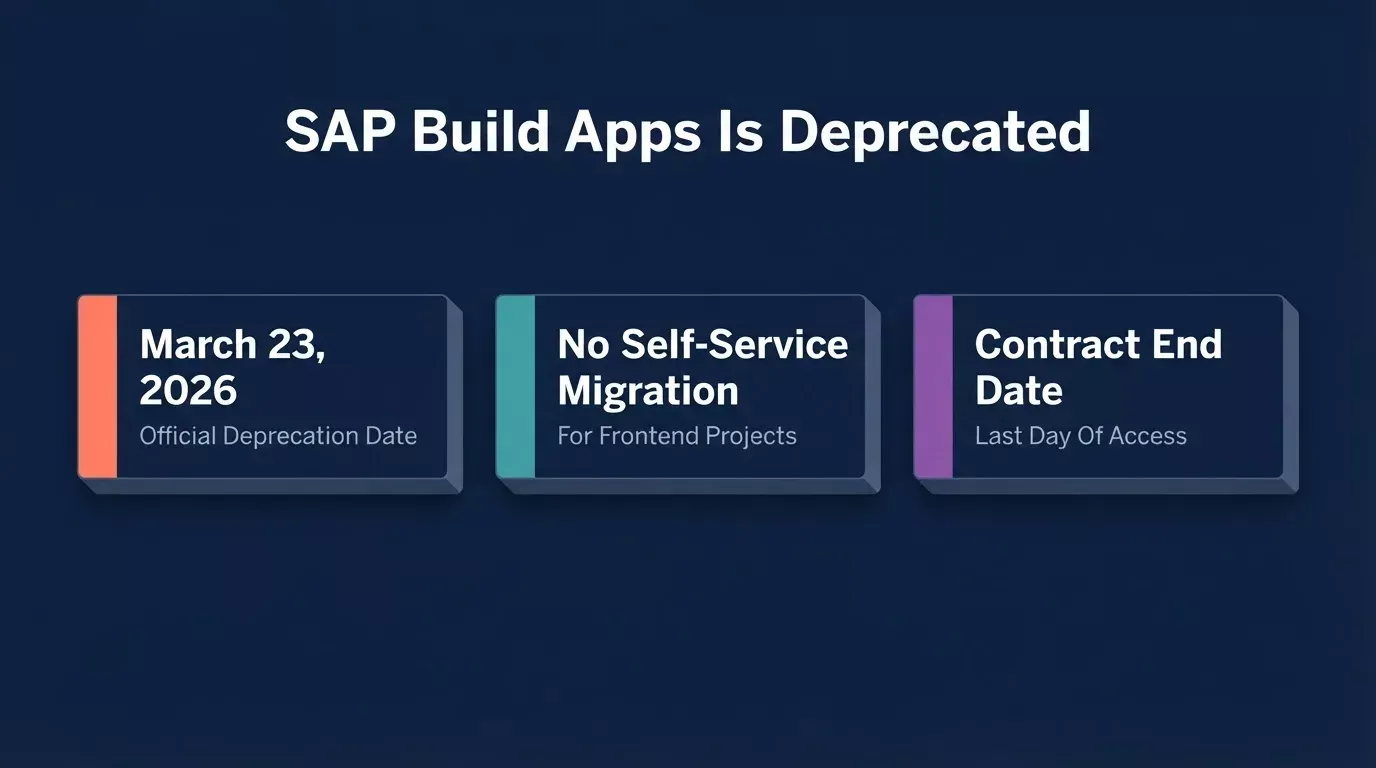
Three facts every SAP Build Apps customer needs to know about the deprecation
SAP deprecated Build Apps on March 23, 2026. The product is no longer a standalone offering. SAP is folding its capabilities into the unified SAP Build platform, which combines app development, process automation, and business site creation under a single platform.
- Existing customers keep access through their contract end date. Whether you are on BTPEA, PAYG, CPEA, or subscription licensing, your apps keep running. SLAs and maintenance continue.
- No new features or data center support. SAP stated clearly that no additional roadmap items are planned for the earlier Build Apps product.
- No self-service migration path for frontend projects. You cannot import your SAP Build Apps frontend project into the unified SAP Build offering through a self-service tool. Backend data can be exported manually via CSV files. SAP does offer an assisted conversion process for web apps: export your project as an .mtar file and request conversion to SAPUI5 or React (Vite). Mobile apps do not have a migration path to other tools.
The announcement on SAP Community drew significant attention from teams across the SAP ecosystem, a clear sign that thousands of organizations are facing the same SAP Build Apps migration question right now. The product is winding down. If you built apps on this platform, you need a plan.
What to Consider Before Choosing an Alternative
Before jumping to a new tool, take stock of what you actually need. Not every rebuild path fits every team.
- SAP data connectivity: Do your apps pull from S/4HANA, SuccessFactors, or other SAP systems? Most SAP cloud products expose REST or HTTP-based APIs. Check whether your replacement can call those endpoints.
- Security and compliance: What governance standards does your organization require? Some industries need GDPR compliance, specific audit trails, or enterprise identity management. Confirm what each platform documents before assuming coverage.
- Team skills: Is your team comfortable with pro code development, or do they rely on low-code and drag-and-drop tools?
- Speed to rebuild: How fast do you need to be back in production? Contract expiry dates set the deadline.
- Cost: Factor in licensing, developer time, training, and long-term maintenance.
- Rebuild scope: Are you recreating the exact same app, or is this a chance to rethink what you actually need?
Answering these questions first saves you from picking a tool that looks good on paper but fails in your specific business context.
Your Main SAP Build Apps Migration Options
The low-code development market hit $44.5 billion in 2026, and the global no-code market is projected to reach $187 billion by 2030. That means you have plenty of choices now. Here are the four main paths forward when you need to replace SAP Build Apps.
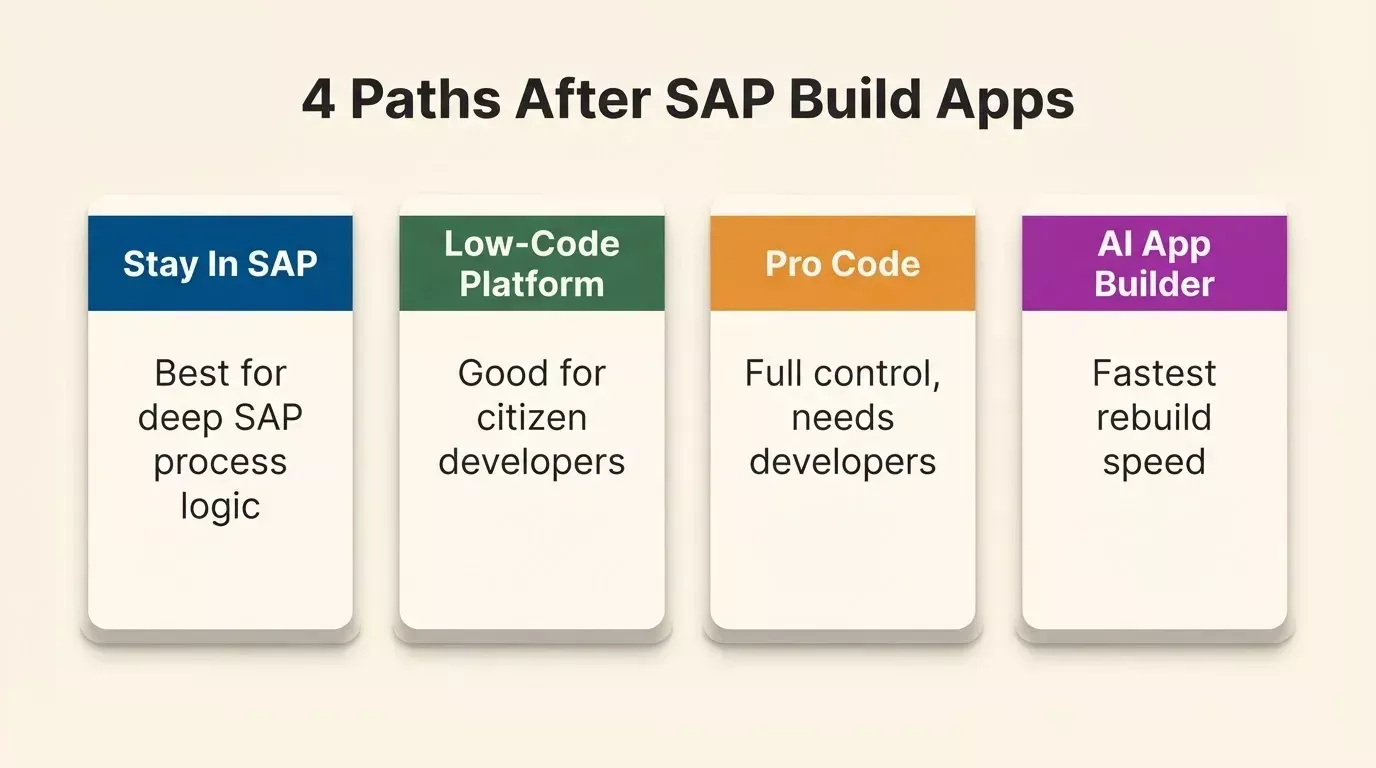
The four main rebuild paths for teams displaced by SAP Build Apps deprecation
Option 1: Stay in the SAP Ecosystem
SAP's own unified SAP Build offering combines low-code, code-first, and AI-powered development. If your apps live deep inside SAP processes and you need tight governance, this is the safest path. The assisted .mtar conversion to React or SAPUI5 also makes this the most direct route for teams whose web apps qualify.
- Pros: native SAP BTP connection, familiar environment for existing SAP teams, compliance built in, assisted frontend migration available for web apps
- Cons: steep learning curve for the new tooling, higher licensing costs, limited flexibility outside SAP workflows, mobile apps have no migration path
Option 2: Another Low-Code Platform
Platforms like OutSystems, Mendix, or Power Apps offer drag-and-drop interfaces, prebuilt connectors, and enterprise support. Many have a community edition or free tier to test. For a detailed comparison of how these platforms stack up against an AI-first approach, see how Rocket.new compares to Mendix for enterprise low-code development.
- Pros: mature ecosystems, good for citizen developers, strong templates and add-ons
- Cons: vendor lock-in risk, limited features for complex web applications, pricing scales up quickly
Option 3: Pro Code Development
Rebuild with React Native, Flutter, Next.js, or another framework. Full control, full responsibility.
- Pros: complete customization, no platform dependency, access to any API
- Cons: needs professional developers, slower time to production, higher upfront costs
Option 4: An AI App Builder
Describe what your app does, and an AI app builder generates it with production-ready code in Next.js or Flutter. This is the fastest rebuild path for teams that need to replace SAP Build Apps without a steep learning curve. You own the code and can sync it to GitHub.
- Pros: fast rebuild speed, code ownership, no steep learning curve, works for web and native mobile apps
- Cons: not a native SAP connector (calls SAP APIs over HTTP), not designed for deep SAP process automation
Most teams facing the SAP Build Apps deprecation will land on one of these four paths, or a combination. The right choice depends on your answers from the checklist above.
SAP Build Apps vs Rocket.new: How They Differ
If you are weighing the SAP path against an AI app builder, here is a side-by-side breakdown of SAP Build Apps vs Rocket.new.
| Aspect | SAP Build Apps / SAP Build | Rocket.new |
|---|---|---|
| Approach | Visual low-code, drag-and-drop | Prompt-to-app, AI-assisted |
| Build speed | Days to weeks | Minutes to hours |
| Code ownership | Locked to SAP BTP; assisted export available | GitHub sync (Next.js/TypeScript); editable in-platform |
| Customization | Platform components and templates | Chat, visual editor, or direct code |
| SAP connectivity | Native via SAP BTP | HTTP APIs via Postman, cURL, or OpenAPI import |
| Authentication | SAP BTP identity management | Supabase Auth; SSO via Contact Sales |
| Learning curve | Steep, requires SAP BTP knowledge | Plain language, no platform training needed |
| Best for | Deep SAP processes, strict governance | Internal tools, dashboards, mobile apps, prototypes |
The trade-off is clear: SAP Build gives you native SAP connectivity and governance, while Rocket gives you speed, code flexibility, and a fast path to production.
The low-code vs AI app builder debate is worth reading if you are still deciding between these two categories.
When Rocket Is a Good Fit (and When It Is Not)
Honesty matters here. Rocket is a strong choice for certain types of rebuilds, and not the right tool for others.
Rocket works well for:
- Internal tools and dashboards: inventory trackers, approval workflows, and reporting views that pull data from SAP through REST APIs. The Rocket.new internal tools playbook covers the most common enterprise use cases.
- Custom front ends: when you need a polished UI on top of SAP data but do not need the full SAP Fiori elements framework
- Mobile apps: Rocket generates Flutter apps for iOS and Android from a single prompt, suitable for teams who need to rebuild native mobile apps. See how Rocket builds production-ready mobile apps for what is supported.
- Fast prototypes: test app ideas before committing to a full SAP Build migration, with a free-plan starting point and working output in minutes
- Small businesses and startups: teams without deep SAP expertise who need production-ready apps; the Free plan includes 20 one-time credits with no credit card required
Rocket is not the right fit for:
- Deep SAP process automation (SAP Build Process Automation handles this better)
- Apps that require strict SAP governance and audit trails baked into the platform
- Scenarios where native Fiori elements and SAP design standards are a hard requirement
- On-premise S/4HANA integrations: Rocket calls HTTP APIs, so cloud-exposed endpoints work; on-premise systems behind a firewall require additional setup not covered in the docs
If your app is more about the user-facing experience and data display than about deep SAP process logic, Rocket is worth a serious look. You can see Rocket.new in action before committing to any plan.
How to Rebuild a SAP Build Apps Project in Rocket
Here is a practical, step-by-step walkthrough for rebuilding an existing project as part of your SAP Build Apps migration.
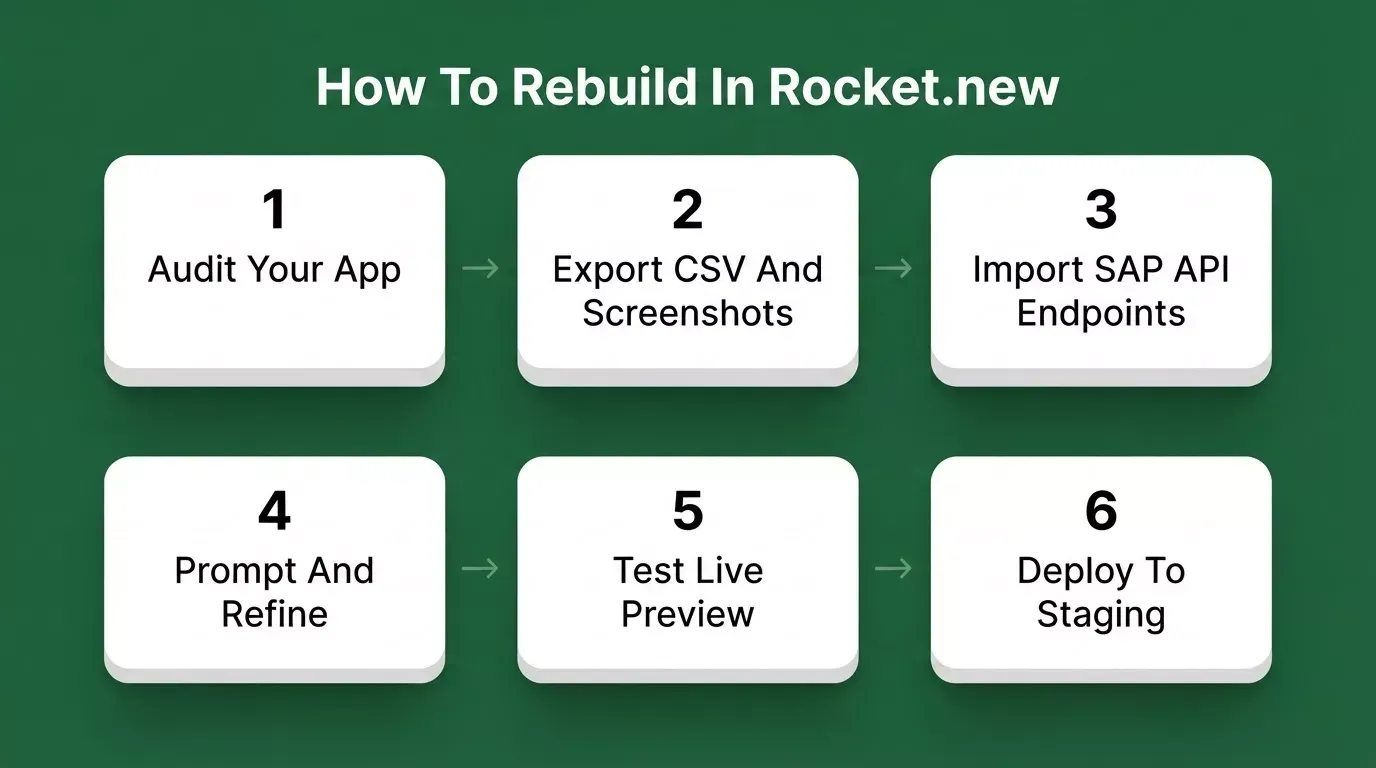
Six steps to rebuild a SAP Build Apps project using an AI app builder
Step 1: Audit your existing app
Open your SAP Build Apps project and list every screen, data entity, and piece of business logic. Export backend data as CSV files, which is SAP's recommended approach. Note which SAP systems your app connects to and what API endpoints they expose.
Step 2: Document screens and logic
Write a plain-language description of what each screen does. You can also screenshot each screen and upload the images alongside your CSV export. Rocket's "From an attachment" flow accepts PDFs, spreadsheets, CSVs, and screenshots and turns them into a working app structure. The more specific your input, the better Rocket's first output will be.
Step 3: Connect to SAP data via REST APIs
SAP products including S/4HANA and SuccessFactors expose HTTP-based APIs. Rocket's API panel accepts Postman collections, cURL commands, and Swagger/OpenAPI specs. Import the spec for your SAP endpoint, store credentials as environment variables, and bind the response to your UI components. OData services from SAP are HTTP-based, so they can be called through server-side routes once you import the endpoint definition.
Step 4: Prompt and refine
Paste your app description into Rocket. Name the screens, describe the data model, mention the user types. Rocket generates a working app with UI, navigation, and logic. Then refine through chat, visual editing, or direct code changes. You can also browse ready-made templates if your app fits a common pattern.
Step 5: Test
Run through every workflow your original app handled. Check data connections, user management flows, and edge cases. Rocket provides a live preview so you can interact with the app like a real user before shipping.
Step 6: Deploy
Click Launch. Rocket first deploys to a staging URL (using Vercel by default; connect your own Netlify account if preferred). When you are ready to go live, switch to the Production tab to connect a custom domain. The whole process, from prompt to staging, can take an afternoon for a straightforward internal tool.
Migration Tips and Common Pitfalls
Rebuilding from a deprecated platform is tricky. Here are the practices that matter most, drawn from real SAP Build Apps migration experiences.
- Start with one low-risk app. Do not migrate everything at once. Pick a simple internal tool or dashboard, rebuild it, and learn from that process before tackling your critical apps.
- Keep the data layer separate. Your SAP backend is not going anywhere. Build your new front end to consume SAP data through APIs rather than trying to replicate the entire backend. This gives you flexibility to switch tools later if needed.
- Plan for authentication carefully. SAP Build Apps handled user management through SAP BTP. Rocket uses Supabase Auth, which supports multiple login methods and enterprise SSO via Contact Sales.
- Involve IT early. Security reviews, API access approvals, and compliance checks take time. Do not wait until the app is finished to bring in your IT team.
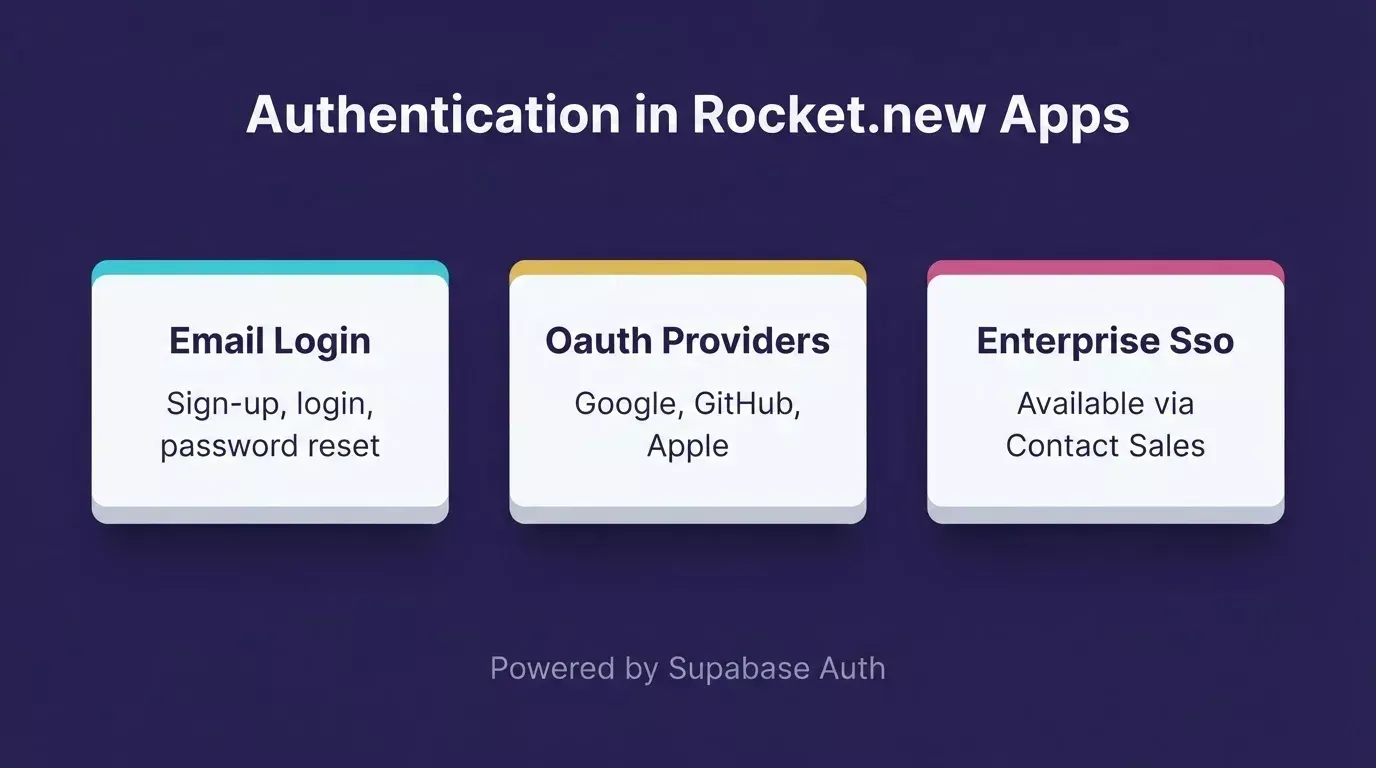
Authentication options available in Rocket.new apps, powered by Supabase Auth
As On Device Solutions noted in their detailed migration guide: the SAP Build Apps deprecation "marks a strategic evolution rather than an end," and organizations should "start planning their transition early" to take full advantage of the shift. These four practices cover the mistakes that catch most teams off guard.
If you are evaluating the broader rebuild cost, understanding how AI app builders compare to hiring developers can help you build the business case internally.
Low-Code Market Context
The shift away from SAP Build Apps is happening inside a rapidly growing market. The low-code development platform market reached $44.5 billion in 2026, and Gartner estimates that by 2025, 70% of new applications developed by enterprises will use low-code or no-code technologies. For context, the global no-code platform market is projected to grow at a CAGR of over 28% through 2030.
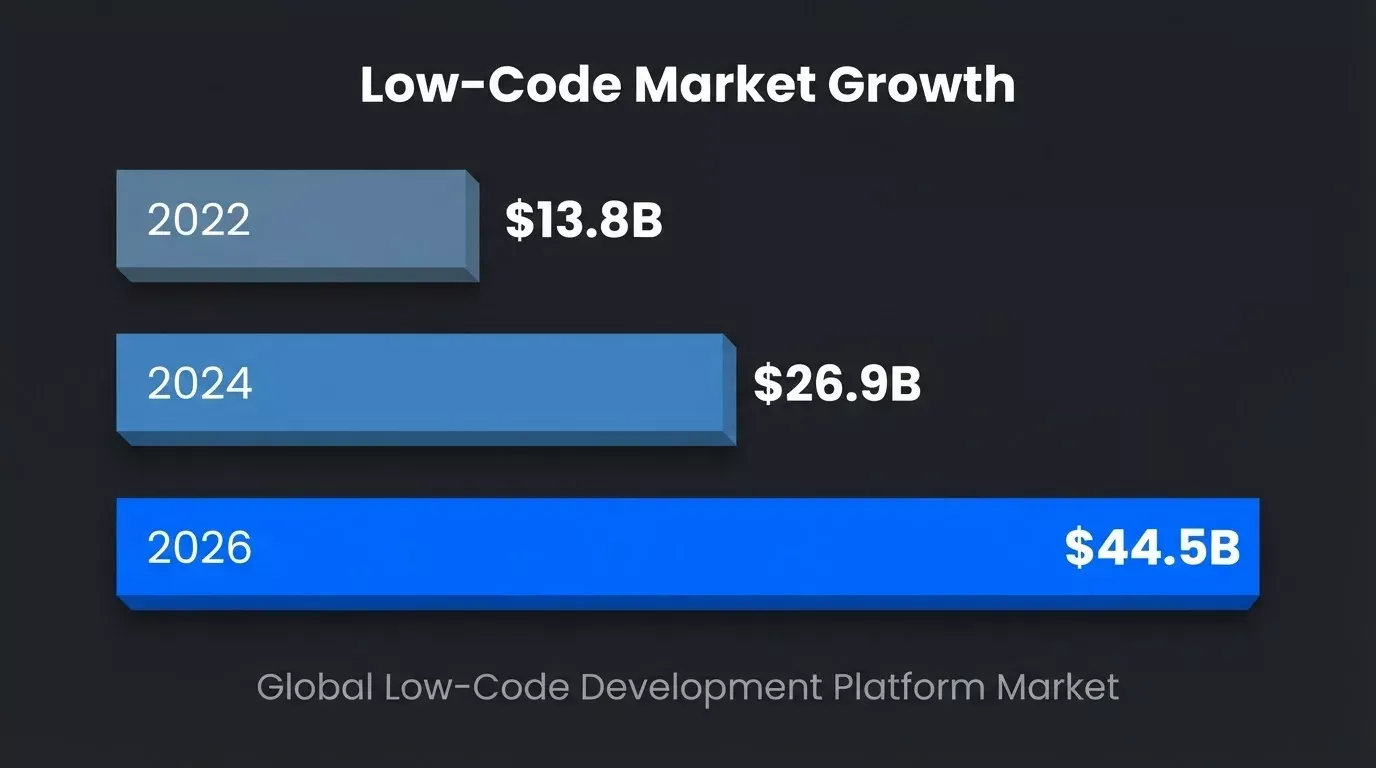
Global low-code development platform market growth
This growth means the tools available today are significantly more capable than what existed when SAP Build Apps launched. Teams rebuilding now have access to AI-native builders that did not exist three years ago.
Start Rebuilding Today
The SAP Build Apps deprecation is real, the timeline is fixed, and the lack of a self-service migration path means every affected team needs to make a decision. The good news: this is also a chance to rethink how your apps are built. Whether you stay inside SAP's portfolio or move to a faster, more flexible tool, the key is starting now rather than waiting for contracts to expire.
Pick one existing SAP Build Apps project, ideally a simple internal tool or dashboard. Sign up for Rocket; the Free plan requires no credit card, describe what it does, and see what comes back. One afternoon, one app, no commitment required.
Table of contents
- -What Happened to SAP Build Apps?
- -What to Consider Before Choosing an Alternative
- -Your Main SAP Build Apps Migration Options
- -Option 1: Stay in the SAP Ecosystem
- -Option 2: Another Low-Code Platform
- -Option 3: Pro Code Development
- -Option 4: An AI App Builder
- -SAP Build Apps vs Rocket.new: How They Differ
- -When Rocket Is a Good Fit (and When It Is Not)
- -How to Rebuild a SAP Build Apps Project in Rocket
- -Migration Tips and Common Pitfalls
- -Low-Code Market Context
- -Start Rebuilding Today