

Building a custom CRM with AI no longer requires a developer. Describe your sales process, and the right platform generates contacts, pipelines, and automation ready to deploy in hours, not months.
Does every dollar invested in CRM software really return nearly nine?
According to Nucleus Research, the average ROI from CRM systems reached $8.71 per dollar spent. That payoff explains why teams across every industry are racing to build CRM with AI rather than buy off-the-shelf software.
Most CRM platforms force your team to adapt to their workflows. A custom AI-powered CRM flips that. You describe your sales process, and the system builds around it. No coding required.
What is an AI-Powered CRM?
An AI-powered CRM is a customer relationship management system that uses artificial intelligence to automate data capture, score leads, forecast revenue, and surface insights without manual input from your sales team.
Unlike traditional CRM software that stores records and waits for humans to update them, an AI CRM acts on data in real time. It logs customer interactions automatically, ranks prospects by likelihood to close, and flags at-risk accounts before a rep notices. It also generates follow-up sequences tailored to each deal.
The result: sales teams spend time selling, not administering.
Why Off-the-Shelf CRM Tools Frustrate Growing Teams
Most teams start with a general-purpose CRM and hit a wall within months. The promise of better customer relationship management fades when the tool itself becomes the bottleneck.
-
Rigid pipeline structures force sales reps to adapt their process to the software, not the other way around
-
Feature bloat means paying for CRM capabilities your team never opens, while the one feature you actually need sits behind an enterprise tier
-
Manual data entry still dominates daily workflows, with reps logging interactions instead of closing deals
-
Limited automation in lower-tier plans leaves repetitive tasks untouched, slowing the entire sales cycle
-
Per-seat pricing from platforms like Salesforce and HubSpot scales linearly with headcount, often exceeding the value delivered
These friction points compound over time. Sales teams lose momentum, reporting becomes unreliable, and the CRM meant to help manage customer relationships ends up hurting productivity. Teams that want smarter workflow automation are finding that building a custom CRM solves these problems at the source.
What AI Actually Does Inside a CRM System
Artificial intelligence in customer relationship management goes far beyond basic chatbots. It changes how sales teams interact with customer data at every stage of the pipeline.
-
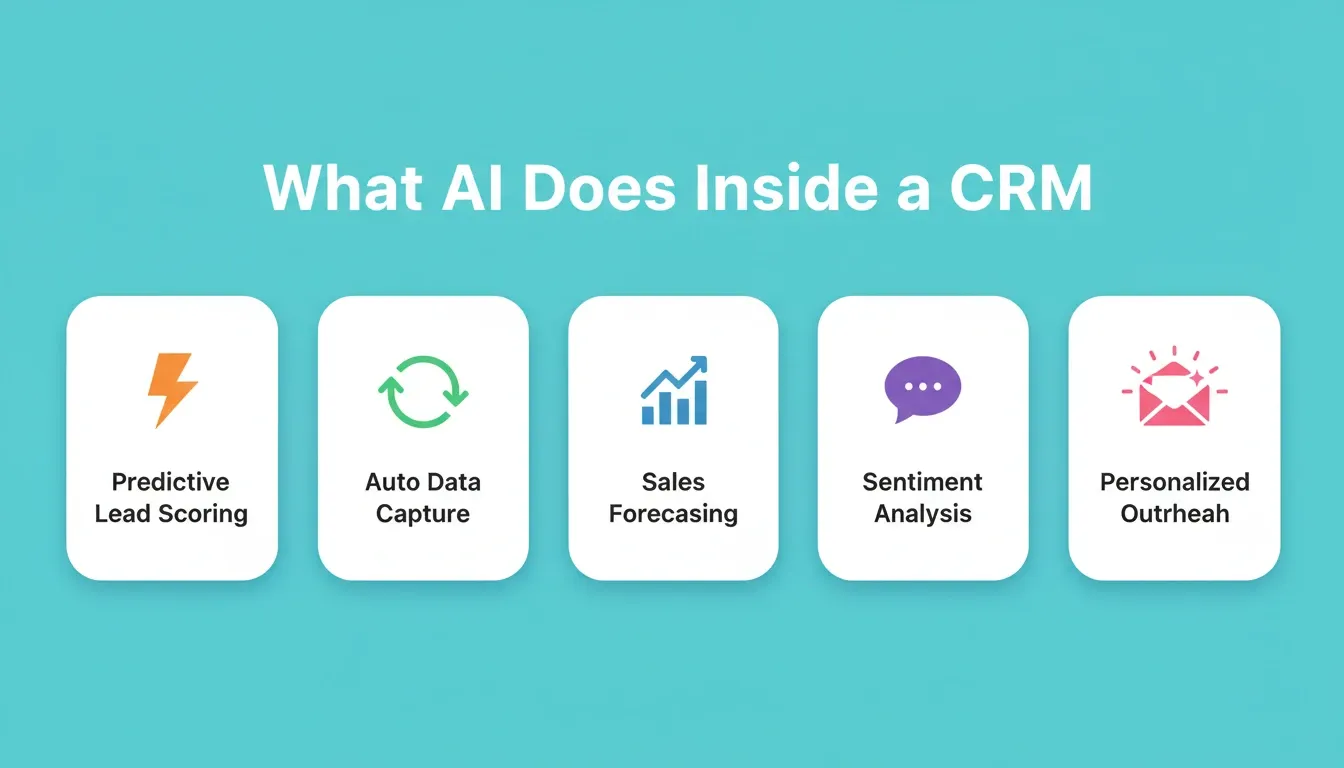
Predictive lead scoring analyzes past deal patterns to rank prospects by likelihood to close, removing guesswork from pipeline prioritization
-
Automated data capture pulls contact details, meeting notes, and email threads into the right CRM records without manual entry
-
Sales forecasting uses historical trends and current pipeline velocity to project revenue with higher accuracy than spreadsheet models
-
Sentiment analysis reads customer communications to flag accounts at risk of churning before a sales rep notices
-
Personalized outreach generates email drafts and follow-up sequences tailored to each prospect's behavior and pipeline stage
McKinsey research confirms that companies investing in AI for their sales process see a revenue uplift of 3 to 15 percent and sales ROI gains of 10 to 20 percent. Those numbers come from replacing slow, manual processes with intelligent automation that learns from customer data over time.
| Capability | Traditional CRM | AI-Powered CRM |
|---|---|---|
| Lead scoring | Manual rules | Predictive models using customer data |
| Data entry | Human input required | Auto-captured from interactions |
| Forecasting | Spreadsheet estimates | Pattern-based revenue projections |
| Follow-ups | Calendar reminders | Context-triggered sequences |
| Churn detection | Reactive flags | Proactive alerts from behavior patterns |
| Contact management | Static records | Dynamic profiles enriched automatically |
How to Plan Your Custom CRM Before Writing a Prompt
Planning happens before any CRM tool gets involved. The difference between a CRM that sticks and one that gets abandoned in three weeks comes down to one hour of preparation.
-
Map your sales stages by listing every step a deal moves through, from first touch to closed-won. Name them in your team's language, not generic software labels
-
Identify your data objects. Contacts, companies, deals, tasks, and notes are standard. Add custom objects for anything unique to your workflow, such as project briefs, partnership tiers, or renewal dates
-
Define relationships between objects. A contact belongs to a company. A deal links to multiple contacts. A task connects to a deal. These connections shape your database schema and determine how customer data flows
-
List your automations upfront. Which actions should trigger without human involvement? Lead assignment, follow-up scheduling, and status updates are common starting points
-
Choose your database approach early. Knowing whether you need Supabase, PostgreSQL, or a built-in data layer affects your platform choice and how you manage customer data long-term
Write everything down in a simple document before you open any builder. This clarity makes AI generation significantly more accurate and cuts rework.
Which Core Features Does Your CRM Need?
Not every CRM needs every feature on day one. Start with what your sales team uses daily and expand based on real usage patterns, not a feature checklist.
-
Contact management: Searchable records with custom fields, tags, and relationship mapping for every customer interaction
-
Deal pipeline view: Visual board showing deal stages, values, and expected close dates across your entire sales process
-
Activity logging: Automatic tracking of emails, calls, and meetings tied to the right contact record
-
Task management: Assignments, due dates, and notifications so nothing falls through during the sales cycle
-
Lead scoring: AI-ranked prospects based on engagement signals, fit criteria, and predictive analytics
-
Reporting dashboard: Real-time metrics on pipeline value, conversion rates, and sales team activity
-
Email sync: Two-way connection with Gmail or Outlook for context in every customer conversation
-
Role-based access: Controlling who sees what customer data based on team structure and seniority
Pick four or five features for your first version. A focused CRM your sales team actually uses beats a feature-packed system nobody opens.
Designing Your Database Schema and Data Model
Your CRM's usefulness depends entirely on how you structure the customer data underneath it. A well-designed schema makes reporting, automation, and scaling work smoothly from day one.
-
Contacts table: names, emails, phone numbers, company associations, and custom tags
-
Companies table: organization details, industry, size, and linked contacts for account-level views
-
Deals table: pipeline stage, value, probability, expected close date, and assigned owner
-
Activities table: every customer interaction logged with timestamps and linked records
-
Tasks table: follow-ups with due dates, priority levels, and completion status
These five tables cover most sales CRM needs. The relationships between them matter just as much as the data inside each one.
Keep your schema simple at launch. Add fields when you have a clear business reason, not before. Over-engineering the database on day one leads to confusion and low adoption.
Platforms like Rocket pair naturally with Supabase for backend data management, generating auth-aware apps directly from your schema. Row-level security, real queries, and migration scripts are all produced as one unit, not bolted on after the fact.
From One Prompt to a Working CRM in Minutes
Everything above, the planning, the schema design, and the feature list, comes together in a single step with the right AI-powered platform.
-
Describe your CRM in plain language. Tell the platform what your sales process looks like, which fields you need, and what automations should run. It generates a full-stack CRM application from that description
-
Get a working database, UI, and logic layer in one pass. No separate backend configuration. No manual wiring between frontend components and your customer database
-
Customize visually after generation. Move columns, rename fields, adjust colors, and add pages without touching code
-
Deploy with one click. Staging and production environments, built-in analytics, and version history come standard
Traditional development agencies quote 8 to 12 weeks and five-figure budgets for a custom CRM. Other AI builders generate a frontend but leave you connecting your own database and auth layer manually.
One LinkedIn user shared their experience:
"I built a fully functional app in just 15 minutes without writing a single line of code. Built using Rocket.new." — Riyaz on LinkedIn
How to Build CRM with AI Using Rocket
Rocket is a vibe solutioning platform that combines strategic research, AI app building, and competitive intelligence in one system. For building a custom CRM, three pillars work together:
-
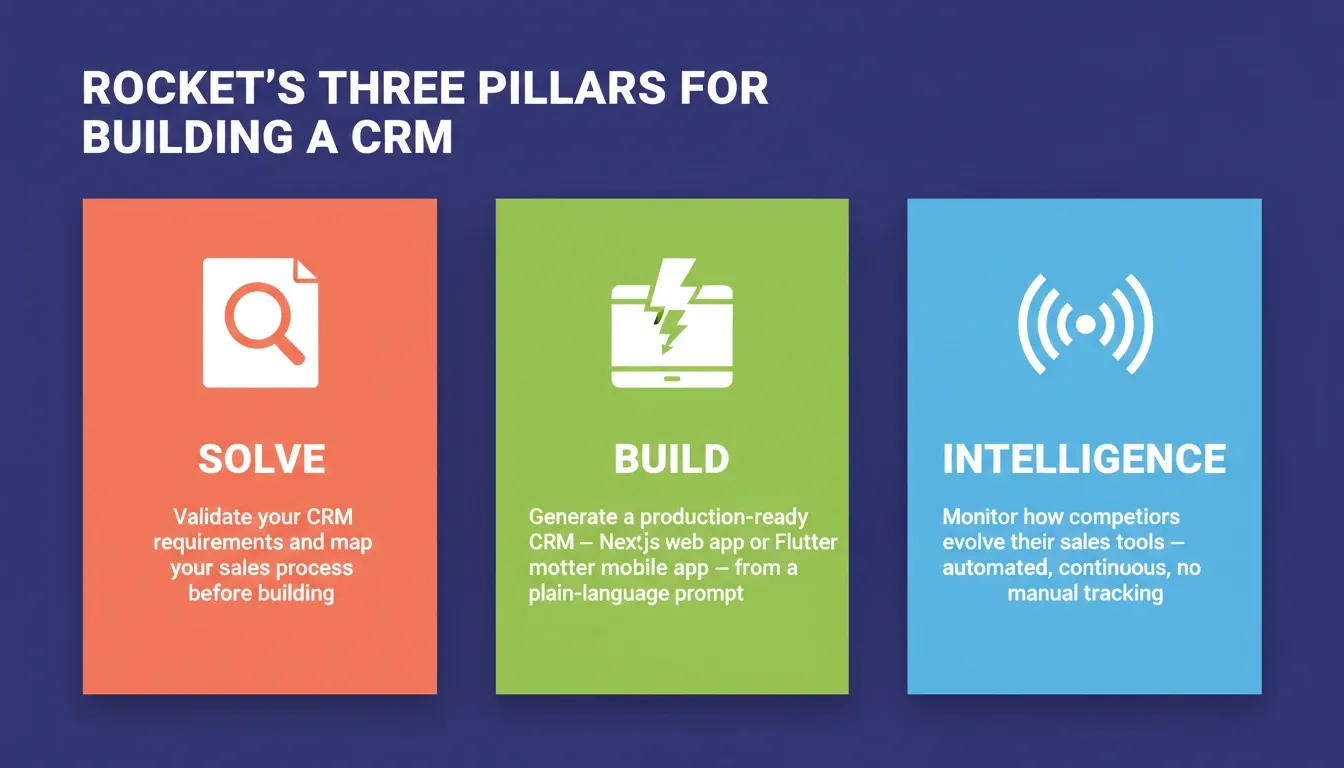
Solve: validate your CRM requirements, map your sales process, and generate a structured brief before you build a single screen
-
Build: describe your CRM in plain language and get a production-ready Next.js web app or Flutter mobile app, complete with database, auth, and 26+ integrations
-
Intelligence: monitor how competitors evolve their CRM and sales tooling so your system stays ahead
Example prompt for Build:
"Create a CRM for lead management and contact management with AI-driven lead scoring, follow-up reminders, and a dashboard for sales teams to track pipeline and customer interactions."
Rocket generates the database schema, UI, auth layer, and workflow automations as one coherent system. Nothing is assembled from disconnected parts.
Rocket Pricing
| Plan | Price | Credits/Month | What's Included |
|---|---|---|---|
| Free | $0 | 20 (one-time) | Build production-ready websites, landing pages, web apps, mobile apps |
| Pro | $25/mo | 100 | Build production-ready websites, landing pages, web apps, mobile apps |
| Rocket | $50/mo | 250 | Build + Solve (consultant-grade research) + Intelligence (competitive monitoring) |
| Booster | $250/mo | 1,500 | Full suite + SSO, data localisation, premium support |
All paid plans include unlimited team members. Annual billing saves 20%. No credit card required to start.
1.5 million people across 180 countries have tried Rocket.
How to Connect Your CRM to Existing Tools
A CRM sitting in isolation creates the same data silos it was meant to fix. Connections to your existing stack are what make a CRM the single source of truth for customer relationships.
-
Email sync pulls Gmail or Outlook conversations into contact records automatically, so sales reps never search for context
-
Calendar connection logs meetings and creates follow-up tasks the moment a call ends
-
Payment processing through Stripe or PayPal links revenue data directly to deal records
-
Marketing platforms feed lead source data and campaign attribution into your sales pipeline
-
Communication tools like Slack or Teams push deal updates to channels where your team already works
When your email, calendar, and payment tools all feed information into one system, the CRM becomes the single source of truth. It is no longer another tab to maintain. Rocket supports 26+ native integrations, including HubSpot, Stripe, Supabase, and Slack, all wired at generation time rather than added as afterthoughts.
Common Mistakes When Building a Custom CRM
Most CRM projects fail not because of bad technology, but because of avoidable decisions made early.
-
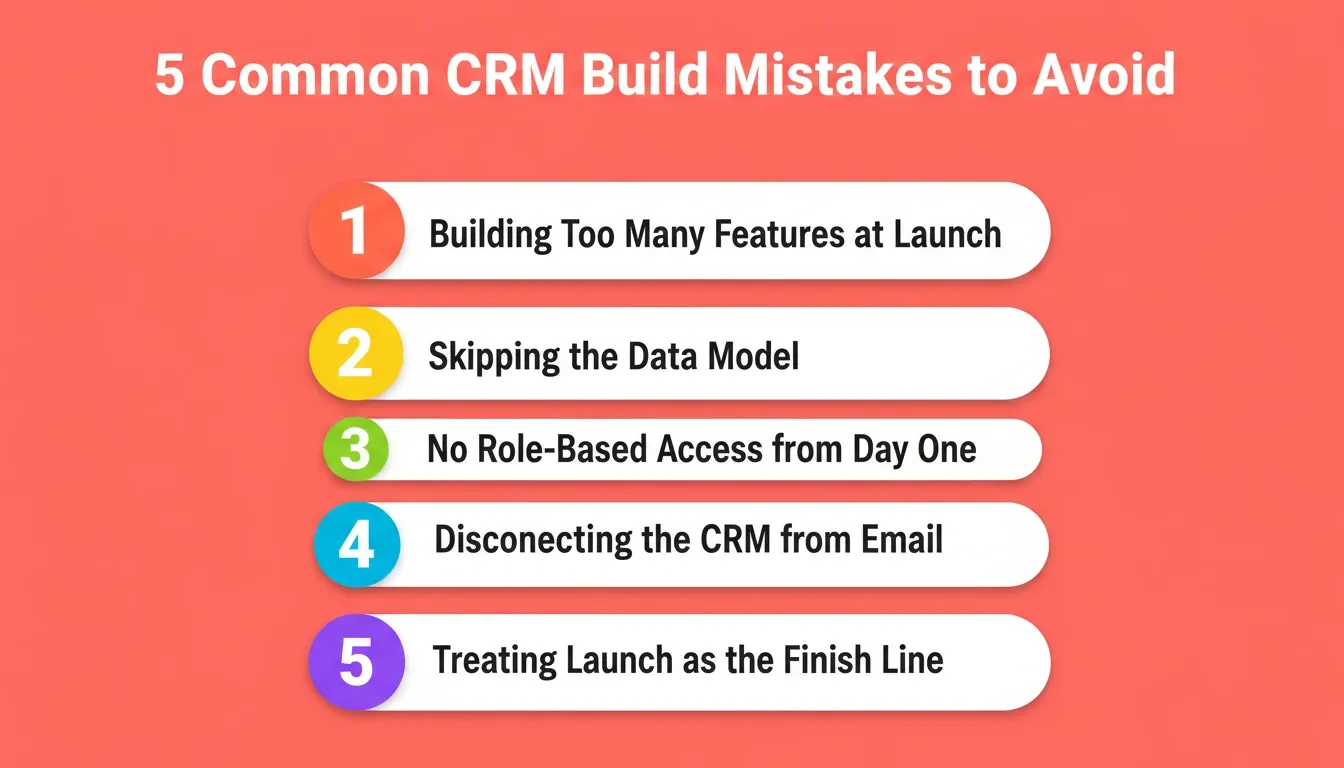
Building too many features at launch. A CRM with 20 fields nobody fills in is worse than one with five fields everyone uses. Start minimal and expand based on actual usage
-
Skipping the data model. Jumping straight to the UI without defining your schema leads to restructuring later, which breaks automations and corrupts historical data
-
No role-based access from day one. Sales reps, managers, and executives need different views. Retrofitting permissions after launch is painful and creates security gaps
-
Disconnecting the CRM from your email. If reps have to manually log every conversation, they won't. Email sync is not optional. It is the difference between a CRM that reflects reality and one that doesn't
-
Treating launch as the finish line. The first version reveals what your team actually needs. Build a feedback loop from week one
The fix for all of these: plan the schema, define roles, and connect integrations before you generate a single screen.
Testing, Launching, and Iterating After Deployment
Shipping version one of your CRM is not the finish line. It is the starting line for useful feedback from your sales team.
-
Test with real customer data before launch. Import a subset of actual contacts and deals to confirm fields, automations, and pipeline views work as expected
-
Launch to a small group first. Give three or four sales reps access for a week. Their friction points reveal gaps that no amount of planning catches
-
Set a feedback cadence. Weekly check-ins for the first month surface what features are missing, what confuses people, and what works better than expected
-
Iterate in small batches. Add one feature per cycle rather than rebuilding the entire CRM. Staging environments let you test changes without affecting live customer data
The teams that succeed with custom CRM systems treat them like products, not projects. Ship, learn, adjust. Repeat every sprint until the CRM perfectly matches your sales process.
What to Expect from AI CRM in the Next Few Years
AI CRM is not a trend. It is the direction the entire category is moving. The global CRM market is projected to exceed $88 billion, with AI capabilities driving the majority of that growth.
-
Autonomous deal management: AI agents handle follow-ups, meeting scheduling, and proposal drafts without rep involvement
-
Real-time intent signals: CRMs surface buying intent from web behavior, email engagement, and third-party data simultaneously
-
Voice-to-CRM logging: sales calls get transcribed, summarized, and logged to the right contact record automatically
-
Predictive churn prevention: models flag renewal risk weeks before a contract expires, giving teams time to act
The businesses building custom AI CRMs now are not just solving today's problem. They are building infrastructure that compounds as AI capabilities improve, rather than waiting for an off-the-shelf vendor to release a feature they need.
Build CRM with AI: The Smarter Path Forward
The gap between buying CRM software and owning a system that fits your team is enormous. Off-the-shelf tools trade flexibility for speed. Custom-coded systems trade speed for control. AI-powered no-code platforms give you both.
Describe your sales process once. Get a CRM shaped around it, with contacts, pipelines, automations, and integrations, ready before the week ends. As AI capabilities advance, that system grows with you rather than holding you back.
Start building your CRM on Rocket — no templates, no code, no waiting.
Table of contents
- -What is an AI-Powered CRM?
- -Why Off-the-Shelf CRM Tools Frustrate Growing Teams
- -What AI Actually Does Inside a CRM System
- -How to Plan Your Custom CRM Before Writing a Prompt
- -Which Core Features Does Your CRM Need?
- -Designing Your Database Schema and Data Model
- -From One Prompt to a Working CRM in Minutes
- -How to Build CRM with AI Using Rocket
- -Rocket Pricing
- -How to Connect Your CRM to Existing Tools
- -Common Mistakes When Building a Custom CRM
- -Testing, Launching, and Iterating After Deployment
- -What to Expect from AI CRM in the Next Few Years
- -Build CRM with AI: The Smarter Path Forward


