

Skip per-seat SaaS fees. Use Rocket.new to build a shift scheduling app with a weekly calendar, shift swaps, availability forms, and Twilio SMS alerts from a single prompt. Plans start free. You own the code forever.
Building a shift scheduling app for your small business means skipping monthly per-seat SaaS fees and owning a custom tool with a weekly calendar, shift swaps, availability forms, and Twilio SMS alerts, all generated from a single prompt on Rocket.new. Plans start for free, and you keep the code forever.
What Is a Shift Scheduling App?
A shift scheduling app is software that lets managers create and publish weekly work rotas, lets employees view their shifts and submit availability, and automates notifications when schedules change or shifts need to be covered.
For small businesses, it replaces spreadsheets, group texts, and paper rosters with a single system that everyone can access from their phone or browser.
Why Small Businesses Need Their Own Scheduling Tool
How much of your week disappears into building next week's rota? For small business owners managing hourly teams, the answer is painful. Gallup research shows that voluntary turnover costs U.S. businesses over $1 trillion annually, and scheduling unpredictability is one of the top drivers of frontline employee dissatisfaction.
Most managers still rely on spreadsheets, WhatsApp group texts, or paper schedules posted on a break room wall. Employee scheduling apps save managers 20 hours monthly on average. These methods fall apart the moment someone calls in sick, requests time off, or needs to swap shifts with a coworker. The result is coverage gaps, overtime costs nobody budgeted for, and staff who feel like their work schedules exist to make their lives harder.
Employee scheduling software and workforce scheduling software like Homebase, Sling, When I Work, and Deputy solve parts of this problem. They offer drag-and-drop tools, schedule templates, and mobile app access for your entire team. The trade-off is that these tools can save time and streamline the scheduling process, but the subscription cost compounds as teams grow.
-
A 20-person team on most scheduling platforms pays $200–$400 per month, which is $2,400 to $4,800 per year for software you never own
-
Sling charges $2–$4 per user per month for time tracking and labor cost features beyond their free scheduling tier
-
Homebase runs $24.95 to $99 per location per month, manageable for a single location, but expensive at two or three sites
-
Deputy starts at $4.50 per user per month with no free plan, making it a serious line item for growing teams
The subscription model makes sense for enterprise staff scheduling software, where businesses save time with automation. But for a coffee shop with 15 employees, a cleaning crew running across multiple locations, or a retail store with shift-based teams, there is a simpler way. AI app builders now let you create your own employee scheduling app in minutes, not months, and you keep the code forever.
What Features Should Your Scheduling App Include?
Six capabilities appear in nearly every successful small business scheduling app. A well-designed shift scheduling system should cover all of them before you go live, including support for staff scheduling and shift management.
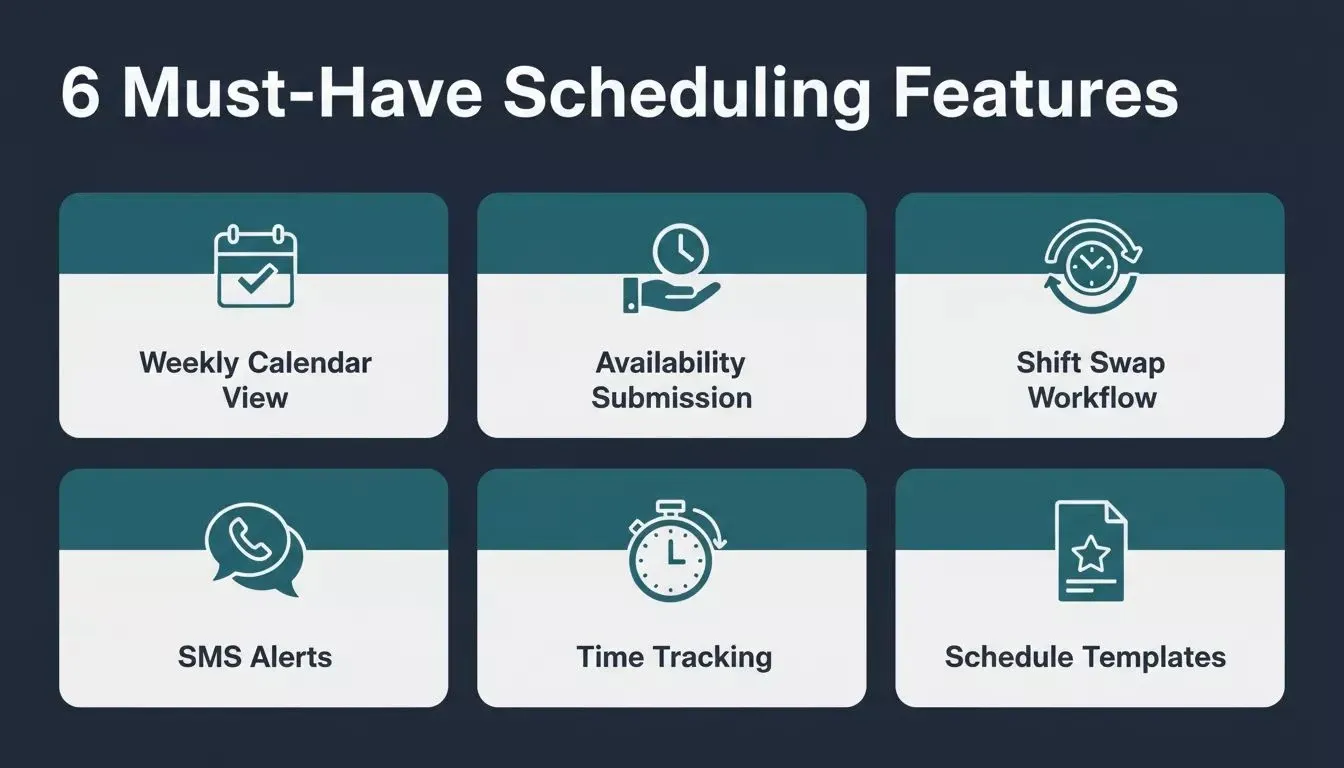
The six core features every small business shift scheduling app needs
-
Weekly Calendar View: a drag-and-drop interface that lets managers assign shifts by employee and day, helping them build accurate schedules in minutes instead of hours
-
Availability Submission: employees set their availability and update preferences from their phone, eliminating scheduling conflicts caused by outdated information
-
Shift Swap Workflow: staff request trades with coworkers, and managers approve in one click, filling coverage gaps without back-and-forth texts
-
SMS Alerts: automatic shift reminders and schedule-change notifications via Twilio, so employees are notified instantly when their shifts update
-
Time Tracking: clock-in and clock-out tied to each scheduled shift, producing accurate timesheets for payroll processing, seamless payroll processing, and synced labor data
-
Schedule Templates: save and reuse weekly schedule patterns, eliminating rebuilding the same roster from scratch every week
| Feature | What It Does | Why It Matters |
|---|---|---|
| Weekly Calendar View | Drag-and-drop interface to assign shifts by employee and day | Managers build schedules in minutes instead of hours |
| Availability Submission | Employees set availability and update preferences from their phone | Reduces scheduling conflicts and missed shifts |
| Shift Swap Workflow | Staff request trades with coworkers; managers approve in one click | Fills coverage gaps without back-and-forth texts |
| SMS Alerts | Automatic shift reminders and schedule changes via Twilio | Employees are notified instantly when shifts are updatedare |
| Time Tracking | Clock in and clock out tied to each scheduled shift | Accurate timesheets for payroll processing |
| Schedule Templates | Save and reuse weekly schedule patterns | Spend less time rebuilding the same roster every week |
Larger teams managing multiple locations might add role-based permissions, labor budgets, compliance tracking for labor laws, or integrated time tracking with payroll export, while budget tracking features automatically calculate labor costs as shifts are assigned. An advanced employee scheduling app helps control labor costs and reduce labor costs through better shift planning and staffing visibility. Start lean, then add features through chat-based iteration once the core system works for your team.
How Does Team Communication Fit Into Shift Apps?
Team communication is the feature most scheduling tools get wrong. Sling includes group or private conversations in its free plan, while Homebase and When I Work offer team messaging as add-ons, and some tools also include team chat.
For example, ZoomShift supports private, group, or company-wide messaging. But these messages live inside the scheduling app, and your staff already checks SMS far more often. Some platforms also support sharing images and documents in team communication.
A smarter approach: connect your custom scheduling app directly to Twilio for automatic shift reminders via SMS. When a schedule changes, employees receive a text on the device they already carry, with no new app to download and no login to remember.
This is where building your own tool gives you full control over forms and notifications; you decide exactly when and how your team gets notified, not a SaaS vendor's product roadmap.
Rocket.new's Twilio connector handles SMS flows natively, including shift reminders, appointment alerts, and custom notification triggers, all wired up from a single chat prompt.
How Can You Handle Shift Swaps and Time Off Requests?
A properly built shift scheduling app handles swap requests, shift coverage, and employee shifts in a five-step structured workflow, with no manager phone tag required.
When a barista needs next Thursday off, the current system at most small businesses looks like this: text the manager, manager texts three other people, nobody replies for hours, manager picks up the shift themselves.
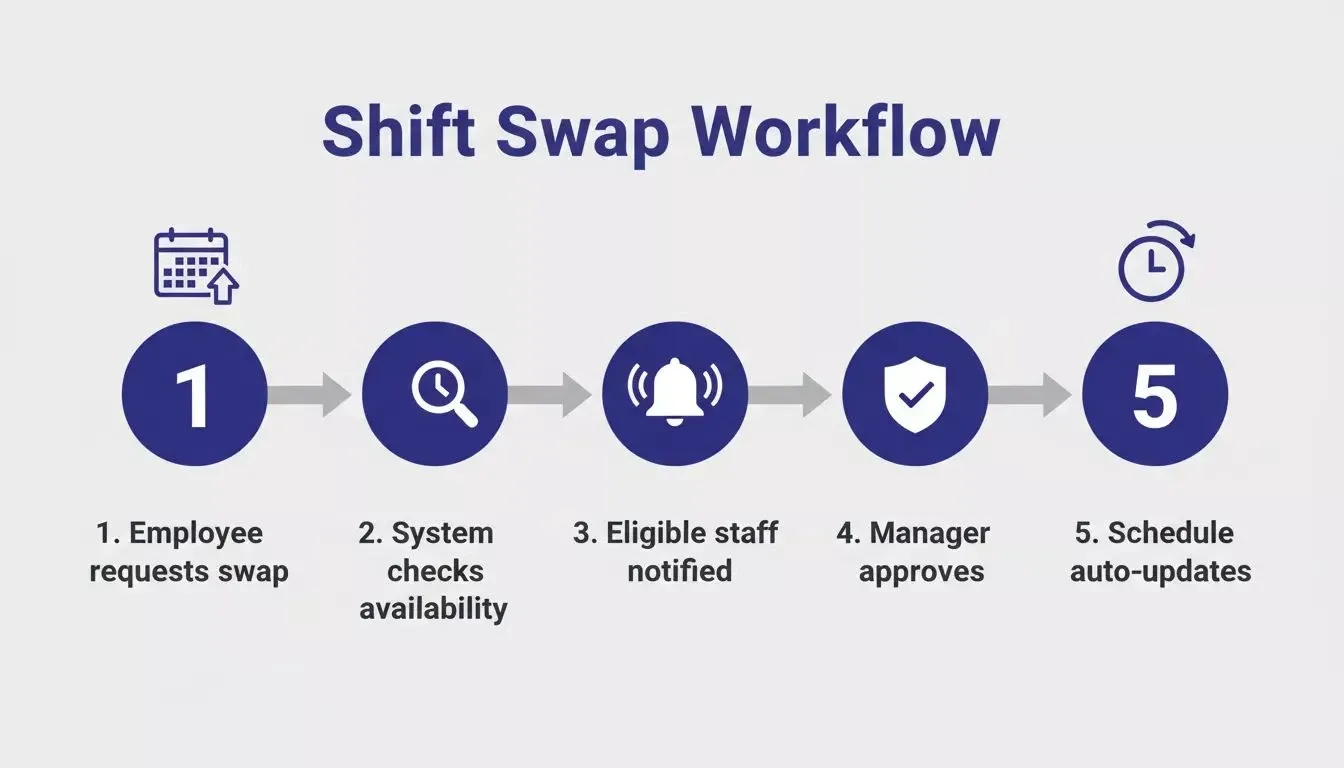
The five-step shift swap workflow that eliminates manager phone tag
A proper scheduling app handles this in a structured workflow:
-
The employee opens the app and taps the shift they need covered
-
The system checks employee availability across the team and shows eligible coworkers
-
Eligible staff receive a notification and can claim the open shifts
-
The manager gets a single approval request, and managers control whether swap requests or drop shifts are approved with one tap
-
Both employees and the schedule update automatically, preventing overlapping shifts or scheduling conflicts
Research on scheduling platforms found that self-service shift swap workflows reduce the volume of manager texts and calls significantly, freeing managers to focus on running the business rather than playing phone tag about coverage.
"Before, I took a picture of the schedule and posted it on WhatsApp. Sometimes people lost it or deleted it, so they had to come into the store or text me the night before. Now they can open the app, click on the schedule, and see when they have to work. They never contact me anymore with questions." - Vera Scherff, Kruidvat store manager (via MangoApps' write-up of Kruidvat)
Time off requests follow the same pattern. Staff request time off directly in the app; the system flags any coverage gaps that the request would create, and managers approve or deny based on real-time visibility into who else is scheduled, with stronger systems letting managers set policies for time off and blackout periods. Time-off balances can also update automatically as time accrues. No spreadsheets, no guessing, no forgotten requests buried in a text thread.
What Does It Cost to Subscribe vs Own Your App?
A 20-person team spends $900–$3,240 over three years on SaaS scheduling tools, compared to $0–$900 on Rocket.new's credit-based plans with no per-seat fees, and with Rocket.new you own the code outright.
The real cost of employee scheduling software is not the monthly invoice. It is what you pay over three years with nothing to show for it if you cancel.
| Approach | Year 1 | Year 2 | Year 3 | Total | Own the Code? | Build Time |
|---|---|---|---|---|---|---|
| Deputy (20 users) | $1,080 | $1,080 | $1,080 | $3,240 | No | Minutes |
| Sling (Business, 20 users) | $960 | $960 | $960 | $2,880 | No | Minutes |
| When I Work (20 users) | $600 | $600 | $600 | $1,800 | No | Minutes |
| Homebase (Essentials, 1 location) | $300 | $300 | $300 | $900 | No | Minutes |
| Custom build on Rocket.new | $0–$300 | $0–$300 | $0–$300 | $0–$900 | Yes | Under 1 afternoon |
The custom-built option saves money every single month while giving you full access to your own code. Rocket.new runs on a credit-based system with no per-seat fees, while integrated scheduling and time tracking tools such as Homebase claim to save managers 20 hours monthly on scheduling, payroll, and time tracking.
Plans range from Free (20 credits/month, $0) to Pro ($25/month, 100 credits) to Rocket ($50/month, 250 credits) to Booster ($250/month, 1,500 credits), with annual billing saving 20%. Credits cover Build, Solve, and Intelligence across the whole platform.
Add five more employees next month?
Zero price increase. Open a second location? Same app, same cost. Owning your app also lowers the pressure on recurring labor costs tied to growing payroll operations by avoiding per-user subscription creep. Scheduling software pricing analysis confirms that per-user models become expensive fast once teams grow past 15–20 people.
How Rocket.new Ships a Full Rota App From a Single Prompt
Rocket.new generates a complete, production-ready shift scheduling app from a single plain-language description in under five minutes. This includes a weekly calendar, shift assignment, employee availability forms, Twilio SMS notifications, and the ability to track time for hourly employees.
Rocket.new is an AI app builder that generates production-ready web and mobile apps from a plain-language description. For a scheduling app, that means describing your rota system once and getting a working app with a weekly calendar, shift assignment, employee availability forms, and Twilio notification integration, all generated in minutes.
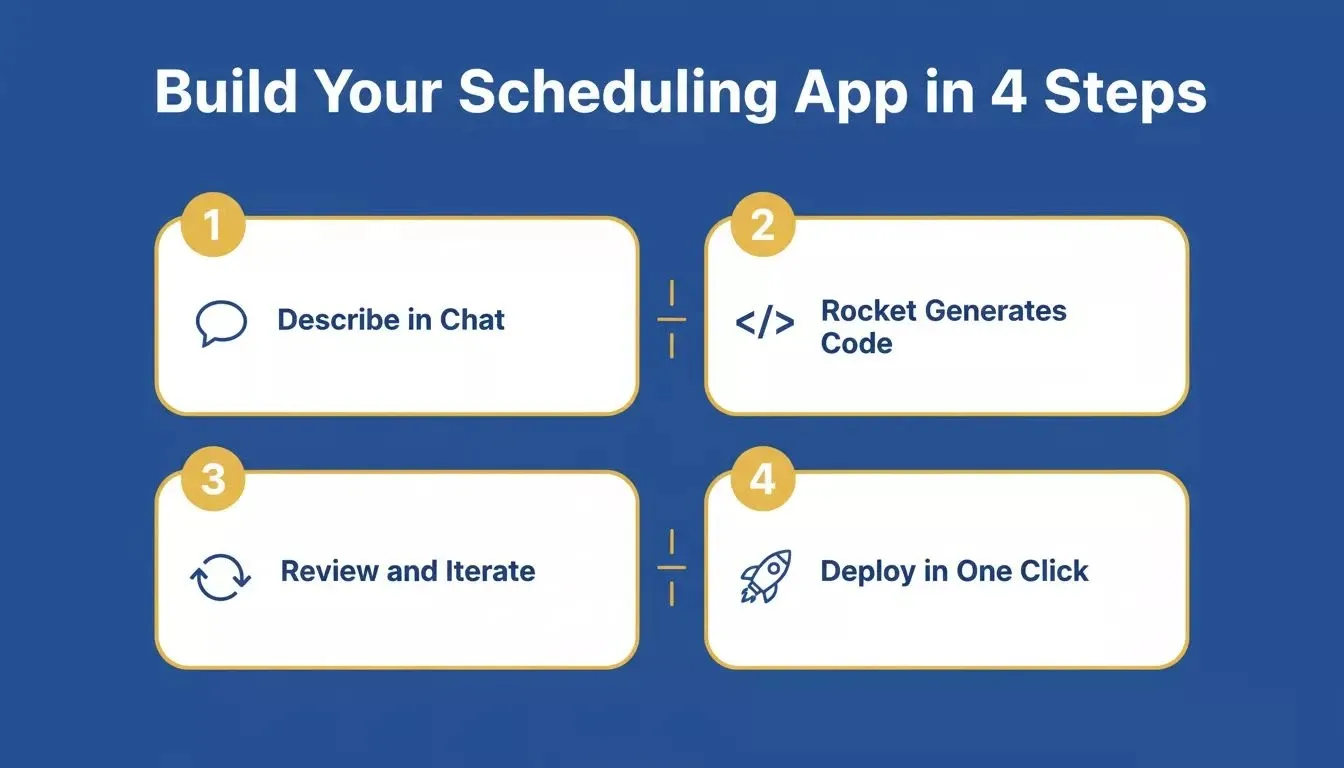
Rocket.new's four-step process from prompt to deployed scheduling app
Here is exactly how it works:
-
Describe your app in chat: tell Rocket.new your shift structure, team size, notification preferences, and any specific rules such as no double bookings, minimum rest between shifts, overtime alerts, blocking early clock-ins, or requiring clock-ins on site at specific job sites
-
Rocket.new generates production code: Next.js for web and Flutter for mobile, both from the same prompt, with Supabase wiring up your database and Twilio handling SMS alerts
-
Review and iterate: test shift swaps, availability forms, and notification flows; add features through conversation without restarting
-
Deploy in one click: staging and production environments from day one, custom domain, version history with rollback
-
Next.js for web, Flutter for mobile: your team can check schedules from a browser or their phone, both generated from the same prompt
-
Twilio SMS connector built in: shift reminders and schedule-change alerts wire up through Rocket.new's connector system without writing integration code; connect Supabase first, so phone numbers and notification logs are stored in your own database
-
Supabase database included: employee data, shift records, availability, and labor data to track hours, all stored in a real PostgreSQL database you control
-
Iterate through conversation: after the first generation, tell Rocket.new to add shift swap approval flows, schedule templates, overtime alerts, or labor cost reporting through simple chat messages
The scheduling app Rocket.new generates is not a prototype or mockup. It is production-ready code with real design systems, authentication, and data persistence. Staff can clock in, view schedules, request time off, and swap shifts from their mobile devices immediately after launch.
You can also add GPS geofencing for accurate time tracking, like Sling; location verification during clock-ins, like When I Work; or biometric clock-ins to prevent buddy punching, like Deputy, to support employee management for on-site teams.
Where tools like Homebase, Sling, and Deputy lock you into their platform with limited customization, a Rocket.new-built app gives you full access to the source code. You can also explore how AI app builders save development costs compared to hiring a developer or subscribing to SaaS tools long-term.
Steps to Plan and Launch Your Scheduling App
Building a scheduling app is straightforward when you break it into clear stages. Most teams go from first prompt to live scheduling app in a single afternoon.
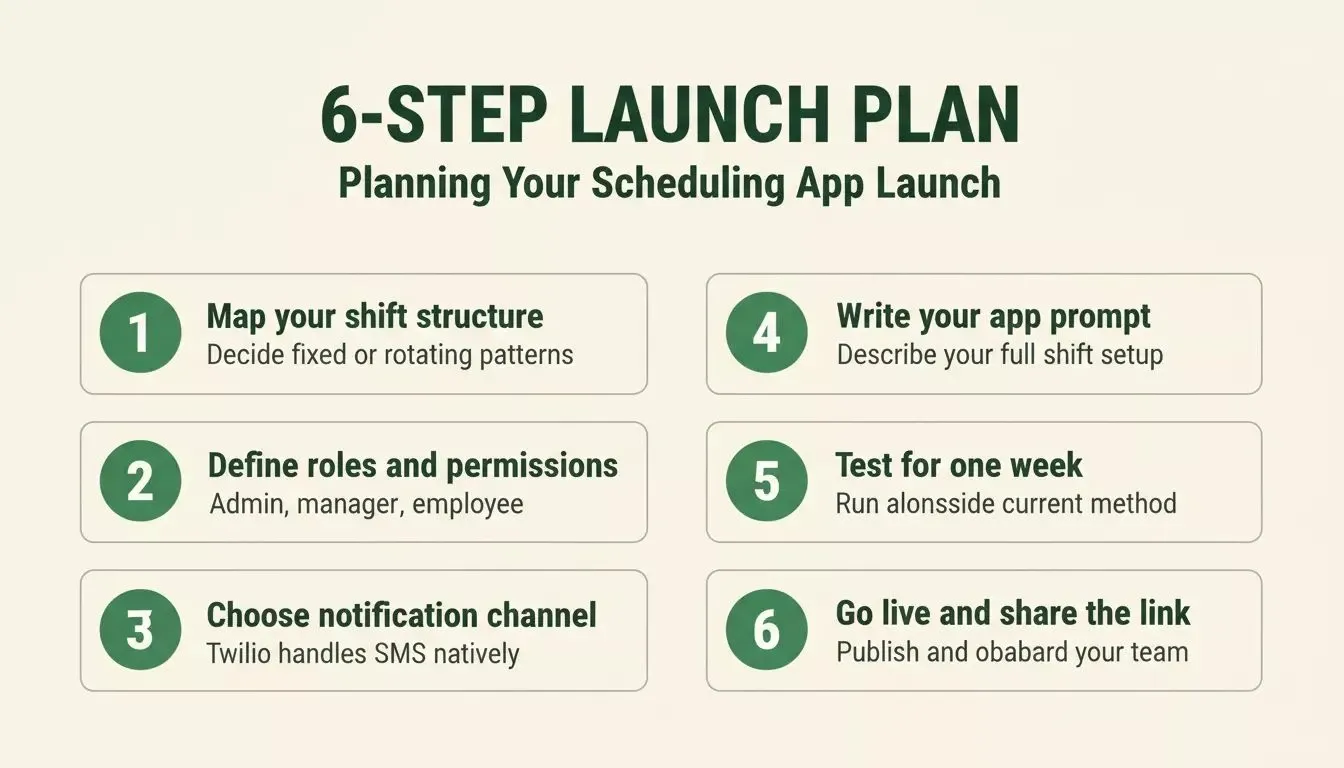
Six steps from idea to a live scheduling app your whole team uses
-
Map your schedule structure: decide whether your team works fixed weekly patterns or rotating shifts, how many positions you need to fill per shift, whether demand patterns affect scheduled hours, and whether you manage one location or multiple locations, so managers can plan more accurate team schedules
-
Define employee roles and permissions: managers need full access to create schedules, assign shifts, and approve requests; staff need mobile access to view schedules, set availability, submit shift trade requests, and manage some of their own shifts within approval rules
-
Choose your notification channel: SMS via Twilio works for any phone; push notifications require your staff to install the app; Rocket.new's Twilio connector handles SMS flows natively
-
Describe everything in one prompt: give Rocket.new your shift structure, team size, notification preferences, and any specific rules
-
Test with your team for one week: run the new app alongside your current method for one schedule cycle, collect feedback, then iterate through Rocket.new's chat to fix anything that does not work perfectly
-
Launch and share the link: give your team the web link or have them download the mobile app, set up their availability profiles, and publish next week's schedule through the new system
The build itself takes minutes. The time investment is in thinking through your shift structure and testing with real staff before going fully live. Advanced apps may also use forecasting and compliance tools to control labor costs during planning, as restaurant tools like 7shifts use sales forecasts and compliance checks to help keep labor costs in check. After that, creating work schedules each week takes a fraction of the time it used to.
If you want to explore what else you can build for your operations team, Rocket.new's internal tools guide covers admin panels, dashboards, and workflow apps built the same way. For HR-adjacent use cases, building HR onboarding software follows the same prompt-to-production pattern.
Glossary
Rota: A work schedule listing employees and the shifts they are assigned to each week. Used interchangeably with "roster" in this article.
Shift swap: A process where one employee requests that another cover their scheduled shift. In a well-built scheduling app, this triggers a structured approval workflow rather than an informal text exchange.
Availability form: A form employees fill out to indicate which days and hours they are available to work. The scheduling app uses this data to prevent conflicts when assigning shifts.
Schedule template: A saved weekly shift pattern that managers can reuse instead of rebuilding the rota from scratch each week.
Your Staff Schedule Belongs to You
Employee scheduling does not need to be a monthly bill that grows every time you hire someone new. The tools and platforms available today make it possible for any small business owner to build, own, and control their own scheduling system, one tailored to exactly how their team works, even though ease of use and customer satisfaction are often major reasons small businesses choose established scheduling tools. Homebase reports that 85% of users rated it very easy or extremely easy to use, but that convenience does not change the case for ownership.
The shift from renting software to owning it is not just about saving money. It is about building something permanent that works the way your business actually operates, not the way a SaaS product assumes you operate.
One honest caveat: if your business requires enterprise SSO, dedicated account management, or compliance certifications out of the box, an established SaaS platform's support infrastructure may still justify the premium. For the majority of small businesses with straightforward scheduling needs, a custom-built app is the more cost-effective and flexible path. You can also see how building a mobile app with AI applies to other business tools beyond scheduling.
Stop paying per-seat fees for employee scheduling. Rocket.new lets you describe your ideal rota app and have a working system, web and mobile, ready for your team today. Free to start, yours to keep.
Table of contents
- -What Is a Shift Scheduling App?
- -Why Small Businesses Need Their Own Scheduling Tool
- -What Features Should Your Scheduling App Include?
- -How Does Team Communication Fit Into Shift Apps?
- -How Can You Handle Shift Swaps and Time Off Requests?
- -What Does It Cost to Subscribe vs Own Your App?
- -How Rocket.new Ships a Full Rota App From a Single Prompt
- -Steps to Plan and Launch Your Scheduling App
- -Glossary
- -Your Staff Schedule Belongs to You


