
Stage-based claim tracking gives insurance ops teams real-time visibility from first notice through settlement, cuts cycle times, and stops claims from stalling silently between handoffs.
Why do so many insurance claims take longer than they should?
The answer is rarely the claim itself. The real problem lives in the gaps between the people managing it. According to JD Power's 2025 U.S. Property Claims Satisfaction Study, the average time from first notice of loss to final payment now exceeds 44 days. Satisfaction scores drop by 167 points when cycle times stretch past 31 days.
Within the $5.3 trillion U.S. healthcare system, claim denials are a persistent operational reality. According to KFF, 19% of in-network claims were denied in 2024. Fewer than 1% of those denied claims were ever appealed. The fix is not more staff. It is better visibility.
What is Insurance Claim Tracking?
Insurance claim tracking monitors a claim's progress through every stage of its lifecycle. It starts the moment a claim is filed and ends when payment goes out.
Effective tracking surfaces the current status, the responsible party, pending documents, and any deadlines at a glance. Without a structured system, claims stall silently. A file sits in an adjuster's queue for a week. A document request goes unanswered because no one owns the follow-up.
Claim tracking makes the invisible visible. Every status, every handoff, and every overdue item surfaces automatically. Teams no longer need to go searching for problems. The system brings problems to them.
What Does the Insurance Claims Lifecycle Look Like?
Most insurance claims follow a predictable lifecycle. Even so, the handoffs between stages are where visibility breaks down. Before building a tracking setup, map exactly what each stage involves.
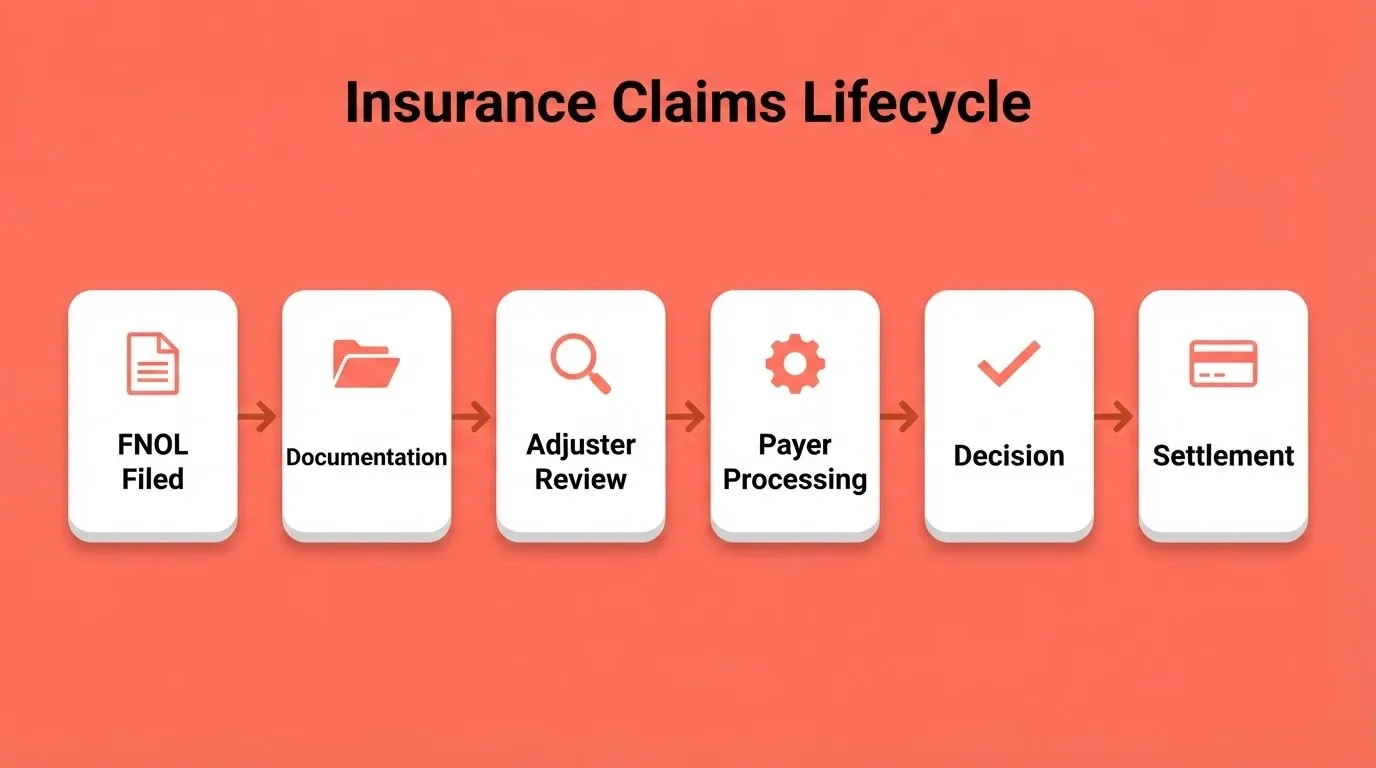
| Stage | What Happens | Key Data to Surface |
|---|---|---|
| First Notice of Loss (FNOL) | The claim is filed by the policyholder or provider. A claim number is issued and the file is opened. | Date filed, claim number, claimant contact, policy details |
| Documentation Collection | Supporting documents are gathered, including photos, police reports, medical records, and invoices. | Documents received vs. required, submission deadlines, missing items |
| Adjuster Review | The assigned adjuster investigates the claim, inspects damages, and evaluates coverage. | Adjuster name, inspection date, coverage determination status |
| Clearinghouse or Payer Processing | The claim passes through a clearinghouse or directly to the payer for processing and payment calculation. | Payer acknowledgment, processing status, flagged errors |
| Decision | The payer issues a decision: approved, partially approved, or denied. | Decision date, amount approved, denial reason codes |
| Settlement and Payment | Approved funds are issued to the claimant or provider. | Payment amount, payment method, date issued |
In practice, a single claim can sit at any stage for days without anyone noticing. The person responsible for the next step often has no visibility into what happened before. That is why flat spreadsheets and generic CRM tools fail at claim tracking. They store rows, not stages.
Where Do Claims Lose Visibility?
The stages themselves are not the problem. The real trouble happens in the spaces between them, where handoffs break down. Here are the most common places visibility disappears.
-
Inbox black holes. A claim gets assigned to an adjuster, but the notification lands in a shared inbox alongside hundreds of other items. No one flags it as time-sensitive, so no one follows up for three days.
-
Document drift. Supporting documentation arrives in fragments: a police report by email, photos through a portal, and medical records by fax. The adjuster has no single view of what has arrived and what is still missing.
-
Status ambiguity. A payer marks a claim as "in review," but that label covers everything from initial acknowledgment to final adjudication. The provider cannot tell if it is sitting in a queue or being actively worked on.
-
Deadline erosion. Many payer contracts carry strict response windows. When a claim stalls and the team has no log of how long it has been there, deadlines slip and denials follow.
-
Multi-party confusion. Third-party vendors, legal teams, and subcontractors maintain their own records. None of those records feed back into a central view.
The errors are rarely in the claims process itself. They live in the gaps between the people managing it. Teams that also need to catch suspicious submissions early should look at false insurance claim detection as a complementary layer on top of their tracking setup.
How to Track Insurance Claims: A Step-by-Step Method
Here is a practical, stage-by-stage method for setting up claim tracking that works. It applies whether you are managing ten claims or ten thousand.
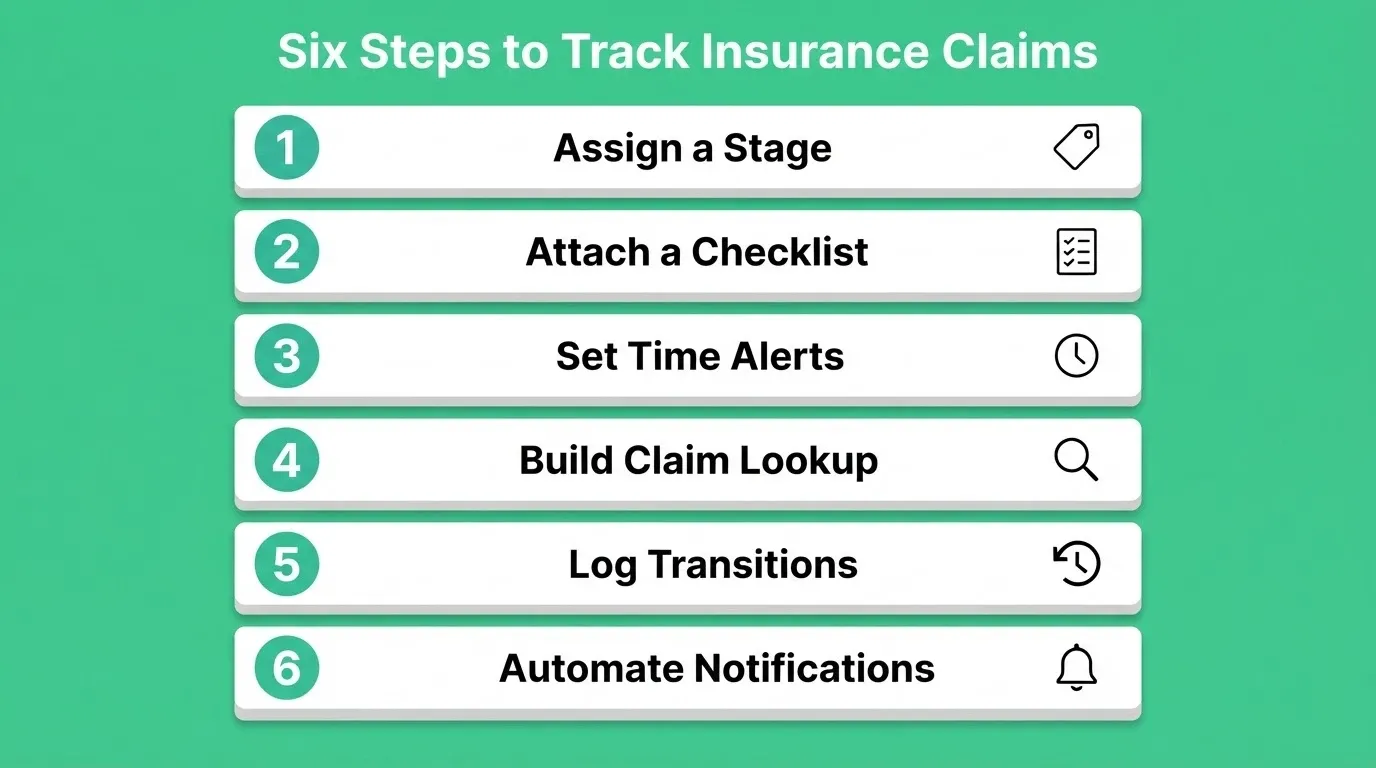
Step 1: Assign Every Claim a Defined Stage on Day One
The moment a claim is filed, it enters a named stage from a fixed list. Every team member understands each stage the same way. A standard set looks like this: FNOL Received, Documentation Pending, Under Adjuster Review, Payer Processing, Decision Issued, Settlement Pending, and Closed.
Every claim lives in exactly one stage at any given time. When it moves, the system logs the transition automatically.
Step 2: Attach a Checklist to Each Stage
Each stage carries a list of required actions before the claim can advance. For example, Documentation Pending requires "police report received," "medical records uploaded," and "photos confirmed." Adjuster Review requires "site inspection completed" and "coverage memo filed."
A claim cannot move to the next stage until every item is checked. This step eliminates the most common source of stalled claims: someone assumed the previous step was already done.
Step 3: Set Time-in-Stage Alerts
Every stage has an expected duration. FNOL to Documentation should close in 48 hours. Adjuster Review should not exceed five business days. When a claim exceeds the expected window, the system flags it automatically.
The adjuster gets a notification. The manager sees it on their dashboard. No manual check is required.
Step 4: Build a Single Claim Number Lookup
Every stakeholder, including adjusters, managers, and clients, should be able to enter a claim number and see the full picture instantly. That includes the current stage, assigned owner, pending checklist items, time in stage, and next expected action.
This single lookup eliminates the most common source of inbound calls: clients asking where their claim stands.
Step 5: Log Every Status Transition
Every time a claim moves between stages, the system captures who moved it, when, and what triggered the move. This audit trail helps managers spot bottlenecks quickly. It also provides documentation for disputed claims and gives compliance teams the evidence they need.
Step 6: Automate Stakeholder Notifications
When a claim changes status, the relevant parties get notified automatically. Adjusters receive task assignments. Managers receive portfolio-level alerts. Clients receive plain-language status updates by email. No one has to manually send an update.
Claims tracking flowchart: routing from FNOL through review, escalation, payer processing, and resolution.
Insurance Claim Tracking Tools: What to Look For
Not all tracking tools are built for the shape of an insurance claim. The table below shows how the main categories compare, so you can choose the right fit for your team.
| Tool Type | Strengths | Limitations for Claims |
|---|---|---|
| Spreadsheets (Excel, Google Sheets) | Familiar, flexible | No stage logic, no alerts, no audit trail, breaks at scale |
| Generic CRM | Contact management, pipeline views | Not built for document checklists or payer processing stages |
| Project Management Apps | Task assignment, deadlines | No claim-specific data model, no denial tracking |
| Legacy Claims Management Software | Purpose-built for insurance | Expensive, rigid, slow to customize, often no API access |
| Custom-built Dashboards | Fully tailored to your workflow | Requires a dev team, months to build, expensive to maintain |
| AI-generated Claims Workspaces | Stage-based, customizable, fast to deploy | Requires a clear workflow description to generate accurately |
The gap is a tool that is purpose-built for the claims lifecycle but fast to deploy and easy to customize. Legacy claims management software takes months to implement. Spreadsheets break the moment a team scales past 50 concurrent claims. Teams that need a fast-loading, data-rich view of their claims portfolio often start by building a finance dashboard as a foundation before adding claims-specific logic on top.
What Happens When a Claim Gets Denied or Stalls?
Even with a strong tracking practice, claims still get denied. When they do, the response window is often shorter than teams expect. KFF data shows that 36% of denials fell into an unspecified "other" category. Because of that, a structured denial log is the only reliable way to identify patterns over time.
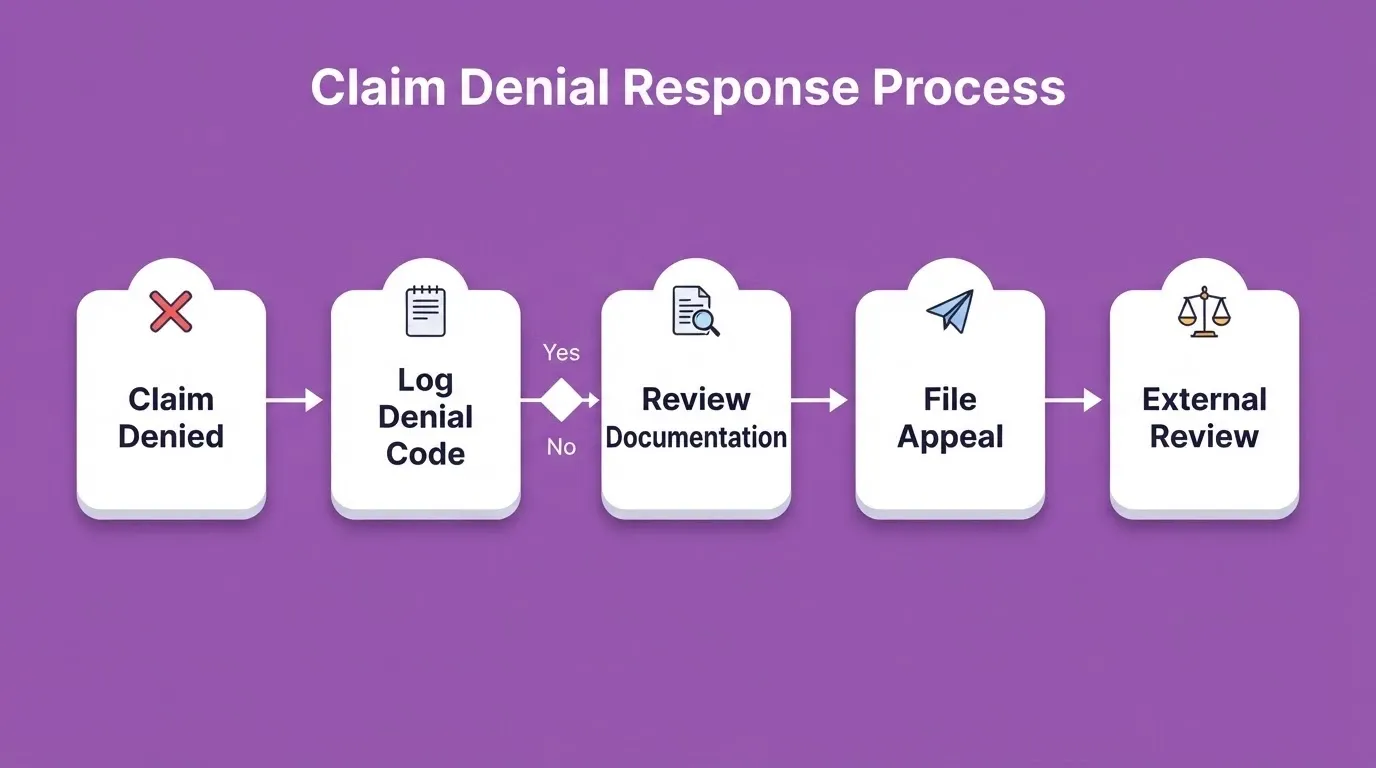
Here is a practical framework for managing denied or stalled claims:
-
Capture the denial reason immediately. When a payer returns a denied claim, log the reason code on the same day. Common reasons include missing prior authorization, excluded services, and administrative errors.
-
Review documentation against the denial. Pull the original submission and compare it against the payer's stated reason. Check whether the denial is correctable. Many denials stem from missing information that was collected but never attached to the filed claim.
-
File the appeal within the required window. Most payers allow 30 to 180 days for internal appeals. Track the deadline and set an alert at the halfway mark. Missed deadlines mean lost benefits for the claimant.
-
Escalate to external review if needed. Depending on the jurisdiction, claimants may have the right to an independent external review. This step is rarely used, but it overturns denials in nearly half the cases where it is applied.
The key practice is keeping the denial, the response, and the follow-up documentation all connected to the original claim file. When this information lives in separate places, the team spends more time reconstructing history than resolving the issue.
Common Denial Reason Codes and How to Respond
Understanding the most frequent denial codes helps teams build faster response workflows. As a result, fewer claims fall through the cracks.
| Denial Code / Reason | What It Means | Typical Response |
|---|---|---|
| CO-4 / Missing Modifier | Procedure code needs a modifier | Resubmit with correct modifier |
| CO-11 / Diagnosis Inconsistency | Diagnosis does not match procedure | Review clinical documentation, correct and resubmit |
| CO-29 / Timely Filing | Claim submitted past payer deadline | Provide proof of timely submission or write-off |
| CO-97 / Bundled Service | Service included in another payment | Review bundling rules, appeal if appropriate |
| PR-1 / Deductible Not Met | Patient responsibility | Bill patient directly |
| CO-50 / Not Medically Necessary | Payer disputes clinical need | Submit supporting clinical documentation, appeal |
Logging every denial reason code in your tracking system lets you identify patterns over time. For example, if CO-11 denials spike in a particular month, that signals a documentation or coding issue upstream. You can fix it before it affects the next batch of claims.
Keeping Every Stakeholder Informed Without Manual Updates
The most common complaint in insurance claims operations is not about decisions. It is about silence. A client calls to check where their claim is. An adjuster digs through three different tools just to answer. A manager wants a portfolio view but has to ask each team member individually.
This is what happens when tracking is a manual practice. Fortunately, the right setup removes most of that friction.
Here is how to structure automated updates that keep every stakeholder informed:
-
Status change triggers. Every time a claim moves to a new stage, the tool notifies the relevant stakeholders. Adjusters get assignments. Managers get alerts. Clients get plain-language emails.
-
Overdue claim alerts. If a claim sits in one stage beyond the expected window, it gets flagged for review. This single check is the most effective guard against claims that quietly stall in someone's queue.
-
Shared status pages. Give clients a simple view of their claim statuses. They log in, see where things stand, and know what happens next. This alone cuts inbound calls dramatically.
-
Weekly digest for managers. A summary of claims moved, claims stalled, and claims approaching deadlines gets delivered to the home screen every Monday. No manual compilation is needed.
The critical difference between a team that stays on top of their caseload and one that plays catch-up is whether their tracking tool pushes information to them or forces them to go pull it.
Key Insurance Claim Tracking Metrics to Monitor
A claims tracking system is only as useful as the metrics it surfaces. So, it is worth knowing exactly which numbers to watch and why they matter.
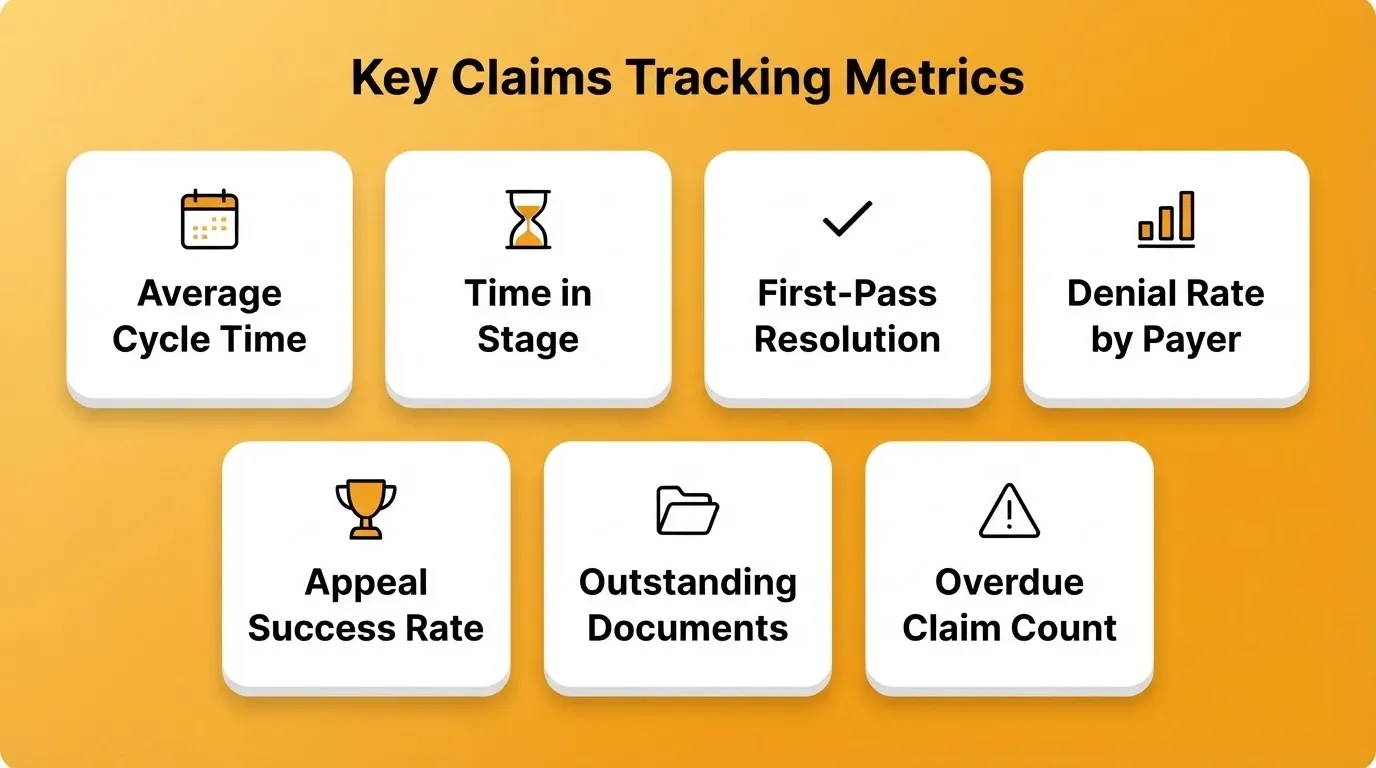
| Metric | What It Measures | Why It Matters |
|---|---|---|
| Average Cycle Time | Days from FNOL to settlement | Benchmark against the 44-day industry average; identify outliers |
| Time in Stage | Days a claim spends in each lifecycle stage | Pinpoints where bottlenecks occur |
| First-Pass Resolution Rate | Percentage of claims settled without denial or appeal | Higher rates indicate cleaner submissions and better documentation |
| Denial Rate by Payer | Percentage of claims denied, broken down by payer | Reveals payer-specific patterns that can be addressed proactively |
| Appeal Success Rate | Percentage of denied claims overturned on appeal | Low rates suggest appeals are not being filed or are poorly documented |
| Outstanding Document Rate | Percentage of claims missing required documents | Leading indicator of future stalls and denials |
| Overdue Claim Count | Claims exceeding expected stage duration | Real-time operational health indicator |
Review these metrics weekly at the team level and monthly at the portfolio level. When a metric moves outside its normal range, the tracking system should surface the underlying claims automatically. No manual audit should be needed to find them.
Building a Claims Workspace That Moves with the Lifecycle
Most insurance claims teams manage their work inside tools that were built for something else. Spreadsheets track rows, not stages. Email manages messages, not workflows. Generic project management apps organize tasks, but they do not understand the specific shape of a claim.
Describe your claims workflow in plain language and Rocket generates a working claims workspace. It includes stage-based tracking boards, document checklists, automated status updates, and role-based access for adjusters, managers, and clients. The output is not a mockup. It is a live, deployable application built in Next.js for web or Flutter for mobile, and it is production-ready from the first generation.
Here is what that looks like in practice:
-
Stage-based claim boards that mirror your actual lifecycle. Each claim card shows its current stage, assigned owner, pending actions, and time in stage. Move a card to the next step and the tool logs the transition.
-
Document tracking per claim. Every claim carries its own document checklist. When a file is uploaded, the checklist updates. When something is missing, it gets flagged for follow-up.
-
Automated stakeholder notifications. When a claim changes status, the relevant parties get notified. Adjusters get task assignments. Managers get portfolio alerts. Clients get plain-language updates by email.
-
Role-based dashboards. Rocket uses three-level access control: Admin, Creator, and Viewer. Managers see portfolio-level views with bottleneck indicators. Adjusters see their caseload with priority flags. Clients see a simplified status page with estimated timelines.
Rocket integrates with tools you already use. Connect your existing data sources through workspace connectors, including Supabase, Notion, Airtable, Google Workspace, Linear, and 25 or more services. Your claims workspace pulls from your real data layer. Every build ships with WCAG accessibility compliance and GDPR coverage by default.
The difference between this and traditional tools is time. A claims dashboard that would take a dev team months to build can be described to Rocket and generated in minutes. Browse finance and insurance templates to start from an existing pattern, or describe your exact workflow from scratch.
Start Tracking Claims With Precision
Knowing how to track insurance claims is the difference between a portfolio that runs on visibility and one that runs on guesswork. As AI-generated workspaces become the standard for insurance operations, teams that build stage-based tracking systems now will be faster, leaner, and more responsive than those still relying on spreadsheets and shared inboxes.
Rocket lets you describe the claims workflow you need and get a production-ready workspace in minutes, with no dev team and no months of procurement. Build your claims tracking workspace today.
Table of contents
- -What is Insurance Claim Tracking?
- -What Does the Insurance Claims Lifecycle Look Like?
- -Where Do Claims Lose Visibility?
- -How to Track Insurance Claims: A Step-by-Step Method
- -Step 1: Assign Every Claim a Defined Stage on Day One
- -Step 2: Attach a Checklist to Each Stage
- -Step 3: Set Time-in-Stage Alerts
- -Step 4: Build a Single Claim Number Lookup
- -Step 5: Log Every Status Transition
- -Step 6: Automate Stakeholder Notifications
- -Insurance Claim Tracking Tools: What to Look For
- -What Happens When a Claim Gets Denied or Stalls?
- -Common Denial Reason Codes and How to Respond
- -Keeping Every Stakeholder Informed Without Manual Updates
- -Key Insurance Claim Tracking Metrics to Monitor
- -Building a Claims Workspace That Moves with the Lifecycle
- -Start Tracking Claims With Precision

