Professional services firms that create a client intake portal replace scattered email threads with a structured, automated onboarding system. It collects documents, qualifies engagements, and starts projects faster without custom development.
Why do firms with strong reputations still run informal intake processes?
A client intake portal is a secure, web-based system. It collects everything a firm needs before starting an engagement. Think contact details, signed engagement letters, supporting documents, and compliance data, all in one place. Instead of chasing emails and attachments, both the firm and the client follow a clear, trackable workflow from day one.
According to a 2025 professional services trends report, EBITDA margins dropped from 16.1% in 2022 to 9.8% in 2024. Operational inefficiencies like manual onboarding are a key driver. Firms that fix this first gain a real competitive edge.
Why Do Strong Firms Still Rely on Manual Client Intake?
The problem is not a lack of awareness. Most partners know their intake process is clunky. Still, structural reasons keep it in place.
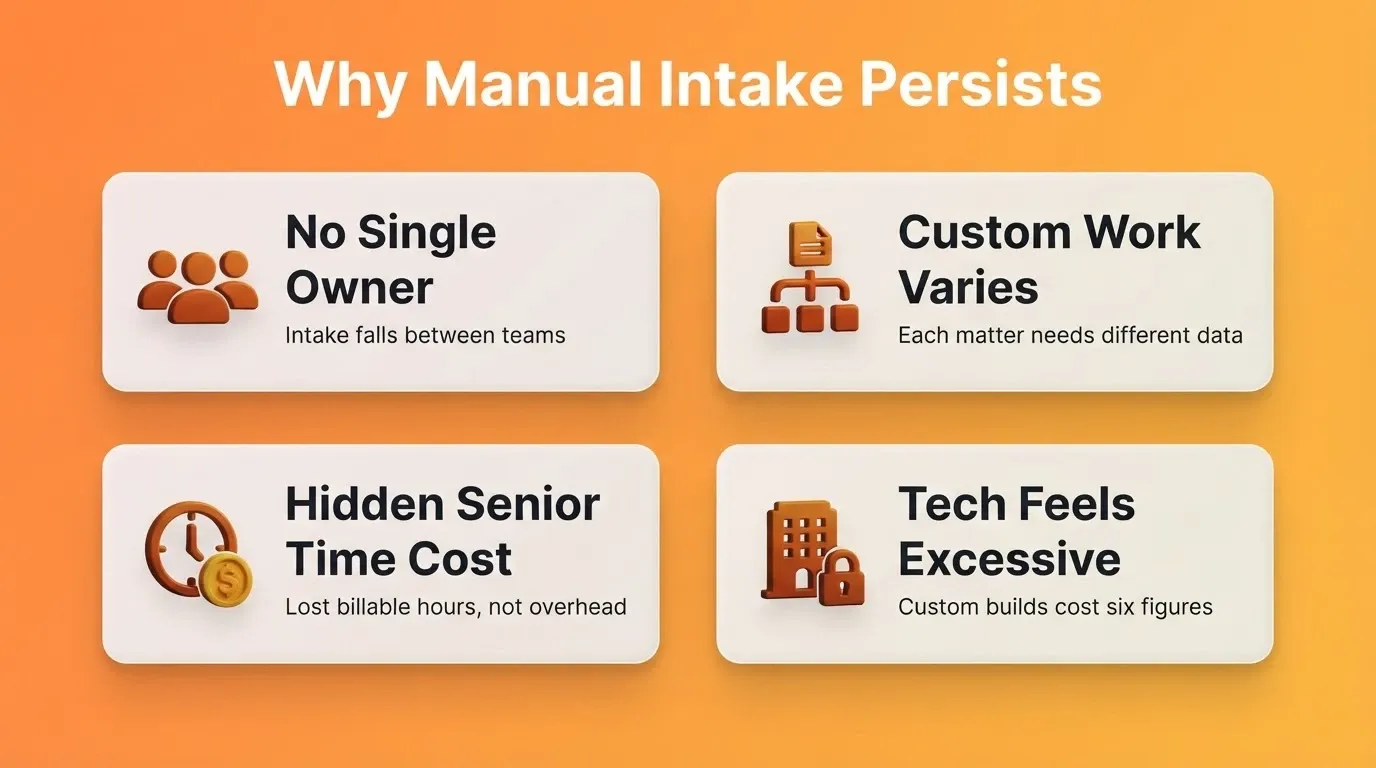
No single owner for onboarding. Intake often sits between business development, operations, and the lead professional. Nobody owns the full experience, so nobody improves it. Information moves through emails, spreadsheets, and verbal handoffs that break down at scale.
Custom work makes templates feel wrong. A litigation matter needs different data than an estate plan. A tax advisory engagement collects different information than an audit. As a result, firms default to ad-hoc processes because rigid forms feel like a poor fit for specialized work.
The cost is hidden in senior time. When a partner spends 30 minutes tracking down a signed engagement letter, that time does not appear as intake overhead. Instead, it shows up as lost billable hours. Across a team, those losses add up quickly.
As Mustafa Arif noted on LinkedIn:
"We automated client intake and follow-ups for a 75-person professional services firm without removing the human element. Their challenge wasn't service quality. It was scale."
The challenge today is not choosing between personal service and structured intake. In fact, tools like those covered in this guide on building a client portal with AI make it possible to have both.
What Should a Professional Services Intake Portal Include?
A good intake portal is more than a digital form. It captures the right information, routes it to the right people, and gives clients a professional experience from the very first interaction after signing.
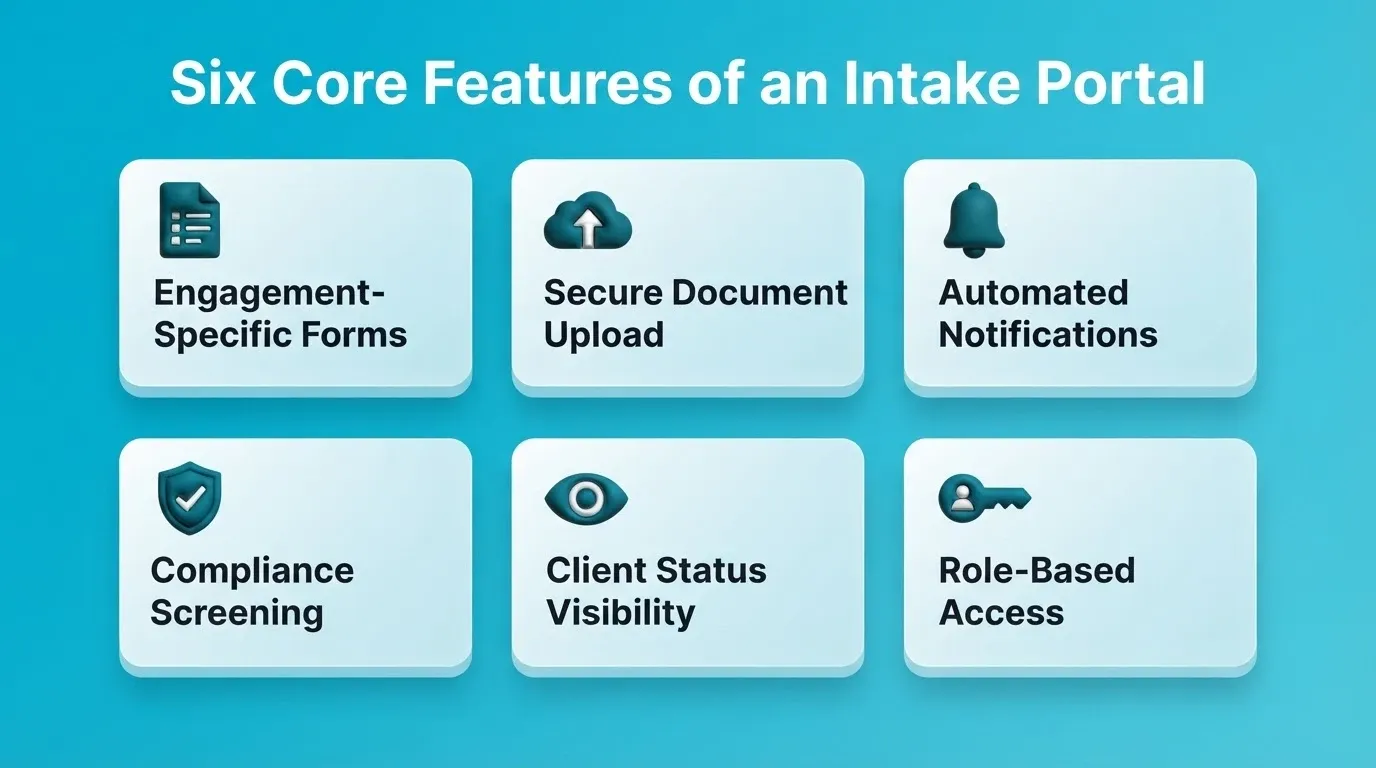
Engagement-specific intake forms. Different practice areas need different fields. A consulting engagement might ask about project scope and timeline. A legal matter needs conflict check data and matter classification. So the portal should support multiple form templates that match each service line.
Secure document upload. Clients need one clear place to submit contracts, identification, financial records, and any other required files. This removes the need to dig through email attachments or shared drives entirely.
Automated routing and notifications. When a client submits their intake, the responsible professional receives an immediate notification. If documents are missing, the system sends a polite follow-up automatically. This removes the need for manual chasing.
Compliance and conflict screening. For law firms and accounting practices especially, intake is where conflict checks, KYC verification, and engagement letter workflows live. A portal that handles these steps reduces risk and audit exposure.
Client status visibility. Clients want to know where they stand. A portal that shows what has been received, what is still needed, and when to expect next steps reduces inbound calls and builds confidence.
Role-based access controls. Not every team member should see every client's data. A well-built portal restricts access by role. The billing team, compliance officer, and lead professional each see exactly what their work requires.
The professional services automation market was valued at $12.85 billion in 2025 and is projected to reach $42.80 billion by 2035. That growth reflects a clear shift from scattered manual processes to structured digital onboarding platforms.
Here is what separates a functional portal from a manual process:
| Capability | Manual Process | Dedicated Portal |
|---|---|---|
| Information collection | Email threads and PDF attachments | Structured, engagement-specific forms |
| Document management | Shared drives and scattered files | Centralized upload with version tracking |
| Follow-up on missing items | Staff sends manual reminders | Automated notifications to clients |
| Conflict and compliance checks | Separate spreadsheet or system | Built into the intake workflow |
| Client visibility | "Let me check and get back to you" | Real-time status dashboard |
| Access control | Shared inbox or folder permissions | Role-based access per team member |
Which Firms Benefit Most from a Client Intake Portal?
Any professional services firm that collects client information, documents, and compliance data before starting an engagement will benefit. The impact is strongest in firms handling more than 50 new engagements per year.
Law firms benefit from structured conflict check workflows, matter classification forms, and engagement letter routing. A litigation practice handles different intake than an estate planning practice, so the portal branches accordingly.
Accounting and tax practices benefit from KYC and AML screening integration, prior-year document collection, and engagement letter automation. Tax season intake volume makes manual processes especially costly.
Management and strategy consulting firms benefit from scope definition capture, stakeholder mapping, and project brief collection. Structured intake also creates a paper trail that protects the firm if scope disputes arise later.
Financial advisory and wealth management firms benefit from suitability questionnaires, risk tolerance assessments, and regulatory disclosure workflows built directly into onboarding.
HR, executive search, and real estate advisory firms benefit from candidate brief capture, client authorization forms, and property qualification documents collected in a single structured flow.
The common thread is clear. Any firm where the first two weeks of a new engagement involve collecting the same information repeatedly, across multiple email threads, with manual follow-up, will see a real difference.
How Can You Standardize Intake Across Practice Areas?
Standardizing intake does not mean forcing every engagement through the same form. Rather, it means building a flexible system where each practice area follows a consistent process while collecting the right information for its specific work.
Map the decision tree first. Before building anything, identify the branch points. Does the engagement type determine which form the client sees? Does the client's jurisdiction change the compliance requirements? Documenting these decision points allows your portal to route intelligently.
Build modular form sections. Start with a shared core: contact details, entity information, and billing preferences. Then add conditional sections that appear based on practice area, engagement type, or client category. This keeps the experience clean for clients while capturing everything your team needs.
Assign ownership at each stage. Standardization works when someone is responsible for each step. Define who reviews submissions, who runs conflict checks, who triggers the engagement letter, and who confirms the client is fully onboarded.
The firms with the smoothest intake processes have turned their SOPs into interactive experiences that guide both the client and the internal team through each step without guesswork.
Here is how a typical decision flow works when intake is properly structured:
Client intake decision flow across legal, accounting, and consulting practice areas
Reducing the Back-and-Forth Before Engagement Starts
The most frustrating part of onboarding is the repetitive back-and-forth. Missing documents, unclear instructions, and delayed responses can stretch a two-day process into two weeks.
First response speed matters more than you think. Data from implementations across 15 or more professional services firms shows that AI-automated intake processes reduce administrative tasks by 85% and cut errors by 89%. Faster first responses directly correlate with higher client retention and satisfaction.
Conditional logic eliminates unnecessary questions. When your portal shows only the fields relevant to the client's engagement type, completion rates rise. Clients do not abandon forms that feel purpose-built for their situation.
Automated reminders replace manual chasing. Instead of an assistant sending "just checking in" emails, the portal sends targeted reminders for specific missing items. This keeps the process moving without making your team look disorganized.
Pre-populated data reduces friction. If your CRM already holds the client's basic information from the sales process, there is no reason to ask for it again. A connected intake portal pulls existing data and only asks for what is new. Firms that automate their business workflows see measurably faster time-to-engagement as a result.
The math is straightforward. If your firm onboards 120 clients per year and saves five hours of back-and-forth per engagement, that is 600 hours returned to billable work annually.
What Does a Client Intake Portal Cost to Build?
Cost is the main reason most firms delay building a proper intake system. Understanding the real options makes the decision much easier.
Custom development produces the most tailored result but carries the highest cost and the longest timeline. A developer-built portal with document upload, conditional logic, automated notifications, and compliance workflows typically costs between $25,000 and $80,000. It also takes three to six months to deliver.
Off-the-shelf intake software tools are faster to set up. However, they rarely match the firm's brand, often lack practice-area-specific logic, and require workarounds for compliance workflows.
AI-powered portal builders let you describe your intake workflow in plain language and generate a production-ready portal in hours, not months. The result is a branded, fully functional portal with custom logic, document upload, automated notifications, and integration with your existing stack.
| Build Approach | Time to Deploy | Upfront Cost | Customization |
|---|---|---|---|
| Custom development | 3 to 6 months | $25,000 to $80,000 | Unlimited |
| Off-the-shelf software | Days | Low setup cost | Limited |
| AI portal builder | Hours | Low | Unlimited |
How to Build a Client Intake Portal with Rocket
Building a custom intake portal used to mean hiring a development team, writing a detailed specification, and waiting months for something that might not match how your firm actually works. Rocket's Build capability changes that entirely.
Describe your workflow and get a working portal. You describe your intake process in plain language, and Rocket generates a production-ready portal with UI, navigation, logic, and database in minutes. Here is an example prompt that generates a complete law firm intake portal:
"Build a client intake portal for a mid-size law firm. Include separate intake forms for litigation, corporate, and estate planning matters. Each form should collect contact details, entity information, conflict check data, and matter classification. Add a secure document upload section with a checklist of required files per matter type. Include automated email notifications when intake is submitted and when documents are missing. Add a client-facing status dashboard showing what has been received and what is outstanding."
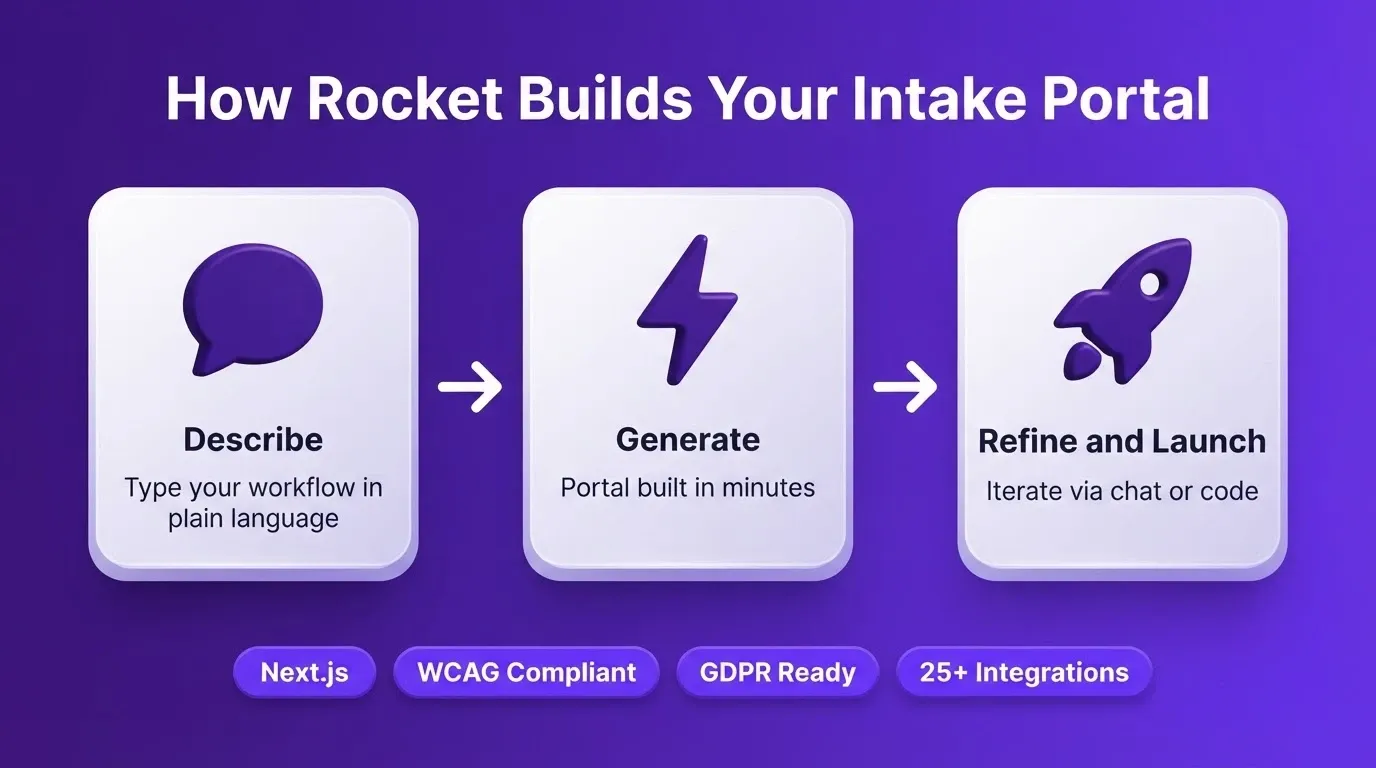
Every portal Rocket builds ships with production defaults. Web applications are built in Next.js. Every build includes SEO-ready structure, WCAG accessibility compliance, GDPR coverage, and performance optimization as the baseline. Staging and production environments, full version history, and one-click rollback are all included by default.
Connect your existing stack. Rocket's 25+ integrations connect directly into the build. For a professional services intake portal, the most relevant connectors include Supabase for PostgreSQL database, authentication, and file storage; Stripe for billing and payment collection; SendGrid or Resend for automated email notifications; Calendly or Cal.com for scheduling; and Notion, Airtable, or Linear to sync intake data into your existing workflows.
Iterate without limits. After the first generation, you can refine through chat, visual editing, or direct code access. Add a client dashboard, connect a notification system, or adjust the form logic for a new practice area. If your firm already has an existing Next.js portal, Rocket's Codebase Pickup picks it up and continues from where it left off.
Firms still waiting for IT to approve a custom development project are losing ground to practices that describe what they need and deploy it the same afternoon.
What Metrics Show Your Intake Portal Is Working?
Launching a portal is just the starting point. Knowing whether it actually improves your intake process requires tracking the right numbers from day one.
Average time to complete onboarding. Measure the gap between engagement signed and client fully onboarded. A good portal should cut this from weeks to days. Track it monthly and compare against your pre-portal baseline.
Form completion rate. If clients start the intake process but do not finish, your forms may be too long, confusing, or asking for things they do not have ready. Completion rates above 85% indicate a well-designed experience.
Document collection turnaround. How long does it take to receive all required documents after the initial request? Automated reminders and clear upload interfaces typically reduce this by 40 to 60 percent.
Internal handoff time. Once a client completes intake, how quickly does the responsible professional receive the information and begin work? This metric reveals bottlenecks between operations and delivery teams.
Firms using approval and billing portals alongside intake systems often see higher satisfaction. The reason is simple: the entire client-facing experience feels cohesive. These metrics connect directly to revenue. Faster onboarding means faster billing starts, fewer dropped engagements, and a stronger first impression.
Security and Compliance for Professional Services Intake Portals
Client data security is non-negotiable for professional services firms. An intake portal handles some of the most sensitive information a client will ever share. This includes legal matter details, financial records, identity documents, and compliance disclosures.
What to require from any intake portal platform:
-
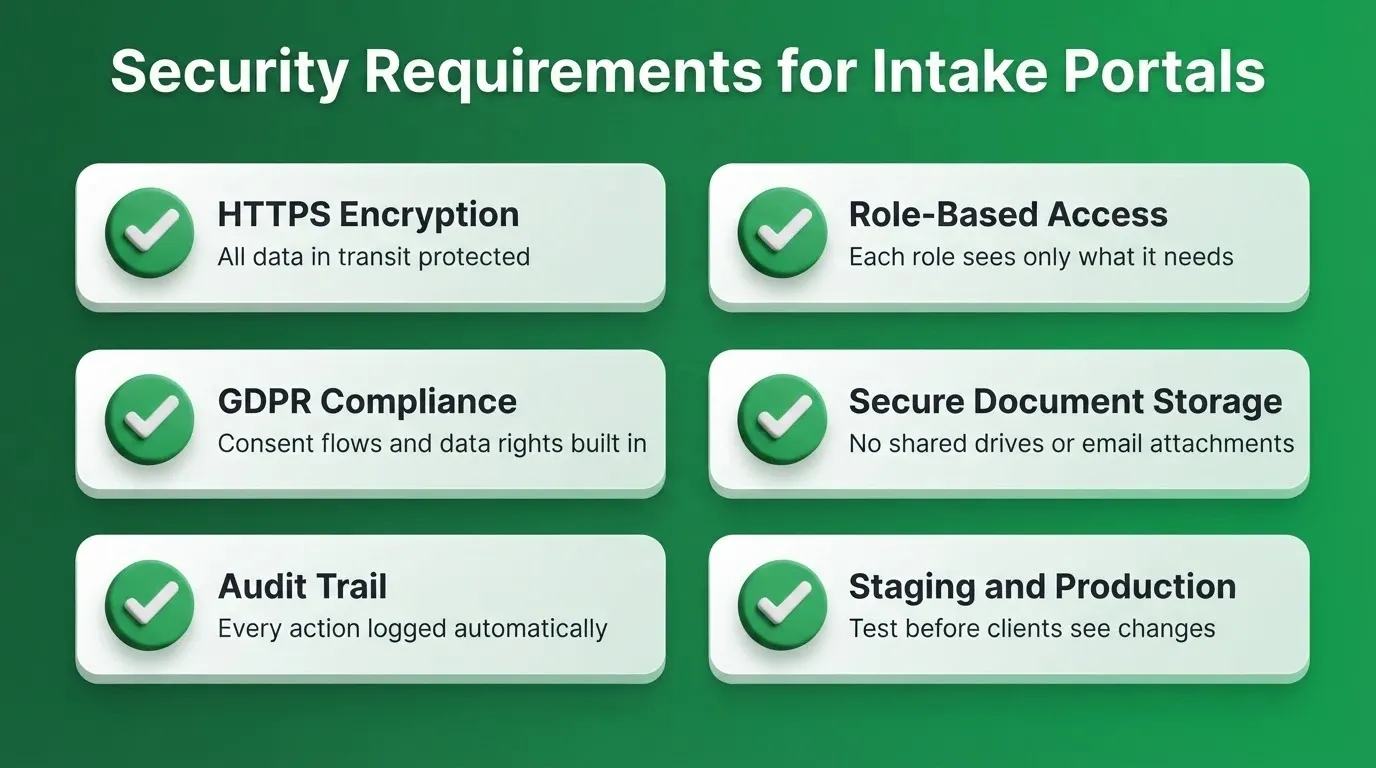
HTTPS encryption for all data in transit
-
Role-based access controls so team members see only what their role requires
-
GDPR compliance with consent flows, data subject rights, and retention policies
-
Secure document storage with access controls, not shared drives or email attachments
-
Timestamped audit trail for every action
-
Staging and production separation so changes can be tested before clients see them
Rocket builds WCAG accessibility compliance, GDPR coverage, and performance optimization into every portal by default. For firms with additional compliance requirements, cookie categorization, consent banners, and policy pages can be added through a single command.
GDPR fines reach up to 20 million euros or 4% of global annual turnover. CCPA penalties reach $7,988 per intentional violation. Building compliance into the portal from the start is not optional for firms handling EU or California clients.
The First Client Experience Sets the Tone for Everything That Follows
The intake process is the first thing a client experiences after choosing your firm. When it runs smoothly and feels branded, it confirms their decision. When it is scattered and manual, it plants doubt before the real work begins.
Professional services firms that treat onboarding as a core part of their service delivery consistently outperform those that treat it as an afterthought. As AI-powered portal builders continue to lower the barrier to building custom intake systems, the gap between structured and unstructured onboarding will only widen.
You can create a client intake portal that matches exactly how your firm works, in hours rather than months. Describe your intake workflow on Rocket.new and deploy a branded portal for your firm today.
Table of contents
- -Why Do Strong Firms Still Rely on Manual Client Intake?
- -What Should a Professional Services Intake Portal Include?
- -Which Firms Benefit Most from a Client Intake Portal?
- -How Can You Standardize Intake Across Practice Areas?
- -Reducing the Back-and-Forth Before Engagement Starts
- -What Does a Client Intake Portal Cost to Build?
- -How to Build a Client Intake Portal with Rocket
- -What Metrics Show Your Intake Portal Is Working?
- -Security and Compliance for Professional Services Intake Portals
- -The First Client Experience Sets the Tone for Everything That Follows