Most agency-client friction does not come from bad creative work. It comes from unstructured feedback, informal approvals, and scattered communication. A purpose-built collaboration portal fixes all three.
How much time does your agency lose to scattered feedback and unclear approvals?
According to a recent study, 63% of workers have wasted time due to communication problems and poor collaboration (Project.co via Zoom). For creative agencies, the problem runs even deeper. Every deliverable needs subjective judgment from multiple stakeholders who rarely share the same context or timeline.
A structured client collaboration platform for creative agencies changes that equation. It gives clients a single place to submit briefs, review work, leave feedback on specific deliverables, and sign off. Best of all, it removes the back-channel confusion that derails timelines.
What is a Client Collaboration Platform for Creative Agencies?
A client collaboration platform is a dedicated workspace where agencies and clients manage every project stage together. It covers everything from brief submission through final delivery, all in one place. Unlike general project management tools, a purpose-built agency portal fits the specific workflow of creative work.
That workflow includes subjective feedback, iterative approvals, version-tracked deliverables, and multi-stakeholder sign-off. Together, these components make up an effective platform:
-
Guided brief intake: Structured forms that capture goals, audience, brand guidelines, and deliverable scope before a single creative hour is spent
-
Version-tracked deliverable review: Every piece of feedback tied to a specific version of a specific asset
-
Role-based access control: Internal team members, clients, and stakeholders each see exactly what they need
-
Approval workflows: Named decision-makers per deliverable type, with clear sign-off steps that create an audit trail
-
Centralized communication: Inline comments that live next to the content they reference, not in a separate email chain
Tools like Asana or Trello track tasks well. A client collaboration platform, however, tracks the creative work itself. That means the files, the feedback, the approvals, and the decisions all live in one place.
If you want to explore how to structure this from the ground up, building a client portal with AI is a practical starting point before committing to a full platform build.
What Actually Goes Wrong in Agency-Client Relationships?
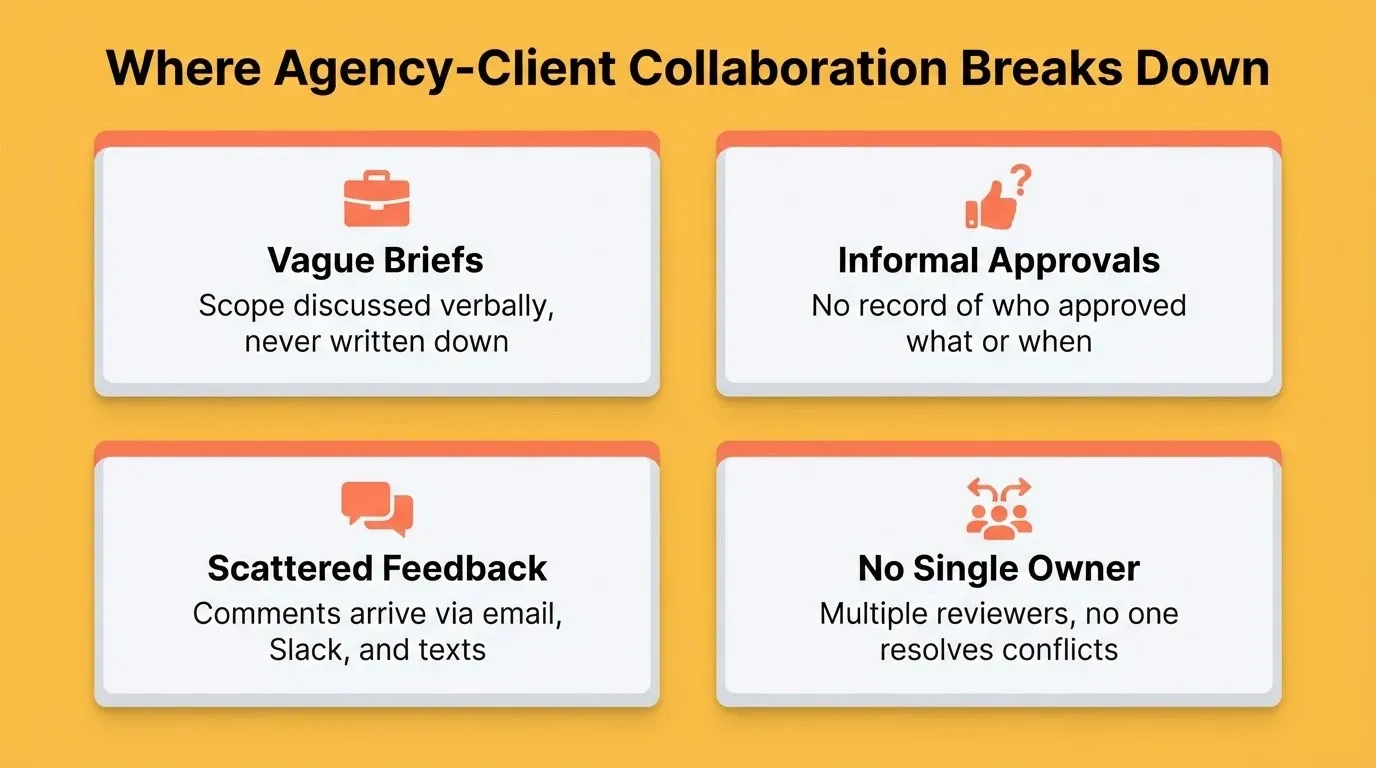
The creative work itself is rarely the problem. Relationships break down when the process around that work has no structure. Here is what typically goes wrong:
-
Briefs start vague. The initial scope gets discussed in a kickoff call and captured in someone's notes. Two weeks later, the client's memory of the brief differs from the team's.
-
Approvals happen informally. A concept gets a thumbs-up on a video call. Then a different stakeholder reviews the same concept in writing and questions the direction. Nobody recorded who approved what or when.
-
Feedback lands in the wrong place. Comments arrive through email, Slack, text messages, and meeting notes. The designer has to piece together a single revision list from five different sources.
-
Too many reviewers, no single owner. Four people weigh in with conflicting notes. Nobody has the authority or the process to resolve the conflict before it reaches the creative team.
None of this is about talent or effort. It is about the absence of a shared system that keeps everyone looking at the same version of the truth.
Why Does Feedback Become the Biggest Bottleneck?
Feedback itself is not the issue. The real problem is what happens when feedback has no structure, no deadline, and no single destination. Most agencies only recognize this after the third or fourth revision cycle on a project that should have wrapped up a week ago.
-
Timing is unpredictable. One stakeholder responds in twenty minutes. Another goes silent for four days and then returns with a completely different perspective. The creative team has no idea when the round is truly complete.
-
Version drift creates confusion. A reviewer comments on version two while the team has already moved to version four. This leads to wasted revisions based on outdated work.
-
Vague comments slow everything down. "Make it pop" or "This feels off" needs interpretation before anyone can act. Without a structured proofing tool, each round of vague feedback adds days to the timeline.
"A client approval process is not about collecting feedback. It is about turning feedback into decisions." — Workzone
That shift is exactly what agencies need. When feedback becomes a structured workflow instead of a scattered conversation, creating a dedicated feedback center for agency clients becomes the natural next step toward a fully structured client collaboration platform.
What Should a Structured Intake Process Include?
Most agencies think better communication is the fix. In reality, better structure is the answer. A well-designed intake process removes ambiguity before the first creative hour is spent.
| Area | Unstructured Approach | Structured Approach |
|---|---|---|
| Brief submission | Email or verbal kickoff call | Guided form with required fields |
| Scope definition | Discussed once, not documented | Written scope with sign-off step |
| Feedback collection | Scattered across Slack, email, texts | Centralized portal with version tracking |
| Approval authority | Unclear, anyone can weigh in | Named approver per deliverable type |
| Timeline visibility | Guesswork based on last conversation | Shared timeline with milestone status |
| Communication | Fragmented across tools | Inline comments tied to deliverables |
-
A guided brief form forces clarity. When clients fill in project goals, target audience, brand guidelines, and deliverable expectations, the creative team starts with real direction instead of assumptions.
-
Named approvers prevent conflicting feedback. Assigning one decision-maker per deliverable type means the creative team always knows whose feedback is final.
-
Version-tracked feedback eliminates confusion. When every comment is tied to a specific version, the team stops wasting time figuring out which file a comment refers to.
How to Cut Revision Cycles Without Cutting Corners
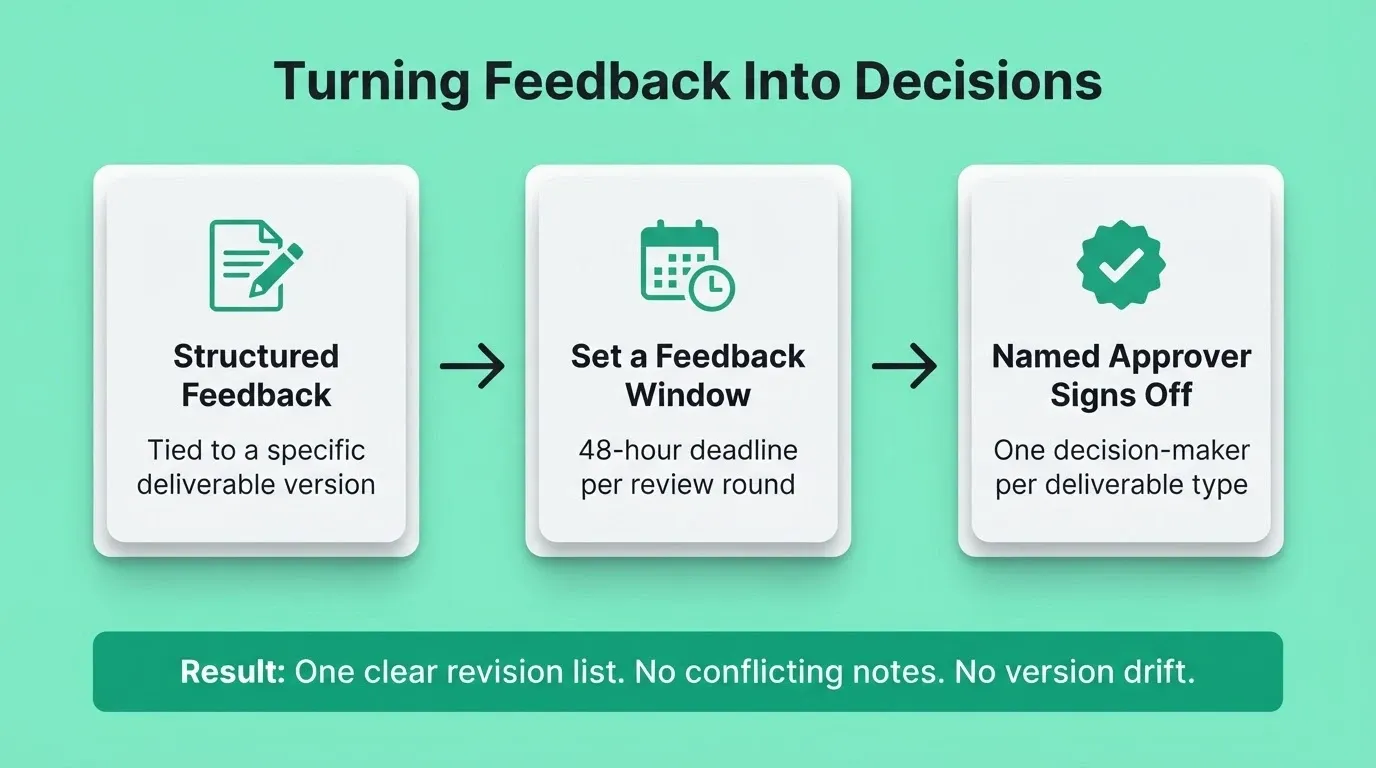
Revision cycles are not a creative problem. They are an operational one. When the structure around revisions is clear, the work moves faster without sacrificing quality. The flow below maps how each step should gate the next.
-
Cap revision rounds in the contract. Two to three rounds is standard. Anything past that signals a brief problem, not a creative one.
-
Tie each round to a specific deliverable version. When the client reviews version three, their feedback should only reference version three. No retroactive comments on earlier iterations.
-
Set feedback windows. According to the Productive.io Agency Industry Report, 52% of agencies allocate resources four weeks or less before work begins. Tight resource windows mean feedback delays cost more than just time. They cost margin.
Fewer unstructured revision rounds means less unbilled time. That directly affects the bottom line. The same report found that 59% of agencies grew revenue, but only 31% improved their margins. Tighter processes are one of the clearest ways to close that gap.
How to Build a Client Collaboration Platform for Creative Agencies
Most agencies assume building a custom portal requires a development team, months of work, and a significant budget. That assumption is outdated. With an AI app builder, the process is faster and more accessible than ever before.
Step 1: Map Your Agency Workflow
Before building anything, write down the stages your projects actually move through. A typical agency workflow covers brief intake, internal kickoff, first draft delivery, client review, revision, final approval, and delivery. This sequence becomes the blueprint for your portal's screens and logic.
Step 2: Describe the Portal in Plain Language
In Rocket, describe your portal in a single prompt. For example: "Build a client collaboration portal for a creative agency with a brief submission form, a deliverable review screen, an approval workflow, and role-based access." Rocket then generates a production-ready Next.js web app with UI, navigation, and logic in minutes.
Step 3: Configure Role-Based Access
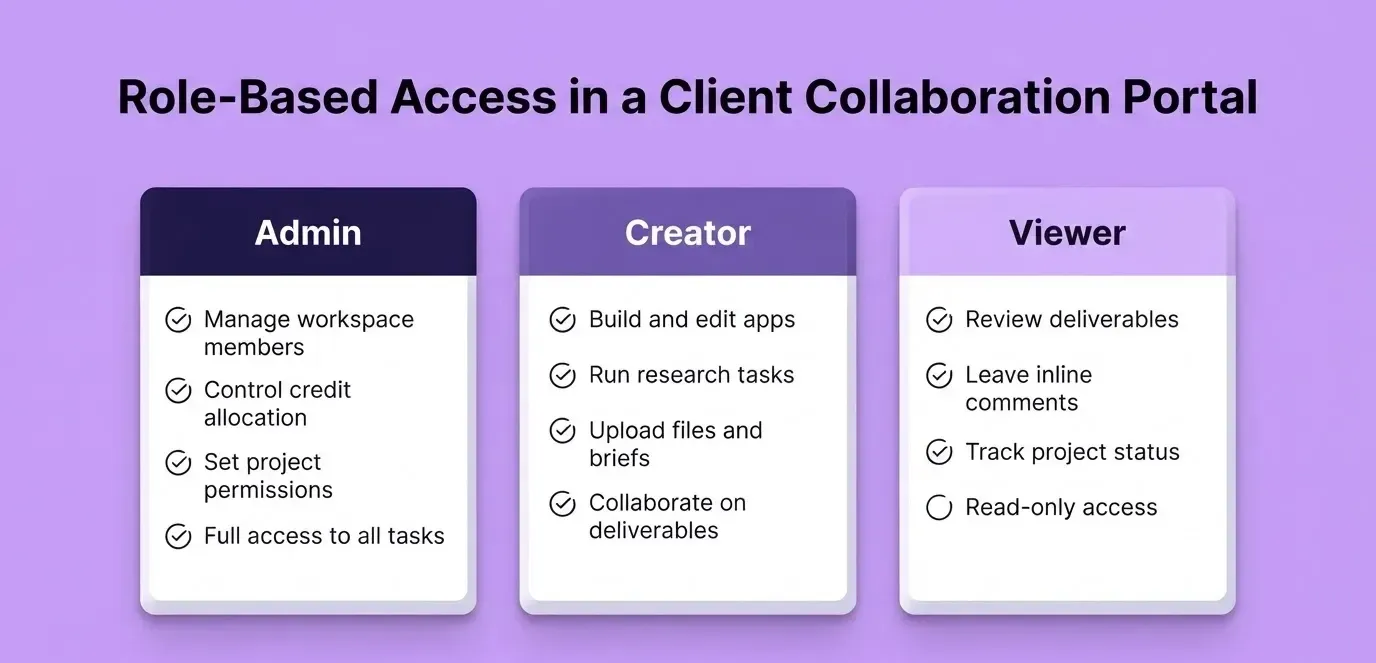
Rocket's Collaborate feature supports three access levels. Admin handles workspace management and member control. Creator handles building, research, and producing work. Viewer provides read-only access for clients and stakeholders.
Assign Viewer roles to clients so they can review deliverables, leave feedback in context, and track project status. They cannot access internal conversations or edit files.
Step 4: Connect Your Integrations
Rocket supports 25+ integrations that connect directly into the build. For a client collaboration platform, the most useful ones include Notion or Airtable for project data, Stripe for invoice and payment tracking, Typeform or Tally for brief intake forms, and Mailchimp or Resend for client notifications at each approval stage. Authenticate each integration once and it flows into every build.
Step 5: Iterate and Launch
Use Rocket's chat interface to refine the portal through conversation. You can change layouts, add screens, and adjust logic without re-explaining what already exists. When ready, launch with one click to a live URL. Then connect a custom domain to make the portal feel like a branded extension of your agency.
For a deeper look at how agencies structure approval flows and billing alongside client access, building an approval and billing portal for modern agencies covers the full pattern.
Where Rocket Fits in Your Agency's Creative Workflow
You describe your agency's workflow. Rocket generates a production-ready Next.js web app with client-facing screens, feedback forms, approval stages, and role-based access. Most apps generate in one to three minutes.
Shared project context carries forward. Every file, brief, and decision lives inside a Rocket project. When the designer opens a task, the strategy memo from last month is already there. No catch-up documents, no re-explaining. Files and research added once carry into every task automatically.
Viewer roles keep clients in the loop without the chaos. Clients get read-only access to their project. They see deliverables, leave feedback in context, and track status. They cannot edit files or access internal conversations.
Inline comments replace scattered feedback threads. Comments live next to the content they reference. A specific section of a deliverable or a specific component of a build gets its own comment thread, right where it belongs.
The handoff problem disappears. The person doing research and the person building share the same project, the same tasks, the same files, and the same decisions. Research does not get summarized into a brief. It is simply there.
Most agencies try to solve this with Slack channels, shared Google Drive folders, and project management tools stitched together. The result is five tools doing one job badly. A single workspace where research, builds, and client collaboration share the same context replaces all of it.
Can a Branded Portal Actually Change Client Behavior?
This is the question most agency founders ask before committing to a platform build. The short answer is yes, but not because of the technology itself.
Structure reduces decision fatigue. When a client opens a portal with three clear action items, they act faster. The cognitive load drops because the choices are already defined. Reviewing a deliverable, approving a milestone, and submitting feedback each have their own clear place.
Guided workflows set expectations. A portal that says "You have 48 hours to submit feedback on Round 2" changes behavior more than a polite email asking the same thing. The system creates accountability without awkward conversations.
Visibility builds trust. When clients can see exactly where their project stands, they stop sending status-check emails. That alone saves agencies hours each week.
Branded portals signal professionalism. A custom portal with your agency's logo, colors, and language shows that you take the relationship seriously. It is the digital equivalent of a well-designed office.
Agencies that move from email threads to structured portals quickly find that clients are not the bottleneck they assumed. The bottleneck was the absence of a system that made responding easy. Building that system is the first step toward a more predictable, more profitable client relationship.
Client Collaboration Platform vs. Generic Project Management Tools
Agencies often ask whether an existing tool, such as Asana, Monday.com, ClickUp, or Notion, can serve as their client collaboration platform. Each of these tools handles internal task coordination well. However, the gap shows up when the work involves external stakeholders, version-tracked creative assets, and formal approval sign-off.
| Capability | Generic PM Tool | Purpose-Built Agency Portal |
|---|---|---|
| Task tracking | Strong | Strong |
| Version-tracked deliverable review | Not designed for this | Core feature |
| Client-facing Viewer access | Limited or expensive | Built-in role-based access |
| Brief intake forms | Requires workarounds | Native guided forms |
| Approval workflows with audit trail | Basic | Named approvers, sign-off steps |
| Inline comments on deliverables | Varies | Comments tied to specific assets |
| Branded client experience | Shows tool branding | Fully branded portal |
| Integration with billing | Separate tool needed | Stripe integration built-in |
In short, generic tools are built for internal team coordination. A client collaboration platform is built for the agency-client relationship, which has different requirements around access control, deliverable review, and professional presentation.
Rocket Plans for Agency Teams
Rocket runs on a credit-based system. All paid plans include unlimited team members with no per-seat fees.
| Plan | Price | Credits | What Is Included |
|---|---|---|---|
| Free | USD 0 | 20 (one-time) | Build production-ready apps plus Light Solve |
| Pro | USD 25/mo | 100/month | Build production-ready web apps, mobile apps, websites plus Light Solve |
| Rocket | USD 50/mo | 250/month | Build plus consultant-grade research (Light or Full Solve, auto-routed) plus competitive intelligence |
| Booster | USD 250/mo | 1,500/month | Build plus consultant-grade research plus competitive intelligence, for high-volume teams |
1.5 million people have tried Rocket across 180 countries. For agencies managing multiple client portals and high-volume builds, the Booster plan is the right fit. For teams just getting started, Pro covers the full Build capability.
The Future of Agency-Client Collaboration
The agencies that will lead the next decade are not always the most creative ones. They are the ones who build the most reliable operating systems around that talent. A structured client collaboration platform for creative agencies is no longer a competitive advantage. It is the baseline clients will expect.
AI-powered builders have made this infrastructure accessible to every agency, regardless of size or technical resources. The question is no longer whether to build it. It is how fast you can ship it. Describe your agency's workflow and start building with Rocket today.
Table of contents
- -What is a Client Collaboration Platform for Creative Agencies?
- -What Actually Goes Wrong in Agency-Client Relationships?
- -Why Does Feedback Become the Biggest Bottleneck?
- -What Should a Structured Intake Process Include?
- -How to Cut Revision Cycles Without Cutting Corners
- -How to Build a Client Collaboration Platform for Creative Agencies
- -Step 1: Map Your Agency Workflow
- -Step 2: Describe the Portal in Plain Language
- -Step 3: Configure Role-Based Access
- -Step 4: Connect Your Integrations
- -Step 5: Iterate and Launch
- -Where Rocket Fits in Your Agency's Creative Workflow
- -Can a Branded Portal Actually Change Client Behavior?
- -Client Collaboration Platform vs. Generic Project Management Tools
- -Rocket Plans for Agency Teams
- -The Future of Agency-Client Collaboration