Picking a cross-platform mobile framework depends on your team's skills, your timeline, and your product goals. For founders who want to skip the framework debate entirely, Rocket.new generates production-ready Flutter apps from a plain-language description in minutes.
Why does picking a cross-platform framework trip up so many product teams? According to a Statista developer survey, Flutter now leads at 46% adoption among cross-platform developers, while React Native holds 35%. Those numbers look decisive until you realize they measure popularity, not fit.
The right choice for your product depends on factors that no ranking can capture: your team's existing skills, your budget constraints, how soon you need to ship, and what operating systems you plan to target.
This article walks through the evaluation criteria that actually matter, breaks down four major options with honest tradeoffs, and maps each one to real-world scenarios so you can decide with confidence.
How Do You Evaluate a Cross-Platform Mobile Framework?
Before comparing specific options, you need a scoring system that reflects your situation. Too many teams pick a framework because it topped a "best of" list, then spend months fighting tradeoffs they did not anticipate.
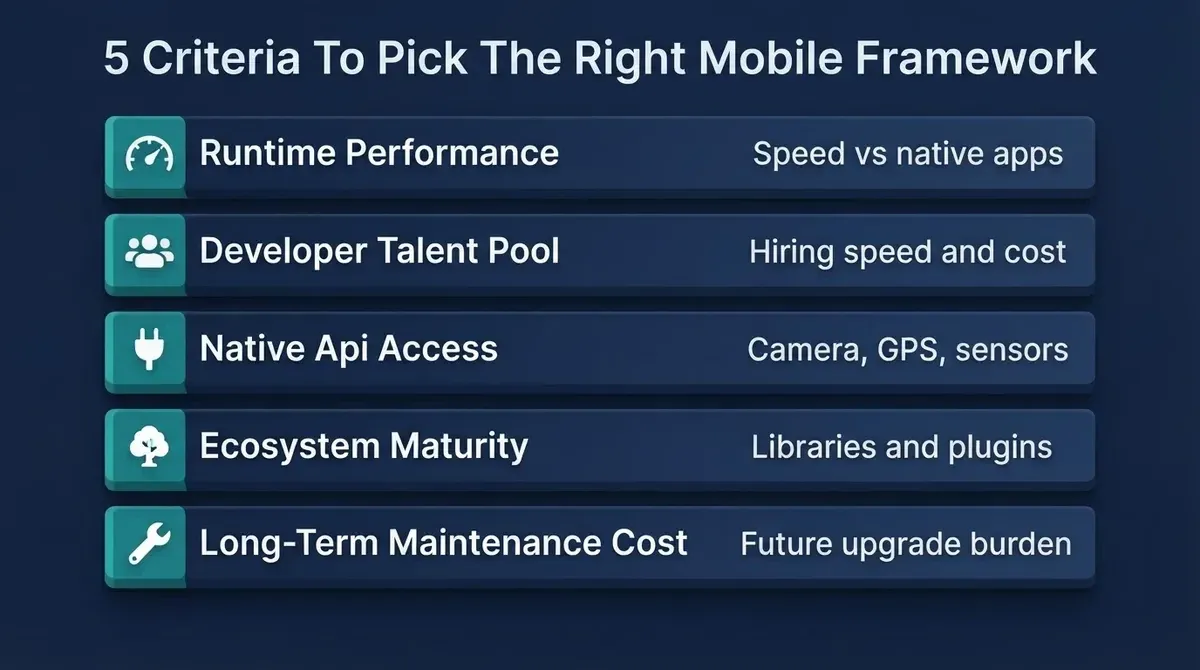
Here are the five criteria that separate a good pick from a costly mistake:
-
Runtime performance. How close does the framework get to native speed? For content-driven apps, a 5% performance gap barely matters. For games, real-time data feeds, or complex animations, that gap determines whether users stay or leave.
-
Developer talent pool. Can you hire for this framework quickly? JavaScript developers outnumber Dart developers by roughly 20:1 (as of mid-2025). That ratio shapes your recruitment timeline and development costs directly.
-
Native API access. Does the framework let you reach device features like the camera, GPS, sensors, and push notifications without writing platform-specific code? Limited access to native APIs means more native modules, more bugs, and slower releases.
-
Ecosystem maturity. How many third-party libraries, plugins, and community resources exist? A mature ecosystem means fewer things you need to build from scratch.
-
Long-term maintenance cost. Frameworks change. Operating systems update. How much work will this choice demand in two years? Five? Enterprise teams and startups alike lose months to framework migrations they did not plan for.
Five criteria that determine the right mobile framework for your team
How we evaluated these frameworks: The five criteria above reflect patterns observed across mobile engineering teams. Performance benchmarks (92-98% vs. native) are drawn from published framework benchmarks and community testing. Learning curve estimates are based on reported onboarding timelines from developer surveys.
| Criteria | What to Measure | Red Flag |
|---|---|---|
| Performance | Benchmark against native on target devices | Framework introduces visible lag on mid-range Android phones |
| Talent pool | Count qualified candidates on job boards in your city or region | Fewer than 50 active profiles in your market |
| Native API access | Check plugin coverage for your specific features | Camera, GPS, or biometric access requires custom native code |
| Ecosystem | Count stable, maintained libraries for your use case | Key dependencies have not been updated in 12+ months |
| Maintenance cost | Review major version history and breaking changes | More than 2 breaking upgrades in the last 18 months |
The framework that scores highest across all five for your specific project is the right answer, regardless of what the popularity charts say.
What Sets Each Cross-Platform Framework Apart?
Now that you have a scoring system, here is how the leading options stack up. Each framework takes a fundamentally different approach to building cross-platform apps, and those architectural decisions ripple through performance, hiring, and long-term maintainability.
Is React Native Still the Default Choice for Cross-Platform Apps?
React Native, originally released by Meta (formerly Facebook), lets web developers build native mobile apps using JavaScript and React. It remains one of the most widely adopted cross-platform frameworks because it renders actual native UI components rather than drawing its own widgets.
That means buttons, navigation, and gestures look and feel right on both Android and iOS without extra work. The new architecture, which replaced the old JavaScript bridge with direct communication between JavaScript and native code, has narrowed the performance gap with fully native apps considerably.
-
Large JavaScript community. React Native lets teams leverage existing JavaScript and React knowledge, cutting the learning curve to just 2-4 weeks for web developers already familiar with React
-
Hot reload for fast iteration. Developers see changes instantly without rebuilding the full app, which speeds up the development process significantly
-
Strong backing from Meta. Apps built with React Native include Facebook, Instagram, and Shopify, proving the framework handles large-scale, high-traffic products
-
Mature ecosystem with native modules. Thousands of open-source libraries and community plugins cover most common features out of the box
-
React Native's reliance on a JavaScript bridge (even with the new architecture) can introduce latency in graphics-intensive applications
-
Finding developers who understand both JavaScript and native iOS or Android code for complex native modules takes more effort than hiring a pure web team
If you are evaluating whether to build your app without backend experience, React Native's large JavaScript ecosystem gives you the widest range of backend integration options.
Does Flutter Deliver on Its Multi-Platform Promise?
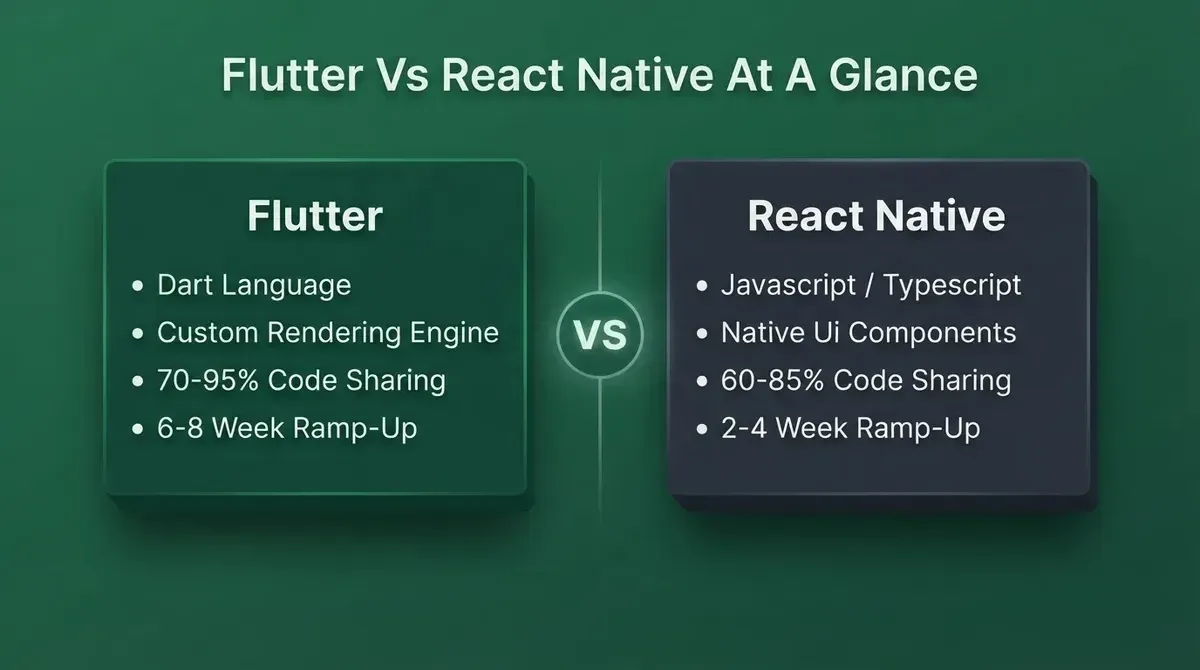
Flutter, developed by Google, takes a different approach entirely. Unlike React Native, Flutter uses its own rendering engine (Skia, now Impeller) to draw every pixel on screen, delivering pixel-perfect consistency across Android and iOS.
The framework has matured significantly since its initial release. Flutter's widget system offers pre-built UI components for Material Design and Cupertino styles, and the single codebase can now target mobile, web, and desktop from one project.
According to the Statista developer survey (2024), 46% of cross-platform developers now use Flutter, making it the most popular choice globally.
Flutter and React Native take fundamentally different approaches to rendering and language
-
Pixel-perfect UI across platforms. Flutter shares 70-95% of code across platforms because it draws every element with its own rendering engine, making your app look identical on both Android and iOS, and even on web and desktop
-
Single codebase covering 70-95% of code. Teams report sharing business logic, UI, and navigation across all target platforms, reducing development effort dramatically
-
Hot reload and strong tooling. Flutter's hot reload is considered among the fastest across cross-platform frameworks, and Android Studio and VS Code support are both mature and stable
-
Rapidly growing community. Over 175,000 GitHub stars and a strong community of mobile app developers building packages, tutorials, and support resources (as of mid-2025)
-
Dart is a less familiar programming language for most developers, requiring 6-8 weeks of ramp-up time compared to React Native's 2-4 weeks
-
Fewer third-party libraries than React Native's JavaScript ecosystem, though the gap is narrowing with each year
For a deeper look at building production-grade apps with Flutter, see how Rocket generates Flutter mobile apps.
Can Kotlin Multiplatform Bridge Native and Cross Platform Worlds?
Kotlin Multiplatform (KMP), developed by JetBrains, represents a fundamentally different philosophy. Instead of replacing native UI with a cross-platform layer, KMP lets teams write shared Kotlin code for business logic, networking, and data models while keeping the UI layer fully native on each platform.
This approach appeals to enterprise teams and Android developers who already know Kotlin and want to share code across platforms without giving up the native UI on iOS. KMP adoption has grown fast: Neontri's analysis (as of mid-2025) shows it reached 23%, nearly doubling from 12% just 18 months earlier.
-
Share business logic without touching UI code. KMP lets teams write networking, data models, and business rules once in Kotlin, then use SwiftUI on iOS and Jetpack Compose on Android for native UI
-
No new language for Android developers. Kotlin is already the default language for Android development, so existing Android teams can adopt KMP with minimal retraining
-
Incremental adoption. Teams can add KMP to an existing native codebase module by module, avoiding a full rewrite
-
Strong backing from JetBrains and Google. Compose Multiplatform now extends KMP's reach to desktop and web, and Google officially recommends KMP for sharing business logic across platforms
-
The iOS developer ecosystem for KMP is still smaller, and iOS developers need to learn Kotlin
-
Fewer third-party libraries than Flutter or React Native, and the ecosystem maturity is still catching up
When Does Going Fully Native Still Make Sense?
Native development means building separate codebases: Swift with SwiftUI and Xcode for iOS, Kotlin with Jetpack Compose and Android Studio for Android. This is the baseline against which every cross-platform framework is measured.
Going native gives you full control over every platform-specific feature, the best possible native performance, and direct access to every new iOS release and Android update on day one. But it costs more, takes longer, and requires maintaining two separate teams.
-
Maximum native performance. No abstraction layer means zero performance gap, which matters for games, complex animations, and graphics-intensive applications
-
Immediate access to new platform features. When Apple or Google ships a new API, native developers can adopt it instantly without waiting for framework support
-
Best native UI experience. Native controls, native gestures, native navigation. Users on each platform get exactly the experience they expect
-
Maintaining a separate codebase for iOS and Android roughly doubles development costs, development time, and team size
-
Feature parity between platforms often lags by weeks or months
Which Framework Matches Your Specific Project Goals?
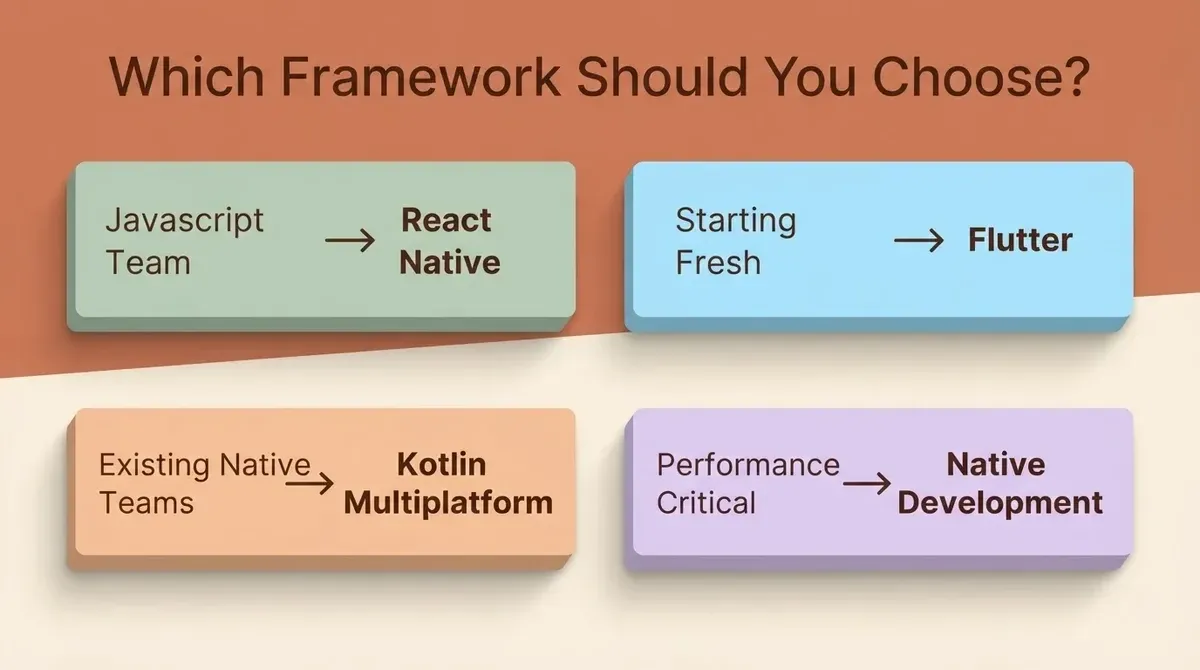
The right framework depends on what you are building, who is building it, and how fast you need to ship. Use the decision tree below to map your situation to the right starting point.
Decision logic: Need pixel-perfect UI? Choose Flutter. JS/React team? React Native. Existing native teams? Kotlin Multiplatform. Performance-critical with no native team? Go Native.
Map your team's situation to the right framework before committing
For MVP validation and startups looking to test market fit quickly, Flutter or React Native are the strongest picks. Both allow rapid prototyping with a single codebase targeting iOS and Android apps from day one. If your team already writes JavaScript, React Native gets you started in weeks.
For enterprise teams with existing mobile platforms and large codebases, Kotlin Multiplatform offers the lowest-risk adoption path. Enterprise teams can share business logic across Android and iOS while keeping each platform's native UI, avoiding the risk of a wholesale migration.
For games, graphics, or performance-critical apps that demand consistent frame rates and direct access to device hardware, going fully native remains the safest choice. The performance gap between cross-platform frameworks and native code has narrowed, but for applications using complex UIs, 3D rendering, or heavy sensor access, native development still delivers the best result.
If you are at the idea stage and want to validate your concept before picking a stack, the Rocket MVP playbook walks through how to scope and launch a minimum viable product without over-engineering the foundation.
Where Do AI-Powered App Builders Fit In?
So far, every option on this list assumes your team will write code. Pick a framework, learn its language, configure the tooling, then build. A growing category of AI-powered app builders is changing the conversation for founders, product teams, and startups that want to move faster.
These tools let you describe what you want to build in plain language, and they generate a working application. The most capable of them produce production-grade code, not just prototypes.
Rocket.new is the standout example. It is worth understanding what makes it different from other AI app builders before assuming they are all the same.
As the official docs put it: "Most AI app builders focus on code generation alone. Rocket adds strategic research (Solve) that validates your idea before you build, and competitive intelligence (Intelligence) that monitors your market after you launch. All three pillars share context in one platform."
That three-pillar structure matters for framework decisions specifically:
-
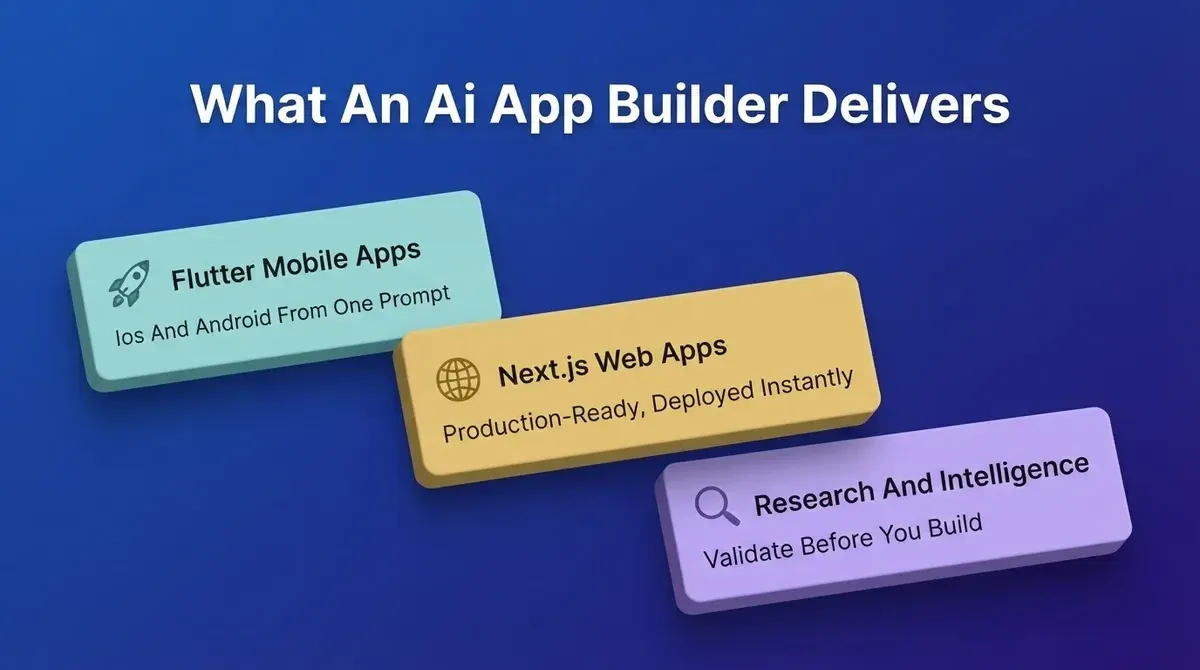
Solve runs market research, validates your idea, and produces structured PRDs before you write a line of code
-
Build generates production-ready Flutter mobile apps and Next.js web apps from a natural-language description, handling architecture, UI, navigation, and backend logic
-
Intelligence monitors competitors continuously after launch so you can respond in Build without switching tools
Rocket.new combines market research, app generation, and competitor monitoring in one platform
Here is what Rocket's Build pillar delivers specifically:
-
Describe your idea, get a deployable app. Type something like "Build a booking system for a hair salon with calendar, payments, and push notifications," and Rocket generates a working Flutter app with UI, navigation, logic, and backend in minutes
-
Production-quality output from the first generation. Rocket generates apps with real design systems, dark and light theming, fluid navigation, and staggered animations, not templates or wireframes
-
Iterate through conversation. After the first build, you refine through chat, visual editing, or direct code access. There is no separate change-request quota. Usage draws from your workspace credit balance, which pauses generation if it reaches zero
-
Launch to App Stores or the web. Rocket handles APK builds for Android, App Store submissions for iOS, and instant web preview links for stakeholder demos
-
26+ built-in integrations. Stripe, Supabase, Google Analytics, Notion, and more connect directly into the build without separate configuration
The key difference from traditional cross-platform frameworks: you do not need to choose a language, hire a specialized team, or spend weeks on project setup. Rocket is especially valuable for founders validating a product idea, agencies building client apps under tight deadlines, and enterprise teams prototyping internal tools.
Unlike frameworks like React Native or Flutter, which require developers to write code across multiple platforms, Rocket's AI builder handles the entire development stack from architecture planning to deployment, making it a practical complement to any framework strategy.
Rocket also connects with dozens of services out of the box. You can explore what integrations Rocket supports to understand how payments, databases, analytics, and CRM tools wire into your generated app from a single prompt.
For teams that want to see how Rocket compares to a traditional development workflow before committing, the Rocket vs traditional development breakdown covers speed, cost, and code quality side by side.
Side-by-Side Framework Comparison
Here is how the four major cross-platform frameworks compare across the criteria that matter most. Use this alongside your personalized scorecard from the evaluation section above.
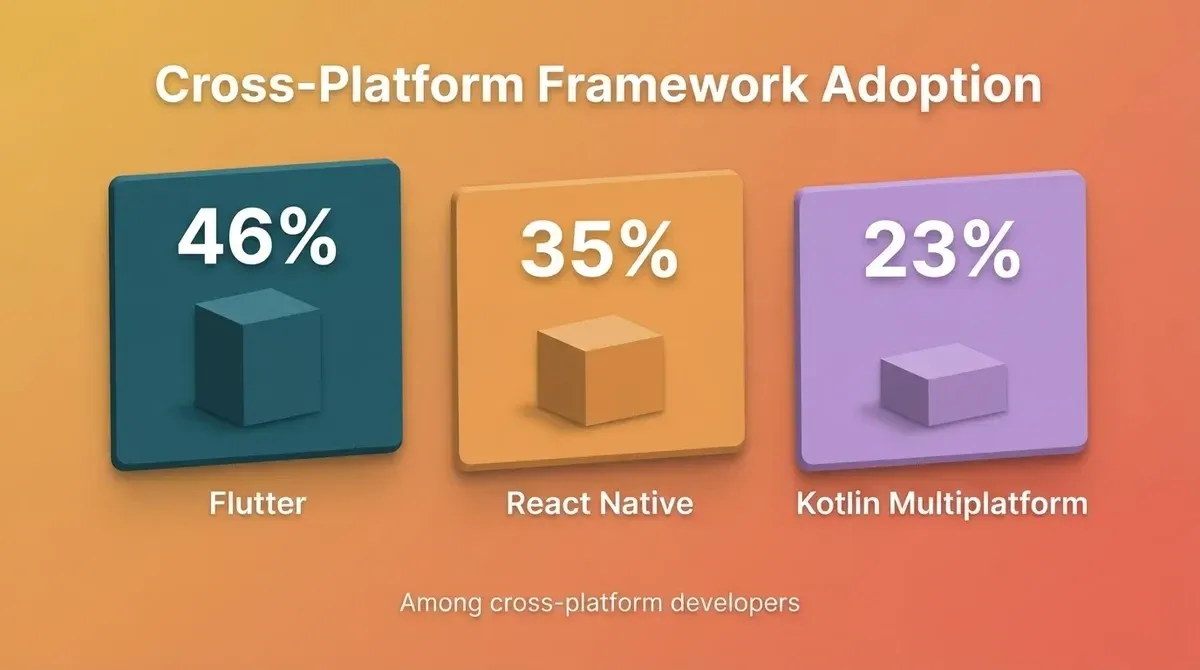
Framework adoption figures among cross-platform developers (2024)
| Criteria | React Native | Flutter | Kotlin Multiplatform | Native (Swift/Kotlin) |
|---|---|---|---|---|
| Language | JavaScript, TypeScript | Dart | Kotlin | Swift (iOS), Kotlin (Android) |
| UI approach | Native UI components via bridge | Custom rendering engine | Native UI per platform | Fully native controls |
| Code sharing | 60-85% across platforms | 70-95% across platforms | Up to 100% for business logic | 0%, separate codebases |
| Performance vs native | 92-96% | 95-98% | Up to 100% (native UI) | 100% baseline |
| Learning curve | 2-4 weeks (JS devs) | 6-8 weeks (new language) | 8-12 weeks (KMP concepts) | 12-16 weeks (both platforms) |
| Ecosystem size | Largest (JavaScript) | Growing (175K+ GitHub stars, mid-2025) | Smaller but expanding | Fragmented by platform |
| Best for | Teams with JS/React experience | Greenfield multi-platform projects | Enterprise logic sharing | Performance-critical apps |
| Backed by | Meta | JetBrains, Google | Apple, Google | |
| Hot reload | Yes | Yes (fastest) | Limited | Xcode Previews, Compose Preview |
| First released | 2015 | 2018 | 2017 (stable 2023) | Platform-native |
No single row in this table should drive your decision. The framework that wins on your top-priority criteria, whether that is hiring speed, code sharing, native performance, or long-term stability, is the right pick for your specific project.
Your Framework Pick Shapes Everything That Follows
-
Pick React Native if your team already knows JavaScript and you need to ship cross-platform apps fast
-
Pick Flutter if you are starting fresh and want the highest code sharing ratio across mobile, web, and desktop
-
Pick Kotlin Multiplatform if you have existing native teams and want to share business logic without replacing your UI
-
Go native if your app demands maximum performance for games or graphics-intensive applications
-
Try Rocket if you want to validate your idea and see a working app before you commit to any framework at all
The framework decision is one of the earliest, and stickiest, technical choices a product team makes. Getting it right saves months of rework later. Getting it wrong turns into a migration story your team tells for years.
For teams building their first mobile product, the guide to building a mobile app with AI covers how to go from idea to deployed app without needing to master any single framework first.
Stop Debating Frameworks and Start Building
Rocket turns your product idea into a production-ready Flutter app in minutes, no framework setup, no specialized hiring, no weeks of configuration.
Whether you are a founder validating your first concept or a team prototyping an internal tool, Rocket gets you from idea to deployable app faster than any traditional development path.
Start building for free on Rocket and see your app come to life before you commit to a framework.
Table of contents
- -How Do You Evaluate a Cross-Platform Mobile Framework?
- -What Sets Each Cross-Platform Framework Apart?
- -Is React Native Still the Default Choice for Cross-Platform Apps?
- -Does Flutter Deliver on Its Multi-Platform Promise?
- -Can Kotlin Multiplatform Bridge Native and Cross Platform Worlds?
- -When Does Going Fully Native Still Make Sense?
- -Which Framework Matches Your Specific Project Goals?
- -Where Do AI-Powered App Builders Fit In?
- -Side-by-Side Framework Comparison
- -Your Framework Pick Shapes Everything That Follows
- -Stop Debating Frameworks and Start Building