
AI builders now let anyone describe a product in plain language and receive working code in minutes. Rocket handles the thinking, architecture, and deployment so you ship faster without needing a development team.
How did we get to a point where describing an app in a few sentences is enough to generate production-ready code? The shift happened faster than most people expected, and the numbers confirm it.
As of January 2026, 90% of developers use AI tools at work, and 63% of people building with these platforms have zero coding background. The gap between having a concept and holding a functional product has collapsed.
What used to take months of wireframing, hiring, and iteration now compresses into hours or days. This blog breaks down how AI-powered building actually works, where people get stuck, and what separates platforms that ship real products from those that stop at prototypes.
Why the Idea-to-App Journey Changed?
The numbers are clear. Software creation has shifted from a specialized skill to something closer to a structured conversation between a person and an AI system.
-
90% of developers now use AI tools at work, and 63% of people building with AI platforms have no coding background
-
No-code AI platform spending reached \$6.56 billion in 2025 and is projected to hit \$75.14 billion by 2034
-
Developers complete coding tasks 55% faster when using AI-assisted tools, based on controlled experiments by GitHub and Accenture
These figures come from Gartner, Fortune Business Insights, and GitHub's own research teams. The infrastructure for AI-powered product creation is already built and scaling fast.
The Old Way vs. the AI Way
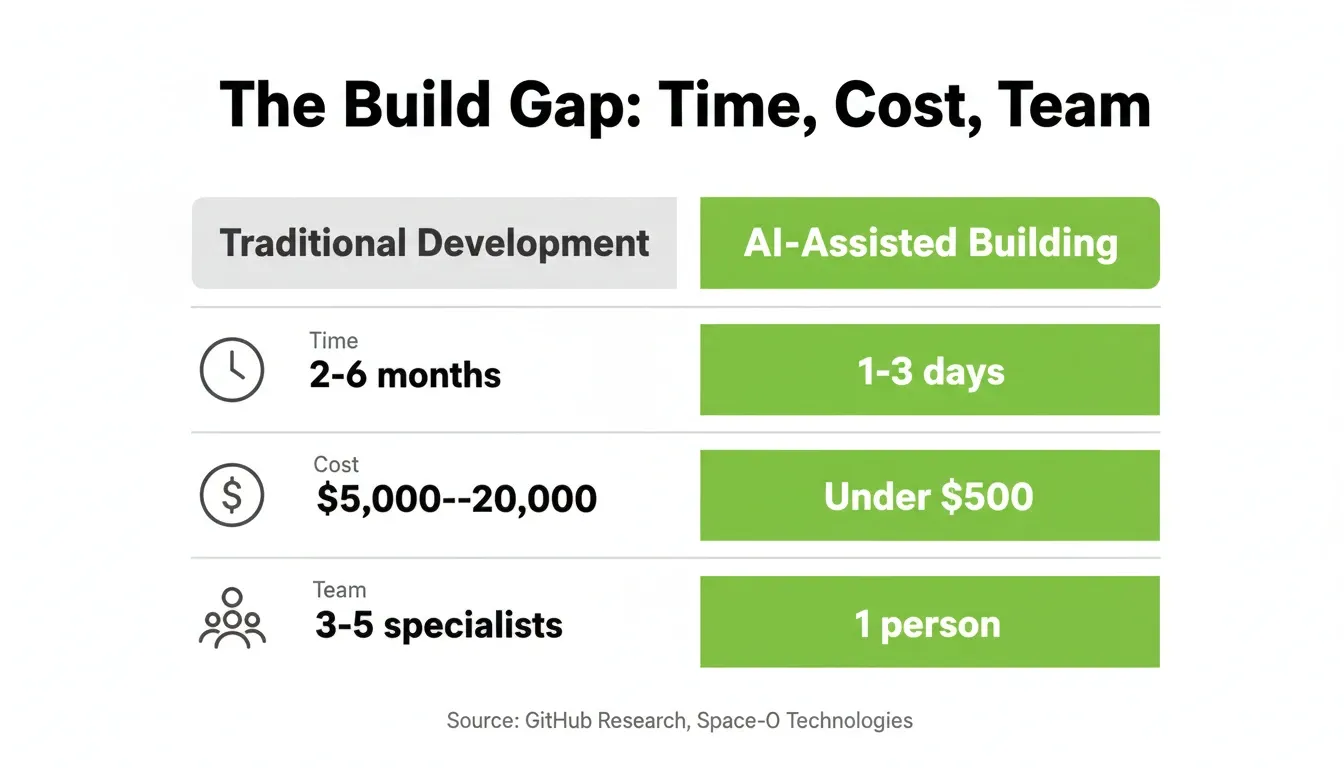
The difference between traditional development and AI-assisted building is no longer marginal. It is a category shift that changes who can build, how fast, and at what cost.
| Factor | Traditional Development | AI-Assisted Building |
|---|---|---|
| Time to first version | 2 to 6 months | 1 to 3 days |
| Average cost (simple app) | $5,000 to $20,000 | Under $500 |
| Technical skill required | High (multiple languages) | Low (natural language) |
| Iteration speed | Days per change | Minutes per change |
| Team size needed | 3 to 5 specialists | 1 person |
| Deployment complexity | High (DevOps required) | One-click |
How the Idea-to-App Process Works
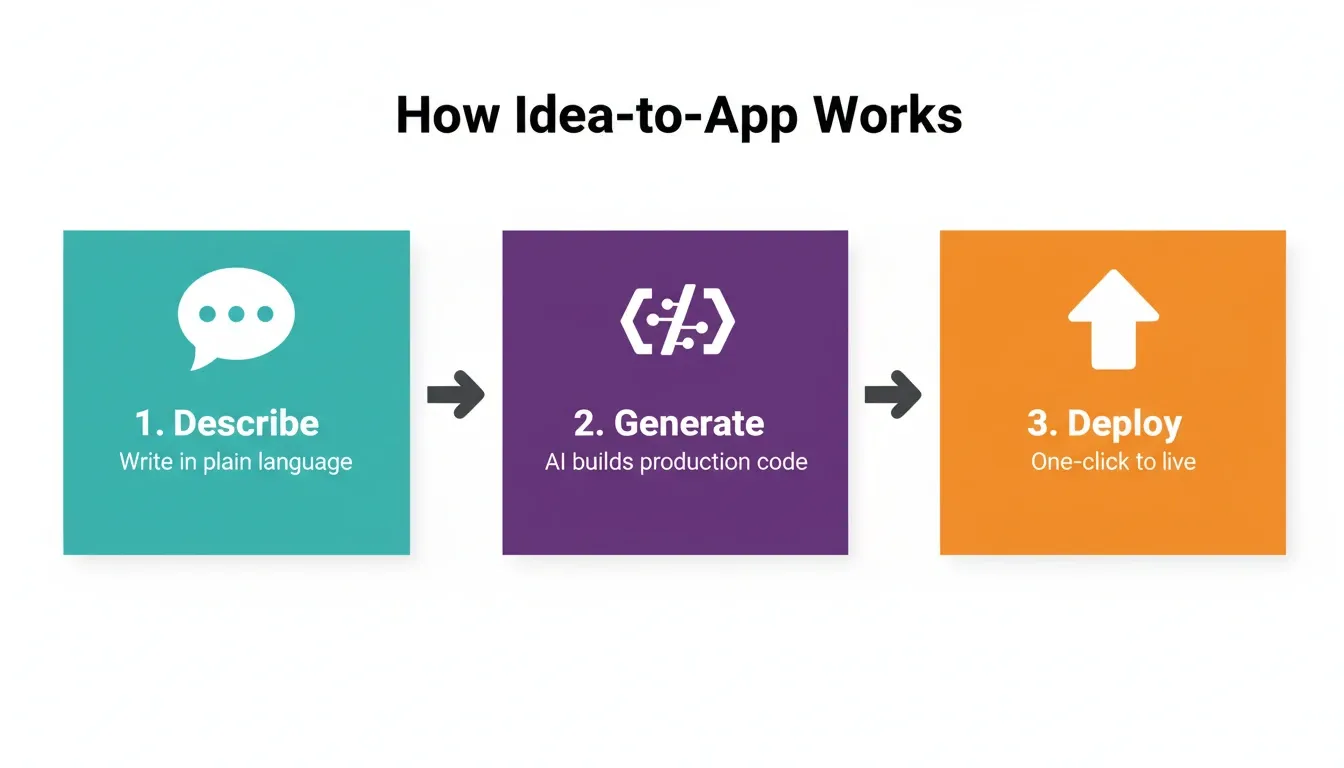
Most AI builders follow a three-stage pattern. The difference between platforms is how much intelligence sits behind each stage.
Stage 1: Describe Your Product
You write what you want in plain language. A strong description covers the purpose, the target users, the three to five core screens, and the key actions users take. The more context you provide upfront, the closer the first output lands.
A useful example: "Build a SaaS dashboard for freelance designers to track client projects, invoices, and deadlines. Include a Kanban board, invoice generator with Stripe payments, and a client portal with login." That level of specificity produces a first generation that is already close to what you need.
Stage 2: Generate
The platform interprets your intent, plans the architecture, and writes production-grade code. High-quality platforms automatically handle routing, database schema, user authentication, responsive design, and accessibility standards.
Lower-quality platforms generate UI only. They leave you to wire up the backend yourself. That is where most non-technical builders get stuck.
Stage 3: Refine and Ship
You test the output, request changes through conversation, and launch when satisfied. The best platforms offer three refinement modes: chat-based editing, visual editing directly in the preview, and code access for precise control.
What You Can Actually Build
Understanding the range of products AI builders can produce helps you evaluate whether a platform fits your specific need.
SaaS applications. Founders ship full SaaS products with subscription billing, user authentication, dashboards, and admin panels. A solo founder can now build a Stripe-integrated SaaS in a weekend that would have taken a three-person team three months in 2022.
Internal tools and operations dashboards. Operations teams build custom dashboards that connect to Airtable, Notion, Google Sheets, and Mixpanel. They do this without waiting for an engineering sprint. A logistics company can build a real-time shipment tracker. An HR team can build an onboarding portal.
Mobile apps for iOS and Android. AI builders that output Flutter code produce native-quality mobile apps that run on both platforms from a single codebase. A product manager can describe a mobile app, iterate through conversation, and submit it to the App Store without touching Xcode.
E-commerce stores and marketplaces. Entrepreneurs build product catalogs, checkout flows with Stripe or Razorpay, inventory management, and customer portals. Marketplace builders add seller onboarding and listing management through natural language prompts.
MVPs for investor validation. Early-stage founders use AI builders to ship working MVPs before raising a seed round. Investors want to see real product, not a clickable prototype. AI builders close that gap in days rather than months.
For a deeper look at how different platforms handle MVP development, the AI-powered MVP builders comparison for startups breaks down the trade-offs across speed, backend depth, and scalability.
The Three Places Builders Get Stuck
Speed is the headline. Friction is the reality. Most builders hit the same three walls.
The trust gap. 46% of developers do not trust the accuracy of AI tool output, according to Stack Overflow's 2025 survey. Debugging AI output takes more time than writing code manually for 45% of respondents. The solution is not to avoid AI. It is to choose a platform that generates clean, auditable, well-structured code you can inspect and modify.
Context loss between sessions. Most AI tools start from zero every session. Your previous decisions, research, and requirements vanish when you close the tab. Over ten sessions, this adds up to hours of lost time and dozens of inconsistent decisions.
The prototype ceiling. Many platforms generate impressive demos that break under real conditions. Authentication fails. Data does not persist. Mobile layouts break. The gap between "looks good in the preview" and "works for real users" is where most AI-built products stall.
The builders who succeed are not the ones who find the fastest generator. They are the ones who find the platform that handles complexity past the first generation.
For teams already using no-code tools, the no-code app builder guide for startups covers how AI-native platforms differ from traditional drag-and-drop builders.
How to Choose the Right AI App Builder
Not all AI builders deliver the same depth. Here is the five-criteria framework for evaluating any platform before committing.
Pre-build intelligence. Does the platform help you validate direction before writing code? The best platforms ask clarifying questions and surface competitive context before generating. Platforms that just execute anything you type produce output that looks good but solves the wrong problem.
Context persistence. Can you reference prior work, upload files, and carry decisions forward across sessions? Platforms without memory force you to re-explain context every time. Platforms with shared memory compound your work.
Output quality. Is the first generation production-ready, or does it require significant rework? Check for responsive design across devices, WCAG accessibility compliance, GDPR-ready data handling, SEO-structured HTML output, and clean code architecture.
Deployment path. Can you go live with one click? Or do you need to export code, configure hosting, manage DNS records, and troubleshoot deployment errors manually?
Iteration depth. Can you refine through conversation, visual editing, and direct code access? The best platforms offer all three. Platforms that lock you into chat-only editing create a ceiling on what you can achieve.
| Evaluation Criterion | What to Look For | Red Flag |
|---|---|---|
| Pre-build intelligence | Validates direction before coding | Executes any prompt blindly |
| Context persistence | Shared memory across sessions | Starts fresh every session |
| Output quality | Production-grade, accessible, SEO-ready | Demo-only, breaks under real use |
| Deployment path | One-click, staging and rollback | Manual export and configuration |
| Iteration depth | Chat, visual, and code access | Chat-only editing |
Platform Overview: What the Market Looks Like
The market splits into two categories: developer-facing coding assistants that speed up professionals, and creator-facing AI builders that let anyone ship without a technical background.
| Platform | Scale (2026) | Primary Strength | Best For |
|---|---|---|---|
| GitHub Copilot | 20M+ users, 90% Fortune 100 | Accelerates professional developers | Experienced developers |
| Lovable | $400M ARR, 100K+ daily projects | Fast UI generation from prompts | Quick prototypes |
| Replit | $253M ARR, 2,352% YoY growth | Collaborative coding environment | Developer teams |
| Rocket | 1.5M people, 180 countries | Research to deployment in one flow | Founders, PMs, teams |
GitHub Copilot dominates developer workflows with 20 million+ users and adoption across 90% of Fortune 100 companies. It accelerates existing developers but requires coding knowledge.
Lovable reached \$400M ARR by February 2026, generating over 100,000 new projects daily. Fast generation, but each project starts without prior context.
Replit hit \$253M ARR with 2,352% year-over-year growth. Strong for collaborative coding, positioned as a development environment.
Rocket connects research and competitive analysis to the build through its Solve layer. 1.5 million people have tried Rocket across 180 countries. For teams building mobile apps with AI step by step, the platform choice determines whether you ship in a week or stall for months.
Pricing Overview
| Platform | Free Tier | Entry Paid Plan | Notes |
|---|---|---|---|
| GitHub Copilot | No | $10/month (individual) | Developer tool, not a builder |
| Lovable | Yes (limited) | $25/month | UI generation focus |
| Replit | Yes (limited) | $25/month | IDE environment |
| Bubble | Yes (limited) | $32/month | Web apps only |
| FlutterFlow | Yes (limited) | $30/month | Mobile and web |
| Rocket | Yes (20 credits on signup) | Paid plans available | Full arc: research, build, monitor |
How Rocket Connects Thinking to Building
Most AI builders ask one question: "What do you want to build?" The more useful question is: "What problem are you solving, and for whom?" That distinction changes the quality of what gets built.
Rocket is the world's first Vibe Solutioning platform. Research. Decide. Build. Operate. Grow. One system, one shared context that makes every action smarter than the last.
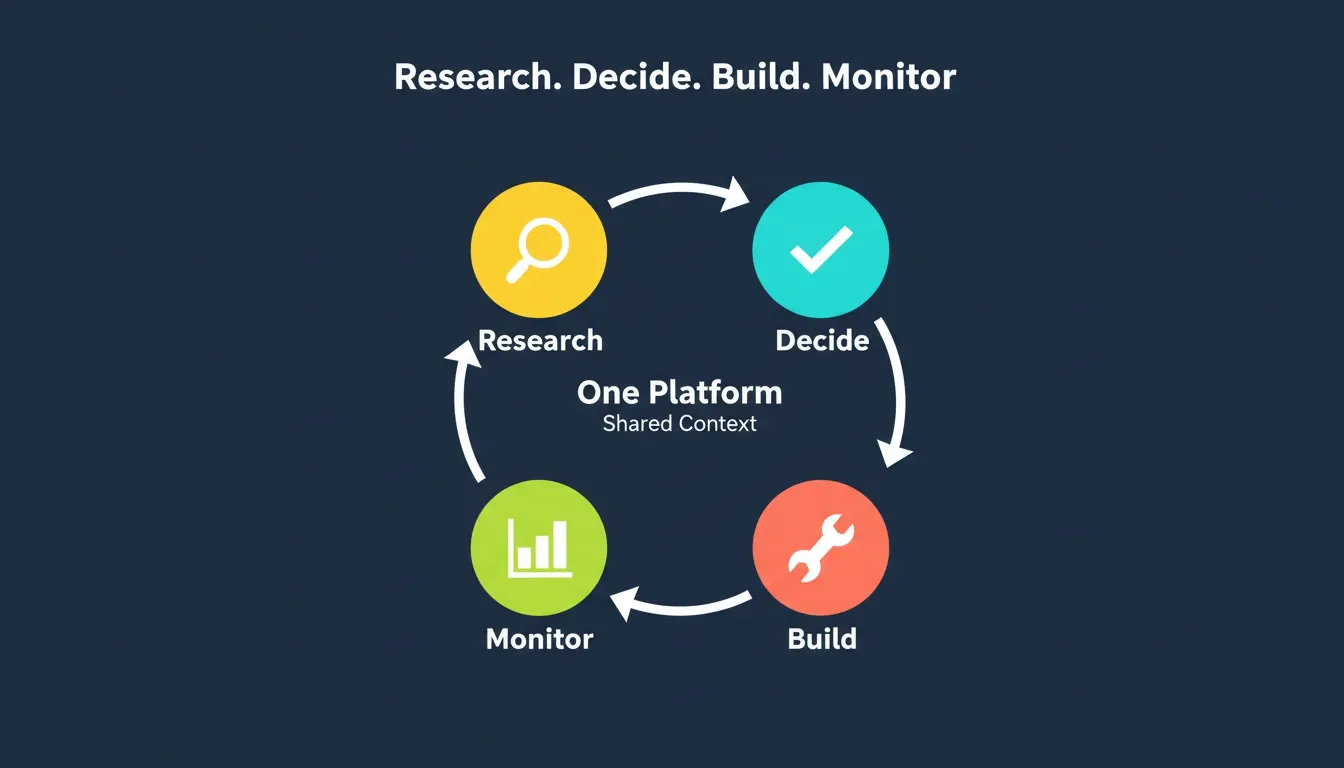
Solve before you build. Rocket's decision intelligence layer, Solve, takes any business question and delivers structured research, competitive analysis, and strategic direction. The output feeds directly into the build. You never start from a blank prompt. You start from validated understanding.
Shared context that compounds. Upload files, connect Notion or Google Docs, and reference previous tasks. Every new action inherits the full context of prior work. Nothing gets re-explained. Everything compounds. This is the core architectural difference between Rocket and most other platforms.
Production-grade from generation one. Web apps ship in Next.js. Mobile apps ship in Flutter. Both include SEO-ready HTML structure, WCAG accessibility compliance, GDPR-ready data handling, and performance-optimized defaults. The output looks like a design team and an engineering team collaborated on it.
25+ built-in connectors. Stripe, Supabase, Google Analytics, Mixpanel, Mailchimp, HubSpot, Twilio, Typeform, and more authenticate once and flow into every build. No API key management headaches. No custom integration work. See the full connectors overview for the complete list.
One-click deploy with full observability. Staging and production environments, full version history with rollback, and built-in analytics from the moment you launch. You do not need a DevOps engineer to go live.
For a broader look at how AI is reshaping the product development cycle, the analysis of how AI is changing product development covers the structural shifts happening across teams and industries.
Writing Prompts That Produce Better First Generations
The quality of your prompt directly determines the quality of your first generation. These are the principles that experienced builders follow.
Be specific about users, not just features. "A dashboard for freelance designers" produces better output than "a project management app."
Describe the core workflow, not the full feature list. Focus on the three to five actions your users take most often. Everything else can be added in iteration.
Name your integrations upfront. "With Stripe for payments and Supabase for the database" gives the AI the architectural context it needs to plan correctly.
Specify the output format. "A web app in Next.js" or "a mobile app for iOS and Android" sets the technical target clearly.
Include a constraint. "Keep it simple enough for non-technical users" or "optimized for mobile-first usage" shapes the design decisions the AI makes.
For a deeper prompt library, the guide to building apps with AI using the best developer tools covers prompt patterns across different product types.
Common Mistakes That Add Weeks to Your Timeline
Even with the best tools, builders make predictable mistakes.
Starting without validation. Building before understanding the market produces polished products that nobody wants. Research the problem before writing your first prompt.
Over-specifying the first prompt. Trying to describe every feature upfront leads to bloated, unfocused output. Start with the core workflow and iterate.
Ignoring the prototype ceiling. Testing only in the preview environment misses real-world failures. Test authentication flows, payment processing, and mobile rendering before launch.
Not using version history. Every major change should be checkpointed. Version history is your safety net when an iteration breaks something that was working.
The Distance Between Idea and App Has Never Been Shorter
The idea-to-app journey with AI is not a technical challenge anymore. It is a strategic one. The builders who ship in 2026 are not the ones with the biggest budgets. They are the ones who start with validated understanding, choose a platform that compounds their context, and iterate faster than their competitors can plan.
Building without validating is expensive. Speed without direction is waste. The most important decision in any product is not how to build it. It is whether the thing being built is worth building at all.
You have a product idea. Before you write a line of code, research it, validate it, and build from that foundation. The tools exist right now to make it happen.
Start building on Rocket.new and describe your product. The rest follows from there.
Table of contents
- -Why the Idea-to-App Journey Changed?
- -The Old Way vs. the AI Way
- -How the Idea-to-App Process Works
- -Stage 1: Describe Your Product
- -Stage 2: Generate
- -Stage 3: Refine and Ship
- -What You Can Actually Build
- -The Three Places Builders Get Stuck
- -How to Choose the Right AI App Builder
- -Platform Overview: What the Market Looks Like
- -Pricing Overview
- -How Rocket Connects Thinking to Building
- -Writing Prompts That Produce Better First Generations
- -Common Mistakes That Add Weeks to Your Timeline
- -The Distance Between Idea and App Has Never Been Shorter