
Rocket.new lets ops teams build custom internal tools and admin panels in hours using plain-language prompts. No code needed. Get role-based access, 26+ data connectors, and production-ready Next.js apps from a single description.
Building an internal admin panel for ops teams used to mean months on a development backlog. With Rocket.new, your team can go from idea to a live admin panel in hours, using plain-language prompts and no code at all.
What does your operations team actually use to manage daily workflows?
If the answer involves three spreadsheets, a CRM no one fully trusts, and a Slack thread that doubles as a database, you are not alone.
A custom admin panel puts the right data in front of the right people, with the right access controls, in one place. This guide covers what internal tools ops teams actually need, how to build them fast, and why Rocket.new is the platform teams are choosing for this work in 2026.
What Internal Tools for Ops Teams Actually Look Like
Internal tools are custom applications built for internal use inside a company. Unlike off-the-shelf software, they are shaped around how a specific team works, not the other way around.
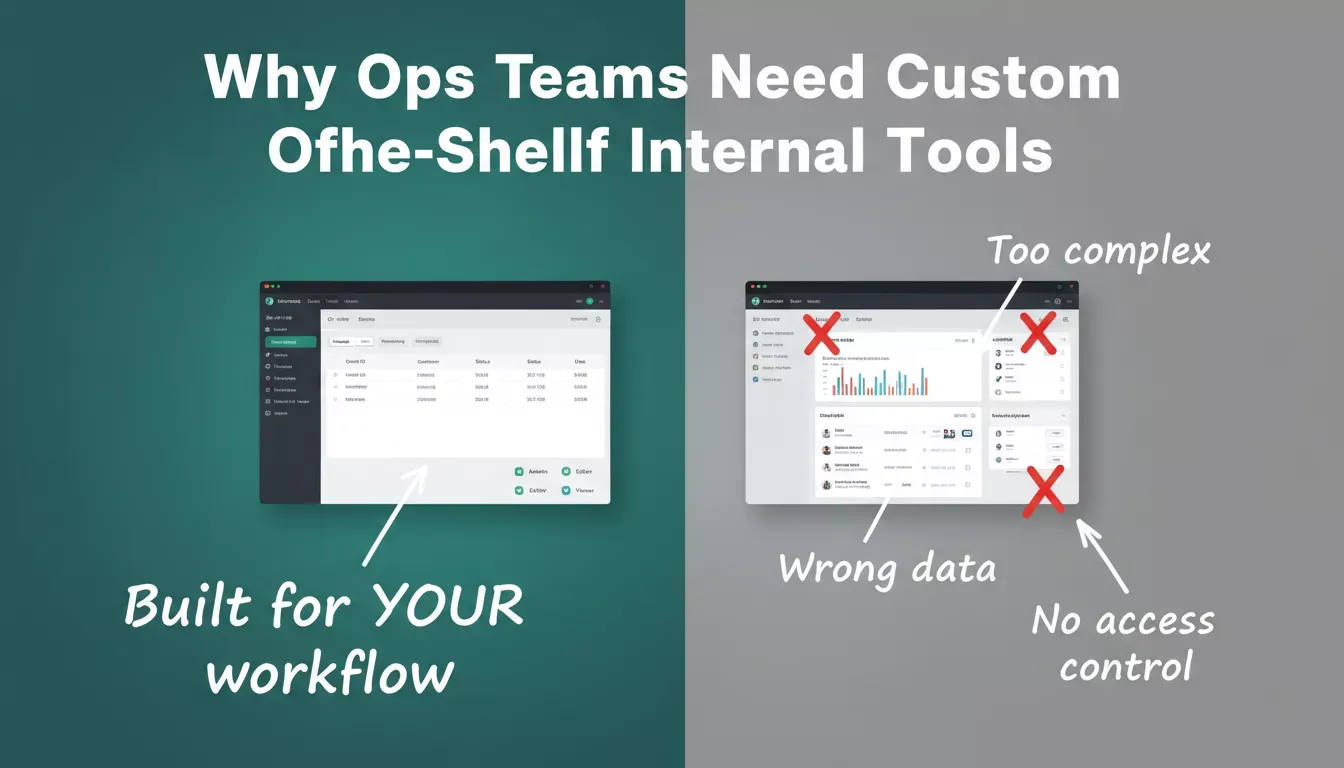
Custom internal tools are built around your workflow, not the other way around.
For operations teams, that typically means:
- Order management dashboards with live database connections
- Customer lookup panels tied to real CRM data
- Vendor tracking boards with status filters and bulk actions
- Internal admin panels for approvals, refunds, and account management
- Inventory trackers with role-based views for different team members
- Support ticket tools with customer history and action controls
Common categories also include admin dashboards, internal CRM systems, approval and workflow tools, and reporting tools.
These are not fancy products. They are functional apps that let your team take action without switching between five different tabs. The design is secondary. Speed of access to the right data is what counts.
Operations teams stand to gain the most from internal tools because their work is process-heavy and data-driven. Every workflow they run moves faster with a dedicated, connected tool built to match it.
Common Admin Panel Use Cases for Operations Teams
A well-built admin panel for ops teams typically covers several workflows at once, with one-click actions like inline edits or bulk actions helping teams move faster. Here is a quick look at what these tools actually do in practice:
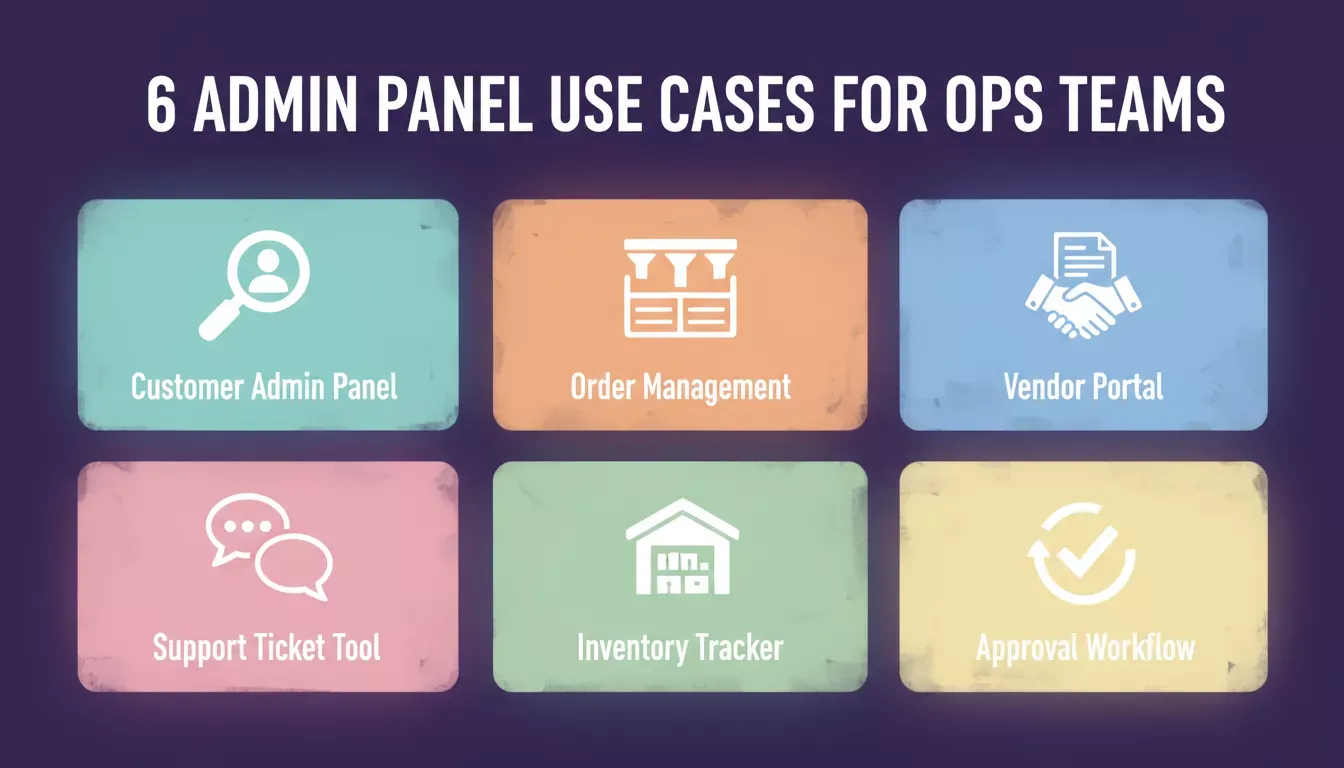
Six core use cases that ops teams build first when they move away from spreadsheets.
| Use Case | What It Does |
|---|---|
| Customer admin panel | Look up accounts, update records, process refunds |
| Order management dashboard | Track status, filter by date or product, flag issues |
| Vendor portal | Manage contracts, payments, and onboarding status |
| Support ticket tool | View history, assign tickets, track SLA response times, and manage user profiles with customer history and notes on one screen |
| Inventory tracker | Monitor stock levels, update quantities, and set reorder alerts |
| Approval workflow | Route requests, collect decisions, and log outcomes with timestamps |
Each of these replaces a combination of spreadsheets, shared docs, and manual processes while streamlining repetitive tasks. Built well, they save several hours of work per week for every ops team member using them.
For a deeper look at what Rocket.new can generate for operations teams, see the operations app development overview.
The Real Cost of Skipping Custom Internal Tools
Research on tool sprawl shows that 75% of developers lose between 6 and 15 hours every week to disconnected, poorly fitted tools, and the average annual productivity loss per development team sits around $1 million. That is not a rounding error. That is a revenue leak with a specific dollar amount attached to it.
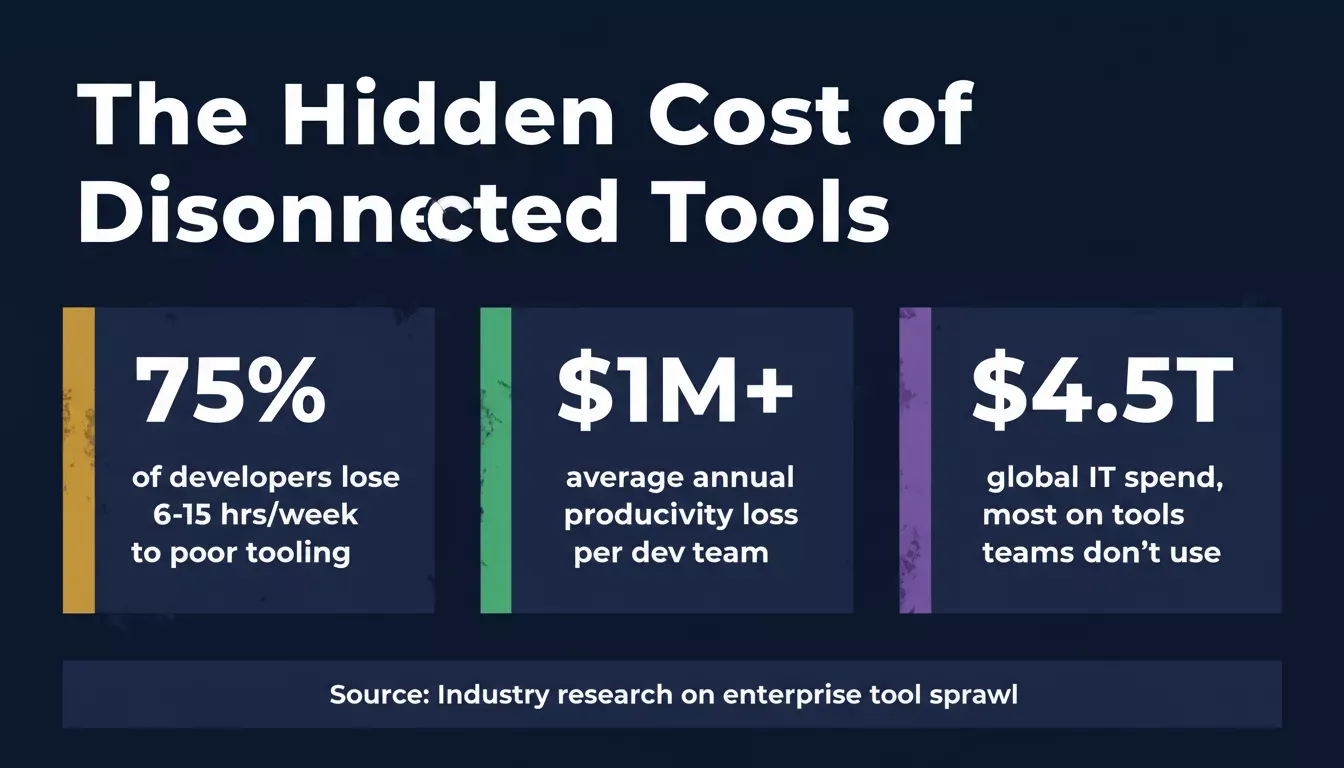
The numbers behind why disconnected tooling is a business problem, not just an inconvenience.
Context switching makes the problem worse. When an ops team member has to jump between a CRM, a spreadsheet, a shared inbox, and a project tracker to process one request, time disappears on every single transition. One engineering leader at Spotify described what happened after her team consolidated a fragmented multi-tool workflow into a single custom internal app:
“We’ve seen a workflow that originally took a user seven different tools to complete over the course of weeks be reduced to a matter of days with a single tool that was built internally.” - Vandana Pai, Senior Product Designer at Spotify
According to industry research on enterprise tool sprawl, businesses spend close to $4.5 trillion on IT infrastructure every year, yet most of that budget goes toward tools that simply do not match how teams actually work.
So the question is not whether your ops team needs better internal tools. The question is who builds them and how fast.
How to Build an Admin Panel for Ops Teams
Building an internal admin panel does not require a full engineering sprint, especially as ai powered no-code workflows replace traditional development cycles and cut development time.
An AI app builder can compress weeks of production-ready work into hours and lower the barrier for non-technical teams. Here is how teams do it today, step by step, with Rocket.new acting as an app builder for full-stack internal tools that handles UI, business logic, and database connections:
1. Start With the Highest-Pain Workflow
Pick the workflow your team complains about most. Describe what you want to create in plain language so you can shape the admin panel without writing code. That is the one with the clearest problem statement and the lowest bar for success.
This works especially well for non-technical users because AI app builders let them describe intent in natural language instead of relying on traditional or custom development. A well-scoped admin panel that solves one real problem beats a sprawling dashboard nobody opens.
2. Write What the Tool Needs to Do
Describe the tool as if you were explaining it to a new hire. What data should it show? What actions should the user be able to take? Who uses it?
This description becomes your build prompt on Rocket.new. The platform takes that description and generates a working app from it, including the frontend user interface, backend logic, database schema, and API endpoints needed for the workflow.
For prompt patterns that work well for internal tools, the Rocket.new prompt library has ready-to-use templates you can copy and customize, which helps reduce custom development and avoids starting from custom code.
3. Connect to Real Data
Internal tools without real data are just mockups, and they must pull data from multiple systems to be useful in real operations. Connect your admin panel to your existing databases, APIs, Google Sheets, internal databases, accounting software, billing platforms, or third-party services so the tool reflects what is actually happening in your systems, with synchronization across multiple systems.
Rocket.new connects to 26+ services out of the box, including Supabase, Stripe, Airtable, HubSpot, Google Workspace, and more. You wire them up from chat, no API configuration required, and these connectors provide real-time context in admin dashboards while supporting internal workflows.
4. Set Access Controls Before Launch
An admin panel touches sensitive data, so configure role-based access before the tool goes to the wider team: who can view, who can edit, and who can take bulk actions, with granular permissions and role-based rules to prevent unauthorized access or accidental changes. Audit logs help monitor changes and support compliance reviews. This is a production requirement, not an optional feature.
5. Ship Fast and Iterate
A working admin panel at 70% of the ideal design ships this week and starts delivering value now, especially when it automates repetitive tasks and supports approval workflows. Get it in front of the ops team, collect real feedback, and update it quickly, using Visual Workflows with branching and looping triggers to handle evolving operational logic. Even with fast iteration, ongoing maintenance still matters after launch.
Here is how the full build cycle looks when using Rocket.new for internal tools, with the shipped panel treated as a new tool, the team can test and improve for long-term success:
Why Rocket.new Stands Apart for Building Internal Tools
Most platforms that support internal tool development fall into one of two groups: general-purpose AI coding tools that lose context as the project grows, or drag-and-drop builders that work well for dashboards but struggle with logic-heavy admin tools. Unlike other platforms, Rocket.new is not limited to visual interfaces or simple drop components when ops teams need deeper functionality.
Rocket.new sits in a different category. It is a full-context AI platform that generates production-ready Next.js web apps from natural language prompts. It is also an AI app that supports custom logic for more complex internal tools.
The key difference is context retention: Rocket.new holds the full architecture of your project in mind while building, which means your admin panel’s authentication, data layer, and UI stay consistent as the tool grows.
Here is how the three most-used platforms compare when building internal tools for ops teams:
| Platform | Build Speed | Role-Based Access | Data Connections | Context Retention |
|---|---|---|---|---|
| Rocket.new | Hours | Built-in by default | 26+ services | Full project context |
| Retool | Days to weeks | Yes, with setup | Many | File-level only |
| Appsmith | Days | Yes, with config | Many | File-level only |
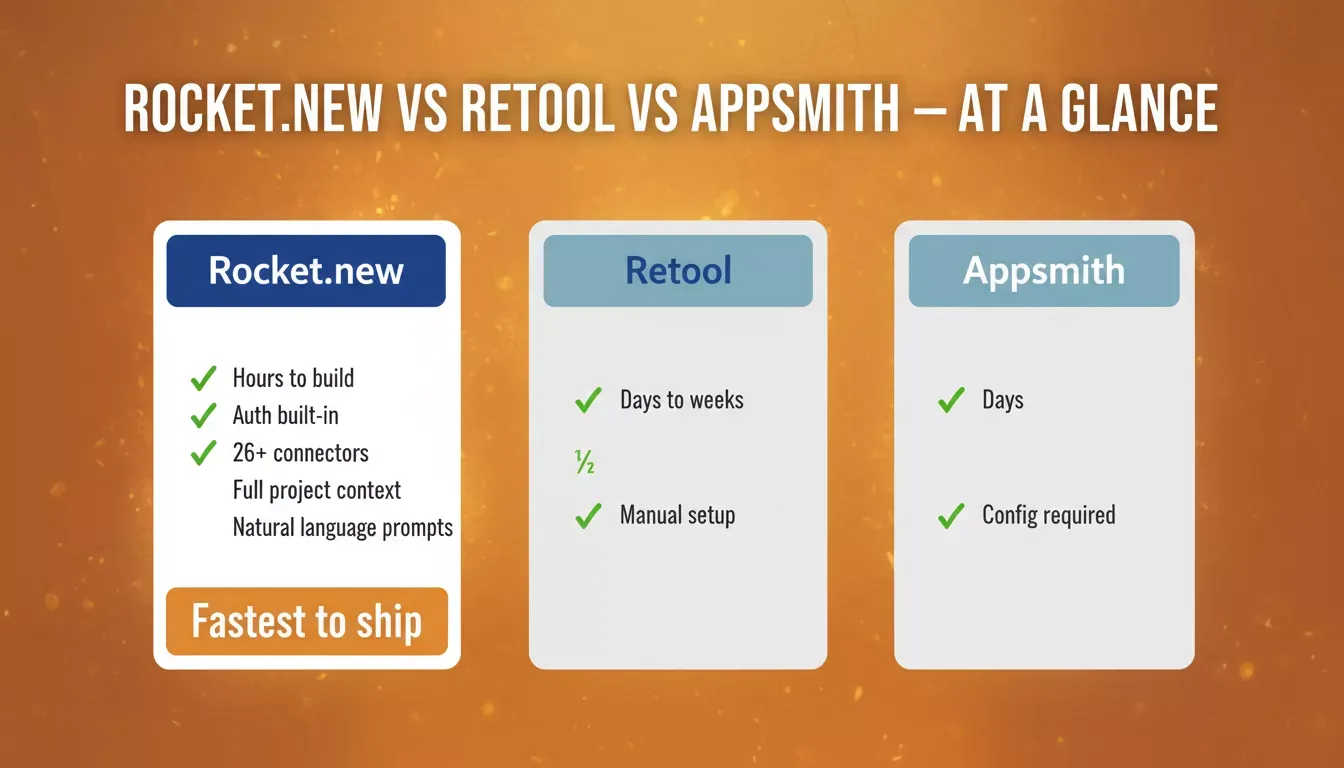
How Rocket.new compares to the two most common internal tool platforms.
Rocket.new ships with role-based access control and authentication as part of every build. You describe the user roles in your prompt, and the platform generates the permission logic for you. No need to remember to ask for it separately.
It also connects to Supabase, Stripe, Google Sheets, Airtable, HubSpot, and 20+ other services out of the box, covering the sources your ops team’s data already lives in. You can explore all available connectors in the Rocket.new connectors overview.
Clean code export gives teams full control of the codebase for granular edits or self-hosting if required.
For a hands-on walkthrough of building internal tools with AI without a developer, see the complete guide on Rocket.new.
What Good Internal Tools for Ops Teams Look Like in 2026
Three things separate a well-built internal tool from one that gets ignored after the first week.
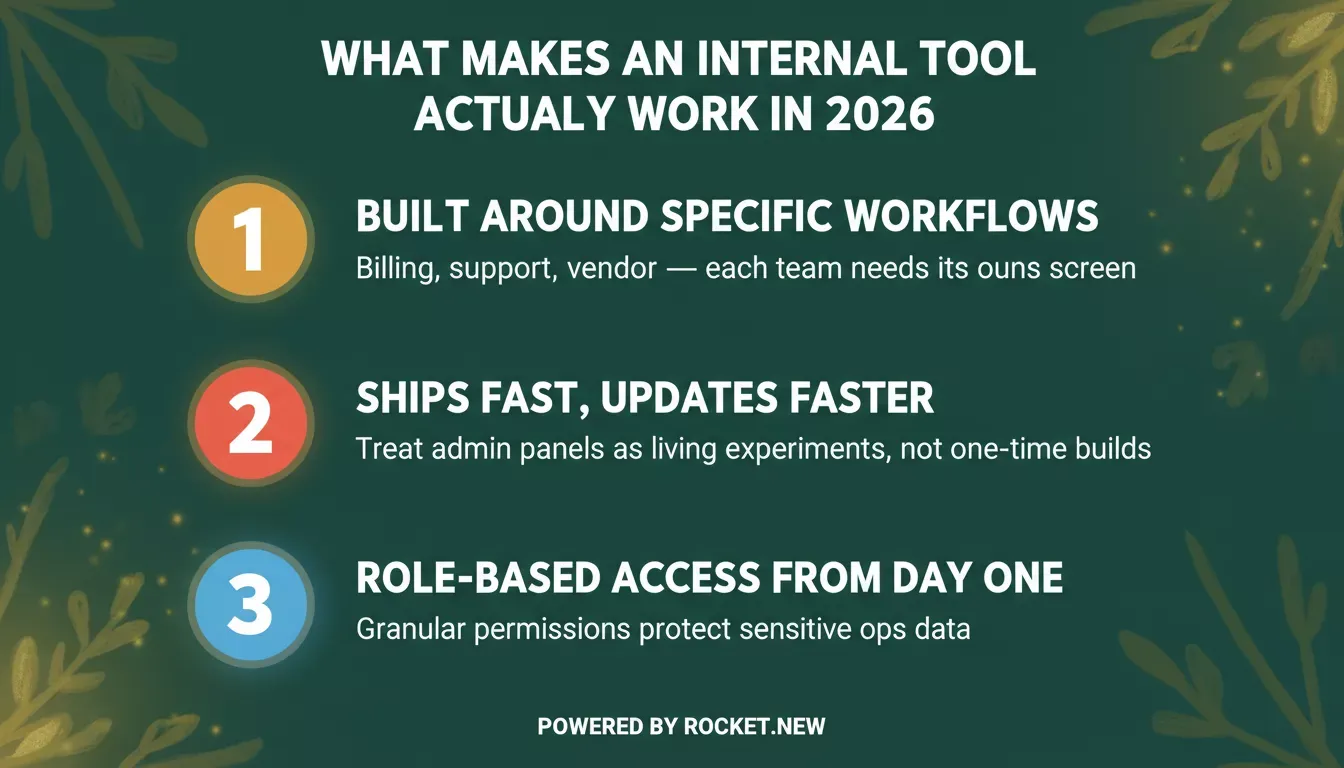
The three non-negotiables for any internal tool that actually gets used.
Built Around Specific Workflows
Generic tools get ignored. A billing team needs fast access to payment records and dispute controls. Support teams need internal support tools with user profiles and past issue context on one screen. A vendor team needs contract status and payment details without leaving the tool. The specificity is what makes a tool worth opening every day.
Fast to Build and Faster to Update
The teams winning on internal tooling in 2026 treat admin panels as living experiments, not the slower path of traditional development. They ship something minimal, put it in front of the team, and update it within days, using rapid prototyping to shorten the feedback loop. That cycle only works when the platform makes iteration as fast as the original build.
Teams that want to understand how to keep that iteration loop tight can read the guide on how to iterate on an MVP with AI tools.
Role-Based Access From Day One
Admin panels touch customer data, financial records, and internal systems. Shipping a tool without proper access controls, even internally, creates real risk. As Retool’s admin panel documentation highlights, every serious ops tool needs granular permission settings from the start, not added later as an afterthought.
For best practices on securing your Rocket.new-built tools, the security checklist covers API keys, auth, and row-level security in detail.
Building Your First Admin Panel on Rocket.new
Open Rocket.new and describe your tool. Something like: “Build an internal admin panel for my operations team to manage customer orders, with a table view, status filters, and the ability to update records. Add role-based access for managers and standard team members, plus approval workflows or reporting views if relevant.” You can shape the interface with reusable ui components instead of coding each screen from scratch.
Rocket.new generates the app’s frontend UI, backend logic, database schema, and API endpoints in a single workflow, then configures authentication. You connect your data source, review the layout, and adjust anything that does not match your workflow. The first version is live in hours.
From there, the ops team uses it, flags what is missing, and you iterate. That cycle, describe, build, ship, update, is how internal tools for ops teams actually get built and adopted in 2026, and teams can create the first version without writing code. You can also start from a pre-built template using the internal tool recipe in the Rocket.new docs.
Ops Teams Deserve Better Internal Tools
Operations teams run critical business workflows every day. They deserve apps shaped around those workflows, not spreadsheets and disconnected tabs patched together with workarounds and manual updates.
A well-built admin panel for ops teams gives them one screen with the right data, the right controls, and the right access. It cuts time wasted on switching between tools, reduces errors, and makes daily operations faster without requiring a full engineering sprint every time a workflow changes.
Building that tool used to mean months on a backlog. With Rocket.new, it now takes hours. If your ops team is still working across disconnected tools, this is the week to build something better.
Your ops team runs on workflows that deserve better than spreadsheets and disconnected tabs. Rocket.new builds production-ready internal tools and admin panels in hours, with role-based access, real data connections, and no engineering backlog.
Start building on Rocket.new for free and ship your first ops tool this week.
Table of contents
- -What Internal Tools for Ops Teams Actually Look Like
- -Common Admin Panel Use Cases for Operations Teams
- -The Real Cost of Skipping Custom Internal Tools
- -How to Build an Admin Panel for Ops Teams
- -1. Start With the Highest-Pain Workflow
- -2. Write What the Tool Needs to Do
- -3. Connect to Real Data
- -4. Set Access Controls Before Launch
- -5. Ship Fast and Iterate
- -Why Rocket.new Stands Apart for Building Internal Tools
- -What Good Internal Tools for Ops Teams Look Like in 2026
- -Built Around Specific Workflows
- -Fast to Build and Faster to Update
- -Role-Based Access From Day One
- -Building Your First Admin Panel on Rocket.new
- -Ops Teams Deserve Better Internal Tools