Most product managers spend more time staring at a blank PRD than actually writing one. These 15 AI prompts to write PRD documents faster cover every stage, from raw notes to stakeholder review, so you can ship a structured, engineering-ready spec in under an hour.
Why Most AI-Generated PRDs Miss the Mark?
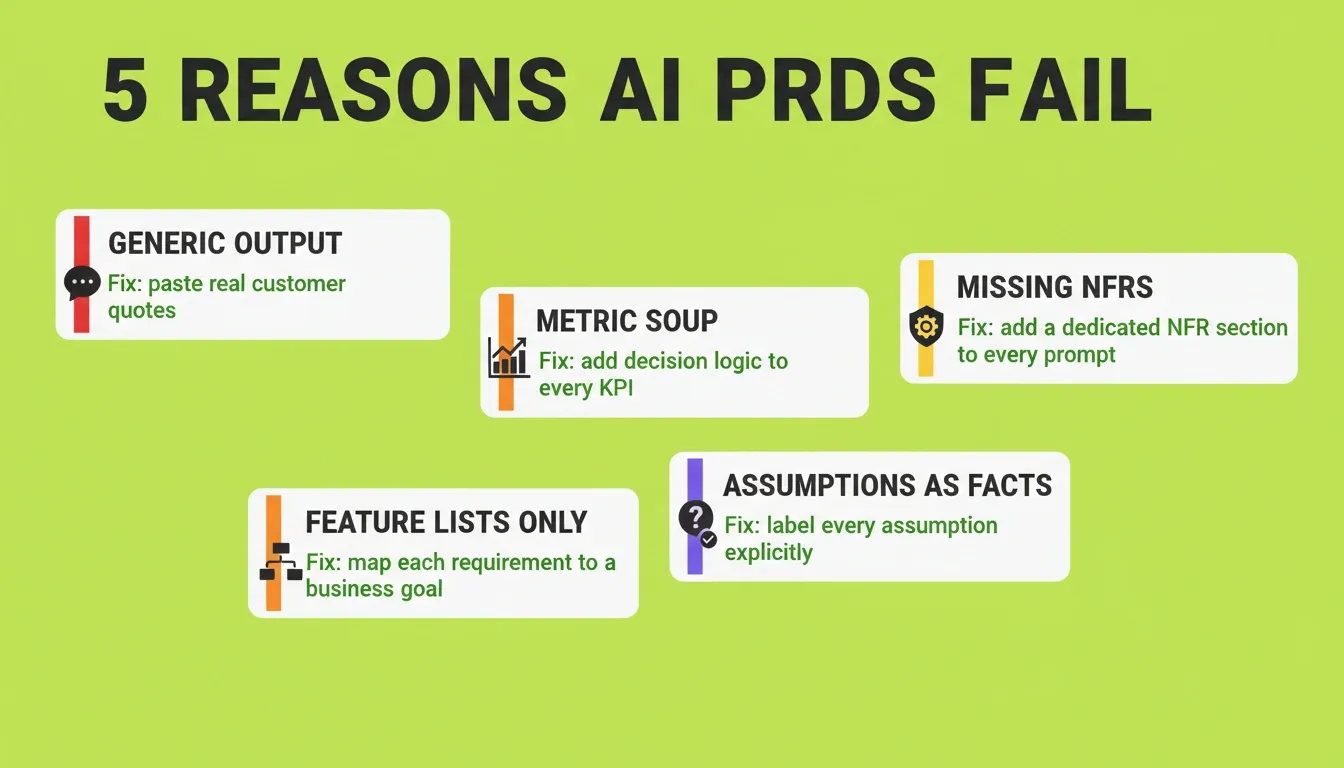
The problem is not the AI model. It is the prompt.
A vague request like "write me a PRD for a login feature" produces a generic, template-like document that no senior engineer would trust. It lacks your company's context, your users' actual pain points, and the decisions your team has already made.
According to a 2026 analysis by LaneApp, most PRDs fail because context is fragmented across Slack threads, customer calls, feedback tools, and roadmaps. The AI cannot fix fragmented context. Only you can. The right prompt structure is what bridges the gap between scattered notes and a document engineering actually builds from.
Context fragmentation is the root cause of weak PRDs, not the tools themselves. When you give AI access to your full research, the output changes dramatically.
Teams that use AI to restructure their product development workflow report fewer revision cycles and faster stakeholder alignment. The difference is not the AI model. It is the quality of the input.
What Every Strong AI PRD Prompt Has in Common
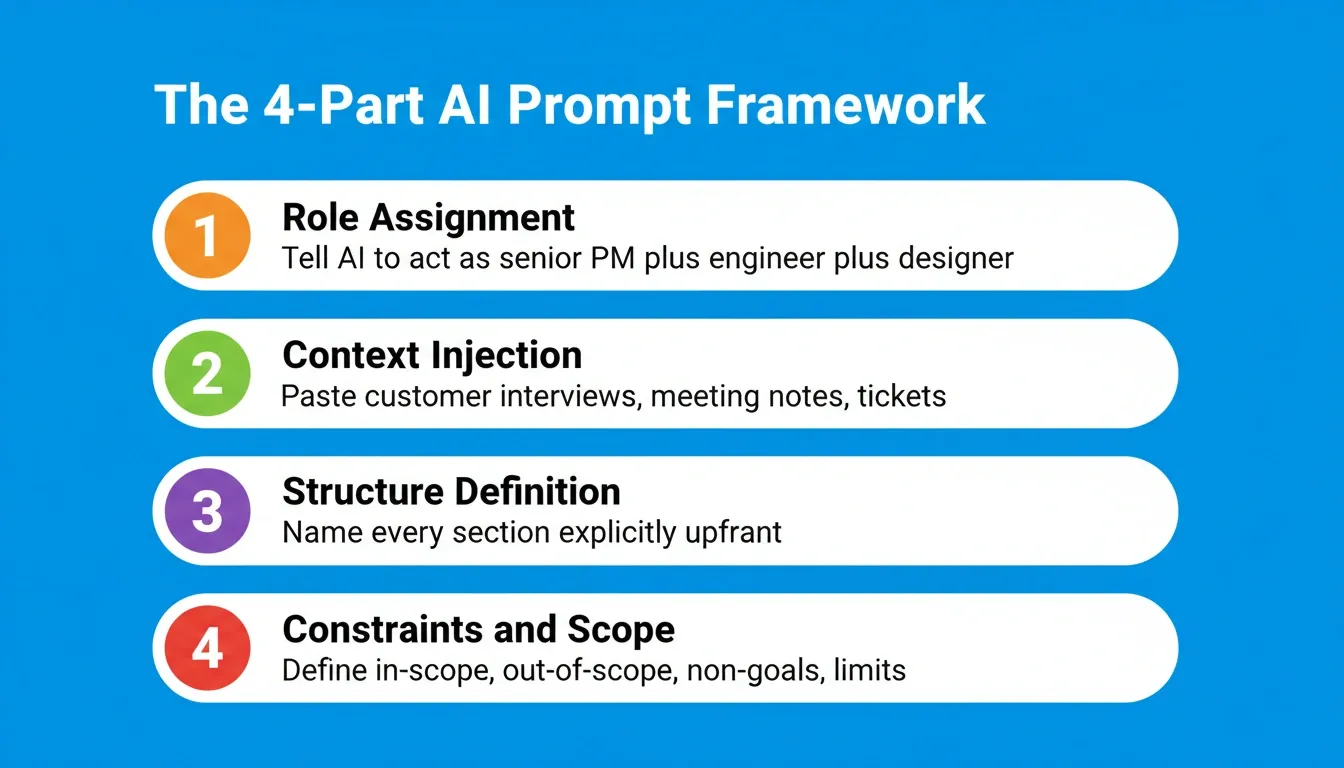
Before diving into the 15 prompts, it helps to understand the structure that makes them work. Every prompt in this guide follows the same four-part pattern.
| Layer | What to Include | Example |
|---|---|---|
| Role | Who the AI should act as | "You are a senior product manager at a B2B SaaS company" |
| Context | Your actual data, notes, and constraints | Customer interview transcripts, sprint retros, competitive data |
| Task | The specific output you need | "Write the user stories section of the PRD" |
| Format | How you want the result structured | "Output as a numbered list with acceptance criteria for each story" |
The more precisely you fill each layer, the less editing the output needs. Vague inputs produce vague outputs. Every prompt below is built around this principle.
The 15 AI Prompts to Write PRD Faster
Prompt 1: The Problem Statement Prompt
Use this prompt to write a sharp, evidence-backed problem statement before anything else. A weak problem statement contaminates every section that follows.
1You are a senior product manager at a B2B SaaS company.
2
3Based on the following customer feedback and support tickets, write a
4clear problem statement for a PRD. The problem statement should:
5- Describe the specific pain the user experiences
6- Quantify the impact where possible
7- Avoid proposing solutions
8
9Customer feedback: [paste 3 to 5 customer quotes or ticket summaries]
10Target user: [describe the user persona]A strong problem statement anchors every downstream decision. If your engineering team questions a requirement, you can always trace it back to this statement.
Prompt 2: The Target User and Persona Prompt
Use this prompt to define your target users with enough specificity that engineering understands who they are building for.
1You are a product manager writing a PRD for [product or feature name].
2
3Based on the following research, write a Target Users section that includes:
4- Primary user persona (role, goals, constraints, technical proficiency)
5- Secondary user persona if applicable
6- Key behavioral differences between personas that affect product decisions
7
8Research notes: [paste customer interview summaries or user research]Vague personas like "enterprise users" lead to vague requirements. This prompt forces specificity that prevents scope creep later.
Prompt 3: The User Stories Prompt
Use this prompt to generate user stories that are testable, scoped, and tied to real user needs rather than internal feature requests.
1You are a senior product manager writing user stories for [feature name].
2
3Using the problem statement and persona below, write user stories in this
4format: "As a [persona], I want [action] so that [outcome]."
5
6For each story, include:
7- Acceptance criteria (3 to 5 bullet points per story)
8- Priority (P0, P1, P2)
9- Any edge cases or exclusions
10
11Problem statement: [paste from Prompt 1]
12Target persona: [paste from Prompt 2]
13Scope: [list what is in and out of scope]This prompt produces stories that engineering can directly convert into tickets. The acceptance criteria eliminate the most common source of back-and-forth between product and QA.
Prompt 4: The Functional Requirements Prompt
Use this prompt to translate user stories into a precise functional requirements list that engineering can build from without guessing.
1You are a technical product manager writing functional requirements for
2[feature name].
3
4Based on the user stories below, write a Functional Requirements section.
5For each requirement:
6- Use "The system shall..." language
7- Number each requirement (FR-001, FR-002, etc.)
8- Group by functional area
9- Flag any requirements that depend on external systems
10
11User stories: [paste from Prompt 3]
12Technical constraints: [list any known constraints]The numbered format makes it easy to reference specific requirements in engineering tickets, QA test cases, and stakeholder reviews.
Prompt 5: The Non-Functional Requirements Prompt
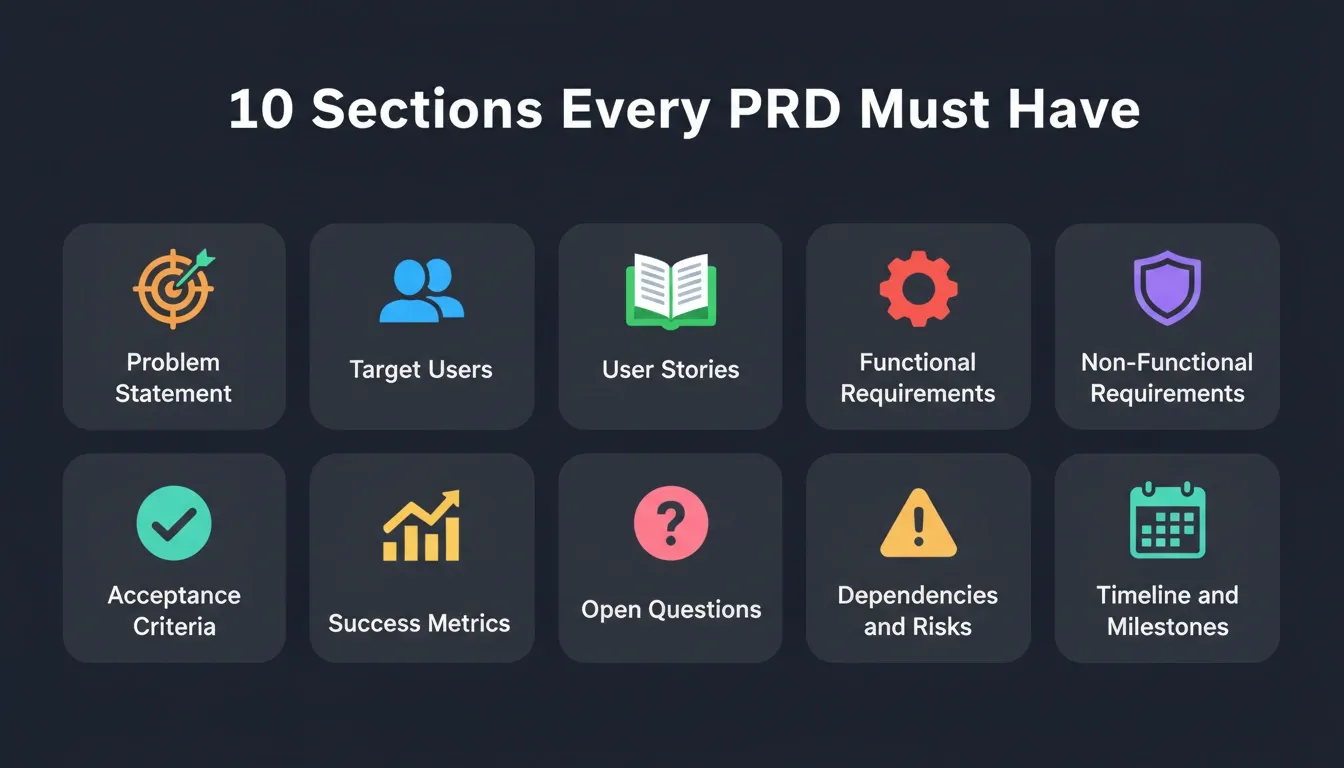
Use this prompt to capture performance, security, scalability, and compliance requirements that are almost always missing from AI-generated PRDs.
1You are a product manager writing non-functional requirements for
2[feature name].
3
4Based on the product context below, write a Non-Functional Requirements
5section covering:
6- Performance (response time, throughput, load)
7- Security (authentication, authorization, data handling)
8- Scalability (expected user growth, data volume)
9- Accessibility (WCAG compliance level)
10- Compliance (GDPR, SOC 2, HIPAA if applicable)
11
12Product context: [describe the product, user base size, and any known
13compliance requirements]Non-functional requirements are the most common omission in first-draft PRDs. Skipping them creates security and performance problems that are expensive to fix after launch.
Ready to turn these prompts into a shipped product? Rocket connects your research, requirements, and build in one workspace. Start building on Rocket and go from spec to deployed app without switching tools.
Prompt 6: The Acceptance Criteria Deep-Dive Prompt
Use this prompt when a specific user story has complex edge cases that need detailed acceptance criteria before engineering starts.
1You are a QA-minded product manager reviewing a user story before
2engineering kickoff.
3
4For the user story below, write exhaustive acceptance criteria that cover:
5- The happy path (expected behavior when everything works)
6- Error states (what happens when inputs are invalid or systems fail)
7- Edge cases (boundary conditions, unusual but valid inputs)
8- Performance thresholds (if applicable)
9
10User story: [paste the specific story]
11Known constraints: [list any technical or business constraints]This prompt is most valuable for authentication flows, payment logic, and any feature that touches user data. It surfaces edge cases before a single line of code is written.
Prompt 7: The Success Metrics Prompt
Use this prompt to define metrics that connect the spec to business outcomes rather than just shipping the feature.
1You are a data-driven product manager writing success metrics for
2[feature name].
3
4Based on the problem statement and user stories below, write a Success
5Metrics section that includes:
6- Primary metric (the one number that defines success)
7- Secondary metrics (supporting indicators)
8- Counter-metrics (what we must not break)
9- Measurement method (how each metric will be tracked)
10- Target values (what good looks like at 30, 60, 90 days)
11
12Problem statement: [paste from Prompt 1]
13Business goal: [describe the business outcome this feature supports]Metrics without targets are decoration. This prompt forces you to define what success actually looks like before engineering starts building.
Prompt 8: The Open Questions Prompt
Use this prompt to surface unresolved decisions that could block engineering mid-sprint if left unanswered.
1You are a product manager reviewing a spec before engineering kickoff.
2
3Based on the draft below, identify all open questions that must be
4answered before development starts. For each question:
5- State the question clearly
6- Explain why it blocks development
7- Suggest who should answer it (product, engineering, design, legal)
8- Propose a deadline for resolution
9
10Draft: [paste your current draft]Open questions that surface during development cost 3 to 5 times more to resolve than questions answered before the sprint starts. This prompt makes them visible while there is still time to act.
Prompt 9: The Dependencies and Risks Prompt
Use this prompt to map every external dependency and risk before engineering commits to a timeline.
1You are a product manager writing the Dependencies and Risks section of
2a spec for [feature name].
3
4Based on the functional requirements below, identify:
5- Technical dependencies (APIs, third-party services, internal systems)
6- Team dependencies (design, data, security, legal approvals needed)
7- Risks (what could go wrong, likelihood, impact, mitigation)
8- Assumptions (what must be true for this spec to be valid)
9
10Functional requirements: [paste from Prompt 4]
11Known integrations: [list any APIs or systems this feature touches]Dependencies discovered mid-sprint are the most common cause of missed deadlines. This prompt makes them explicit before work begins.
Prompt 10: The Timeline and Milestones Prompt
Use this prompt to generate a phased delivery plan that engineering and stakeholders can align on before the sprint starts.
1You are a product manager writing the Timeline and Milestones section for
2[feature name].
3
4Based on the scope and requirements below, write a phased delivery plan
5that includes:
6- Phase 1 (MVP): minimum scope to validate the core hypothesis
7- Phase 2: additional functionality based on Phase 1 learnings
8- Phase 3: full feature completion
9- Key milestones with owners and dates
10- Go/no-go criteria for each phase
11
12Functional requirements: [paste from Prompt 4]
13Team size: [number of engineers, designers]
14Sprint length: [1 week / 2 weeks]
15Target launch date: [if known]Phased delivery reduces risk and creates natural checkpoints for stakeholder feedback. This prompt prevents the common mistake of trying to ship everything in one sprint.
Prompts 1 through 10 cover every section of a complete spec. If you want your research to automatically feed into these sections without copy-pasting, Rocket's Solve generates structured specs from your actual customer evidence. Try Rocket free and see how much faster the first draft comes together.
Prompt 11: The Peer Review Prompt
Use this prompt after completing your first full draft. It acts like having a VP of Engineering review your document before it reaches the team.
1You are the VP of Engineering at a tech company reviewing a spec before
2approving it for development.
3
4Review the draft below and identify:
5- Logical gaps or contradictions between sections
6- Requirements that are ambiguous or untestable
7- Missing non-functional requirements
8- Edge cases not covered by the acceptance criteria
9- Open questions that will block engineering
10
11Draft: [paste your complete draft]This prompt consistently surfaces issues that human reviewers miss because they are too close to the work. Run it before every stakeholder review.
Prompt 12: The Stakeholder Summary Prompt
Use this prompt to generate a one-page executive summary for leadership reviews and cross-functional alignment meetings.
1You are a product manager presenting a spec to a leadership team that
2includes the CEO, CTO, and Head of Design.
3
4Based on the draft below, write a one-page executive summary that covers:
5- The problem being solved (2 sentences)
6- Why it matters now (business context)
7- What we are building (key features, not technical details)
8- What success looks like (primary metric and target)
9- Key risks and mitigations
10- Timeline and resource requirements
11
12Draft: [paste your complete draft]
13Audience: [describe the stakeholders who will read this]Leadership teams do not read full specs. This prompt gives them what they need to approve the work without requiring them to read 10 pages.
Prompt 13: The Iteration Prompt
Use this prompt after receiving stakeholder feedback to incorporate changes without losing the decisions that grounded the original document.
1Here is my current draft and the feedback I received from stakeholders.
2Update the draft to address this feedback while maintaining consistency.
3
4Specifically:
5- Resolve conflicting requirements with explicit trade-offs
6- Update success criteria based on new constraints
7- Flag any new open questions introduced by the feedback
8- Keep scope aligned with the original problem statement
9
10Original draft: [paste your draft]
11Stakeholder feedback: [paste the feedback you received]This prompt prevents the common pattern where stakeholder feedback causes scope creep that contradicts the original problem statement. Every change stays traceable.
Prompt 14: The Engineering Handoff Prompt
Use this prompt to generate the acceptance criteria walkthrough document that product presents to engineering at sprint kickoff.
1You are a product manager preparing for an engineering kickoff meeting
2for [feature name].
3
4Based on the draft below, write a sprint kickoff document that includes:
5- A 3-sentence summary of what we are building and why
6- The top 5 requirements engineering needs to understand before starting
7- Acceptance criteria for the first sprint's user stories
8- Known risks and how to flag them if they materialize
9- Definition of done for this sprint
10
11Draft: [paste your complete draft]
12Sprint scope: [list the user stories included in this sprint]Engineering kickoffs without a structured document waste 30 to 45 minutes on questions that should have been answered in the spec. This prompt eliminates that waste.
Prompt 15: The Living Document Update Prompt
Use this prompt to keep the spec current as new information arrives during development without losing the original decisions.
1You are a product manager maintaining a spec as a living document during
2active development.
3
4The draft below was written before development started. Since then, the
5following new information has arrived. Update the draft to reflect this
6information while:
7- Preserving the original problem statement and success metrics
8- Clearly marking what changed and why
9- Flagging any new open questions created by these changes
10- Noting any scope changes and their impact on timeline
11
12Original draft: [paste your draft]
13New information: [describe what changed: customer feedback, technical
14constraints, stakeholder decisions, competitive moves]A spec that stops being updated after sprint 1 stops being useful. This prompt keeps it alive without turning every update into a full rewrite.
All 15 prompts in hand? The next step is connecting your research to the build so nothing gets lost between the spec and what ships. Start building on Rocket and see how Solve turns your customer research into a structured, engineering-ready spec in under an hour.
What Makes These Prompts Work
The 15 prompts above cover every section of a complete spec. But they share something more important than structure: they all require you to bring real context.
Every prompt has a placeholder where you paste actual data, such as customer quotes, interview notes, sprint retros, and technical constraints. That is not optional. The AI cannot invent context that does not exist. It can only structure the context you provide.
Product managers who treat AI as a document generator get generic output. Product managers who treat AI as a thinking partner, feeding it real data and asking it to structure that data into a spec, get documents that engineering trusts.
Three things to do before running any of these prompts:
- Gather at least three customer interview transcripts or support ticket summaries
- Write a one-paragraph problem statement in your own words before opening the AI
- List the five most important decisions the spec needs to answer for engineering
These three steps take around 20 minutes and dramatically improve the quality of every section the AI generates.
How Rocket Connects Research to Build
Most AI prompts solve a narrow problem: turning your thoughts into formatted text. But formatted text is not the hard part. The hard part is making sure the thinking behind the spec is grounded in real data, connected to product strategy, and usable by the team that builds from it.
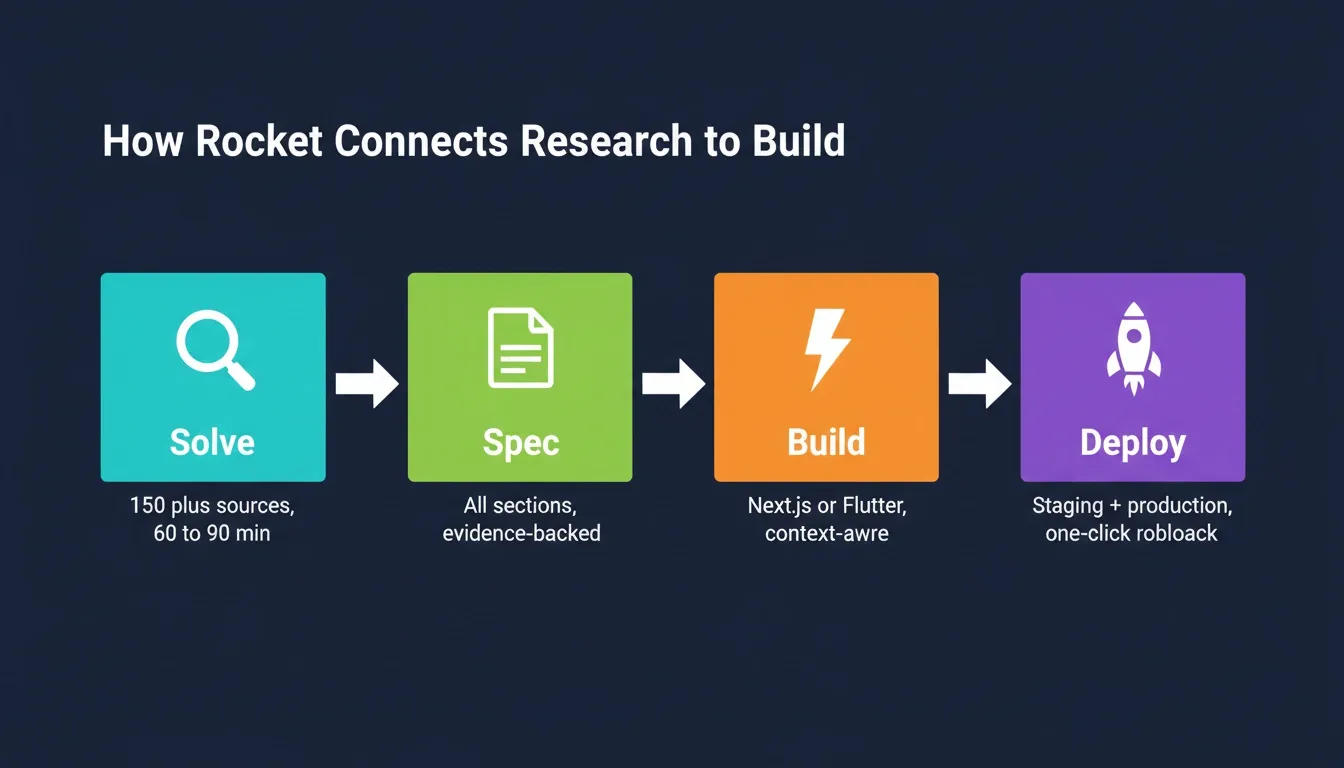
Rocket starts from Solve, the platform's decision intelligence layer. You describe your situation in plain language, and Solve runs thousands of queries across 150+ sources simultaneously. Within 60 to 90 minutes, what would have taken a research team days or a strategy firm weeks is complete. That output then becomes the foundation of your spec.
- Shared context architecture: Upload research docs, customer feedback, strategy memos, and product briefs once. Every task that follows already knows everything. There is no re-explaining and no copy-pasting between tools.
- From research to requirements: The competitive landscape analysis and market research done in Solve flows directly into your spec sections. Target users, success criteria, and requirements come from validated research, not assumptions.
- Cross-task memory: The spec generated by Solve is present when you open a Build task. Engineering context, design decisions, and prior iterations all carry forward. The handoff is not improved. It is eliminated.
- Spec to deployed product: Once the spec is ready, Rocket generates production-grade apps in Next.js or Flutter from that same context. The spec is not a document that sits in Google Docs. It is the input that drives what gets built.
 For product managers who care about what ships, not just what gets documented, that continuity changes the workflow completely. You can also explore how Rocket's AI spec generator works directly from customer evidence and strategy outputs.
The Best AI Prompts to Write PRD Documents: What Comes Next
The best AI prompts to write PRD documents will keep getting sharper as AI models improve at retaining context across sessions. The teams that win in 2026 are not the ones with the best prompts. They are the ones whose research, decisions, and builds live in the same place. That is where context stops resetting and starts compounding.
You describe the problem. Rocket researches it, structures the spec, and builds from it. Start building on Rocket and ship your next spec in under an hour.
Table of contents
- -What Every Strong AI PRD Prompt Has in Common
- -The 15 AI Prompts to Write PRD Faster
- -Prompt 1: The Problem Statement Prompt
- -Prompt 2: The Target User and Persona Prompt
- -Prompt 3: The User Stories Prompt
- -Prompt 4: The Functional Requirements Prompt
- -Prompt 5: The Non-Functional Requirements Prompt
- -Prompt 6: The Acceptance Criteria Deep-Dive Prompt
- -Prompt 7: The Success Metrics Prompt
- -Prompt 8: The Open Questions Prompt
- -Prompt 9: The Dependencies and Risks Prompt
- -Prompt 10: The Timeline and Milestones Prompt
- -Prompt 11: The Peer Review Prompt
- -Prompt 12: The Stakeholder Summary Prompt
- -Prompt 13: The Iteration Prompt
- -Prompt 14: The Engineering Handoff Prompt
- -Prompt 15: The Living Document Update Prompt
- -What Makes These Prompts Work
- -How Rocket Connects Research to Build
- -The Best AI Prompts to Write PRD Documents: What Comes Next