
Firebase Studio is shutting down in March 2027. This guide compares Rocket and Firebase Studio across deployment, mobile support, AI assistance, and production readiness so you can make an informed decision before the deadline.
Why Are Developers Searching for a Firebase Studio Alternative?
Google confirmed Firebase Studio's shutdown on March 22, 2027. New workspace creation and user signups have been disabled since June 22, 2026.
According to the JetBrains Developer Ecosystem Survey 2024, TypeScript adoption has surged to 37%, and 62% of developers build browser-based applications. Both numbers signal that modern teams need platforms that keep pace with how they actually ship code.
The announcement leaves thousands of developers searching for alternatives. This comparison breaks down how Rocket and Firebase Studio differ on deployment, mobile support, AI assistance, and production readiness. It also covers what to do if you have active workspaces today.
What Did Firebase Studio Offer Full-Stack Developers?
Firebase Studio launched as Google's cloud-based development environment. It was built on the Code OSS project and powered by Gemini AI. It promised a browser-native workspace where developers could prototype, build, and deploy full-stack apps without local setup.
-
Cloud workspace with built-in templates. Firebase Studio supported Go, Java, .NET, Node.js, and Python Flask, plus frameworks including Next.js, React, Angular, Vue.js, Android, and Flutter. Developers picked from a template gallery or imported existing repos.
-
App Prototyping agent for natural language builds. The Gemini-powered agent let users generate web applications from text prompts, images, or drawings. It set up Cloud Firestore and Firebase Authentication automatically when a database was needed.
-
Deep Firebase and Google Cloud connection. Firebase Studio tied directly into App Hosting, Cloud Functions, Cloud Storage, and the Firebase Local Emulator Suite for testing before deployment.
-
Limited mobile support without a premium plan. Flutter and React Native workspaces were capped at two total unless developers subscribed to the Google Developer Program premium tier.
On paper, Firebase Studio covered a broad set of capabilities. In practice, limitations around mobile workspaces, the requirement for Cloud Billing on paid services, and a reliance on Google's ecosystem made it less flexible than alternatives now available.
Why is Firebase Studio Shutting Down?
Google confirmed that Firebase Studio will sunset on March 22, 2027. As of June 22, 2026, new workspace creation and new user signups are disabled entirely.
-
Migration paths are limited. Google directs existing users toward Google AI Studio or Google Antigravity. Neither tool replicates the full-stack prototyping workflow Firebase Studio offered.
-
Deployed apps remain unaffected. Any applications already deployed to Firebase App Hosting, Firestore, or Authentication continue running after the sunset date. Core Firebase products are not impacted.
-
Preview status was never resolved. Firebase Studio remained in Preview status throughout its lifecycle. That meant it was never subject to a Service Level Agreement or deprecation policy. That uncertainty became a structural problem for teams building production workflows on the platform.
The shutdown reinforces a recurring pattern in developer tooling. Platforms tied exclusively to one cloud provider carry concentration risk. Teams investing months of work into a workspace that can disappear with a single announcement need to factor platform longevity into their stack decisions.
The official documentation states: "Firebase Studio is in Preview, which means that the product is not subject to any SLA or deprecation policy and could change in backwards-incompatible ways" (Firebase Studio docs). That language was always there.
If you are evaluating what to build next, building a full-stack app with an AI prompt is a useful starting point for understanding what modern AI-native development looks like.
How Do Rocket and Firebase Studio Compare on Key Features?
The feature gap becomes clear when you map both platforms side by side. Here is how they compare across the categories that matter most for full-stack projects.
| Feature | Rocket | Firebase Studio |
|---|---|---|
| Web framework | Next.js: production-grade, SEO-ready, WCAG-compliant by default | Next.js via App Prototyping agent |
| Mobile framework | Flutter: dark/light theming, staggered animations, App Store-ready | Flutter, capped at 2 workspaces without premium |
| AI assistance | Multi-model: GPT, Claude, Gemini — switch without reconfiguring | Gemini only |
| Deployment | One-click staging and production, custom domains, automatic HTTPS | Firebase App Hosting, requires Cloud Billing (Blaze plan) |
| Code ownership | Full source download, GitHub two-way sync, Codebase Pickup | Workspace-tied code, GitHub upload available |
| Built-in analytics | Visitors, conversions, Core Web Vitals, accessibility | None built in |
| Connectors | 25+ including Stripe, Supabase, Notion, Linear, Mailchimp, SendGrid, Twilio | Firebase and Google Cloud services only |
| Pre-build research | Solve: market research, PRD generation across 150+ sources | None |
| Competitive monitoring | Intelligence: continuous automated monitoring | None |
| Team collaboration | Shared workspaces, three roles (Owner, Editor, Viewer), per-user credit allocation | Shared workspaces with limited link sharing |
| Version control | Full history, one-click rollback | Workspace snapshots |
| Compliance defaults | SEO-ready structure, WCAG accessibility, GDPR coverage — built into every build | Not specified |
| Platform status | Active, continuously updated | Sunsetting March 22, 2027 |
Mobile development is where the gap widens most. Rocket generates Flutter apps with dark/light theming, fluid navigation, and staggered animations from a single prompt. Firebase Studio limited Flutter workspaces to two without a paid Google Developer Program subscription.
AI model flexibility matters for complex apps. Developers can switch between GPT, Claude, and Gemini inside Rocket without reconfiguring anything. Firebase Studio locked teams into Gemini exclusively. That made a single provider's limitations the ceiling for every project.
Deployment works without billing surprises. Rocket deploys to staging and production with one click. Firebase Studio required a linked Cloud Billing account for App Hosting, which automatically upgraded the project to pay-as-you-go Blaze pricing.
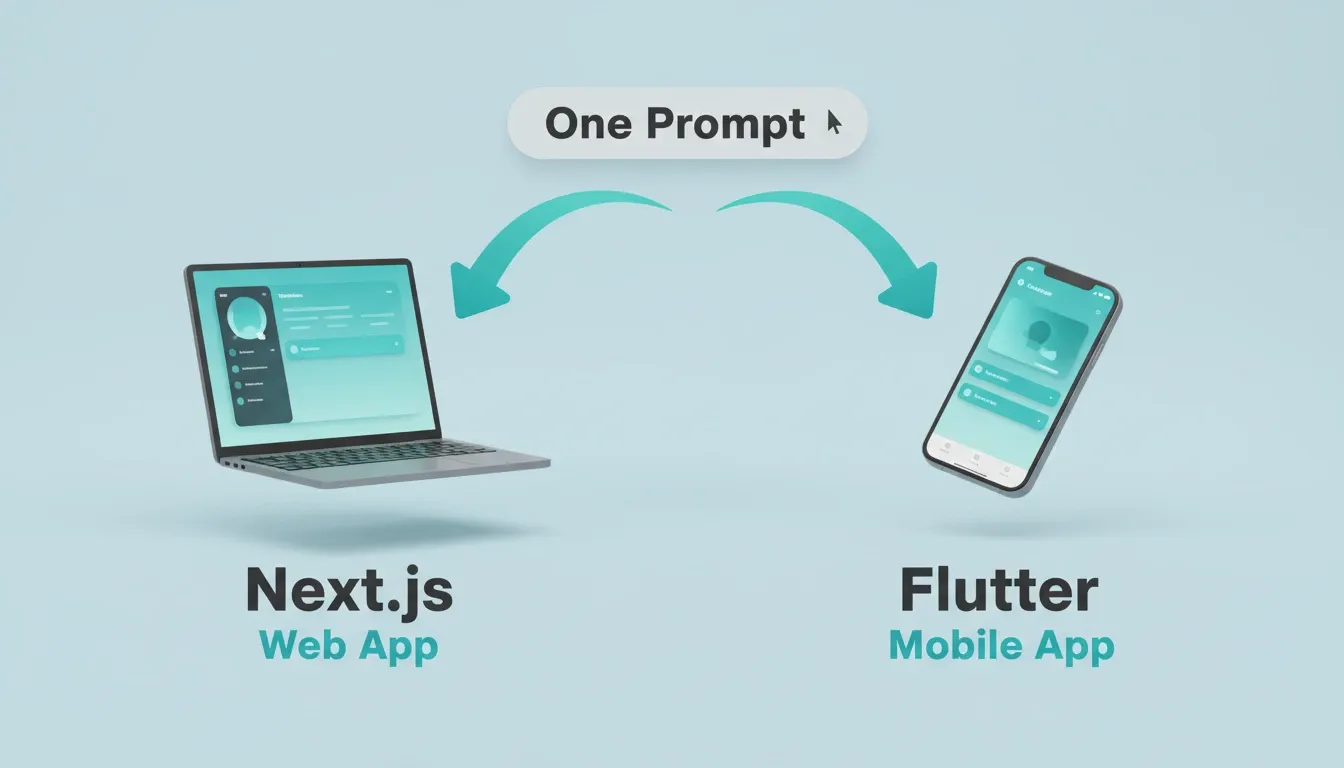
One prompt generates a Next.js web app and a Flutter mobile app — no workspace caps on either
For a deeper look at why Rocket generates Next.js for web and Flutter for mobile, this breakdown of the framework decision covers the production readiness reasoning behind each choice.
Where Rocket Fills the Gap Firebase Studio Leaves Behind
Most Firebase Studio alternatives replace only the build step. Rocket replaces the entire workflow. It covers deciding what to build, building it, and monitoring what happens after launch.
Rocket is built on three pillars that work independently or together:
Solve** handles pre-build research.** Before writing a single line of code, Solve runs market research, competitive analysis, and PRD generation across 150+ sources simultaneously. Within 60 to 90 minutes, what would have taken a research team days is complete. Findings are structured into sections with signal strength tags. That research becomes shared context for everything built afterward. Firebase Studio had no equivalent.
Build** generates the full application from a single prompt.** Describe your project once. Rocket builds the frontend, backend, database schema, authentication, and deployment configuration together. The output follows modern framework best practices with clean file architecture, typed code, and proper component separation. Every build ships with SEO-ready structure, WCAG accessibility compliance, GDPR coverage, and performance optimization by default. These are the baseline, not optional extras.
Intelligence** monitors your market after launch.** It tracks competitor websites, pricing pages, social activity, review platforms, and hiring signals automatically. Daily briefs surface what changed and what it means for your product. Firebase Studio offered no competitive monitoring at all.
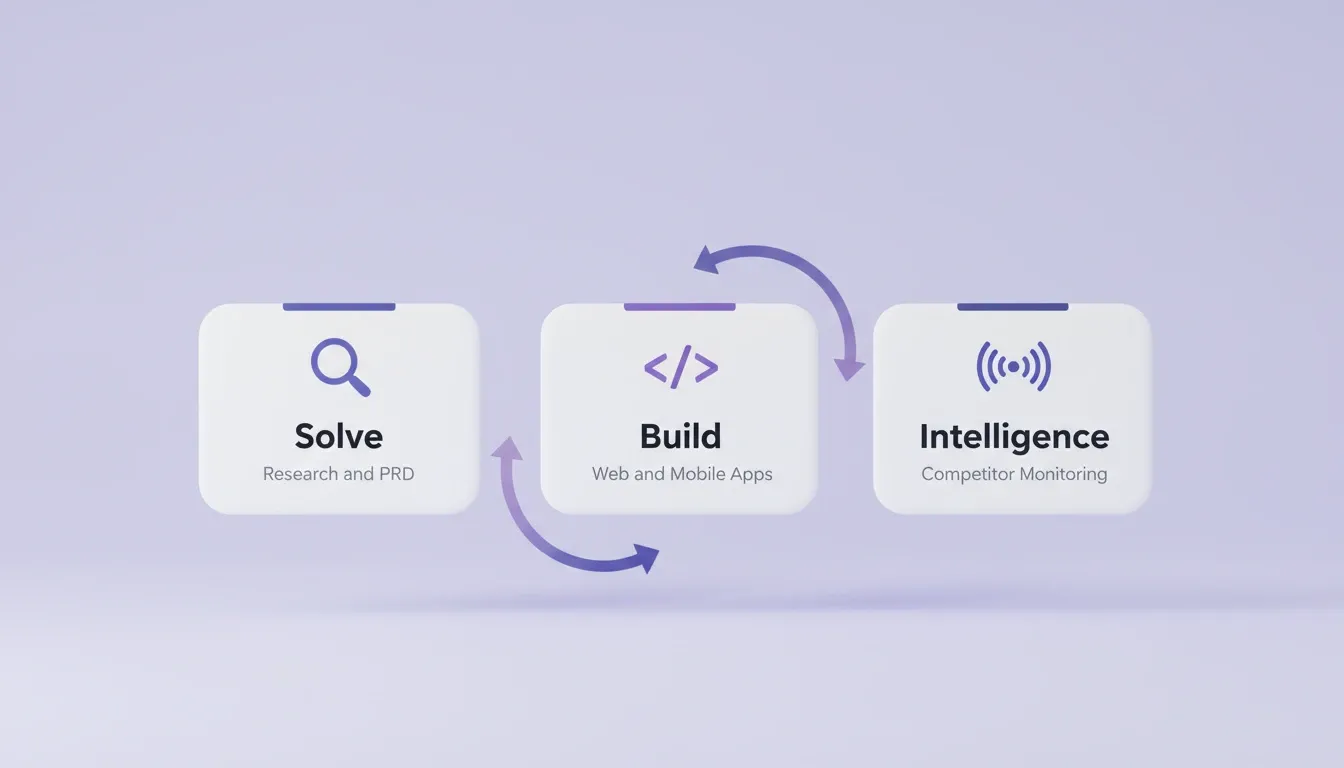
Solve handles research and PRD, Build generates web and mobile apps, Intelligence monitors competitors continuously
Six ways to start a build in Rocket:
| Starting Method | Best For |
|---|---|
| From a plain language prompt | Starting fresh with a description |
| From an uploaded file (image, PDF, spreadsheet) | Building from existing assets |
| From a Figma design | Preserving typography, spacing, color system |
| From an existing GitHub repository (Next.js + TypeScript) | Continuing an existing codebase |
| From a template | Common patterns — zero credits consumed |
| From an existing website URL | Redesigning with eight slash commands |
Firebase Studio offered one starting method: a text prompt or template gallery.
25+ connectors authenticate once at the workspace level. Connect Stripe, Supabase, OpenAI, Anthropic, Gemini, Notion, Linear, Airtable, Mailchimp, Mixpanel, Figma, SendGrid, Twilio, Resend, and more. Every connector flows into every build without re-authentication. Firebase Studio connected only to Firebase and Google Cloud services.
If you are also evaluating how Firebase compares to Supabase as a backend layer, this comparison of Firebase vs Supabase covers the key architectural differences developers should know before deciding.
Rocket Pricing at a Glance
Rocket runs on a credit-based system. One credit balance covers Build, Solve, and Intelligence. There is no separate billing for compute, storage, or hosting. All paid plans include unlimited team members.
| Plan | Price | Credits | What's Included |
|---|---|---|---|
| Free | USD 0 | 20 (one-time) | Build production-ready apps + Light Solve |
| Pro | USD 25/month | 100/month | Build + Light Solve |
| Rocket | USD 50/month | 250/month | Build + Full Solve + Competitive Intelligence |
| Booster | USD 250/month | 1,500/month | Build + Full Solve + Competitive Intelligence + premium support |
Unused subscription credits roll over month to month on all paid plans. Annual billing saves 20%. Intelligence tracking costs USD 100/month per competitor tracked (500 credits/month per competitor).
Firebase Studio was available at no cost during its Preview period. However, it required a paid Google Developer Program subscription for more than two Flutter workspaces. Firebase App Hosting also required Cloud Billing.
Firebase Studio Migration Checklist
If you have active Firebase Studio workspaces, take these steps before the March 2027 deadline.
| Step | Action | Priority |
|---|---|---|
| 1 | Export all source code to GitHub from every active workspace | Critical |
| 2 | Document all Firebase services your deployed apps depend on (Firestore, Auth, Hosting) | Critical |
| 3 | Note all environment variables and API keys used in each workspace | High |
| 4 | Test that deployed apps still function after workspace export | High |
| 5 | Evaluate replacement platforms for your build workflow | High |
| 6 | Recreate critical projects in your chosen platform before the deadline | Medium |
| 7 | Update team documentation with the new workflow | Medium |
Important: Deployed apps on Firebase App Hosting, Firestore, and Authentication continue running after March 2027. Only the Firebase Studio workspace environment stops functioning. Your live products are not at risk. Your development workflow is.
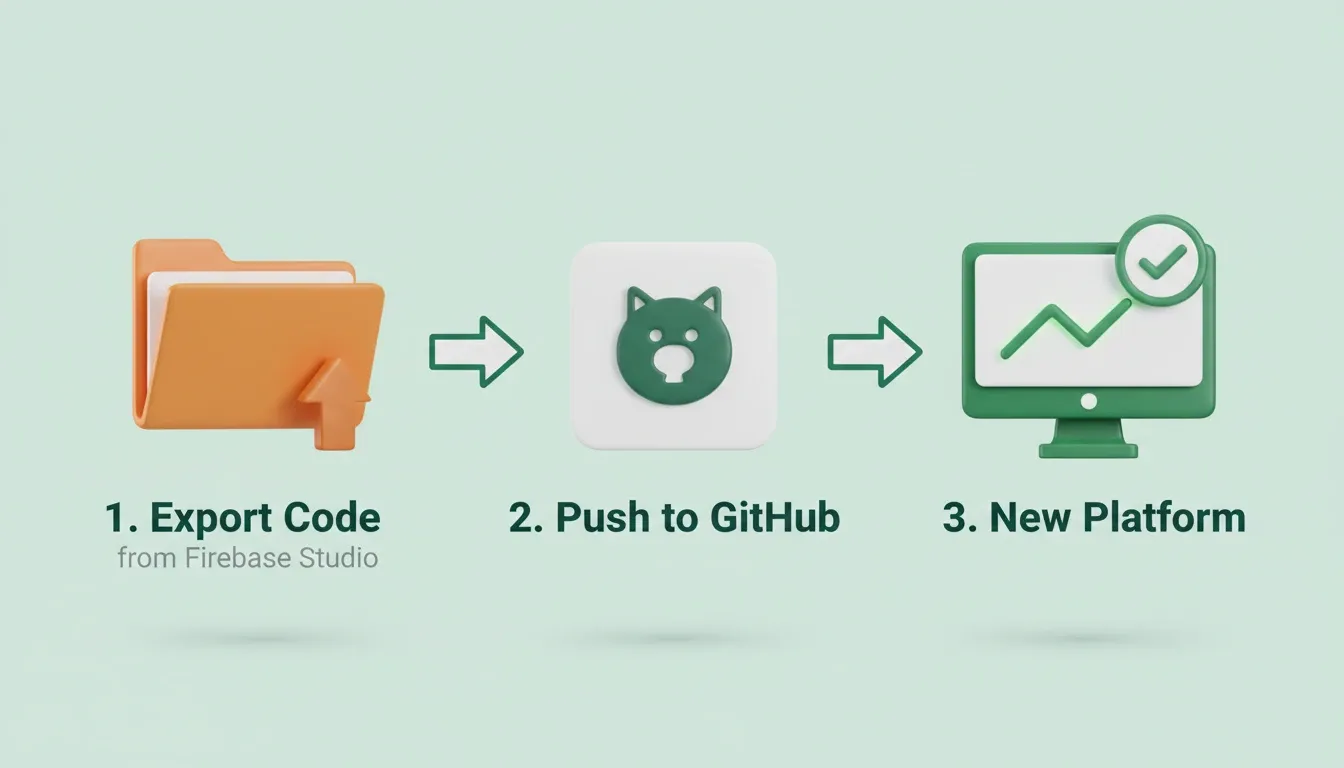
Three steps: export your code from Firebase Studio, push to GitHub, then continue in your chosen platform
Which Workflow Fits Your Full-Stack Project?
Choosing between platforms depends on where your project sits today and what risks you can absorb.
Decision tree: choosing the right platform for your full-stack project.
-
If your team still has Firebase Studio workspaces, export your code to GitHub now. The March 2027 deadline is closer than it appears when you factor in migration time.
-
If you are starting fresh today, Firebase Studio no longer accepts new users. Rocket accepts signups, generates production apps from natural language, and deploys within minutes.
-
If your project needs both mobile and web, Rocket handles Flutter and Next.js from one workspace without caps. Tools like Claude Code operate in the terminal only, leaving deployment and mobile generation to you.
The developer comparison between Cursor, Replit, and Rocket covers how code editors differ from full-stack builders in more detail. In short: editors help you write code faster, while Rocket generates entire applications.
The GitHub Octoverse 2024 report recorded a 59% surge in contributions to generative AI projects and over 518 million projects on the platform. Developers are building more and faster. Choosing tools that keep up with that pace matters.
What Comes After Firebase Studio
Firebase Studio's sunset is not just a product discontinuation. It signals that cloud IDEs tied to a single ecosystem carry real risk for production teams. As AI-native development matures, the platforms that survive will cover the full arc: research, build, deploy, and monitor — without locking teams into a single provider's infrastructure.
1.5 million people have tried Rocket across 180 countries. The thinking and the building happen in the same place. The research from last week is present when the team starts building today. If you are evaluating full-stack app development platforms after Firebase Studio's shutdown, start building on Rocket and describe what you want to build. The rest follows from there.
Table of contents
- -What Did Firebase Studio Offer Full-Stack Developers?
- -Why is Firebase Studio Shutting Down?
- -How Do Rocket and Firebase Studio Compare on Key Features?
- -Where Rocket Fills the Gap Firebase Studio Leaves Behind
- -Rocket Pricing at a Glance
- -Firebase Studio Migration Checklist
- -Which Workflow Fits Your Full-Stack Project?
- -What Comes After Firebase Studio