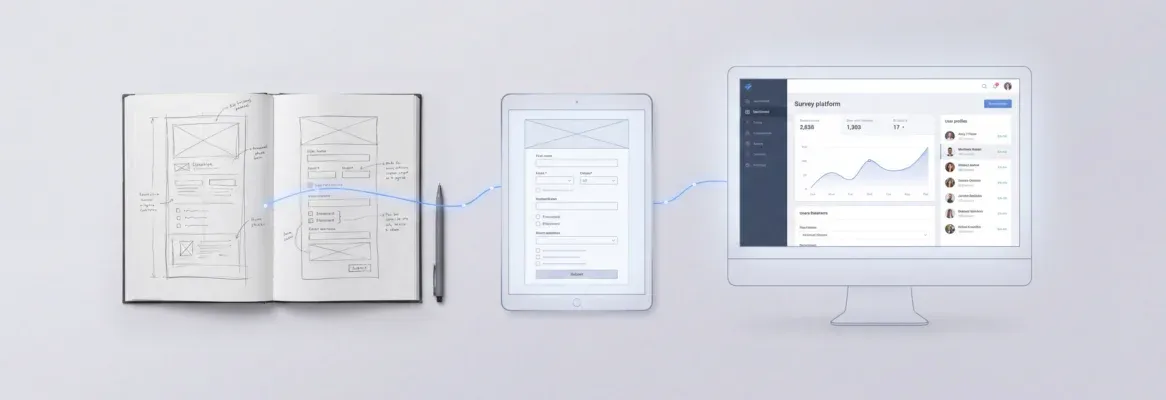
Most bloggers use AI prompts only for writing. The real advantage is using them to build the entire publishing system, from structured content workflows to the platform that runs them all.
AI prompts for blog platform workflows close the gap between scattered ideas and consistent publishing.
This blog covers the exact prompts, templates, and step-by-step workflows that help you produce on-brand posts faster. It also shows how to build the platform that ties everything together. 1.5 million people have tried Rocket across 180 countries, from solo bloggers to enterprise content teams.
Why Does Most AI Blog Content Miss the Mark?
Most AI-generated blog content fails not because of the tools, but because of the prompts. According to the HubSpot 2026 State of Marketing Report, 80% of marketers now use AI for content creation. Yet most blog posts produced this way miss the target audience, lack personality, and fail to rank on search engines.
Vague instructions produce vague output. A well-structured prompt gives AI models the context needed to produce blog posts that match your voice, hit your word count targets, and address the search intent your readers care about.
The good news: producing blog posts that perform well with AI comes down to a repeatable system. The right blog prompts, paired with the right platform, make the content creation process faster and more consistent at any scale.
What Is a Blog Platform Prompt?
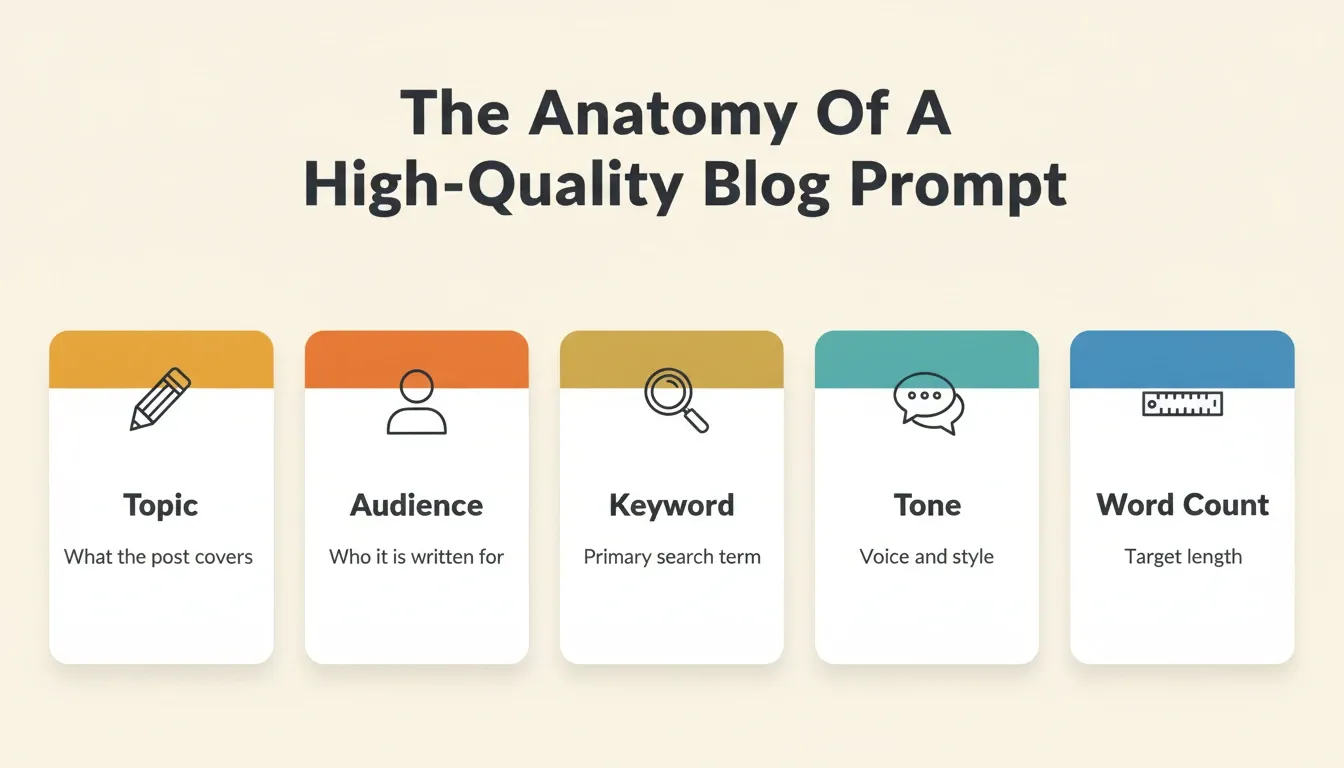
A blog platform prompt is a structured instruction set that tells an AI writing tool exactly what to produce. It includes the topic, target audience, keyword, tone, word count, format, and constraints. Unlike a casual question, a blog platform prompt is engineered to produce output that is immediately usable in a publishing workflow.
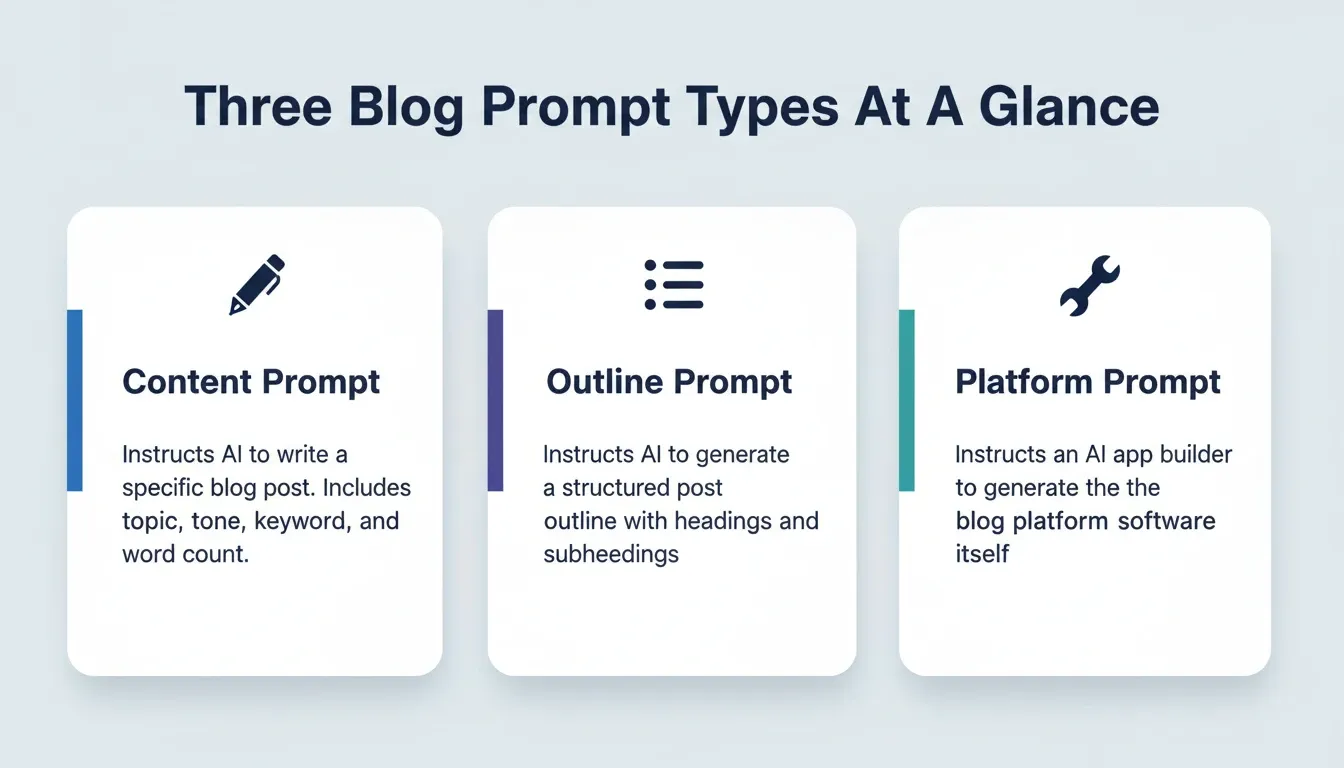
There are three types of blog platform prompts:
-
Content prompts — instructions for writing a specific blog post, covering topic, angle, audience, word count, and tone
-
Outline prompts — instructions for generating a structured blog post outline with headings and subheadings
-
Platform prompts — instructions for building the blog platform itself, used with AI app builders
Understanding which type of prompt you need at each stage is the foundation of a productive AI-powered publishing system.
How Do Blog Prompts Shape the Content Creation Process?
Blog prompts are the instructions you give AI writing tools before they generate a single word. The quality of those instructions directly controls the quality of your blog posts.
-
Start with your blog topic and target audience. A prompt like "write a blog post about productivity" produces generic output. A prompt like "write a blog post titled 'Time Management for Remote Developers' targeting senior engineers who work from home" gives the AI model clear direction. Specificity in ChatGPT prompts matters more than length.
-
Define the content creation process parameters upfront. Include your desired word count, the tone you want, your target keyword, and the format, such as listicle, how-to, or case study. ChatGPT prompts that include these details produce first drafts that need far less editing.
-
Use idea generation prompts before writing prompts. Ask for blog post ideas first, then pick the best one and write a deeper prompt for the full article. This two-step process helps you overcome writer's block and surface fresh angles you would not have considered on your own.
-
Build prompt templates for different content types. A "Top 10 Tools" post needs different instructions than a thought leadership piece. Save your best prompts as reusable templates for each blog topic, and the writing process gets faster every week.
-
Incorporate keyword research into your prompts. Feed your target keyword and related phrases directly into the prompt. Blog prompts that include SEO keywords from the start generate better first drafts and address search intent without keyword stuffing.
The content creation process becomes predictable when you treat blog prompts as reusable assets. Instead of starting from scratch each time, build a library of tested prompts that consistently produce blog posts matching your marketing goals.
What Makes AI Writing Tools Work for Digital Publishing?
AI writing tools only perform well when they receive the right prompts and parameters. The difference between a usable draft and a wall of generic text comes down to how you instruct the tool.
-
AI tools process prompts through natural language processing models. These AI models analyze your instructions, identify patterns in their training data, and generate blog posts that match your specifications. The more context you provide, the better the output quality.
-
Word count targets keep AI-generated content focused. Without a specified word count, AI tools tend to either under-deliver or ramble. Setting a target like "1,500 words" gives the tool a boundary that shapes the depth and structure of blog posts.
-
Search engine rankings depend on content quality, not volume. Google evaluates whether blog content answers user questions thoroughly. AI writing tools that produce SEO-optimized blog posts still need human oversight to verify accuracy and add unique insights.
-
First drafts from AI tools save significant writing time. Salesforce research shows that 76% of marketers already use generative AI for basic content creation and copywriting. Those first drafts become starting points that writers refine, fact-check, and personalize for their target audience.
-
The best AI writing tools support iterative prompting. Tools like ChatGPT let you refine the response through follow-up prompts. This conversation-style workflow lets you adjust tone, expand sections, or rewrite paragraphs until the blog post meets your standards.
AI tools work best as collaborative writing partners. When you use detailed prompts and iterative refinement, these tools produce blog posts that rank on search engines and connect with readers on a level that generic content cannot match.
Blog Prompt Templates You Can Use Right Now
The fastest way to improve your AI blog output is to stop writing prompts from scratch. These copy-paste templates cover the most common blog content types. Replace the bracketed fields with your specifics.
Content Writing Prompt Template
1Write a [word count]-word blog post titled "[Your Title]" for [target audience description].
2
3Target keyword: [primary keyword]
4Tone: [e.g., conversational, authoritative, witty]
5Format: [e.g., listicle, how-to guide, case study]
6Key points to cover:
71. [Point 1]
82. [Point 2]
93. [Point 3]
10
11Write in active voice. Include a short introduction, clear H2 subheadings,
12and a conclusion with a call to action.
Want to build the platform that publishes these posts? Start building on Rocket and go from prompt to live blog platform in one session.
Blog Outline Prompt Template
1Create a detailed blog outline for a [word count]-word post titled "[Your Title]."
2
3Target audience: [audience description]
4Primary keyword: [keyword]
5Secondary keywords: [keyword 1], [keyword 2]
6Include: 5 H2 headings, 2-3 H3 subheadings under each H2,
7and 3 bullet points per section.
8Format: step-by-step guide
Ready to ship a blog platform that runs these workflows automatically? Build it on Rocket with a single plain-language prompt.
Blog Platform Build Prompt Template
1Build a blog publishing platform for [niche/industry].
2
3Features needed:
4- Multi-author support with role-based access
5- Post scheduling and draft management
6- SEO metadata fields (title, description, OG tags) per post
7- Category and tag taxonomy
8- Built-in analytics dashboard
9
10Design: clean, minimal, [color preference]
11Connect: Supabase for database and authentication
Paste this prompt into Rocket and get a production-ready Next.js blog platform. Try it now on Rocket.
These templates are starting points. The more specific your inputs, including real audience details, actual keywords, and concrete feature requirements, the closer the first output will be to what you need.
Building a Blog Outline That Ranks on Search Engines
Before you write a blog post, you need a blog outline that maps your content to what search engines and readers expect. A strong outline is the bridge between a good prompt and a great published piece.
-
Your blog outline should mirror search intent. Look at what currently ranks for your target keyword. If the top results are how-to guides, your outline should follow a step-by-step structure with clear headings. If they are comparison posts, organize around key points of differentiation.
-
Include headings, subheadings, and bullet points in your outline prompt. When you ask AI to generate a blog outline, specify the hierarchy you need. Request H2 sections with H3 subsections underneath. This keeps your blog posts structured for both readers and search engine crawlers.
-
Map SEO keywords to specific sections. Each section of your blog outline should target specific phrases. Distribute relevant keywords across headings and paragraphs rather than clustering them in one area.
Use this prompt template to generate outlines that search engines reward:
| Prompt Element | Example Input | Why It Matters |
|---|---|---|
| Blog post titled | "How to Start a SaaS Blog" | Sets clear scope for the AI model |
| Target audience | SaaS founders with no content team | Adjusts vocabulary and depth |
| Target keyword | "start a saas blog" | Grounds the blog outline in search intent |
| Word count | 2,000 words | Controls depth and detail level |
| Format | Step-by-step guide with actionable tips | Shapes the blog post structure |
| Sections | 5 H2 headings with bullet points each | Creates scannable blog posts |
| Meta description | 155 characters summarizing value | Improves click-through from search |
Validate your outline against competitors. Run a competitor analysis on the top-ranking blog posts for your keyword. Check if your blog outline covers angles they miss. This is where AI prompts help you identify content gaps and produce blog posts with unique insights that stand apart.
A blog outline built with SEO keywords and search intent gives you a framework that makes writing significantly faster. With structured prompts guiding each section, you move from blank page to detailed outline in minutes.
Three-Phase Workflow: Research, Prompt Engineering, and Content Production
How to Build a Blog Platform With AI Prompts
Most bloggers use AI prompts only for writing content. The more powerful use is applying AI prompts to build the platform itself. This includes the content management system, publishing dashboard, and workflow tools that make consistent publishing possible.
Here is the step-by-step process for building a complete blog platform using AI prompts:
Step 1: Define your platform requirements in a single prompt. Before opening any AI builder, write out exactly what your blog platform needs. Cover multi-author support, post scheduling, SEO metadata fields, category taxonomy, analytics, and integrations. The more specific this requirements prompt, the better the generated platform.
Step 2: Use a platform builder that generates production-ready code. Generic AI writing tools cannot build software. You need an AI app builder that generates real, deployable applications. These are not mockups or wireframes, but working applications with real navigation, logic, and data models.
Step 3: Connect your data layer. A blog platform needs a database for posts, authors, categories, and analytics. Describe what data your platform needs. The builder structures it automatically using backend infrastructure like Supabase, handling schema, authentication, and queries without manual setup.
Step 4: Add your integrations. A complete blog publishing workflow typically requires email tools like Mailchimp, SendGrid, or MailerLite, analytics like Google Analytics, forms like Typeform or Tally, and CMS connectors like Strapi or Directus. The right builder connects these directly into the build.
Step 5: Deploy and iterate. Deploy to a staging URL for testing, then to production with a custom domain and automatic HTTPS. Full version history and one-click rollback mean you can iterate without risk. Built-in analytics track visitors, conversions, and Core Web Vitals from the moment the platform goes live.
You described five steps. Rocket handles all of them in one session. Build your blog platform on Rocket today.
Why Rocket Powers Your AI-Driven Publishing Workflow
Most AI writing tools handle one piece of the content workflow: they generate text. Building a complete blog platform requires more. You need a system that connects prompting, building, and publishing in a single workflow.
Rocket is the world's first Vibe Solutioning platform. It combines strategic research (Solve), AI app building (Build), and competitive intelligence (Intelligence) in one place. You describe your blog platform in plain language. Rocket generates a production-ready Next.js web application, including frontend, Supabase database, authentication, and deployment.
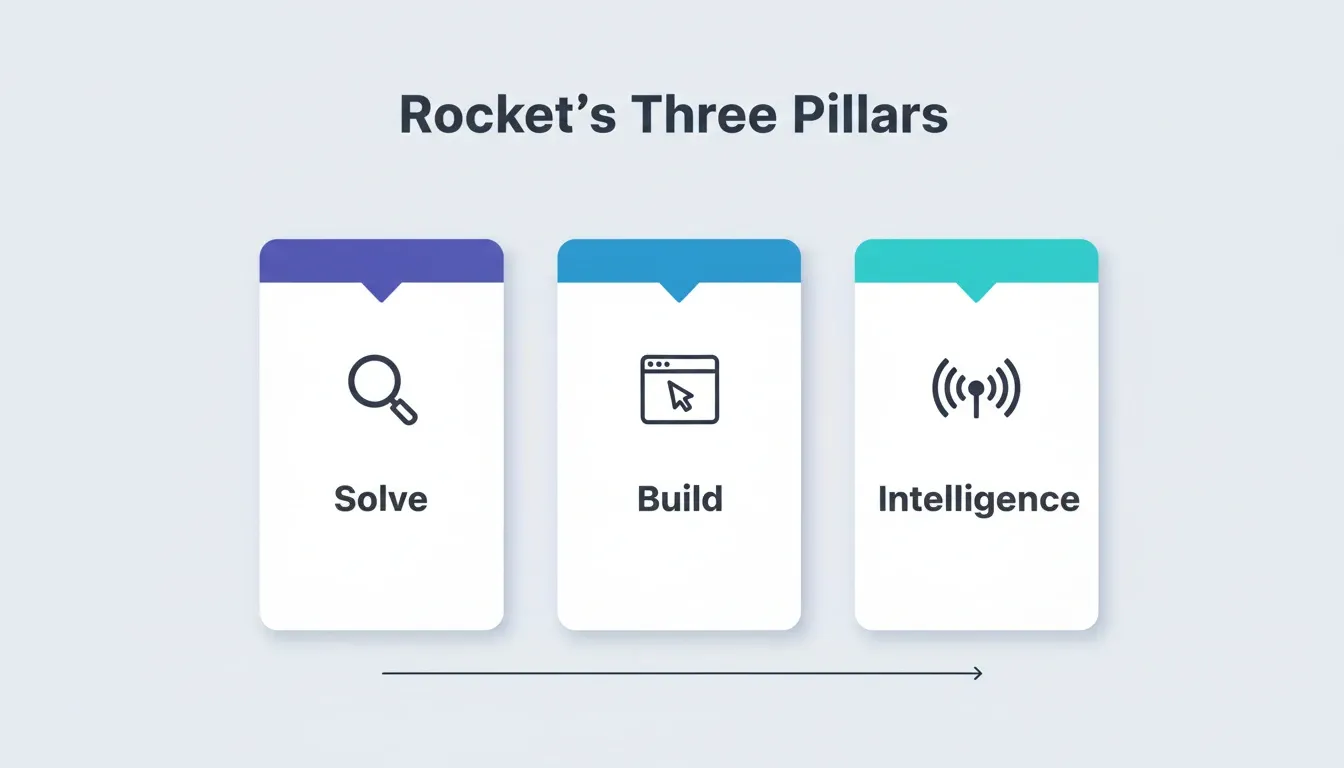
Solve lets you validate your blog strategy before you build. Run a market analysis, map your competitive landscape, and produce a structured content brief, all before writing a single post. Solve turns any business question into a structured, actionable report.
Build generates your blog platform from a natural language description. Web applications are built in Next.js. Every build ships with SEO-ready structure, WCAG accessibility compliance, GDPR coverage, and performance optimization by default. 25+ integrations, including Stripe, Mailchimp, Supabase, Google Analytics, and Typeform, connect directly into the build.
Intelligence monitors your competitive landscape continuously. You see pricing changes, messaging shifts, and new feature launches from competitors the moment they happen. This keeps your content strategy ahead of the curve.
Traditional platforms force you to stitch tools together. WordPress requires separate plugins for AI content creation, SEO checks, and workflow management. These fragmented approaches slow teams down and create consistency issues across blog posts. One platform where research, building, and monitoring happen in the same shared context removes that coordination overhead entirely.
Every deployed Rocket project includes built-in analytics tracking visitors, conversions, and Core Web Vitals, with zero setup required. Rocket also includes/Generate SEO Report,/Fix SEO Issues, and/Generate GEO And AEO Reportslash commands. These keep your platform visible in both traditional search and AI search tools like Perplexity and ChatGPT.
Can AI-Generated Blog Posts Match Your Brand Voice?
The biggest complaint about AI-generated blog posts is that they all sound the same. The problem is not AI. It is the absence of brand voice parameters in the prompts that produce them.
-
Define your brand voice in every prompt. Include descriptors like "conversational and witty" or "authoritative but approachable" in your ChatGPT prompts. Without voice guidance, AI defaults to a generic tone that your readers will not recognize as yours.
-
Feed the AI examples of your existing content. Paste samples of blog posts you have already published into the prompt context. AI models trained on your existing content produce output that maintains your established voice across every new post.
-
Use "write in active voice" as a standard instruction. Active voice makes blog content more engaging and easier to read. Adding this parameter to your AI prompts reduces passive, robotic-sounding sentences in your first drafts.
-
Test your prompts against a brand voice checklist. After generating blog posts, ask: "Would our readers recognize this as our content?" and "Does this match our personality?" If not, refine your prompts with more specific examples and clearer voice instructions.
-
AI prompts that include audience details produce better-matched content. When you specify your target audience's knowledge level, interests, and preferred communication style, AI writing tools adjust their output accordingly.
*"Today, more content is generated by AI than by humans. But it's mostly average. Consumers seek human-created content, and will tune out brand and AI-generated content. Learning to craft content is a timeless skill. Don't follow the masses and outsource that to AI." — Kieran Flanagan, SVP of Marketing, AI, and GTM at *HubSpot
Brand voice is not something AI automatically understands. It is something you teach through detailed prompts, real examples, and clear instructions about who you are writing for. According to CMI's 2026 B2B research, 89% of marketers using AI rely on it for content creation, yet only 58% report improved content quality. The right prompts close that gap between speed and brand consistency.
From First Drafts to Published Content: A Practical Workflow
Knowing how to write AI prompts is one thing. Building a repeatable workflow that takes you from idea to published blog post is another. Here is a practical system that working bloggers use to produce posts on a consistent schedule.
-
Step one: Generate blog post ideas with brainstorming prompts. Start each week with a prompt like "Give me 10 blog post ideas about [topic] targeting [audience] that address [pain point]." Many bloggers run this on Monday and have blog topics planned for the entire week.
-
Step two: Build your blog outline using a structured prompt. Take your best idea and write a detailed outline prompt. Include your target keyword, desired word count, content type, and the key points each section should cover. A good blog outline saves hours of writing time later.
-
Step three: Write section-by-section using focused ChatGPT prompts. Instead of asking AI to write a blog post in one shot, break it into sections. Prompt for the introduction separately, then each body section, then the conclusion. This gives you more control and produces better blog posts.
-
Step four: Edit with a human lens. AI writing tools produce first drafts, not final copies. Review for accuracy, add personal stories or real-life examples, and remove generic output that does not serve your target audience. Human oversight catches errors AI models miss and adds the original insights readers value.
-
Step five: Publish content through your platform. Use your blog platform's scheduling features to plan publication. Add your meta description, check that SEO keywords appear naturally, and verify that headings follow a logical hierarchy.
This workflow removes the "blank page" problem entirely. Every step starts with a clear prompt, so the writing process moves forward even on low-creativity days. Blog prompts give you momentum, and a well-built content management platform keeps that momentum organized.
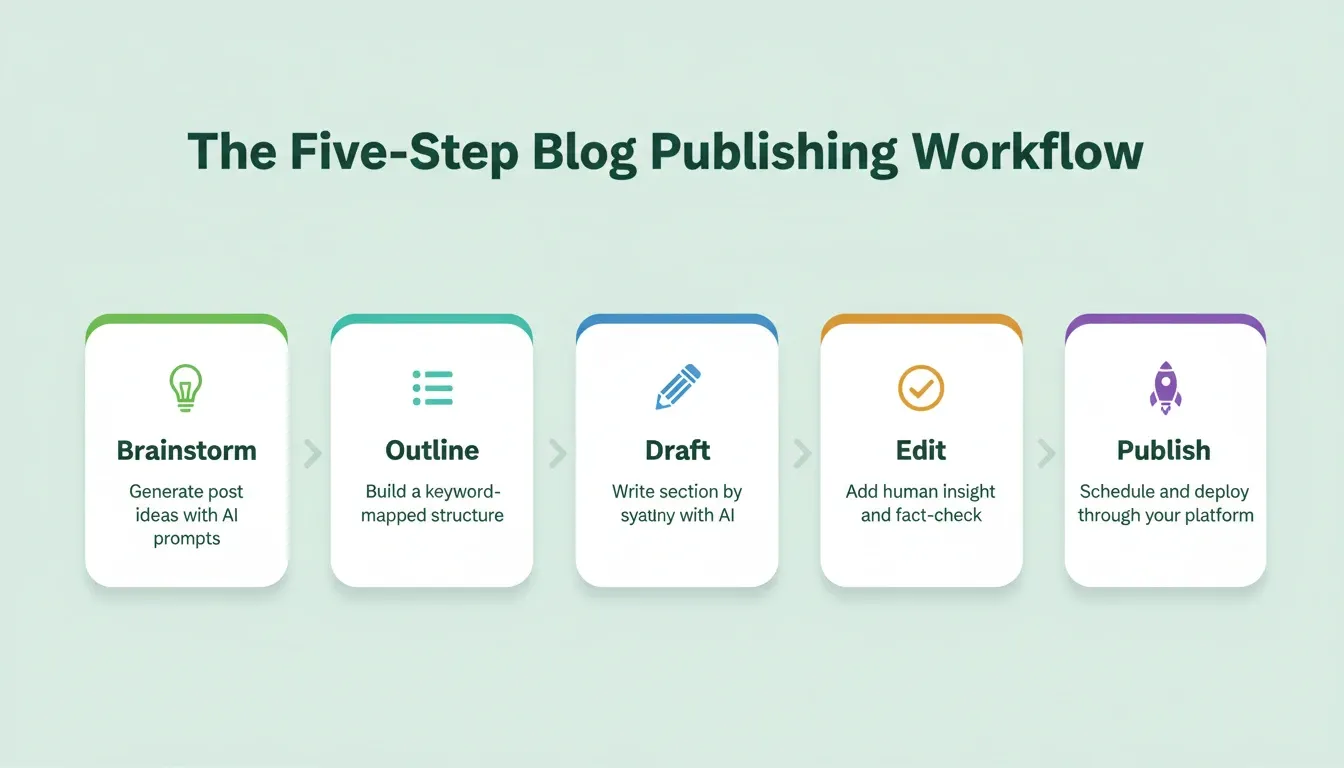
This five-step workflow runs smoother on a platform built for it. Build your publishing platform on Rocket and keep every step in one place.
Your Publishing System Starts With the Right Prompt
The gap between bloggers who publish consistently and those who struggle is not talent or time. It is systems. AI prompts give you the building blocks for creating blog posts that rank, and your blog platform determines how smoothly those blocks fit together as you scale.
The blog prompts and workflows in this guide give you a framework for producing posts that resonate with your target audience and reflect your brand voice. The next step is building the platform that brings your content workflow to life.
AI prompts for blog platform development will only grow more central to publishing as AI search, generative engines, and automated content pipelines become standard. The bloggers who build their own platforms control their workflow, their data, and their brand voice at scale.
You describe the platform you need. Rocket builds it: a production-ready Next.js application, Supabase database, authentication, SEO structure, and deployment in one session. Start building your blog platform on Rocket today.
Table of contents
- -Why Does Most AI Blog Content Miss the Mark?
- -What Is a Blog Platform Prompt?
- -How Do Blog Prompts Shape the Content Creation Process?
- -What Makes AI Writing Tools Work for Digital Publishing?
- -Blog Prompt Templates You Can Use Right Now
- -Content Writing Prompt Template
- -Blog Outline Prompt Template
- -Blog Platform Build Prompt Template
- -Building a Blog Outline That Ranks on Search Engines
- -How to Build a Blog Platform With AI Prompts
- -Why Rocket Powers Your AI-Driven Publishing Workflow
- -Can AI-Generated Blog Posts Match Your Brand Voice?
- -From First Drafts to Published Content: A Practical Workflow
- -Your Publishing System Starts With the Right Prompt