
20 structured prompts across five phases to build a production-ready leave management system with AI. Covers multi-role auth, approval workflows, balance tracking, HR operations edge cases, and compliance reporting.
Use these AI prompts to build a leave management system 2026 and ship a production-ready app covering multi-role auth, approval workflows, balance tracking, and compliance reporting in one focused session. Most tools stop at a leave request form.
Rocket takes a structured prompt library and ships the full system your HR teams can use this week.
Why Do Most AI-Built Leave Apps Fail After the Request Form?
Most AI-built leave apps fail because prompts do not specify approval routing, balance logic, or compliance rules, so the AI defaults to a generic CRUD form that stops at submission and never handles what comes next.
How many leave management software demos have you seen that amount to a single form and a database table? According to GitHub's 2024 developer survey, 97% of developers have used AI coding tools at work, and previous GitHub research showed an up to 55% productivity increase with AI coding assistants. Yet the output quality drops fast when prompts lack specificity around approval workflows, balance logic, and employment law compliance.
The gap between a demo and a production-ready leave management system is not about the AI model. It is about the prompts you feed it. This guide gives HR teams a structured, five-phase prompt library covering architecture, approvals, leave balances, HR operations, and compliance reporting.
Each prompt includes a "what to check" note and a follow-up refinement sentence so the AI output matches your company policies on the first pass. HR professionals spend most time on administrative HR tasks that structured prompts can handle in minutes, saving time across the whole team. The five phases build on each other: skip phase one, and every later phase produces inconsistent output.
How Should You Structure Prompts for Leave System Architecture?
Structured architecture prompts are essential because they lock the data model, role hierarchy, and policy engine before any UI is generated. Without them, every subsequent prompt fights against a foundation that was never properly laid.
The foundation phase sets ground rules for your entire leave management software stack. Without clear architecture prompts, AI tools produce generic output that requires hours of manual work to restructure later.
Prompt 1: Multi-role Authentication
"Build a Next.js leave management app with Supabase auth supporting three roles: employee, manager, and HR admin. Each role sees a different dashboard layout after login. Include row-level security policies."
- What to check: Confirm role-based redirects work by logging in with test accounts for each job title.
- Follow-up: "Add a fourth role for department manager with read access to their team's leave data only."
Prompt 2: Employee Profile Setup
"Create an employee profiles table with fields for job title, department, start date, reporting manager, and leave policy group. Build a form where HR professionals can bulk-import employee records from CSV."
- What to check: Verify the CSV parser handles edge cases like commas in job description fields.
- Follow-up: "Add validation that flags duplicate email addresses and missing manager assignments."
Prompt 3: Leave Policy Configuration
"Design a leave policies admin panel where HR teams define leave categories (annual, sick leave, parental, unpaid), accrual rates per category, maximum carry-forward days, and eligibility criteria based on tenure and employment type."
- What to check: Test that the company's leave policies display correctly for probation-period employees.
- Follow-up: "Add support for location-based policy variations so offices in different countries get region-specific legal requirements."
Prompt 4: Project Plan Scaffolding
"Generate a project plan table showing each feature module, estimated hours, dependencies, and status. Include a development plan that sequences database schema, API routes, and frontend components across sprints."
- What to check: Confirm the dependency graph flags circular references.
- Follow-up: "Add a timeline view using a charting library for project management visibility."
This phase gives HR software its skeleton. With architecture locked, every subsequent prompt builds on a stable foundation rather than patching a fragile prototype. The architecture phase is the only phase where a mistake cannot be patched in a follow-up prompt, so it has to be right before anything else runs.
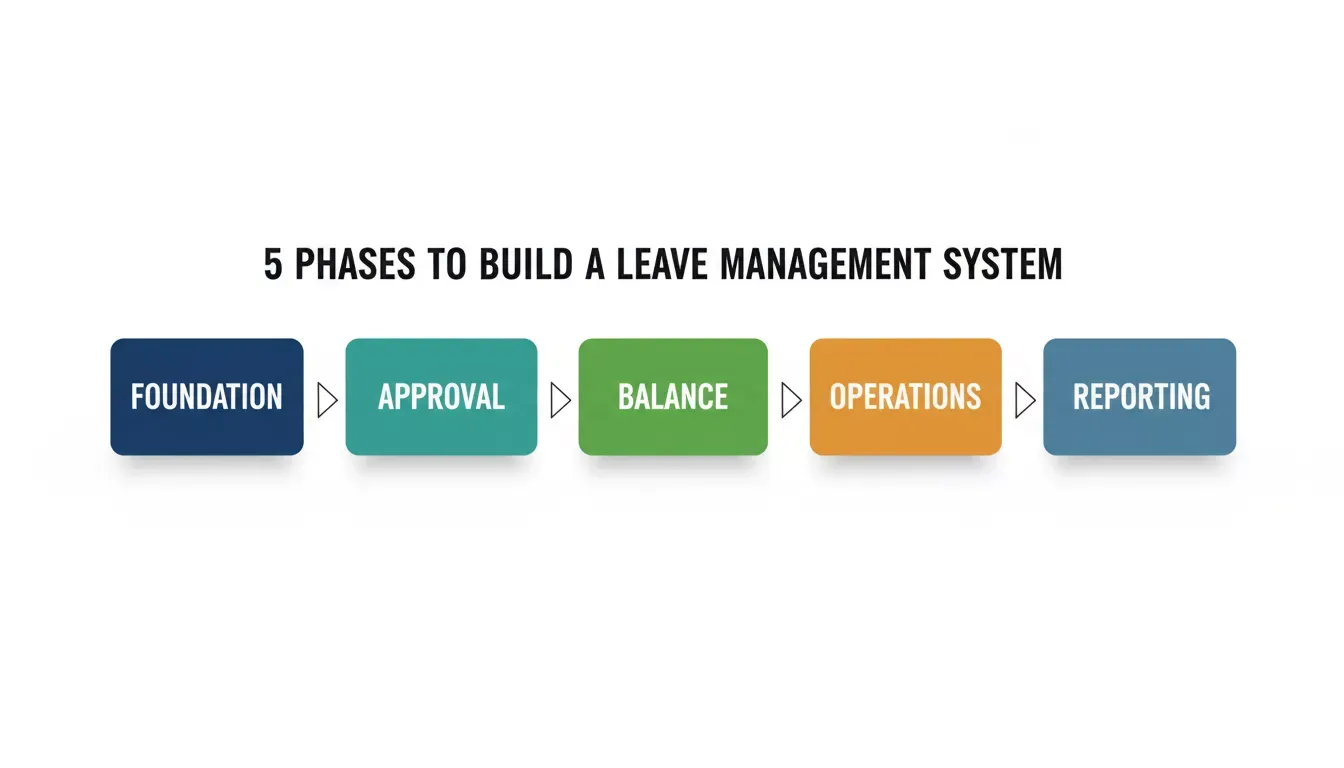
Five phases to build a production-ready leave management system
What Makes the Request and Approval Flow Production-Ready?
A production-ready approval flow routes requests, sends notifications, escalates missed deadlines, and writes every decision to an immutable audit log. A form that only submits a request is not a workflow; it is a starting point.
The approval process is where most vibe-coded leave apps collapse. A form that submits a request is not the same as a workflow that routes, notifies, escalates, and logs every decision for legal compliance. HR professionals need audit trails that hold up during employment law reviews.
Prompt 5: Date Range Picker with Conflict Detection
"Add a leave request form with a date range picker that calculates business days (excluding public holidays for the employee's location), checks remaining balance, and warns when team members on the same team have overlapping requests."
- What to check: Verify the conflict detection works across time zones for a fully remote team.
- Follow-up: "Add half-day leave support and an option to attach a doctor's note for sick leave over three days."
Prompt 6: Manager Approval Dashboard
"Build a manager approval dashboard showing pending requests sorted by submission date, with employee name, leave type, dates, remaining balance, and a one-click approve or reject button. Add a required reason field for rejections."
- What to check: Confirm the HR manager cannot approve their own leave requests and the approval process routes correctly.
- Follow-up: "Add auto-escalation to the next-level manager if a request stays pending for 48 hours, minimizing disruption from a missed deadline scenario."
Prompt 7: Email and Slack Notifications via Resend
"Connect Resend for transactional emails sent on request submission, approval, rejection, and escalation. Include Slack webhook notifications to the team channel when leave is confirmed."
- What to check: Test that email templates render correctly and the employee communications include all relevant dates.
- Follow-up: "Add a weekly digest for hiring managers summarizing upcoming absences in their department."
Prompt 8: HR Override and Audit Log
"Create an HR admin panel where HR professionals can override any decision, cancel approved leave, and adjust balances manually. Every action writes to an audit log with timestamp, actor, reason, and previous state for legal team review."
- What to check: Verify the audit log captures the full before-and-after state and cannot be edited.
- Follow-up: "Add an export-to-PDF function for the audit log filtered by date range, supporting performance evaluation documentation."
A proper approval process saves time for HR teams by cutting back-and-forth emails. The audit log is not a reporting feature. It is the legal foundation that makes every other part of the system defensible. When the approval chain runs automatically, employee satisfaction rises because nobody sits around waiting for a response that may take days.
How Do You Handle Leave Balances and Team Calendar Sync?
Leave balance handling requires pro-rated accrual logic, carry-forward rules, real-time deduction on approval, and a team calendar that respects access boundaries. Any one of these missing makes the system unreliable for HR teams.
Real-time visibility into leave balances and absence management is what separates a functioning system from a glorified spreadsheet. According to the U.S. Bureau of Labor Statistics, paid sick leave access ranges from 55% to 97% depending on industry, making balance accuracy a legal compliance requirement, not a nice-to-have feature.
Prompt 9: Real-Time Balance Tracker
"Build a leave balances dashboard for each employee showing accrued days, used days, pending days, and available balance per category. Recalculate on every approval event. Handle pro-rated accrual for mid-year joiners."
- What to check: Test with an employee whose start date is mid-quarter to confirm pro-rating accuracy.
- Follow-up: "Add a projection showing estimated balance at year-end based on current accrual rate."
Prompt 10: Team Absence Calendar
"Create a shared calendar view where managers see their team's approved and pending leave on a monthly grid. Color-code by leave type. Add a coverage indicator that flags days when more than 40% of a team is absent."
- What to check: Confirm the calendar respects access boundaries between departments.
- Follow-up: "Add Google Calendar sync via OAuth so approved leave appears on the employee's personal calendar automatically."
Prompt 11: Carry-Forward and Expiry Logic
"Implement year-end carry-forward rules: unused annual leave rolls over up to a configured cap, sick leave resets, and parental leave accrual pauses during probation. Add automated reminders 30 days before expiry."
- What to check: Run a simulation at year-end to verify balances roll correctly and expired days do not reappear.
- Follow-up: "Add a use-it-or-lose-it alert with talking points for managers to share with team members approaching expiry."
Prompt 12: Public Holiday Configuration
"Build a public holiday management module where HR teams upload country-specific holiday calendars by year. The system auto-excludes these dates from leave deductions and highlights them on the team calendar."
- What to check: Test with overlapping regional holidays for offices in multiple countries.
- Follow-up: "Add optional replacement holidays for employees who work on designated public holidays, supporting employee relations policies."
Leave request workflow: from submission through manager decision to balance deduction
This balance engine removes human errors from leave calculations entirely. HR professionals spend less time on manual work and more time on strategic work that moves the organization forward. The balance phase is where most off-the-shelf HR SaaS tools charge the most, and building it yourself with these prompts eliminates that cost entirely.
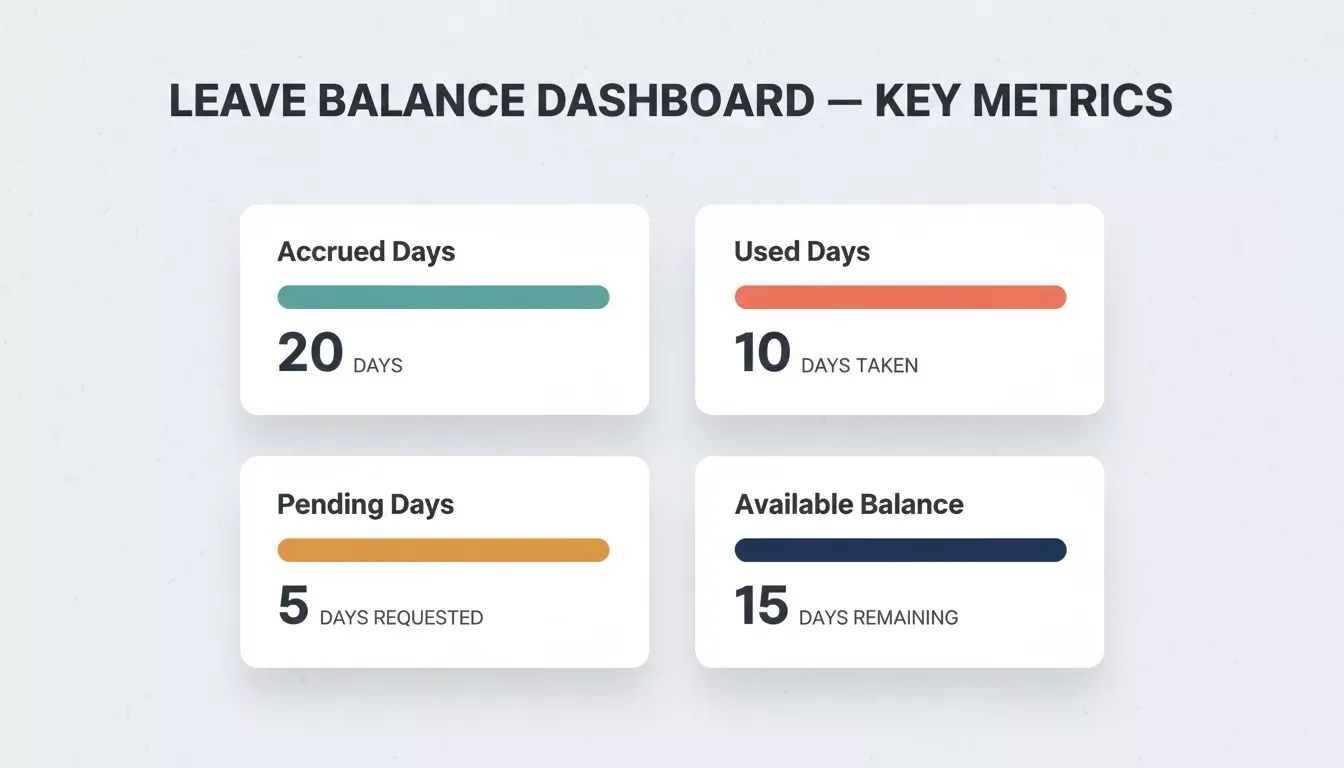
Key metrics tracked in the real-time leave balance dashboard
Why Rocket Ships Your Leave System Before Lunch
Rocket is not a vibe coding tool. It is a vibe solutioning platform built on three pillars: Solve for research and PRDs, Build for web and mobile apps, and Intelligence for competitor monitoring, all connected through shared context so nothing is re-explained between sessions.
Most HR software projects take weeks of scoping, vendor comparison, and back-and-forth between stakeholders. Deloitte's 2026 Global Human Capital Trends report, surveying over 9,000 HR leaders, found that 7 in 10 business leaders now prioritize speed and agility as their primary competitive strategy. Rocket delivers on that priority for leave management software builds.
Getting started takes about 30 seconds. Create a free account at docs.rocket.new/getting-started/quick-start, no credit card required, and your first Build task runs in under five minutes.
- Full-stack generation from structured prompts: Paste any prompt from this library into Rocket and get a working Next.js web app with a database schema, API routes, and UI components in one generation. No generic output, no switching between separate AI tools for frontend and backend work. The Supabase integration scaffolds the complete backend, including PostgreSQL database, user authentication, file storage, and edge functions, from a single chat prompt.
- Mobile approval apps for managers: Rocket also builds Flutter mobile apps alongside the web system, with iOS and Android from a single codebase, ready for App Store and Google Play submission. HR managers can approve or reject leave requests from a native mobile app generated in the same session as the web system.
- Iterative refinement without context loss: Each follow-up prompt builds on previous output. Rocket maintains conversation memory across the entire build session. Competing platforms like Bolt or Lovable generate isolated components that do not share state, forcing HR teams to rebuild context repeatedly. This produces generic output that rarely matches company policies.
- Production deployment in clicks: When your leave management software passes human review, ship it to a live URL directly. No DevOps pipeline needed, no manual work configuring servers or managing infrastructure.
Teams using Rocket report shipping internal tools in a single afternoon that would take weeks with traditional HR software vendors. The success criteria is simple: paste Prompt 1 and watch architecture materialize in under sixty seconds.
Which Prompts Cover HR Operations Edge Cases?
HR operations edge cases including probation restrictions, leave without pay deductions, bulk balance adjustments, and encashment processing are where legal compliance risk concentrates, and where generic prompts produce output that fails employment law audits.
HR operations prompts handle the scenarios tutorials ignore: probation restrictions, leave without pay calculations, bulk adjustments, and employee disputes over balances. These are the HR tasks that keep HR professionals up at night and create legal compliance risk when handled incorrectly.
Prompt 13: Probation Period Restrictions
"Add a rule engine that checks employee tenure against company policies for probation periods. Block leave requests for categories restricted during probation and show a clear message with eligibility date and legal requirements."
- What to check: Test with an employee one day before and one day after probation end date.
- Follow-up: "Add a configurable grace period where managers can override the restriction with documented justification for the HR business partner to review."
Prompt 14: Leave Without Pay Module
"Build a leave without pay workflow that triggers when an employee has a zero balance. Calculate salary deductions based on daily rate, generate a payroll adjustment record, and require dual approval from the department manager and HR business partner."
- What to check: Verify the payroll deduction amounts are accurate for both salaried and hourly employees.
- Follow-up: "Add a cap on consecutive LWP days with auto-escalation to the legal team after ten days, minimizing disruption to performance management plans."
Prompt 15: Bulk Balance Adjustments
"Create an HR admin tool for bulk adjustments: upload a CSV of employee IDs and adjustment values with a reason field. The system previews changes before applying and logs each adjustment to the audit trail."
- What to check: Confirm negative adjustments cannot push a balance below zero without explicit override and human review.
- Follow-up: "Add a scheduled adjustment feature for annual policy changes applied on a specific date."
Prompt 16: Leave Encashment Processing
"Build a leave encashment module where employees apply to cash out unused annual leave up to a configured maximum. Calculate payout based on current salary, route for finance approval, and generate a payroll export."
- What to check: Verify encashment calculations match employment law formulas for your country.
- Follow-up: "Add a performance improvement plan gate that blocks encashment for employees on active PIPs, per company policies."
Edge cases are where employee relations trust breaks down. Getting these HR processes right from day one keeps your organization compliant with legal requirements, including applicable leave statutes and recordkeeping obligations, and avoids time consuming disputes that damage employee experience. A system that handles edge cases correctly is one your legal team will actually sign off on.
Rocket also builds compliance and governance tools for audit-ready trackers and GDPR DSAR management as part of the same Build session, so your leave system can share infrastructure with your broader HR compliance stack.
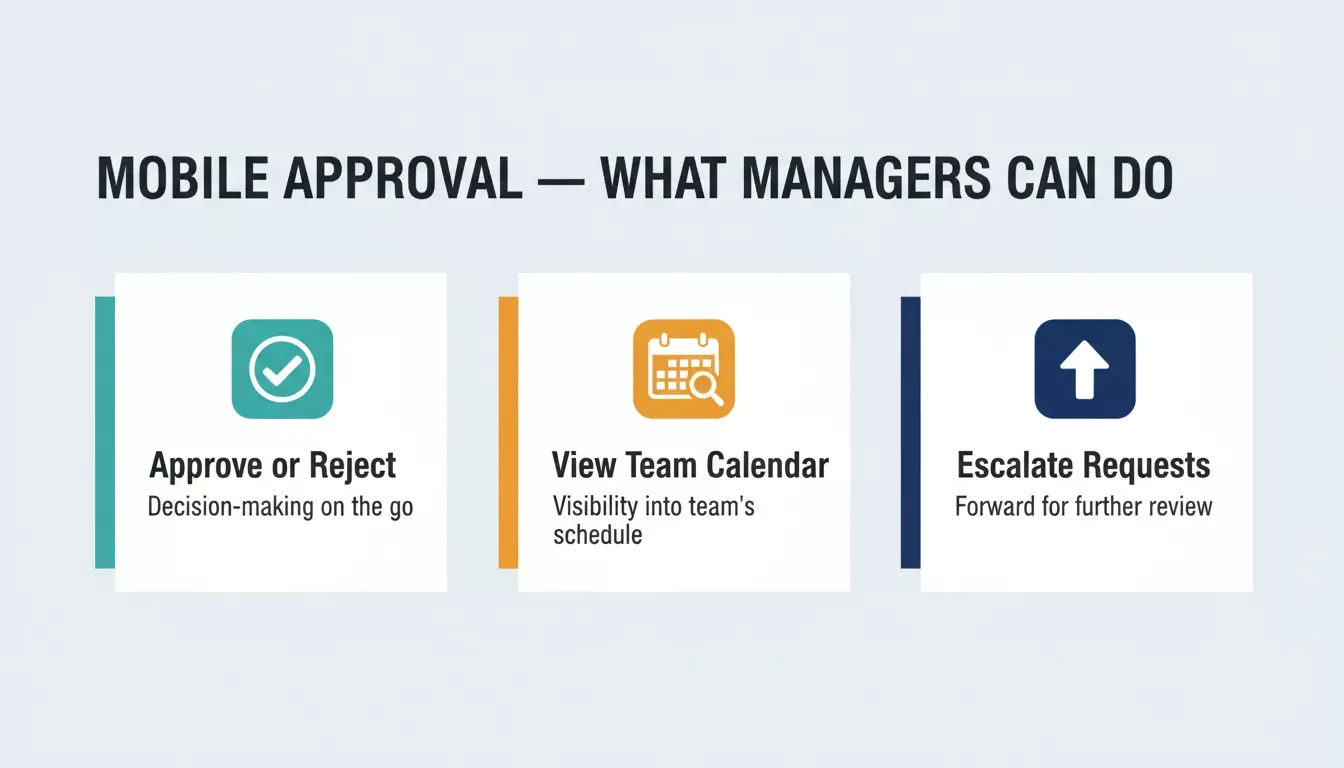
Three core actions HR managers can take from the mobile approval app
What Reporting Prompts Turn Leave Data Into Action?
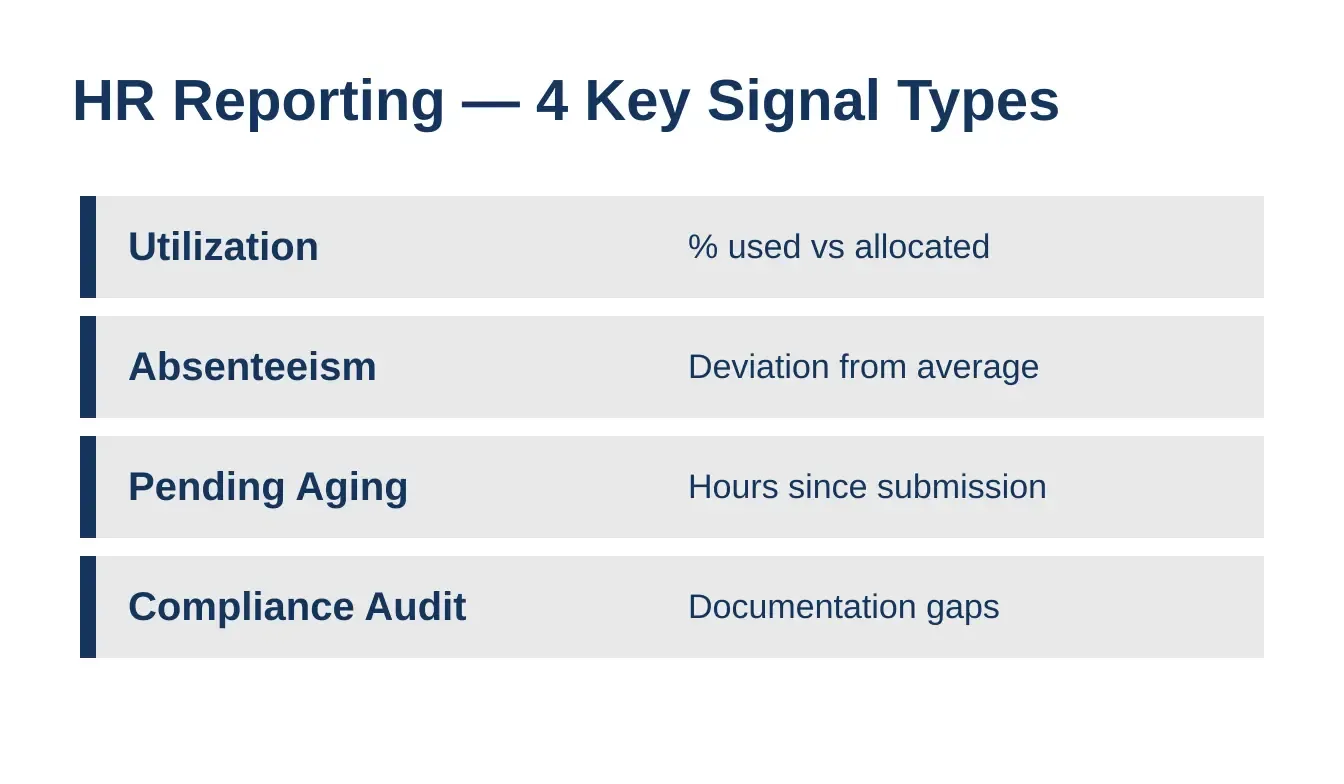
Reporting prompts transform leave data into workforce planning intelligence by surfacing utilization patterns, absenteeism deviations, aging approvals, and documentation gaps. These are the four signals HR leaders need to move from reactive administration to proactive policy management.
Reporting transforms raw leave data into patterns that inform workforce planning, identify patterns of absenteeism, and surface pending approvals aging past acceptable thresholds. These prompts give HR leaders and HR teams a complete analytics layer on top of the operational system.
Prompt 17: Utilization Dashboard by Department
"Build a reporting dashboard showing leave utilization percentage by department, broken down by leave type. Include a comparison table across quarters and highlight departments exceeding the company average by more than 20%."
- What to check: Verify calculations account for different team sizes (percentage not raw count).
- Follow-up: "Add drill-down capability where clicking a department shows individual employee trends for absence management review."
Prompt 18: Absenteeism Trends and Pattern Detection
"Create a trends chart showing sick leave patterns over twelve months by department. Flag employees with absence frequency exceeding two standard deviations from the team average. Display results on an HR manager dashboard with recommended talking points."
- What to check: Confirm the flagging algorithm respects privacy by showing results only to authorized HR professionals.
- Follow-up: "Add a correlation view comparing absenteeism patterns with performance management scores for future discussion with leadership."
Prompt 19: Pending Approvals Aging Report
"Generate a report showing all pending leave requests older than 24 hours, sorted by age. Include manager name, employee name, request date, and number of reminders sent. Auto-send escalation notifications at 24-hour and 48-hour marks."
- What to check: Verify the aging clock pauses on weekends and public holidays.
- Follow-up: "Add team dynamics scoring showing how long each manager typically takes to respond, supporting employees who need faster answers."
Prompt 20: Compliance and Audit Report
"Build a compliance report that surfaces requests approved without proper documentation (missing doctor's note for extended sick leave, missing HR override reason). Include an employment law checklist status per country and export as PDF for audit by the legal team."
- What to check: Test with multi-country scenarios where legal requirements differ.
- Follow-up: "Add FMLA tracking for US employees and statutory leave entitlement monitoring per jurisdiction, with HR communications specialist notification triggers."
For teams that also need to track HR onboarding software alongside leave management, Rocket generates both systems in the same workspace so they share the same employee profile data and Supabase backend.
| Report Type | Key Metric | HR Action Triggered |
|---|---|---|
| Utilization by dept | % used vs allocated | Rebalance policy caps |
| Absenteeism trends | Deviation from average | Manager conversation with talking points |
| Pending aging | Hours since submission | Auto-escalation to next approver |
| Compliance audit | Documentation gaps | Legal review flag for HR leaders |
Reporting is where your leave management software stops being a request tool and starts driving business outcomes. HR professionals can now make evidence-based recommendations to executives about policy changes backed by real data from their own system rather than spreadsheet guesswork. The reporting phase is what turns a functional app into a strategic HR asset.
 )
)
Four key signal types that HR reporting prompts surface for workforce planning
Rocket vs. Other Tools: Quick Comparison
| Capability | Rocket (vibe solutioning) | Bolt / Lovable / v0 (vibe coding) | BambooHR / Zoho People (HR SaaS) |
|---|---|---|---|
| Builds from structured prompts | Yes, full-stack Next.js and Flutter | Yes, frontend-focused, no persistent context | No, configuration only |
| Mobile app (iOS and Android) | Yes, Flutter, App Store ready | Partial, web preview only | Yes, vendor-built mobile |
| Pre-build research (Solve) | Yes, market and compliance research | No | No |
| Competitor monitoring (Intelligence) | Yes, nine signal pillars | No | No |
| Persistent context across sessions | Yes, compound memory architecture | No, each session starts fresh | Not applicable |
| Approval workflow depth | Full, routing, escalation, audit log | Depends on prompt specificity | Yes, vendor-defined |
| Compliance reporting | Customizable via prompts | Depends on prompt specificity | Vendor-defined templates |
| Deployment | One-click, custom domain | One-click | Vendor-hosted |
| Cost model | Credits, one balance for all pillars | Per-generation credits | Per-seat SaaS subscription |
| Customization ceiling | Unlimited, you own the code | Limited by context loss | Vendor roadmap |
The key distinction: off-the-shelf HR SaaS like BambooHR gives you a finished product you cannot change. Vibe coding tools like Bolt give you a starting point that loses context between sessions. Rocket gives you a production-ready, fully owned leave management system built from the thinking that preceded it.
HR teams that also need an attendance management system can generate it alongside the leave system in the same Rocket project, sharing the same employee profiles, Supabase backend, and role-based access controls.
Build the System Your HR Team Deserves
These twenty prompts cover the complete lifecycle: from authentication and policy setup through approval workflows, balance engines, HR operations edge cases, and compliance reporting. The difference between a weekend prototype and a system that supports your workforce for years is the structure and prompt engineering behind your instructions.
Your leave management software does not need another six-month vendor evaluation or a dedicated development plan with a full engineering team. It needs the right instructions fed to the right platform, and HR teams that act on this today will ship before their competitors finish writing requirements documents.
Ready to ship your leave management system today? Start building on Rocket.new, account creation takes about 30 seconds, no credit card required, and your first build runs in under five minutes. Your HR teams will thank you by Friday.
Table of contents
- -Why Do Most AI-Built Leave Apps Fail After the Request Form?
- -How Should You Structure Prompts for Leave System Architecture?
- -Prompt 1: Multi-role Authentication
- -Prompt 2: Employee Profile Setup
- -Prompt 3: Leave Policy Configuration
- -Prompt 4: Project Plan Scaffolding
- -What Makes the Request and Approval Flow Production-Ready?
- -Prompt 5: Date Range Picker with Conflict Detection
- -Prompt 6: Manager Approval Dashboard
- -Prompt 7: Email and Slack Notifications via Resend
- -Prompt 8: HR Override and Audit Log
- -How Do You Handle Leave Balances and Team Calendar Sync?
- -Prompt 9: Real-Time Balance Tracker
- -Prompt 10: Team Absence Calendar
- -Prompt 11: Carry-Forward and Expiry Logic
- -Prompt 12: Public Holiday Configuration
- -Why Rocket Ships Your Leave System Before Lunch
- -Which Prompts Cover HR Operations Edge Cases?
- -Prompt 13: Probation Period Restrictions
- -Prompt 14: Leave Without Pay Module
- -Prompt 15: Bulk Balance Adjustments
- -Prompt 16: Leave Encashment Processing
- -What Reporting Prompts Turn Leave Data Into Action?
- -Prompt 17: Utilization Dashboard by Department
- -Prompt 18: Absenteeism Trends and Pattern Detection
- -Prompt 19: Pending Approvals Aging Report
- -Prompt 20: Compliance and Audit Report
- -Rocket vs. Other Tools: Quick Comparison
- -Build the System Your HR Team Deserves