
An AI Supabase Generator reads your project schema, auth config, and RLS policies, then generates a complete production-ready app from a single natural language prompt no manual wiring required.
Why are over 60% of new Supabase databases now created by AI tools instead of humans?
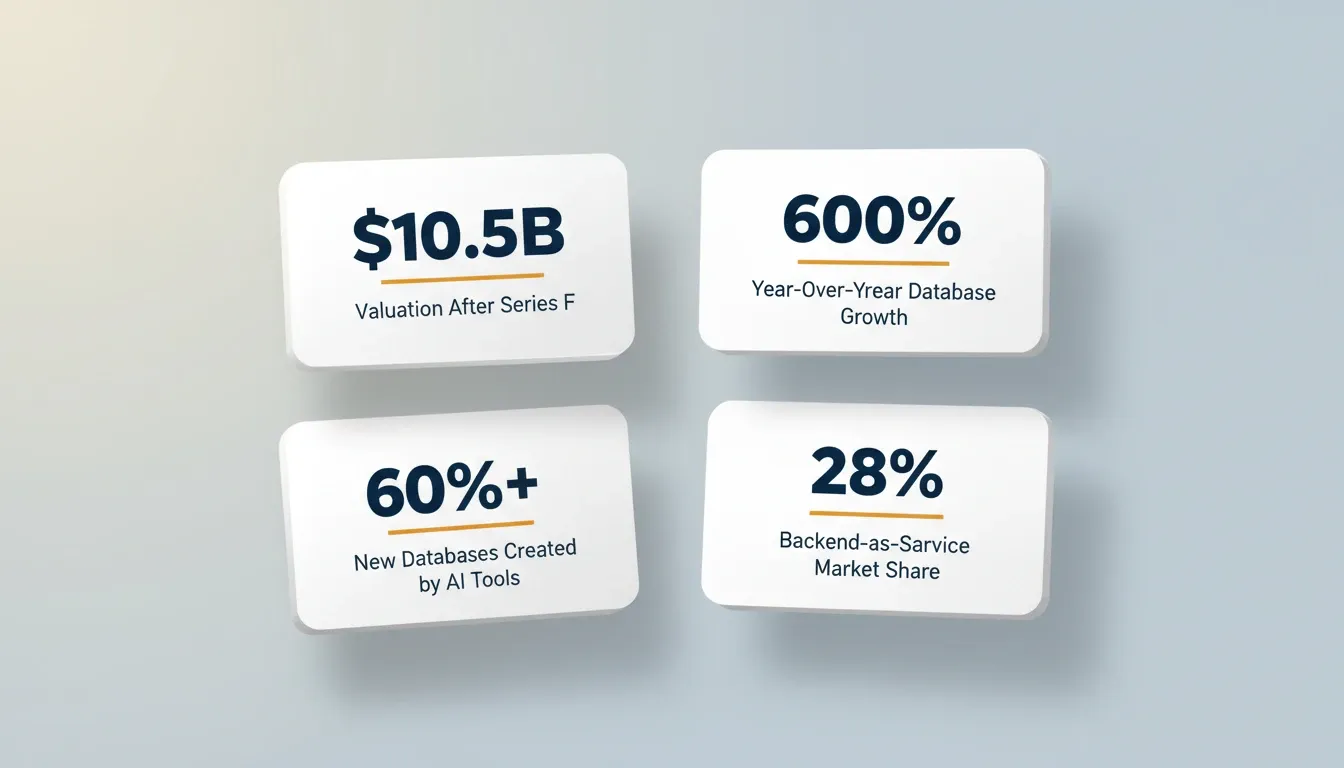
That single stat rewrites the rules for backend development. Supabase saw a 600% increase in databases year over year heading into mid-2026. The platform now serves over 1.2 million active developer users worldwide.
The shift is not just about popularity. It signals a real change in how backends get built, configured, and deployed.
Setting up a Postgres backend used to mean hours of manual schema design, auth configuration, row-level security policies, and migration scripting. AI-powered tools compress that entire workflow into a single natural language prompt.
Why are Developers Moving to AI-Powered Supabase Backends?
The numbers tell a compelling story. Supabase's trajectory in 2026 reflects a broader, industry-wide move toward AI-driven backend infrastructure.
-
$10.5 billion valuation after a $500 million Series F in June 2026, led by GIC
-
1.2 million active developer users on the platform, up 300% from 2025
-
60%+ of new databases provisioned by AI coding tools rather than human users
-
28% backend-as-a-service market share, jumping from 12% in 2025
-
600% year-over-year database growth driven by AI coding tools
Supabase CEO Paul Copplestone confirmed the scale of this shift: "Agents are now deploying the majority of databases on our platform."
Understanding how Supabase works as a PostgreSQL-backed platform explains why AI generation is so effective here. The schema is structured, the auth layer is standardized, and the RLS policies follow predictable patterns. An AI can read, interpret, and build on top of all of that without guesswork.
What Can You Build with an AI Supabase Generator?
The range is wider than most people expect. AI backend generators handle far more than simple CRUD apps.
-
SaaS platforms with multi-tenant data isolation, subscription billing logic, and role-based dashboards
-
Real-time collaborative tools where Supabase's WebSocket-based realtime subscriptions power live updates
-
Mobile applications with native authentication flows, offline-first storage, and push notification backends
-
Internal business tools like admin panels, OKR trackers, and approval workflows
-
E-commerce stores with product catalogs, cart persistence, order tracking, and payment processing
-
AI-powered tools that combine Supabase's vector search with OpenAI or Anthropic for semantic retrieval
The key difference is speed. What previously took a team weeks of backend wiring now generates in minutes.
Common Project Types That Benefit Most
Not every project gains equally from AI-generated backends. The biggest time savings show up in projects with these characteristics.
-
Relational data models with foreign keys and joins
-
Row-level security requirements tied to user roles or ownership
-
Auth flows including email/password, OAuth providers, and magic links
-
Real-time features like live dashboards, chat, or collaborative editing
-
Edge function needs for webhooks, scheduled jobs, or server-side API calls
-
Vector search for AI-powered recommendations and content retrieval
Projects that already lean on PostgreSQL and need auth plus security from day one benefit most. The AI handles the plumbing, so teams can focus on product logic instead.
How Does an AI Backend Generator Handle Schema and Auth?
This is where traditional tools fall apart. Most platforms treat the database, auth layer, and security policies as separate concerns you configure independently.
-
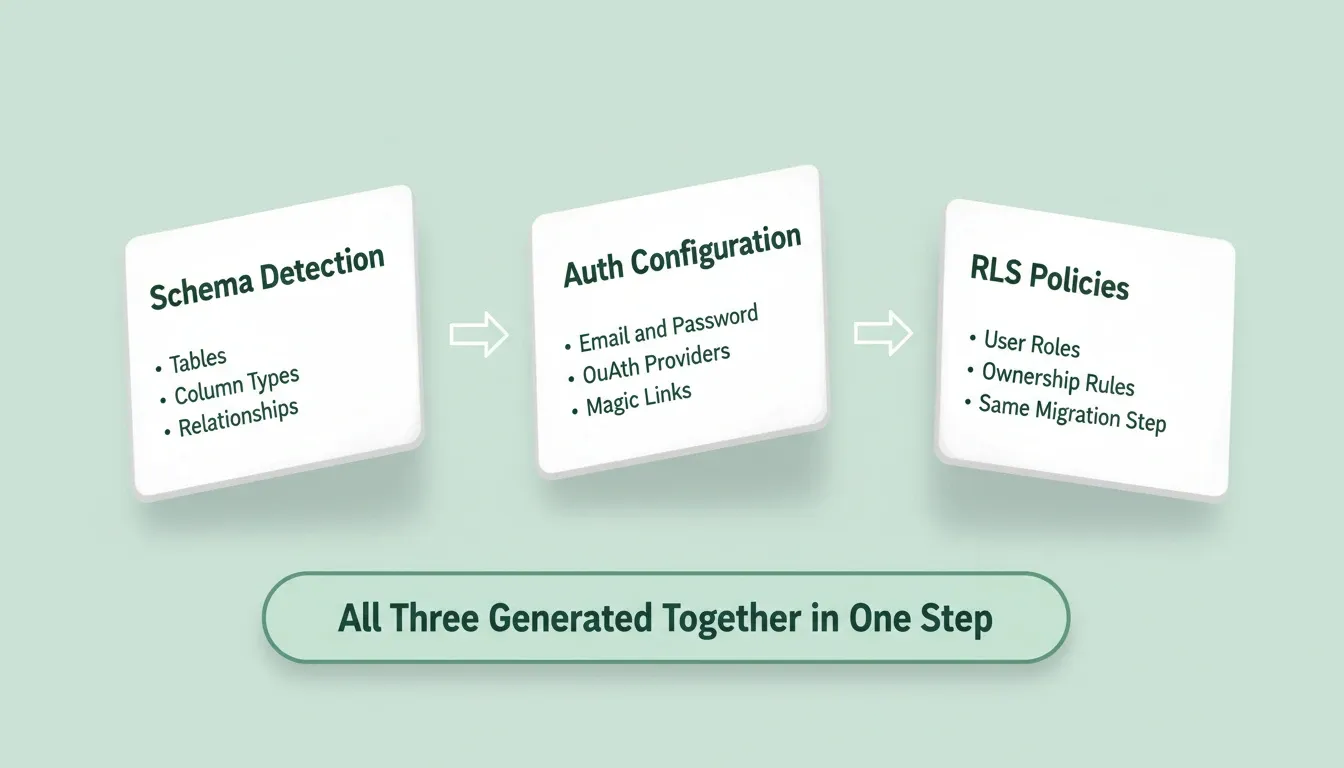
Schema-first generation means the AI reads your existing Supabase tables, column types, and relationships before writing any application code
-
Auth-aware page rendering produces login flows, protected routes, and user-specific data loading that already know about the authentication state
-
Row-level security policies get created alongside the tables they protect, in the same migration step
-
Type-safe queries reference real column names and actual data types, so there are no placeholder values to replace later
-
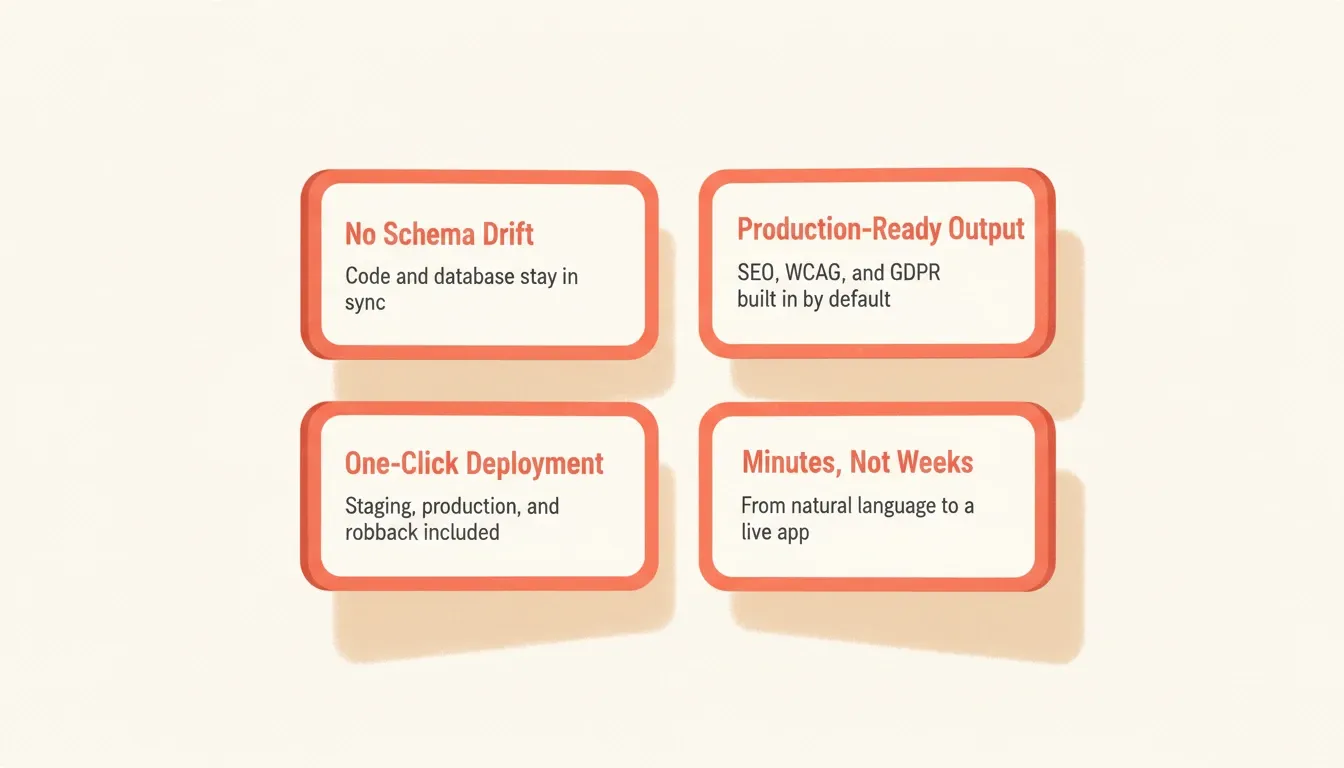
Migration tracking keeps the database schema and application code in sync through every change
PostgreSQL's dominance makes this approach practical at scale. StackOverflow's 2025 developer survey showed PostgreSQL at 58.2% professional developer usage, a 7-point jump from 2024. That kind of adoption makes AI generation more reliable and the output more predictable.
What Supabase Auth Generation Actually Looks Like
One of the most error-prone parts of any backend is authentication. When AI tools write directly to Supabase'sauth.usersandauth.identitiestables via SQL migrations, subtle version mismatches in GoTrue (Supabase's auth server) can cause silent failures. Login returns "Invalid login credentials" with no clear error.
The correct approach routes auth creation throughsupabase.auth.admin.createUser(). This uses GoTrue's own logic and stays schema-correct regardless of the GoTrue version running on your project. A well-designed AI Supabase generator knows this distinction and generates auth code that works on the first attempt.
Enabling row-level security in an AI-built app follows the same principle. Policies should be generated alongside the tables they protect, not added as a separate step after the fact. When security is an afterthought, it gets forgotten.
Where Rocket Fits in the AI Backend Generation Workflow
Most AI app builders follow a predictable pattern. They generate a frontend with placeholder data, then leave you to manually create tables, replace fake queries with real ones, and retrofit security. Rocket takes a different approach.
Rocket is a vibe solutioning platform. It combines strategic research (Solve), production-grade app generation (Build), and continuous competitive monitoring (Intelligence) in a single shared-context workspace. The Supabase integration is built directly into the Build pipeline, not bolted on afterward.
Here is what that means in practice:
-
Database-first generation reads the full Supabase schema, auth configuration, RLS policies, storage buckets, and Edge Functions before any app code is written
-
Schema changes travel with code changes, so adding a feature through chat generates both the UI update and the corresponding database migration in a single step
-
25+ built-in connectors link directly into the build, including Stripe, OpenAI, Google Analytics, and Supabase. Authenticate once and they flow into every build.
-
Production-grade output from the first generation, with SEO structure, WCAG accessibility compliance, GDPR coverage, and performance optimization as defaults
-
Existing project support lets you connect a Supabase project that already has tables and data, then build a new frontend or admin dashboard on top of it
The result: fewer bugs, no schema drift, and apps that work the moment they generate.
Launchpad: Start Directly from Your Supabase Project
One of Rocket's most practical features for Supabase users is Launchpad. Instead of writing a prompt from scratch, you connect your existing Supabase project as the starting point. Rocket reads your project schema directly and begins generation from that material. No information gets lost in translation, and you do not need to describe technical things like table structures or relationship types.
This is how it works:
-
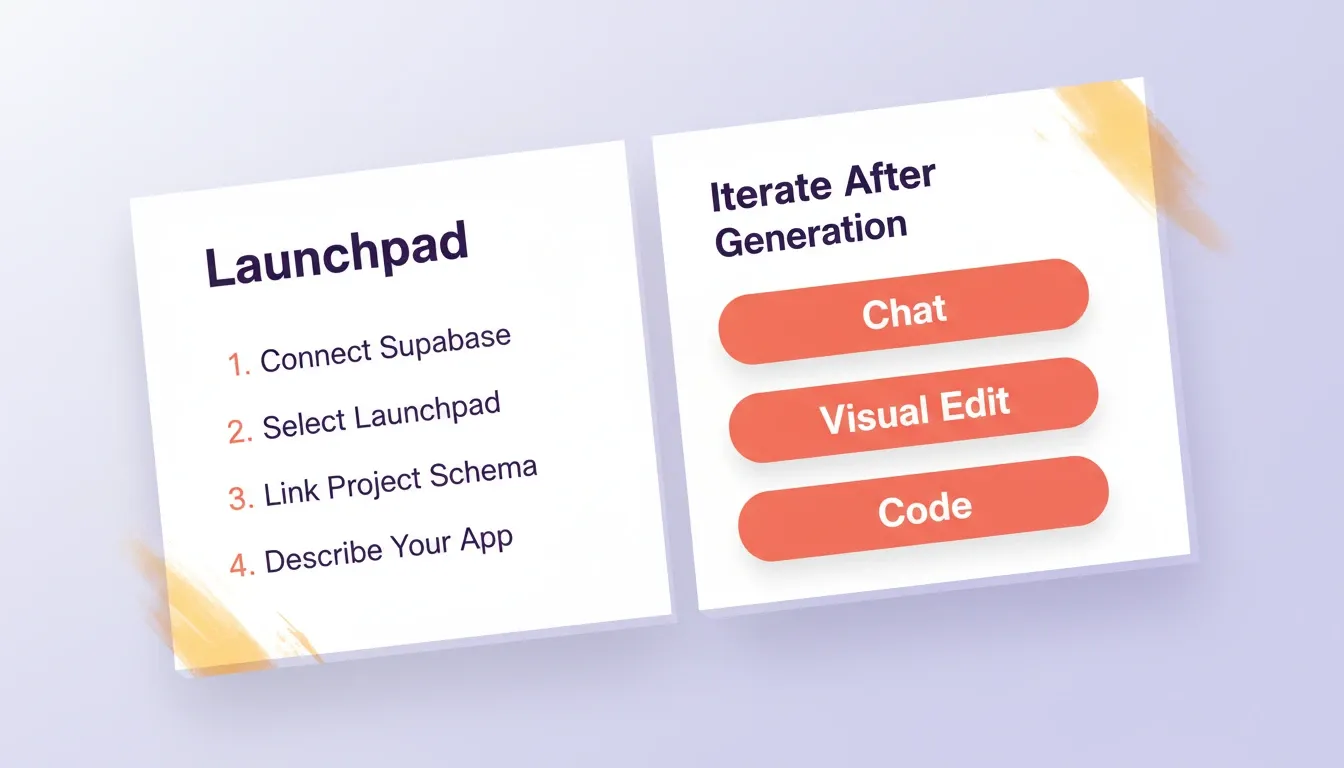
Connect Supabase as a workspace-level connector (Settings, then Connectors, then Supabase, then OAuth)
-
Start a new Build task and select Launchpad
-
Link your Supabase project so Rocket reads the schema
-
Describe what you want to build on top of it
-
Rocket generates application code that references your real tables, not placeholder data
Non-technical users get accurate output without describing technical schemas. Technical users skip the boilerplate entirely and start from the data model they have already designed.
Three Ways to Iterate After Generation
Once Rocket generates your Supabase-backed app, three iteration modes are available:
-
Chat — use natural language to change anything. Add a settings page, fix the mobile layout, or add a new RLS policy for team-based access. Rocket applies changes in context without re-explaining what already exists.
-
Visual Edit — click any element in the live preview to change text, style, spacing, or layout directly. This is WYSIWYG editing on the running app.
-
Code — browse and modify the generated Next.js source files directly. You can also download the code for local development.
Every Rocket build ships with staging and production environments, full version history, and one-click rollback. You can test schema migrations in staging before pushing to production and reverse any change without losing what was already built.
From Prompt to Production: A Complete Setup Flow
Getting a working Supabase backend from a text prompt involves a clear sequence of steps. Here is the typical flow when using an AI backend generator.
-
Describe your application in plain language. Specify key screens, data models, user roles, and authentication needs.
-
Connect your Supabase project by authenticating once through the platform's connector system.
-
Review the generated schema, including tables, relationships, RLS policies, and Edge Functions that the AI produces.
-
Iterate through conversation by adding features, adjusting permissions, or modifying the data model without re-explaining what already exists.
-
Deploy to production with a single action. You get a live URL with working auth, a connected database, and real data flowing.
The Generation Pipeline Visualized
Manual Setup vs AI-Generated Supabase Backends
The gap between traditional and AI-powered approaches becomes obvious when you map out the actual tasks involved. Generating a database schema with AI is one part of the picture. The real advantage comes when schema, auth, RLS, and frontend all generate together as a single coherent artifact.
| Task | Manual Approach | AI-Generated Approach |
|---|---|---|
| Schema design | Write SQL by hand and iterate through trial and error | Generated from natural language in seconds |
| Auth configuration | Set up providers, configure callbacks, build login pages separately | Auth-aware pages and flows generated as part of the build |
| Row-level security | Write RLS policies after creating tables, often forgotten | RLS policies created alongside tables in the same migration |
| API layer | Build REST or GraphQL endpoints manually | Queries generated against real schema with correct types |
| Frontend wiring | Wire up auth state, data fetching, and error handling piece by piece | All layers generated together with shared context |
| Schema updates | Write migrations, update queries, fix breaking changes | Code and migration generated as a single unit |
| Auth debugging | Manually trace GoTrue versioning issues and SQL constraint conflicts | Advisor Agent identifies root causes and the correct API approach |
| Deployment | Configure hosting, environment variables, and DNS manually | One-click deploy to staging and production with automatic HTTPS |
| Time to first working version | Days to weeks | Minutes |
The manual path leaves room for drift between your database and application. Every separate step is a chance for something to fall out of sync. The AI-generated path treats the entire stack as one artifact, which removes most categories of backend wiring bugs.
AI Supabase Generator: How the Tools Compare
Not all AI builders handle Supabase the same way. Here is how the approaches differ across tools developers commonly evaluate.
| Capability | Rocket | Lovable | Bolt | v0 |
|---|---|---|---|---|
| Reads existing Supabase schema via Launchpad | Yes | Partial | No | No |
| Generates RLS policies with tables | Yes | Partial | No | No |
| Auth viaauth.admin.createUser() | Yes | Varies | Varies | No |
| Code and migration in one step | Yes | No | No | No |
| Staging and production environments | Yes | No | No | No |
| Version history and rollback | Yes | No | No | No |
| Built-in analytics post-launch | Yes | No | No | No |
| Flutter mobile app generation | Yes | No | No | No |
| 25+ integrations in generation | Yes | Limited | Limited | No |
The key differentiator is that Rocket treats Supabase as a first-class generation context, not a post-generation integration step. The schema informs the code from the first token generated.
A Smarter Path to Building Supabase Backends
Backend setup no longer needs to be the bottleneck. With AI tools reading your schema, generating auth-aware code, and creating security policies in the same step, the gap between idea and working product keeps shrinking. The Supabase ecosystem's explosive growth confirms that developers are ready for this shift.
The next step is yours. If you have a Supabase project or want to start one, the fastest way to turn it into a production app is to describe what you want and let AI handle the wiring.
The Future of AI-Powered Supabase Development
AI Supabase generators are not a shortcut. They represent a structural shift in how backends get built. As Supabase continues its rapid growth trajectory, the tools that read your data layer before generating code will define the next generation of production apps.
Rocket handles the schema, auth, RLS policies, and frontend as one coherent artifact, so the gap between idea and working product keeps shrinking. Describe your app, connect your Supabase project, and go live. Start building on Rocket and turn your Postgres backend into a production app today.
Table of contents
- -Why are Developers Moving to AI-Powered Supabase Backends?
- -What Can You Build with an AI Supabase Generator?
- -Common Project Types That Benefit Most
- -How Does an AI Backend Generator Handle Schema and Auth?
- -What Supabase Auth Generation Actually Looks Like
- -Where Rocket Fits in the AI Backend Generation Workflow
- -Launchpad: Start Directly from Your Supabase Project
- -Three Ways to Iterate After Generation
- -From Prompt to Production: A Complete Setup Flow
- -The Generation Pipeline Visualized
- -Manual Setup vs AI-Generated Supabase Backends
- -AI Supabase Generator: How the Tools Compare
- -A Smarter Path to Building Supabase Backends
- -The Future of AI-Powered Supabase Development