

Use AI prompts to build a community platform in 2026 with a five-phase library covering auth, posts, moderation, payments, and analytics. Rocket.new generates the full stack from a single structured prompt, shipping what takes traditional teams weeks in one session.
Most community platform projects stall right after the login screen because builders write one vague prompt, get a half-baked output, and lose momentum stitching pieces together manually.
The fix is a structured, phase-by-phase prompt library that tells the AI exactly what to build, in what order, and to what specification.
This guide delivers the best AI prompts to build community platform 2026, organized across five phases from authentication to analytics, so your platform ships complete and production-ready from day one.
Why Structured Prompts Outperform Generic Advice for App Building
Good prompts help community builders solve their biggest challenges by following a pattern that mirrors how professional teams scope projects. When you hand AI tools a vague request like "make me a community app," the output misses the specifics your community members actually need.
-
Structured prompts define the target audience first: who joins, what roles exist, and what permissions each role carries, almost like a job description for the AI
-
They describe audience behavior: how members interact with content creation features, discussion threads, and each other
-
They specify technical constraints: database schema, API endpoints, mobile apps responsiveness, brand voice consistency. They produce better output because the AI model has less room to guess and more room to execute
-
Context beats length; a 3-sentence prompt in plain language with specific instructions outperforms a 300-word wall of generic text
The table below shows the anatomy of a strong prompt versus a weak one for building full-stack applications. Understanding this difference is the single most important step before writing your first community platform prompt.
| Element | Weak Prompt | Strong Prompt |
|---|---|---|
| Role | "Build a community app" | "Act as a senior full-stack engineer building a Next.js community platform" |
| Audience | Missing | "For indie creators running paid memberships with 500-5000 community members" |
| Features | "Add posts and comments" | "Threaded posts with rich text, nested comments, upvotes, and a searchable member directory" |
| Constraints | None stated | "Use Supabase for auth, include mobile-responsive layouts, add empty states for all views" |
| Output format | Unspecified | "Generate the full page structure with file names and component hierarchy" |
That difference in specificity is what separates an online community that works from one that needs weeks of manual patches.
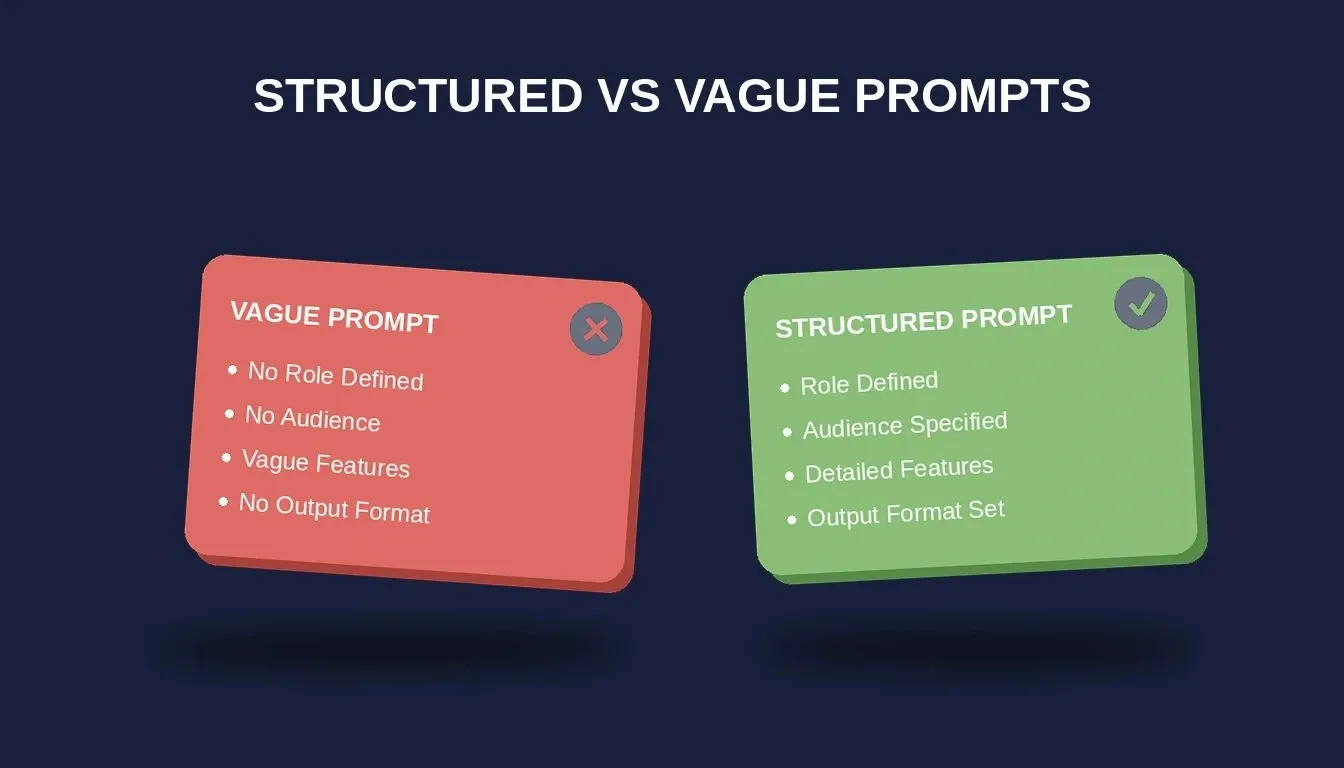
Structured prompts with defined role, audience, constraints, and output format consistently outperform vague requests
How Do Foundation Prompts Set Up Multi-Role Auth and Onboarding?
The foundation phase handles three things: who can access what, how profiles are structured, and what new community members see first. Skip this phase and every later feature breaks. Start here before writing any other prompt in your library.
-
Auth prompt: "Create a multi-role authentication system with three roles: Admin, Moderator, and Member. Admins manage all settings and billing. Moderators can approve posts and ban users. Members can create posts, comment, and update their own profiles. Use Supabase Auth with email/password and social login via Google."
-
What to check: Verify that role-based access controls restrict the admin dashboard from member accounts. Test that social login redirects work on mobile apps and desktop browsers.
-
Profile prompt: "Add a community profile page where members set a display name, bio (280 character limit), avatar upload, and 280-character interest tags from a predefined list. Include a landing page for the public-facing profile with social proof elements."
-
What to check: Confirm that the avatar upload accepts standard image formats and resizes automatically. Validate that interest tags save to the database and appear on the memare saved directory
-
Onboarding prompt: "Build an interest-based onboarding flow that appears after first login. Show a grid of topic categories. Based on selections, recommend 3 groups and 5 recent discussion threads. Include a progress indicator and a skip option."
-
Follow-up refinement: "Add a welcome email trigger via Resend when onboarding completes. Include the member's chosen topics and a direct link to their first recommended group."
This community strategy of interest-matching during onboarding is what separates platforms with high day-one retention from those where new members vanish after signup. To generate an authentication system that handles all three roles cleanly, write the auth prompt before any other feature prompt.
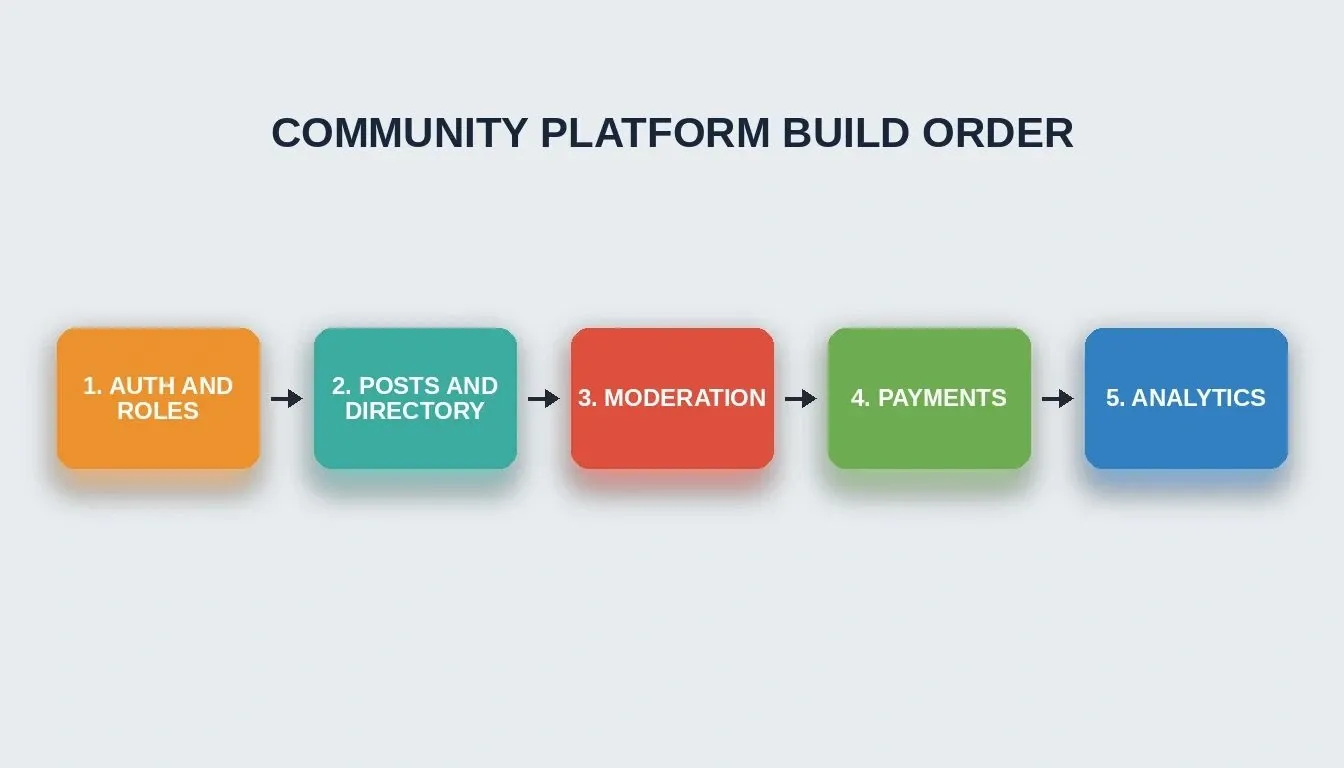
The five-phase build order ensures every feature layer connects cleanly to the one before it
What Core Feature Prompts Create Threaded Posts and Member Directories?
Once authentication is working, the next phase adds the features community managers rely on daily. These prompts produce the social layer, which is the part your members actually interact with every session. Getting this phase right determines whether members return after day one.
-
Threaded posts prompt: "Create a post feed with rich text editor supporting bold, italic,a links, code blocks, and image embeds. Each post supports nested comments up to 3 levels deep. Add upvote/downvote buttons with a score counter. Include sorting by newest, most popular, and trending."
-
What to check: Verify the rich text editor renders correctly on screens below 768px width. Test that nested comments collapse properly and that vote counts update in real time.
-
Member directory prompt: "Build a searchable member directory with filters for role, join date, and interest tags. Display each member as a card showing avatar, name, bio snippet, and post count. Add pagination with 20 results per page."
-
Follow-up refinement: "Add a 'message' button on each member card that opens a direct messaging drawer. Track when community members were last active and show a status indicator." Networking-focused communities often use directories and messaging to surface collaboration and job opportunities.
Content pillars for your community, whether focused on support, learning, or networking, shape which of these features get priority. A support community needs the comment section and search first. A networking community needs the directory and DMs first. AI can help uncover trends in community member feedback from posts, replies, and DMs so you can decide what to build next.
As one community builder shared on Reddit: "The moment I stopped writing prompts like a wish list and started writing them like a spec document, the AI output went from toy app to something I could actually show paying users." Learning prompt engineering best practices before this phase will sharpen every prompt you write from here forward.
Which Moderation Prompts Keep Your Online Community Safe?
Moderation is where most AI-generated community platforms fall apart. Without a proper flagged content queue and escalation path, spam and toxicity will drive your best members away. According to JetBrains, 69% of developers now regularly use ChatGPT prompts for development work, so the tools are ready. You just need the right instructions.
-
Flagged content queue prompt: "Create an admin-only moderation dashboard showing all reported posts sorted by report count. Each item displays the post content, reporter reason, author history (total posts, previous warnings), and action buttons: Approve, Warn, Remove, and Ban User."
-
What to check: Test that removing a post also removes it from the public feed immediately. Verify that the knowledge base of previous actions shows in the author history panel.
-
Ban/warning flow prompt: "When a moderator issues a warning, send the author an in-app notification and an email explaining the violation. After 3 warnings within 90 days, auto-suggest a temporary ban. Include an appeal form where banned members can submit one response."
-
Spam detection prompt: "Add automated spam detection that flags posts containing more than 3 external links, posts from accounts less than 24 hours old with links, and duplicate content posted within 5 minutes. Send a Twilio SMS alert to the admin phone number when 5 or more flags trigger within one hour."
-
Follow-up refinement: "Add a moderation log that records every action with a timestamp, moderator name, and reason. Make it exportable as CSV for compliance audits."
Real data from active communities show that response assistance speed matters more than rule complexity. A fast three-option workflow (approve, warn, remove) beats a slow ten-option system where community managers get stuck deciding.
How Rocket.new Turns These Prompts into a Working Platform
Here is where the gap between traditional coding and prompt-driven development becomes obvious. Tools like Bolt and Lovable generate frontend components, but they leave you stitching together auth, database, API endpoints, and deployment yourself. Rocket.new handles the full arc from a single prompt to a deployed, production-ready application.
-
One prompt, full stack output: paste your foundation full-stacko Rocket.new and get a working Next.js app with Supabase auth, database schema, and all UI screens generated in context
-
26+ integrations from day one: Stripe for paid memberships, Twilio for spam alerts, Resend for email digests, Google Analytics for tracking performance, all connected through workspace connectors without manual wiring
-
Mobile apps and web from one session: Rocket.new outputs responsive web apps in Next.js and native mobile apps in Flutter, both sharing the same backend logic
-
Iterate through conversation: after the first generation, refine through follow-up prompts, add features, adjust the design, and connect new data sources without re-explaining your community strategy
-
Deploy with one click: staging and production environments with custom domains, HTTPS, and built-in analytics tracking engagement metrics across all pages
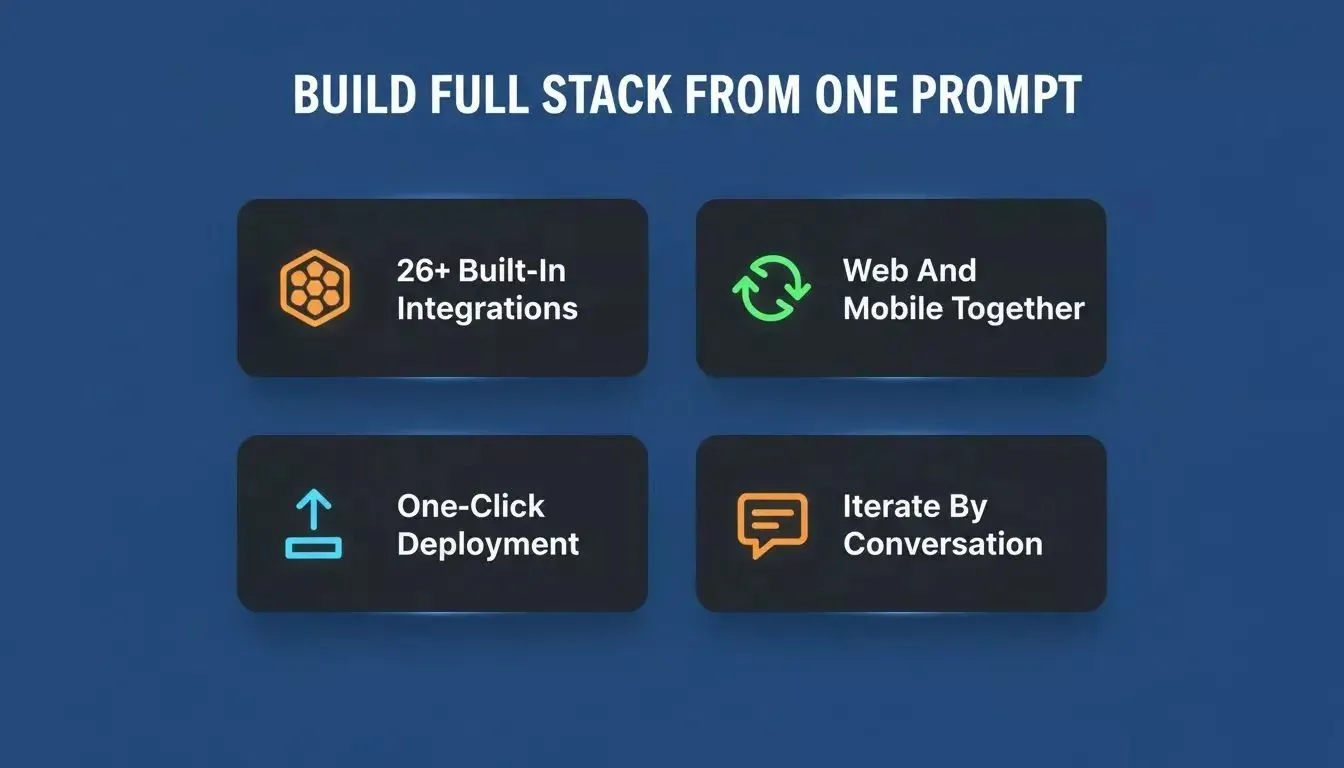
Rocket.new generates the full stack, including auth, database, UI, and integrations from a single structured prompt
Try it now:* Paste any prompt from this guide into Rocket.new and watch the full community platform generate in one session.*
Where other AI tools give you a starting point, Rocket.new gives you a deployable product. The difference matters when your online community has real members waiting. Explore the best AI app builder comparison to see how Rocket.new stacks up against alternatives before you commit.
Monetisation and Engagement Prompts for Stripe, Resend, and Events
Once your community runs smoothly, the next phase adds revenue and retention features. These prompts connect Stripe for payments, Resend for email engagement, and an event system for RSVP tracking. Paid memberships with clear value at each tier create predictable revenue that scales with your community.
-
Stripe membership tiers prompt: "Create a membership system with three tiers: Free, Pro ($19/month), and Team ($49/month). Free members see public posts only. Pro members access gated content, private channels, and the weekly digest. Team members get everything plus API access, priority support, and custom branding. Connect Stripe Checkout for upgrades and Stripe Billing for recurring payments."
-
What to check: Confirm that downgrading removes access to gated content immediately. Test webhook handling for failed payments and grace periods.
-
Weekly digest prompt: "Build an automated weekly email digest via Resend that sends every Monday at 9am in the member's timezone. Include the top 5 posts by engagement, new member count, and one featured event. Allow members to unsubscribe from the digest without leaving the community." Consider a short event recap clip or founder update using video content in the digest; it can boost community engagement by making interactions more relatable and add authenticity that strengthens trust. As a practical benchmark, 88% of video marketers see video as crucial for community engagement.
-
Event RSVP prompt: "Add an events section where admins create events with title, description, date/time, location (virtual or in-person), and capacity limit. Members can RSVP, join a waitlist when full, and receive a reminder email 24 hours before the event. Track attendance to identify patterns in event ideas that drive engagement." This also helps when promoting upgrades around events, since video content can keep members engaged longer and drive more action.
-
Follow-up refinement: "Add a conversion rate tracker that shows what percentage of free members upgrade to Pro within their first 30 days. Display this on the admin dashboard alongside revenue metrics."
The combination of gated content and a weekly digest keeps the pro plan feeling worth it every single week. For a deeper look at how Stripe payment integration works inside an AI-generated app, the implementation patterns apply directly to this monetisation phase.
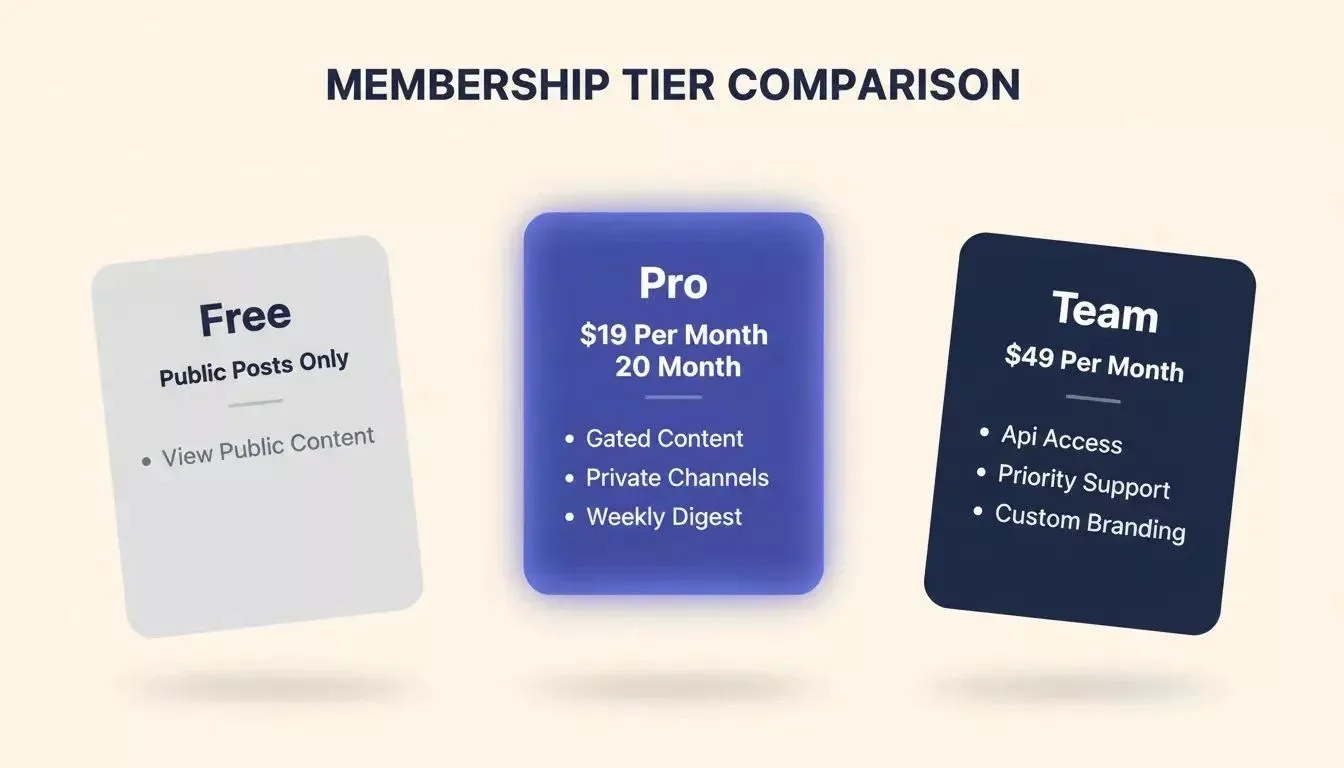
Three-tier membership structure with clear value at each level drives predictable recurring revenue
Reporting Prompts for Engagement Metrics, Growth Dashboards and Leaderboards
The final phase gives you visibility into what is working. Without reporting, you are guessing which content pillars resonate and which community managers are making an impact. Building dashboards before you have data is wasted effort; build them as your last phase so every metric has something to show.
-
Member growth dashboard prompt: "Create an admin dashboard showing member signups over time (daily, weekly, monthly chart), active member count (posted or commented in last 7 days), churn rate, and a breakdown by acquisition source. Include empty states with helpful copy when data is not yet available."
-
Top contributor leaderboard prompt: "Build a public leaderboard showing the top 20 contributors ranked by a combined score of posts, helpful answers (upvoted comments), and event attendance. Update rankings weekly. Include a data driven metric card for each contributor showing their stats."
-
Post engagement analytics prompt: "Add per-post analytics visible to post authors showing views, unique visitors, upvotes, comments, shares, and average read time. Display a simple line chart of views over the past 30 days. Track performance across different channels and content types."
-
Mobile-responsive audit prompt: "Review all screens for mobile responsiveness. Fix any components that overflow on screens below 375px width. Test the navigation, post editor, and member directory on iOS Safari and Android Chrome."
Analytics pipeline: three data sources feed one database, powering dashboards and decisions
With the Solve feature in Rocket.new, you can research what engagement metrics your target audience cares about before you write these reporting prompts. That means your dashboards show numbers that actually inform decisions rather than vanity metrics. Pair this with natural language prompts to keep your iteration cycle fast as the platform grows.
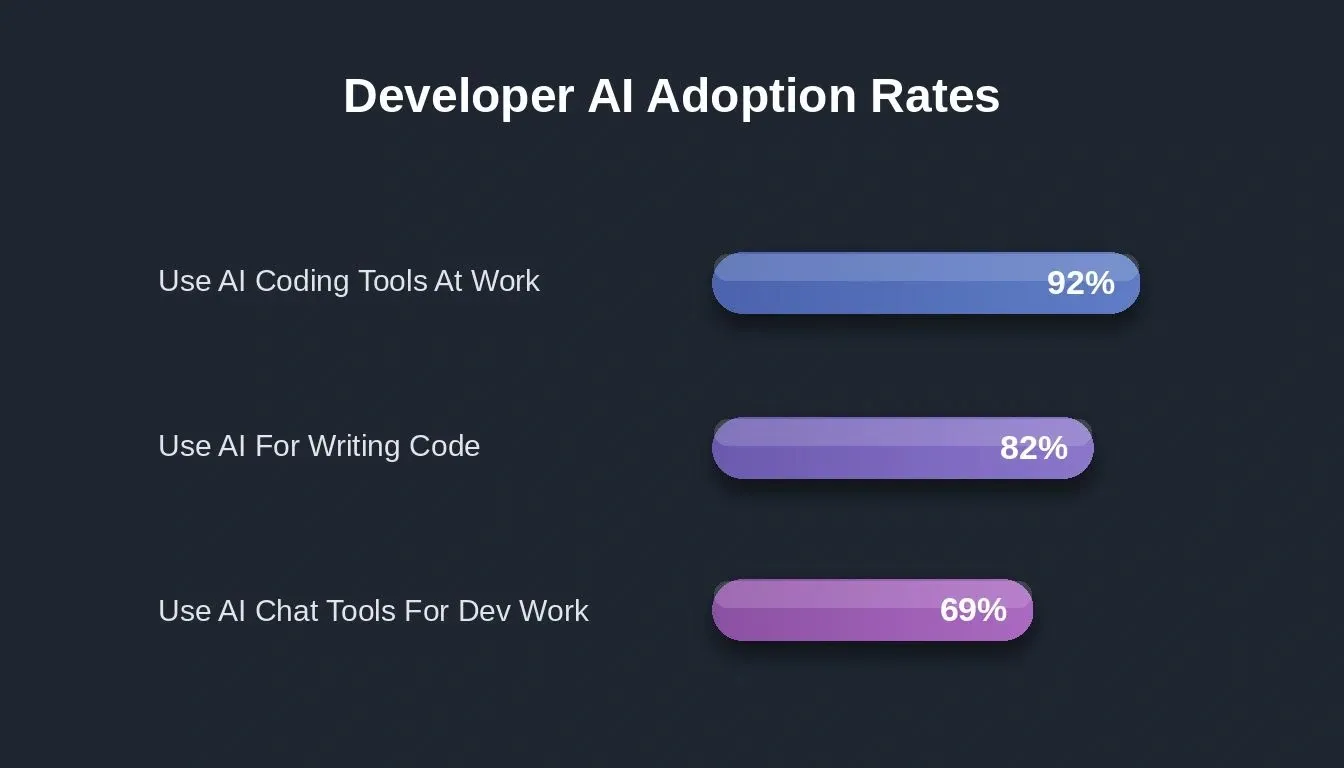
Developer AI adoption rates show the tools are mainstream, and structured prompts determine who gets better results
Your Prompt Library is the New Product Roadmap
A well-organized prompt library does more than speed up content creation. It becomes the living specification your community platform grows from, where each new feature connects to the last through shared context and consistent architecture. A reusable library should include your own prompts and improve them over time using your own data. Every follow-up prompt you write builds on the decisions made in the phases before it.
The five phases covered here, foundation, core features, moderation, monetisation, and reporting, give you full control over the build sequence. Start with auth, layer in social features, add safety, monetize, then measure. The same prompt system can also support content creation across multiple platforms, not just the product build itself. That is how production community platforms ship, whether built by a team of ten or generated from templates by a solo founder with the right tool.
According to a GitHub survey, 92% of enterprise developers already use AI coding tools at work, yet most still get generic advice that produces generic results. A structured prompt library changes that equation entirely. The Stack Overflow 2024 survey showed that 82% of developers use AI for writing code, which means applying the same structured approach to community platform development reduces the manual workload by over half.
Build Your Community Platform with Rocket.new
Ready to turn these AI prompts to build community platform into a live product?
Rocket.new takes your first foundation prompt and generates a deployable full-stack app, auth, database, UI, and integrations, in under a minute. No coding experience needed, no separate tools to connect. Sign up and start building today.
Table of contents
- -Why Structured Prompts Outperform Generic Advice for App Building
- -How Do Foundation Prompts Set Up Multi-Role Auth and Onboarding?
- -What Core Feature Prompts Create Threaded Posts and Member Directories?
- -Which Moderation Prompts Keep Your Online Community Safe?
- -How Rocket.new Turns These Prompts into a Working Platform
- -Monetisation and Engagement Prompts for Stripe, Resend, and Events
- -Reporting Prompts for Engagement Metrics, Growth Dashboards and Leaderboards
- -Your Prompt Library is the New Product Roadmap
- -Build Your Community Platform with Rocket.new


