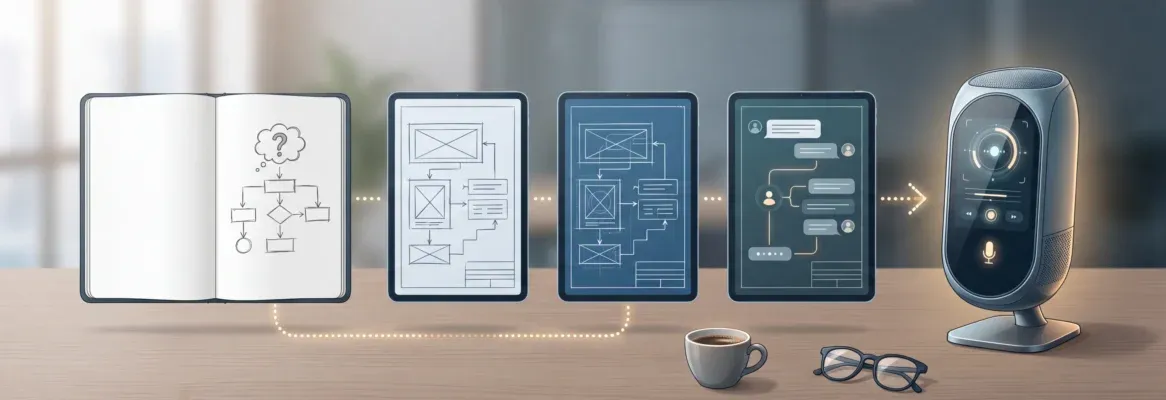
Most founders spend weeks on research that five prompts can replace. This blog covers 25 structured AI prompts across validation, planning, design, development, and launch, organized so each stage builds on the last.
Why Do Most MVPs Fail Before They Launch?
Poor product-market fit is the primary cause of failure for 43% of startups, according to CB Insights. The problem is not speed. The problem is starting with the wrong idea, the wrong scope, or the wrong priorities.
A McKinsey report found that generative AI can reduce development time by up to 50%. But faster building without better thinking just means you fail faster.
So the real skill in 2026 is not coding. It is prompting. The quality of your AI prompts to build an MVP directly determines the quality of your output.
What Makes a Great MVP Prompt?
A strong prompt does more than describe a feature list. It communicates purpose, user context, constraints, and desired outcomes in a single instruction. Weak prompts produce generic apps. Strong prompts produce products that feel intentional.
The anatomy of a high-quality MVP prompt follows five rules:
-
Be specific about your target user: "busy freelancers managing invoices" beats "users"
-
State the core problem first: Lead with purpose, not features
-
Limit to 3-5 key features: Scope creep kills MVPs before they ship
-
Mention design preferences: Dark mode, minimal layout, bold typography
-
Name your screens explicitly: Dashboard, settings, onboarding, profile
Generic prompts produce generic apps. The prompts below follow a structured pattern: context, user, problem, desired output.
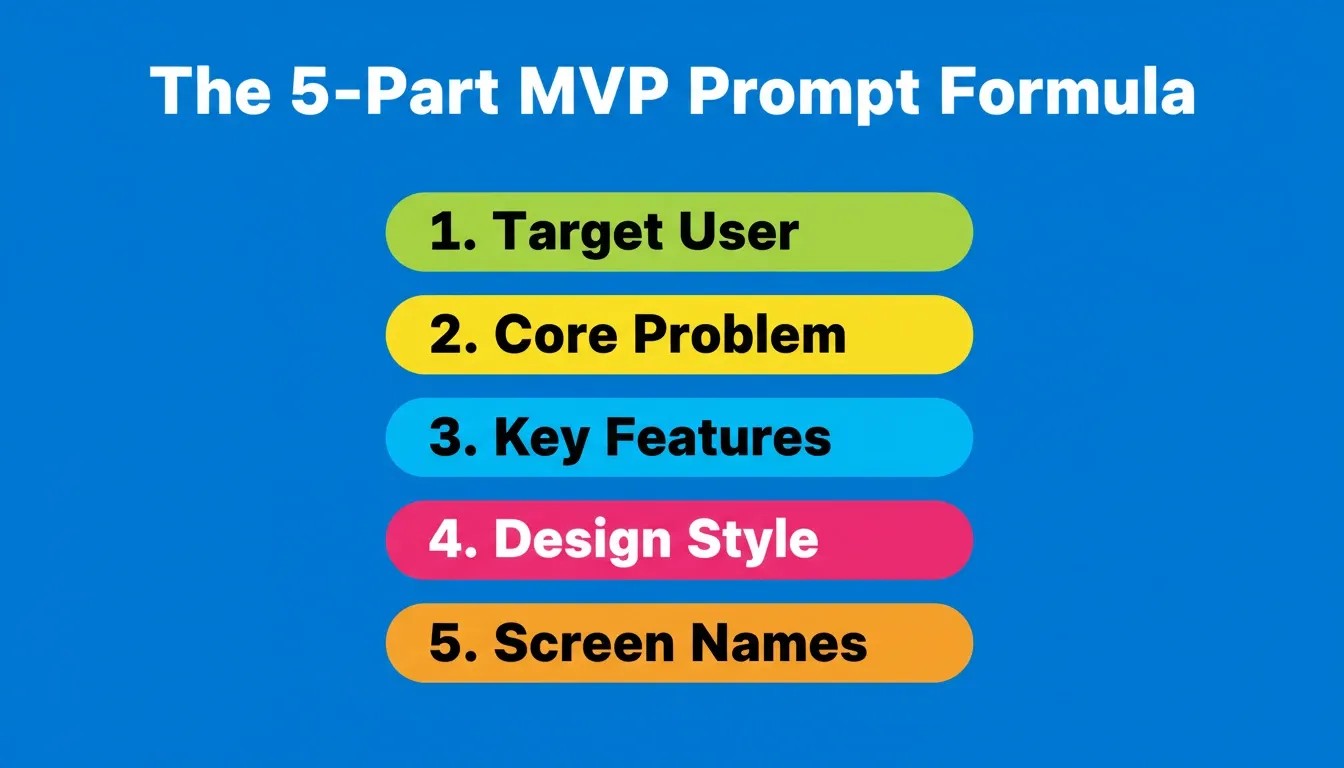
The five-part structure that separates a shipped MVP from a stalled prototype
Prompt Quality: Weak vs. Strong
| Weak Prompt | Strong Prompt |
|---|---|
| "Build a task app" | "Build a task manager for remote teams with a Kanban board, due date tracking, and Slack notifications. Dark mode. 3 screens: Board, My Tasks, Settings." |
| "Make a SaaS dashboard" | "Create a SaaS analytics dashboard for a B2B email tool. Show open rate, click rate, and churn. Left sidebar nav with 5 items. Dark mode by default." |
| "Add payments" | "Integrate Stripe with Basic ($19/mo) and Pro ($49/mo) tiers. Include billing portal, invoice history, and webhook handling for payment success and failure." |
| "Build a landing page" | "Build a conversion-focused landing page for a project management SaaS. Hero with headline, subheadline, and CTA. 4 feature cards. 3 testimonials. 2-tier pricing." |
How to Structure Prompts for Idea Validation
Before writing a single line of code, validate that your idea has a market. These five prompts help you pressure-test assumptions and are among the most critical AI prompts to build an MVP correctly.
Skipping validation is the most expensive mistake in product development. A well-structured validation prompt can replace weeks of manual research. It surfaces competitive gaps, pricing benchmarks, and user pain points before you commit to a build direction.
Prompt 1: Market Sizing
"Analyze the market opportunity for a \[product type\] targeting \[audience\] in \[region\]. Include estimated TAM, SAM, and SOM. Identify the top 3 competitors and their weaknesses. Recommend whether this market is worth entering."
Why it works: This prompt forces a structured market analysis before any build decision. The TAM/SAM/SOM breakdown surfaces whether the opportunity is large enough to justify the investment.
Example: A founder building a B2B invoicing tool for freelancers uses this prompt to discover that the invoicing software market is dominated by tools designed for accountants, not solo operators. That is a clear differentiation opportunity.
Prompt 2: Problem-Solution Fit
"I want to build a \[product type\] for \[target user\] who struggles with \[specific pain\]. List 5 existing solutions, their primary limitations, and where a new entrant could differentiate with better \[speed/price/experience\]."
What makes it effective: This prompt maps the competitive landscape against a specific user pain point. It reveals where existing solutions fall short and where a new product can win.
Example: A product manager validating a customer feedback tool discovers that existing platforms require engineering resources to install. A no-code setup flow fills that gap directly.
Prompt 3: Competitor Feature Gap Analysis
"Compare the top 4 tools in the \[category\] space. Create a feature matrix showing what each offers and identify 3 gaps that no current product fills well."
The reason this works: It produces a structured competitive teardown that would normally take days of manual research. The feature matrix format makes gaps immediately visible.
Example: A solo founder building a project management tool for agencies identifies that no existing tool combines client-facing portals with internal task boards in a single workspace.
Prompt 4: User Persona Generation
"Create 3 detailed user personas for a \[product type\]. For each persona, include demographics, daily workflow, biggest frustration with current tools, willingness to pay, and one quote that captures their pain."
Why founders rely on this: It grounds every subsequent product decision in real user psychology. The willingness-to-pay field directly informs pricing strategy.
Example: A founder building a scheduling tool for coaches generates personas that reveal a \$79/month price ceiling and a strong preference for calendar integrations over custom booking pages.
Prompt 5: Revenue Model Exploration
"Suggest 4 monetization strategies for a \[product type\] targeting \[audience\]. For each, estimate conversion rates based on industry benchmarks. Recommend the strongest model for an MVP launch and explain why."
What this achieves: It prevents founders from defaulting to a freemium model without evidence. It forces a structured comparison of revenue approaches before the first line of code is written.
Example: A founder building a content scheduling tool discovers that a usage-based model outperforms flat-rate pricing for their target audience of small agencies.
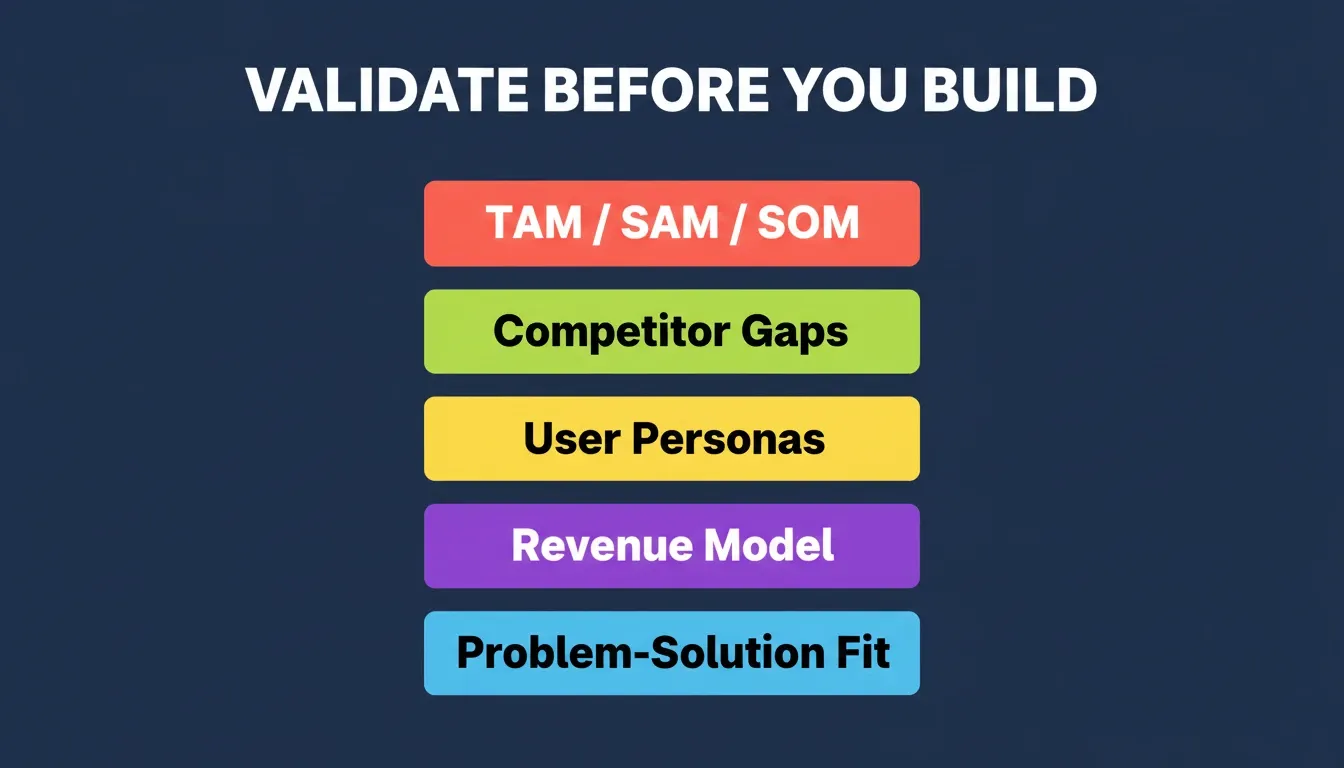
Validation prompts replace 2-3 weeks of manual research before a single feature gets built
These five prompts just replaced 2-3 weeks of market research. You now know whether your idea is worth building, who your users are, and how to charge for it. The next step is turning that clarity into a real product.
Start building on Rocket — paste any of these prompts directly into the build screen and watch your MVP take shape.
Which Prompts Work Best for Product Planning?
Once your idea passes validation, you need architecture. From there, these prompts help you structure your app from the ground up and are essential AI prompts to build an MVP with a clear technical foundation.
Product planning prompts cut the ambiguity that causes mid-build pivots. They give you a map before you start driving.
Prompt 6: Feature Prioritization
"I am building a \[product type\] for \[audience\]. Here are 12 features I am considering: \[list features\]. Rank them using a MoSCoW framework (Must have, Should have, Could have, Won't have) for an MVP that ships in 2 weeks."
Why it works: The MoSCoW framework forces ruthless prioritization. Most MVPs fail not because they lack features, but because they try to build too many at once.
Pro tip: Feed this prompt the output of Prompt 3 to prioritize features that fill genuine market gaps rather than copying existing tools.
Prompt 7: Database Schema Generation
"Design a database schema for a \[product type\] with these entities: \[list entities\]. Include relationships, primary keys, and the minimum fields needed for MVP functionality. Use PostgreSQL conventions."
What makes it effective: A well-designed schema prevents expensive refactors later. Getting the data model right before building saves weeks of technical debt.
Example: For a booking app, this prompt generates a schema with Users, Services, Bookings, and Availability tables, with foreign key relationships and the minimum fields needed to support the core booking flow.
Prompt 8: User Flow Mapping
"Map the complete user flow for a \[product type\] from first visit to first value moment. Include: landing page, signup, onboarding (3 steps max), core action, and upgrade prompt. Describe each screen's purpose."
The reason this works: It defines the critical path from acquisition to activation. Every screen that does not serve the path to first value is a screen that should not exist in the MVP.
Prompt 9: Technical Stack Decision
"Recommend the best tech stack for a \[product type\] MVP that needs \[requirements list\]. Consider time-to-market, scalability ceiling, developer ecosystem size, and hosting costs. Justify each choice."
Why founders rely on this: It prevents choosing a stack based on familiarity rather than fit. A Next.js and Supabase combination, for example, is often the fastest path to a production-ready web MVP.
Prompt 10: Sprint Scope Definition
"Break down a \[product type\] MVP into exactly 3 build sprints of 5 days each. Sprint 1 covers core functionality. Sprint 2 adds user management. Sprint 3 focuses on payment and launch. List deliverables per sprint."
What this achieves: It converts an abstract product vision into a concrete 15-day build plan. The 3-sprint structure forces founders to ship something real rather than endlessly iterating.
You have a validated idea and a clear build plan. That is more than most founders have before they start coding. Now it is time to generate the actual product.
Open Rocket, paste your sprint scope from Prompt 10, and Rocket will generate a production-ready app from your plan in minutes.
What Prompts Generate the Best UI and UX Results?
Design prompts need to be visual and specific. Vague instructions like "make it look modern" produce inconsistent results across AI builders. The best results come from precise visual language: component names, layout patterns, color modes, and screen-by-screen specifications.
To go deeper on writing prompts that produce production-quality interfaces, the guide to prompt engineering best practices covers the principles behind every strong design instruction.
Prompt 11: Landing Page Design
"Build a conversion-focused landing page for a \[product type\]. Hero section with headline, subheadline, and CTA button. Features section with 4 cards. Social proof section with 3 testimonials. Pricing section with 2 tiers. Footer with newsletter signup. Use a clean, minimal design with \[primary color\] accents."
Why it works: This prompt specifies every section explicitly. Landing pages built from vague prompts miss critical conversion elements. It ensures the page follows proven conversion architecture.
Design principle: The hero section should communicate the core value proposition in under 8 words. The prompt forces this by requiring a headline, subheadline, and CTA together.
Prompt 12: Dashboard Layout
"Create a SaaS dashboard for \[product type\]. Left sidebar navigation with 5 menu items. Main content area showing: metric cards (4 KPIs), a line chart tracking \[metric\] over 30 days, and a recent activity table with 5 columns. Dark mode by default."
What makes it effective: It defines the information architecture precisely. Dashboards built without explicit layout instructions produce cluttered, unusable interfaces.
Prompt 13: Onboarding Flow
"Design a 3-step onboarding flow for \[product type\]. Step 1: user profile setup (name, role, company). Step 2: preference selection (3 toggle options). Step 3: first action prompt with a guided tooltip. Include a progress bar and skip option."
The reason this works: Onboarding is the highest-leverage screen in any SaaS product. A well-designed onboarding flow reduces time-to-value and directly impacts activation rates.
Prompt 14: Mobile-First Interface
"Build a mobile app interface for \[product type\] with bottom tab navigation (Home, Search, Create, Notifications, Profile). Home screen shows a feed of \[content type\]. Create screen has a form with \[fields\]. Use card-based layout with rounded corners and subtle shadows."
Why founders rely on this: Bottom tab navigation is the standard pattern for mobile apps. Specifying it explicitly prevents AI builders from generating desktop-style navigation that does not work on mobile.
Prompt 15: Settings and Profile Page
"Create a settings page with these sections: Profile (avatar, name, email, bio), Notifications (4 toggle switches), Billing (current plan, usage meter, upgrade button), and Danger Zone (delete account). Clean layout with clear section dividers."
What this achieves: Settings pages are often neglected in MVP builds. This prompt covers the four sections users expect and includes the billing section that directly supports monetization.
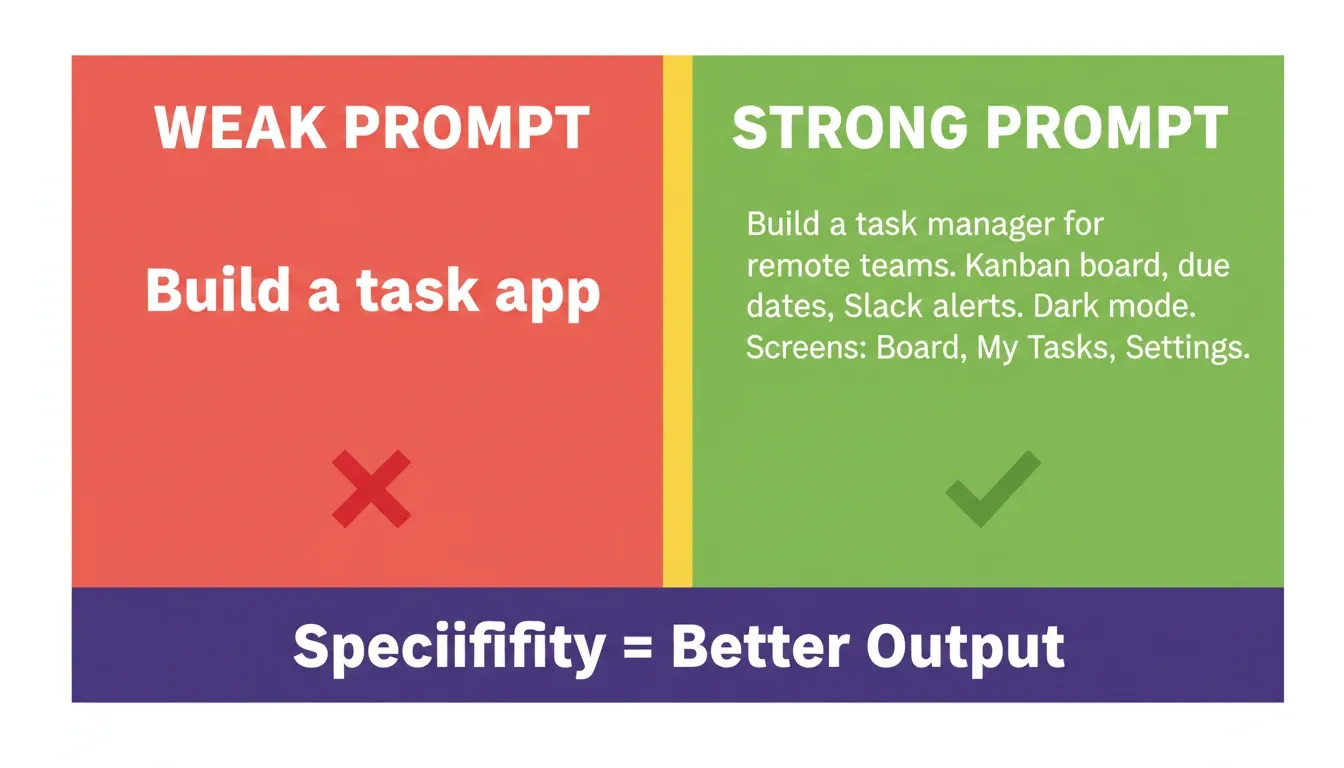
Specificity is the single biggest driver of output quality in AI-generated products
Your product now has a landing page, dashboard, onboarding, and mobile interface. That is a complete UI system generated from five prompts.
Take it live on Rocket — paste any design prompt above, watch Rocket generate the screens in real time, then iterate through chat until it looks exactly right.
How to Prompt for Core Feature Development
Feature prompts need technical precision. These five cover the most common MVP features founders need on day one. Each prompt specifies inputs, outputs, edge cases, and error handling. That level of detail is what separates a working MVP from a demo.
For a deeper look at how AI handles authentication and backend generation, the guide to AI-powered API builders with built-in authentication covers the patterns that hold up in production.
Prompt 16: Authentication System
"Add user authentication with email/password signup, Google OAuth, and magic link login. Include forgot password flow, email verification, and session management. Redirect authenticated users to /dashboard. Show error states for invalid credentials."
Why it works: Authentication is the foundation of every SaaS product. This prompt covers the three login methods users expect, plus the error states that most AI-generated auth systems miss.
Prompt 17: Payment Integration
"Integrate Stripe checkout with 2 subscription tiers: Basic (\$19/month) and Pro (\$49/month). Include a billing portal for plan management, invoice history, and cancellation flow. Handle webhook events for payment success, failure, and subscription updates."
What makes it effective: Payment integration is where most AI-generated MVPs break. Specifying webhook handling explicitly ensures the app responds correctly to payment events, not just the happy path.
Pricing tier reference:
| Tier | Price | Key Features |
|---|---|---|
| Basic | $19/month | Core functionality, email support, up to 5 users |
| Pro | $49/month | Full feature set, priority support, unlimited users |
Prompt 18: Search and Filter System
"Build a search system for \[content type\] with: full-text search across title and description fields, filter sidebar with 4 categories (type, date range, status, tags), sort options (newest, popular, alphabetical), and pagination showing 12 results per page."
The reason this works: Search is the second most-used feature in most SaaS products after the core action. This prompt covers the full search experience, not just a search bar.
Prompt 19: Notification Engine
"Create a notification system with: in-app notification bell showing unread count, notification dropdown with 3 types (mentions, updates, system alerts), mark all as read button, email digest option (daily/weekly), and push notification preferences toggle."
Why founders rely on this: Notifications drive re-engagement. This prompt builds a complete notification system, including the preference controls that prevent notification fatigue.
Prompt 20: API Data Integration
"Connect to \[external API\] and display data on the dashboard. Fetch \[data type\] every 15 minutes. Show a loading skeleton during fetch. Handle API errors with a retry button and fallback state. Cache responses for 5 minutes to reduce calls."
What this achieves: API integrations are where MVPs most commonly break in production. Specifying error handling, caching, and fallback states explicitly prevents the most common failure modes.
Authentication, payments, search, notifications, and API integrations — your core feature set is ready to build. Rocket connects Stripe, Supabase, and 25+ other integrations directly into generation, so you authenticate once and they flow into every build.
Start building your core features on Rocket — no separate setup, no switching tools.
Which Prompts Help You Launch and Iterate Faster?
The last five prompts cover what happens after your core features work. This is where most founders stall. Strong launch prompts keep momentum and turn a working build into a shipped product.
For a practical walkthrough of how to ship a full-stack app from a single prompt session, the step-by-step guide to building an app with AI covers the full process from first prompt to live URL.
Prompt 21: Analytics Setup
"Add analytics tracking for: page views, button clicks (signup, upgrade, key actions), user session duration, and conversion funnel from landing to signup to first action. Display in an admin analytics dashboard with date range selector."
Why it works: You cannot improve what you cannot measure. This prompt builds the analytics foundation that tells you whether your MVP is working before you invest in marketing.
Key metric to track: The activation rate (the percentage of signups who complete the first core action) is the single most important metric for an early-stage MVP. Build your analytics around it.
Prompt 22: SEO Optimization
"Make this app SEO-ready. Add meta titles and descriptions for all public pages. Create an XML sitemap. Add Open Graph tags for social sharing. Implement structured data markup for \[content type\]. Set canonical URLs and add robots.txt."
What makes it effective: SEO is often treated as a post-launch task. Building it into the MVP from day one means organic traffic starts compounding immediately after launch.
Prompt 23: Performance Optimization
"Optimize this app for Core Web Vitals. Lazy load images below the fold. Code-split routes for faster initial load. Add caching headers for static assets. Compress API responses. Target LCP under 2.5s, FID under 100ms, and CLS under 0.1."
The reason this works: Google uses Core Web Vitals as a ranking signal. An MVP that passes Core Web Vitals from day one has a measurable SEO advantage over competitors that optimize performance post-launch.
Prompt 24: User Feedback Collection
"Add a feedback widget on the dashboard: small floating button that opens a modal with options (Bug report, Feature request, General feedback). Include a text field, optional screenshot upload, and satisfaction rating (1-5 stars). Store submissions in a feedback table."
Why founders rely on this: User feedback is the most valuable data an early-stage product can collect. This prompt builds a feedback system that captures structured, actionable input, not just unstructured comments.
Prompt 25: A/B Testing Infrastructure
"Set up A/B testing for the pricing page. Variant A shows monthly pricing. Variant B shows annual pricing (with savings badge). Split traffic 50/50. Track which variant gets more upgrade clicks. Show results in the admin panel after 100 conversions per variant."
What this achieves: Pricing page optimization is the highest-ROI experiment for any SaaS MVP. This prompt builds the infrastructure to run that experiment without a third-party tool.
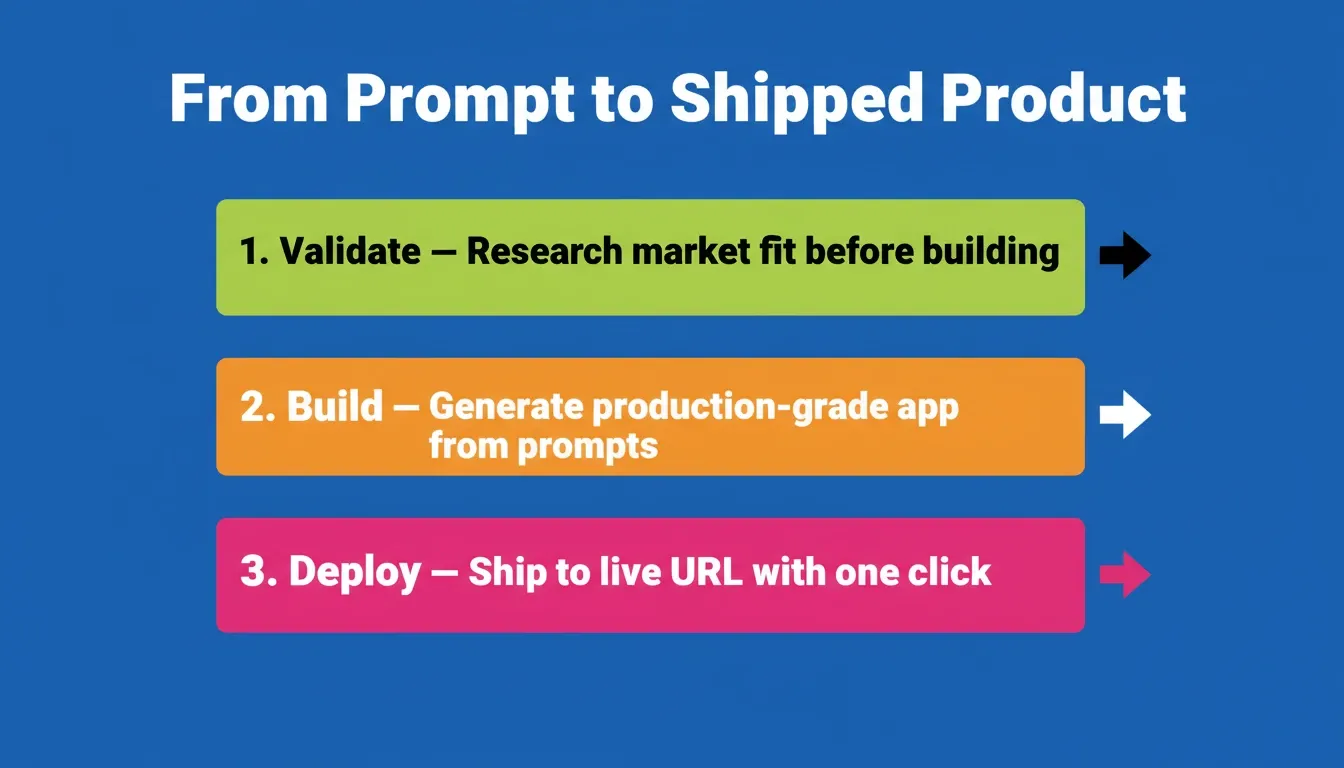
Rocket connects market validation, production-grade generation, and one-click deployment in a single platform
Analytics, SEO, performance, feedback, and A/B testing — your MVP is ready to ship and ready to learn. Rocket deploys to a live URL with one click, tracks Core Web Vitals out of the box, and carries all 25 prompts worth of context into every iteration.
Ship your MVP on Rocket today — from prompt to deployed product, in a single session.
Common MVP Prompting Mistakes to Avoid
Even with the right prompts, founders make predictable mistakes that slow down the build. Here are the most common ones and how to avoid them.
Trying to prompt for everything at once is a common trap. It produces bloated, inconsistent apps. Follow the 3-5 feature rule instead and add more through chat iteration after the core flow works.
Skipping error states is where most AI-generated apps break. They handle the happy path well but fail on edge cases. Always include error states, loading states, and empty states in your feature prompts.
Ignoring mobile until the end creates expensive retrofitting work. If your MVP has a mobile audience, specify mobile-first design from the very first prompt.
Vague design instructions like "make it look modern" are not design instructions. Instead, specify color modes, layout patterns, component styles, and typography preferences explicitly.
Building without validating is still the most expensive mistake of all. Run the five validation prompts before any of the development prompts. The research they replace is worth every minute.
The Complete 25-Prompt MVP Framework
| Category | Prompts | Primary Goal | Time Saved |
|---|---|---|---|
| Validation (1-5) | Market sizing, problem-solution fit, competitor analysis, user personas, revenue models | Confirm market fit before building | 2-3 weeks of research |
| Planning (6-10) | Feature prioritization, database schema, user flow, tech stack, sprint scope | Structure scope and architecture | 1-2 weeks of meetings |
| Design (11-15) | Landing page, dashboard, onboarding, mobile interface, settings page | Produce production-quality interfaces | 1-2 weeks of design work |
| Development (16-20) | Auth, payments, search, notifications, API integration | Build core features correctly | 3-4 weeks of development |
| Launch (21-25) | Analytics, SEO, performance, feedback, A/B testing | Ship with confidence and iterate fast | 1 week of setup |
How Rocket Turns These Prompts Into Shipped Products
Most AI builders take your prompt and generate code. That is the easy part. The hard part is knowing whether what you prompted is worth building at all.
Rocket handles both halves of that problem. It is the world's first Vibe Solutioning platform, where business thinking and building happen in the same place.
Solve: Validate Before You Build
Type any business question in plain language. Rocket researches it across 150+ sources simultaneously and delivers a structured analytical report covering 8-12 sections, with findings tagged by signal strength and a direct recommendation at the top. Within 60 to 90 minutes, what would have taken a research team days is complete.
The output does not disappear after you read it. It becomes the foundation of everything that follows in the project. The competitive brief is present when the landing page is written. The PRD is present when the build task opens. Nothing gets re-explained. Everything compounds.
For a closer look at how Rocket's research layer connects to the build phase, the idea validation and deployment workflow covers the full arc from first question to live app.
Build: Production-Grade Generation
Not wireframes. Not prototypes. Working Next.js web apps and Flutter mobile apps with real design systems, dark/light theming, fluid navigation, and staggered animations. Every build ships with SEO-ready structure, WCAG accessibility compliance, GDPR coverage, and performance optimization by default.
The design decisions are intentional: considered typography, real hierarchy, visual identity specific to the product. Nothing reads as AI-made.
Context: Every Prompt Builds on the Last
Upload your pitch deck, market research, and user interviews into a Project. Every prompt after that inherits all prior context. No re-explaining. The tenth task knows everything the first nine established, plus everything brought in at the project level.
25+ Integrations Flow Into Generation
Stripe, Supabase, Google Analytics, Mailchimp, Mixpanel, Linear, Notion, Airtable. Authenticate once and they are available in every build. Payment integration, backend, analytics, and email are not post-launch tasks. They are part of the first generation.
"60 to 70 percent of people using vibe coding tools do not even know what they are building." - Vishal Virani, CEO of Rocket
1.5 million people have tried Rocket across 180 countries. The platform serves founders validating ideas on day one and enterprise teams running strategy and execution on the same platform.
To see how non-technical founders use AI builders to ship MVPs without writing code, the complete guide to building an MVP with AI walks through the full process step by step.
The Future of AI-Powered MVP Development
The prompting patterns in this guide represent the current state of the art. But the trajectory is clear: the gap between idea and shipped product will continue to compress in the coming years.
The founders who ship the fastest will not be the ones with the best developers. They will be the ones with the best prompting systems, structured frameworks that move from validation to architecture to production without losing context between steps.
The platforms that win in this environment are not the ones that generate code the fastest. They are the ones that understand what you are building and why, and carry that understanding through every step of the process.
Start Building Your MVP with the Right AI Platform
The 25 AI prompts to build an MVP in this guide give you a complete framework, from market validation to production launch. But prompts are only as powerful as the platform running them.
As AI-native product development becomes the standard in 2026 and beyond, the founders who ship the best products will be the ones who combine structured prompting with platforms that understand context, carry intelligence forward, and generate production-grade output from day one.
Rocket is built for exactly this. It starts where other AI builders stop, before the first prompt, with the research and validation that makes the build worth doing. Then it carries that context through every screen, every feature, and every iteration until you ship.
Start building your MVP on Rocket.new — from market validation to deployed app, without switching tools.
Table of contents
- -What Makes a Great MVP Prompt?
- -Prompt Quality: Weak vs. Strong
- -How to Structure Prompts for Idea Validation
- -Prompt 1: Market Sizing
- -Prompt 2: Problem-Solution Fit
- -Prompt 3: Competitor Feature Gap Analysis
- -Prompt 4: User Persona Generation
- -Prompt 5: Revenue Model Exploration
- -Which Prompts Work Best for Product Planning?
- -Prompt 6: Feature Prioritization
- -Prompt 7: Database Schema Generation
- -Prompt 8: User Flow Mapping
- -Prompt 9: Technical Stack Decision
- -Prompt 10: Sprint Scope Definition
- -What Prompts Generate the Best UI and UX Results?
- -Prompt 11: Landing Page Design
- -Prompt 12: Dashboard Layout
- -Prompt 13: Onboarding Flow
- -Prompt 14: Mobile-First Interface
- -Prompt 15: Settings and Profile Page
- -How to Prompt for Core Feature Development
- -Prompt 16: Authentication System
- -Prompt 17: Payment Integration
- -Prompt 18: Search and Filter System
- -Prompt 19: Notification Engine
- -Prompt 20: API Data Integration
- -Which Prompts Help You Launch and Iterate Faster?
- -Prompt 21: Analytics Setup
- -Prompt 22: SEO Optimization
- -Prompt 23: Performance Optimization
- -Prompt 24: User Feedback Collection
- -Prompt 25: A/B Testing Infrastructure
- -Common MVP Prompting Mistakes to Avoid
- -The Complete 25-Prompt MVP Framework
- -How Rocket Turns These Prompts Into Shipped Products
- -Solve: Validate Before You Build
- -Build: Production-Grade Generation
- -Context: Every Prompt Builds on the Last
- -25+ Integrations Flow Into Generation
- -The Future of AI-Powered MVP Development
- -Start Building Your MVP with the Right AI Platform