

Rocket.new lets you describe a content repurposing tool in plain language and generates the full app: content input, AI-powered reformatting for LinkedIn, X, email, and more, plus approval workflows and scheduled distribution across social channels automatically. No coding skills required.
Every content team knows the drill: one blog post, six platforms, and hours of manual reformatting before anything goes live. The copy-paste cycle eats time that should go toward strategy, creativity, and growth. This guide shows you how to build a content repurposing automation tool with no-code marketing workflows, so your team creates once and publishes everywhere automatically.
Why Does Every Content Team Spend Hours Reformatting?
Content repurposing tools exist because creating once and publishing everywhere is impossible without automation. Content teams create one long-form piece and then spend the rest of the day reformatting it for publishing on multiple social media platforms.
-
The average social media user hops between 6.75 different social networks per month, according to Sprout Social's 2026 data. Your content team has to match that behavior with platform-specific social posts for each channel, every single week.
-
A blog post that works on your website does not work on LinkedIn. The tone, the formatting, the character limits, and the call-to-action all need adjusting for every social platform, econsumesletter, YouTube description, and video script.
-
Teams producing content for multiple channels spend more time reformatting than creating. Editing images, adjusting social captions, writing video descriptions, and scheduling posts across Instagram, Facebook, YouTube, X, and LinkedIn consumes hours that could go toward content strategy and creativity.
-
Manual repurposing introduces inconsistent brand voice across platforms. One person writes the LinkedIn post. Another writes the email draft. A third handles the social captions for Instagram. Tone drifts, and messaging gets inconsistent.
Most content repurposing tools on the market, like Repurpose.io, Munch, or Opus Clip, solve only one piece of this puzzle. Video tools create short clips from long-form videos. Text tools generate social posts from written content. None of them connect the full workflow from content input to approval to publishing across all social channels automatically. That gap is exactly what Adobe was paying for when it acquired Rilo, a workflow automation platform for GTM teams, and what most independent content teams still lack today.
"I built a social media scheduling tool (many exist in the market) and created an open-source version. This is Postiz, an open-source social media scheduling tool." — r/SaaS community member, earning $700/month from their custom scheduler
That creator spent months writing code from scratch. With AI app builders, you skip the engineering complexity and get to the same result in minutes rather than months.
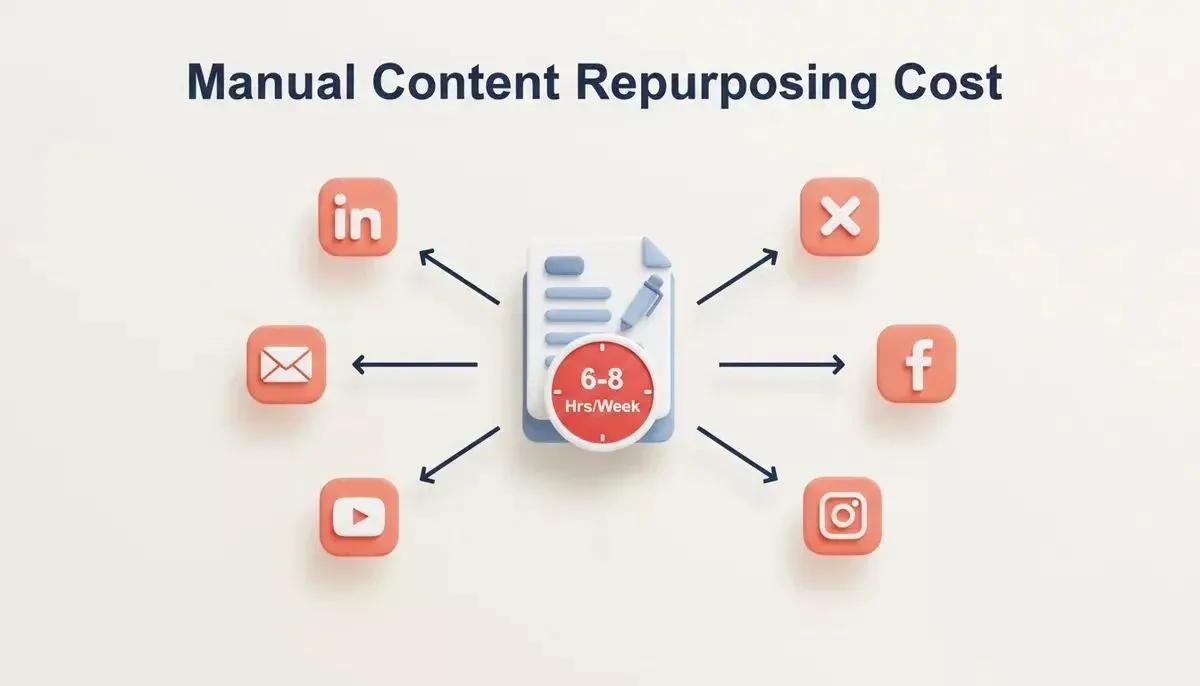
Manual content repurposing drains 6 to 8 hours per week across every channel your team publishes on.
How Does A No-Code Repurposing Tool Compare To Existing Options?
No-code content repurposing tools differ from each other in scope, ownership, and flexibility. The table below compares the leading options on the dimensions that matter most to content teams.
| Tool | Input Types | Output Formats | Approval Workflow | Distribution | Code Ownership | Customizable |
|---|---|---|---|---|---|---|
| Rocket-Built Tool | URL, file, text, RSS, Google Docs | LinkedIn, X, email, FAQ, video script, custom | Yes, configurable stages | Via REST API (developer credentials required) | Full ownership | Unlimited |
| Repurpose.io | Video, audio, blog | Social clips, captions | No | Native (YouTube, TikTok, Facebook) | No | Limited |
| Munch | Long-form video | Short clips, captions | No | Native (TikTok, Instagram, LinkedIn) | No | Limited |
| Opus Clip | Long-form video | Short clips | No | Native (YouTube Shorts, TikTok) | No | Limited |
| Postiz | Text, social posts | Social posts | Basic | Native (multi-platform) | Yes (open-source) | High |
The key differentiator for a Rocket-built tool is full ownership and unlimited customization. You are not renting a feature set; you are building exactly the workflow your team needs, with the approval stages, brand voice rules, and output formats that match how you actually work.
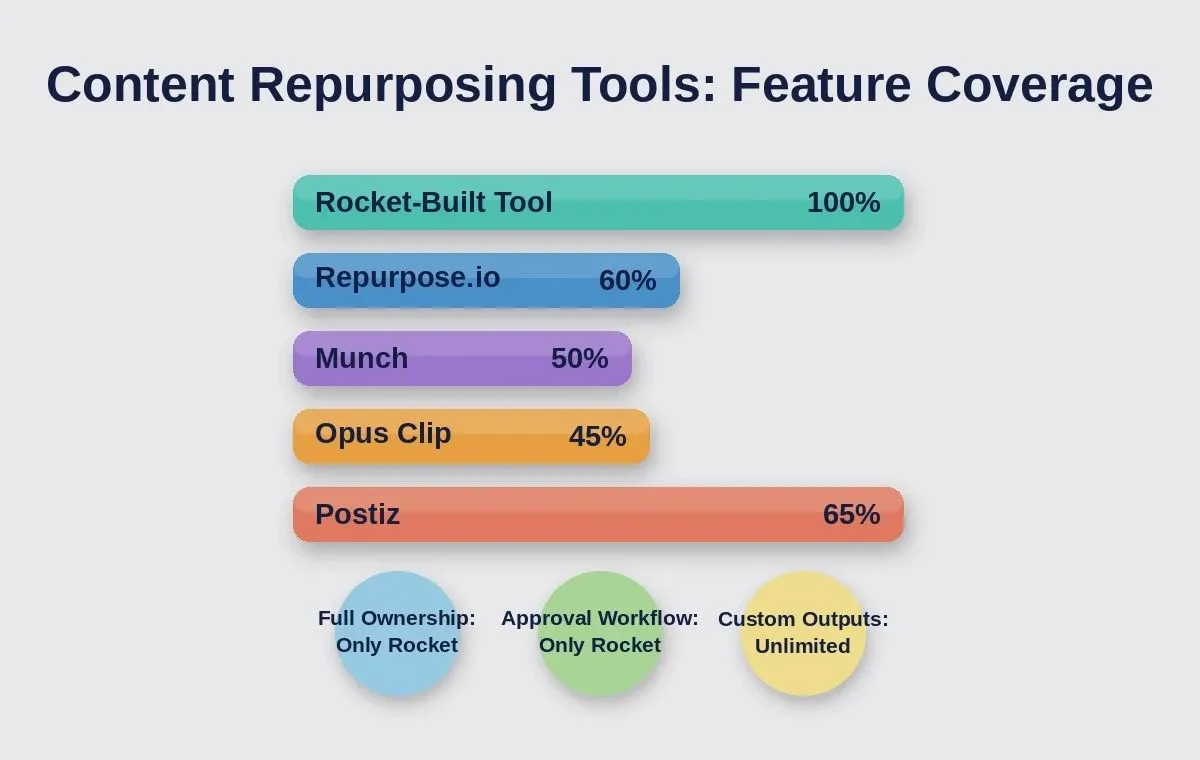
Rocket-built tools lead on ownership, approval workflow, and custom output formats across every major comparison dimension.
What Should A Full-Stack Repurposing System Include?
A complete content repurposing automation system needs seven components working together in a single workflow. Every repurposing tool that replaces manual work requires all of these.
| Component | What It Does | Why It Matters |
|---|---|---|
| Content Input Layer | Accepts blog URLs, file uploads, text paste, Google Doc links, RSS feed connections | One entry point for all source content types and formats |
| AI Transformation Engine | Generates platform-specific variants: LinkedIn post, X thread, email summary, FAQ block, video scripts | Automates the reformatting that takes hours when done by hand |
| Brand Voice Settings | Stores tone rules, key ideas, filler words to avoid, and output quality standards per brand | Keeps every generated piece consistent across multiple brands and clients |
| Approval Workflow | Routes AI-generated drafts through human review stages before publishing | Catches errors and maintains quality control for content production |
| Content Calendar | Visual schedule showing what goes where and when across all social channels | Prevents overlap and gaps in your publishing plan each week |
| Distribution Scheduler | Queues approved content and publishes via each platform's REST API at the configured time | Replaces manual posting to multiple destinations day after day |
| Analytics Dashboard | Tracks performance data per platform, per content piece, per campaign | Shows what is working and what to stop producing next time |
Every component above maps to a screen or module inside your app. You describe the full system once in a single prompt, and the AI generates it as a connected application with all the pieces already wired together.
How Do You Validate Demand Before Building?
Before writing a single prompt, use Rocket's Solve feature to validate that a content repurposing tool is worth building for your specific market. Solve runs structured market research: competitor teardowns, pricing analysis, user pain-point mapping, and passes that context directly into your Build session.
Once inside the Build editor, the /Generate GEO And AEO Report command audits your app's content for AI search visibility, and /Improve GEO And AEO applies fixes automatically. These commands mean your repurposing tool ships with structured, AI-engine-readable content from day one, the same mechanics that keep content visible in ChatGPT, Perplexity, and Claude answers.
How Do You Set Up The Content Input Layer?
The input layer is where everything starts. Your repurposing tool needs to accept content in whatever form your team already creates it, whether that is a published blog post, a raw Google Doc, a webinar transcript, or notes from a sales call.
-
URL import: Paste a blog post link, and the system automatically extracts the title, body text, images, and key takeaways for repurposing content into new formats
-
File upload: Drop a PDF, transcript, audio file, or a Google Doc directly into the tool via a single upload interface
-
Text paste: Copy-paste raw written content, meeting notes, or a transcript for fast processing without needing a published source
-
RSS feed connection: Connect your blog RSS feed so new content automatically enters the repurposing pipeline. Note: automatic RSS-to-pipeline triggering requires a webhook or scheduled polling function. Rocket scaffolds this logic via the API editor, but it is not a one-click native connector
-
Google Workspace sync: The Google connector reads Docs, Sheets, and Calendar. Triggering the pipeline when a new file appears in a specific Drive folder requires a custom webhook or a community integration (Zapier, n8n), buildable in minutes inside Rocket's API editor
Here is the prompt you can use to build your first app that creates the full tool:
1Build a content repurposing tool with:
2- A content input screen accepting URL, file upload, text paste, and RSS feed
3- AI engine that generates LinkedIn post, X thread, email summary, and FAQ block
4- Brand voice settings panel with tone, style, and word count controls
5- Approval workflow routing drafts through review before publishing
6- Distribution scheduler with calendar view and per-channel timing
7- Supabase backend for content storage, user auth, and analytics
8Use Next.js with Tailwind CSS. Connect Supabase for the database.
After the first generation, iterate in conversation: "Add Google Sheets import," "Add video script and show notes output," or "Connect an RSS feed trigger that automatically starts repurposing when a new blog post publishes."
Mapping One Piece To Many Formats Automatically
The AI transformation engine is the core of your repurposing tool. It takes one long-form piece of content and generates multiple formats, each tailored to a specific social platform and its audience.
The AI does not simply shorten your blog post and call it done. It restructures content for each platform's specific format, tone, and audience expectations. An FAQ block structures the information as question-answer pairs that AI search engines like ChatGPT, Perplexity, and Claude can cite directly for better reach and visibility.
Each transformation step runs through a quality check that scores readability, verifies brand voice alignment, and flags filler words or inconsistent tone. The output goes into a review queue where your content team focuses on editing and refining, not writing from scratch every single time.
How Does The Tool Handle Video And Audio Content?
The text generation engine creates video scripts, show notes, social captions, and email drafts from a transcript or written content. For teams working with long-form video, the workflow is: export a transcript from your video tool, paste it into the repurposing tool's input layer, and let the AI generate the short-form variants.
For automated short-clip creation from video files, connect a specialist tool like Opus Clip or Munch to your pipeline via API. Rocket's connector library supports any REST API, so the integration is a prompt away. The distribution scheduler then handles publishing finished clips to YouTube Shorts, Instagram Reels, and TikTok automatically.
What Does The Approval Workflow Look Like?
Human review is what keeps AI-generated content safe to publish across social channels at scale. The approval workflow is the difference between polished content and published mistakes.
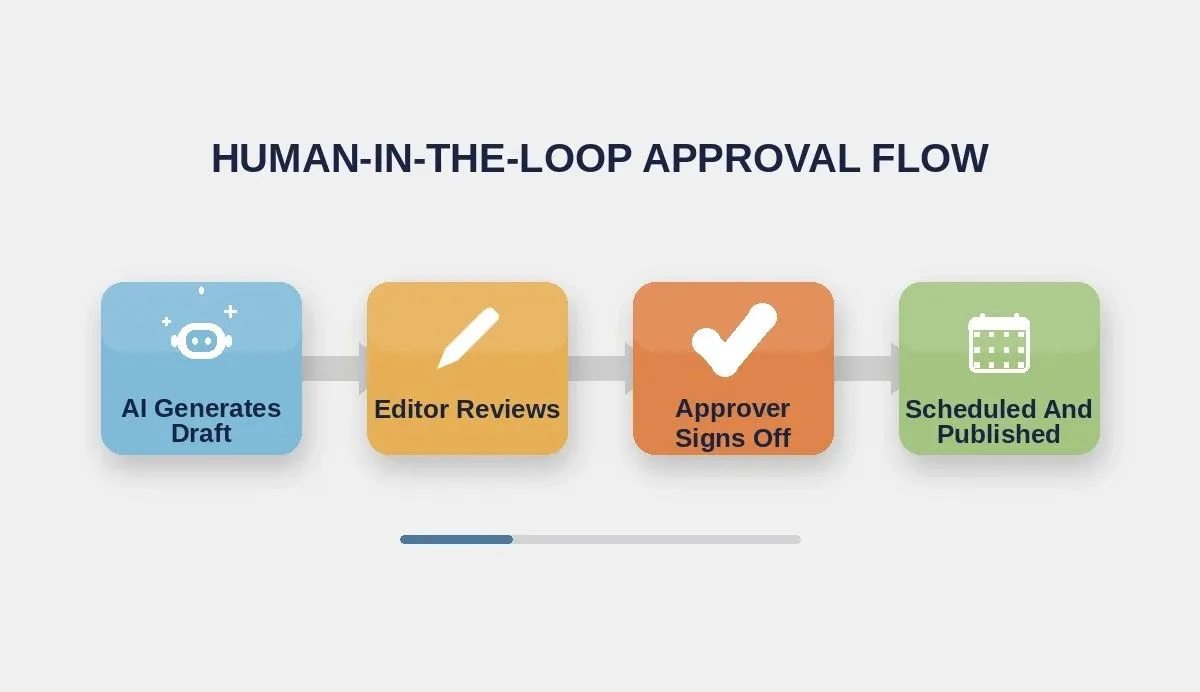
A four-stage approval flow keeps AI-generated drafts accurate and on-brand before they reach any channel.
-
Staged review pipeline: AI-generated drafts move through defined stages. Creator submits, editor reviews for brand voice and accuracy, approver gives the final step before the scheduled workflow triggers publishing
-
Comment threads on each draft: Team members leave notes directly on individual pieces, keeping feedback in context instead of scattered across Slack or email threads
-
Auto-approve rules: For content types your team has already refined, set rules that skip manual review. A simple social caption from a proven template can go straight to the distribution queue without a bottleneck
-
Audit trail for compliance: Every edit, comment, and approval lives in version history. Content managers and compliance teams can track what changed and when, making it easy to handle content for multiple clients or multiple brands
Human editing stays in the loop, but the repetitive work disappears. Your writers and editors stop spending hours on reformatting tasks and start focusing on the creative decisions that actually improve output quality across your content production pipeline.
How Rocket Ships Your Repurposing Tool Faster Than Any Stack
Building a full content repurposing system used to require a frontend developer, a backend developer, API specialists, and weeks of project coordination. Rocket changes the math entirely.
-
Describe, generate, deploy: Tell Rocket what your tool needs in one prompt, and it generates a production-grade Next.js app with a Supabase backend. No coding skills required, no glue code between tools, no duct-taping Zapier chains together
-
API connections at scale: Your generated app connects to email services, Google Workspace, and social platforms through Rocket's connector library. For LinkedIn and X publishing specifically, Rocket scaffolds the REST API integration. You supply your own developer API credentials from each platform, and the app handles the request logic. This is the same approach any production social tool uses
-
Full code ownership: Unlike SaaS tools where you rent access month to month, you own every line of code. Download it, host anywhere, modify freely. No vendor lock-in, no sudden shutdowns
-
One platform for research and build: Use Solve to validate demand and map the competitive landscape. Then use Build to ship the app. Context from the research phase carries directly into the project, so the AI builds what your market actually needs
-
Free plan to start: Begin with 20 credits at no cost. Paid plans run from $25 per month with unlimited team members on every paid tier. Compare that to $199 per seat on Sprout Social
-
Iterate through conversation: Add new output formats, connect new social platforms, adjust the approval workflow, or redesign the content calendar just by chatting with Rocket after the first build
When Adobe acquired Rilo for its workflow automation capabilities, that tool was already built by a development team over many months. Today, the same category of tools can be created on Rocket by a marketing team building their own automation platform without hiring developers. The infrastructure that used to require months of custom development now generates in minutes on one platform.
Zapier and Make can connect existing tools with automation workflows, but they cannot create new tools from scratch. Lovable and Replit produce code, but they start from a blank project without the research context that tells the AI what to build and why. Rocket.new is the only platform where you research the market, define the product, and generate the finished application in a single workflow.
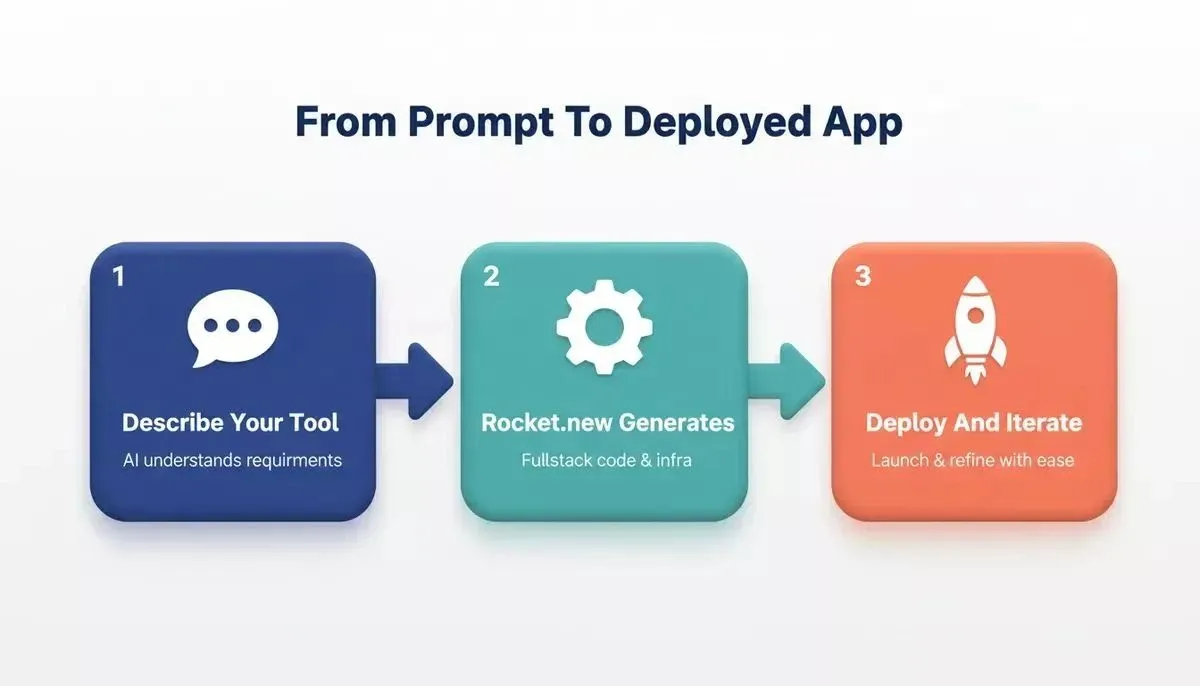
Rocket takes you from prompt to deployed, production-ready content repurposing tool in a single workflow.
How Do You Automate Distribution Across Social Channels?
Automated distribution means approved content reaches every channel on schedule, without anyone pressing a button. The distribution scheduler turns your tool from a content generation app into a full publishing system.
-
Per-channel scheduling: Set different posting times for LinkedIn (Tuesday mornings), X (weekday afternoons), email newsletters (Thursday AM), and Instagram (evenings). Your content calendar displays everything at a glance across the full week
-
Queue-based publishing: Approved content sits in a distribution queue organized by platform and date. The scheduler calls each platform's API at the configured time. For LinkedIn and X, you connect your developer API credentials once and the app handles every subsequent post automatically
-
Buffer and Hootsuite replacement: Instead of paying $99 to $199 per month for a social media scheduler you do not own, you run a custom tool built specifically for how your team plans and schedules posts
-
Format-aware cross-posting: The scheduler does not blast the same content everywhere. It sends the LinkedIn-formatted version to LinkedIn, the thread to X, the newsletter summary to your email tool, the FAQ block to your website CMS, and video scripts to your production queue
-
Performance tracking built in: After each piece publishes, the tool pulls engagement data back into your analytics dashboard. Track results per piece of content, per social platform, per week. Close the loop so you know what content types drive better reach and what falls flat
Automating distribution across multiple channels means your team stops copy-pasting and starts analyzing. Schedule posts once, track performance data automatically, and adjust your content strategy based on what the numbers show. Most teams save 5 to 10 hours per week once the distribution pipeline runs on its own.
What Common Mistakes Break Repurposing Workflows?
Building the system is one step. Running it smoothly without problems is another. These are the errors that trip up most creators and content teams.
-
Skipping brand voice setup: If you do not define tone rules, word limits, and output quality standards before the automation starts, every AI-generated variant will sound generic and off-brand. Set the rules first, test on three to five pieces, then scale up production
-
Treating all social platforms the same: A LinkedIn post is not a shortened blog post. An X thread is not a LinkedIn post cut into pieces. Each format requires its own structure. 90% of content marketers rely on social media for distribution because they adapt content per channel rather than blasting the same text everywhere
-
Removing human editing entirely: AI generates good first drafts, not final copies. The approval step catches errors, hallucinations, and off-brand phrasing that automation misses. Skipping manual review trades short-term speed for long-term reputation damage
-
Ignoring the analytics feedback loop: If you never check which repurposed formats perform best on which social platforms, you are guessing. Close the loop: run the tool, read the data, refine the AI prompts, and watch output quality improve over time
-
Building too many output formats at once: Start with three or four formats: LinkedIn, X, email, and one video format. Add more as your team gets comfortable with the review process. Trying to automate everything on day one creates bottlenecks in the approval workflow
The trade-off is not between automation and quality. It is between thoughtful automation that improves over time and careless automation that produces content nobody reads or shares.
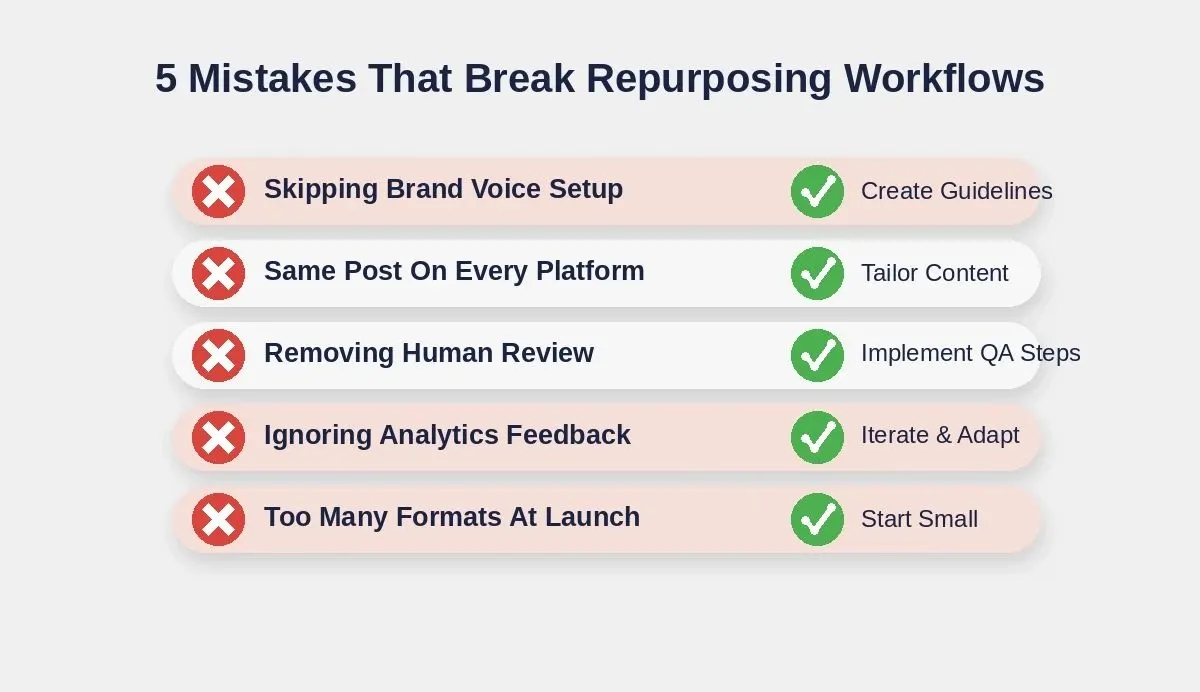
Avoid these five mistakes to keep your content repurposing pipeline running smoothly at scale.
Ship Once, Distribute Everywhere, Own The Workflow
Content repurposing is the marketing workflow that every team does manually and no team enjoys. The system described in this guide, from the input layer to the AI transformation engine, approval workflow, and distribution scheduler, replaces the busywork with a process your whole team controls and owns.
The gap between creating one piece of content and distributing it across every social channel has never been smaller. Your content strategy deserves a tool built for the way your team actually works, not a generic SaaS product that charges per seat for features you never touch.
Stop reformatting content by hand. Describe your content repurposing workflow to Rocket and watch the AI generate the full tool: content input screens, AI-powered reformatting, approval routing, and scheduled distribution to every channel. Start building for free today and ship your first version in minutes.
Table of contents
- -Why Does Every Content Team Spend Hours Reformatting?
- -How Does A No-Code Repurposing Tool Compare To Existing Options?
- -What Should A Full-Stack Repurposing System Include?
- -How Do You Validate Demand Before Building?
- -How Do You Set Up The Content Input Layer?
- -Mapping One Piece To Many Formats Automatically
- -How Does The Tool Handle Video And Audio Content?
- -What Does The Approval Workflow Look Like?
- -How Rocket Ships Your Repurposing Tool Faster Than Any Stack
- -How Do You Automate Distribution Across Social Channels?
- -What Common Mistakes Break Repurposing Workflows?
- -Ship Once, Distribute Everywhere, Own The Workflow


