
Building a marketing automation platform with AI lets teams replace manual scheduling and static segmentation with adaptive systems that learn, personalize, and scale without months of custom development.
Why do marketing teams still spend hours manually scheduling emails and segmenting lists?
According to HubSpot's 2026 State of Marketing report, 47% of marketers now use automation to make their processes more efficient. Yet most still rely on off-the-shelf tools that barely fit their workflow. The gap between what generic platforms offer and what growing teams actually need is where custom AI-powered automation platforms come in.
This blog walks you through every layer of building one. You will cover data architecture, AI model selection, channel orchestration, and deployment.
Why AI Changes How We Approach Campaign Automation
Traditional campaign tools follow static rules. AI-driven platforms, however, learn patterns and adjust in real time.
-
Predictive send-time optimization analyzes open-rate data per contact and delivers messages at peak engagement windows
-
Dynamic audience segmentation groups contacts by behavior signals rather than fixed demographic tags
-
AI content generation drafts subject lines, ad copy, and landing page variants in seconds
-
Real-time budget allocation shifts spend across channels based on live conversion data
-
Behavioral trigger systems react to micro-actions like scroll depth, cart abandonment, or pricing page revisits
As a result, teams building on platforms like Rocket ship custom automation apps that match their exact funnel, not someone else's template.
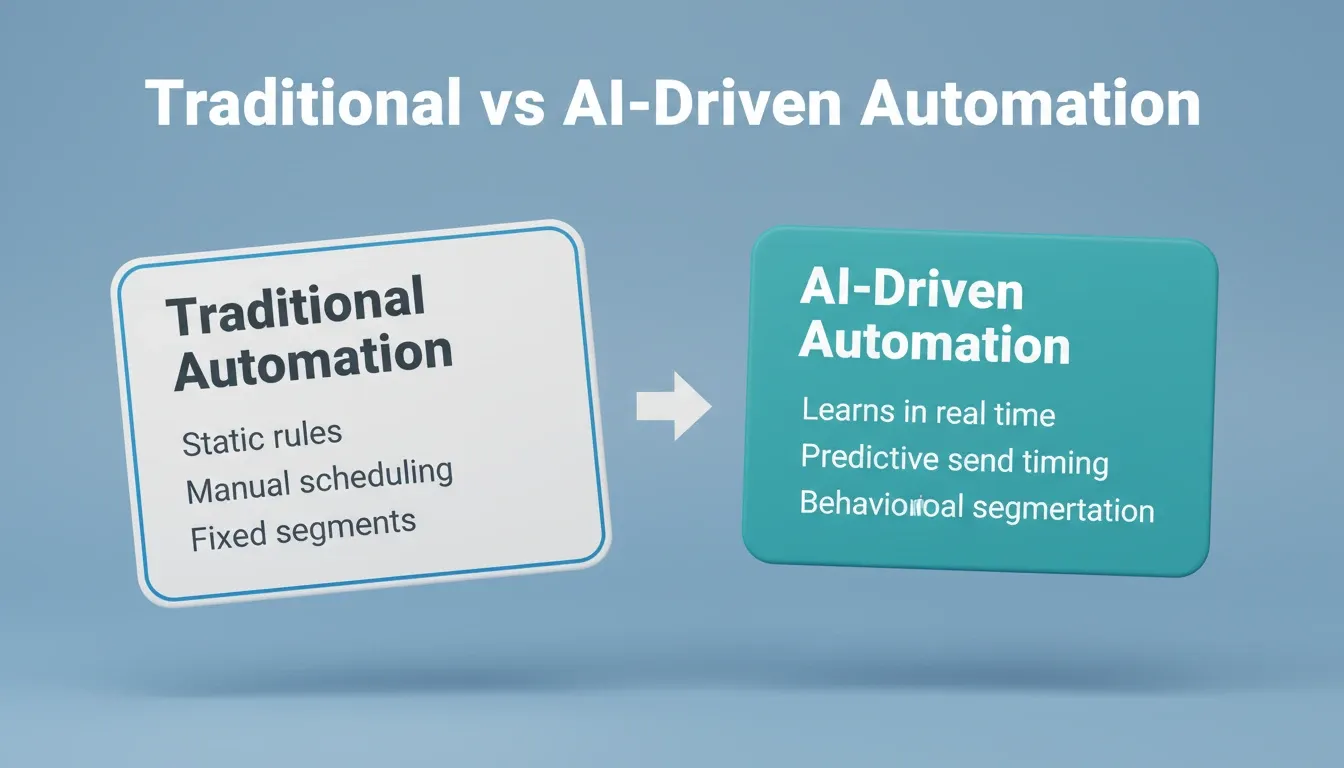
Traditional Automation vs. AI-Driven Automation
| Capability | Traditional Rule-Based Tools | AI-Driven Automation Platform |
|---|---|---|
| Segmentation | Fixed demographic tags | Behavioral signal clustering, real-time |
| Send timing | Manually scheduled | Predictive per-contact optimization |
| Content | Static templates | Dynamic generation per segment |
| Budget allocation | Manual channel splits | Live reallocation by conversion data |
| Learning | None, static until updated | Continuous model improvement |
What Components Does an AI-Driven Automation System Need?
Every AI-powered automation platform requires these architectural building blocks working together. Here is a breakdown of each component, its role, and the technology choices you will face.
| Component | Role | Common Technology Choices |
|---|---|---|
| Data Layer | Collects and stores customer interactions | PostgreSQL, BigQuery, Snowflake, Supabase |
| AI Engine | Processes signals and generates predictions | TensorFlow, PyTorch, OpenAI API, Anthropic |
| Workflow Engine | Orchestrates campaign sequences and triggers | Temporal, Apache Airflow, custom state machines |
| Channel Connectors | Delivers messages across platforms | SendGrid, Twilio, Meta Ads API, Google Ads API |
| Analytics Dashboard | Measures outcomes and feeds data back to AI | Mixpanel, Amplitude, custom dashboards |
According to the Salesforce State of Marketing (10th Edition), 83% of marketers recognize the shift toward personalized, two-way messaging. However, only one in four are satisfied with how they use data to power those moments. A solid architecture resolves this gap.
How Should You Structure the Data Layer?
The data layer is where most automation platforms succeed or fail. Getting this right determines everything downstream.
-
Unified customer profiles merge data from CRM, web sessions, email interactions, and purchase history into one record
-
Event streaming captures real-time actions like clicks, page views, and form submissions, then pipes them to the AI engine within milliseconds
-
Schema design must balance flexibility for new data sources with query performance for segmentation
-
Data hygiene automation deduplicates records, enriches missing fields, and flags stale contacts without manual intervention
-
Privacy compliance (GDPR, CCPA) must be baked into the data layer from day one, not patched later
Teams that take API-first approaches to data architecture can add new sources without rebuilding the pipeline each time.
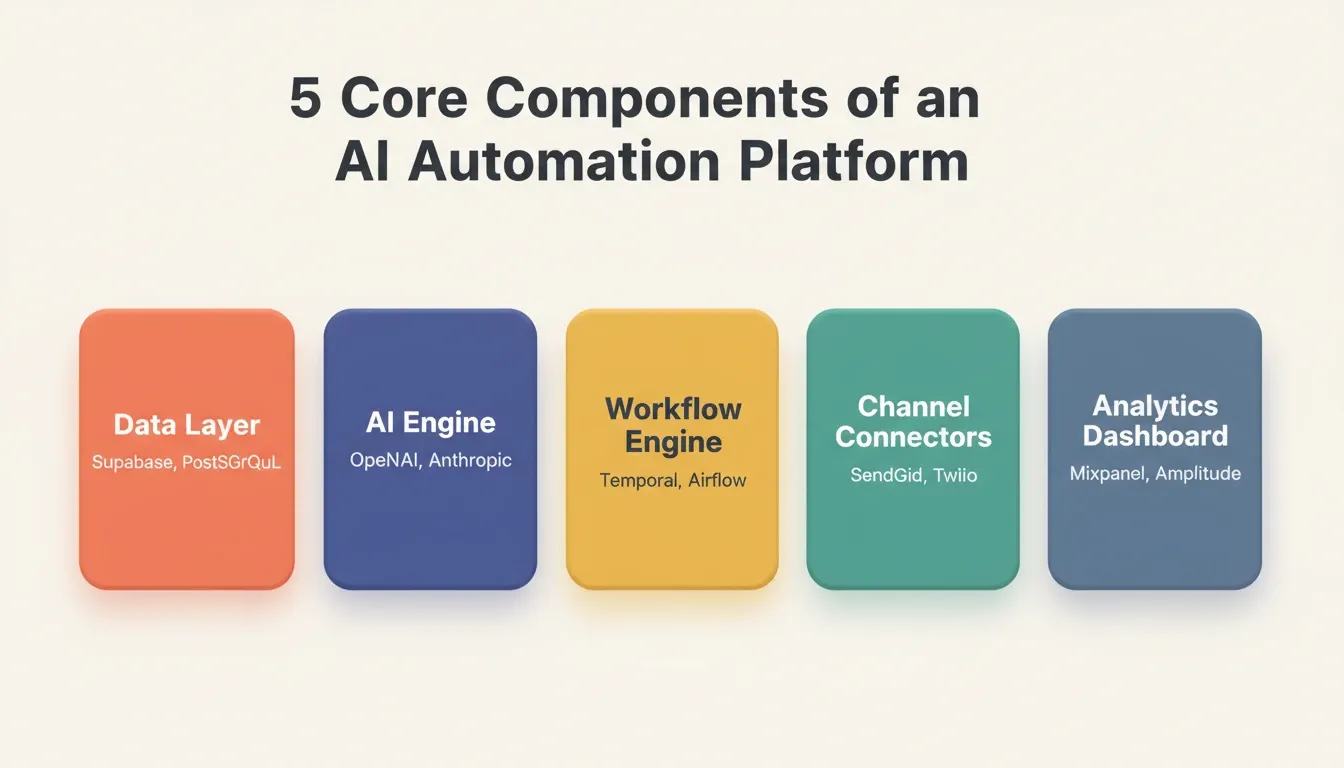
5 Core Components of an AI Automation Platform: from data layer through analytics dashboard
What Does the Workflow Engine Actually Do?
The workflow engine is the orchestration brain of your platform. It decides what happens next based on user behavior, time delays, scoring thresholds, and channel availability.
A production-grade workflow engine handles trigger evaluation, state management, retry and fallback logic, and concurrency. It runs thousands of parallel journeys without race conditions or missed events. Tools like Temporal and Apache Airflow are popular choices. For simpler use cases, a custom state machine backed by a PostgreSQL database can handle early-stage volume without the operational overhead of a dedicated orchestration platform.
Which AI Models Power Automated Campaigns?
Choosing the right AI models depends on which automation tasks you prioritize. Not every problem needs deep learning.
-
Classification models like logistic regression and random forests work well for lead scoring and churn prediction
-
NLP models power subject line generation, chatbot responses, and sentiment analysis of customer feedback
-
Time-series forecasting predicts optimal send times, seasonal demand shifts, and budget pacing
-
Recommendation engines using collaborative filtering and content-based methods personalize product suggestions in emails and ads
-
Reinforcement learning optimizes multi-step campaign journeys by learning which paths produce conversions
Start with simpler models and upgrade only when data volume justifies complexity. A well-tuned logistic regression for lead scoring outperforms a poorly trained neural network every time. Teams looking to automate product development using AI can prototype these models rapidly before committing to infrastructure.
AI Model Selection by Automation Task
| Task | Recommended Model Type | Why |
|---|---|---|
| Lead scoring | Logistic regression, gradient boosting | Interpretable, fast to train, works on small datasets |
| Subject line generation | GPT-class LLM (OpenAI, Anthropic) | High-quality natural language output |
| Send-time optimization | Time-series forecasting (Prophet, LSTM) | Learns per-contact temporal patterns |
| Product recommendations | Collaborative filtering, content-based | Leverages purchase and browse history |
| Churn prediction | Random forest, XGBoost | Handles mixed feature types well |
| Audience segmentation | K-means clustering, DBSCAN | Unsupervised, discovers natural groupings |
How Do You Connect Channels Without Code?
Channel integration is the delivery layer. It is the part that actually reaches your audience across email, SMS, push, social, and paid ads.
AI-powered channel router: trigger detection, preference-based routing, and a continuous feedback loop that retrains the model on every engagement signal.
The workflow above shows how a codeless channel router works. The AI trigger engine detects user actions, scores them, and routes messages through the preferred channel. It then feeds engagement data back to the model for continuous improvement.
How to Build a Marketing Automation Platform Step by Step
Building from scratch requires sequencing the work correctly. Skipping phases produces fragile systems that break under real campaign load. Teams exploring custom automation workflows should follow a phased approach to avoid over-engineering early.
Phase 1: Data Foundation (Weeks 1–3)
Start with the data layer before writing a single line of automation logic.
-
Define your unified customer profile schema, including what fields you need, where they come from, and how they update
-
Set up event streaming to instrument your website and app to emit behavioral events in real time
-
Choose your database. Supabase (PostgreSQL) works well for teams that want a managed backend with built-in auth and row-level security
-
Build data hygiene pipelines for deduplication, enrichment, and GDPR consent tracking from day one
Phase 2: AI Engine (Weeks 4–6)
With clean data flowing, you can train your first models.
-
Start with lead scoring. A gradient boosting model trained on historical conversion data gives you immediate value
-
Add send-time optimization using time-series models trained on your open-rate history per contact
-
Integrate an LLM for content generation by connecting OpenAI or Anthropic via API for subject line and copy variants
Phase 3: Workflow Engine and Channel Connectors (Weeks 7–10)
Now build the orchestration layer that ties data and AI together.
-
Design your trigger schema to define what events fire what sequences
-
Build or integrate a workflow engine. Use Temporal for production scale or a custom state machine for early-stage
-
Connect your channels: email via SendGrid or Resend, SMS via Twilio, push via Firebase, and paid ads via Meta and Google APIs
-
Implement feedback loops so every engagement event flows back to update contact scores and model inputs
Phase 4: Analytics and Iteration (Weeks 11–12)
Launch with measurement in place from day one.
-
Build your KPI dashboard to track conversion lift, time saved, CPA trends, and model accuracy
-
Set up model drift monitoring to alert you when prediction accuracy drops below threshold
-
Run your first A/B test to validate that AI-optimized sends outperform your baseline
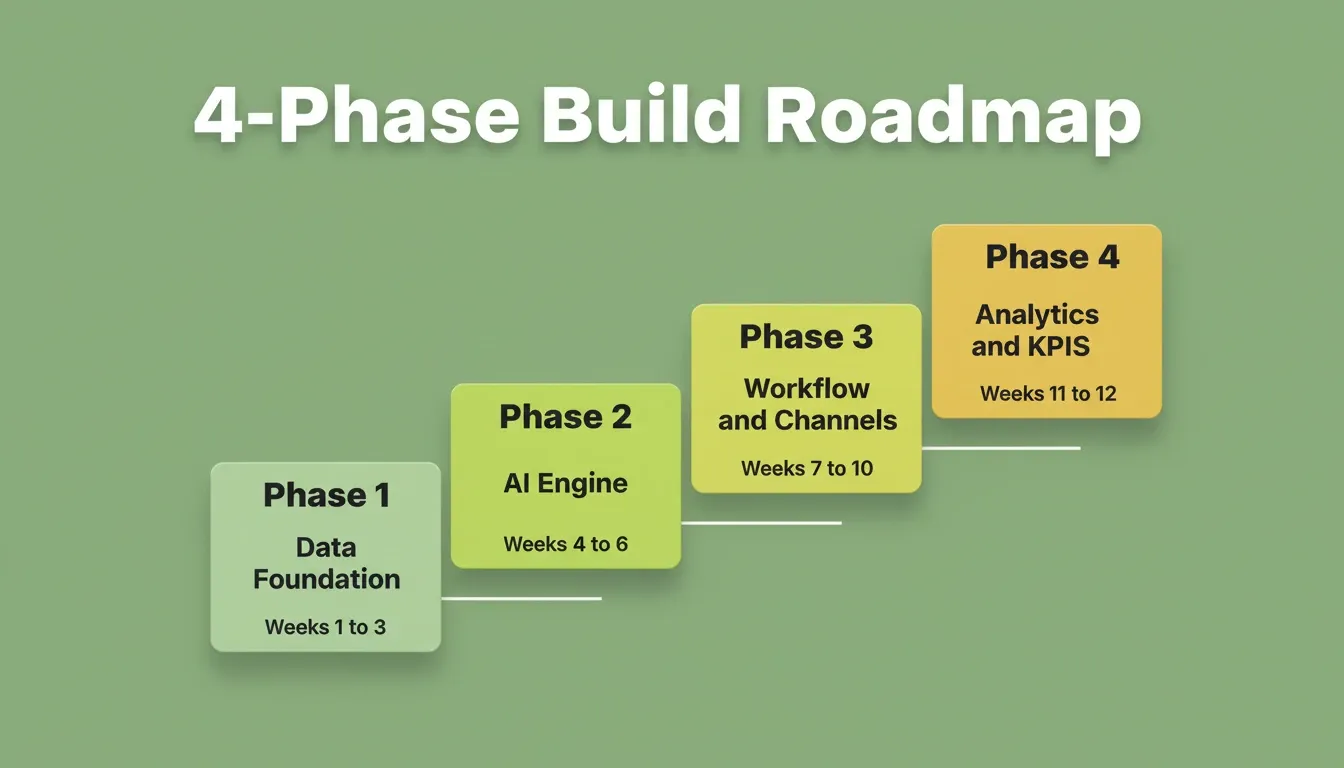
4-Phase Build Roadmap: from data foundation to analytics, across 12 weeks
Where Rocket Fits in Your Automation Stack
You understand the architecture. You know which AI models to pick and how channels connect. The question is: how do you ship all of this without a six-month engineering timeline?
Rocket is a full-stack AI platform that combines strategic research (Solve), production-grade app generation (Build), and continuous competitive monitoring (Intelligence) in one place. For marketing automation specifically, it delivers:
-
Full-stack generation from a prompt. Describe your automation workflow in plain language. Rocket produces the frontend dashboard, backend logic, database schema, and API routes in Next.js
-
Built-in Supabase integration. The data layer, authentication, and row-level security are handled out of the box, with no separate backend configuration required
-
25+ native connectors. SendGrid, Twilio, Mailchimp, Mixpanel, HubSpot, OpenAI, Anthropic, and more connect directly into the build without custom API code
-
One-click deployment. Your automation platform goes live with hosting, SSL, and CDN included
-
Production-ready code ownership. The generated Next.js codebase is yours to download, extend, and deploy anywhere
Build Approach Comparison
| Approach | Time to MVP | Code Ownership | Scalability |
|---|---|---|---|
| Custom development | 3–6 months | Full | High |
| Zapier/Make workflows | Days | None | Low |
| No-code platforms | Weeks | Partial | Medium |
| Rocket | Hours to days | Full (Next.js) | High |
What Are the Common Mistakes When Shipping Automation Platforms?
Most AI automation projects fail not because of bad models, but because of avoidable engineering and strategy errors.
-
Over-engineering the MVP by adding every channel and model before validating that the core flow works
-
Ignoring data quality and training models on incomplete or duplicated contact records
-
Building without feedback loops, so the AI never improves after launch
-
Choosing complexity over reliability, such as using GPT-4 for tasks a simple rule engine handles better
-
Skipping load testing, then watching the platform buckle during a product launch campaign
-
Not planning for deliverability, including IP warming, domain authentication (DKIM, DMARC), and bounce handling
According to Wyzowl's 2026 research, 63% of marketers now use AI tools in their workflow, up from 51% the prior year. The rush to adopt means many teams ship half-baked systems. Therefore, take time to validate each layer before expanding.
How Do You Measure Success After Launch?
Launching is only the beginning. Measurement determines whether your platform earns its keep or becomes expensive shelfware.
-
Conversion lift compares campaign performance before and after AI optimization, with a target of 15–30% improvement in the first 90 days
-
Time saved per campaign tracks hours recovered from manual segmentation, scheduling, and reporting
-
Cost per acquisition (CPA) should decrease as the AI learns which channels and messages convert specific segments
-
Model drift monitoring alerts you when prediction accuracy declines, signaling the need for retraining
-
Attribution modeling connects revenue back to specific automated touchpoints
Teams using Rocket's deployment and monitoring tools can set up performance dashboards to automatically track these KPIs from launch day.
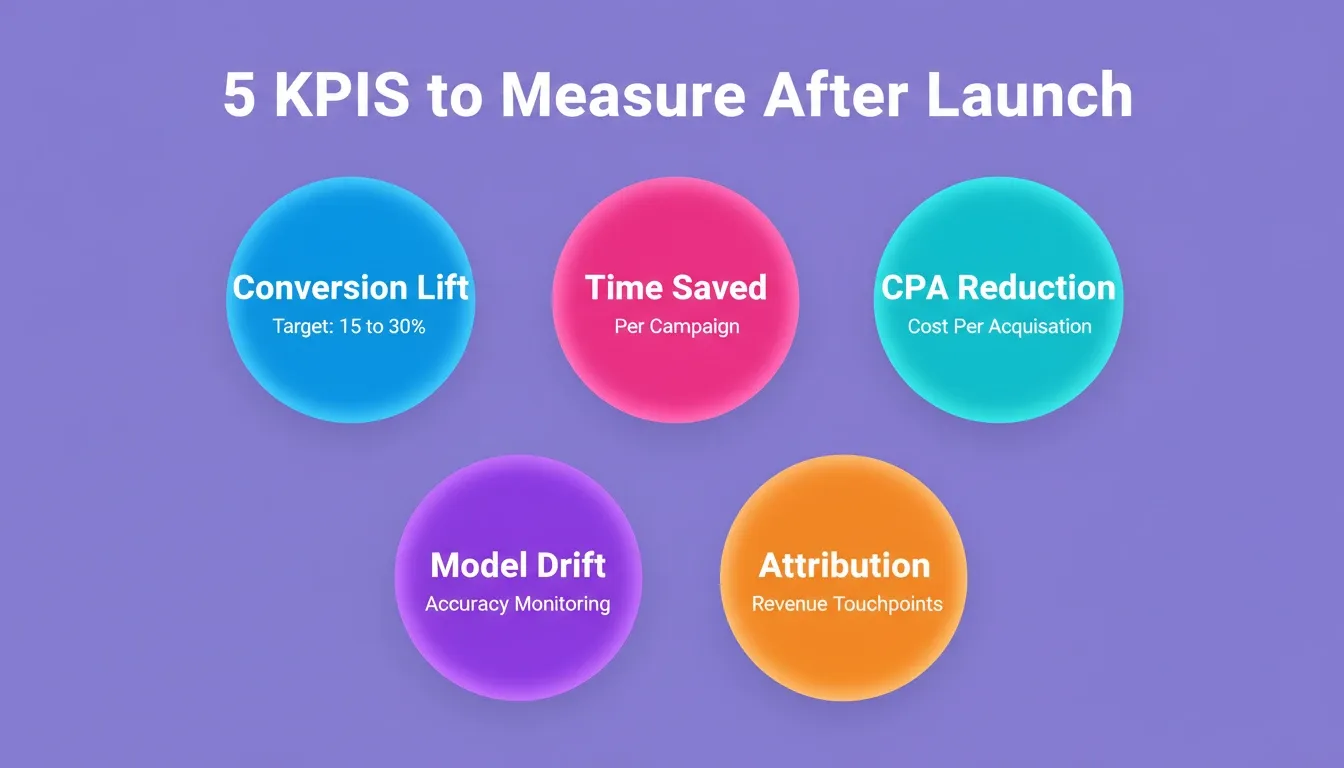
5 KPIs to Measure After Launch: conversion lift, time saved, CPA, model drift, and attribution
Build Smarter Campaigns, Starting Today
Building a marketing automation platform with AI is no longer reserved for enterprise teams with dedicated ML engineers. The architecture patterns, model choices, and integration strategies covered here give you a clear path from concept to production.
As AI models grow more capable and data pipelines become easier to manage, teams that build their own automation infrastructure will gain a compounding advantage over those relying on generic tools. The window to build a differentiated system is now.
You describe the workflow. Rocket generates the full-stack platform, complete with AI logic, database, and deployment, and you ship the same day. Start building on Rocket.new and get your marketing automation platform live before your next campaign cycle.
Table of contents
- -Why AI Changes How We Approach Campaign Automation
- -Traditional Automation vs. AI-Driven Automation
- -What Components Does an AI-Driven Automation System Need?
- -How Should You Structure the Data Layer?
- -What Does the Workflow Engine Actually Do?
- -Which AI Models Power Automated Campaigns?
- -AI Model Selection by Automation Task
- -How Do You Connect Channels Without Code?
- -How to Build a Marketing Automation Platform Step by Step
- -Phase 1: Data Foundation (Weeks 1–3)
- -Phase 2: AI Engine (Weeks 4–6)
- -Phase 3: Workflow Engine and Channel Connectors (Weeks 7–10)
- -Phase 4: Analytics and Iteration (Weeks 11–12)
- -Where Rocket Fits in Your Automation Stack
- -Build Approach Comparison
- -What Are the Common Mistakes When Shipping Automation Platforms?
- -How Do You Measure Success After Launch?
- -Build Smarter Campaigns, Starting Today