A central purchase approval system replaces scattered email threads with structured routing, real-time visibility, and a complete audit trail, cutting approval cycle times from days to hours.
How long does a purchase sign-off sit in someone's inbox before it moves?
Procurement approval automation research shows that manual, email-based procurement workflows average 9.6 days per approval, with slower teams stretching to 14 days. That is not a minor delay. It is a structural bottleneck that compounds every time someone hits "forward" instead of "approve." Requests pile up, budget codes go stale, and vendors wait while the email thread grows longer.
This blog covers why email breaks down as an approval system, what a structured workflow looks like, which features matter, and how to build a portal that fits your exact rules.
Why Email Breaks Down as a Purchase Approval System
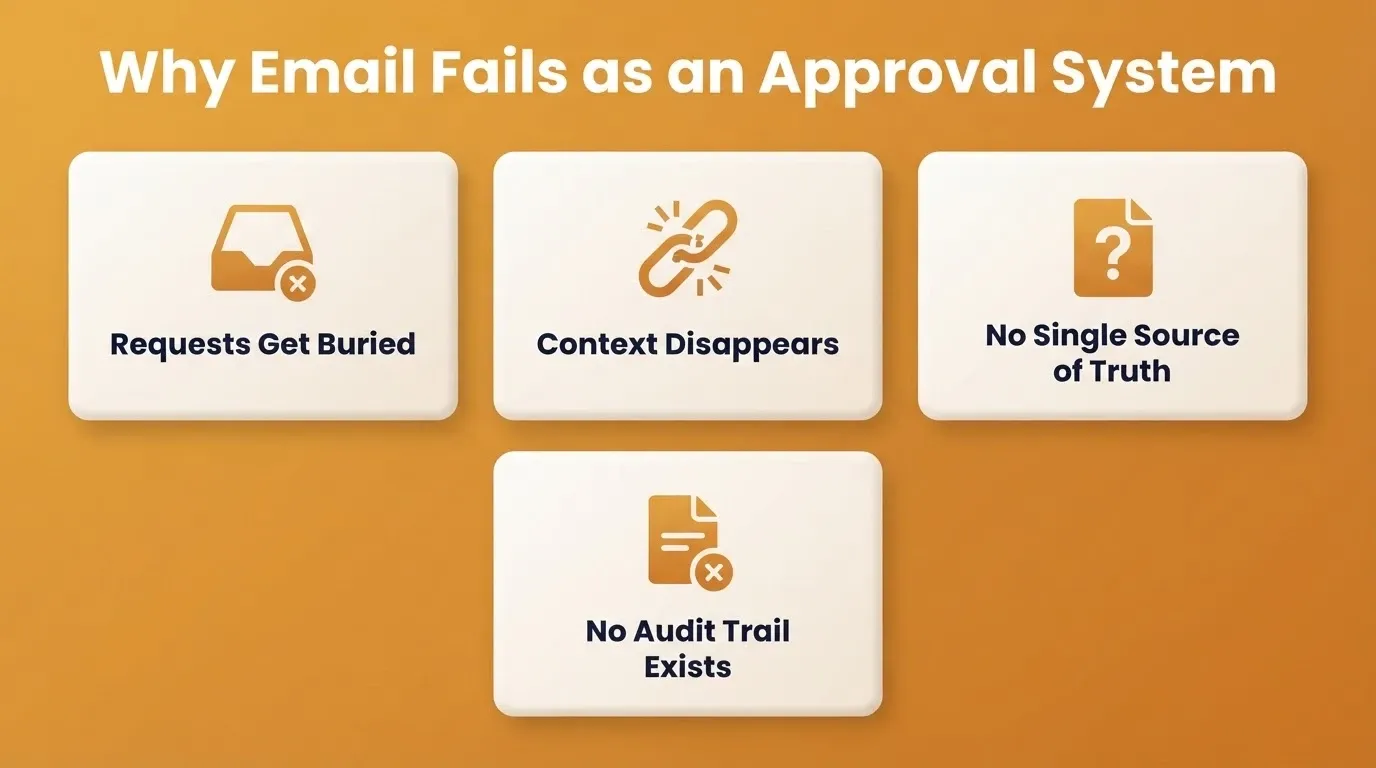
Email was built for conversations, not decisions. When purchase requests live in inboxes, every handoff creates a new way for the process to stall. As a result, teams lose time, context, and control at every step.
-
Requests get buried. A Monday morning purchase request competes with 60 other emails. By Wednesday, the approver has forgotten it. The requester sends a follow-up, which starts a second thread.
-
Context disappears across forwards. The original justification, budget code, and vendor quote get stripped as the email moves between finance, operations, and the final approver.
-
There is no single source of truth. Three people might approve the same request at different stages. Nobody can confirm the current status without manually checking each person.
-
Delegation breaks silently. When an approver is on leave, the request simply sits. There is no automatic reroute, no backup approver triggered, and no escalation timer.
-
Audit trails do not exist. Compliance and finance teams cannot trace who approved what, when, or under which authority without reconstructing email threads by hand.
In short, email creates an illusion of process without providing actual control.
The Real Cost of Slow Purchase Approvals
The cost of slow approvals shows up in budget overruns, off-contract spending, and wasted labor hours. It goes well beyond inconvenience.
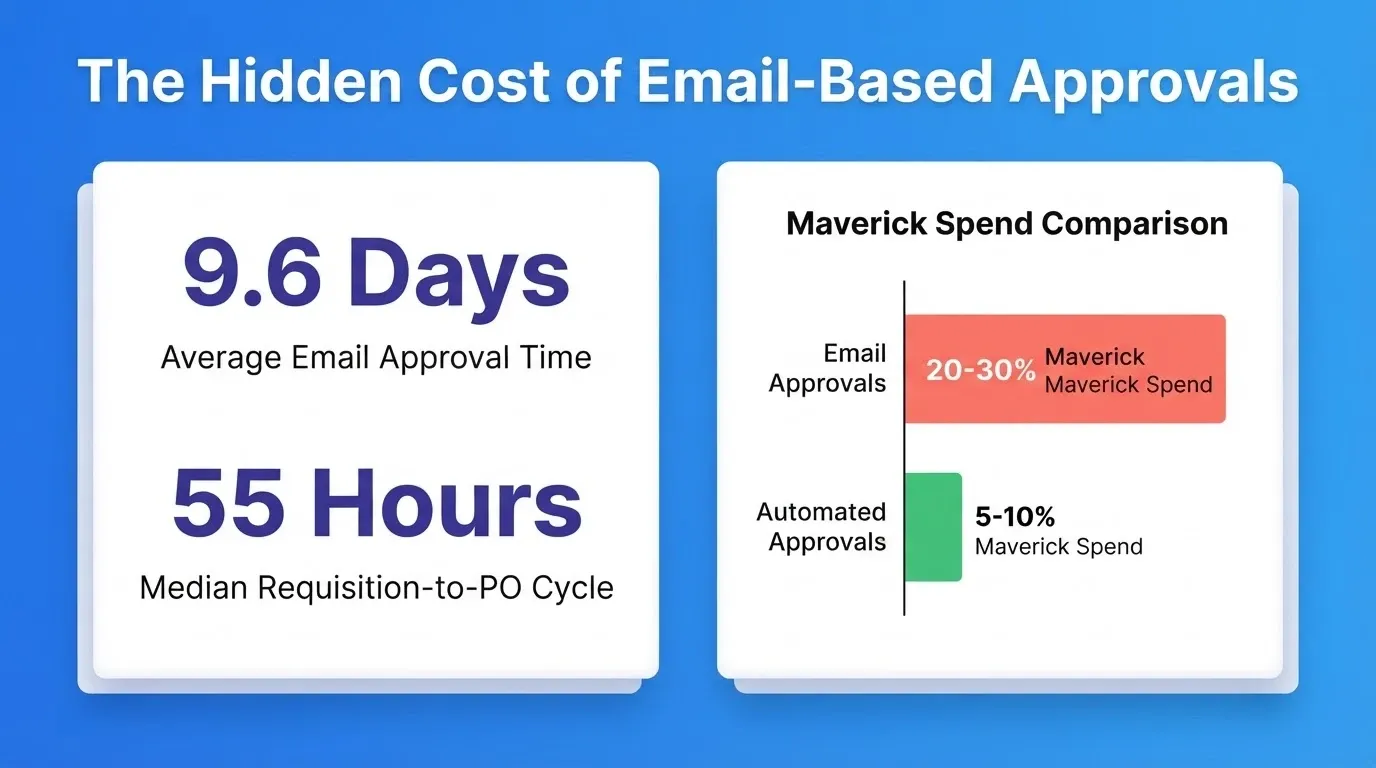
According to Procurify's 2026 procurement benchmark report, the median requisition-to-PO cycle time was 55 hours in 2025, up from 51 hours the year before. As organizations grow, approval workflows that once worked start to break under volume.
Maverick spend typically accounts for 20% to 30% of total organizational spend, according to procurement research. That is money moving without oversight, without negotiated pricing, and without audit trails.
Here is how manual and automated workflows compare on the metrics that matter:
| Metric | Manual (Email-Based) | Automated Workflow |
|---|---|---|
| Average approval cycle time | 5 to 14 days | 1 to 3 days |
| First-submission rejection rate | 40% to 60% | Under 10% |
| Maverick spend share | 20% to 30% of total | 5% to 10% of total |
| Labor hours lost to follow-ups | 12 to 15 hours per week | Near zero |
| Capacity to handle more requests | Fixed | 40% to 50% more without new hires |
Teams that have moved to centralized review systems that replace spreadsheets consistently report the same result: faster processing, fewer errors, and more time for work that requires human judgment.
What a Central Purchase Approval System Actually Does
A central purchase approval system is a dedicated portal where every purchase request gets submitted, routed, reviewed, and recorded in one place. It replaces the inbox as the decision surface and the email thread as the audit trail.
The system handles three core jobs. First, it captures all the information a reviewer needs before routing begins, including item, vendor, cost, budget code, and business justification. Second, it routes the request to the right approvers in the right order, based on rules you define. Third, it records every action with a timestamp and attribution so compliance, finance, and audit teams have a complete trail.
Every request follows a defined path. No request can be approved by someone without the authority to approve it. No request can disappear into an inbox without triggering an escalation.
What a Structured Approval Workflow Looks Like
A well-designed approval workflow replaces guesswork with clear routing. Every purchase request follows a defined path based on its category, dollar amount, and risk level.
A requester submits a purchase request with item details, vendor, cost, and budget code. The system then checks the request against pre-set rules. Low-risk, in-policy purchases get auto-approved or routed to a single reviewer. Higher-value or non-standard requests trigger additional approvers in sequence or in parallel. Once approved, the system generates a purchase order automatically.
Purchase Request Routing Logic: From Submission Through Tiered Approval to Purchase Order Generation
At every stage, the requester, the approvers, and the finance team can see exactly where the request stands. No follow-up emails are needed. Structured routing alone cuts cycle time by 40% to 60%, according to organizations that have made the shift.
Who Needs a Central Purchase Approval System
Not every team hits this problem at the same time. The trigger points, however, are consistent across industries and team sizes.
Finance and procurement teams processing more than 20 purchase requests per week will find email unmanageable. Requests go missing, approvers miss deadlines, and month-end reconciliation becomes a forensic exercise.
Operations managers who need to enforce spend policies across multiple departments cannot do so through email. There is no enforcement mechanism, only reminders.
Compliance and legal teams at companies in regulated industries, such as financial services, healthcare, and government contracting, need a complete, exportable audit trail for every purchase. Email threads do not qualify.
Growing businesses that have outgrown a spreadsheet but are not ready to pay enterprise SaaS prices are strong candidates for a custom-built portal. Teams that have applied the same logic to turning standard operating procedures into interactive client experiences report that structured workflows reduce administrative overhead across every function they touch.
Which Features Should a Purchase Approval Tool Include
The features that matter most depend on your organization's size, spend volume, and compliance requirements. To help you plan, here is a practical checklist of what a central purchase approval system should include.
-
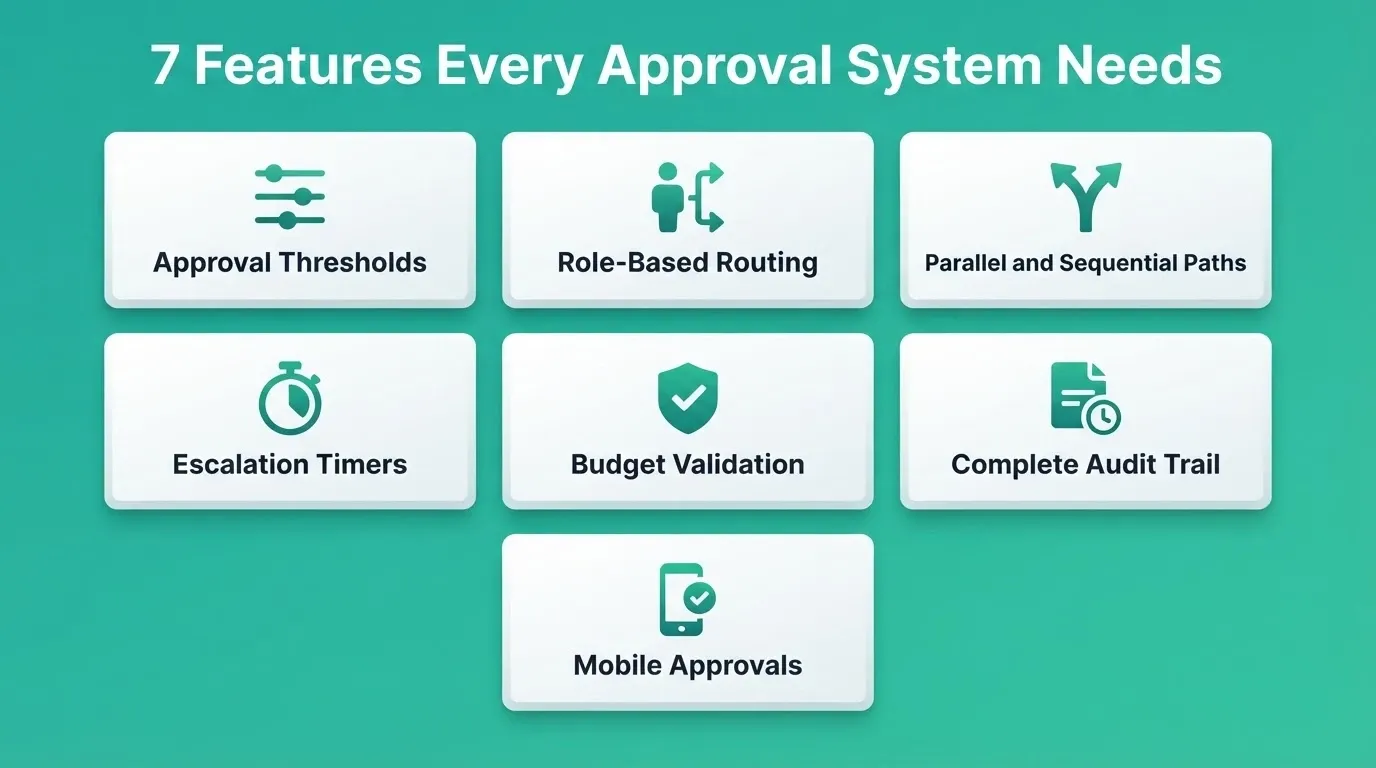
Configurable approval thresholds. Different dollar amounts and categories trigger different approval chains. A $200 office supply order should not follow the same path as a $50,000 software contract.
-
Role-based routing. Requests go to the right person based on department, spend category, and authority level. No manual forwarding is required.
-
Parallel and sequential review paths. Some approvals need multiple reviewers simultaneously. Others need them in order. The system should support both.
-
Automatic escalation timers. If an approver does not act within a defined window, the request moves to a backup approver or escalates to their manager.
-
Budget and contract validation. The system checks available budget and contract terms before routing for approval, catching overages before they happen.
-
Complete audit trail. Every action, from submission to final approval, is timestamped, attributed, and exportable for compliance reviews.
-
Mobile-responsive approval actions. Approvers need to act from their phone between meetings. Research shows mobile-enabled approvals improve response times by 60% to 70%.
As Derick, a procurement operations specialist, notes in his PO approval workflow analysis:
"Every unnecessary approval step ties up working capital, increases off-contract spend, and creates supplier friction."
Purchase Approval System Options: Build, Buy, or Generate
Before choosing a tool, it helps to understand the three realistic paths and what each one actually costs. The right choice depends on how much flexibility your workflow requires.
| Option | Time to Deploy | Flexibility | Fits Your Workflow |
|---|---|---|---|
| Off-the-shelf SaaS (e.g., Kissflow, Coupa) | Days to weeks | Low, you adapt to their logic | Partial |
| Custom development | 3 to 6 months | High | Full |
| AI-generated portal (e.g., Rocket) | Same day | High | Full |
Off-the-shelf tools offer fast setup but limited customization. Custom development gives you full control but carries significant time and cost. AI-generated portals give you full customization without the long timeline.
Pricing varies widely across options. The table below covers the general range:
| Tool Type | Typical Pricing Model |
|---|---|
| Off-the-shelf SaaS procurement tools | $15 to $60 per user per month, plus setup fees |
| Custom development (estimated) | $30,000 to $100,000 or more, depending on complexity |
| Rocket (AI-generated portal) | Credit-based; see Rocket pricing for current plans |
How to Build a Purchase Approval Portal With Rocket
You describe the approval workflow your organization actually uses. Rocket then generates a production-ready Next.js web application, not a prototype and not a wireframe, with routing logic, role-based access, approval dashboards, and audit logging built in from the first generation.
Every build ships with SEO-ready structure, WCAG accessibility compliance, GDPR coverage, and performance optimization by default. These are the baseline, not optional extras.
Here is what that looks like in practice:
-
Describe your workflow in plain language. For example: "Build a purchase approval portal where requests under $500 are auto-approved, $500 to $5,000 go to a department manager, and anything above $5,000 needs manager plus finance sign-off." Rocket builds it.
-
Connect your existing tools. Rocket supports 25+ integrations, including Supabase for your database, Stripe for payment processing, and Google for authentication. Authenticate once and they flow into every build.
-
Iterate without re-explaining. After the first generation, refine through conversation. Add a budget validation step, change the escalation timer, or redesign the dashboard. Each change builds on the last with full context retained.
-
Deploy the same day. Staging and production environments, full version history, and one-click rollback come standard. Custom domain setup is included.
-
Team access built in. Rocket's three-level collaboration model, Admin, Creator, and Viewer, means your finance team, operations leads, and approvers can all access the right parts of the portal with the right permissions.
For teams building other types of internal decision infrastructure, the same approach applies. See how internal tools and admin panels get built without a development team for a broader look at what is possible.
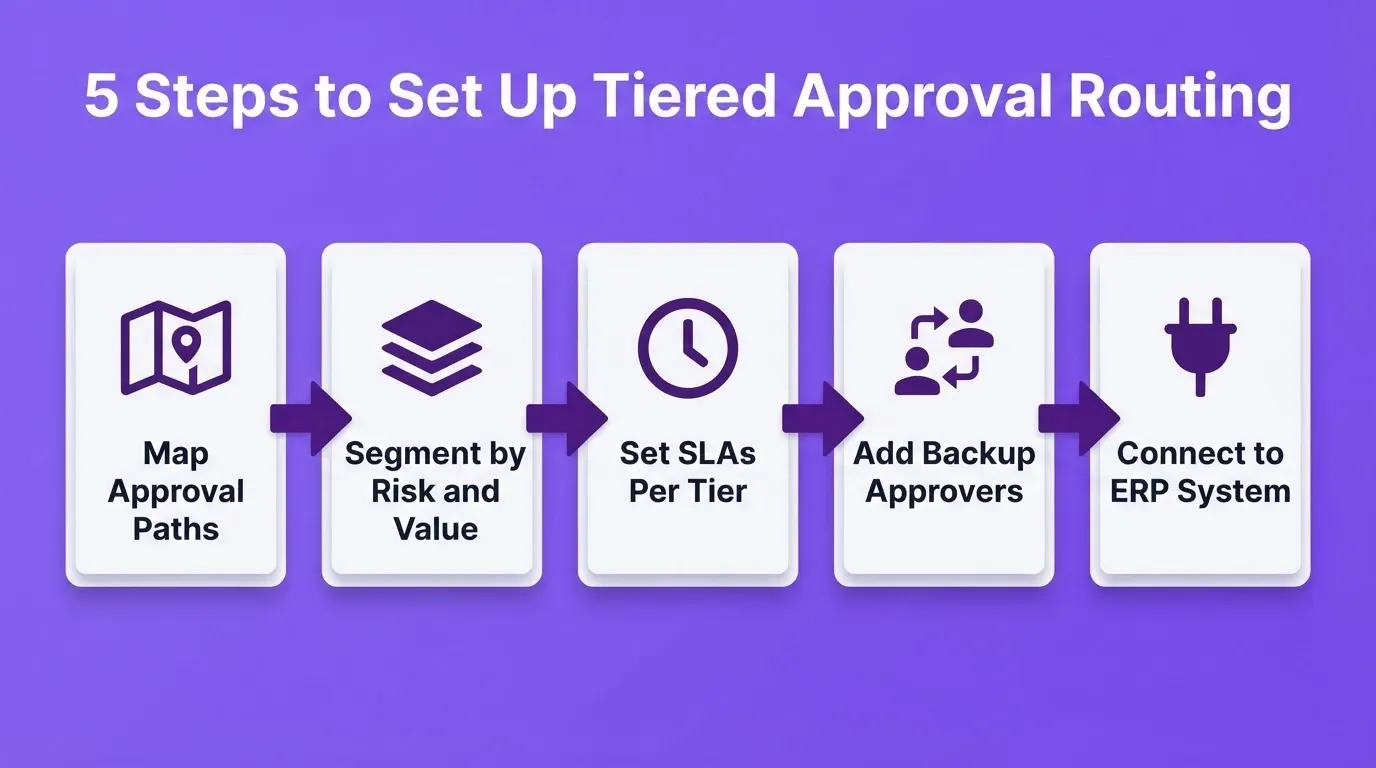
Setting Up Tiered Routing and Threshold Rules
The difference between a fast approval process and a slow one often comes down to how thresholds and routing rules are configured. Getting this right from the start prevents the bottlenecks that accumulate over time.
-
Map your current approval paths. Document who approves what today, at which dollar amounts, and for which categories. This becomes your configuration blueprint.
-
Segment purchases by risk and value. Catalog items from preferred vendors at low dollar amounts carry different risk than non-standard purchases from new suppliers. Separate them into tiers with distinct routing rules.
-
Set realistic SLAs per tier. Auto-approved catalog items should process in under 2 hours. Standard approvals should close within one business day. Complex, high-value requests can take up to 3 business days.
-
Build in delegation and backup approvers. A single approver absence should never stall the entire queue. Assign backup approvers who activate automatically after a defined idle period, typically 24 hours.
-
Connect approval data to your ERP or accounting system. Live budget visibility at the point of approval catches overages before they are committed. Rocket's integrations with Supabase, Airtable, and Notion make this connection straightforward to configure.
Once thresholds are live, review them quarterly. Spend patterns shift, team structures change, and rules that worked six months ago may no longer match how your organization actually operates.
A Real-World Scenario: From Email Chaos to Live Portal
To make this concrete, here is how a mid-sized operations team might use Rocket to replace their email-based approval process.
The situation: A 60-person professional services firm processes roughly 40 purchase requests per week across three departments. Approvals are handled by email, with a shared inbox that two finance managers monitor. The average cycle time is 8 days. The firm has had two compliance incidents in the past year where purchases were made without proper sign-off.
The prompt to Rocket: "Build a purchase approval portal. Requests under $500 are auto-approved and logged. Requests from $500 to $5,000 go to the department head for single approval. Requests above $5,000 require department head plus CFO sign-off. All requests need a business justification field, vendor name, cost, and budget code. Approvers should be able to approve or reject from email or mobile. Every action should be logged with timestamp and user. The finance team needs a dashboard showing all pending, approved, and rejected requests with export to CSV."
What Rocket generates: A full Next.js web application with a requester-facing submission form, an approver dashboard with a pending queue, a finance overview dashboard, role-based access for requesters, approvers, and finance admins, email notifications at each stage, a complete audit log, and CSV export. It deploys to a staging URL in minutes.
The iteration: The team reviews the staging build and asks Rocket to add a budget remaining indicator pulled from Supabase. They also adjust the escalation timer from 48 to 24 hours and add an "urgent" flag for time-sensitive requests. Three conversation turns. No developer is involved.
The outcome: The live portal deploys the same day. Approval cycle time drops from 8 days to under 24 hours for standard requests. The compliance team now has a complete, exportable audit trail for every purchase.
Replace Email With a System That Actually Controls Spend
Every organization that still routes purchase approvals through email is leaving cycle time, budget visibility, and compliance on the table. A central purchase approval system does not just speed up the process. It makes the process auditable, enforceable, and scalable as the organization grows.
As procurement volumes increase and compliance requirements tighten, the gap between teams with structured approval workflows and those without will widen. The organizations that build the right infrastructure now will process more requests with fewer people and fewer errors.
You describe the approval workflow your team actually uses. Rocket builds it. Start building your purchase approval portal today.
Table of contents
- -Why Email Breaks Down as a Purchase Approval System
- -The Real Cost of Slow Purchase Approvals
- -What a Central Purchase Approval System Actually Does
- -What a Structured Approval Workflow Looks Like
- -Who Needs a Central Purchase Approval System
- -Which Features Should a Purchase Approval Tool Include
- -Purchase Approval System Options: Build, Buy, or Generate
- -How to Build a Purchase Approval Portal With Rocket
- -Setting Up Tiered Routing and Threshold Rules
- -A Real-World Scenario: From Email Chaos to Live Portal
- -Replace Email With a System That Actually Controls Spend