
Subscription businesses that track renewals proactively retain more customers, protect recurring revenue, and close the gap between knowing a renewal is coming and acting on it early enough to matter.
Does your team find out a contract lapsed only after the customer stops paying?
For most subscription businesses, that answer is uncomfortable. Research from Bain and Company found that a 5% increase in customer retention raises profits by 25% to 95% (Harvard Business Review). The math works in reverse, too. Every missed renewal is a compounding loss.
Renewal dates often sit buried in CRM fields, spreadsheet columns, or contract PDFs. Nobody checks them systematically. By the time someone notices a lapsed account, the conversation has already shifted from "let's renew" to "please come back."
This blog covers what a customer renewal tracker needs, how to set up automated alerts, and how to build one with a plain-language prompt.
Why Subscription Businesses Lose Revenue at Renewal Time
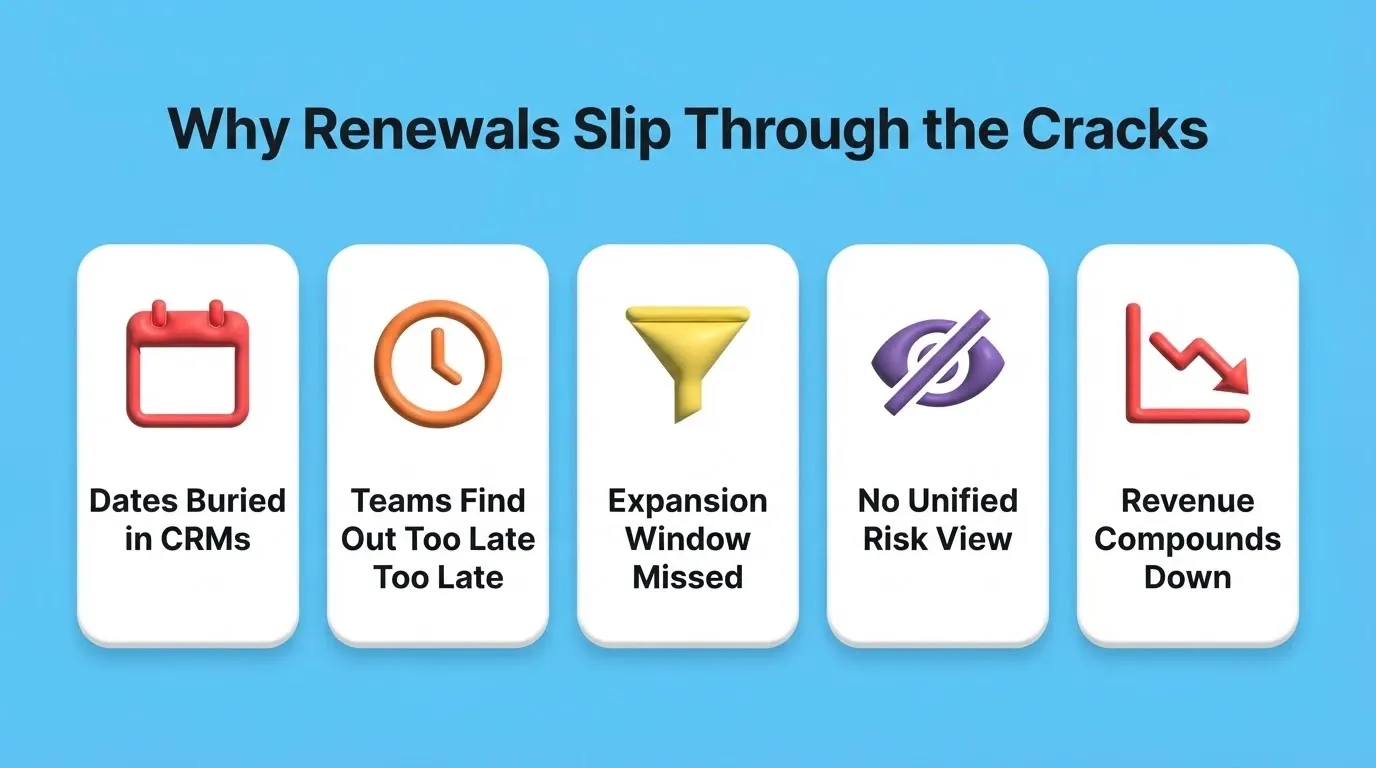
Most subscription revenue loss at renewal is not dramatic. It is quiet, systematic, and entirely preventable with the right visibility. Here are the five root causes that teams run into most often.
Renewal dates live in the wrong place. They sit in a CRM field, a contract tool, or a shared spreadsheet. None of these systems proactively push a notification 60 or 90 days before the date arrives.
Customer success teams find out too late. Someone runs a report, notices a contract expired last month, and starts a scramble. At that point, the customer has already explored alternatives or quietly stopped paying.
Expansion conversations get compressed. The best window for upselling is 60 to 90 days before renewal. When teams discover dates too late, expansion gets replaced by last-minute triage.
No single view of risk exists. Usage dropping, tickets rising, NPS scores declining. These are all renewal risk signals. They live in different tools, and nobody stitches them together alongside the renewal date. Teams building a SaaS subscription platform face this exact problem from the start.
Revenue compounds downward. One missed renewal is a single loss. Subscription businesses with blind spots lose the same way quarter after quarter. The compounding effect on annual recurring revenue is severe.
What Should a Customer Renewal Tracker Actually Show?
A customer renewal tracker is not just a list of dates. The best trackers combine timeline data with account context in one clean view. Here is what every effective tracker needs.
-
Contract and renewal date fields. Start date, end date, renewal date, contract term length, and auto-renewal status. These fields form the skeleton of every tracker.
-
Account value metrics. Annual contract value (ACV), monthly recurring revenue (MRR), and lifetime value (LTV). Sorting by value lets teams prioritize high-revenue accounts during busy renewal windows.
-
Health scoring. A composite score pulling from product usage, support ticket volume, NPS or CSAT responses, and login frequency. McKinsey research shows that companies using customer analytics intensively are 23 times more likely to outperform competitors in acquisition and 9 times more likely in customer loyalty.
-
Owner and team assignment. Which CSM or account manager owns the relationship? Clear assignment prevents accounts from falling through the cracks.
-
Engagement timeline. Last meeting date, last email, last support interaction. Gaps in engagement are early warning signals.
-
Risk and status tags. Color-coded labels: green (healthy), yellow (needs attention), red (at risk), and gray (churned). Tags make dashboard scanning fast.
| Component | Data Source | Why It Matters |
|---|---|---|
| Renewal date | CRM or contract management | Triggers proactive outreach timing |
| ACV / MRR | Billing system | Prioritizes high-value accounts |
| Health score | Usage analytics and support data | Identifies at-risk accounts early |
| Last engagement | Email or meeting logs | Flags relationship gaps |
| Risk status | Composite of above signals | Supports dashboard-level scanning |
When these components sit in one view, the account manager opens the tracker and knows exactly what needs attention today. There is no report building and no cross-referencing three tools.
For teams already managing contacts in a CRM, an AI CRM builder can serve as a useful starting point before layering renewal logic on top.
How Do You Set Up Automated Renewal Alerts?
Manual reminders do not scale. Once your book of business passes 50 accounts, someone will forget to check. A well-designed tracker fires alerts automatically at each stage of the renewal window.
-
90-day trigger. The first alert fires 90 days before renewal. The CSM reviews account health, schedules a check-in call, and flags any concerns.
-
60-day escalation. If no renewal conversation has started by day 60, the alert escalates to a manager or adds the account to a weekly review meeting.
-
30-day action required. The account enters a "needs immediate action" queue. If the health score is below threshold, a discount or incentive discussion begins.
-
7-day final notice. A senior team member sends a personal email or makes a call. This is the last proactive touchpoint before the contract expires.
-
Post-expiry follow-up. If the renewal lapses, an automated win-back sequence starts within 48 hours. Speed matters here because the customer still knows your product well.
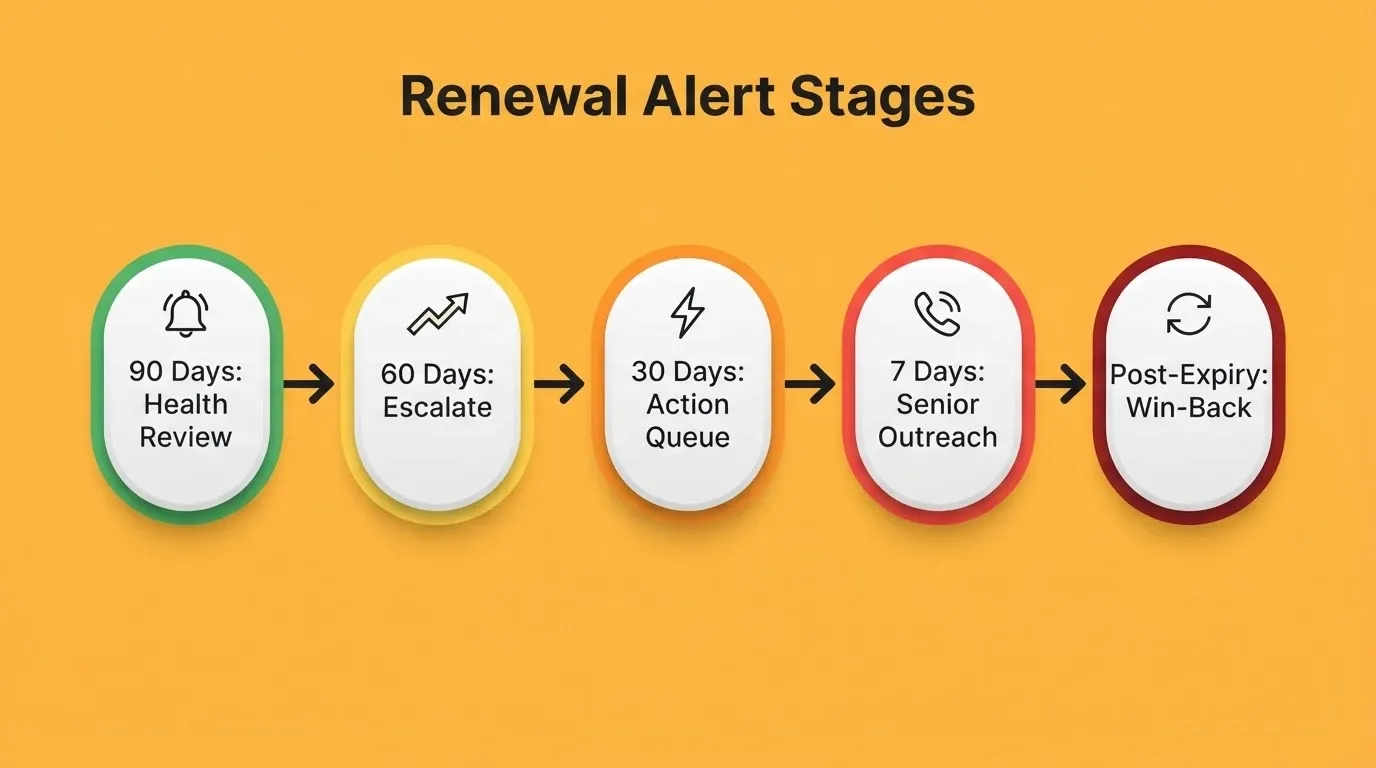
The specific day counts matter less than having a system at all. Pick your intervals, configure the alerts, and adjust based on what your data shows after a quarter.
How Does Account Health Data Fit Into Renewal Tracking?
A renewal date tells you when. Health data tells you whether. Together, they give your team the full picture it needs to act early.
Product usage frequency. Accounts logging in daily carry lower churn risk. In contrast, those who stopped using the product three weeks ago are a red flag. Usage decline is the single strongest predictor of non-renewal in most SaaS businesses.
Support ticket patterns. A spike in support requests can signal frustration. However, zero tickets can also mean disengagement. Both patterns deserve attention in the weeks before renewal.
NPS and satisfaction scores. A promoter renewing is routine. A detractor approaching renewal needs a completely different conversation.
Feature adoption depth. Customers using only basic features are more vulnerable to cheaper alternatives. Deeper adoption creates natural switching costs.
Billing and payment signals. Failed payments, downgrade requests, or cancellation questions are direct intent signals. These belong on the customer renewal tracker.
Industry benchmarks suggest that roughly 20% of customers produce 80% of sales (HubSpot). As a result, losing even a few high-value accounts during renewal has an outsized revenue impact.
Health data without renewal context is just a dashboard. Renewal dates without health data is just a calendar. The value comes from combining both. So the team sees not just "this account renews in 45 days" but "this at-risk account renews in 45 days."
How to Build a Customer Renewal Tracker Step by Step
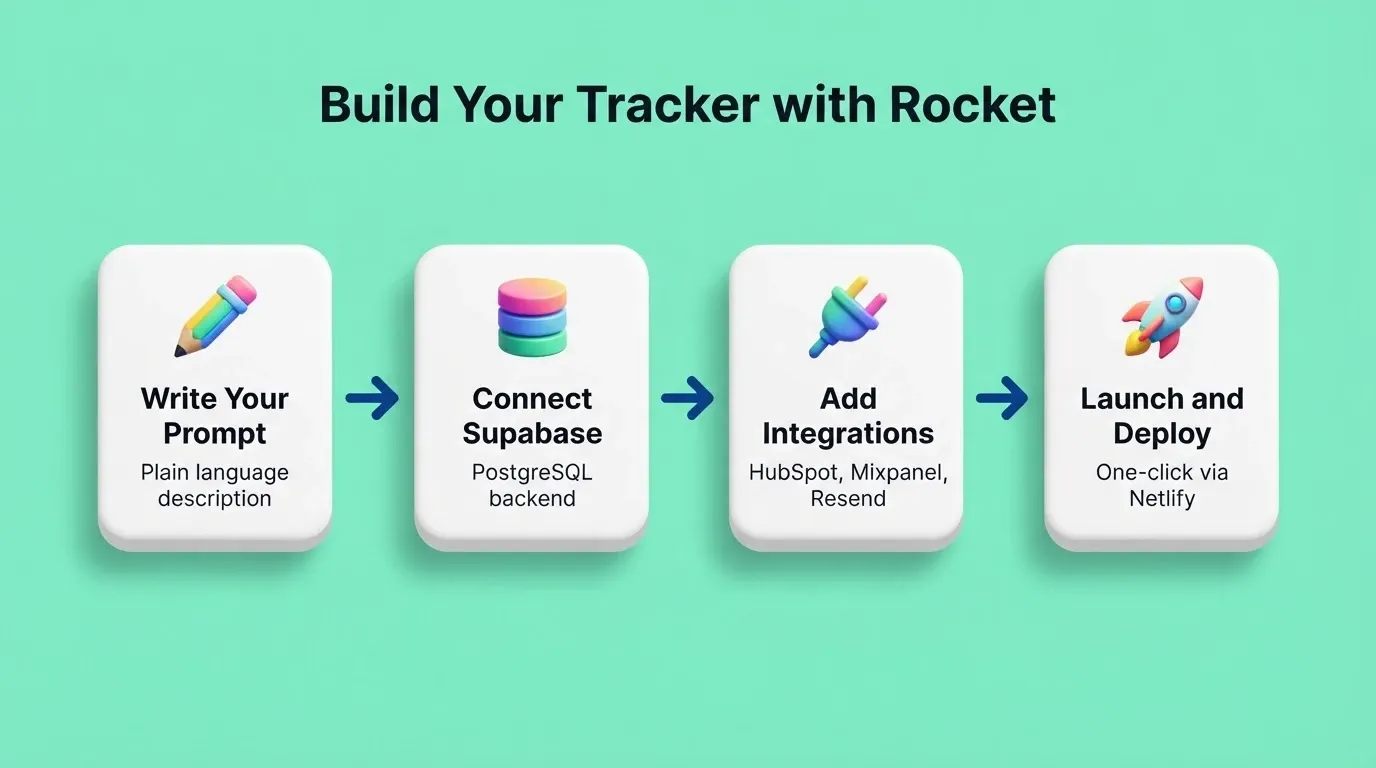
Building a renewal tracker used to require a developer, a database administrator, and weeks of iteration. With Rocket, you simply describe it in plain language. Rocket then generates a working, deployable Next.js application with a Supabase PostgreSQL backend in a single session.
Step 1: Write Your Prompt
The quality of your first generation depends on how specifically you describe the tracker. A strong prompt includes the app type, key screens, data fields, and the alert logic you need.
Example prompt:
"Build a customer renewal tracker for a B2B SaaS company. The main dashboard shows all accounts sorted by renewal date, with columns for company name, ACV, renewal date, days until renewal, health score (green/yellow/red), CSM owner, and last engagement date. Add a detail view for each account showing contract history, notes, and engagement log. Include automated email alerts at 90, 60, and 30 days before renewal using Resend. Connect to Supabase for the backend."
Step 2: Connect Your Backend
Rocket connects to Supabase via OAuth, so there are no API keys to manage. Once connected, Rocket generates the database schema automatically. This includes an accounts table, a contracts table, a health scores table, and an alerts log. Row-level security ensures each CSM only sees their assigned accounts.
For email alerts, connect Resend or SendGrid from the Connectors panel. Rocket then generates the alert logic and email templates as part of the build.
Step 3: Refine Through Chat
After the first generation, you can iterate through simple conversation. For example, try these prompts:
-
"Add a filter to show only accounts renewing in the next 30 days."
-
"Create a CSV export of all at-risk accounts."
-
"Add a Slack notification when an account moves to red status."
-
"Build a monthly renewal forecast chart showing expected MRR by month."
Each change builds on what already exists. There is no need to re-explain the data model or start over.
Step 4: Connect Your Data Sources
Rocket supports direct connections to Supabase (primary database), Airtable (lightweight data management), HubSpot (CRM sync), Mixpanel (usage analytics for health scores), Google Workspace (read from Sheets), Resend and SendGrid (automated email alerts), and Twilio (SMS notifications). Each integration authenticates once and flows into every build.
Step 5: Launch and Share
Click Launch to deploy to a staging URL for team review. When ready, push to production with a custom domain. Rocket handles DNS configuration, HTTPS, and deployment via Netlify automatically. No DevOps work is required. Every deployed project includes a built-in analytics dashboard. It tracks visits, unique visitors, pageviews, visit duration, and bounce rate from the moment your site goes live.
For teams managing renewals alongside other contract obligations, the same approach works well for managing vendor contract renewals on the inbound side.
Spreadsheets vs CRMs vs Custom-Built Renewal Trackers
Three main approaches exist for tracking renewals. Each comes with a different set of tradeoffs. Understanding those tradeoffs helps you pick the right tool for your team size and workflow.
Spreadsheets work until they do not. For a team managing 20 accounts, a well-organized Google Sheet is perfectly fine. Past 50 accounts, however, version control issues, stale data, and missed rows become weekly problems.
CRM add-ons trade flexibility for convenience. Salesforce and HubSpot both support renewal tracking through custom objects and workflows. The limitation is that you are building inside a system designed for a different purpose. Every customization adds complexity.
Custom-built trackers match your workflow exactly. When the tracker is built around your renewal process, adoption goes up and missed renewals go down. Teams that need a visual layer on top of their data often start with a SaaS dashboard before adding renewal-specific logic.
The right choice depends on team size, account volume, and how much your renewal process differs from a generic template.
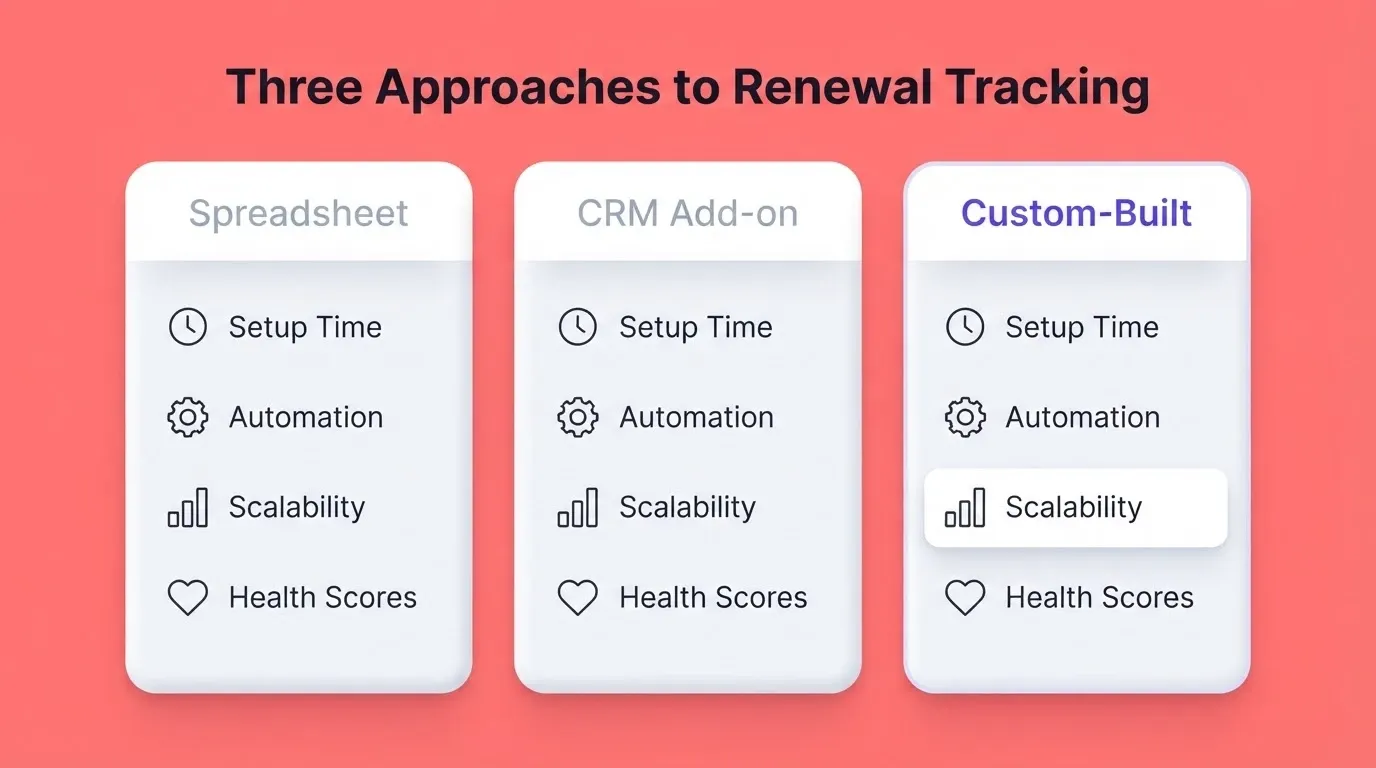
| Factor | Spreadsheet | CRM Add-on | Custom-Built Tracker |
|---|---|---|---|
| Setup time | Minutes | Days to weeks | Hours (with AI builder) |
| Customization | High (but fragile) | Limited by CRM architecture | Full control |
| Automation | Manual or basic macros | Built-in but rigid workflows | Custom alert logic |
| Scalability | Breaks past 100 accounts | Handles volume, not nuance | Scales with your process |
| Health score access | Manual data entry | Requires add-ons or API work | Built-in connection |
| Maintenance | Whoever built it | CRM admin | Iterate via conversation |
What Good Net Revenue Retention Looks Like
Net revenue retention (NRR) is the clearest measure of whether your renewal process is working. It captures not just whether customers renew, but whether they expand.
NRR = (Starting MRR + Expansion MRR - Churned MRR - Contraction MRR) / Starting MRR x 100
| NRR Range | What It Signals |
|---|---|
| Above 120% | Best-in-class: expansion outpaces churn |
| 100 to 110% | Solid: renewals healthy, limited expansion |
| 90 to 100% | Caution: some churn, little expansion |
| Below 90% | Structural problem: tracker alone will not fix this |
A customer renewal tracker directly improves the "Churned MRR" and "Contraction MRR" parts of this formula. It does so by catching at-risk accounts before they lapse. Anything below 90% signals a structural renewal problem that a tracker alone will not fix without broader customer success improvements.
Turn Renewal Visibility Into a Retention Advantage
A customer renewal tracker is no longer optional. It is the operational foundation that separates subscription businesses that grow from those that quietly erode. As subscription models expand across every industry, the teams that build proactive renewal systems today will compound that advantage year over year.
Rocket lets you describe your ideal customer renewal tracker in plain language and ship a working, production-grade application. It is built in Next.js with a real Supabase backend and 25+ integrations. Start building your tracker on Rocket.new and turn renewal visibility into a lasting retention advantage.
Table of contents
- -Why Subscription Businesses Lose Revenue at Renewal Time
- -What Should a Customer Renewal Tracker Actually Show?
- -How Do You Set Up Automated Renewal Alerts?
- -How Does Account Health Data Fit Into Renewal Tracking?
- -How to Build a Customer Renewal Tracker Step by Step
- -Step 1: Write Your Prompt
- -Step 2: Connect Your Backend
- -Step 3: Refine Through Chat
- -Step 4: Connect Your Data Sources
- -Step 5: Launch and Share
- -Spreadsheets vs CRMs vs Custom-Built Renewal Trackers
- -What Good Net Revenue Retention Looks Like
- -Turn Renewal Visibility Into a Retention Advantage

