
Tracking company equipment assignments without a structured system costs organizations millions in ghost assets, compliance risk, and lost devices. Clear workflows, digital accountability, and centralized records solve this before it compounds.
How does your team know which laptop belongs to which employee right now?
For most growing companies, the honest answer is: they don't. Equipment gets assigned through email threads, tracked in scattered spreadsheets, and forgotten the moment someone changes roles or leaves. According to a report compiled by Tecspal, 68% of organizations struggle to maintain a current hardware inventory after shifting to distributed teams.
The problem keeps getting worse as teams grow. The number of corporate devices moving through any organization has increased dramatically.
This blog walks you through how to build an equipment tracking workflow, from initial assignment through return, with clear accountability at every step.
Why Do Equipment Records Fall Apart So Quickly?
The breakdown rarely starts with bad intentions. It starts with informal processes that worked fine at ten people but collapse at fifty. Once a team grows past a certain point, memory and manual updates simply cannot keep up.
-
No single source of truth. IT uses one spreadsheet, HR uses another, and finance keeps a third version for depreciation. Nobody agrees on what is current.
-
Onboarding is fast, but offboarding is forgotten. New hires get devices quickly because there is urgency. When someone leaves, the return process often has no owner, no deadline, and no follow-up.
-
Reassignments go undocumented. A manager hands a spare laptop to a contractor. No ticket, no record, no serial number logged. Three months later, nobody knows where that device went.
-
Remote work multiplied the problem. Devices shipped to home addresses don't come back through a front desk. They require coordinated logistics that many teams never built.
Most organizations never write a formal equipment policy because the problem starts small. At ten employees, someone remembers who has what. By the time the company reaches a hundred people, IT asset management is already behind.
One sysadmin on Reddit described the challenge bluntly: "We've gone from 50 to 200+ remote employees in 3 years, and our IT asset management has become a kind of slippery slope."
When tracking depends on memory and manual updates, records decay faster than anyone expects. Teams building a structured employee offboarding workflow for HR and IT already know this. The gap between departure and device recovery is exactly where most ghost assets are born.
Why Spreadsheets Fail at Scale
Spreadsheets are the default starting point for equipment tracking. They are free, familiar, and fast to set up. But they break down for five specific reasons that get worse as the team grows.
-
No logic layer. A spreadsheet cannot automatically flag a device as overdue for return. Someone has to check manually, and manual checks get skipped.
-
No audit trail. When a cell is overwritten, the history disappears. You cannot answer "who changed this device's status, and when?"
-
No notifications. A spreadsheet cannot send an automated reminder to an employee three days before their return deadline.
-
No access control. Everyone with edit access can change anything. There is no way to give a manager read-only visibility without risking accidental deletions.
-
No integrations. A spreadsheet cannot pull from your HR system to flag departing employees. It also cannot push to your ticketing system to create a return task.
Once your equipment tracking process requires any of these five things, a spreadsheet is the wrong tool. It is time to move to something purpose-built.
The Ghost Asset Problem
Ghost assets are devices that exist on paper but cannot be physically located. They sit in storage rooms, at the homes of former employees, or simply vanish from the asset register entirely.
-
The scale is significant. Industry data from Hardware Asset Management shows that 25 to 35% of IT hardware in organizations qualifies as ghost assets. For a company with 5,000 devices valued at $1,200 each, that represents $1.5 to $2.1 million in unaccounted capital assets.
-
Three categories drive the problem. Lost ghosts have unknown locations. Zombie ghosts are functional devices sitting unused in storage. Phantom ghosts appear in the inventory system but no longer physically exist.
-
Security risk compounds the financial loss. Untracked endpoints with corporate data create compliance exposure under GDPR, HIPAA, and similar regulations. A single unwiped laptop in the wrong hands can trigger audit failures and breach notifications.
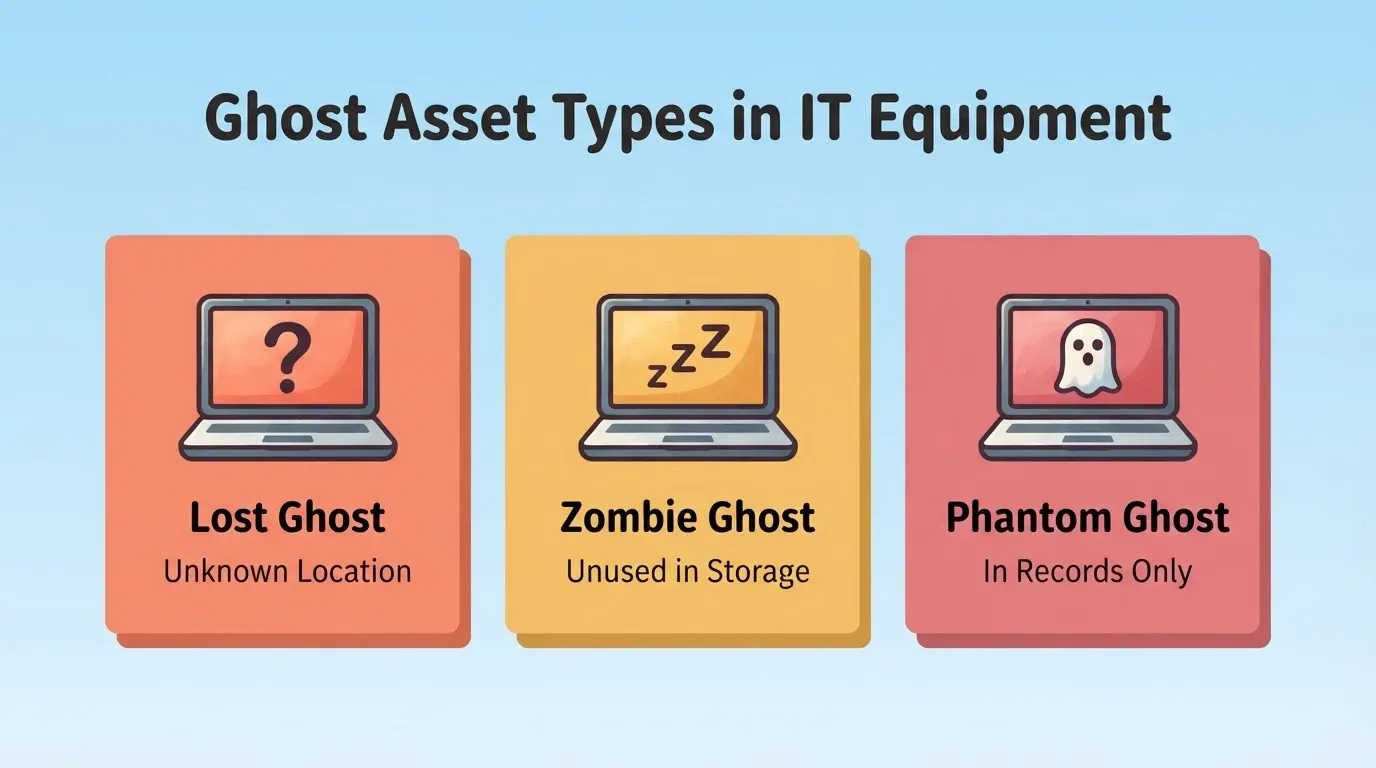
| Ghost Asset Type | Definition | Primary Risk |
|---|---|---|
| Lost Ghost | Device with unknown physical location | Capital loss and compliance exposure |
| Zombie Ghost | Functional device sitting unused in storage | Wasted capital and missed redeployment |
| Phantom Ghost | Appears in records but no longer exists | Inflated inventory and inaccurate audits |
What Does a Structured Equipment Tracking Workflow Look Like?
Most teams try to fix equipment tracking by buying software. However, the real fix starts with defining a clear lifecycle, from procurement to retirement, with documented handoffs at every transition. Once that lifecycle is in place, the right tool simply enforces it.
-
Procurement. New devices receive a physical asset tag and a digital record before leaving the storage room. Serial number, model, purchase date, warranty details, and cost are all logged at intake.
-
Assignment. When a device goes to an employee, the equipment assignment is recorded with a digital acknowledgment form. The employee confirms receipt. The system then updates the device status from "available" to "deployed."
-
Active use. During active use, periodic audits verify the device is still with the assigned person and functioning. A quarterly sample check of 5% of active assets catches drift early.
-
Reassignment or repair. If a device changes hands or goes in for service, the transition is documented in the asset tracking system. No device moves between people or statuses without a logged event.
-
Return and retirement. At offboarding, HR triggers an IT recovery workflow. The device is returned, wiped, and either redeployed to a new hire or retired with a certificate of data destruction.
As a result, building a custom inventory management system from scratch lets you match this workflow to how your team actually operates. You avoid forcing your process into a rigid off-the-shelf platform.
Equipment Lifecycle: From Procurement To Retirement
Building Accountability Into Every Handoff
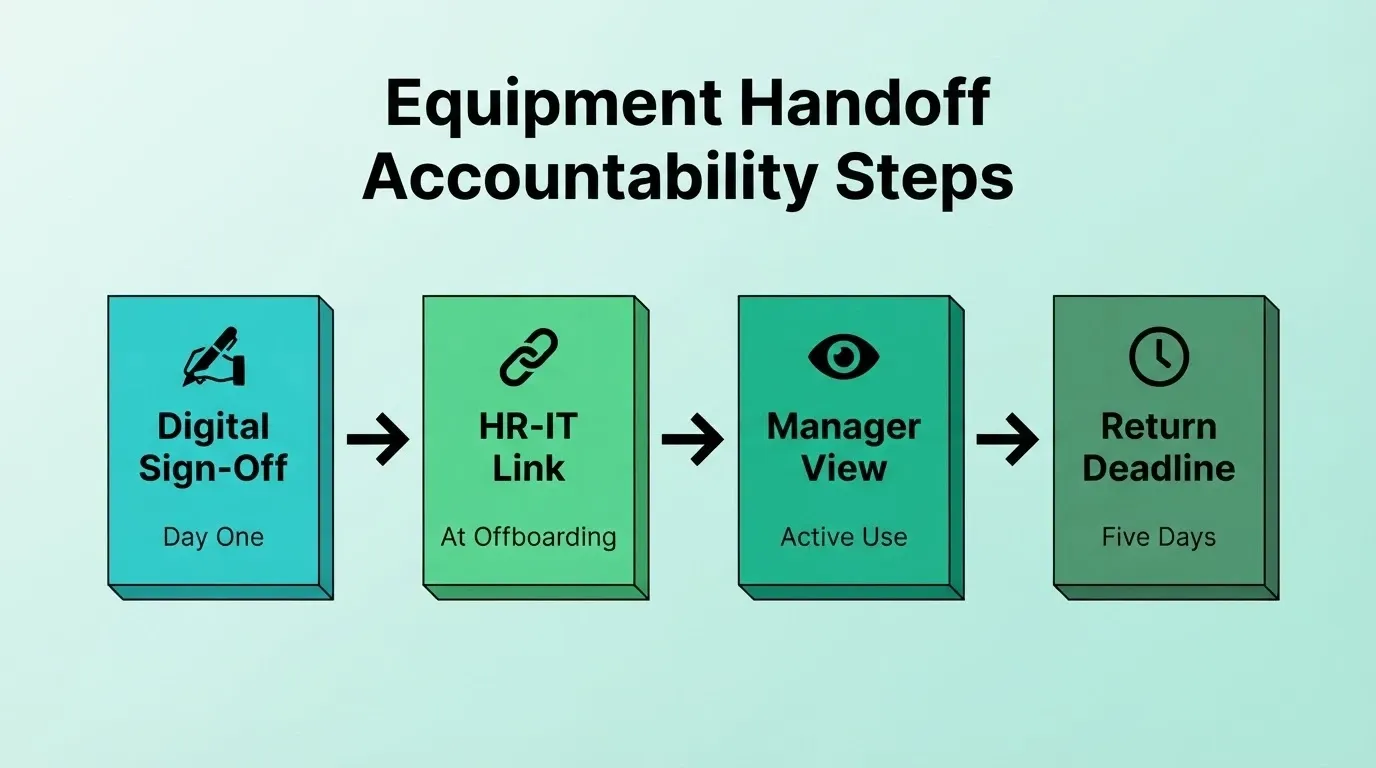
The weakest points in any equipment workflow are the handoffs. Assignment, reassignment, and return are where records break down without clear accountability. Fortunately, a few targeted controls close most of the gaps.
-
Digital sign-off at assignment. When an employee receives a device, they sign a digital acknowledgment. It captures the asset tag, serial number, their name, and the date. This creates a clear chain of custody from day one.
-
HR-IT coordination at offboarding. The single largest source of ghost assets is employee separations without complete asset recovery. Tying the offboarding checklist to IT notification closes the biggest gap. When HR initiates a separation, the system automatically flags every device assigned to that person and creates a return task.
-
Manager-level visibility. Managers should see which company devices their direct reports hold. This distributes oversight instead of placing it entirely on a central IT department.
-
Time-bound return windows. Setting a five-day return deadline after separation, with automated reminders, reduces the "I'll send it back eventually" problem. If the device is not returned, an escalation path kicks in automatically.
A clear equipment checklist at each handoff point removes ambiguity. When the checklist is built into the system rather than stored as a PDF on a shared drive, compliance with the return process becomes automatic instead of optional.
How Equipment Tracking Compares Across Common Tools
Before committing to a solution, it helps to understand what each approach actually delivers for a mid-size IT team. The differences become clear when you look at specific capabilities side by side.
| Capability | Spreadsheet | Generic PM Tool | Enterprise ITSM | Custom Tracker |
|---|---|---|---|---|
| Automated status transitions | No | Partial | Yes | Yes |
| HR system integration | No | No | Yes (complex) | Yes |
| Digital acknowledgment forms | No | No | Yes | Yes |
| Role-based access per user | No | Partial | Yes | Yes |
| Audit trail per device | No | Partial | Yes | Yes |
| Automated return reminders | No | No | Yes | Yes |
| Mobile access for IT field teams | No | Partial | Yes | Yes |
| Setup time | Minutes | Hours | Weeks to months | Hours |
Enterprise ITSM platforms cover all of these capabilities. However, they are priced and sized for organizations with dedicated IT operations teams. A company at 50 to 300 employees typically pays for features it will never use. On top of that, implementation takes months. A purpose-built tracker closes the same gaps at a fraction of the cost and setup time.
How Should IT Teams Handle Remote Equipment Returns?
Remote returns add a logistics layer that most equipment processes were not built to handle. A device sitting in a former employee's apartment is not the same as one handed back at a front desk. As a result, the process needs to start earlier and run more automatically.
-
Pre-staged return kits. Ship a prepaid return label and packaging instructions to remote employees before their last day. Waiting until after someone leaves makes follow-up on company property significantly harder.
-
Clear timelines tied to offboarding. Remote return deadlines should be part of the exit checklist, not an afterthought. The system should send automated shipping reminders at five days, three days, and one day before the deadline.
-
Remote wipe as a parallel step. While waiting for the physical device to arrive, remote lock and wipe capabilities protect corporate data. This is non-negotiable for any device that stored sensitive files, credentials, or client information.
-
Tracking numbers create a paper trail. Every return shipment should have a tracking number logged in the equipment inventory system. This eliminates the "I sent it back" disputes that IT teams deal with regularly.
Endpoint management tools and MDM (mobile device management) platforms can complement the return process. They give IT visibility into device health and location. For organizations managing IT equipment across multiple states or countries, this layer of device management is worth the setup time.
Gartner research found that 74% of organizations reported shorter equipment delivery times after automating device requests and approvals. The same automation logic applies to returns. Teams already using internal tools and admin panels built on modern platforms are including return logistics as part of the core workflow instead of bolting it on later.
Compliance Considerations for Equipment Data
Equipment records contain personally identifiable information. This includes employee names, home addresses for remote shipments, and device identifiers linked to individual work activity. This creates compliance obligations that many IT teams overlook until an audit arrives.
-
GDPR. If your organization employs people in the EU, equipment assignment records that include employee data fall under GDPR. Retention periods, access controls, and deletion workflows need to be defined before an audit, not during one.
-
HIPAA. Healthcare organizations tracking devices that access patient data need to document which devices held PHI, who had access, and when devices were wiped.
-
SOC 2. For SaaS companies pursuing SOC 2 certification, equipment assignment records are evidence of physical access controls. Auditors will ask for documentation of who had which device and when it was returned or wiped.
In short, a custom equipment tracker built with proper role-based access, audit logging, and data retention controls satisfies these requirements from the start. A shared spreadsheet does not.
How Rocket Turns Equipment Chaos Into a Centralized System
Most IT teams try to solve equipment tracking with tools built for something else. They stretch help desk software, repurpose HR platforms, or default to a shared spreadsheet that nobody trusts. The result is a system that works until it doesn't, usually right when someone asks "where did that laptop go?"
Describe what you need in plain language, and Rocket generates a fully functional web application in minutes. You get a complete UI, navigation, logic, and production-ready Next.js code.
Here is an example prompt that produces a working equipment tracker:
"Build an equipment assignment tracker for an IT team. Include a device inventory table with serial number, model, status (available, deployed, in repair, retired), and assigned employee. Add an assignment form that logs the employee name, date, and digital acknowledgment. Include a return workflow that sends automated reminders and marks devices as available when returned. Add a dashboard showing total devices, deployment rate, and overdue returns. Role-based access: IT admins see everything, managers see their team's devices only."
Rocket generates the full application from that description. It builds the database structure, user interface, and business logic all at once. From there, you iterate through chat until it matches your exact process.
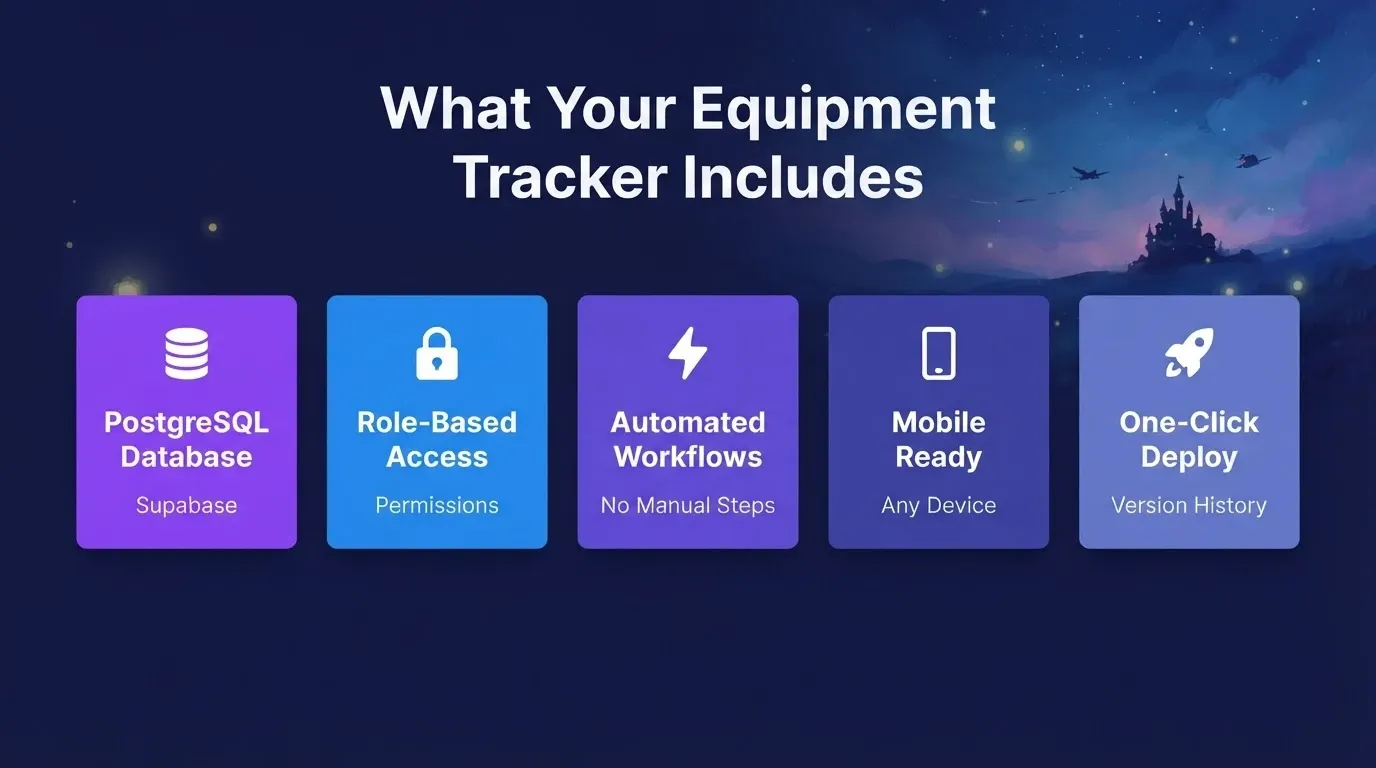
Here is what you get from that single build session:
-
Structured PostgreSQL database via Supabase. Devices link to employees, assignments carry timestamps, and every status change creates an audit trail. No more "who updated this cell?" confusion in a shared spreadsheet.
-
Role-based access control. IT admins see the complete hardware inventory. Managers see their team's devices. Employees see their own assigned equipment. Granular permissions mean the right people get the right view without exposing sensitive asset data.
-
Automated workflows. When HR marks an employee as departing, the system flags assigned devices, sends return instructions, and creates a recovery task for IT. The handoff happens without anyone sending a Slack message or filing a support ticket.
-
Mobile-ready interface. Rocket generates responsive web apps that work on any device. Field IT staff checking in equipment from a warehouse or remote location get the same functionality as the team at a desk.
-
One-click deployment. When the tracker is ready, deploy it to a live URL in one action. Rocket handles staging and production environments, with full version history and one-click rollback if you need to revert a change.
You can also connect the tracker to tools your team already uses. Rocket's 25+ built-in integrations include Airtable for lightweight data management, Notion for documentation, Google Workspace for directory sync, and Resend or Twilio for automated email and SMS notifications. Authenticate once, and they flow into every build.
Which Metrics Show Your Equipment Program Is Working?
A tracking system is only as good as the visibility it creates. Measuring the right metrics tells you whether your equipment management program is tightening up or quietly falling apart. These four KPIs give you a clear picture at any point in time.
-
Recovery rate at separation. The percentage of devices successfully returned when employees leave the company. Target: above 95%. Anything below signals a broken offboarding handoff.
-
Ghost asset rate. Ghost assets divided by total assets, measured annually. A well-managed program keeps this below 3%. Anything above 10% means significant capital is sitting unaccounted for.
-
Time-to-deploy for new hires. How many days pass between a new hire starting and receiving their equipment. Companies with standardized procurement cut onboarding time by 50%, according to IDC research.
-
Asset location accuracy. The percentage of assets with a verified, current location in the inventory system. Quarterly audits should push this above 95%.
| Metric | Calculation | Healthy Target |
|---|---|---|
| Recovery rate | Devices recovered / Total separations x 100 | Above 95% |
| Ghost asset rate | Unlocatable devices / Total devices x 100 | Below 3% |
| Time-to-deploy | Days from start date to device delivery | Under 3 days |
| Asset location accuracy | Verified locations / Total assets x 100 | Above 95% |
| Zombie redeployment rate | Redeployed zombies / Total zombies found x 100 | Above 60% |
Building these metrics into an asset management dashboard means the data is always current. Instead of running a manual report every quarter, the system shows recovery rates, asset utilization, and outstanding returns in real time. Teams using business workflow automation can set up dashboards that surface these KPIs automatically instead of waiting for quarterly reports.
This visibility helps IT directors justify budget requests and prove that the equipment program is delivering measurable results. Moreover, it gives every stakeholder a shared view of performance without waiting for a quarterly report.
Company Equipment Assignments: The Path Forward
Managing company equipment assignments has never been more operationally critical. As hybrid work becomes permanent and device counts grow, the gap between informal tracking and structured systems widens every quarter.
Organizations that build clear assignment workflows, enforce digital accountability at every handoff, and measure recovery rates consistently will spend less time chasing devices. They will spend more time on work that actually matters. The tools to build that system exist today. They do not require a six-month implementation or an enterprise budget.
Describe your workflow to Rocket and build a working equipment tracker that fits your team's exact process. Build your equipment tracker on Rocket and deploy a centralized system your team will actually use.
Table of contents
- -Why Do Equipment Records Fall Apart So Quickly?
- -Why Spreadsheets Fail at Scale
- -The Ghost Asset Problem
- -What Does a Structured Equipment Tracking Workflow Look Like?
- -Building Accountability Into Every Handoff
- -How Equipment Tracking Compares Across Common Tools
- -How Should IT Teams Handle Remote Equipment Returns?
- -Compliance Considerations for Equipment Data
- -How Rocket Turns Equipment Chaos Into a Centralized System
- -Which Metrics Show Your Equipment Program Is Working?
- -Company Equipment Assignments: The Path Forward

