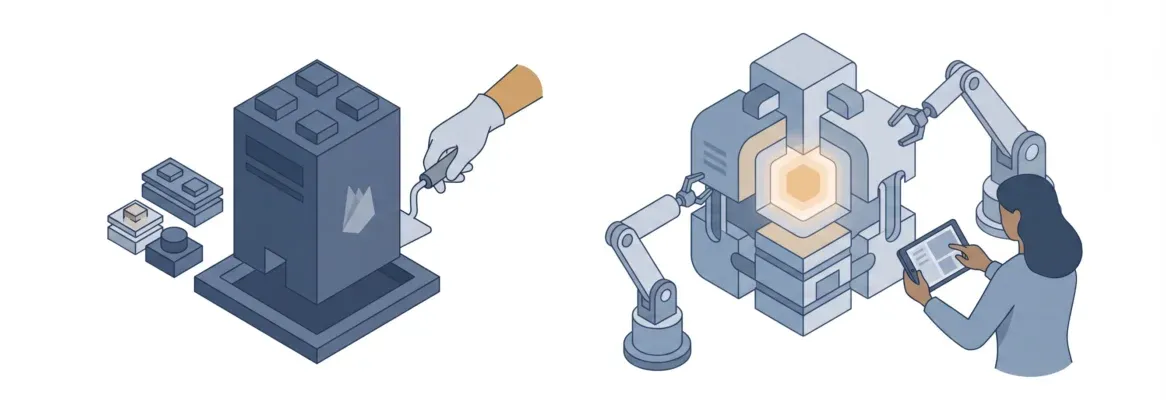
Traditional builders like Wix, Squarespace, and Webflow are fast to start but hit hard ceilings. Rocket's AI-native approach goes from plain-language description to production-ready code, covering web apps, mobile apps, SaaS, and more. No templates, no drag-and-drop limits.
Which website builder is actually the fastest in 2026?
Not fastest to sign up, fastest to go from a blank screen to a live, working site that does something real. That distinction matters more than most people realize, and it's where the whole comparison falls apart for traditional tools.
According to Hostinger's 2026 web statistics, roughly 1.25 million new websites are created every single day. Yet only 15% of the 1.34 billion websites on the internet are actively maintained.
The gap between "launched a site" and "running a site that works" is real, and the tool you pick plays a big role in which side of that gap you land on.
So here is the honest 2026 breakdown you need before picking a platform.
What "Fastest Website Builder" Actually Means in 2026
Speed means different things depending on what you are trying to build. Before comparing platforms, it helps to get clear on which kind of speed actually matters for your situation.
There are four distinct types of speed in the website builder world:
-
Fast to start: How quickly can a complete beginner publish something live?
-
Fast to customize: How long does it take to make the site look the way you want?
-
Fast to scale: Can the site grow with your business without rebuilding from scratch?
-
Fast to ship real functionality: Can you add a booking system, a dashboard, or a complex web app without writing code or hiring a developer?
Most traditional builders, Wix, Squarespace, Webflow, are genuinely fast at the first point. They are decent at the second. They start struggling at the third. And at the fourth, they hit a wall.
That wall is exactly the gap Rocket was built to close.
The Best Website Builders in 2026: A Quick Snapshot
According to W3Techs data, WordPress still dominates with 41.9% of all websites, a 59.5% CMS market share. Wix holds 4.3% of all websites, Squarespace sits at 2.5%, and Webflow at 0.9%.
Here is a fast snapshot of where each platform sits right now:
| Platform | Best For | Starting Price | Learning Curve | AI Features | Custom Domain |
|---|---|---|---|---|---|
| Wix | Small business, beginners | $17/mo | Low | Basic AI builder | Yes |
| Squarespace | Creatives, portfolios | ~$16/mo | Low-Medium | Limited AI | Yes |
| Webflow | Designers, agencies | $15/mo | High | Growing | Yes |
| Framer | Design-forward sites | ~$5/mo | Medium-High | Strong AI design | Yes |
| WordPress | Blogs, complex sites | Free + hosting | High | Via plugins | Yes |
| Rocket | Builders, founders, teams | Free / $25/mo | Low | Full AI-powered | Yes |
These numbers tell a story. WordPress is everywhere, but it is not a website builder in the traditional sense. It is a CMS requiring hosting, plugins, themes, and ongoing maintenance. The builders, Wix, Squarespace, Webflow, Framer, are easier to start with, but each comes with its own ceiling.
Drag and Drop vs. Describe and Build: The Real Speed Shift
The drag-and-drop editor was the big innovation of the 2010s. You did not need to write code. You just moved things around on a canvas. Wix built its entire reputation on this. Squarespace made it beautiful. Webflow made it powerful.
But drag and drop has a ceiling. You are still constrained by what the platform lets you place, where it lets you place it, and what it can actually do when someone clicks it.
In 2026, the real shift is from drag and drop to describe and build. You type what you want in plain language, and the platform builds it. That is the core of what AI-powered builders like Rocket are doing, and it changes the speed equation completely.
Think about the difference in practice:
-
With a drag and drop editor, building a pricing page takes 30-60 minutes of placing elements, adjusting spacing, and testing mobile layouts.
-
With natural language prompting, you describe what you want and get a production-ready starting point significantly faster.
The time savings compound fast, especially when you are building something complex. That is the fastest way to build, not dragging buttons around, but describing what you need and watching it appear.
Where Traditional Builders Start to Show Their Limits
The Learning Curve Problem
Wix, Squarespace, and Webflow each have a different version of the same problem: the more you want to do, the harder things get. Here is how each platform's learning curve plays out in practice:
-
Wix is genuinely easy to start with. But small business owners who have used it for a while often hit the same frustration. The drag and drop editor gives you creative control on the surface, but deep customization requires either Velo (Wix's developer platform) or third-party tools bolted on at additional cost.
-
Squarespace is cleaner and more opinionated. That is a strength for creatives and service-based businesses who want beautiful design templates without thinking too much. But it is also a limitation, you get Squarespace's version of creative control, within their grid system.
-
Webflow is the most powerful of the traditional builders. It gives designers deep customization and full creative freedom over layout, interactions, and CMS structure. But it comes with a steep learning curve, it is genuinely not for beginners.
-
Framer sits in an interesting spot, strong AI features for design, beautiful output, and a growing user base among designers. But like Webflow, it is primarily a design tool, not built to handle backend logic or user authentication out of the box.
The pattern is consistent: every traditional builder trades depth for ease, or ease for depth. That steep learning curve is a real cost that most small business owners and founders discover only after they have already committed to a platform.
For teams looking to move beyond these constraints, the guide on building web apps with AI covers how the AI-native approach handles complexity that traditional builders cannot.
The eCommerce Features Gap
For product-based businesses that need more than a simple online store, the picture gets more complicated fast. Key ecommerce limitations across the main platforms:
-
Squarespace charges a 2% transaction fee on its Basic plan, a real cost that adds up as your online store grows.
-
Wix ecommerce features are solid but spread across multiple paid plans, meaning you pay more as your needs grow.
-
Webflow ecommerce is functional but limited compared to dedicated platforms, and it was not built first as an app platform.
-
WordPress with WooCommerce gives you power, but ongoing maintenance, plugin conflicts, and security updates become a part-time job.
None of these platforms were built to handle booking systems, client portals, inventory management, or custom dashboards without significant extra work.
The Ongoing Maintenance Tax
WordPress powers 41.9% of all websites, but it comes with a hidden cost: ongoing maintenance. Plugins break, themes conflict, and security updates need constant attention.
The appeal of hosted builders like Wix and Squarespace is that they handle the infrastructure. But when your business grows and you need more than what the platform offers, you are either paying more for add-ons or starting over somewhere else.
Neither option is fast. Neither option is free.
How Rocket Changes the Website Builder Equation
Rocket is the world's first Vibe Solutioning platform. It covers the full arc from deciding what to build, to building it, to tracking what your competitors do after you launch. For this comparison, the focus is on the Build capability, because that is where the website builder conversation lives.
AI-Powered Building That Goes Beyond Basic Templates
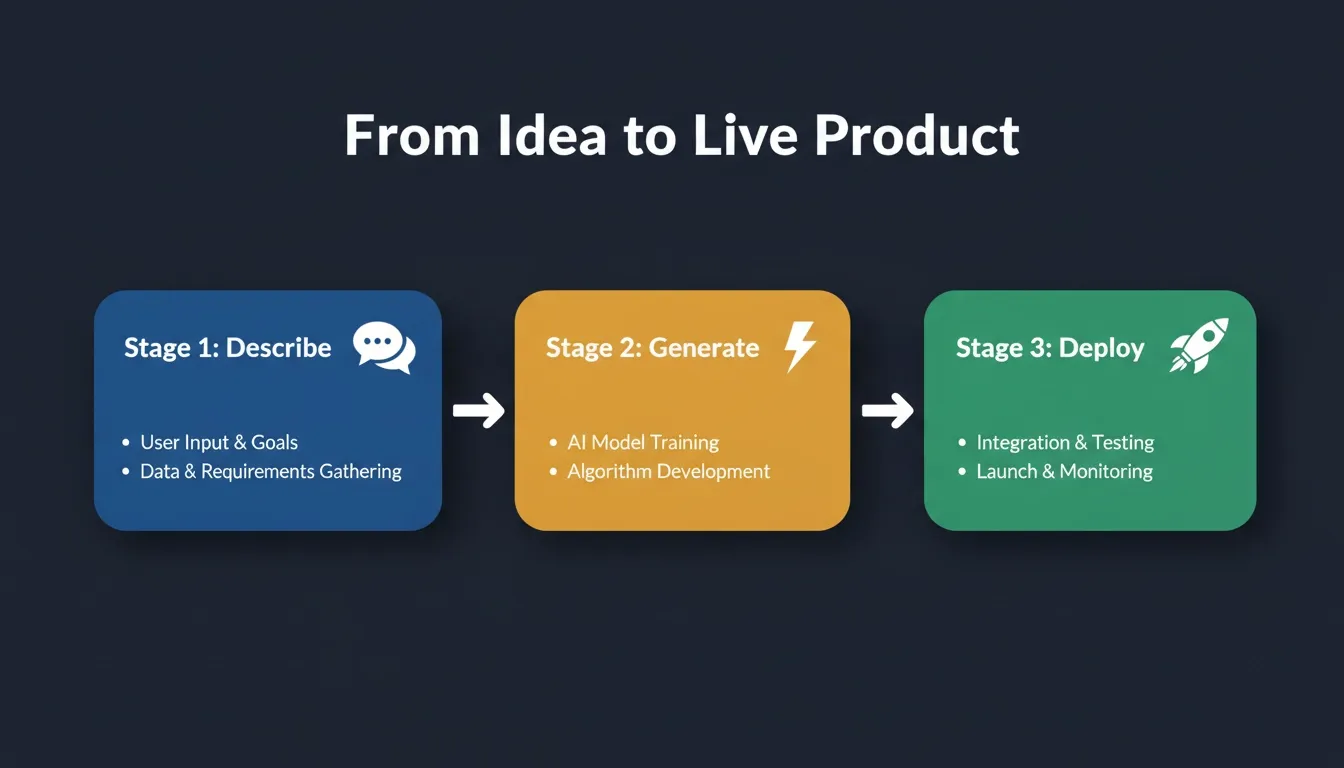
With Rocket, you do not start from basic templates and drag elements around. You describe what you want in plain language, a landing page for a SaaS product, a booking system for a service business, a dashboard for an internal tool, and Rocket builds a production-ready starting point.
The output is not a mockup. It is real, functional Next.js or Flutter code that you can deploy with one click to a staging or production environment. That is a fundamentally different starting point than what any traditional drag and drop editor gives you.
Key differences from traditional builders:
-
No template hunting: Describe your business and get a relevant starting point immediately
-
No blank canvas anxiety: The first generation reflects your actual goals
-
No writing code required: Natural language handles everything
-
Production-ready output from the first prompt: not a wireframe, not a mockup
What Rocket Builds
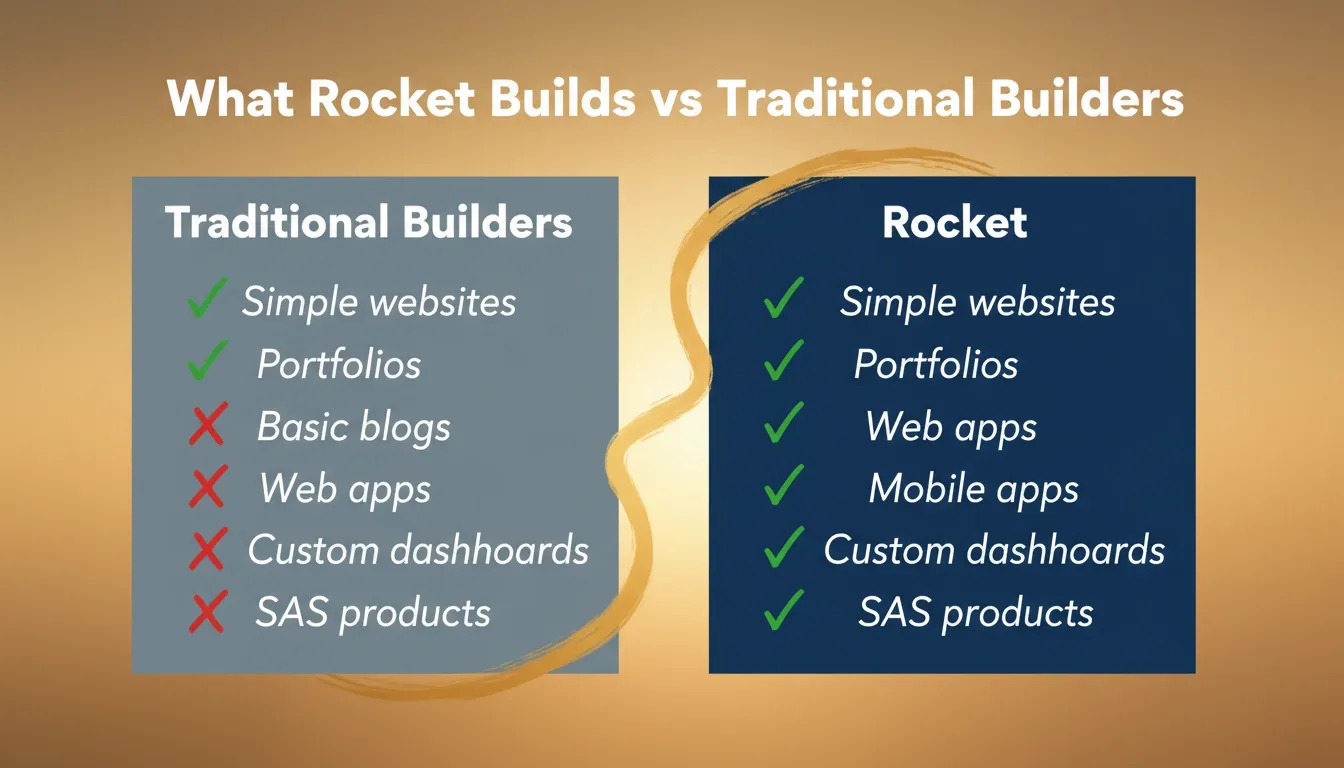
Rocket handles a wide range of build types that traditional builders simply cannot match:
-
Web apps and SaaS products: Full-stack applications with backend logic, user authentication, and data management
-
Landing pages: Fast, conversion-optimized pages built from a single prompt
-
Mobile apps: Cross-platform iOS and Android builds using Flutter, without writing code
-
Internal tools and dashboards: Custom business tools that connect to your data
-
E-commerce experiences: Online stores with custom logic, not just template-based online shops
For a deeper look at how no-code website builders compare and where Rocket fits in, check out the best no-code website builder guide on the Rocket blog.
Built-In Connectors That Replace Third-Party Add-Ons
One of the real costs of traditional website builders is the app market tax. You want email marketing? That is an add-on. You want advanced SEO settings? Another tool. You want a booking system? Third-party integration, extra cost.
Rocket connects to 26+ third-party services with a single prompt, payments, databases, AI models, email, CRM, and more, all built directly into what it creates, not bolted on top. Founders looking to understand how this compares to traditional no-code platforms will find the no-code AI builder breakdown useful.
Custom Domain and Deployment
Like every major builder, Rocket supports custom domain connection. But the deployment story is different. Rocket builds to a staging environment first, so you can test before you go live. One-click deploy to production means you are not managing servers, configuring hosting, or worrying about site speed infrastructure.
Pricing That Scales Differently
| Plan | Price | Credits | What You Get |
|---|---|---|---|
| Free | $0/mo | 20 credits | Build and test, no card needed |
| Pro | $25/mo | 100 credits/mo | Production-ready builds, full features |
| Rocket | $50/mo | 250 credits/mo | Full suite including competitive intelligence |
| Booster | $250/mo | 1,500 credits/mo | Power users and fast-moving teams |
No per-seat fees. Unlimited team members on every plan. Credits never expire. Compare that to Webflow's per-site pricing model or Wix's per-plan feature gating, and the value math looks very different for teams.
AI Features: How Each Builder Compares in 2026
Here is the honest breakdown of where each platform's AI features actually stand in 2026:
-
Wix added an AI builder that can generate a site from a prompt. It is a good starting point for beginners. But the output is still constrained by Wix's templates, component library, and platform limits.
-
Squarespace AI capabilities are more limited, design suggestions and content generation, but not full site generation from a prompt.
-
Webflow has been adding AI tools, including an MCP server and AI layout features. The direction is right, but the platform is still fundamentally a visual design tool, not an AI-native builder.
-
Framer has arguably the strongest AI design capabilities among the traditional builders. Its AI can generate beautiful, design-quality pages from prompts. But it is a design tool, not a full-stack builder.
-
Rocket AI capabilities are in a different category entirely. It does not just generate a design. It generates working, production-ready Next.js and Flutter code. The natural language interface means you can describe complex functionality, user login, data tables, API connections, dynamic content, and get a functional build, not just a visual mockup.
The gap between "AI that helps you design" and "AI that builds working software" is significant. In 2026, only one platform in this comparison crosses that line.
Design Quality and Creative Control: The Honest Trade-Off
Here is the trade-off that most comparison articles skip over. Two clear camps exist when it comes to design quality and creative control:
-
If you are a senior designer or a web designer who needs pixel-perfect creative control over every visual detail, Webflow or Framer is probably still the right tool for you. These platforms give you full creative control at the design level in a way that no AI builder currently matches for pure visual precision.
-
If you are a small business owner, founder, product team, coach, blogger, or anyone building something functional, the design quality of AI-generated builds is more than good enough, and the speed and functionality advantages are enormous.
The question is not "which builder makes the most beautiful site?" It is "which builder gets me to a live, working site that does what I need, fastest?"
For that question, the answer in 2026 is increasingly clear. If you want to skip the template trap and build something real, the website builder for small business guide shows how the AI-native approach compares in practice for real businesses.
Who Should Use What: A Practical Guide for 2026
Picking the right website builder comes down to one question: what are you actually trying to build? Here is the honest breakdown by use case.
Use Wix if:
-
You are a complete beginner building your first simple website
-
You need a quick online presence for a local business
-
Your site needs are straightforward, a few pages, contact forms, basic blogging
Use Squarespace if:
-
You are a creative professional, photographer, artist, designer, who wants beautiful design templates
-
You need a clean portfolio or a simple online store
-
You prefer an opinionated, polished platform over maximum design flexibility
Use Webflow if:
-
You are a web designer or work with designers who know the platform
-
You need deep customization at the CSS level
-
You are building client work that requires precise visual control
Use Framer if:
-
You are a designer who wants AI-assisted design with strong visual output
-
You are building a marketing site or portfolio that needs to look exceptional
-
You are comfortable with a design-first workflow
Use Rocket if:
-
You need to build something functional fast, a web app, a SaaS, a dashboard, a landing page
-
You want production-ready output, not just a visual mockup
-
You are a founder, a product team, or a small business owner who needs to move quickly
-
You want AI tools that go beyond design into strategy, market research, and competitive intelligence
-
You are tired of paying for multiple third-party tools that do not talk to each other
Most small business owners and founders fall into the last category. The right website builder for your goals in 2026 is the one that gets you live fastest with the most functionality, and that is where Rocket genuinely stands apart.
Founders who want to understand how Rocket compares to AI-first alternatives can explore the AI app builder comparison guide for a detailed feature and pricing breakdown. Teams evaluating whether to build with AI or hire developers will find the AI app builder vs hiring developer ROI analysis useful for making that call.
The Right Website Builder for Your 2026 Goals
The website builder market has split into two clear lanes in 2026. The traditional drag and drop platforms, Wix, Squarespace, Webflow, Framer, are mature, polished tools with large user bases. They are great for simple websites, creative portfolios, and design-focused projects. But they have ceilings, and those ceilings show up fast when you need to build something complex.
The AI-native builders like Rocket do not start from templates and drag and drop editors. They start from what you want to build, described in plain language, and they produce production-ready results. The fastest website builder in 2026 is not the one with the most templates or the smoothest drag and drop experience. It is the one that gets you from idea to live, working product in the least amount of time.
For most small business owners, founders, and teams building real products in 2026, Rocket is the fastest website builder, not because it is a website builder, but because it is something more. With 1.5 million people across 180 countries already using it, the signal is clear: the way people build for the web is changing, and Rocket is at the front of that shift.
Ready to see how fast you can go from idea to live? Start building on Rocket.new for free and find out what production-ready actually feels like.
Table of contents
- -What "Fastest Website Builder" Actually Means in 2026
- -The Best Website Builders in 2026: A Quick Snapshot
- -Drag and Drop vs. Describe and Build: The Real Speed Shift
- -Where Traditional Builders Start to Show Their Limits
- -The Learning Curve Problem
- -The eCommerce Features Gap
- -The Ongoing Maintenance Tax
- -How Rocket Changes the Website Builder Equation
- -AI-Powered Building That Goes Beyond Basic Templates
- -What Rocket Builds
- -Built-In Connectors That Replace Third-Party Add-Ons
- -Custom Domain and Deployment
- -Pricing That Scales Differently
- -AI Features: How Each Builder Compares in 2026
- -Design Quality and Creative Control: The Honest Trade-Off
- -Who Should Use What: A Practical Guide for 2026
- -The Right Website Builder for Your 2026 Goals