

Most small businesses lose warm leads because they have no website. This guide compares Wix, Squarespace, WordPress, Shopify, GoDaddy, and Hostinger honestly, then shows how Rocket.new's AI website builder gets you from description to live site in under an hour, with SEO, mobile responsiveness, and ecommerce built in by default.
What does a potential customer do the moment they hear about your business?
They search for it. Not on social media. Not by calling a friend. They open Google, type your business name, and look for a website.
According to BrightLocal's 2026 Local Consumer Review Survey, 54% of consumers visit a business's website after reading positive reviews, up sharply from just 32% in 2019. Yet only 40% of local businesses have a dedicated website. That means more than half of all warm, interested buyers hit a dead end when they go looking for you.
That is not a small problem. That is a leaking bucket, and the right website builder for small business owners can seal it fast.
Why Small Business Websites Matter More Than You Think
Your Website Is Your Digital Front Door
When someone hears about your bakery, consulting firm, plumbing service, or boutique clothing shop, the first thing they do is look you up. A professional website does several things at once:
-
It confirms you are a real, operating business
-
It gives visitors a place to learn about your services, pricing, and location
-
It acts as a 24/7 salesperson that never takes a day off
-
It builds credibility before a single conversation happens
-
It gives customers a way to contact you, book an appointment, or buy something
The cost of not having one is real and measurable. If 54% of people who read a positive review about your business then go looking for your website and find nothing, you have lost more than half your warm leads.
The AI Search Shift Changes Everything
Here is something that makes this even more urgent in 2026. According to BrightLocal's research, 45% of consumers now use ChatGPT and other AI tools for local business recommendations, up from just 6% the previous year. AI tools pull from websites when generating answers. No website means no presence in that channel either.
This is not a future trend. It is happening right now. Businesses without websites are invisible to a growing share of the market, not just on Google, but in AI-powered search and recommendation tools that shape buying decisions every day.
What a Good Small Business Website Actually Does
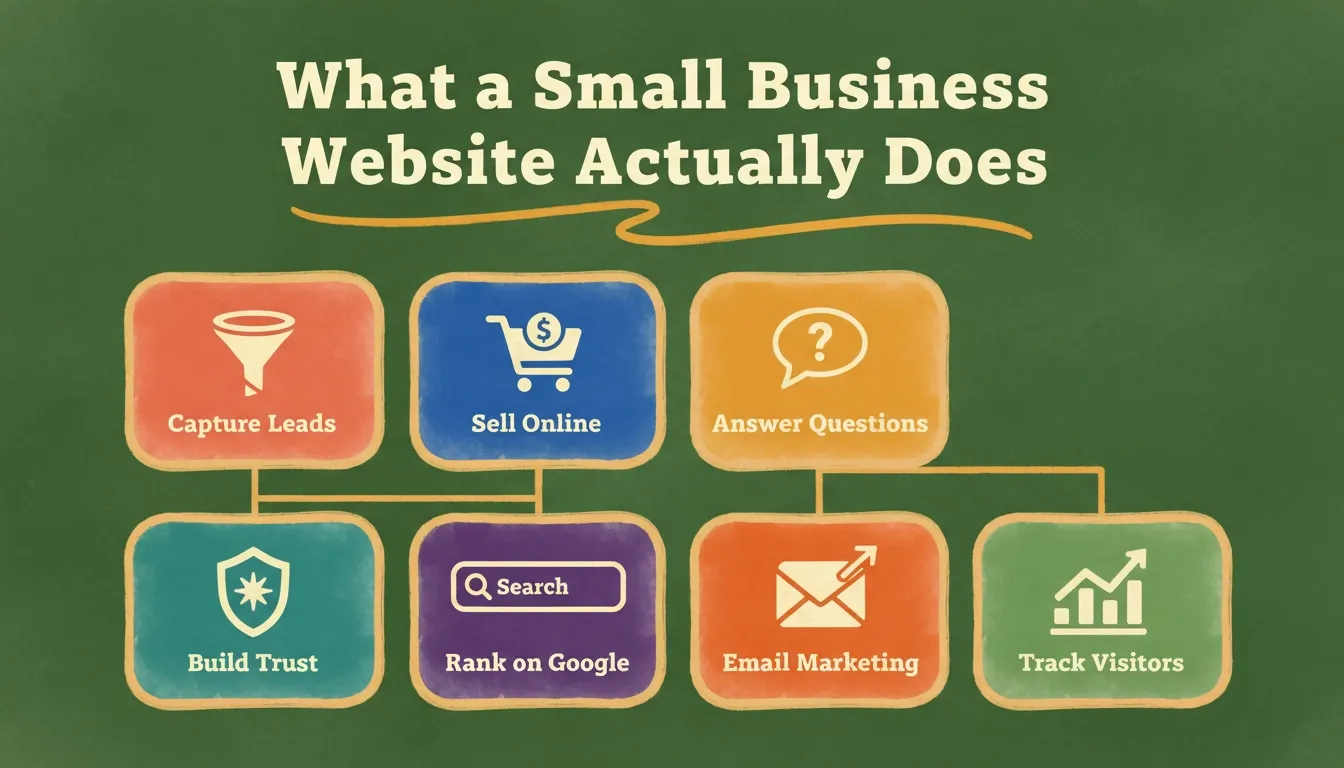
A small business website is not just a digital brochure. When built well, it:
-
Captures leads through contact forms and booking tools
-
Sells products or services directly through an online store
-
Answers common customer questions before they need to call
-
Builds trust through testimonials, case studies, and social proof
-
Ranks on Google through built-in SEO tools and clean site structure
-
Connects to your email marketing for a consistent brand presence
-
Tracks website visitors so you understand what is working
The right website builder for small business owners makes all of this possible without requiring a web designer or developer.
 What a Small Business Website Actually Does
What to Look for in a Website Builder for Small Business
The Core Checklist Every Small Business Owner Should Use
Not every website builder is built with small business owners in mind. Some are designed for developers who want full creative control. Others are built for designers who care about pixel-perfect layouts. A few are genuinely made for people who just want to get online without a steep learning curve.
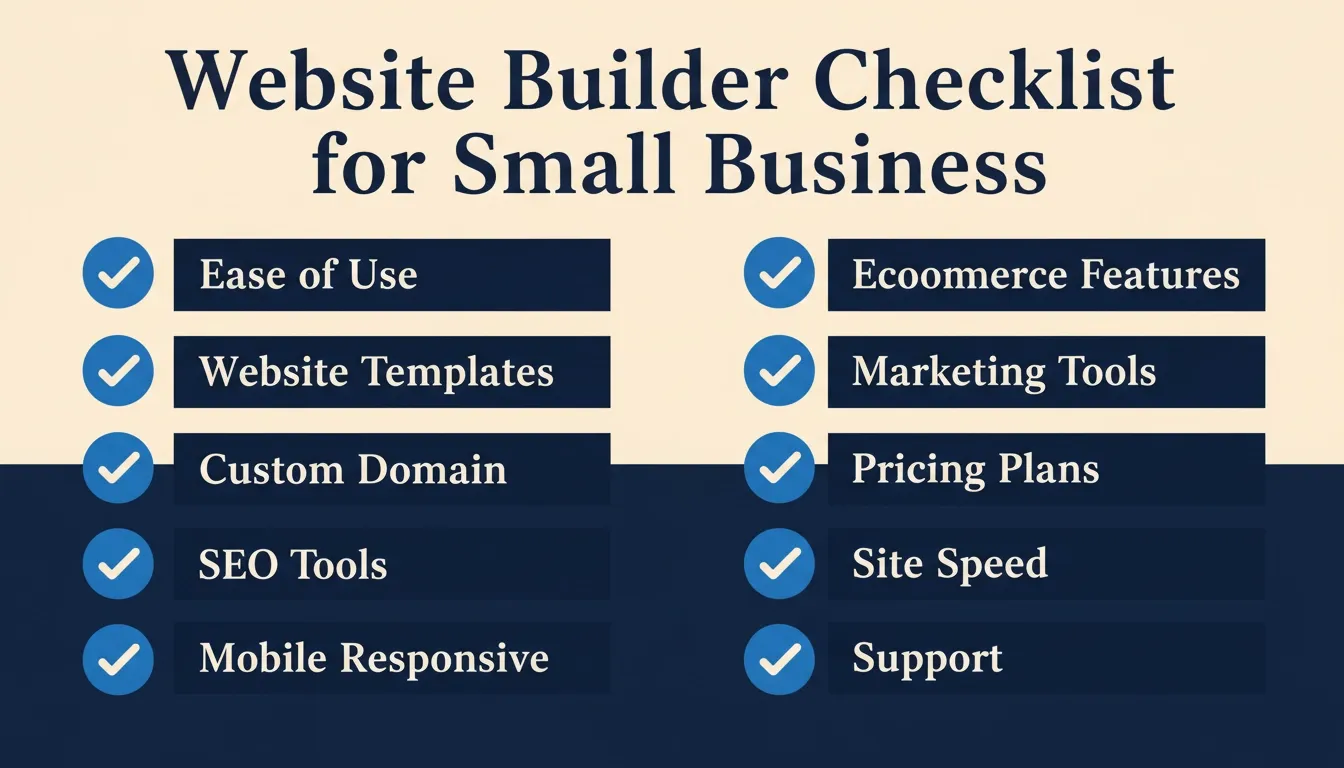
Here is what actually matters when evaluating your options:
-
Ease of use: Can you set it up without hiring a web designer?
-
Website templates: Do the templates look professional and relevant to your industry?
-
Custom domain support: Can you connect your own domain name?
-
SEO tools: Does it help your site rank on Google?
-
Mobile responsiveness: Does the site look good on phones and tablets automatically?
-
Ecommerce features: Can you sell products or services directly from the site?
-
Marketing tools: Does it support email marketing campaigns?
-
Pricing plans: Is there a free plan or affordable paid plans that scale with your needs?
-
Site speed and web hosting: Is hosting reliable with fast loading times?
-
Support: Is help available when things go wrong?
What Different Business Types Actually Need
Service-based businesses such as consultants, coaches, local tradespeople, restaurants, and salons typically need a clean, informative site with core pages: home, services, about, contact, and maybe a blog. They need contact forms, appointment booking, and a way to showcase testimonials.
Product-based businesses such as retailers, makers, and online shops need an ecommerce store with payment processing, inventory management, product descriptions, and a smooth checkout flow. Site speed matters a lot here because slow loading times kill conversions.
Professional service providers such as lawyers, accountants, and financial advisors need a site that builds credibility fast. Clean design, clear service descriptions, a professional email address, and trust signals like certifications and client logos are essential.
Creative professionals such as photographers, designers, and artists need a portfolio site that showcases their work visually. Design quality is the top priority here.
All business types need a site that loads fast, looks good on mobile devices, and does not require constant maintenance to stay functional.
 Website Builder Checklist for Small Business
The Most Popular Website Builders: An Honest Look
Wix: The All-Rounder
Wix is one of the most widely used website builders globally. It offers a drag and drop editor that is genuinely user friendly, thousands of free templates, and a free plan for getting started.
What works well:
-
Large library of website templates across many industries
-
Intuitive drag and drop editor with no coding knowledge required
-
Built-in marketing tools including email marketing and Google Ads integration
-
App market for adding extra functionality like booking, CRM, and live chat
-
Free domain for one year on paid plans
-
24/7 customer support
Where it falls short:
-
The free plan shows Wix branding and ads on your site
-
Once you choose a template, you cannot switch without rebuilding from scratch
-
Paid plans start at $17/month but costs add up quickly with apps and integrations
-
Sites can feel slow if not properly optimized; site speed is a known issue
-
SEO tools are functional but not as deep as purpose-built platforms
-
The drag and drop editor gives a lot of freedom, which can also make it easy to create a messy layout
Wix pricing plans:
| Plan | Monthly Price (Billed Annually) |
|---|---|
| Free | $0 (with Wix branding) |
| Light | $17/month |
| Core | $29/month |
| Business | $39/month |
| Business Elite | $159/month |
Wix is a solid choice for small business owners who want flexibility and are comfortable spending time customizing a template. It is not the fastest path to a live site, but it offers a lot of control once you learn the interface.
Squarespace: The Design-Focused Option
Squarespace produces beautiful websites with minimal effort and is popular with photographers, restaurants, and creative service providers.
What works well:
-
Stunning design-focused templates that look polished out of the box
-
Built-in analytics and SEO tools on all plans
-
Good ecommerce features on higher plans
-
Clean, consistent design across all pages
-
Strong blogging tools and built-in email marketing tool on higher plans
Where it falls short:
-
No free plan; paid plans start at around $16/month
-
Steeper learning curve than Wix for beginners
-
Limited customization options compared to WordPress
-
Adding advanced features often requires workarounds
-
Ecommerce functionality is locked behind higher paid plans
-
Customer support is email-only on the basic plan
Squarespace is a great option for businesses where visual presentation is a priority. If you run a restaurant, a photography studio, or a boutique retail shop, the design quality is hard to beat at this price point.
WordPress: The Developer's Choice
WordPress powers a significant portion of the web. It offers full creative control, thousands of plugins, and near-unlimited customization. But it is a content management system (CMS) that requires more setup and ongoing management than a typical website builder.
What works well:
-
Maximum flexibility and custom code options
-
Huge plugin ecosystem for adding virtually any functionality
-
Strong SEO capabilities with plugins like Yoast
-
Scales well as your business grows
-
Full ownership of your site and data
Where it falls short:
-
Requires separate web hosting (additional cost)
-
Steep learning curve for non-technical users
-
Security and maintenance are your responsibility
-
Costs can be unpredictable; hosting, premium themes, and plugins add up
-
Building a professional-looking website from scratch takes significant time
-
No built-in drag and drop editor by default (requires a page builder plugin like Elementor)
WordPress is the right choice if you have technical skills, want maximum control, and are building something complex. For most small business owners who just want to get online fast, it is more tool than they need.
Shopify: The eCommerce Specialist
Shopify is purpose-built for ecommerce. If selling online is your primary goal, it is one of the strongest options available for small business owners.
What works well:
-
Best-in-class ecommerce features including inventory management and payment processing
-
Reliable, fast hosting built for high-traffic online stores
-
Strong marketing tools including email marketing campaigns
-
Large app store for extending functionality
-
Good mobile app for managing your store on the go
Where it falls short:
-
Not ideal for service-based businesses that do not primarily sell products
-
Transaction fees apply unless you use Shopify Payments
-
Paid plans start at around $39/month, more expensive than general website builders
-
Limited design freedom compared to general website builders
-
Building a content-rich site feels secondary to the store
Shopify is the right choice if your primary goal is selling products online. For service-based businesses or those who need a full business website with ecommerce as one feature rather than the whole point, it can feel limiting.
GoDaddy Website Builder: The Speed Option
GoDaddy offers a simple, fast way to get a small business website live. It is one of the most user friendly options for true beginners who just need something online quickly.
What works well:
-
Very quick setup; you can have a basic site live in under an hour
-
Includes free domain for the first year on paid plans
-
Good for simple sites with a limited number of pages
-
Affordable pricing plans and built-in marketing tools for basic needs
Where it falls short:
-
Limited design options compared to Wix or Squarespace
-
Basic SEO tools; not suitable for businesses with serious search visibility goals
-
Not suitable for complex ecommerce stores
-
Templates feel dated compared to competitors
-
Support quality varies
GoDaddy is a reasonable starting point for businesses that need something simple and fast. But many small business owners find themselves outgrowing it quickly and migrating to a more capable platform.
Hostinger Website Builder: The Budget Option
Hostinger has built a reputation as one of the most affordable website builders with a capable AI website builder built in.
What works well:
-
Very affordable; plans start at around $3/month
-
AI website builder generates a starting point from a prompt
-
Free domain included on most plans
-
Good site speed thanks to Hostinger's hosting infrastructure
Where it falls short:
-
AI generation is basic compared to more advanced platforms
-
Limited ecommerce features on lower plans
-
Design templates are functional but not as polished as Squarespace
-
Less flexibility for complex sites
Hostinger is worth considering if budget is the primary constraint and you need a simple, clean site without advanced features.
For a deeper look at alternatives, see Hostinger website builder alternatives compared on the Rocket.new blog.
Comparison of the Best Website Builders for Small Business
| Builder | Free Plan | Starting Paid Price | Best For | Ecommerce | Learning Curve |
|---|---|---|---|---|---|
| Wix | Yes (with ads) | $17/month | General small business | Yes | Low |
| Squarespace | No | ~$16/month | Design-focused businesses | Yes (higher plans) | Medium |
| WordPress | Yes (basic) | Varies with hosting | Developers, flexible needs | Via plugins | High |
| Shopify | No (3-day trial) | ~$39/month | Ecommerce-first businesses | Yes (native) | Medium |
| GoDaddy | No | ~$10/month | Simple sites, beginners | Basic | Very Low |
| Hostinger | No | ~$3/month | Budget-conscious beginners | Basic | Very Low |
| Rocket.new | Free tier | Flexible plans | AI-powered, fast launch | Yes | Very Low |
The Real Problem with Traditional Website Builders
Here is something most comparison articles skip over. Many website builders for small business are built around the idea that you already know what you want.
You pick a template. You fill in the blanks. You adjust colors and fonts. You hit publish.
That sounds simple. But in practice, small business owners spend hours, sometimes entire weekends, trying to make a template look like their business. The drag and drop editor becomes a puzzle. The template does not quite fit. The fonts feel off. The layout works on desktop but breaks on mobile.
That frustration is common. It points to a fundamental gap in the traditional website builder model: the tools are powerful, but the starting point is always generic.
The Hidden Time Cost
 The Hidden Time Cost of Traditional Website Builders
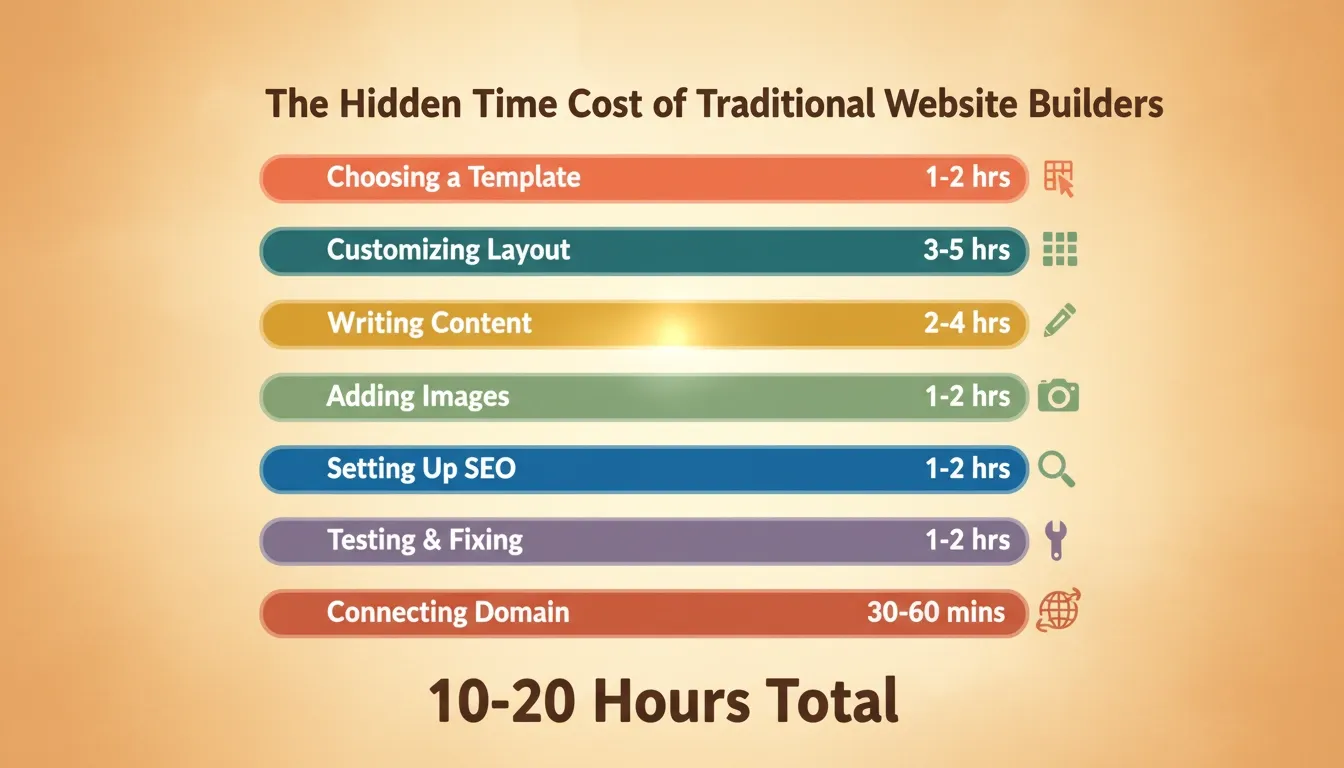
The time cost of building a small business website with a traditional builder is rarely discussed honestly.
Here is what it actually looks like for most people:
-
Choosing a template: 1-2 hours browsing through hundreds of options
-
Customizing the layout: 3-5 hours adjusting sections, moving elements, fixing mobile view
-
Writing the content: 2-4 hours writing homepage copy, service descriptions, about page
-
Adding images: 1-2 hours finding, resizing, and uploading custom images
-
Setting up SEO: 1-2 hours configuring meta tags, page titles, and descriptions
-
Testing and fixing: 1-2 hours checking everything works on mobile and desktop
-
Connecting the domain: 30-60 minutes
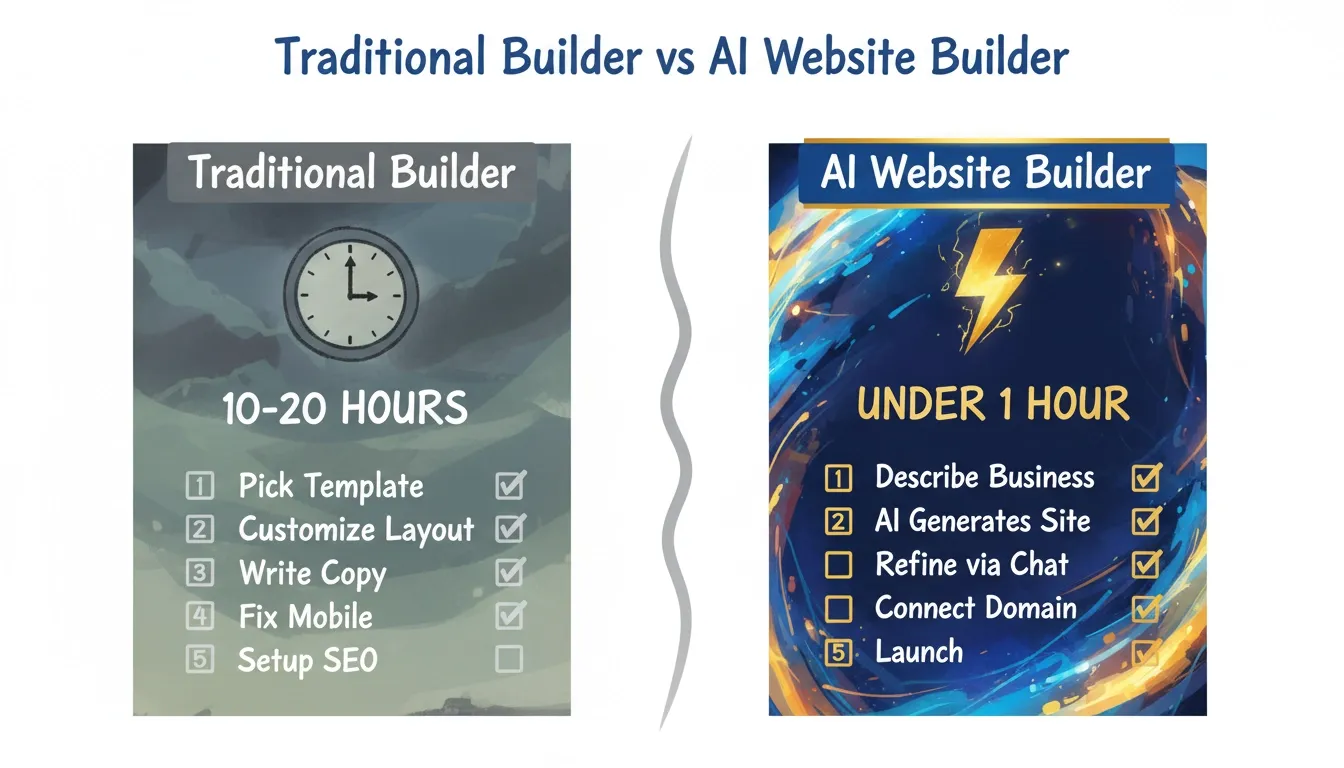
Total: somewhere between 10 and 20 hours for a basic five-page site. That is two to three full workdays, time that most small business owners simply do not have.
The Shift Toward AI Website Builders
Why AI Changes the Game for Small Business
Traditional website builders give you tools. AI website builders give you a starting point that is already relevant to your business.
The difference is significant. Instead of picking a generic restaurant template and replacing every image and line of text, an AI website builder generates a site structure, copy, and layout based on what your business actually does. The first thing you see is already closer to what you need.
The best AI website builder options today go further than just generating a template. They understand context, ask the right questions, and produce something that looks like it was built for your specific business.
For a deeper look at how AI is changing website creation, read how AI is transforming modern websites on the Rocket.new blog.
The Rise of AI-Powered Website Creation
The website builder market has shifted significantly in the last two years. Many website builders now include some form of AI assistance, but there is a wide range in how useful that AI actually is.
Some builders use AI to suggest color palettes or generate a few lines of copy. Others use AI to generate an entire site from a single prompt. The gap between these two approaches is enormous in terms of time saved and quality of the starting point.
For small business owners, the question is not just "does this builder have AI?" but "does the AI actually understand my business and generate something worth using?"
 Traditional Builder vs AI Website Builder
How the Rocket.new Process Works
Here is how the AI-powered website creation flow looks from start to launch:
Rocket.new: From Idea to Live Small Business Website in an Hour
What Rocket.new Actually Does
Rocket.new is not just a website builder. It is an AI-powered platform where you describe what you want to build in plain language and it generates a production-ready website with real design quality, proper structure, and working functionality.
You do not pick a template and fill in blanks. You describe your business, your goals, and the pages you need. Rocket.new plans the architecture, writes the code, and shows you a live preview, usually in one to three minutes.
The output is not a wireframe or mockup. It is a working, deployable website built in Next.js with SEO-ready structure, mobile responsiveness, and WCAG accessibility compliance built in by default. These are the baseline, not optional extras.
Rocket.new has been tried by 1.5 million people across 180 countries, from solopreneurs to enterprise teams. The platform is backed by Salesforce Ventures and Accel.
How to Create a Website for Your Small Business on Rocket.new
The process is straightforward. Here is exactly how it works:
Step 1: Go to Rocket.new and Sign In
The home screen gives you a prompt field and category tabs: Landing page, Dashboard, Website, SaaS, Mobile App, and E-commerce. Each tab has example prompts to help you get started.
Step 2: Describe Your Business in Plain Language
This is where Rocket.new is different. You are not picking a template; you are describing your business.
For example:
"Build a five-page website for a local plumbing company in Austin, Texas. Include a homepage with a hero section and testimonials, a services page listing emergency repairs, drain cleaning, and water heater installation, an about page, a contact page with a booking form, and a blog. The tone should be friendly and professional. Use blue and white as the primary colors."
The more specific your description, the better the first generation. But even a simple description like "website for a coffee shop in Brooklyn" produces a solid starting point.
Step 3: Watch It Generate
Rocket.new builds the site in real time, creating each file as you watch. Most sites generate in one to three minutes. You can see the progress as each page and component is created.
Step 4: Preview and Refine
The live preview lets you interact with your site exactly as a visitor would. Click buttons, navigate between pages, fill out forms. If something is not right, you have two ways to fix it:
-
Chat: Type natural language instructions to change anything, with no change limit
-
Visual Edit: Click any element directly in the preview and change text, style, spacing, or layout on the spot
Step 5: Add Your Content
Upload your logo, swap in real photos, and refine the copy to match your voice. Rocket.new also generates custom images and SVG assets that match your site's design identity, so you are not stuck hunting for stock photos.
Step 6: Connect Your Domain
Connect an existing custom domain or buy one directly through Rocket.new. Automatic HTTPS is included. DNS setup is handled automatically for supported domain providers; you authorize once and Rocket.new configures everything.
Step 7: Launch
Click Launch. Your site is live with a shareable URL. The entire process, from blank page to live site, takes under an hour for most small business websites.
Key Features That Matter for Small Business Owners
AI-Powered Generation That Understands Context
Rocket.new generates complete websites from natural language descriptions. This means no template hunting, no blank page anxiety, and no hours spent adjusting layouts. The first generation reflects your actual business, not a generic placeholder.
The design quality is intentional. Rocket.new produces output that looks like a senior designer touched it: considered typography, real visual hierarchy, and a design identity specific to your business.
Three Ways to Refine Your Site
After the initial generation, you have three ways to make changes:
-
Chat with Rocket: Natural language instructions to change anything, with no change limit
-
Visual Edit: Click any element in the preview to change text, style, spacing, image, or layout directly
-
Code Editor: Browse and modify source files directly, with full access to the generated Next.js code
This flexibility means Rocket.new works for both non-technical small business owners who never want to see code, and technical founders who want full access to the underlying codebase.
Built-in SEO Tools That Actually Work
Every Rocket.new site ships with clean semantic HTML, page titles and meta descriptions generated from your content, mobile-responsive layouts, structured data support, and an XML sitemap. You can also run a full SEO audit with the /Generate SEO Report command, which covers meta tags, schema validation, sitemap status, and page structure.
Many website builders treat SEO as an add-on or a paid feature. Rocket.new treats it as a baseline that every site ships with.
Learn more about how Rocket.new builds SEO-optimized applications as a default.
Custom Domain and Managed Hosting
Connect your own domain name or buy one directly through Rocket.new. Automatic HTTPS is included on all custom domains. Hosting is fully managed; you do not need to think about web hosting, server maintenance, or security updates separately.
Built-in Analytics Without Extra Tools
Once your site is live, Rocket.new tracks visits and unique visitors, pageviews and visit duration, bounce rate, traffic sources, device breakdown, country data, and Core Web Vitals (LCP, INP, CLS), the performance metrics Google uses as ranking signals. No separate analytics tool needed.
Integrations for Small Business Tools
Rocket.new connects directly with tools small businesses already use: Stripe for payment processing, Mailchimp for email marketing campaigns, Calendly for appointment booking, Google Analytics for advanced traffic analytics, Supabase for backend databases, Typeform for advanced forms, PayPal as an alternative payment processor, and Brevo, MailerLite, SendGrid, and Twilio for additional communication needs.
Authenticate once and integrations flow into every build. No plugin installation, no configuration headaches.
See the full list of integrations Rocket.new supports when building an app.
Version History and One-Click Rollback
Every significant change creates a new version. If something goes wrong after an update, you can roll back to any previous version with one click. Nothing you build is ever permanently lost. This is a feature that many traditional website builders charge extra for or do not offer at all.
Redesign Any Existing Website
If you already have a website that is outdated or underperforming, Rocket.new can redesign it. Point it at your existing site URL and use slash commands to control the depth and direction of change:
-
/Reimagine Website Design: Modern look, all existing content preserved
-
/Full Website Makeover: Completely new look, layout, and copy
-
/Mobile-First Redesign: Rebuilt for how most visitors actually arrive
-
/Fix Conversion Issues: Analyze and fix bounce and drop-off problems
-
/Redesign Like Competitor: Apply the design style of a competitor to your content
This means Rocket.new is not just for new websites. It is also the fastest way to modernize a site that has fallen behind.
What Rocket.new Builds for Small Business Owners
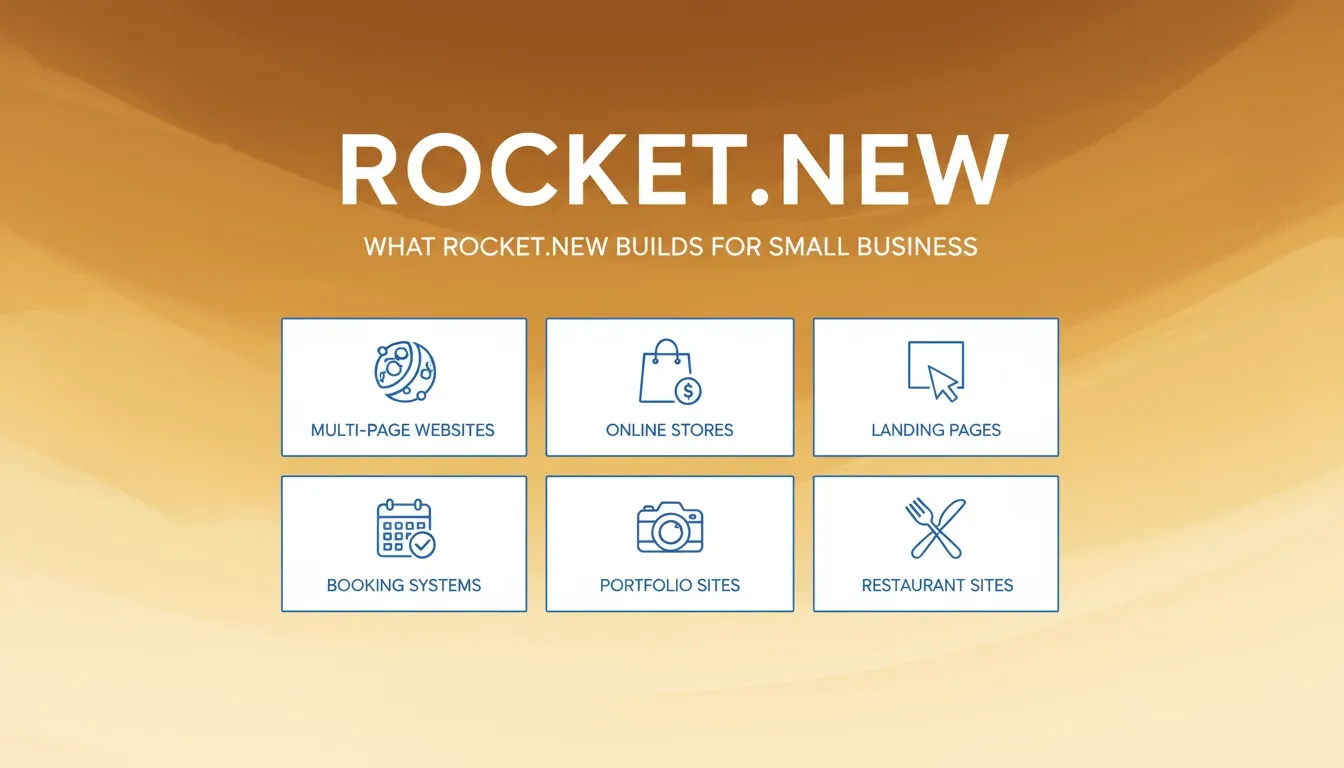
What Rocket.new Builds for Small Business
Rocket.new is not limited to simple brochure sites. Small business owners use it to build multi-page business websites, landing pages, online stores, booking and appointment systems, portfolio sites, restaurant sites, service-based business sites, and blog websites.
For a step-by-step walkthrough, see how to build a website for a small business with Rocket.new.
How Rocket.new Compares to Traditional Website Builders
Traditional website builders like Wix, Squarespace, and GoDaddy give you tools and expect you to figure out the rest. Rocket.new starts with your business description and generates something relevant from the beginning. The gap between "I need a website" and "I have a live website" is measured in minutes, not weekends.
Here is where the differences show up in practice:
Design Quality
Wix and GoDaddy templates are designed to work for any business, which means they are not optimized for yours. Squarespace templates look polished but are hard to customize deeply without fighting the template structure. Rocket.new generates designs built specifically for your business from the first generation.
Time to Launch
Traditional builders require picking templates, replacing every line of placeholder content, adjusting layouts, and testing across devices. Rocket.new generates a working site in minutes and lets you refine from there. The one-hour timeline is realistic, not marketing copy.
SEO Out of the Box
Many builders require you to manually configure SEO settings, add meta tags, and install plugins. Wix has basic built-in SEO tools. WordPress requires a plugin like Yoast. Squarespace includes SEO tools but they require manual setup. Rocket.new includes SEO-ready structure as a default: semantic HTML, meta tags, structured data, and sitemap are all there from the first generation.
Flexibility as You Grow
WordPress offers maximum flexibility but requires technical knowledge and ongoing maintenance. Wix locks you into its platform; you cannot easily export your site if you want to move. Rocket.new gives you access to the underlying Next.js code if you want it, plus the ability to connect your GitHub repository for advanced customization. You own your code.
Pricing Transparency
Wix and Squarespace have paid plans that start low but add up with apps and features. A fully functional Wix site with marketing tools, ecommerce, and custom domain can easily cost $40-60/month. Rocket.new's pricing is clear, with a free tier to get started and paid plans that scale with your actual needs.
The Steep Learning Curve Problem
Many website builders advertise themselves as easy to use, but the reality is that building a site that actually looks good and works well takes time to learn. Wix has a steep learning curve once you go beyond basic templates. WordPress has an even steeper one. Rocket.new's chat-based interface means you can make changes in plain language; no learning curve required.
The One-Hour Website: A Realistic Timeline
So what does "live in an hour" actually look like? Here is a realistic breakdown for a typical five-page small business website on Rocket.new:
| Step | Time |
|---|---|
| Sign up and write your business description | 5 minutes |
| AI generates your site | 1-3 minutes |
| Review the initial generation | 5 minutes |
| Refine via chat (headlines, sections, colors) | 15-20 minutes |
| Add your logo and real images | 10-15 minutes |
| Review copy and make final text edits | 10-15 minutes |
| Connect custom domain | 5-10 minutes |
| Final review and launch | 5 minutes |
| Total | ~55-75 minutes |
Compare that to the typical experience with a traditional website builder for small business, where the average time from signup to a live, polished site is measured in days, not hours. Many small business owners report spending two to three full weekends before they feel confident enough to hit publish.
Common Mistakes Small Business Owners Make with Website Builders
Picking the Wrong Tool for the Job
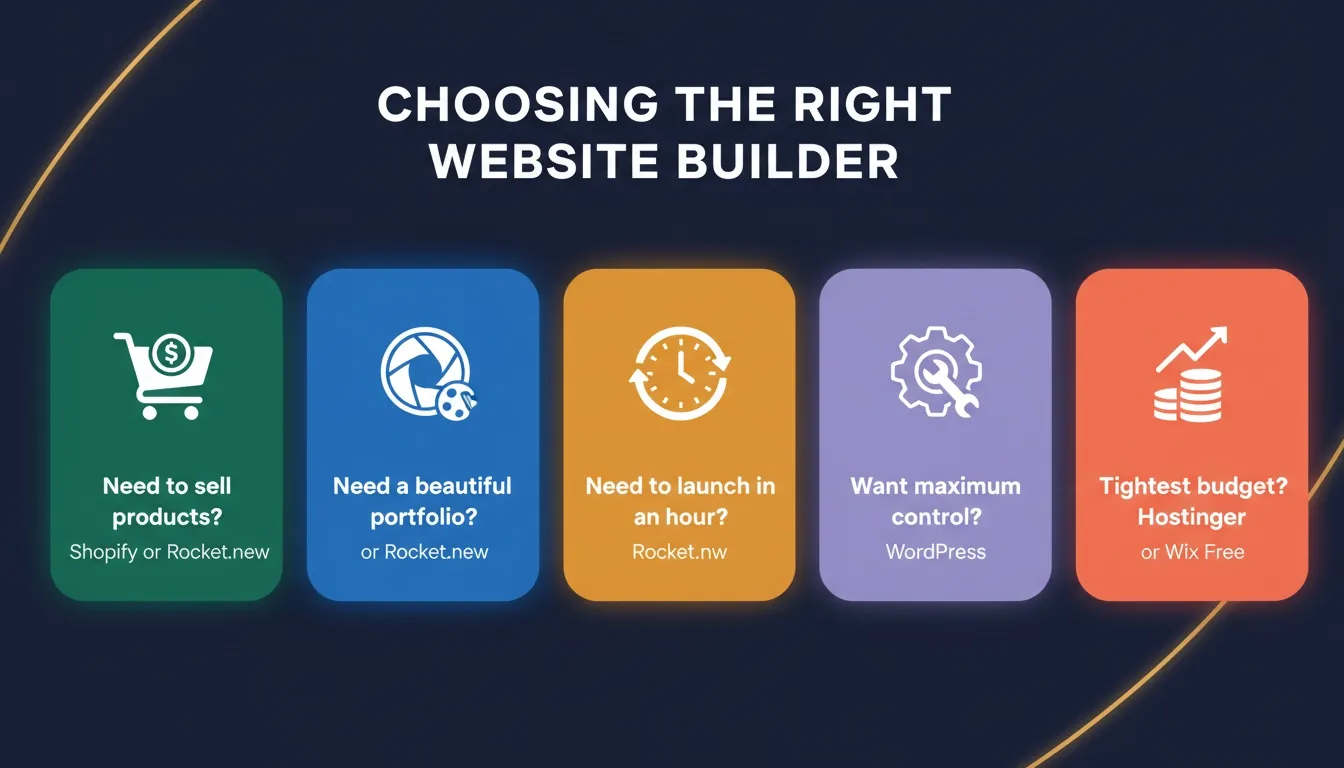
The most common mistake is choosing a website builder based on name recognition rather than fit. Match the tool to your actual business needs:
-
Need to sell products? Shopify or Rocket.new
-
Need a beautiful portfolio? Squarespace or Rocket.new
-
Need something live in an hour? Rocket.new
-
Need maximum control and have technical skills? WordPress
-
Need the cheapest possible option? Hostinger or Wix free plan
For a broader look at common errors, read mistakes to avoid when using an AI website builder.
Spending Too Long on Design Before Launch
Many small business owners spend weeks perfecting their website before launching. The colors are not quite right. The font feels off. The hero image is not perfect. So they keep tweaking, and the site never goes live.
The better approach: launch with something good enough, then improve it based on real feedback. A live site that is 80% perfect is infinitely more valuable than a perfect site that never launches.
Ignoring Mobile from the Start
More than half of all web traffic comes from mobile devices. Yet many small business owners build their site on a desktop and never check how it looks on a phone until after launch. By then, fixing mobile layout issues can mean rebuilding sections from scratch.
Rocket.new generates mobile-responsive layouts by default. Every page is built to work on phones and tablets from the first generation.
Skipping SEO Setup
Building a beautiful website and then not setting up SEO is like opening a shop and not putting a sign outside. Without proper meta tags, page titles, and site structure, Google cannot understand what your site is about, and it will not rank.
Many website builders require you to manually configure SEO settings. Rocket.new includes SEO-ready structure as a default, but you should still review and customize your meta titles and descriptions for each page.
Not Connecting a Custom Domain
A website with a URL like yourbusiness.wixsite.com looks unprofessional. It signals to visitors that you have not invested in your online presence. A custom domain costs around $10-15/year and makes a significant difference in how your business is perceived. Every serious website builder supports custom domains. Use one from day one.
Choosing the Right Website Builder for Your Small Business
 Choosing the Right Website Builder
Questions to Ask Before You Pick
Before committing to any platform, run through these questions:
-
How technical are you? If you have no coding knowledge and want something fast, Rocket.new or Wix are strong choices. If you want full control and have technical skills, WordPress is worth considering.
-
What type of business do you run? Service-based businesses need a clean, informative site. Product-based businesses need solid ecommerce features. Rocket.new handles both well.
-
What is your budget? If you need a free website to start, Wix has a free plan (with ads). Rocket.new has a free tier. Squarespace and Shopify require paid plans from day one.
-
How fast do you need to launch? If you need a live site this week, Rocket.new's one-hour timeline is hard to beat.
-
Do you need to sell online? Shopify is the strongest ecommerce-first option, but Rocket.new handles online stores well and adds the benefit of AI-powered generation.
-
How much ongoing maintenance can you handle? WordPress requires regular updates and security monitoring. Wix and Squarespace handle maintenance for you. Rocket.new manages hosting, security, and performance automatically.
-
Do you want to own your code? Most website builders lock you into their platform. Rocket.new lets you download your source code and take it anywhere.
Your Small Business Website Starts Here
The numbers are clear. More than half of consumers who read positive reviews about a business then go looking for that business's website. AI tools are now among the most popular sources of local business recommendations. And only 40% of local businesses have a dedicated website.
That is a gap you can close today.
The traditional website builder for small business model, pick a template, fill in the blanks, spend a weekend getting it right, still works. But it is slow, and it starts from a generic place that requires hours of work to make feel like your business.
Rocket.new starts from your business. You describe what you need, and it generates a production-ready site in minutes. You refine it through conversation. You connect your domain. You launch.
One hour. Live site. Done.
Ready to stop spending weekends on templates and start building something that actually looks like your business? Start building for free on Rocket.new today and join over 1.5 million people who have already launched with AI-powered generation.
Table of contents
- -Why Small Business Websites Matter More Than You Think
- -Your Website Is Your Digital Front Door
- -The AI Search Shift Changes Everything
- -What a Good Small Business Website Actually Does
- -What to Look for in a Website Builder for Small Business
- -The Core Checklist Every Small Business Owner Should Use
- -What Different Business Types Actually Need
- -The Most Popular Website Builders: An Honest Look
- -Wix: The All-Rounder
- -Squarespace: The Design-Focused Option
- -WordPress: The Developer's Choice
- -Shopify: The eCommerce Specialist
- -GoDaddy Website Builder: The Speed Option
- -Hostinger Website Builder: The Budget Option
- -Comparison of the Best Website Builders for Small Business
- -The Real Problem with Traditional Website Builders
- -The Hidden Time Cost
- -The Shift Toward AI Website Builders
- -Why AI Changes the Game for Small Business
- -The Rise of AI-Powered Website Creation
- -How the Rocket.new Process Works
- -Rocket.new: From Idea to Live Small Business Website in an Hour
- -What Rocket.new Actually Does
- -How to Create a Website for Your Small Business on Rocket.new
- -Key Features That Matter for Small Business Owners
- -What Rocket.new Builds for Small Business Owners
- -How Rocket.new Compares to Traditional Website Builders
- -Design Quality
- -Time to Launch
- -SEO Out of the Box
- -Flexibility as You Grow
- -Pricing Transparency
- -The Steep Learning Curve Problem
- -The One-Hour Website: A Realistic Timeline
- -Common Mistakes Small Business Owners Make with Website Builders
- -Picking the Wrong Tool for the Job
- -Spending Too Long on Design Before Launch
- -Ignoring Mobile from the Start
- -Skipping SEO Setup
- -Not Connecting a Custom Domain
- -Choosing the Right Website Builder for Your Small Business
- -Questions to Ask Before You Pick
- -Your Small Business Website Starts Here


